
 Bitaigen Research
 The specific steps for Bitcoin contract trading include: transferring funds within the exchange, navigating to the contract page, selecting a contract type, configuring contract parameters, submitting an opening order, and managing the position.
In this article we walk you through the entire Bitcoin contract‑trading workflow, covering the key actions from fund transfer to position management. We illustrate each step with screenshots from the OKEX platform to help beginners get started quickly and avoid common pitfalls. Continue reading if you want to master every detail.
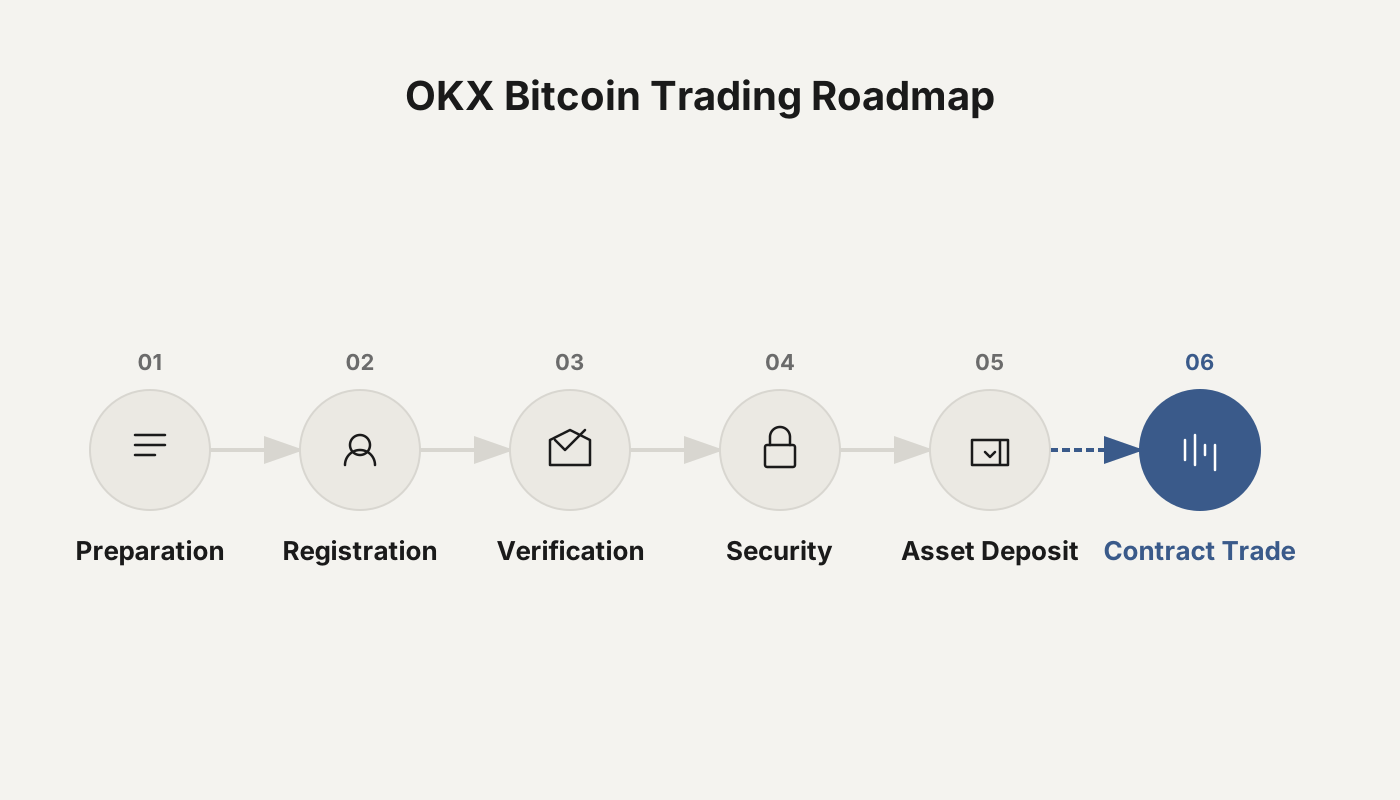
What are the exact steps of a Bitcoin contract‑trading tutorial?
Below we use OKEX (https://www.ouyi.xin/) as an example and describe every operation in detail.
1. Fund Transfer
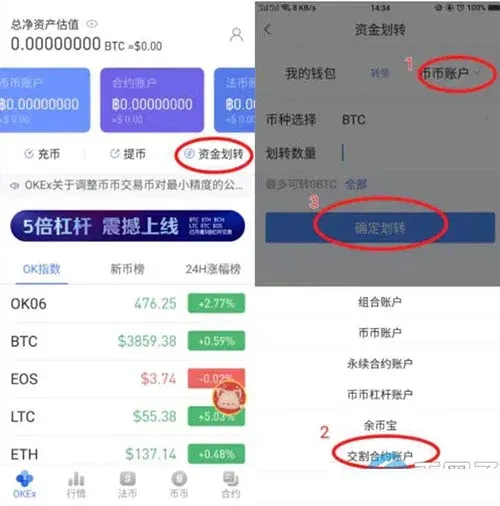
On OKEX, an account is divided into My Wallet, Spot Account, Contract Account, and Fiat Account. When a new user purchases digital assets in the fiat account, the assets must first be transferred to the appropriate trading account before any subsequent actions can be taken.
- Transfer to Contract Account: Click sequentially “1. Delivery‑contract account → Transfer amount → Confirm transfer”.
2. Enter the Contract‑Trading Interface
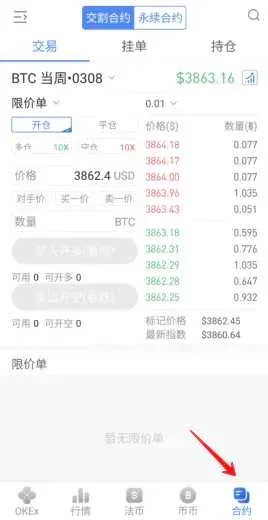
After logging in, go to the contract‑trading page; the interface looks like the screenshot below.
3. Choose the Contract Type
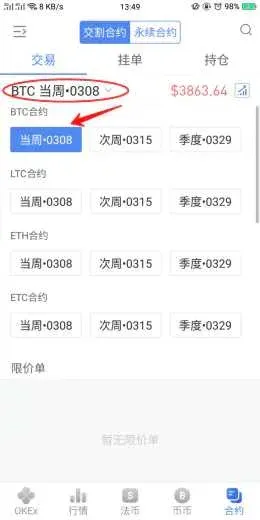
- Contract Variety: Click “Delivery Contract” inside the red box and select either “Weekly Contract” or “Quarterly Contract”.
- Short‑term traders usually pick the weekly contract, while longer‑term participants may opt for the quarterly contract.
- Currency: Prefer mainstream coins; low‑liquidity altcoins can suffer from insufficient depth.
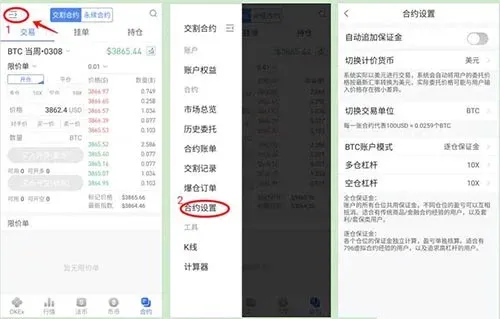
4. Contract Settings (Critical Step)
Improper parameter choices can lead to liquidation, so double‑check the following items:
| Parameter | Recommended Setting | Explanation |
|---|---|---|
| **Quote Currency** | USD | Base for valuation |
| **Trading Unit** | Corresponding coin or “contract” | One contract equals $100 BTC or $10 of other coins |
| **Margin Mode** | Isolated margin | Uses only the margin attached to the specific position |
| **Cross Margin** | Suitable for experienced users | Unused margin in the account can also cover risk |
| **Leverage** | 10× (beginners) <br> 20× (experienced) | Higher leverage = higher risk |
Isolated margin and cross margin differ in that isolated margin only draws from the margin allocated to the current position, whereas cross margin pulls from any free margin in the account.
5. Open a Position (Limit Order)
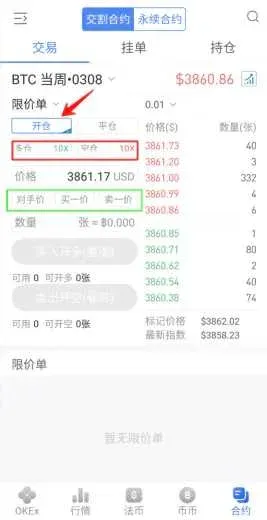
On the trading screen perform the following actions:
- Click Open Position.
- Choose “Buy‑Long” if you expect the price to rise, or “Sell‑Short” if you expect it to fall.
- Select the leverage (highlighted in the red box).
- Enter a price or pick the Opposite‑Side Price option.
- After specifying the quantity, click Buy‑Long or Sell‑Short.
- Best Bid (Buy 1): The highest price among current buy orders.
- Best Ask (Sell 1): The lowest price among current sell orders.
- Opposite‑Side Price: The system automatically uses the latest price on the opposite side of the order book; you only need to fill in the quantity.
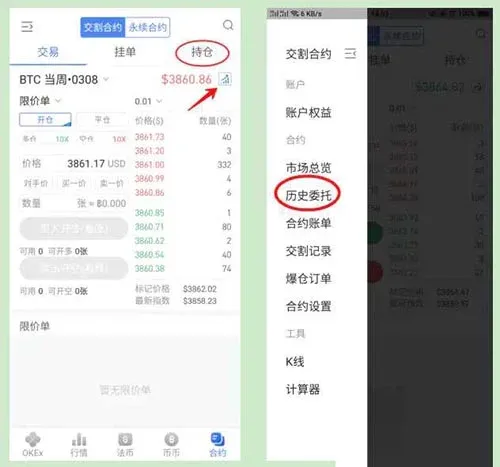
When the order is filled, the executed order appears under Position; any order that has not yet matched appears under Open Orders, where you can cancel it before the match occurs. Clicking the arrow on the right side opens a real‑time market view with candlestick charts—monitor the 30‑minute, 1‑hour, and 4‑hour timeframes.
Opening‑Position Example
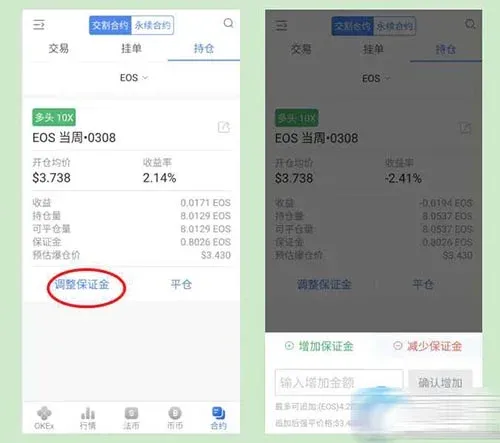
Using the EOS weekly contract as an example, place a limit order to buy 10 lots (only 1 lot of actual margin is required because of 10× leverage). If the limit price is below the current market price, the order remains pending and can be cancelled at any time.
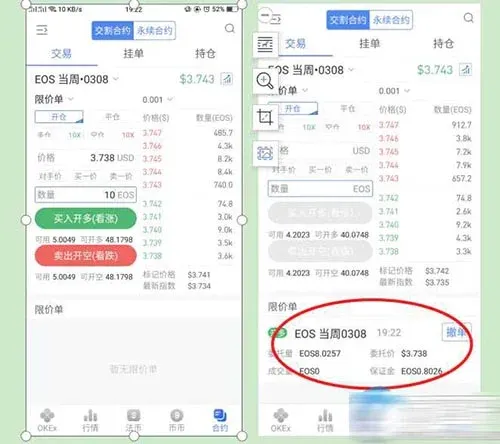
After execution, the position panel shows leverage, direction, fees, remaining quantity, and return‑on‑investment. If the market moves against you, you can add margin to raise the liquidation price.
What is the purpose of Bitcoin contract trading?
1. Hedging and Risk Management
- Leverage for amplified exposure: Allows a small amount of capital to control a larger notional value.
- Risk hedging: Large holders such as miners can lock in value by taking an opposite‑direction contract position.
- If BTC price rises, the futures position loses value while the spot holding retains its appreciation.
- If BTC price falls, the futures position gains, offsetting the loss on the spot holding.
This “spot‑vs‑contract” opposite‑direction strategy lets gains in one market cancel losses in the other, thereby reducing price‑volatility risk.
2. Boosting Asset Liquidity and Attracting Institutional Participation
Many institutions cannot directly hold Bitcoin; contract products give them a regulated entry point.
- In October 2017, 124 funds already owned digital assets, with total assets around $2.3 billion.
- Today, the number of funds exceeds 500, managing between $10 billion‑$15 billion in assets.
The influx of institutional capital markedly improves the liquidity of virtual assets.
3. Expanding Trading Strategies and Capturing Pricing Power
Contracts support both long and short positions, enriching the toolbox of traders. Spot and contract markets feed each other, expanding overall market size.
Derivatives trading volume now far surpasses that of physical gold, allowing institutions to influence spot prices indirectly by dominating the futures market.
---
By following the steps and understanding the functions described above, you now possess a complete view of Bitcoin contract trading. Always adhere to strict risk‑management practices when executing real trades to protect your capital. For more practical blockchain and contract‑trading tips, follow the crypto‑community channels; we will keep publishing relevant updates.
This concludes the full answer to “What are the specific steps of a Bitcoin contract‑trading tutorial?” For additional Bitcoin download guides and usage information, please explore other articles from Bitaigen.
*Note for U.S. residents:* Use Binance.US rather than the global Binance platform for any fiat‑on‑ramp or off‑ramp activities. Transfers involving fiat should be conducted via USD‑based methods such as SEPA (for euros) or SWIFT (for USD) where applicable.
Related Reading
- OKX Coin vs USDT Contracts: Beginner Guide & Comparison
- Complete CELO Token Guide: Setup, Trading & Security Tips
- OKX Contract Copy‑Trading Guide 2025: How to Use the New App
💡 Register on Binance with referral code B2345 for the maximum trading fee discount. See Binance complete guide.



