
 Bitaigen Research
 We provide a comprehensive walkthrough of the LTC mining process on the Poolin mining pool, covering account registration, sub‑account creation, and obtaining common Scrypt addresses, together with practical hardware configuration tips. The details are clear and the steps complete, helping newcomers get started quickly; later sections will delve into profit‑optimization techniques, so it is worth a careful read.
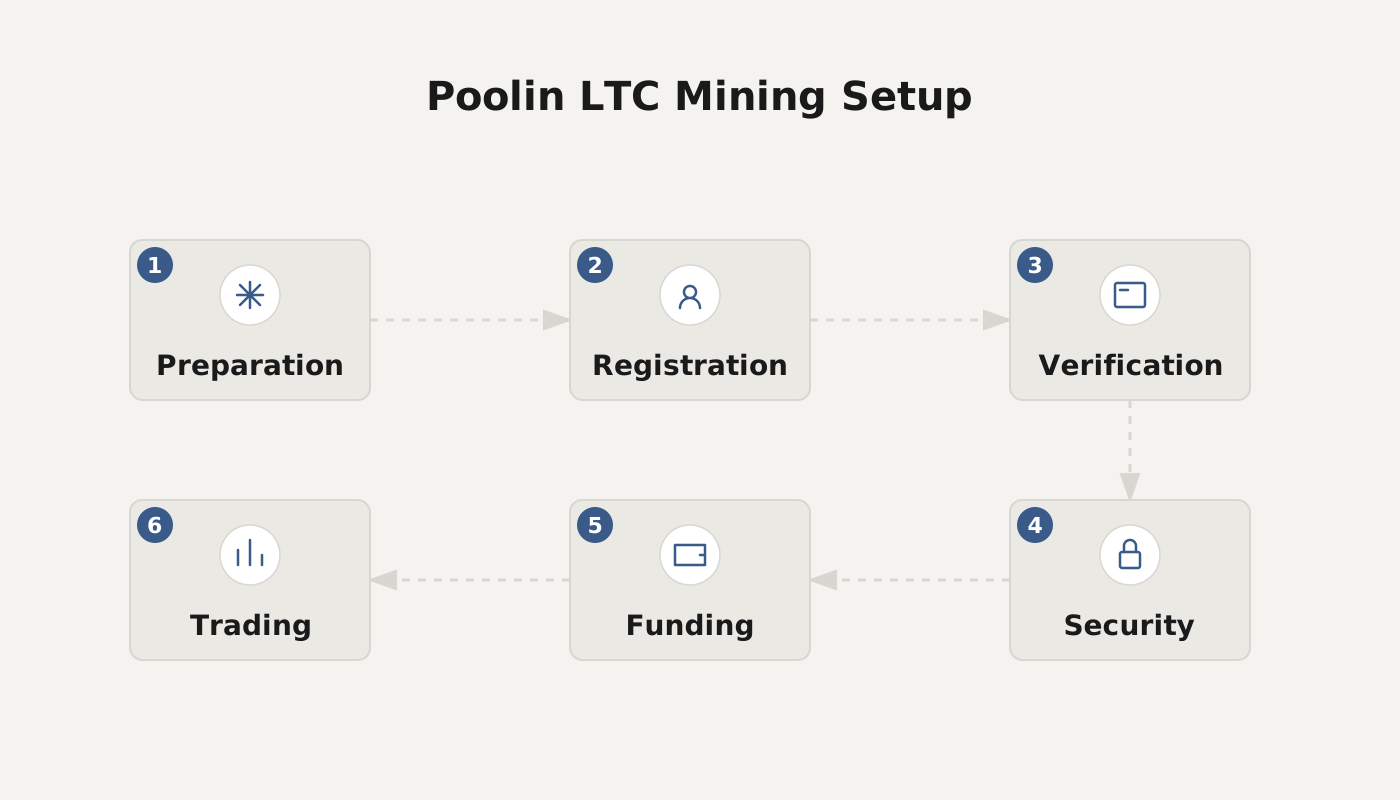
Can Poolin Mine Litecoin? Litecoin (LTC) Mining Tutorial
Poolin supports mining of Litecoin (LTC). After creating an LTC sub‑account on the platform, you simply enter the corresponding Scrypt mining address to begin mining.
1. Register and Create a Sub‑Account
- Visit the Poolin official website Poolin.com and complete the account registration.
- In the dashboard, create a Litecoin (LTC) mining sub‑account.
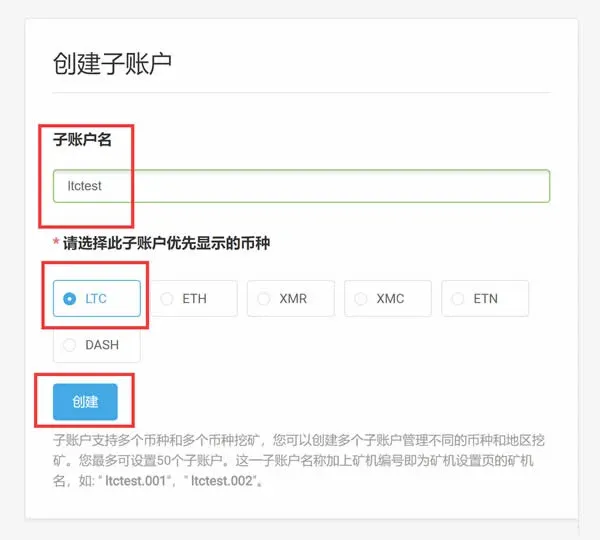
2. Obtain the Pool Mining Addresses
Once the sub‑account is created, the page will display three example addresses:
| Mining address index | URL |
|---|---|
| First | `stratum+tcp://ltc.ss.poolin.com:443` |
| Second | `stratum+tcp://ltc.ss.poolin.com:1883` |
| Third | `stratum+tcp://ltc.ss.poolin.com:25` |
3. Hardware Installation and Parameter Configuration
The following example uses the Antminer L3+ to illustrate the steps from a hardware perspective.
- Confirm the Miner’s IP
- Some miners have a label‑printed IP that may become invalid depending on the network environment. It is recommended to connect a computer to the same router or switch as the miner, then use an IP‑scanning tool (e.g., Advanced IP Scanner) to scan the subnet and locate the actual IP address.
- Log into the Miner’s Dashboard
- Enter the discovered IP address in a web browser. The default login credentials are `root` for both username and password. If the defaults no longer work, consult the miner’s manual or contact the manufacturer for the correct credentials.
- Configure Mining Parameters
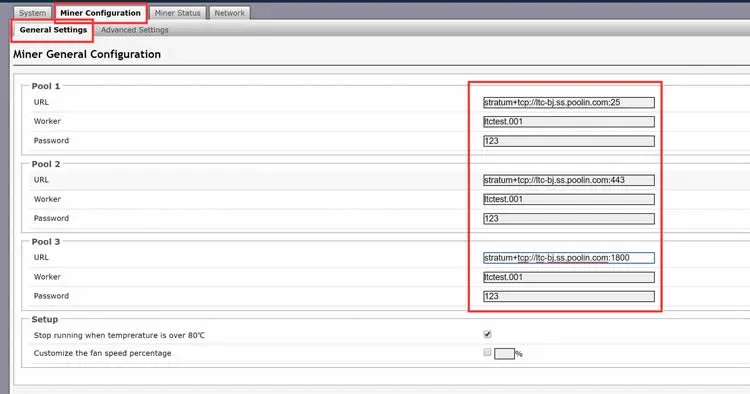
- Navigate to Miner Configuration → General Settings. In the fields Pool 1/2/3, fill in the URLs from step 2, the Worker name (format: `subaccount.minerID`), and the password. After completing the entries, click Save&Apply to store the configuration.
4. Check Mining Status
- Miner Dashboard: The Miner Status page shows real‑time hash rate, runtime, and other statistics.
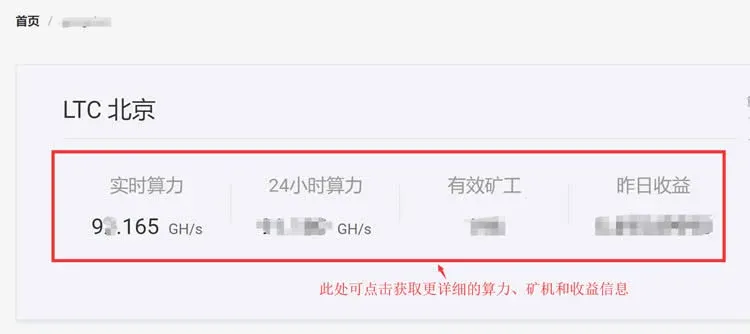
- Poolin Website: After logging into the LTC sub‑account, you can also view live hash rate, active miner count, and related data.
5. Set a Payout Address
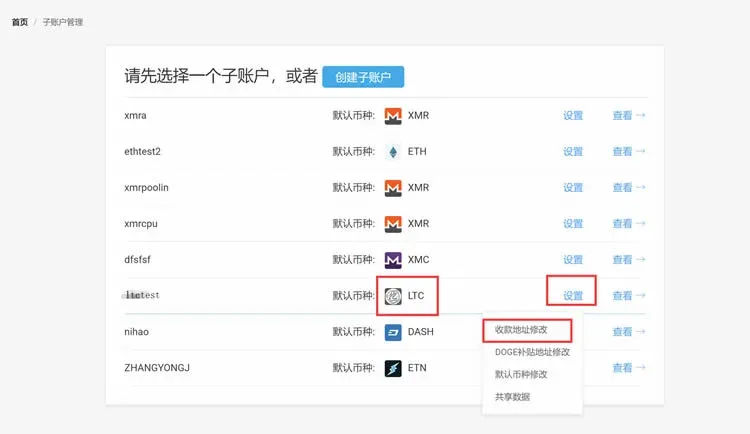
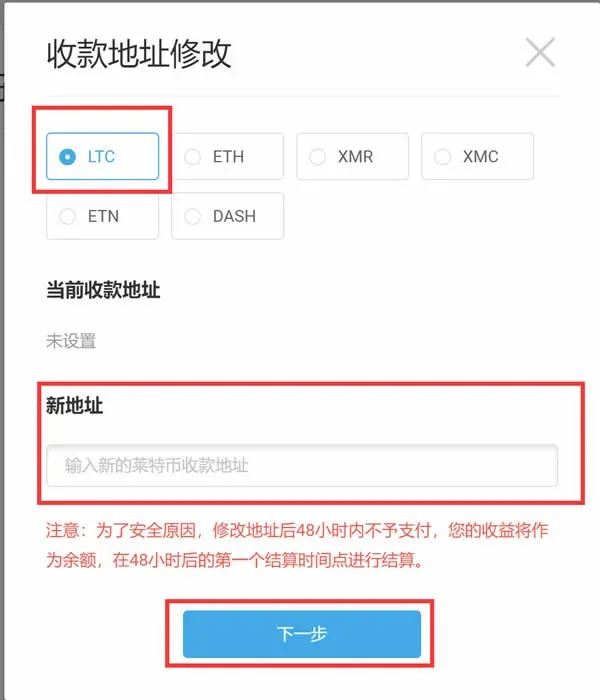
Log into Poolin, go to the personal center, and enter a Litecoin (LTC) payout address to ensure that mining rewards are credited promptly.
Recommended Litecoin (LTC) Wallets
| Platform | Recommended Wallets |
|---|---|
| Mobile | Bitpie, Jaxx, LoafWallet |
| Desktop | Electrum‑LTC, Exodus, Jaxx, Litecoin Core |
| Hardware | Ledger Nano S, Trezor |
| Off‑chain | Cobo, CoinEx, HashKey Hub |
Users can choose the wallet that best fits their personal needs and usage scenarios.
Exchanges Supporting Litecoin (LTC)
- Binance (U.S. residents should use Binance.US)
- Bitfinex
- Gate.io
- Huobi.pro
- OKEX
- Poloniex
- ZB.com
All of the platforms listed provide LTC deposit, trading, and withdrawal services. When selecting an exchange, consider fees, liquidity, and regional availability (e.g., SEPA/SWIFT for fiat withdrawals, USD‑based pairs for global markets).
Why Haven’t I Received the Gifted Dogecoin (DOGE)?
Since August 7, 2019, Poolin has changed the LTC‑mining‑to‑DOGE reward ratio from 1:1200 to 1:2000. If you have not received DOGE, verify the following:
- Have you entered a DOGE payout address?
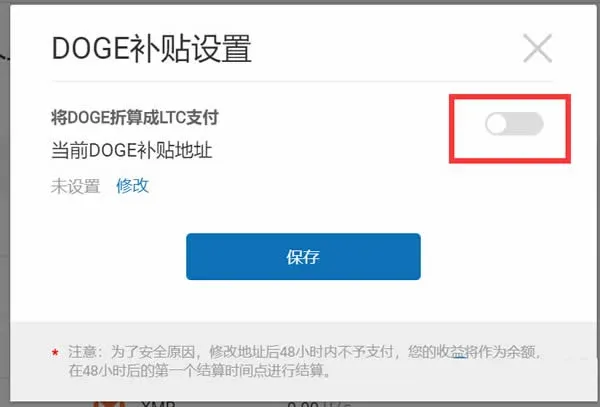
- Rewards are distributed in two ways: ① direct DOGE payout; ② conversion of DOGE into LTC. The platform does not select automatically; you must enable the preferred option in your personal settings.
- If you opt for direct DOGE payout, you must provide a valid DOGE address in advance; rewards earned before an address is set are not accumulated.
- Did you just add or modify the DOGE address?
- For security reasons, after the first address entry the system pauses reward distribution for 48 hours, then processes the pending rewards on the next settlement day (typically three days later).
- Is “Convert DOGE to LTC for payment” enabled?
- When this option is active, the system automatically converts DOGE rewards into LTC, so you will not see a separate DOGE credit.
---
The above content details whether Poolin can mine Litecoin (LTC) and provides a complete step‑by‑step mining workflow. For more tips on using Poolin effectively, feel free to follow other articles from Bitaigen.
*Please note that cryptocurrency earnings may be subject to taxes in your local jurisdiction; consult a tax professional to understand your obligations.*
Related Reading
- Crypto Investment Paths & Quantitative Trading Software
- How Bitcoin Mining Generates Profit: Costs, Rewards & Tips
💡 Register on Binance with referral code B2345 for the maximum trading fee discount. See Binance complete guide.



