
 Bitaigen Research
 We dissect the differences between Bitauth Wallet and imToken from the three angles of security, functionality, and user experience, helping users clarify key points such as private‑key storage, transaction signing, and multi‑chain support, and pinpoint each wallet’s strengths and shortcomings. If you want to know which wallet is more suitable for managing your assets, keep reading the full comparison.
Bitauth Wallet vs imToken: A Comprehensive Security and Feature Comparison
Before diving into the details, it’s worth defining what a digital wallet actually is. It functions like an electronic version of a traditional wallet: besides holding fiat currencies (e.g., USD via SEPA or SWIFT transfers), it is dedicated to managing and transacting blockchain assets. Both Bitauth Wallet and imToken belong to the lightweight category of digital wallets, meaning the user’s private key always resides on the device and the platform never stores it.
Which wallet is safer?
imToken
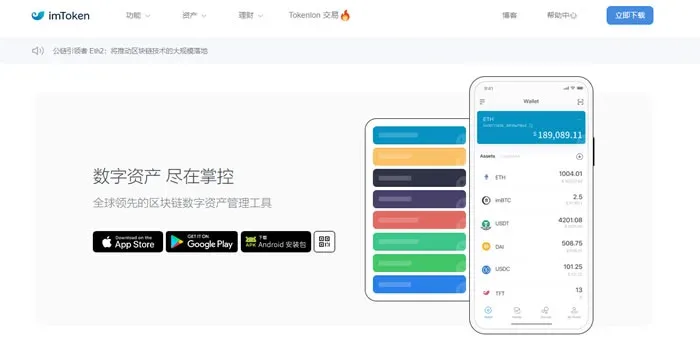
- Classified as a light wallet and its source code is not open‑source; it supports two‑factor authentication but does not offer multi‑signature capabilities.
- Implements an HD (Hierarchical Deterministic) architecture and is compatible with major chains such as ETH, BTC, and ERC‑20 tokens. The interface is available in Chinese and the app runs on both iOS and Android.
- The private key is stored only on the user’s device; the platform never holds it.
- The 2.0 international version improves the transaction experience by embedding a Kyber‑based instant swap and a decentralized exchange built on 0x (Tokenlon). However, details such as isolated‑verification addresses for BTC and multi‑address management still lag behind some competitors.
Bitauth
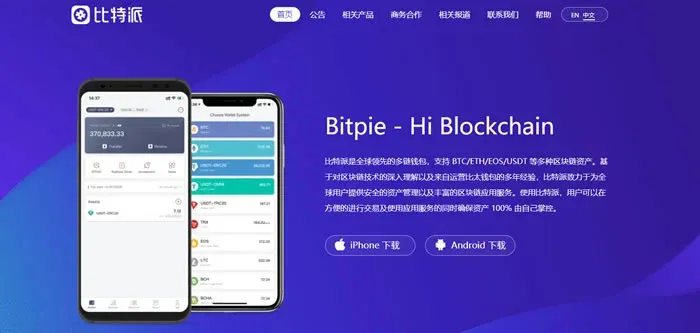
- Also a light wallet with closed source code; it does not support two‑factor authentication nor multi‑signature.
- Uses an HD architecture and supports ETH, BTC, ERC‑20 tokens as well as a few non‑ERC‑20 assets (e.g., Quantum, Zero). The UI is in Chinese and the app is available for iOS and Android.
- Private keys are stored locally on the device, with no server‑side copy.
- BTC support is more comprehensive, offering multi‑address handling and isolated‑verification addresses. Its built‑in exchange has modest trading volume, but it employs a hot‑cold wallet model to enhance security.
Overall, both wallets share the same baseline security model—private keys kept locally. When measuring breadth of chain support and address‑management granularity, Bitauth holds a slight edge for Bitcoin‑related features; when evaluating forward‑looking decentralized‑exchange functionality, imToken’s 2.0 version presents a more promising approach.
Feature and User‑Experience Comparison
| Feature | imToken | Bitauth |
|---------|---------|--------|
| Supported chains | Ethereum and its ERC‑20 family, newly added BTC (BTC only) | ETH, BTC, ERC‑20 and select non‑ERC‑20 assets |
| Multi‑address / isolated verification | Not supported | Supports multi‑address and isolated verification |
| Exchange | Decentralized exchange powered by Kyber & 0x | Built‑in centralized exchange with limited volume |
| Backup method | Mnemonic phrase (12‑word), screenshot limited | Mnemonic phrase, screenshot function forcibly disabled by code |
| UI details | Minimalist design, uniform colour scheme | Distinct background colours per coin, high visual differentiation |
| App size | Relatively lightweight | Android version ~26 MB, feels more feature‑heavy |
Strengths and Weaknesses of imToken
Strengths
- Uses a mnemonic‑phrase backup, meeting basic asset‑security standards.
- Full compatibility with the ERC‑20 standard, making it ideal for users entrenched in the Ethereum ecosystem.
- Clean interface with relatively intuitive workflow.
Weaknesses
- Transaction confirmation can be slightly slower.
- Limited to the Ethereum ecosystem; it cannot directly hold BTC or other non‑ERC‑20 assets.
- Asset‑list ordering, receive‑page prompts and other UI nuances still have room for improvement.
Strengths and Weaknesses of Bitauth
Strengths
- Screenshot function is automatically disabled while entering the mnemonic, adding an extra layer of leak protection.
- Both app launch and resume require password verification, boosting operational security.
- Supports multiple coins, multiple addresses, and isolated verification, offering better privacy for assets.
- Unique background colours for different coins enhance recognisability.
- Integrated “Bitauth Bank” feature provides financial extensions such as wealth‑management products.
Weaknesses
- UI feedback when switching coins on the home screen is subtle, making the change hard to notice.
- The Android package is comparatively large; stacked functionalities can make the overall experience feel a bit cumbersome.
A Visual Metaphor
If imToken were a candy shop, it would offer a wide variety of sweets but only candies. Bitauth, on the other hand, resembles a snack supermarket: it stocks candies and a broader assortment of snacks, though its candy selection isn’t as deep as the specialist store’s. Users can pick the “store” that best matches their personal preferences.
---
The above provides a systematic side‑by‑side comparison of Bitauth Wallet and imToken in terms of security, features, and user experience. For more detailed insights on either wallet, follow Bitaigen (比特根) and stay tuned for subsequent articles.
💡 Register on Binance with referral code B2345 for the maximum trading fee discount. See Binance complete guide.



