
 Bitaigen Research
 MetaMask (the “little fox”) wallet may be unfamiliar to some, but it is essentially the overseas counterpart of imToken, and its user base may even exceed that of imToken. It is one of the earliest Ethereum wallets. MetaMask is delivered as a browser extension and currently supports major browsers such as Chrome, Opera, and Firefox, allowing Web applications to interact with the Ethereum network conveniently. Users can download the extension from their browser’s add‑on store (a VPN may be required to reach the store), and the wallet is an open‑source project. Below is a detailed guide to downloading and using the MetaMask mobile wallet.
In this article we walk you through the complete download process for the MetaMask (little‑fox) mobile wallet, explain the key differences between the browser extension and the mobile app, and help newcomers quickly start managing Ethereum assets securely. If you want step‑by‑step instructions and answers to common questions, keep reading for a practical guide.
How to download the MetaMask wallet?
1. Download the MetaMask extension wallet
- Open the official MetaMask download page with a desktop Chrome browser:
https://metamask.io/download.html
- Click “Install MetaMask for Chrome” to complete the extension installation.
2. Import an existing Ethereum wallet into MetaMask
- Open MetaMask and select “Import Wallet.”
- Enter your seed phrase and a password, then click “Import.”
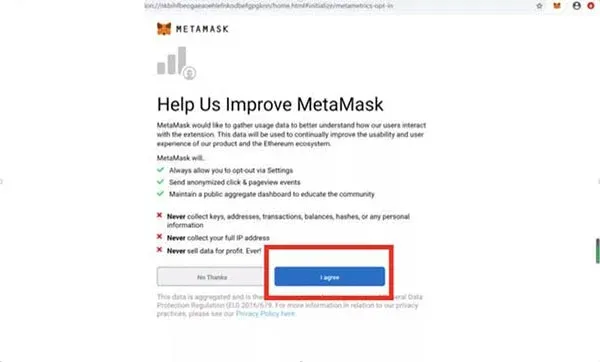
- When an upgrade prompt appears, you can click “I Agree” or “No Thanks.” It is recommended to choose “I Agree.”
3. Create a new wallet and back up the private key
- Open MetaMask and select “Create Wallet.”
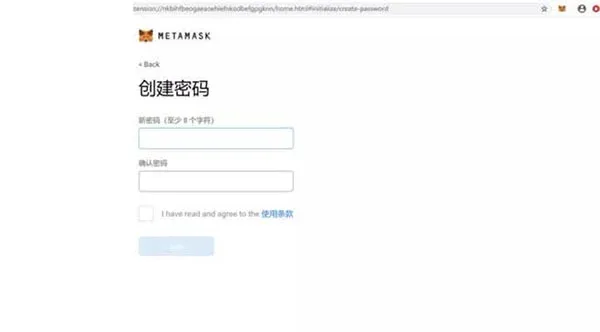
- Set a new password and click “Create.”
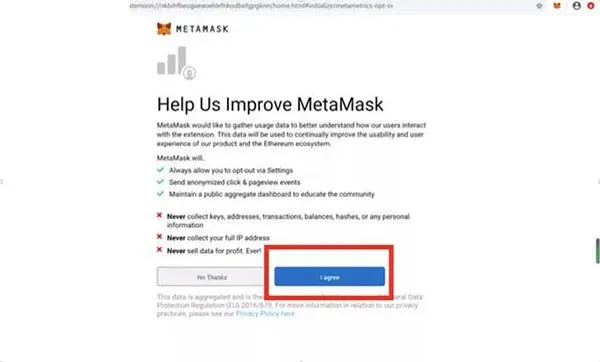
- As before, when the upgrade prompt appears, click “I Agree” or “No Thanks.” Again, “I Agree” is advised.
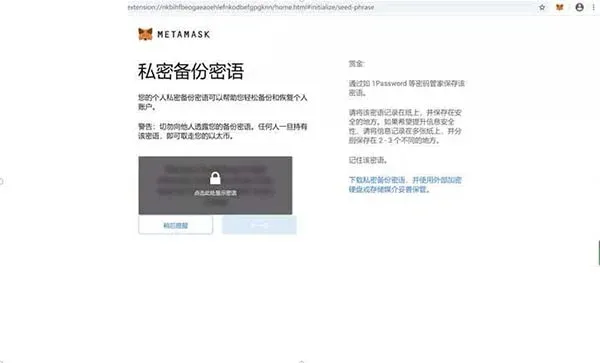
- After the wallet is created, be sure to back up your private key yourself.
How to use MetaMask?
The following description uses the Chinese‑language version of MetaMask as an example.
- After a successful installation, the first login requires you to set a password. The system will automatically generate a 12‑word seed phrase. You must store this seed phrase securely; it is the only credential for restoring the wallet. The interface warns: “Anyone who knows your seed phrase can transfer all assets out of your Ethereum wallet at any time.” Keep this risk in mind and back up the phrase offline.
- Once you have recorded the seed phrase, you will see your own address on the blockchain.
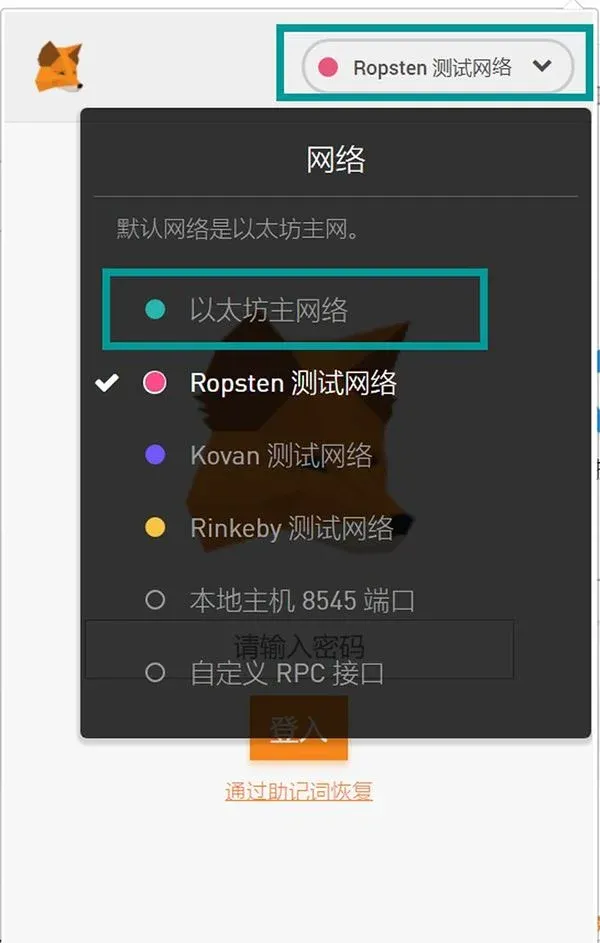
- The default network is “Ethereum Mainnet.” After logging in you can start using MetaMask. MetaMask supports the native token ETH; once you hold ETH you can quickly execute transactions and interact with most DApps directly from the wallet.
Usage precautions
Regardless of which cryptocurrency wallet you choose, keep the following points in mind:
- Password: If you lose your password it cannot be recovered, but you can reset it using the seed phrase.
- Private key: Whoever possesses the private key is the true owner of the assets; store it with extreme care.
- Seed phrase: If the seed phrase is exposed, all assets can be transferred out. Protect it rigorously.
Tax note: Crypto gains may be subject to tax in your jurisdiction. Consult a local tax professional to understand any reporting obligations.
If you want to learn more about related topics, stay tuned for future updates.
The above is a complete tutorial for downloading and using the MetaMask (little‑fox) mobile wallet. For additional information about the little‑fox wallet, follow Bitaigen (比特根) and related articles.
💡 Register on Binance with referral code B2345 for the maximum trading fee discount. See Binance complete guide.



