
 Bitaigen Research
 Backpack Exchange is a new cryptocurrency exchange founded by former FTX executive Can Sun, operating under the Backpack company. Backpack is widely known for its all‑in‑one Web3 wallet and the popular Mad Lads NFT series on the Solana blockchain.
So, what exactly is the Backpack exchange? How do you create an account, deposit, withdraw, and trade contracts? Below is a complete step‑by‑step visual guide.
In this article we walk you through the full workflow on Backpack exchange, covering account creation, fund inflows and outflows, and contract order placement. Intuitive screenshots are provided to help newcomers get started quickly and use the platform safely. Continue reading for the details.
What is Backpack Exchange?
Backpack Exchange is a globally compliant cryptocurrency exchange that aims to deliver an innovative, user‑friendly platform that meets regulatory standards.
The platform’s core mission is to enable users to transition seamlessly from fiat‑based applications to blockchain‑based ones. Backpack Exchange is tightly integrated with the Backpack wallet, giving users access to Backpack‑specific decentralized applications (dApps) and executable NFTs (xNFTs) within the ecosystem.
In addition, the platform plans to roll out a suite of features—including derivatives and margin trading—and will continue seeking additional regulatory approvals worldwide.
It is important to note that Backpack Exchange is a subsidiary of Backpack Ltd., which is best known for its integrated Web3 wallet and the Mad Lads NFT collection that has taken off on Solana.
Backpack has already opened a closed‑beta for existing Backpack and Mad Lads community members and is expected to launch publicly in the first quarter of 2024.
According to an official X post, Backpack’s trading volume reached US $1 billion on February 18.
Is Backpack safe? Could it be a scam?
FTX was once a beloved exchange in the crypto world, but its collapse in 2022 dealt a severe blow to industry confidence and deepened the bear market.
After more than a year of reflection, a new exchange rose from the ashes of FTX—Backpack Exchange.
Former FTX lawyer Can Sun says Backpack aims to serve as an alternative to existing centralized exchanges. “In the post‑FTX era, trust and transparency are essential to building a genuine alternative for participants.”
What security measures has Backpack implemented?
First, Backpack emphasizes the importance of building a transparent, trustworthy platform after the FTX incident, especially the need to provide reserve proofs and auditability to protect users. To this end, the platform incorporates reserve zero‑knowledge proofs (zk‑proofs) and multi‑party computation (MPC) technologies, enabling real‑time reserve verification without exposing private data.
Second, Backpack has obtained a Virtual Asset Service Provider (VASP) licence from the Dubai Virtual Assets Regulatory Authority (VARA), authorizing it to operate in Dubai. This marks a significant step toward standardization in the digital‑asset trading industry. Additional operating licences secured in the second half of 2023 further underscore the platform’s compliance and regulatory transparency.
Finally, the platform’s smart contracts undergo regular security audits by OtterSec and other independent audit firms.
Nevertheless, Backpack’s security track record still needs time to be proven. If you decide to use the platform, it is advisable not to concentrate all of your assets in a single place.
OKX (formerly OKEx) Withdrawal Tutorial
Below is a guide on how to withdraw assets from OKX to another wallet after the platform restricted certain user actions.
Although OKX has blocked login for Hong Kong users, it still permits withdrawals for them. Follow these steps:
- Log in to the official OKX website (Registration link | Download link). If you encounter an IP‑restriction notice, switch your IP to a region such as Taiwan, Japan, or South Korea (do not switch to the United States or Canada).
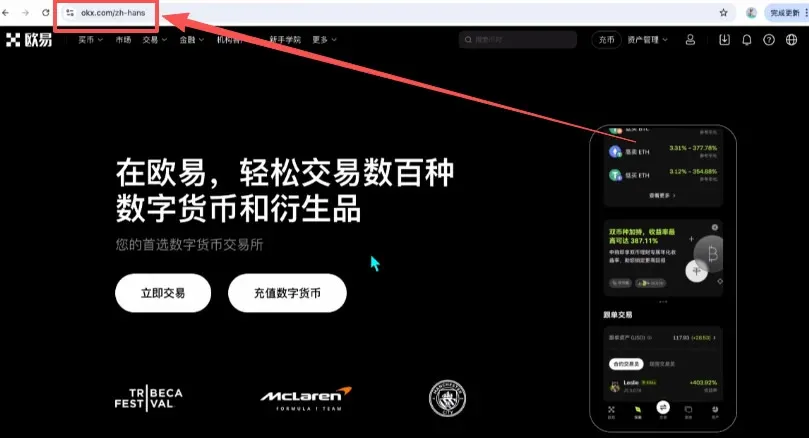
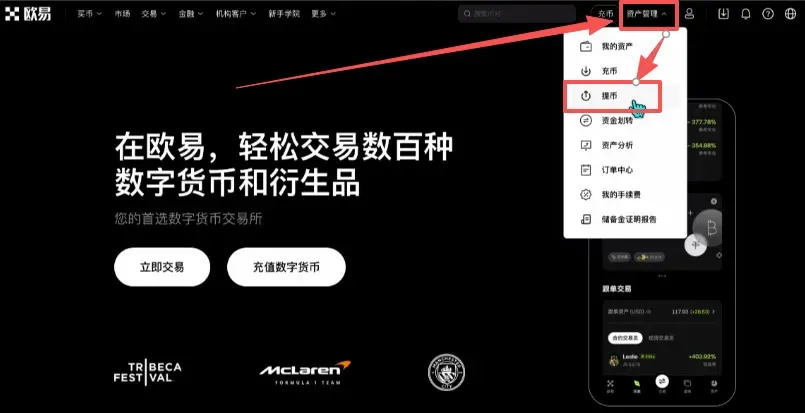
- Once inside, navigate to Asset Management → Withdraw.
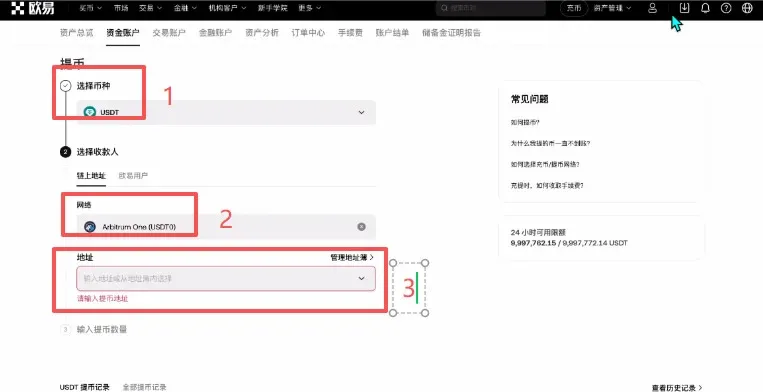
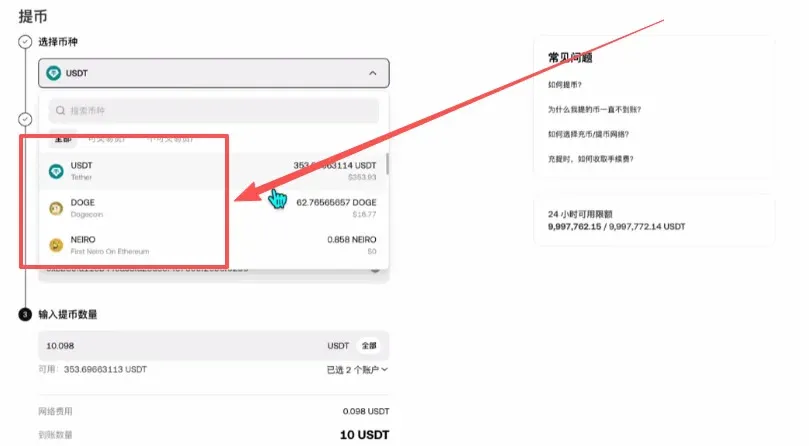
- Choose the coin you wish to withdraw (e.g., USDT) and select the appropriate network (e.g., Arbitrum One). Then paste the destination address.
- Open your Binance wallet, click Receive, choose USDT, keep the network set to Arbitrum One, and copy the displayed address.
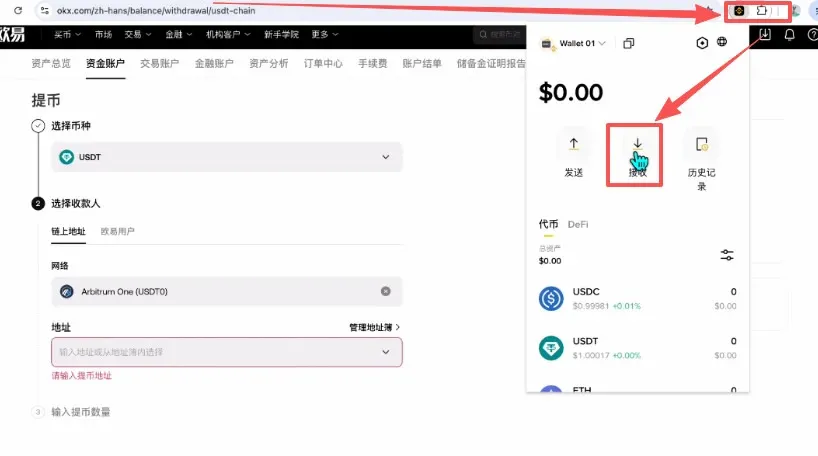
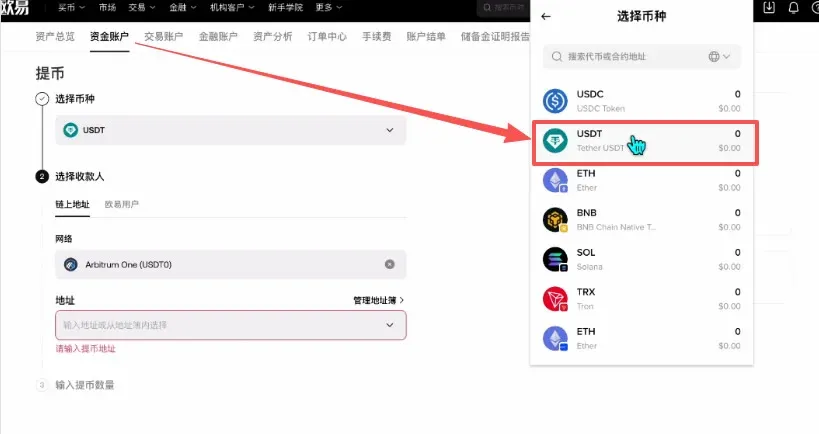
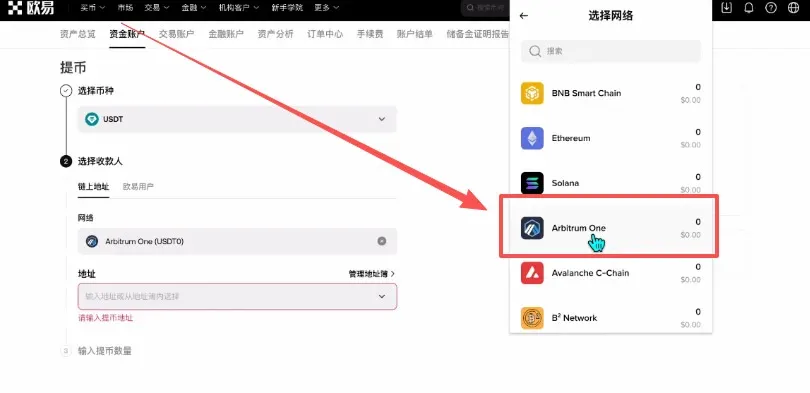
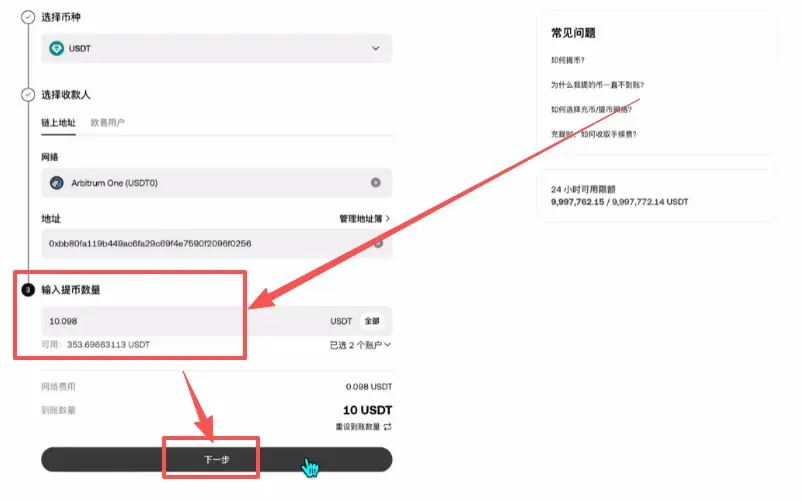
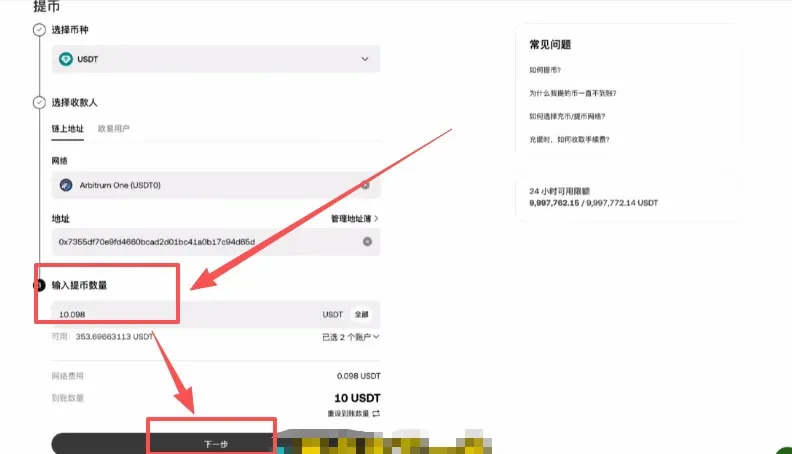
- Paste the copied address into OKX’s withdrawal form, enter the amount (e.g., 10 USDT). The system will show a network fee (0.098 USDT), resulting in a net receipt of 9.902 USDT. You can also opt to have the full 10 USDT arrive by covering the fee separately.
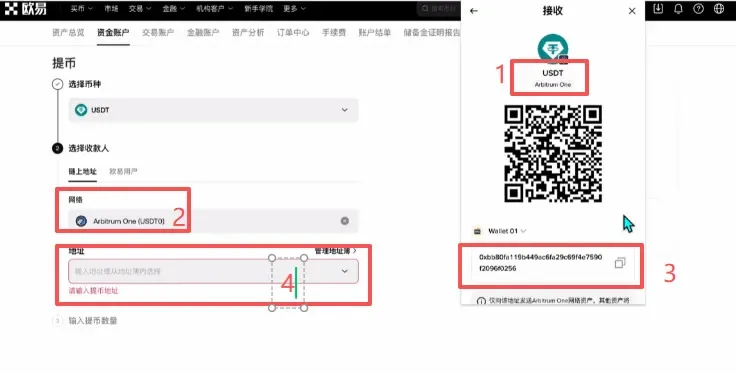
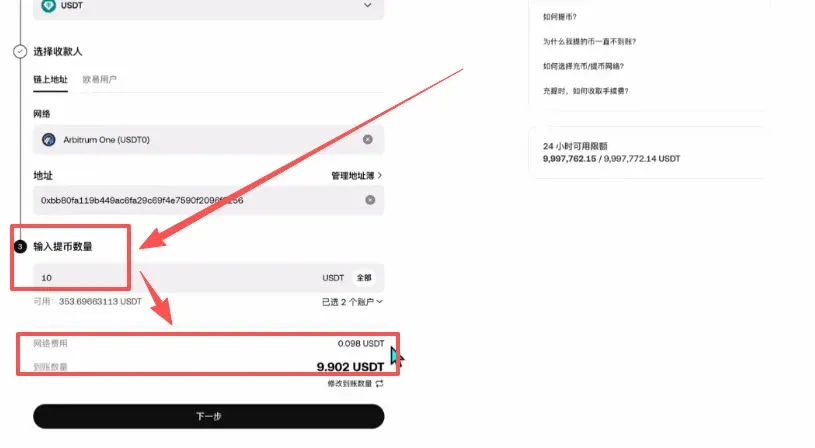
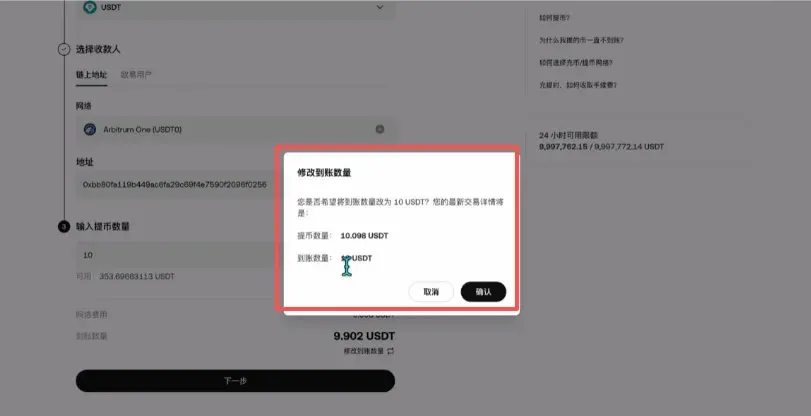
- After confirming, the system will deduct the total (10.098 USDT). Click Next, and the assets will be dispatched to your Binance wallet in separate transactions.
- Besides USDT, other supported coins can also be withdrawn. Always ensure that the withdrawal network matches the deposit network and that sufficient gas fees are reserved.
How to Transfer from Binance to OKX
If you prefer to keep your assets on an exchange rather than a self‑custody wallet, you can move funds from Binance to OKX.
- Open Binance (Registration link | Download link) and complete verification using a Hong Kong ID card. After verification, all features are available except for contract trading.
- Click the Deposit button at the top‑right corner, then choose Crypto Deposit.
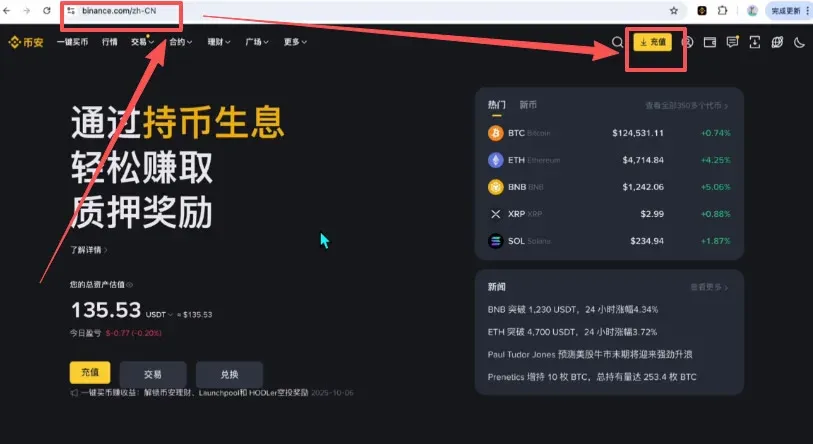
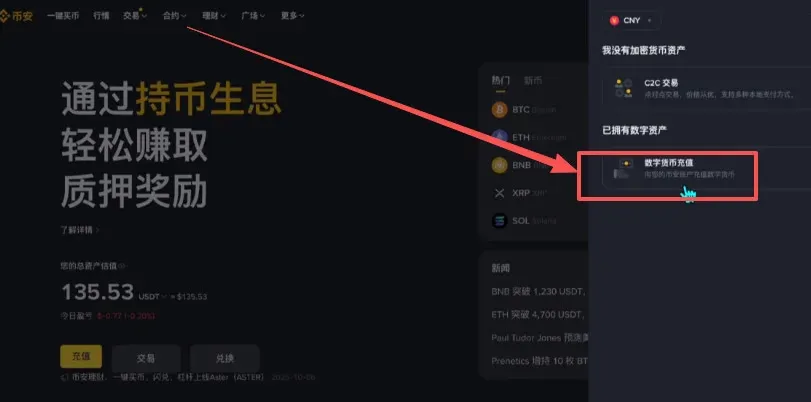
- For USDT, keep the network set to Arbitrum One and copy the generated deposit address.
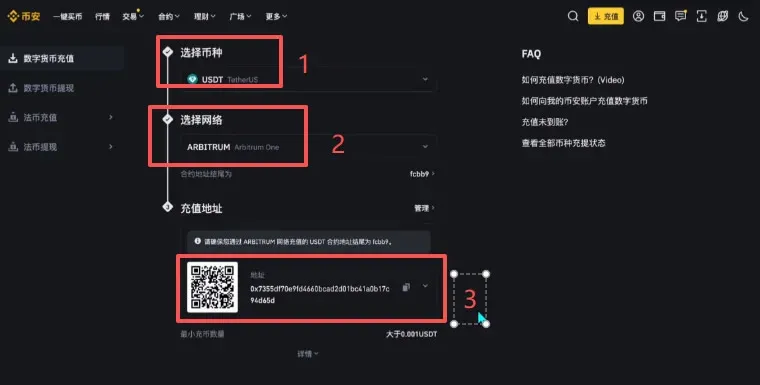
- Return to OKX, paste the address on the withdrawal page, specify the amount, and follow the prompts to complete the transfer from Binance to OKX.
Note that Binance only supports spot trading for Hong Kong users; if you want to trade contracts, Backpack is the more suitable choice. Backpack’s key advantage is its compliance – it is the only EU‑based exchange holding a crypto‑derivatives brand licence, a licence also possessed by Goldman Sachs, while other major exchanges lack such authorization, underscoring its regulatory credibility.
How to Register an Account on Backpack Exchange
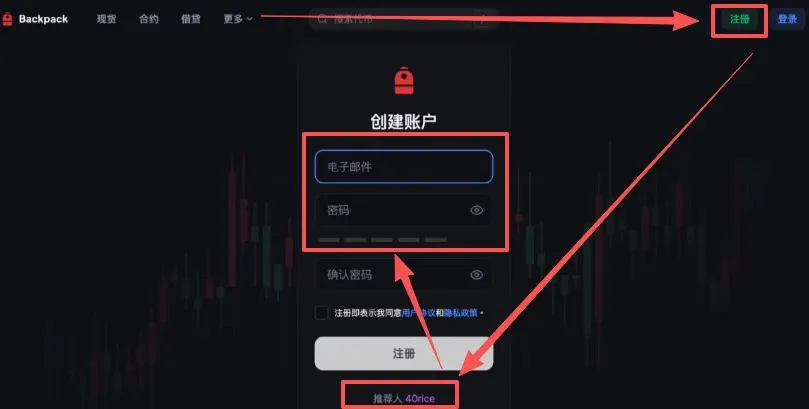
- Visit the Backpack Exchange website (Official site) and click Register at the top‑right. You can enter the referral code 40rice, then provide an email address and password to finish registration.
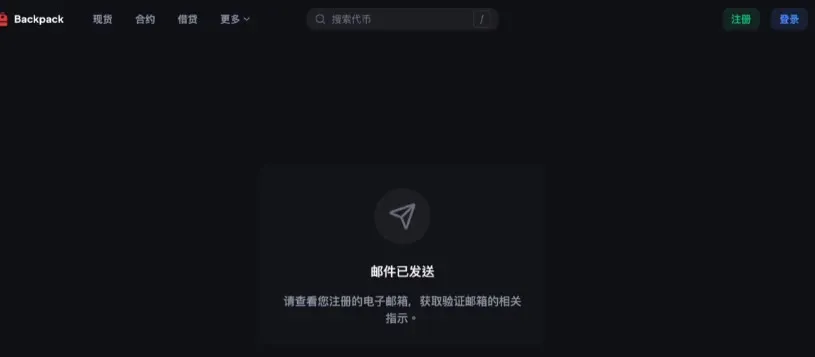
- Check your inbox for a verification email, click the link inside to confirm your email address, completing the account creation.
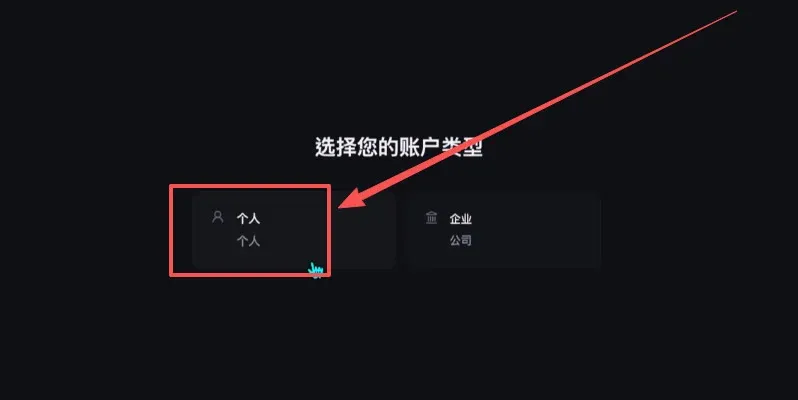
- Proceed with identity verification (the platform is compliance‑focused, so the process is a bit involved). Click Personal.
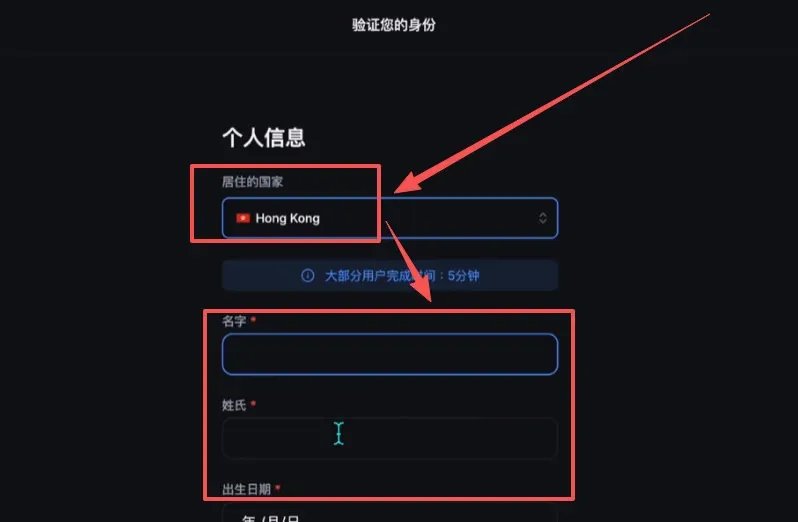
- Choose Hong Kong as your country of residence, and enter your first name, last name, and date of birth exactly as they appear on your Hong Kong ID card.
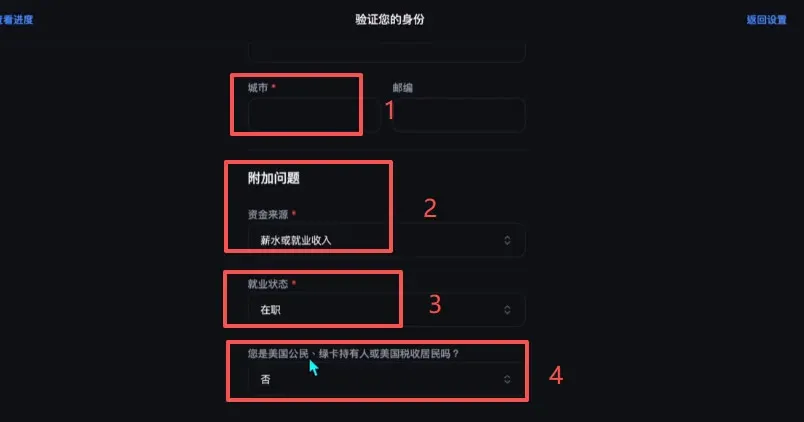
- For City, enter Hong Kong. Set Source of Funds to “Employment Income” and Employment Status to “Employed”. If you are not a U.S. citizen or green‑card holder, select “No”. Click Next when finished.
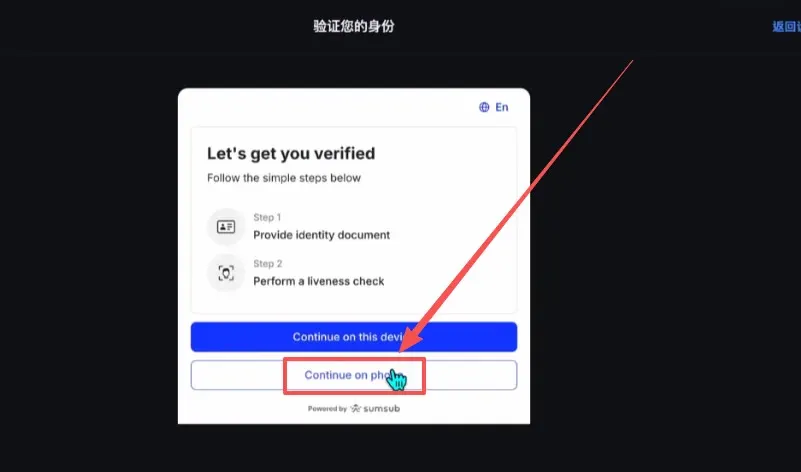
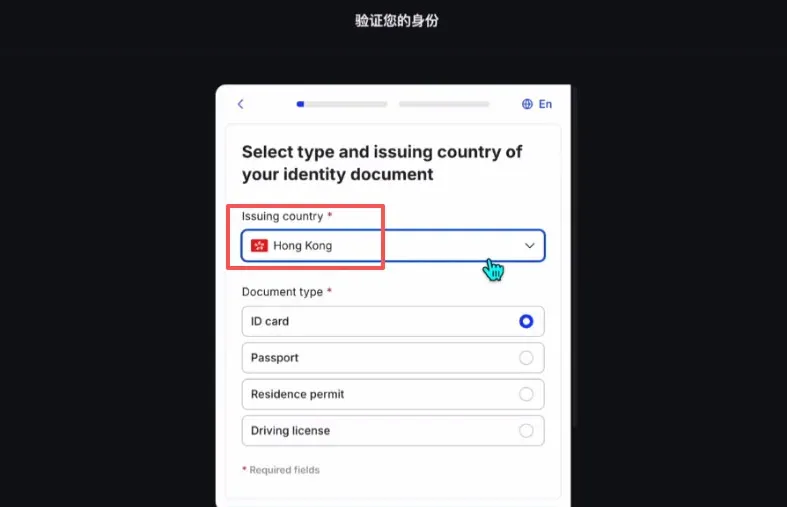
- Choose the issuing country/region for your identification document—again select Hong Kong. Backpack supports verification using a Hong Kong identity card.
- Upload a clear photo of your Hong Kong ID card, or use your mobile device to complete facial recognition.
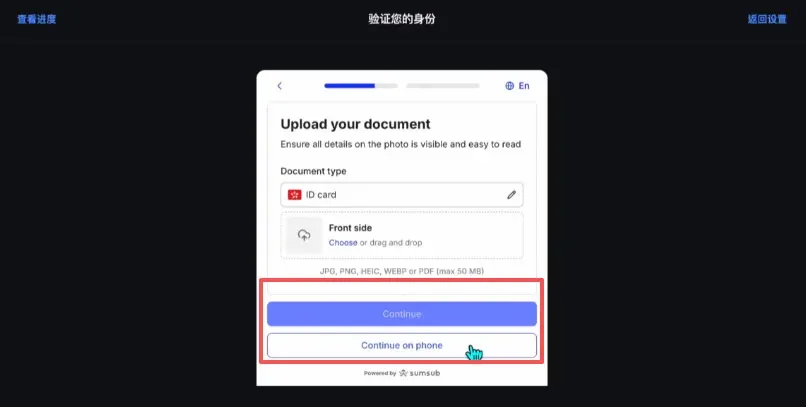
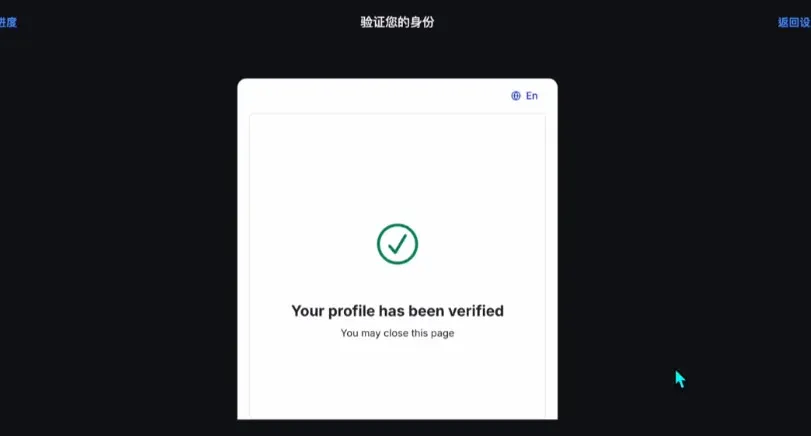
- Once verification succeeds, you will be taken to the main Backpack Exchange dashboard.
How to Deposit USDT from OKX to Backpack Exchange
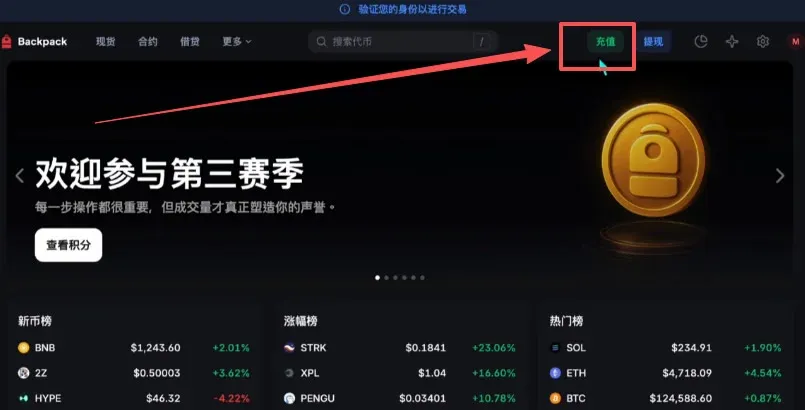
- Log in to Backpack, then click Deposit at the top‑right.
- Choose External Deposit (i.e., transfer from an outside source). Select USDT as the asset and keep the network set to Arbitrum One.



