
 Bitaigen Research
Binance is the world’s largest cryptocurrency exchange, serving more than 240 million users. This article provides a detailed walkthrough of Binance account registration, identity verification, USDT funding, and the full set of steps for buying and selling Bitcoin, helping newcomers safely complete each transaction.
In this guide we outline the entire workflow for new Binance users—from creating an account to completing a Bitcoin trade—highlighting security considerations and common operational details so you can quickly become familiar with the platform interface and get started. Continue reading for a step‑by‑step practical guide. We also briefly cover fee discounts and frequently asked questions to ensure a smooth experience.
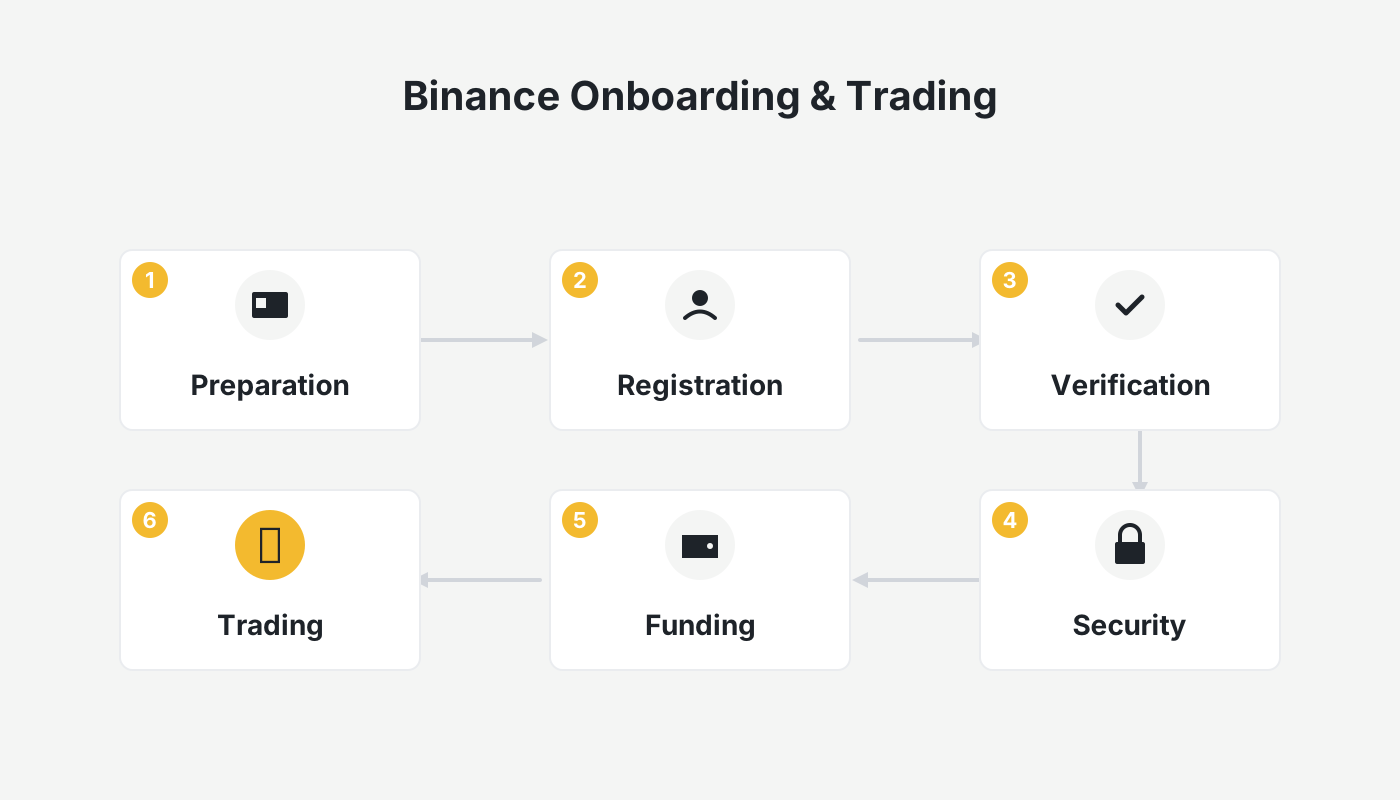
How Good Is Binance?
First, let me share an overall assessment of Binance. Why has it become the world’s biggest exchange? What are its core strengths?
Market depth: Thanks to its massive user base and the highest trading volume in the industry, Binance offers extremely deep liquidity. Whether the market is bullish or bearish, orders are filled quickly and at competitive prices.
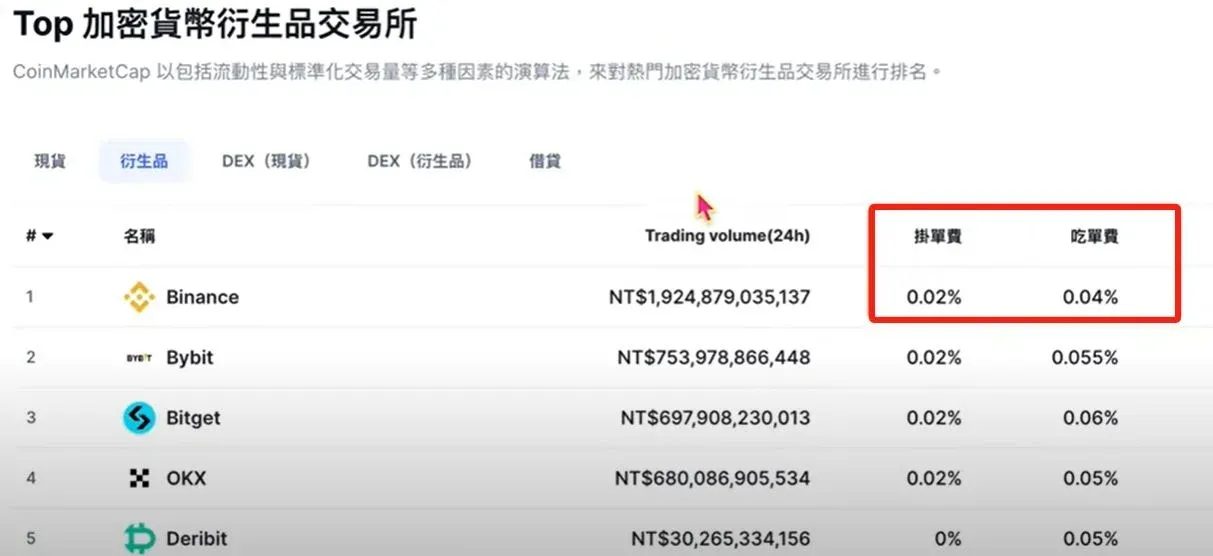
Fees: The platform’s fee schedule sits at the low end of the industry. Futures and contract fees are especially favorable compared with other major exchanges, and the rates are publicly disclosed and transparent.
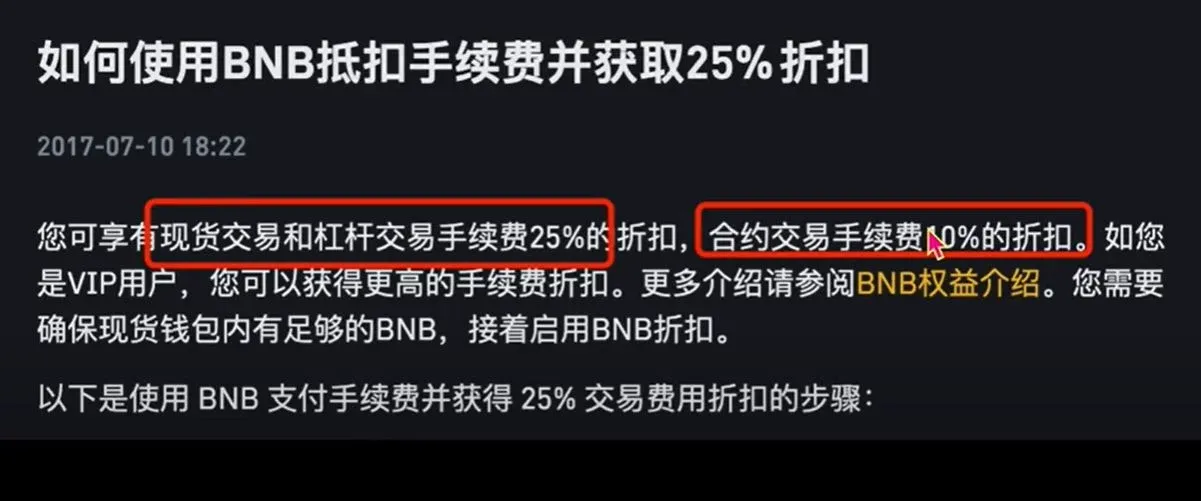
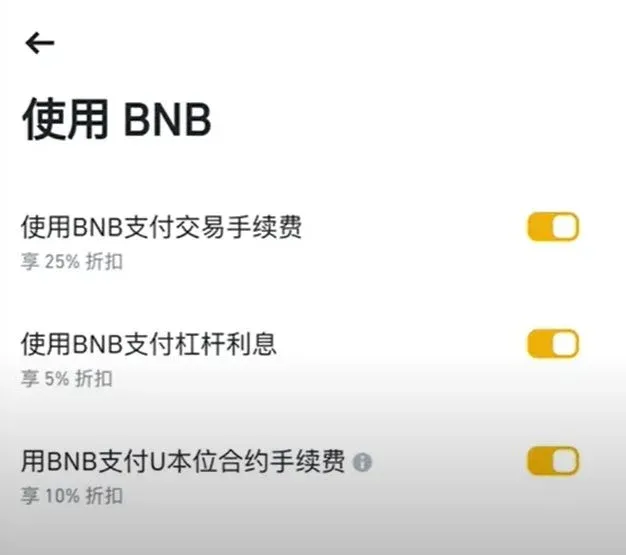
Holding BNB or registering through an exclusive referral link can grant you an additional fee discount.
Accessible in China: A simplified registration flow is offered for Chinese users, the app works under domestic network conditions, and RMB deposits and withdrawals are supported.
Feature‑rich: Spot trading, futures, savings, and other core functions are all available. Innovative services such as Launchpool and MegaDrop are industry‑leading, making Binance the “front‑runner” of the crypto sector. For these reasons, whether you are a beginner or an experienced trader, Binance is an essential platform.
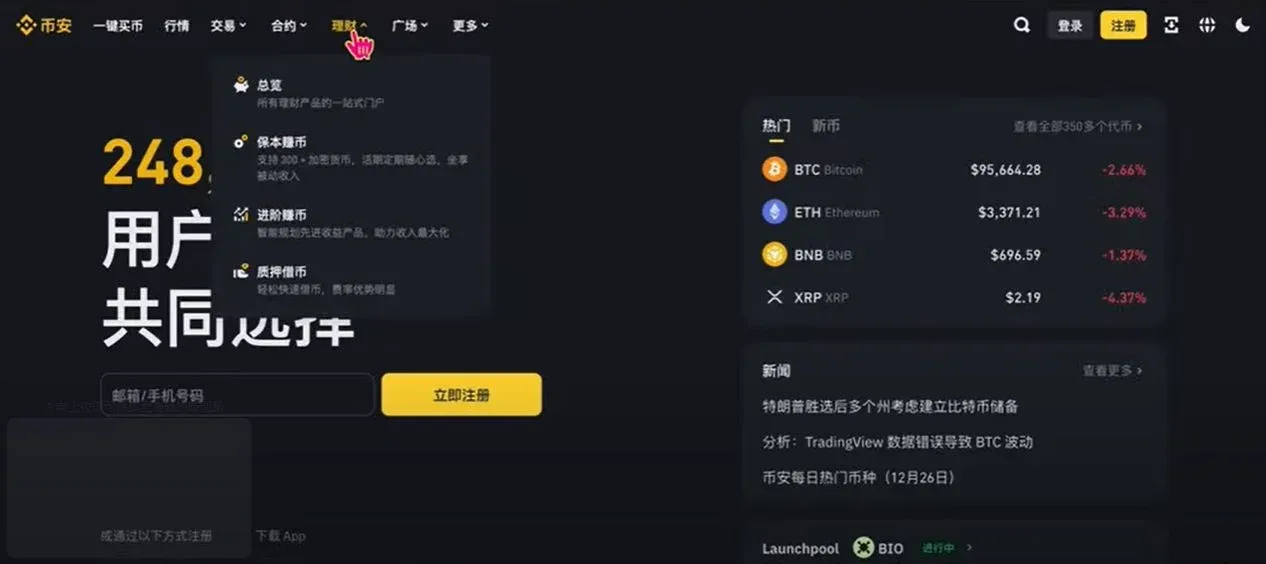
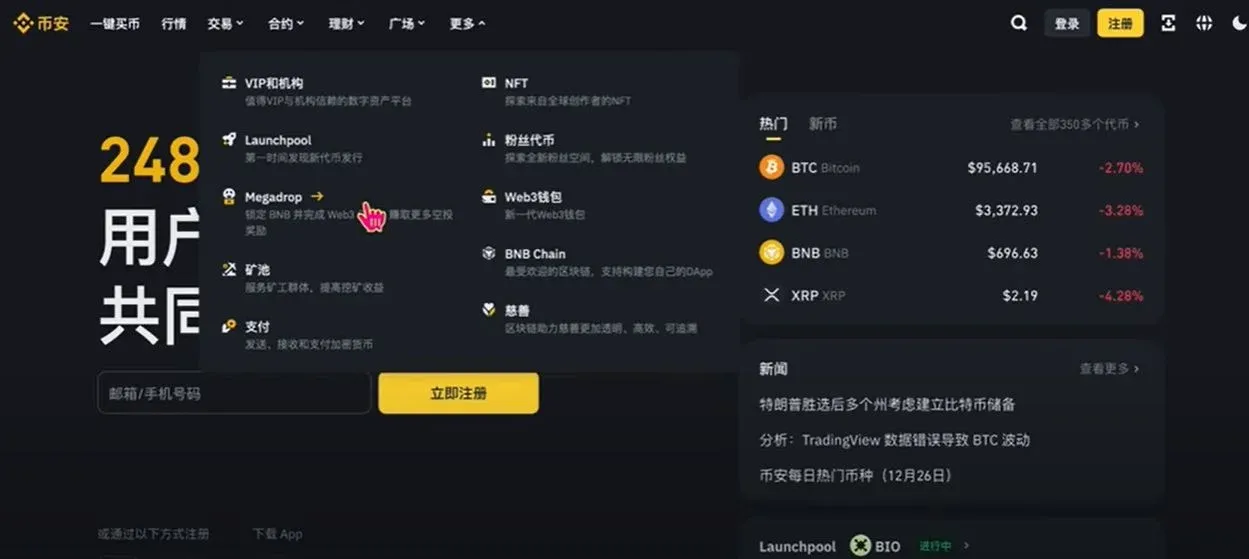
Below we move on to the Binance registration process. Using the invitation link below grants a permanent 20 % fee discount. Ordinary referrals or self‑registration will not provide this benefit.
Official Binance registration: <https://accounts.binance.com/register?ref=B2345>
Binance App download: <https://www.bitaigen.com/binance/download>
Binance Registration Tutorial
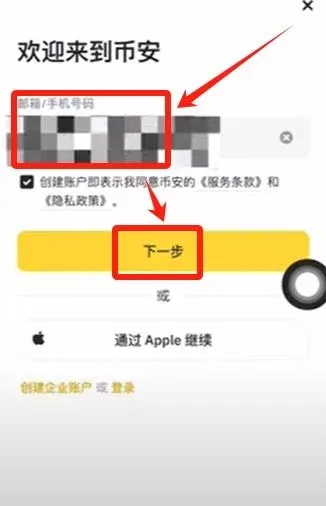
- Open the link and register with an email address or mobile number. We recommend using an overseas email (Outlook, Gmail, etc.). After entering the email, click Next.
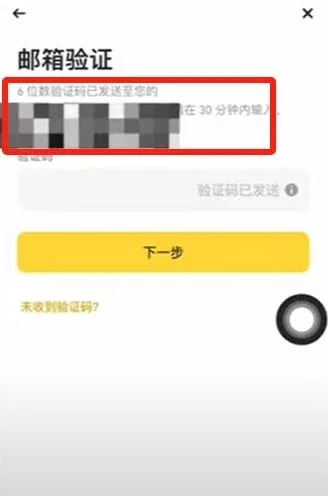
- Retrieve the six‑digit verification code from your inbox, enter it, and continue.
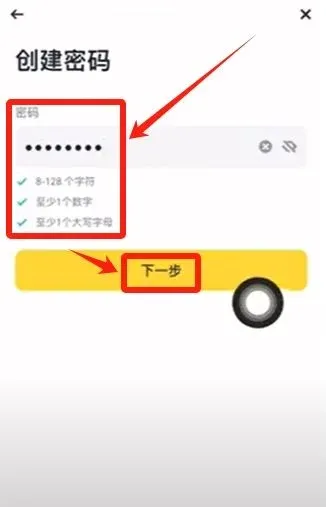
- Set a login password that is at least eight characters long and includes numbers and uppercase letters, then click Next.
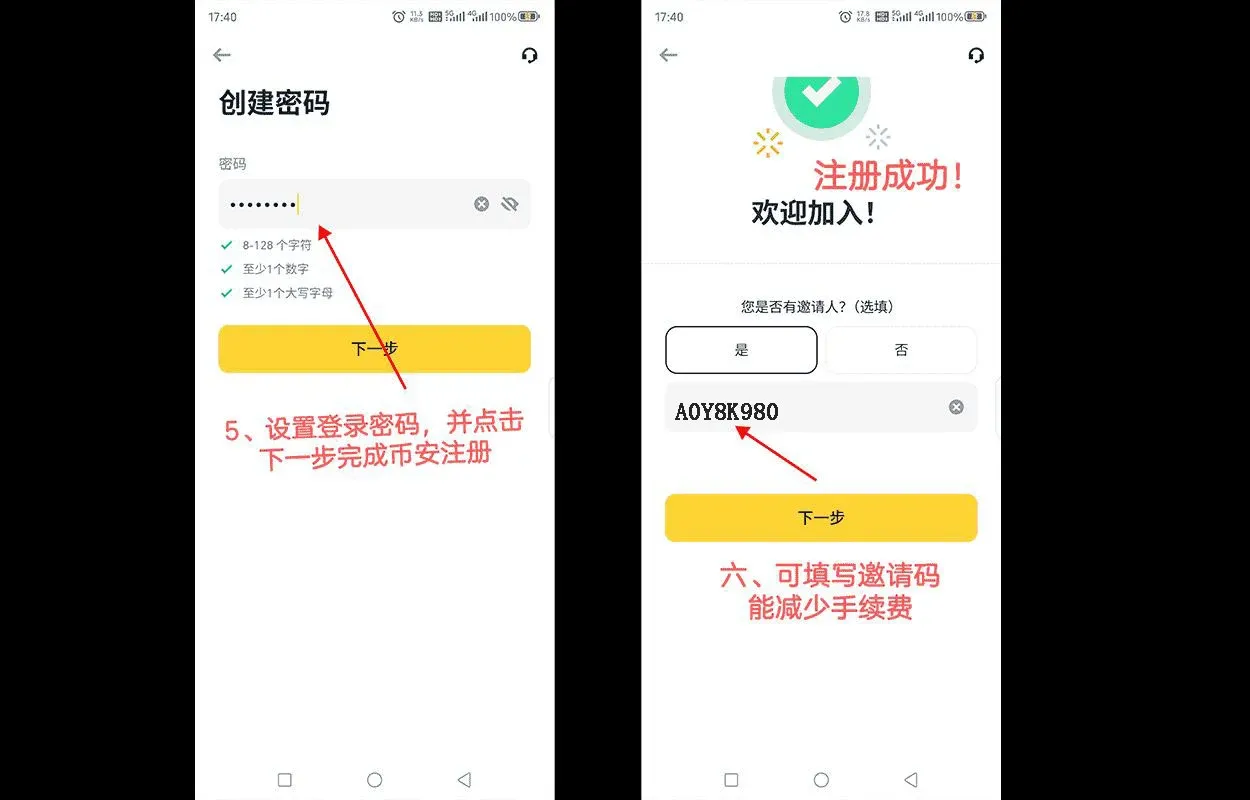
- The system asks whether you have an inviter. Choose Yes. If you have not previously used an invitation code, you may delete the account (provided no trades were made within the past 180 days) and register again through this link to obtain the discount.
Enter the referral code `B2345` (it will be auto‑filled when you use the link) and click Next.
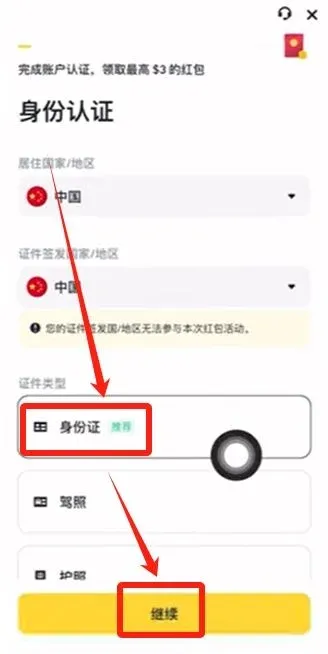
- You are now on the Identity Verification page. Chinese users can select either a national ID card or a passport; we recommend choosing the ID card. Click Continue.
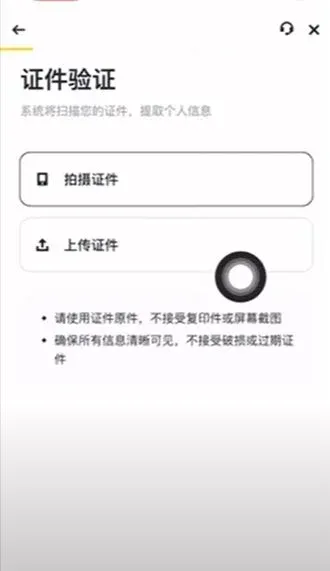
- Upload the front and back of your ID card and complete facial recognition. Most submissions are approved instantly; some cases may require manual review.
- The system prompts you to download the app. The Binance app is not available in mainland Chinese app stores. iOS users need to use an overseas Apple ID (not a US‑based store) to download the official Chinese‑language app and avoid mistakenly installing Binance.US, which is a restricted version for U.S. customers.
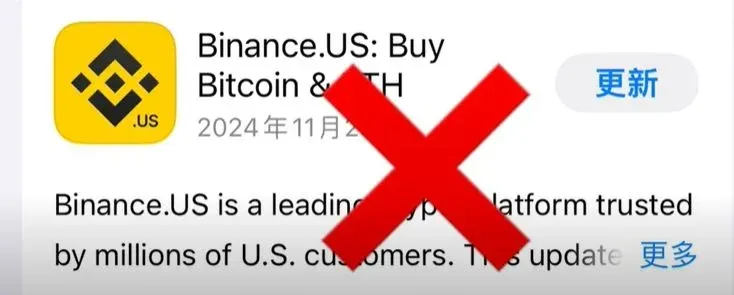
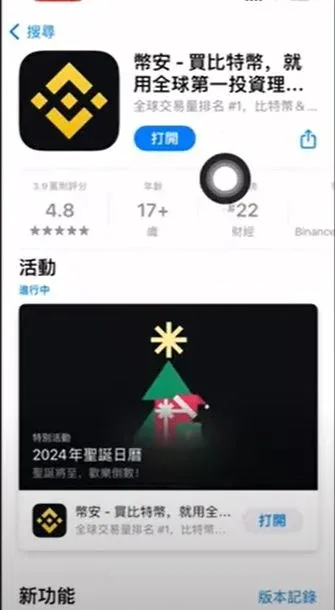
If you are unfamiliar with creating an overseas Apple ID, you can refer to my previous article; alternatively, you can download the app directly on your phone and enter `B2345` when prompted for an inviter.
Purchasing USDT (Preparing Trading Capital)
Before you can trade any cryptocurrency, you need USDT, a stablecoin pegged 1:1 to the US Dollar. Below is a demonstration of buying USDT via the C2C (Customer‑to‑Customer) marketplace.
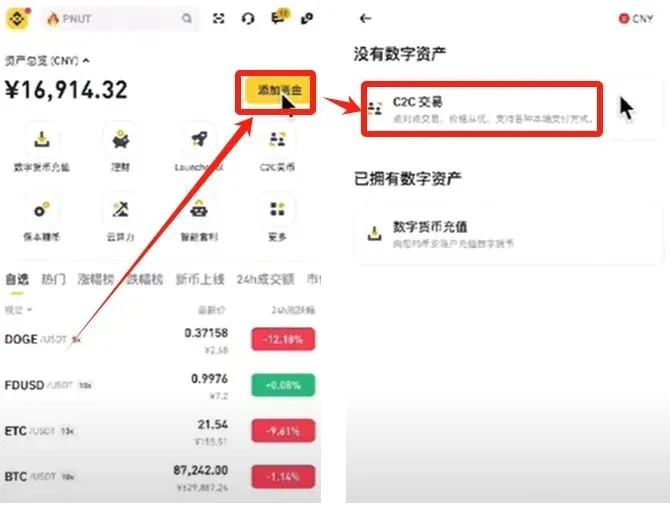
- Open the Binance app, tap Add Funds on the home screen, then choose C2C Trading (the platform acts as a matching engine).
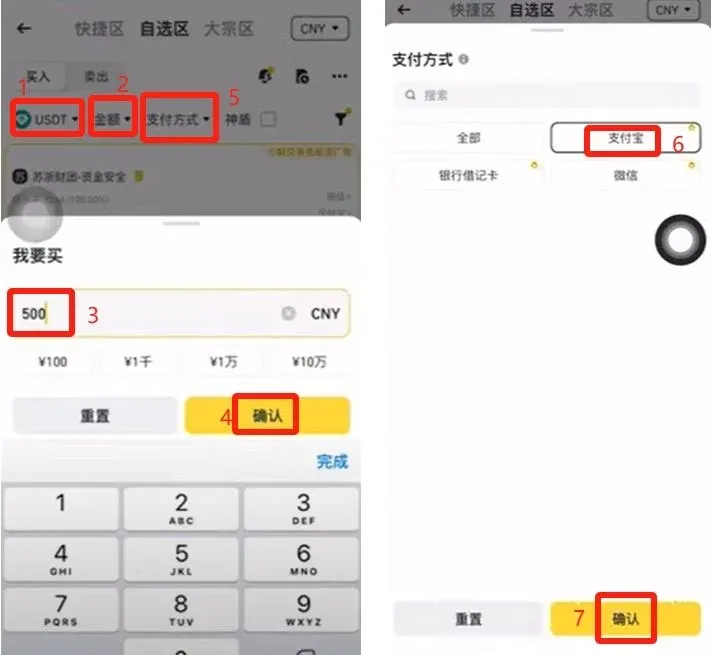
- In the “Favorites” section, select CNY (Chinese Yuan) as the payment currency, then choose USDT as the target cryptocurrency.
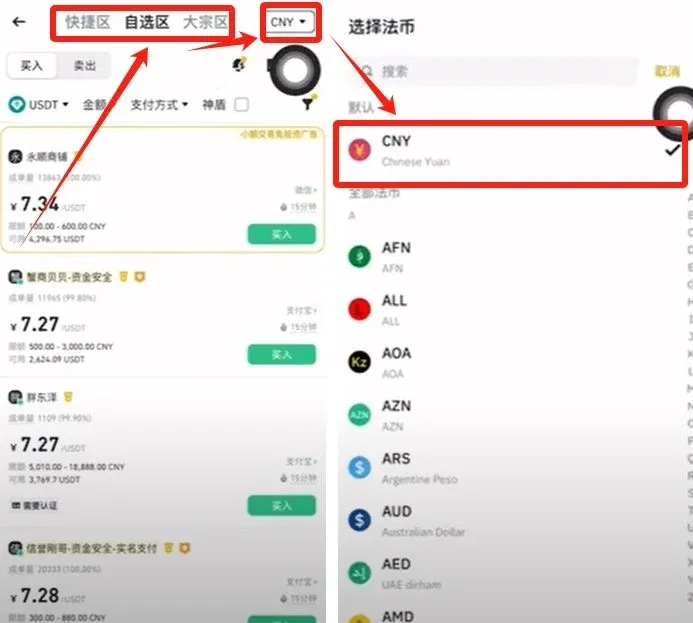
- Enter the amount you wish to spend (e.g., 500 CNY) and tap Confirm. Next, select a payment method (Alipay, bank card, WeChat) and tap Confirm again.
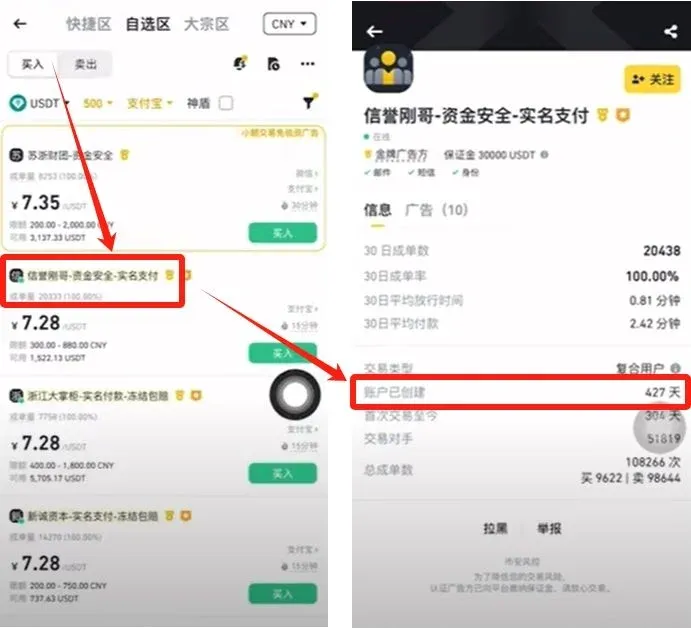
- The system filters merchants that meet your criteria. New users often receive offers from merchants with slightly lower reputation scores; it is advisable to complete several small C2C trades to raise your account weight, which will help you match with better merchants later.
- Choose a merchant with high reputation and large trade volume (e.g., “Reputation‑Brother”, 20 k trades, 100 % positive feedback). Tap the avatar to view details, then select Buy.
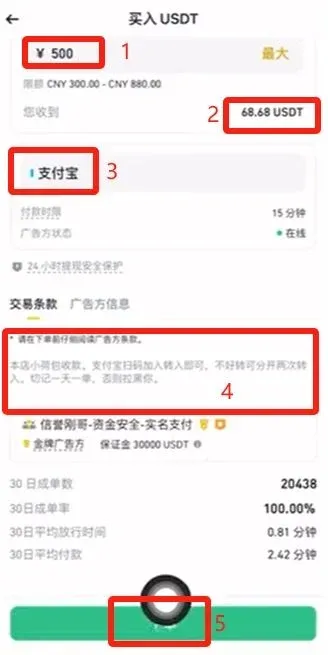
- The platform automatically calculates that 500 CNY will buy approximately 68.68 USDT. Confirm the payment method is “Alipay” and tap Place Order.
- In the pop‑up chat window, follow the payment instructions. After scanning the Alipay QR code and completing the transfer, click I Have Paid – Notify Seller.
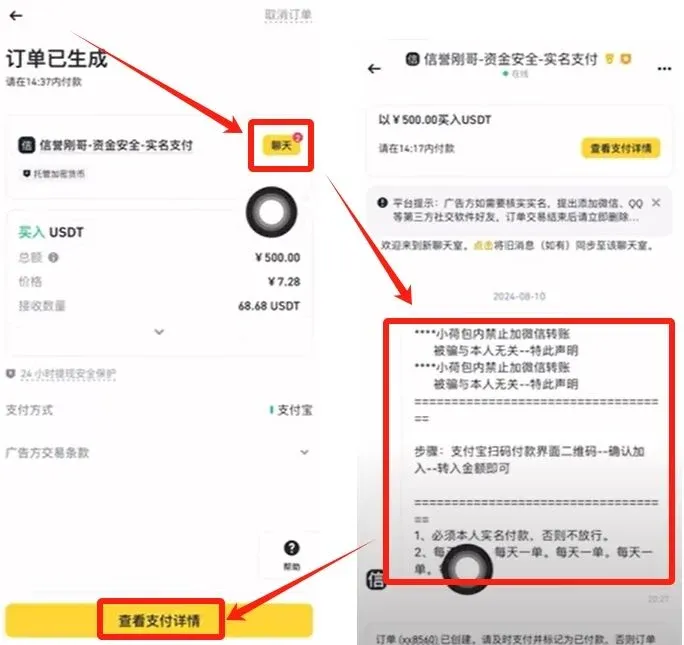
- If the seller does not release the USDT promptly, you can tap Contact Support on the order page to request platform mediation. Binance will review your payment proof and act to protect your assets.
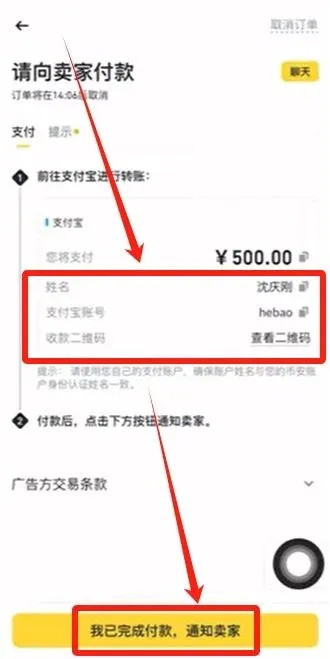
After completing these steps, the USDT will appear in your Binance wallet, ready for the next stage of trading.
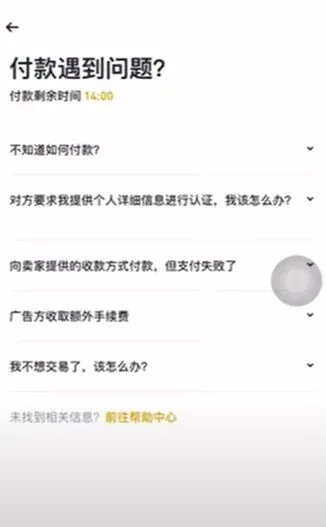
Using USDT to Purchase Bitcoin
- Tap the Wallet icon at the bottom right, then select Transfer.
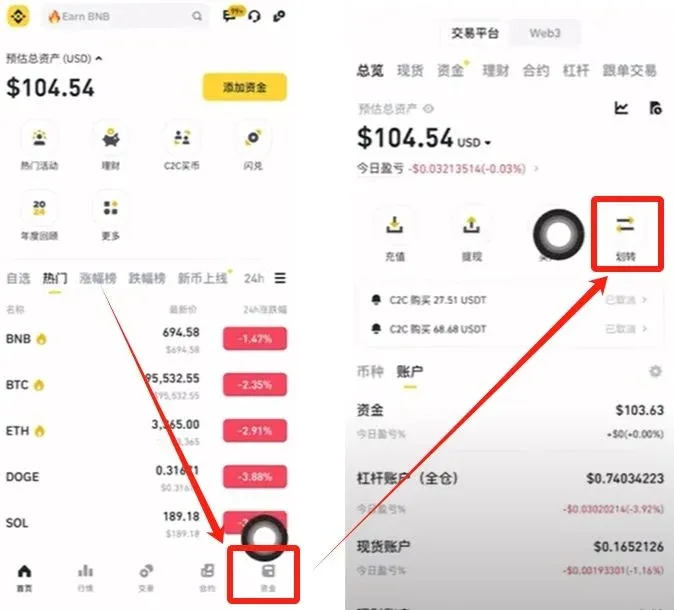
- Transfer USDT from your Funding Wallet to your Spot Wallet. Choose Transfer All, then click Confirm.
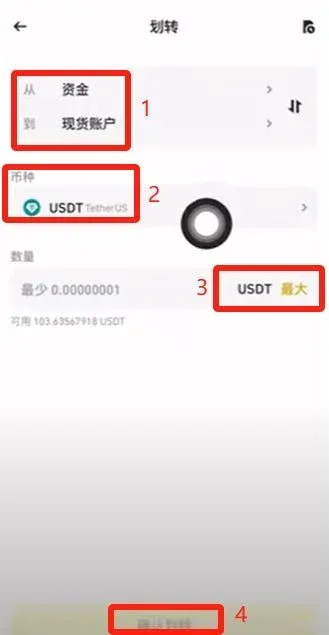
Binance Bitcoin Trading Tutorial
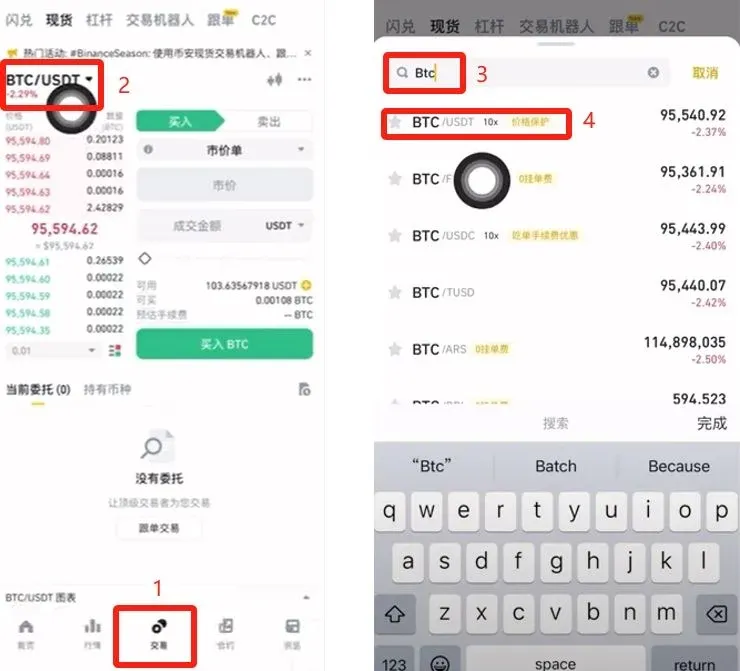
- In the Spot wallet, tap Trade, then search for and select the BTC/USDT pair (Bitcoin priced in USDT).
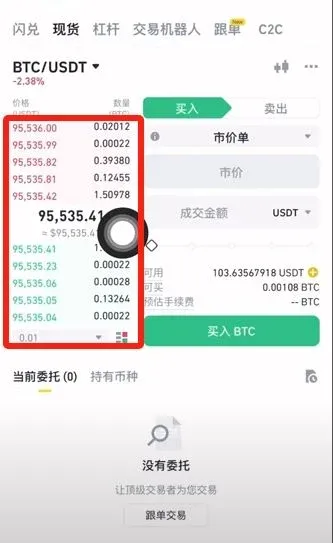
- On the order‑book page you will see buy orders (green) and sell orders (red). The platform’s depth ensures you can trade at any time, 24 hours a day.
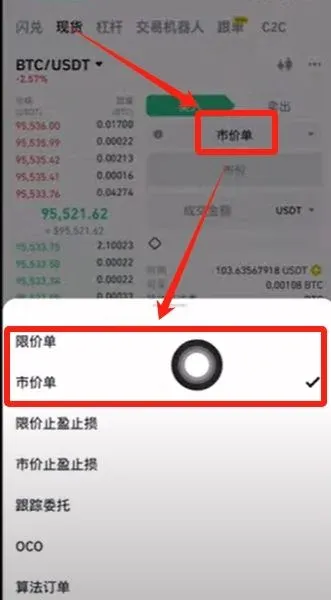
- Choose an order type: Limit Order or Market Order.
Limit Order Procedure
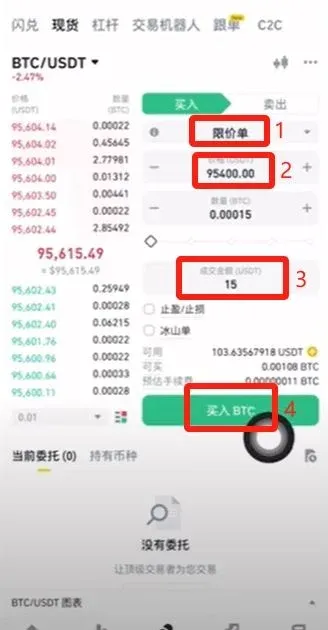
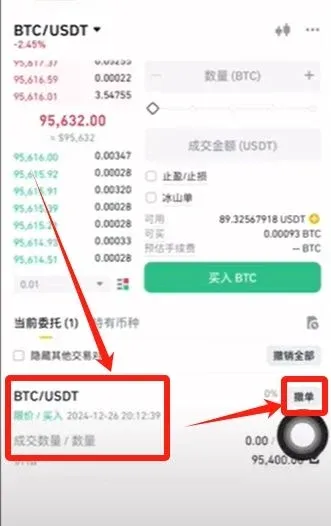
- Enter the price you wish to pay (e.g., 95,400 USDT) and the amount or total value, then tap Buy BTC to place a pending order. The order will only execute when the market reaches your price; no fee is charged if it remains unfilled.
- To cancel, simply tap the Cancel Order button next to the pending order.
Market Order Procedure
- Enter the amount you want to spend (e.g., 10 USDT) and tap Buy BTC. The purchase is executed instantly at the current market price. Bitcoin can be bought in very small fractions, so 10 USDT, 100 USDT, or any amount works.



