
 Bitaigen Research
 We systematically outline the core principles and workflow of Huobi grid trading in this article, helping rational investors get started quickly while avoiding common pitfalls. With clear step‑by‑step guidance and analysis of key points, you can construct a more robust position‑management strategy during volatile market conditions. Later sections will delve deeper into the reasoning behind parameter selection, which is worth a careful read.
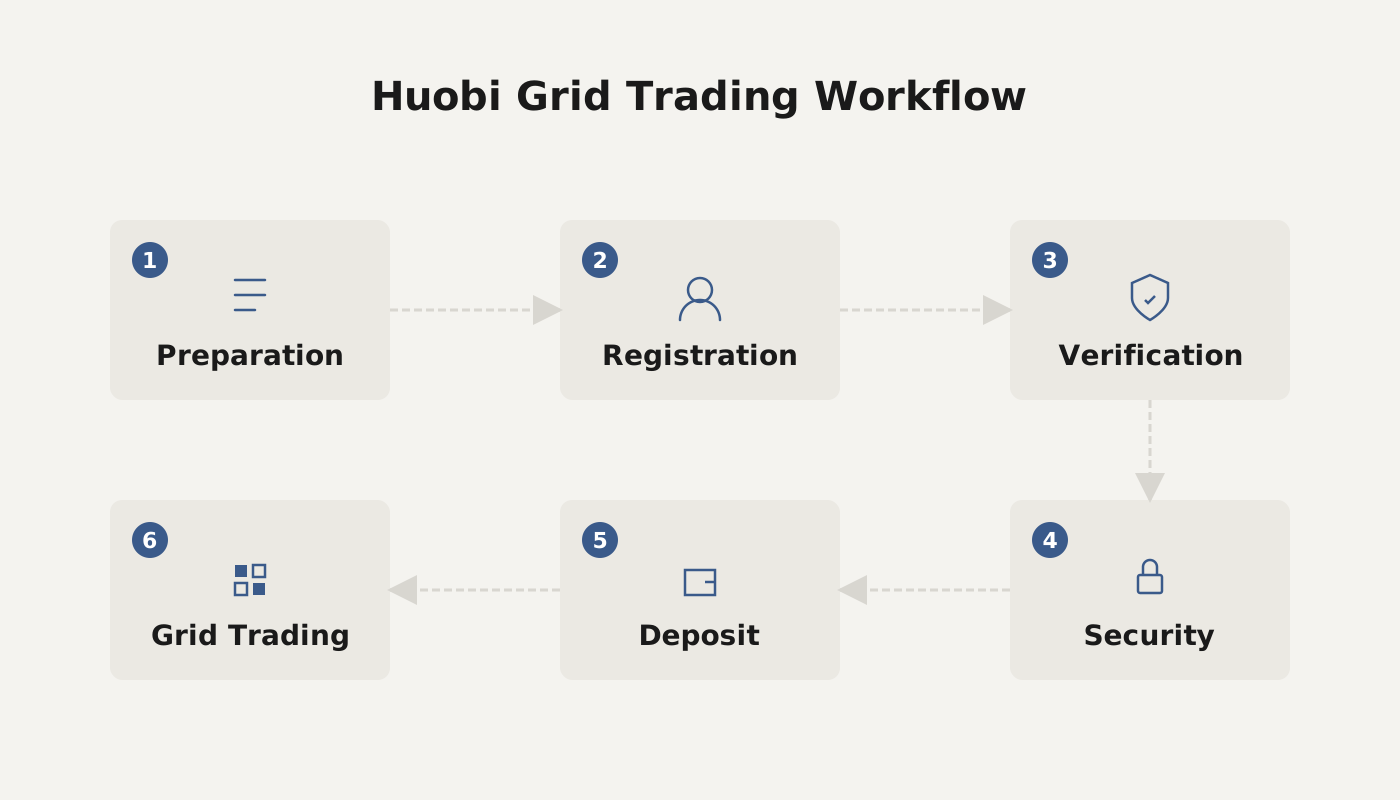
Overview of Huobi Grid Trading and Suitable Participants
In the digital‑asset market, grid trading is a time‑tested strategy. When faced with the high‑frequency volatility of cryptocurrencies, it can help smooth risk to a certain extent and is suitable for investors who prefer a relatively mechanical approach to buying and selling. For those interested in the Huobi platform, it can be regarded as a “rational arbitrage” tool—providing some profit space even after a more aggressive trade goes awry.
Suitable participants:
- Rational traders seeking systematic position management and wishing to reduce emotional interference;
- Investors who need the confidence to open positions in highly volatile markets;
- Users who want to build multi‑layered trading tactics beyond mainstream futures or spot markets.
Note for U.S. residents: Huobi does not currently serve users in the United States. U.S. investors should consider a compliant platform such as Binance.US for similar grid‑trading features.
---
Basic Steps to Set Up a Grid Trade
- Enter the Grid‑Strategy Page
- On the web interface, click Spot Trading in the top navigation bar, then select Grid Strategy to open the corresponding screen.
- Enter Parameters and Generate the Strategy
- In the right‑hand panel, input the upper and lower bounds of the price range, the number of grids, the amount of capital to allocate, and other required fields, then click Generate Strategy. The system will automatically transfer the funds into a Quantitative Account.
- Strategy Activation and Capital Flow
- Once the strategy becomes active, the system will automatically place orders at the predefined grid levels.
- During operation, any accrued profit is temporarily locked in the Quantitative Account. When the strategy is stopped, the entire balance (principal + profit) is transferred back to the Spot Account.
- Automatic Buy‑Sell Cycle
- When the market price reaches a specific grid, the pending order is executed and the system immediately places a new order in the adjacent grid (a buy order is followed by a sell order, and vice‑versa). Each grid always holds only one pending order.
- Take‑Profit / Stop‑Loss Trigger
- If the price hits the preset take‑profit or stop‑loss level, the strategy ends automatically, all positions are closed, and the assets are returned to the Spot Account.
---
Two Order‑Placement Modes
| Mode | Description |
|---|---|
| **Custom Order** | Manually set the upper price, lower price, number of grids, investment amount, etc. The system executes trades automatically based on these inputs. |
| **Smart Recommendation** | The platform provides optimal parameters derived from historical back‑testing; the user only needs to specify the investment amount to launch the strategy.<br>*Note: Back‑test results are based solely on past market data and do not guarantee future performance.* |
---
Explanation of Key Parameters
- Upper Price / Lower Price: The maximum and minimum bounds for the grid operation. Once the market moves outside this range, the system stops placing new orders.
- Number of Grids: The count of evenly spaced price levels between the upper and lower bounds, determining how frequently buys and sells occur.
- Investment Amount: The total capital allocated to this particular grid strategy.
- Take‑Profit Price / Stop‑Loss Price: The profit‑taking or loss‑cutting thresholds. The take‑profit price should be above the highest grid, while the stop‑loss price should be below the lowest grid.
- Single‑Grid Profit Rate (%): The expected return for a single grid, calculated from historical data using the formula
\[(Sell Price × (1 ‑ Fee Rate) ‑ Buy Price / (1 ‑ Fee Rate)) / (Buy Price / (1 ‑ Fee Rate))\].
- 7‑Day Grid Annualised Back‑Test: An estimated annualised return based on the most recent 7 days of candlestick data, using the parameters you entered.
- Arithmetic Grid: Each grid’s price interval is equal; the interval is computed as \((Upper Price ‑ Lower Price) / (Grid Count ‑ 1)\).
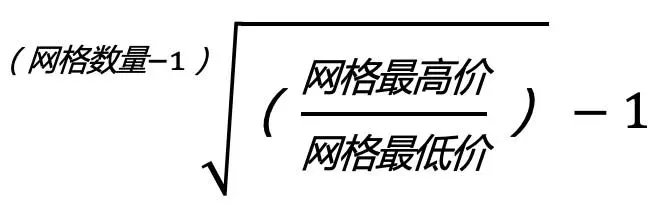
- Geometric Grid: Price intervals increase proportionally; specific calculations are shown on the platform’s UI.
Additional Settings
- Dual‑Asset Mode (BTC + USDT): When enabled, both BTC and USDT can be allocated to the same grid strategy simultaneously.
---
Operational Example (BTC/USDT)
Assume the current market price is 20,000 USDT per BTC. We set the following parameters:
| Parameter | Value |
|---|---|
| Upper Price | 20,700 USDT |
| Lower Price | 19,500 USDT |
| Number of Grids | 7 |
| Investment Amount | 10,000 USDT |
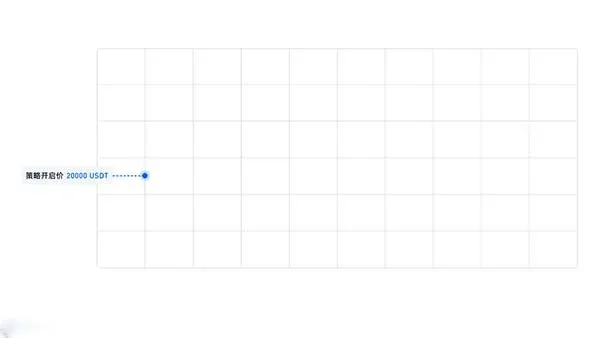
After the strategy is generated, the system will establish a position near the current price and place either buy or sell orders at each grid level (sell orders above the current price, buy orders at or below it).
- When the price drops to 19,700 USDT, the buy order is filled, and the system immediately places a corresponding sell order at 19,900 USDT.
- If the price subsequently rises to 19,900 USDT, the sell order is executed, and the system re‑places a buy order at 19,700 USDT, thereby achieving a “buy low, sell high” cycle.
If the market breaks above 20,700 USDT or below 19,500 USDT, the strategy pauses automatically. To guard against a prolonged one‑sided decline, it is advisable to set a stop‑loss price in advance.
---
Summary
By following the steps above, investors can quickly configure a grid‑trading strategy on the Huobi platform. Whether you choose to define the parameters yourself or rely on the platform’s smart recommendation, the capital will circulate within the predefined range, allowing you to capture relatively steady returns amid market fluctuations. For more tips on using Huobi effectively, stay tuned to Bitaigen’s upcoming articles.
Tax reminder: Cryptocurrency gains may be subject to taxation in your jurisdiction. Please consult a qualified tax professional to understand your local reporting obligations.
Related Reading
- DeFi: Transforming Blockchain Apps via Decentralized Finance
- Invest in Digital Assets on Binance: Step‑by‑Step Guide
- Hoo Exchange vs Huobi: Security, Features & Fees Review
💡 Register on Binance with referral code B2345 for the maximum trading fee discount. See Binance complete guide.



