
 Bitaigen Research
 Isolated‑margin leveraged trading is a method of amplifying trade size by borrowing additional assets on top of your own capital. Unlike cross‑margin (full‑margin) mode, isolated margin applies leverage only to a single position, allowing investors to control risk more precisely. Borrowing assets is the crucial step for implementing isolated‑margin leverage. This article uses Binance’s BTC isolated‑margin leverage as an example to demonstrate the complete workflow—from borrowing assets to closing the position.
In this guide we dissect the full BTC isolated‑margin borrowing process on the Binance platform, supplemented with practical screenshots, to help readers quickly master the key steps of opening a position, borrowing assets, and closing the position while keeping risk under control and improving leverage efficiency. If you want to see every operational detail, keep reading for the complete instructions.
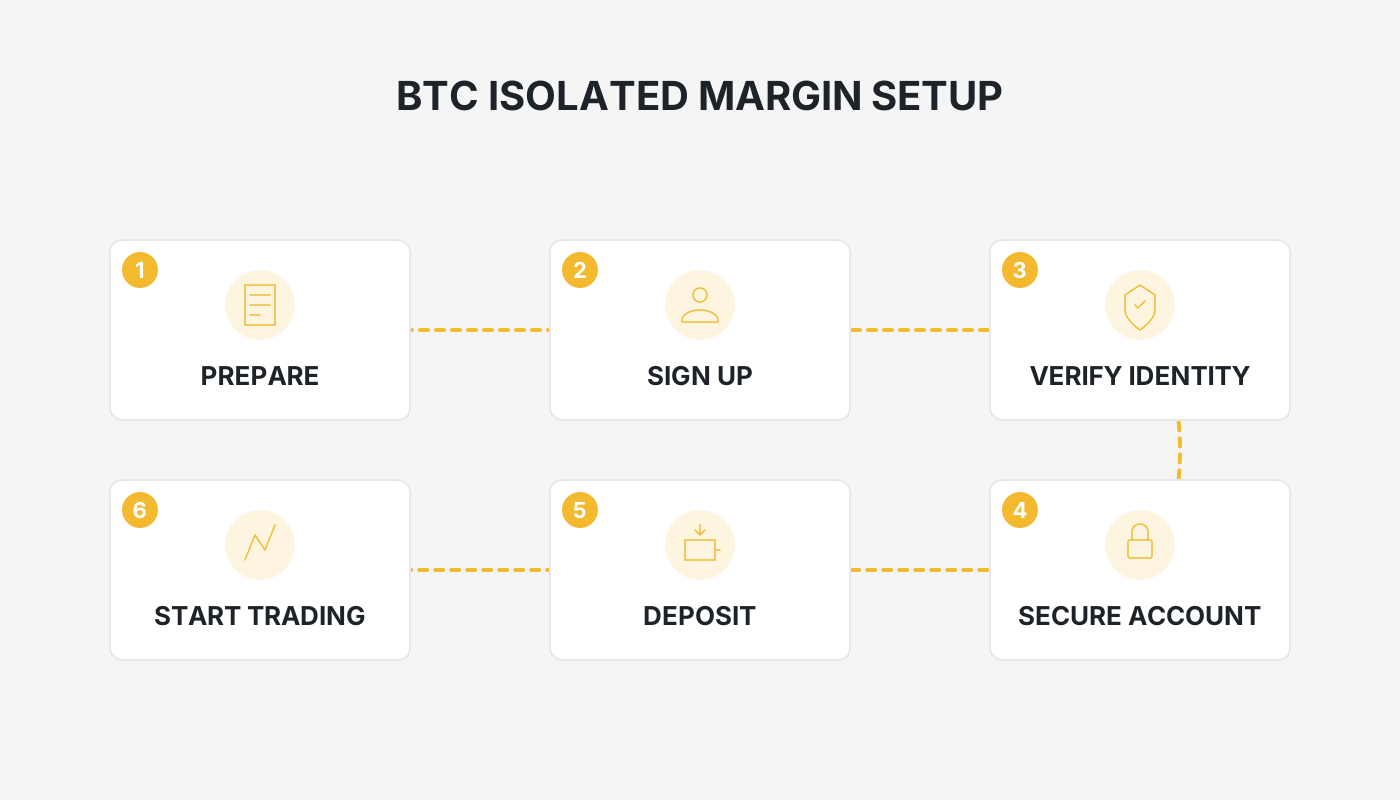
Steps to Borrow BTC for Isolated‑Margin Trading on Binance
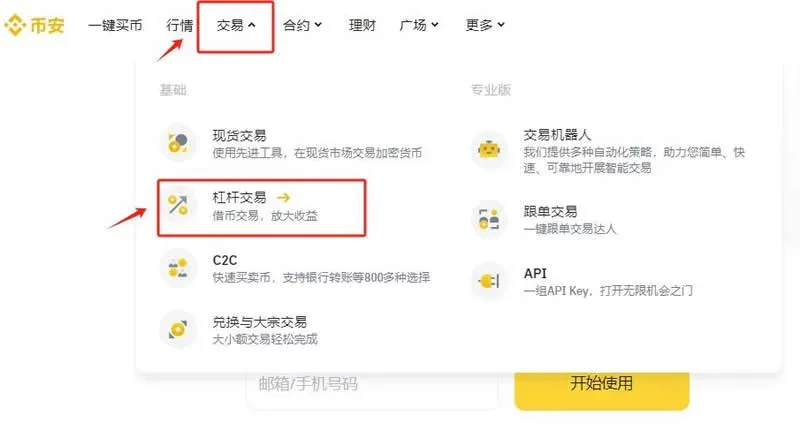
- Visit the Binance website and log in (if you do not yet have an account, you can register here). In the top navigation bar select Trade → Margin.
*(U.S. residents should use Binance.US instead of the global Binance site.)*
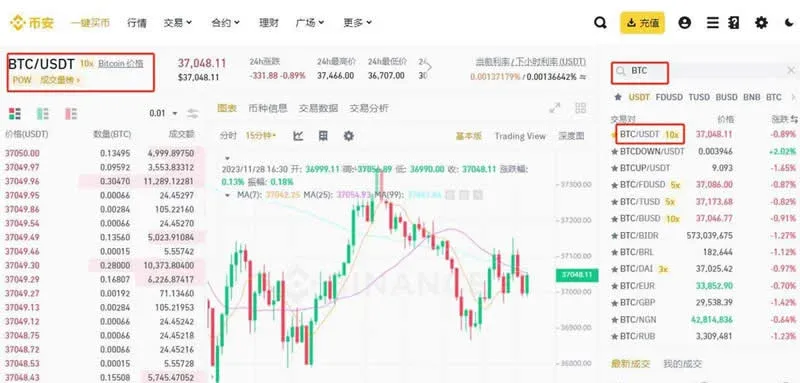
- Switch to the Isolated tab, search for the BTC/USDT trading pair, and click to select it.
- In the right‑hand trading panel locate the Transfer button. Clicking it allows you to move margin funds between your Spot wallet and your Isolated‑margin wallet.
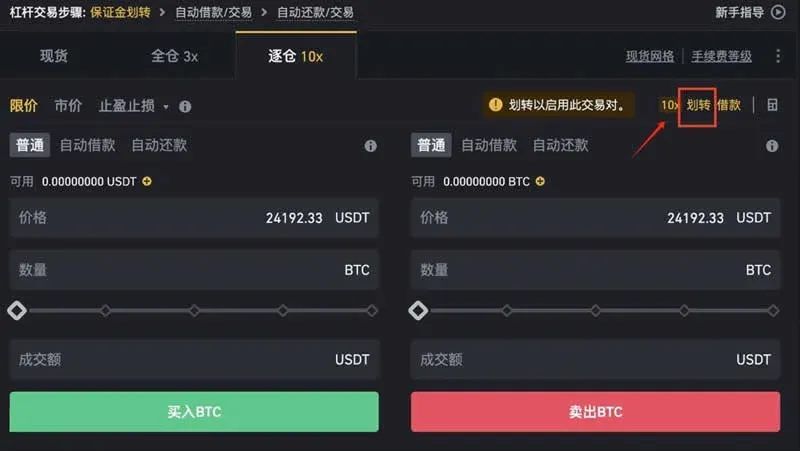
- In the pop‑up, confirm that the transfer direction is “Spot Wallet → Isolated‑Margin Wallet” (e.g., BTCUSDT isolated‑margin wallet). Choose the appropriate asset and amount, then click Confirm.
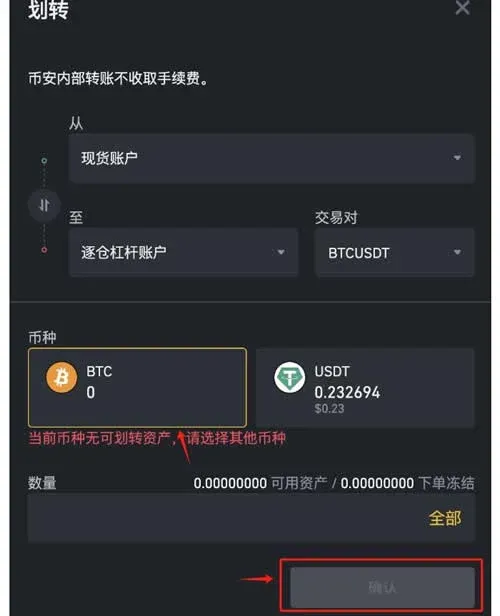
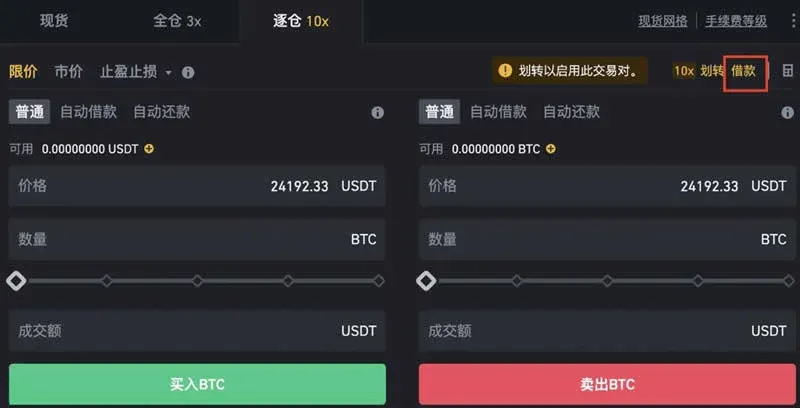
- After the transfer completes, return to the trading panel and click the Borrow entry on the right side.
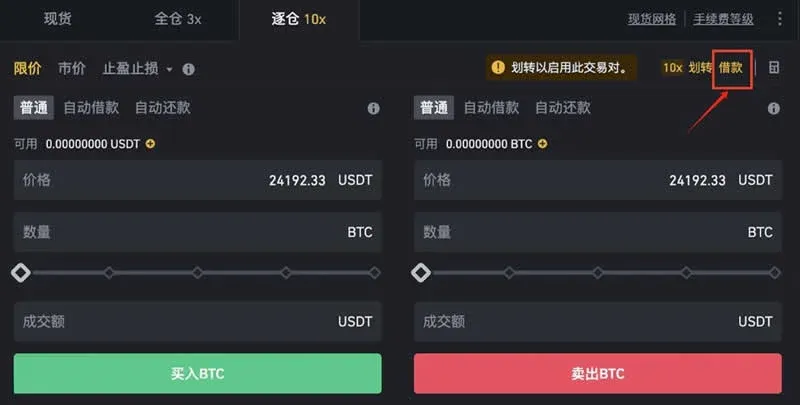
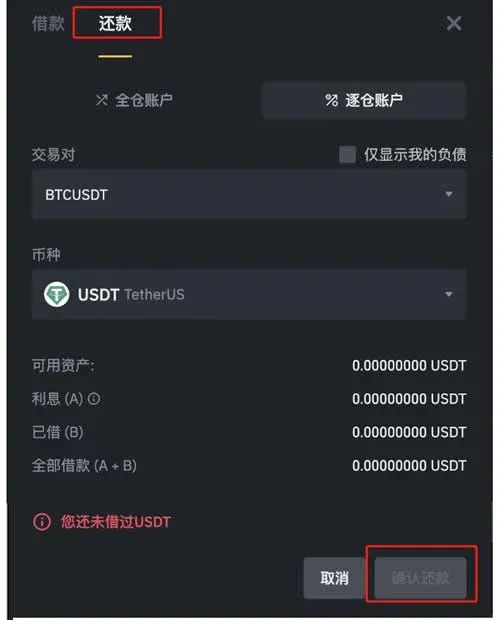
- In the borrow/repay window that appears, select the asset you wish to borrow and specify the amount, then click Confirm Borrow to finalize the borrowing transaction.
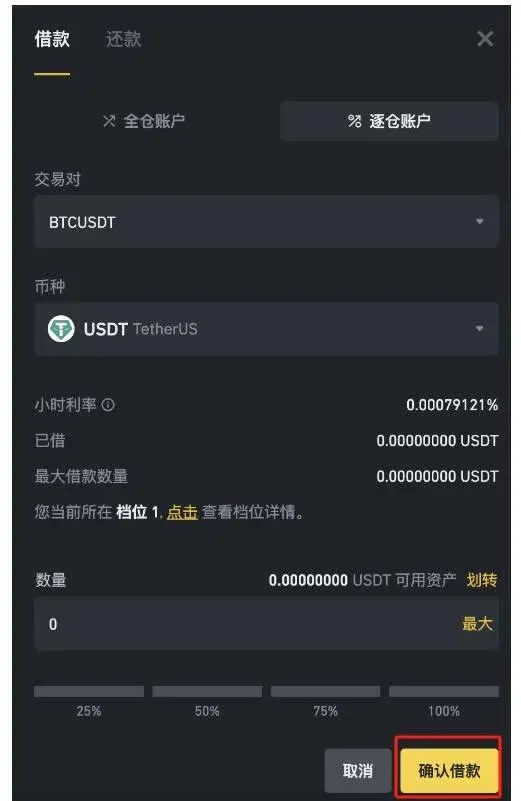
- If you anticipate the market may move lower, you can, on the same panel, choose an order type (Limit, Market, OCO, or Stop‑Loss/Take‑Profit). Switch the mode to Standard, enter your desired sell price and quantity, and click Sell to execute a higher‑price sell order.
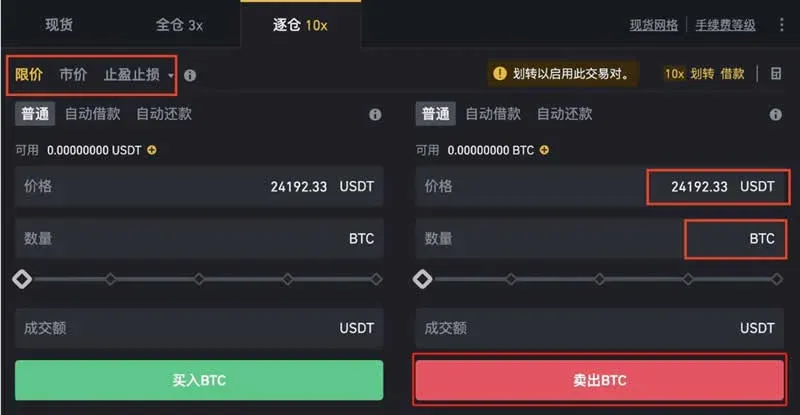
- When the market reverses and your target profit is realized, you will need to repay the borrowed assets together with any accrued interest. Click the Borrow button on the right side of the panel again to open the repayment interface.
- In the borrow/repay pop‑up, switch to the Repay tab, select the same asset, input the amount you wish to return, and finally click Confirm Repay to settle the debt.
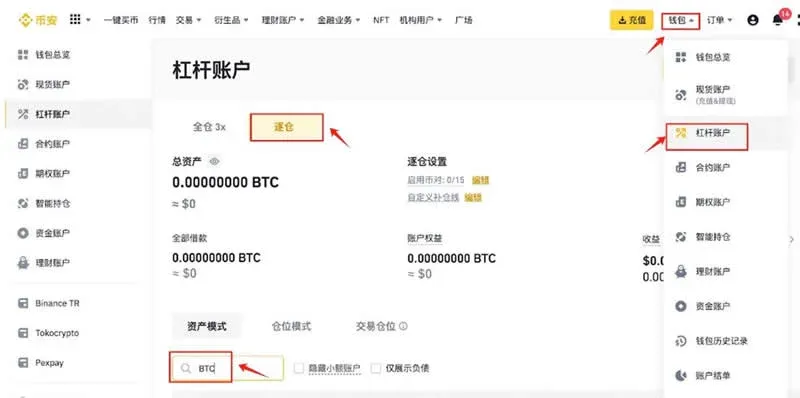
- To quickly view your current asset‑liability status, go to the top menu and choose Wallet → Margin to enter the margin‑account page. Switch to the Isolated tab and filter by asset (e.g., BTC) to see detailed position and debt figures.
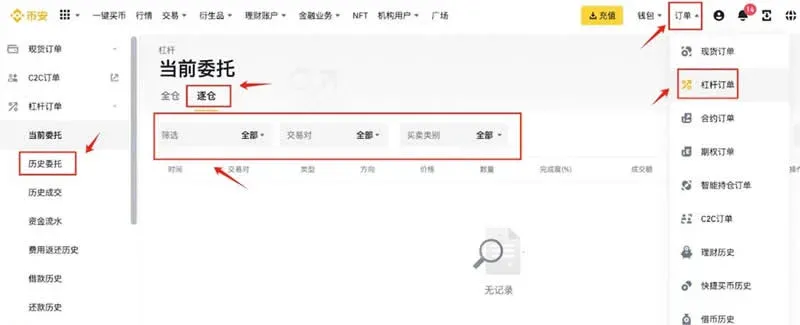
- To review historical order records, navigate to Orders → Margin Orders, select the Isolated filter, and you can further narrow results by time range, trading pair (e.g., BTCUSDT), and buy/sell direction to see past order details.
How Is the Borrowing Limit Determined for Isolated‑Margin?
The borrowing ceiling is governed by both platform policies and the individual user’s account profile. Different exchanges calculate the maximum borrowable amount based on total account assets, the size of already‑opened positions, and the chosen leverage multiplier.
In isolated‑margin mode, you must first set the position size and leverage factor when opening a trade. The system then computes the available borrowing amount using the following formula:
\[
\text{Borrowing Limit} = \text{Position Size} \times (\text{Leverage Multiplier} - 1)
\]
Here, Position Size refers to the amount of capital you plan to allocate to the trade, while Leverage Multiplier is the amplification factor you select. The “‑1” reflects that your own capital is already counted as the base; the borrowed portion supplements that base by the additional multiple.
Summary
Compared with cross‑margin (full‑margin) mode, isolated‑margin leveraged trading’s greatest advantage is the ability to apply leverage on a per‑position basis and to decide the leverage multiplier for each individual trade. This fine‑grained risk‑management approach enables investors to amplify potential returns while keeping potential losses under tighter control. By following the steps outlined above, you can complete the entire lifecycle of BTC isolated‑margin trading on Binance—borrowing the asset, placing the order, closing the position, and repaying the loan—efficiently and with a clear view of your risk exposure.
Related Reading
- Trade XAU & XAG on Binance: Spot vs Perpetual Contracts
- Stablecoins Explained: Functions, Use Cases, Benefits & Risks
- ATR Indicator: Volatility Analysis & Trading Applications
💡 Register on Binance with referral code B2345 for the maximum trading fee discount. See Binance complete guide.



