
 Bitaigen Research
OKX – How can a newcomer complete the full process of registering an account, buying crypto, trading, and withdrawing? On the OKX platform, first register through the official link and complete KYC verification, then purchase USDT via the C2C market, conduct spot trading, and finally sell USDT via C2C to cash out.
The crypto space continues to attract new participants. This article will walk you through the steps in the most straightforward way: register an OKX account and obtain a 20% fee discount, deposit funds to buy USDT or Bitcoin, complete identity verification (KYC), and sell crypto to withdraw. After reading this guide, you’ll be ready to start your crypto journey.
Our Bitaigen editorial team has carefully compiled a complete beginner’s guide for the OKX platform, covering account registration, identity verification, buying crypto, depositing funds, and withdrawing. With this article you can quickly grasp each key step, save time on trial‑and‑error, and confidently take the first step into digital‑asset trading.
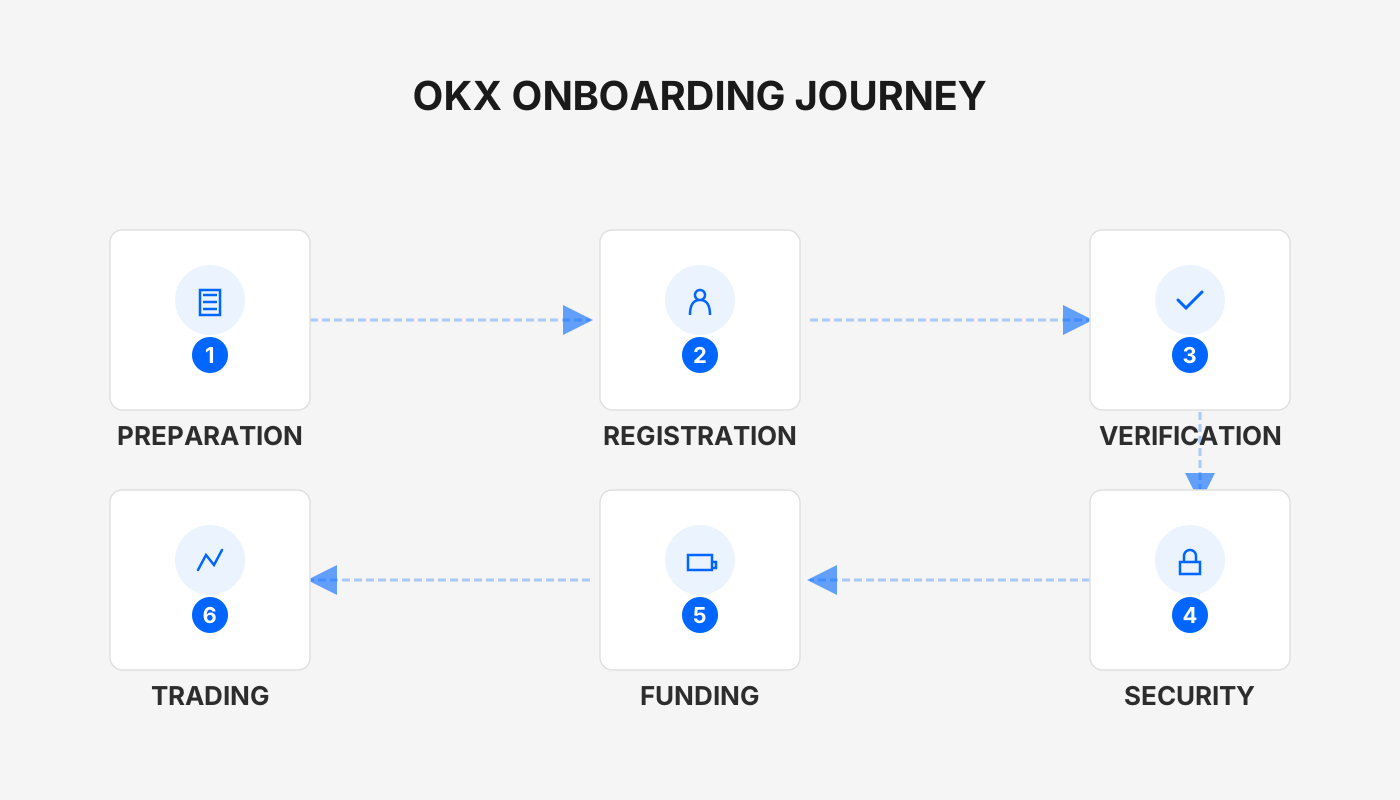
1. How to Register an OKX Account?
- Click the official registration link below to open the sign‑up page. Using this link automatically grants a 20% trading‑fee discount.
OKX New‑User Registration: Register Here
- It is recommended to use a VPN and select a Taiwan (TW) IP address to avoid access restrictions that affect IPs from the United States, Canada, Singapore, Hong Kong, Japan, and other regions.
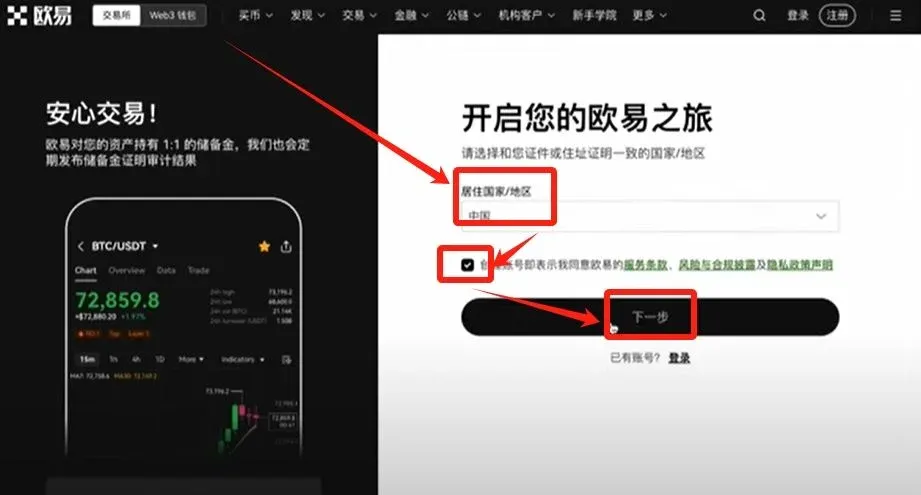
- On the first registration screen, select your country/region of residence. The selection must match the address on your identification document. Example: choose China, tick the agreement box, then click 【Next】.
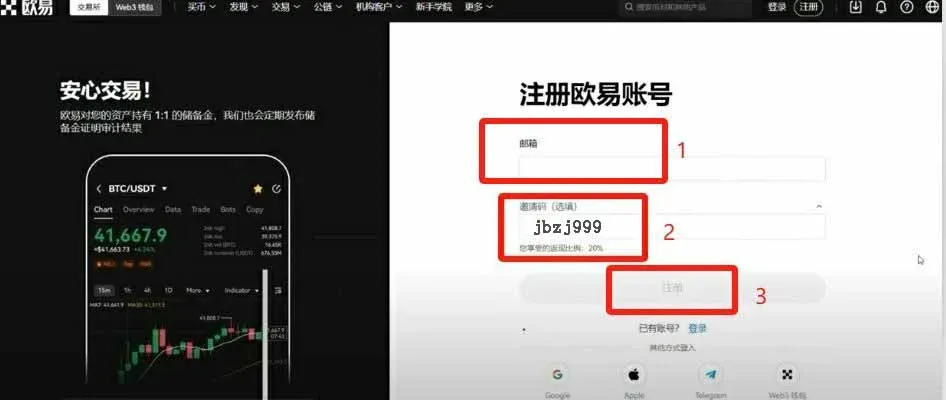
- Enter your email address and the invitation code B2345 (if it does not populate automatically), then click 【Register】.
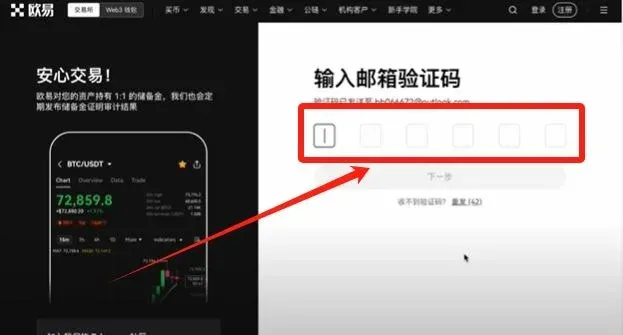
- The system sends a verification code to your inbox; retrieve it and enter the code.
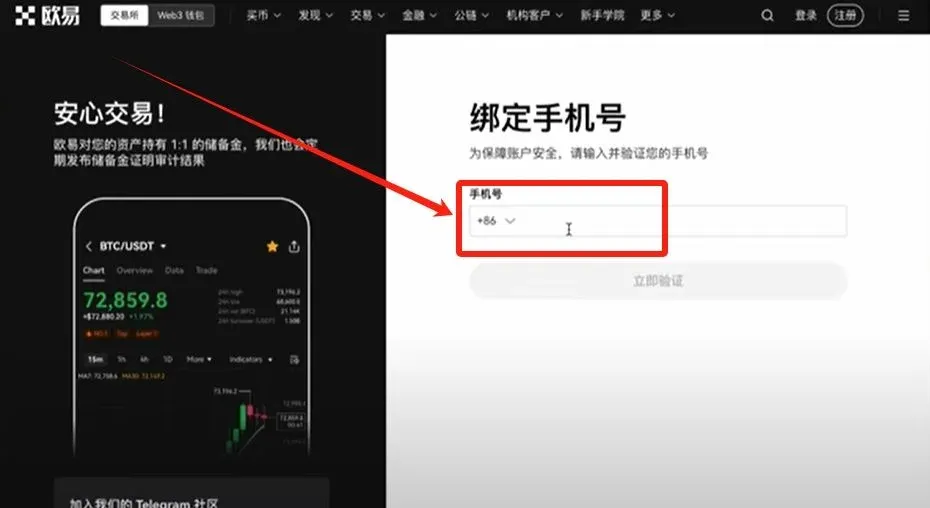
- After the code is verified, you will be prompted to bind a mobile number. Mainland China users should select a number that starts with +86.
- Create a login password. Requirements: at least 8 characters, containing lowercase letters, uppercase letters, numbers, and special symbols. Once this is set, the account registration is complete.
2. Identity Verification (KYC)
You cannot trade until KYC is completed. Follow these steps to verify your identity:
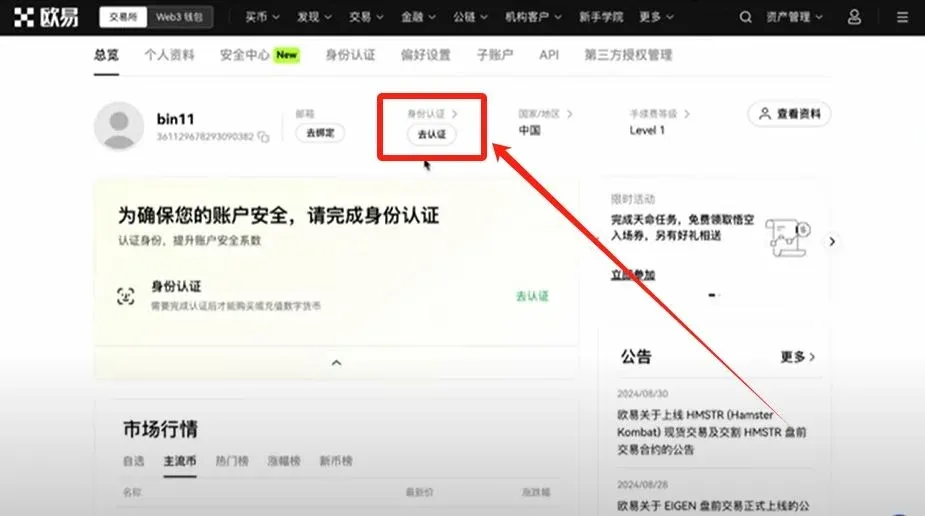
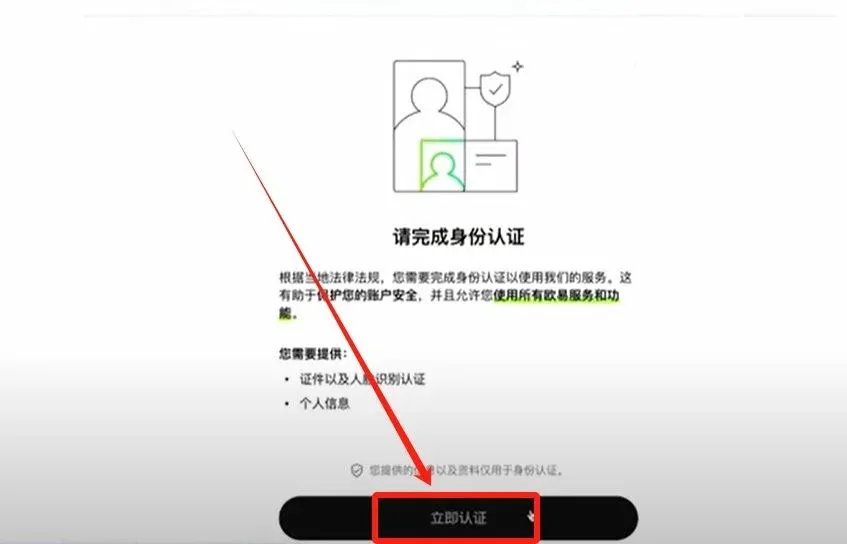
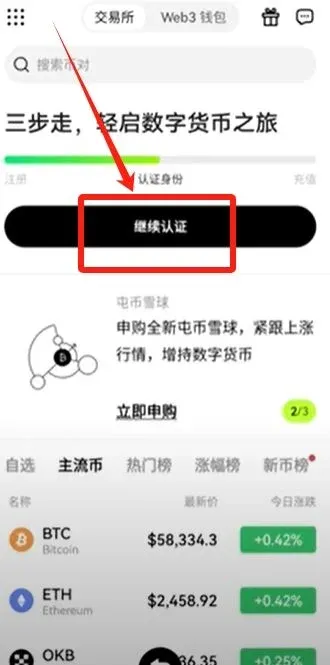
- On the homepage click 【Go to Verify】 → 【Verify Now】.
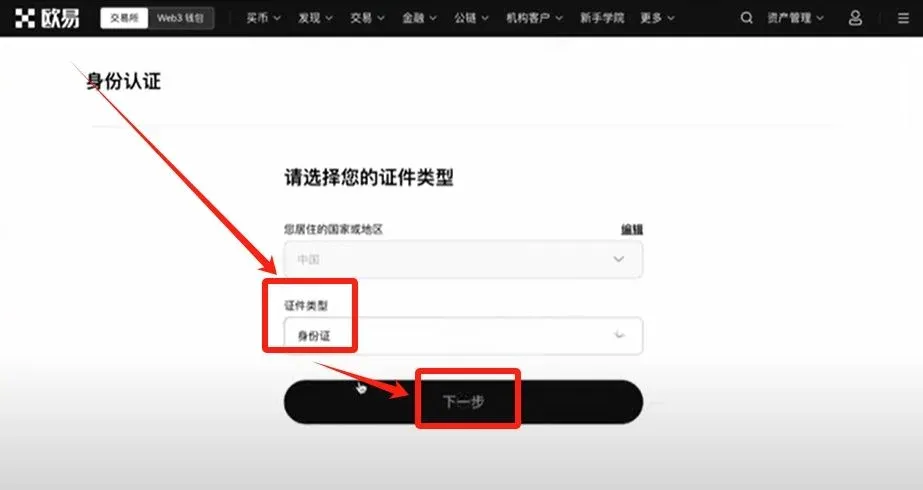
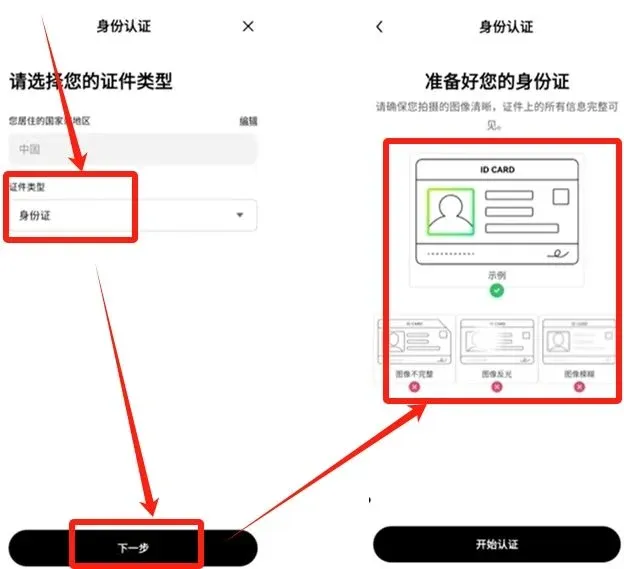
- Document type can be National ID or Passport. This example uses a National ID; click 【Next】.
- Download the OKX APP (subsequent steps are performed on the mobile device):
- iOS: Scan the QR code below with your camera to be redirected to the App Store. Mainland Apple IDs cannot download the app, so you will need to create a Taiwan‑region Apple ID.
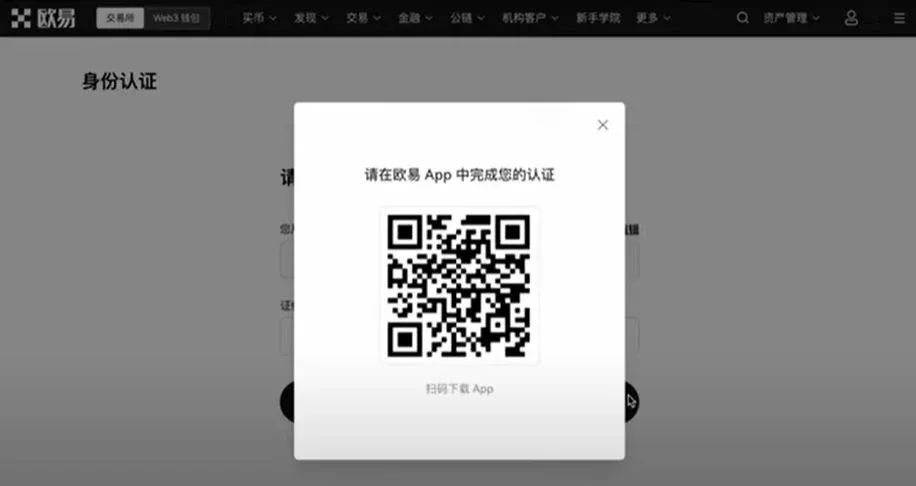
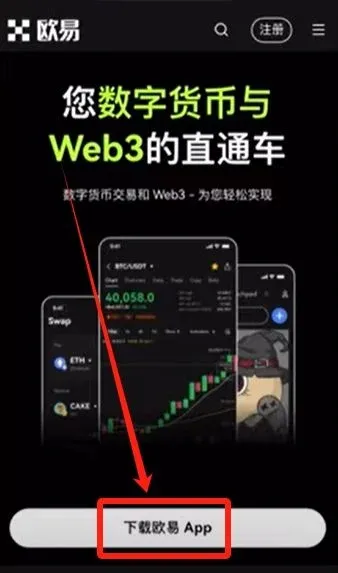
- Android: Click the link below to download directly.
OKX APP Download: Download Here
Note for U.S. users: If you are located in the United States, use Binance.US instead of the global Binance platform when downloading any related tools.
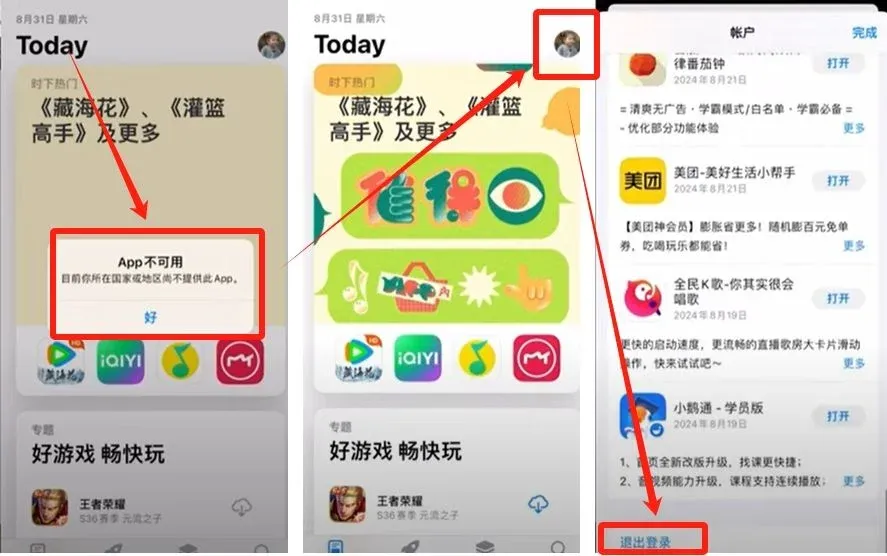
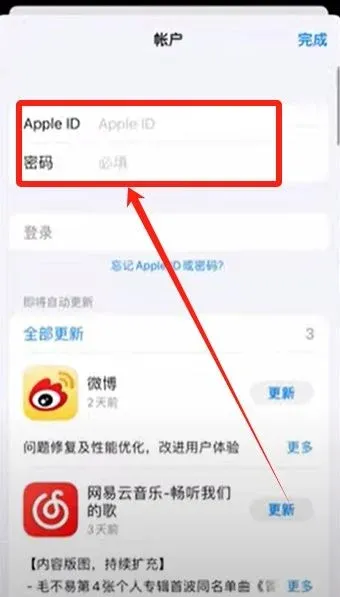
- Log in to the OKX APP, tap 【Continue Verification】, select the document type, and upload front‑ and back‑side photos of your ID card. Then complete the facial‑recognition step (blink, open mouth, etc.). The KYC process should finish within a few minutes.
3. Buying and Selling Digital Assets
1. Purchasing USDT (C2C “Buy Crypto”)
- On the homepage click 【Buy Crypto】 → 【C2C Buy】 in the upper‑left corner.
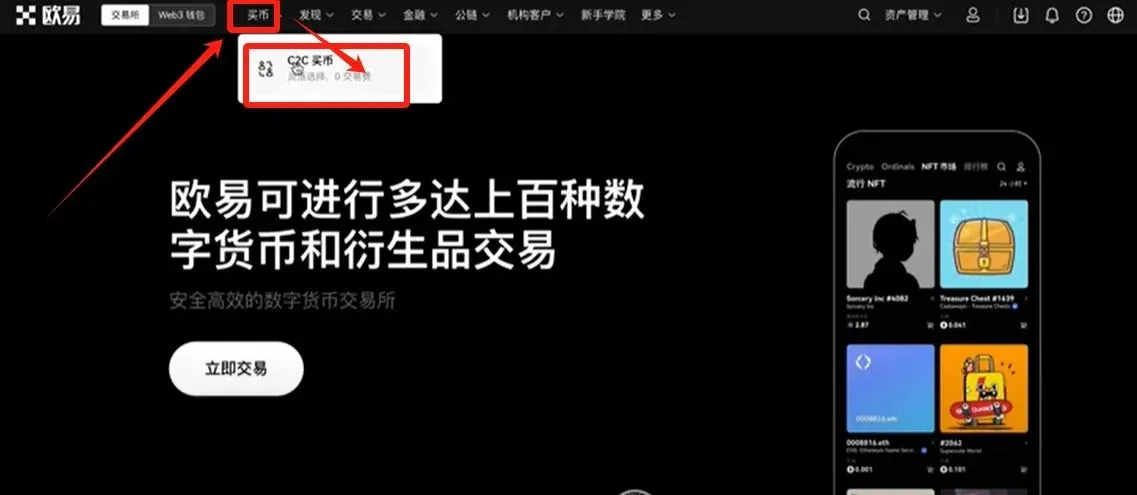
- Difference between C2C and “Instant Trade”: C2C requires you to manually select a counter‑party; Instant Trade lets the system match you automatically. For beginners, C2C is more transparent.
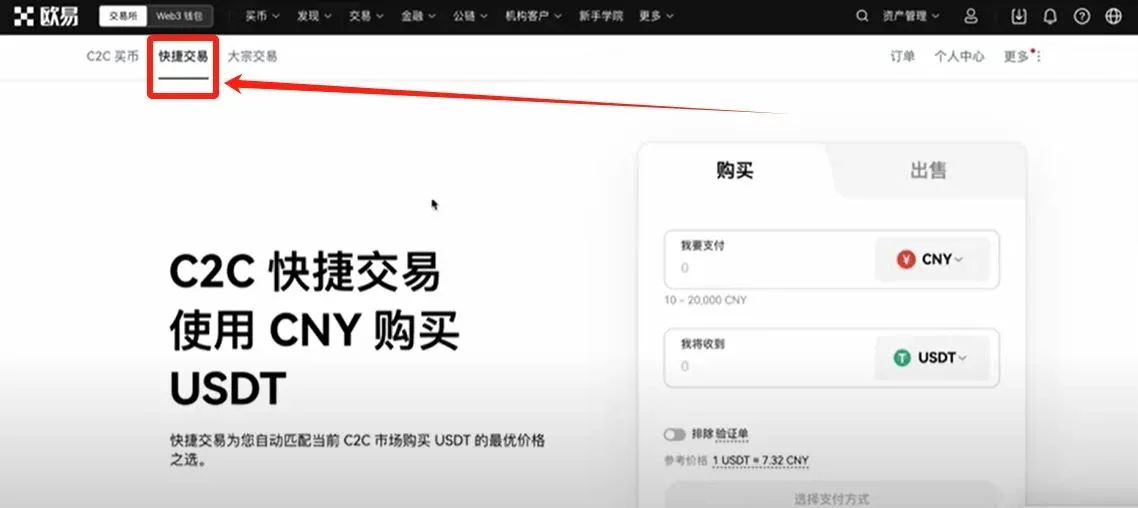
- It is recommended to buy USDT (a stablecoin pegged to the US dollar) first, then use USDT for other crypto trades.
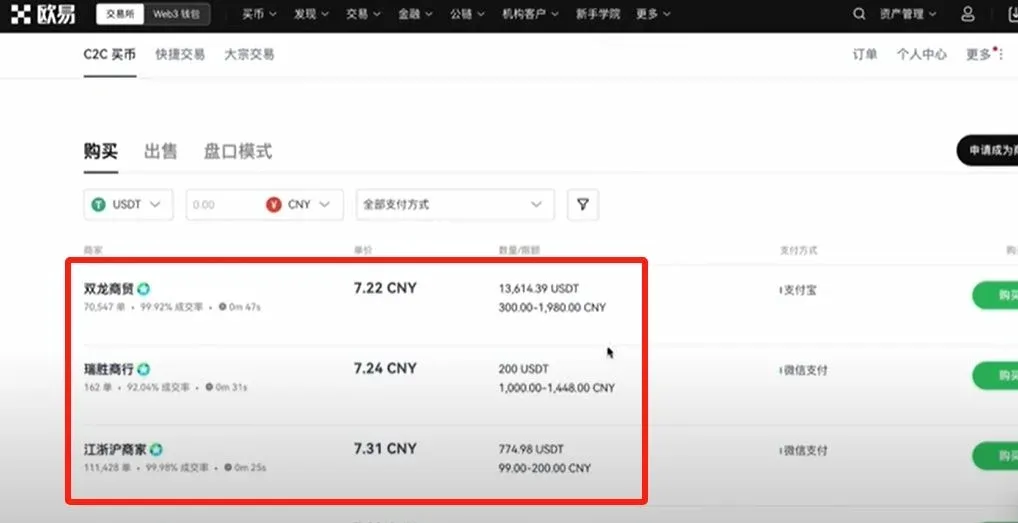
- In the C2C marketplace, filter sellers on the left side: you’ll see seller name, quoted price, available amount, limits, and accepted payment methods.
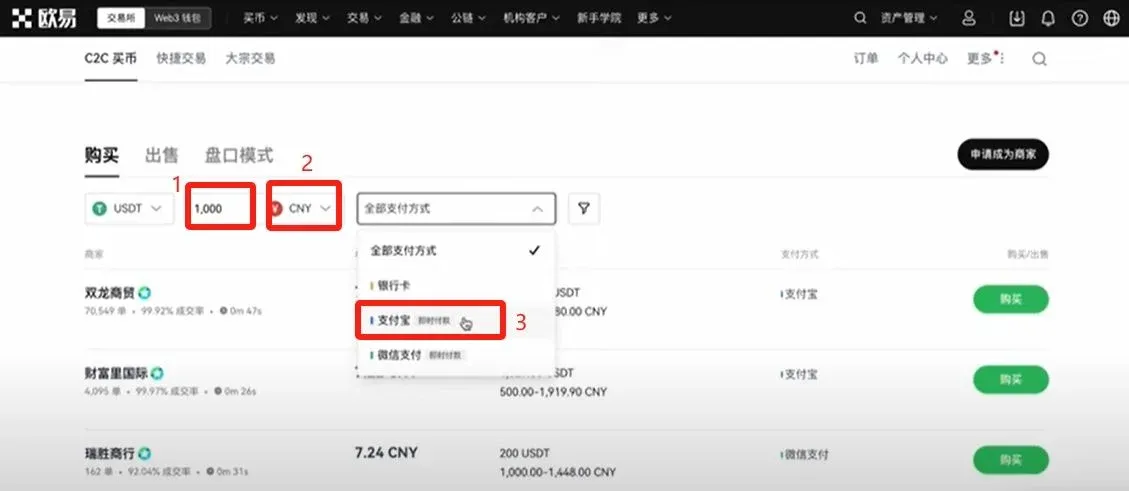
- Use the filter bar at the top to set:
- Currency: USDT
- Payment Amount: e.g., 1,000 USD (other fiat options such as EUR via SEPA or SWIFT are also available)
- Payment Method: Alipay, WeChat Pay, or bank transfer (example shown with Alipay)
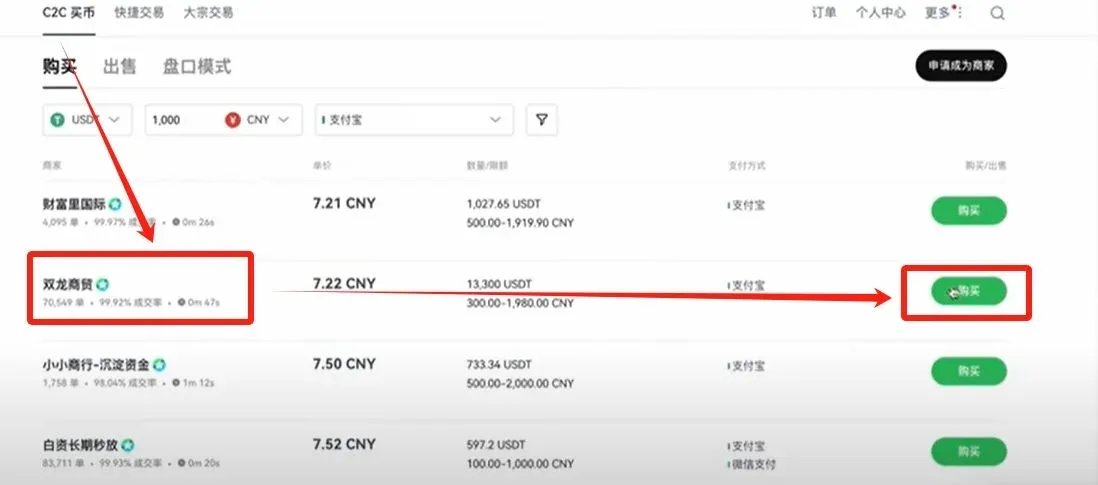
- Choose a seller based on metrics like completed orders, success rate, and release speed, then click 【Buy】.
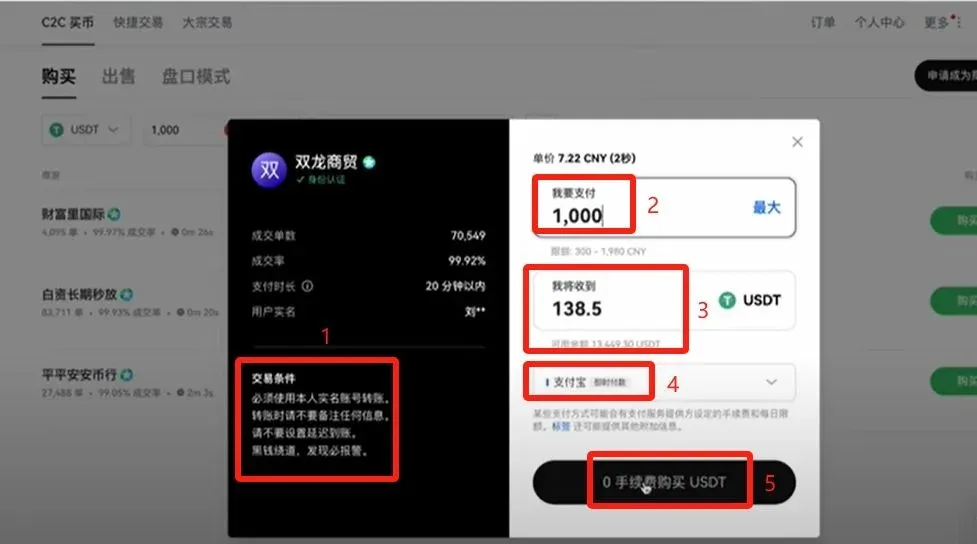
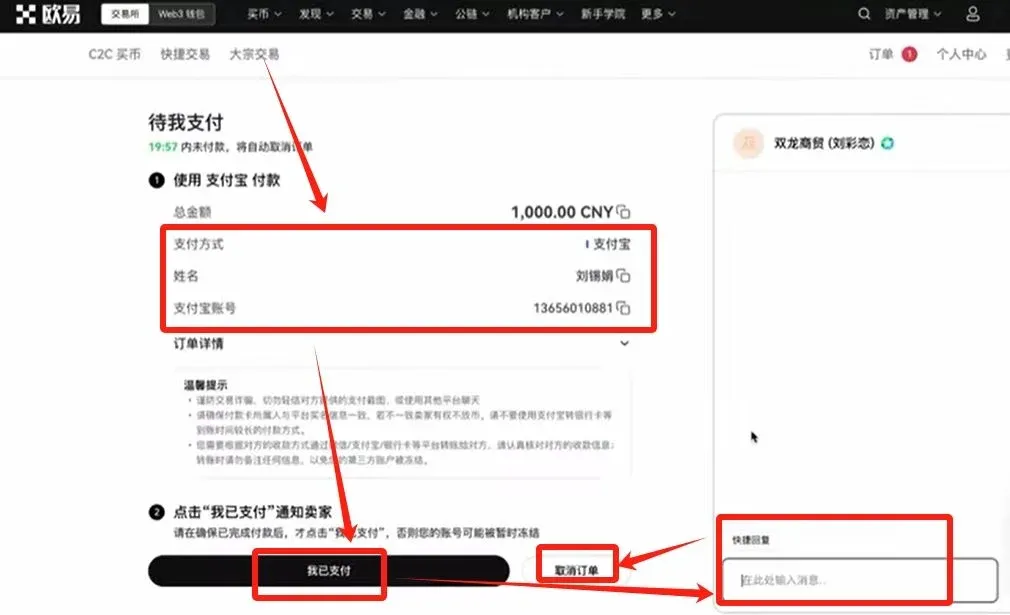
- Review the seller’s requirements (e.g., must use a verified account for transfer, no remarks allowed). After confirming, input the payment amount (example: 1,000 USD). The platform will display the equivalent USDT amount (e.g., 1,000 USDT). Click 【Buy with 0% Fee】.
- After completing the offline payment, click 【I Have Paid】. Do not click this button before you have actually transferred the funds, otherwise your account may be frozen.
- Once the seller confirms receipt, they will release the USDT. The platform locks the seller’s USDT at order creation to protect the buyer.
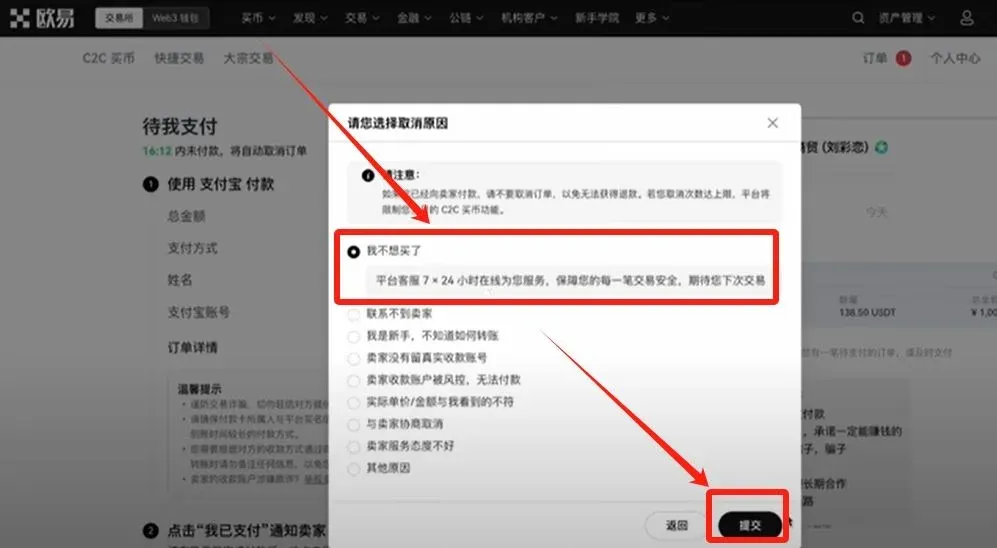
- To cancel an order, click 【Cancel Order】 → select a reason → 【Submit】.
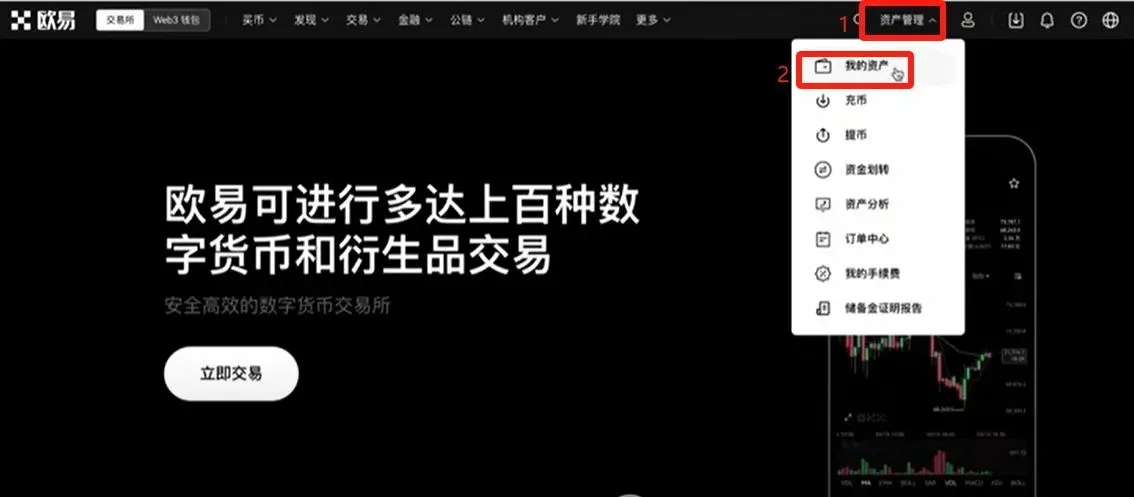
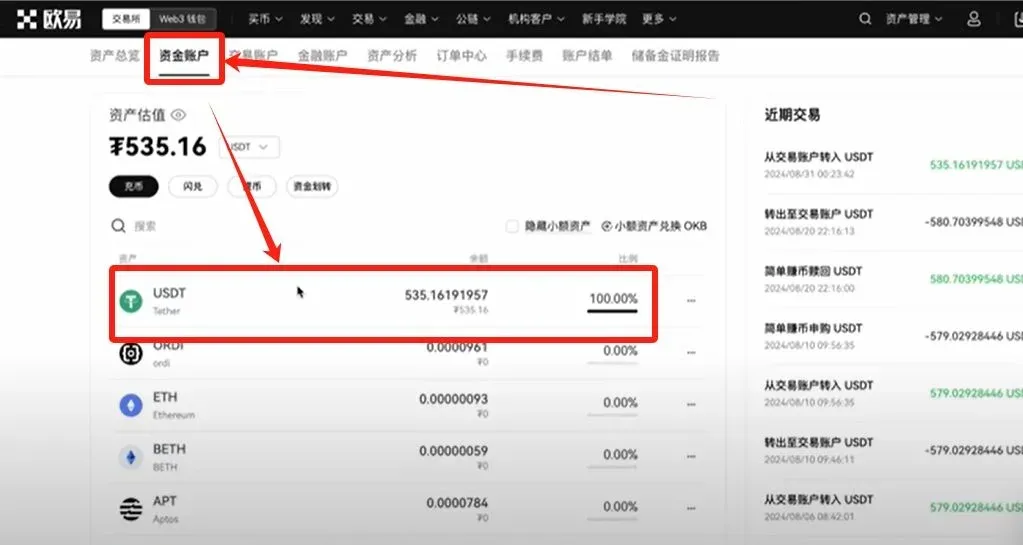
- Once the purchase is successful, go to 【Asset Management】 → 【My Assets】; you will see the newly arrived USDT in your funding wallet.
2. Spot Trading (USDT → BTC)
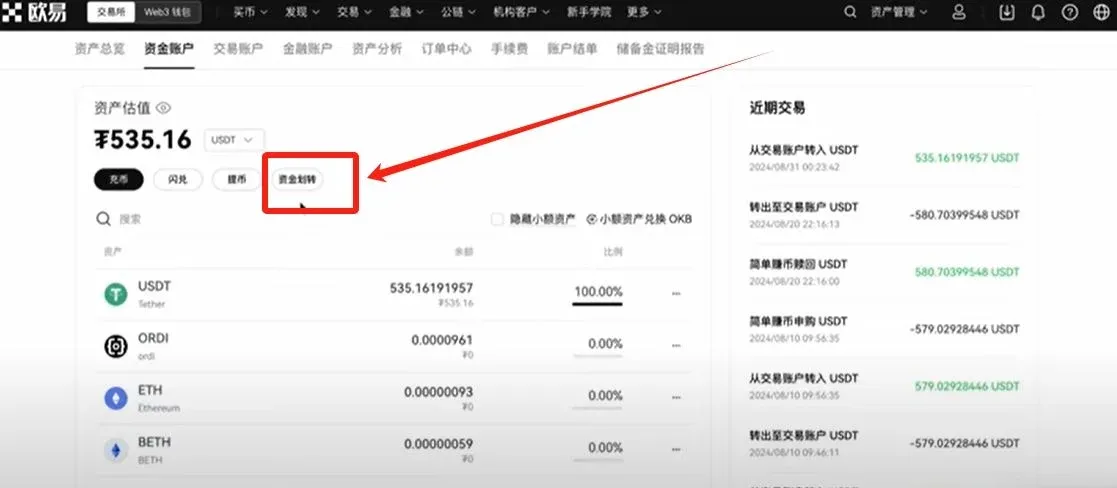
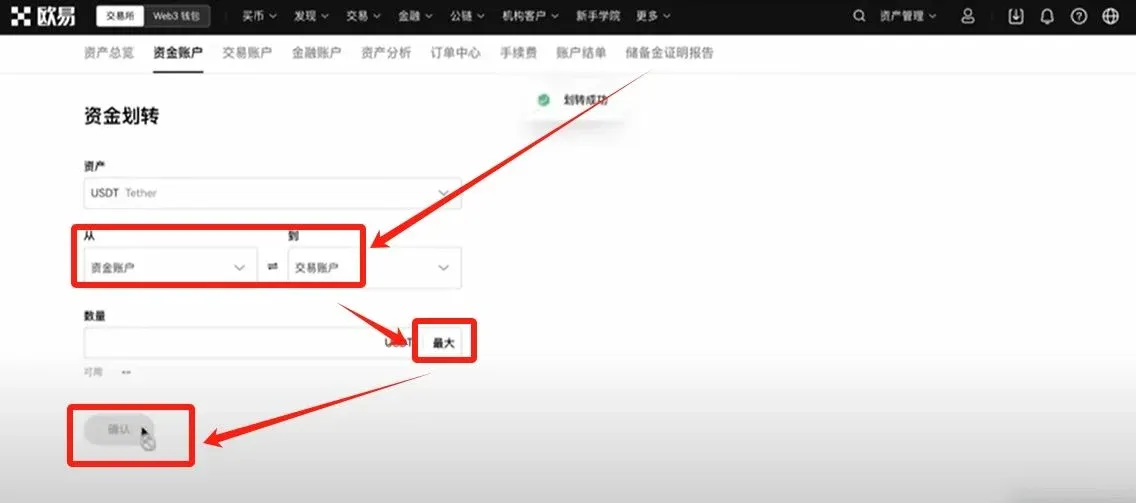
- Transfer USDT from the Funding Wallet to the Spot Trading Wallet (no fee). Click 【Transfer】, select the maximum amount, then 【Confirm】.
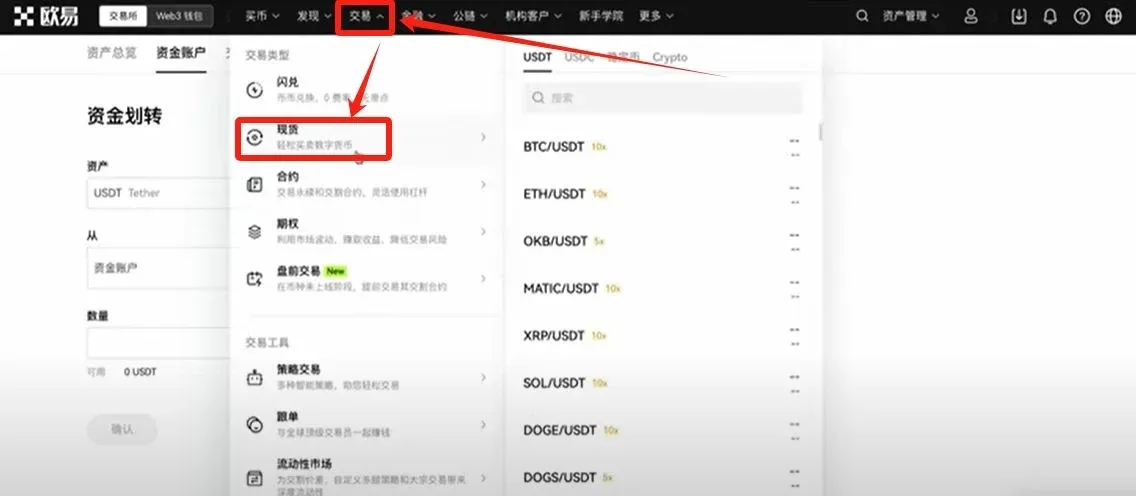
- Navigate to 【Trade】 → 【Spot】, type BTC/USDT in the search bar, and select the corresponding trading pair.
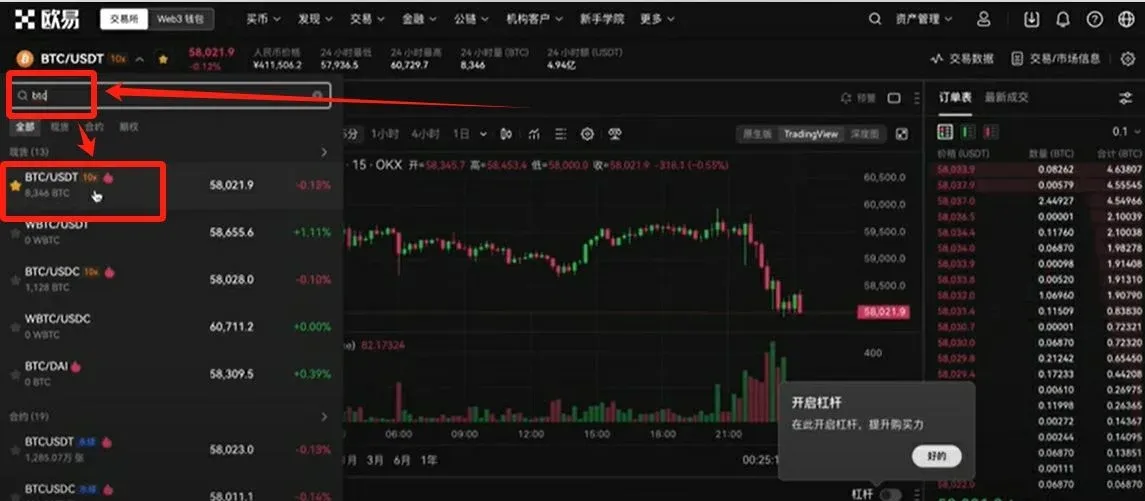
- The right side displays the live order book; the left side shows the
Related Reading
- Crypto Platform Comparison: Binance, OKX, Bitget, Gate.io
- Hong Kong Stablecoin Draft – Buying USDT/USDC on OKX
- OKX C2C Withdrawal Freeze Compensation Guide 2024
💡 Register on Binance with referral code B2345 for the maximum trading fee discount. See Binance complete guide.



