
 Bitaigen Research
This article provides a step‑by‑step guide for 2026 on how users in Mainland China can use OKX (formerly known as OKEx) to register, download the mobile app, purchase USDT, and conduct virtual‑currency trading. It also offers solutions to common issues.
Before you begin, we recommend using a reliable VPN or other scientific‑internet‑access tool throughout the process to avoid being blocked from the official website.
We walk you through the entire workflow for using OKX domestically, including account registration, app download, USDT purchase, and subsequent trading tips. Practical solutions are provided for frequent pain points, so you can start trading safely and efficiently. Read on to get up and running quickly.
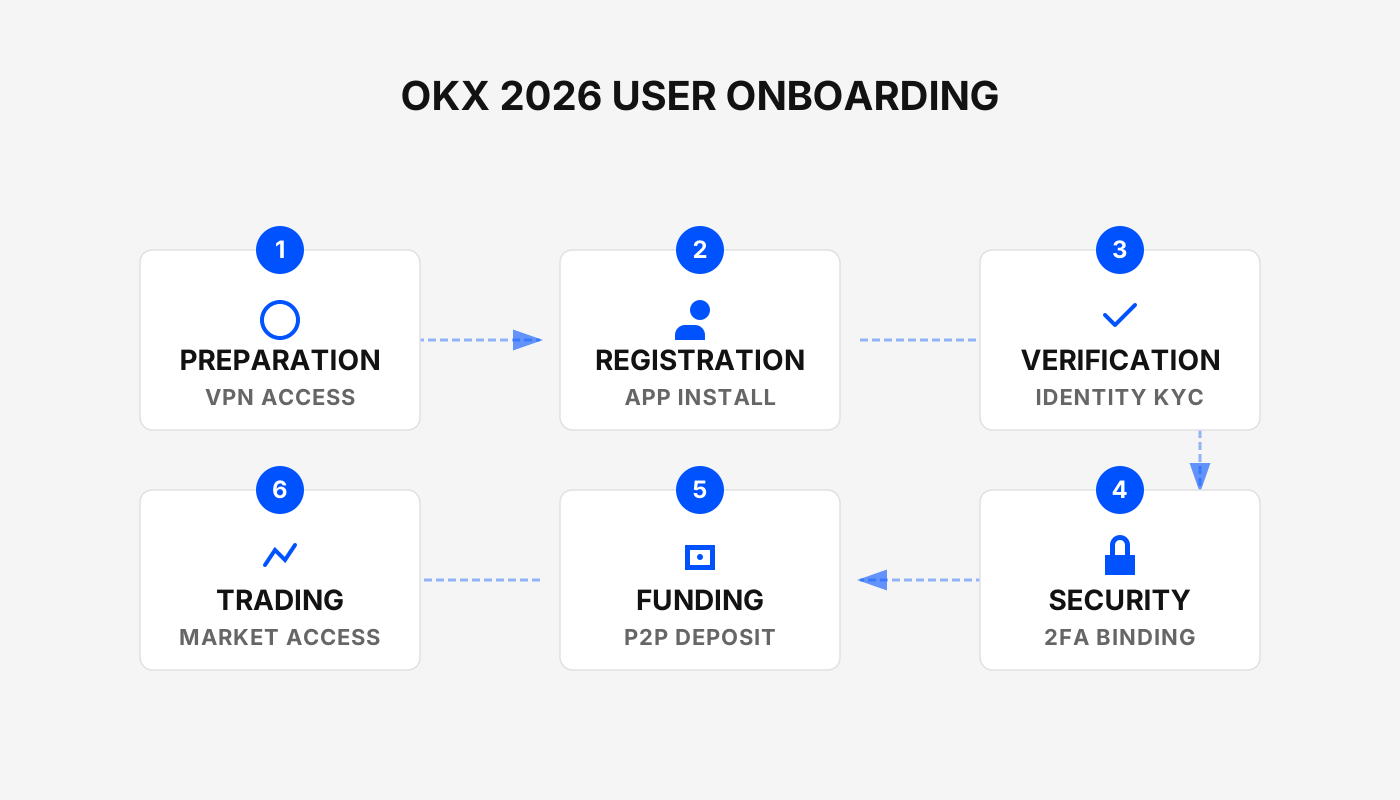
Step 1: Register on the Exchange
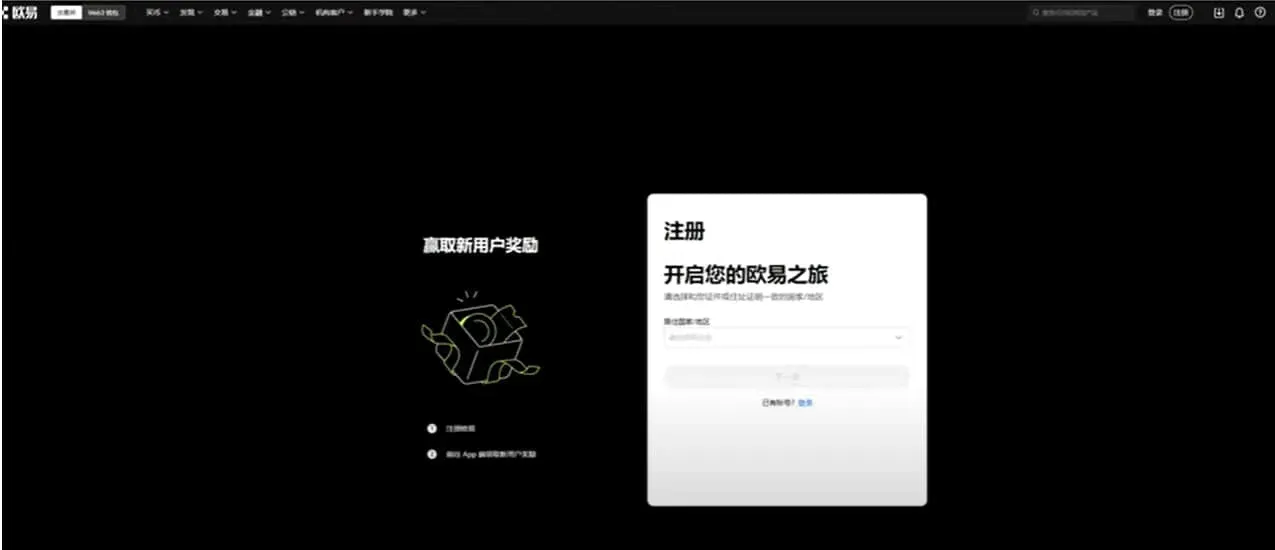
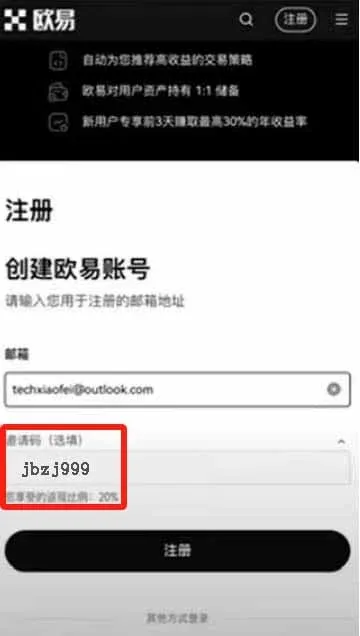
OKX is positioned as an entry‑level exchange for newcomers to the crypto space and currently offers the most convenient registration experience for users in Mainland China. Compared with other platforms, OKX charges slightly lower fees, provides a 20 % fee rebate, and offers a “blind‑box” welcome reward of up to USD 8,000 (the exact amount depends on luck).
- Registration link: Click to Register
- The official domain is okx.com. Always double‑check the URL in your browser’s address bar to avoid phishing sites that could lead to asset loss.
Registration Methods
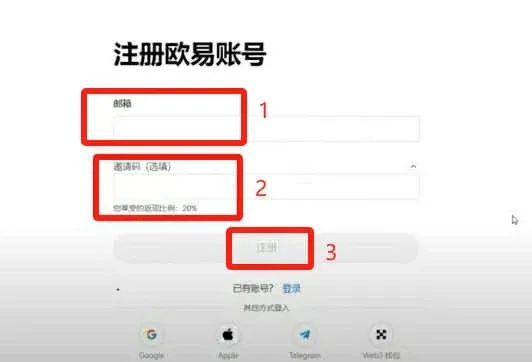
- Email registration
- Enter your email address and the invitation code `B2345` (required for the rebate).
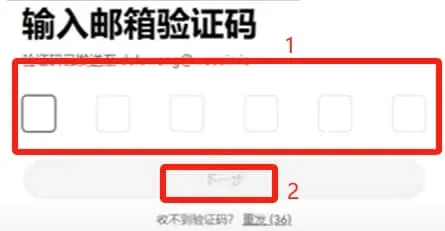
- Input the verification code sent to your inbox and click Next.
- Phone‑number registration
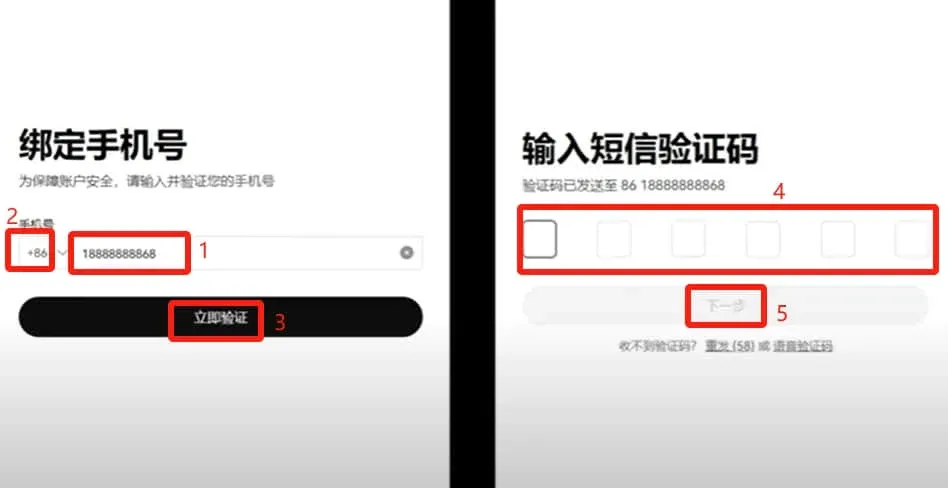
- Enter your mobile number; the system will automatically detect the country code. If it does not, manually select +86 (Mainland China).
- Click Verify Now, enter the code you receive via SMS, and the registration will be completed.
Step 2: Download and Install the App
Using a mobile device provides a more intuitive experience and allows you to trade anytime, anywhere. OKX offers both Android and iOS versions.
Android Download
- Download link: OKX APP Download
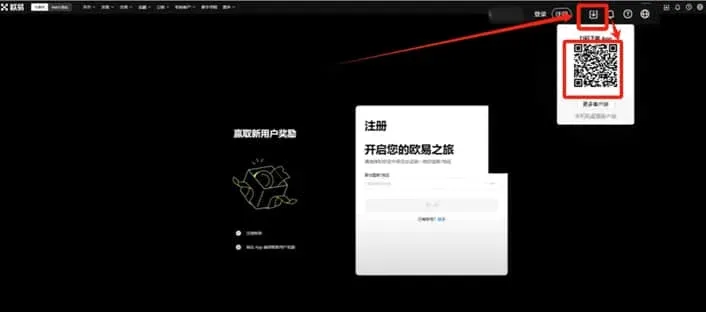
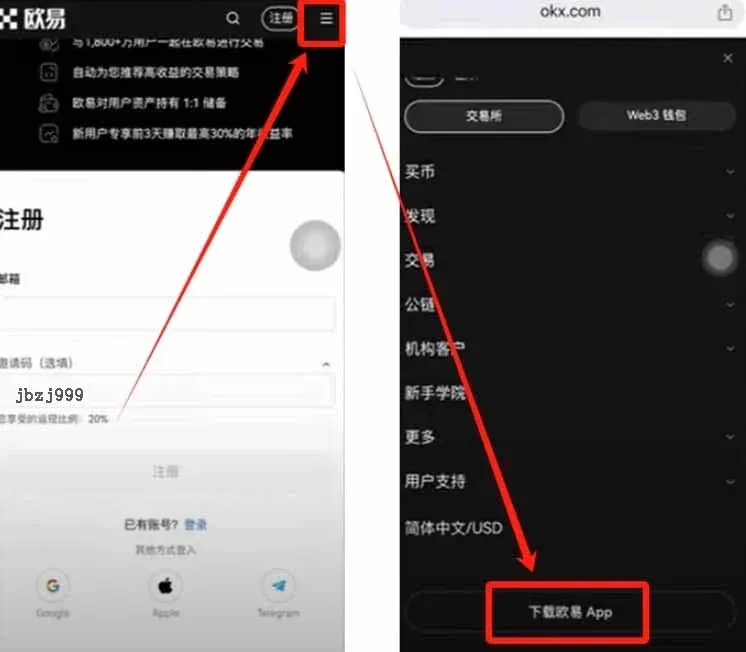
- Method 1: Click “Download Now” at the top‑right of the webpage. A QR code will appear; scan it with QQ, WeChat, or your phone’s built‑in scanner to start the download. If an error occurs, try using Alipay’s scanner or the browser’s native QR‑code function.
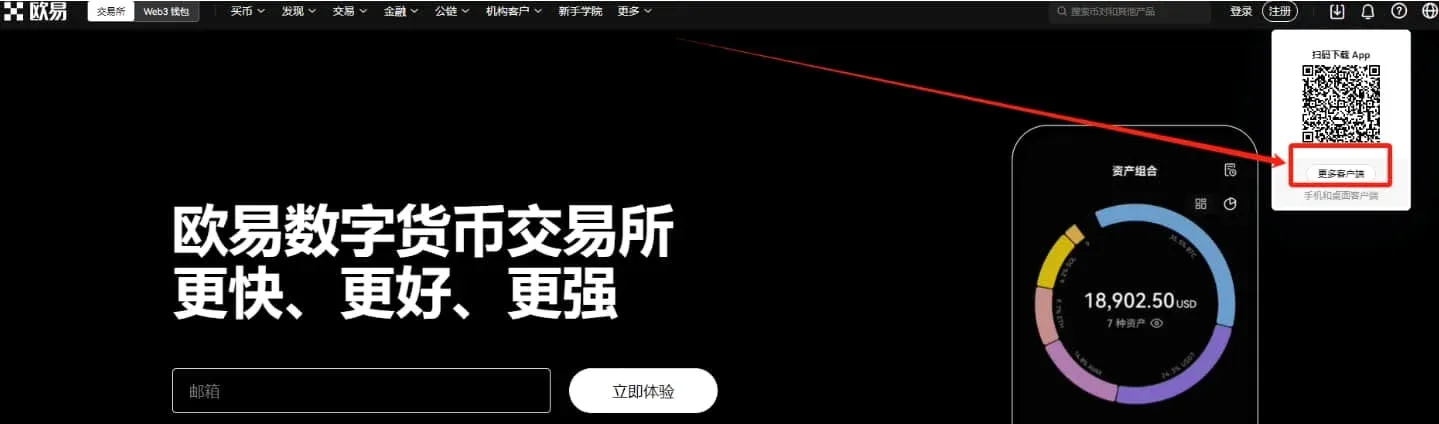
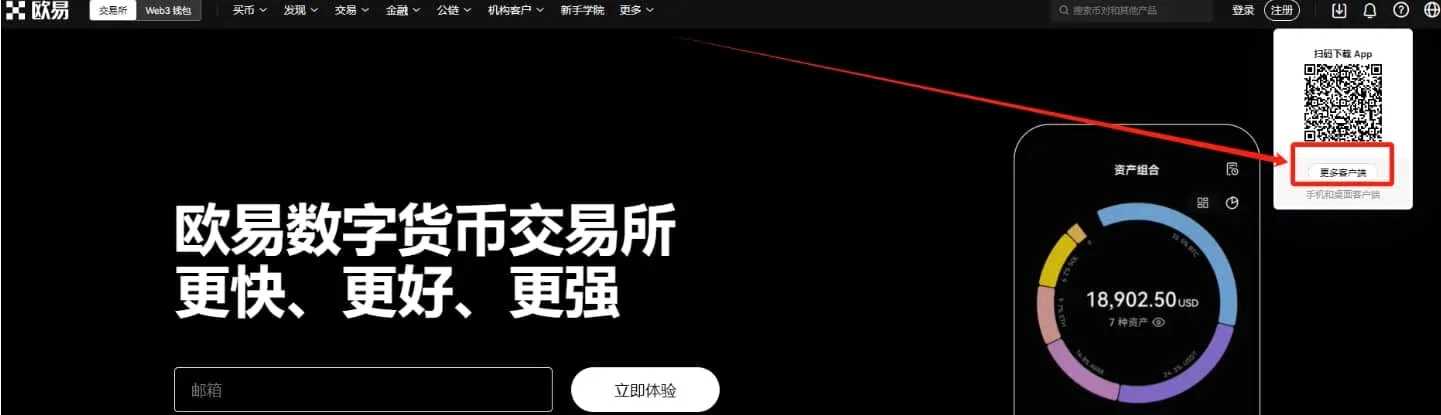
- Method 2: Scroll to the bottom of the page and click “More Clients”. On the Android download page, download the APK to your computer first, then transfer it to your phone via USB or wireless methods.
- Method 3: Open the official website (the URL shown at the top of this article) directly in your phone’s browser; a download prompt should pop up automatically. If it does not, open the three‑line menu in the top‑right corner and select Download OKX App.
iOS Download
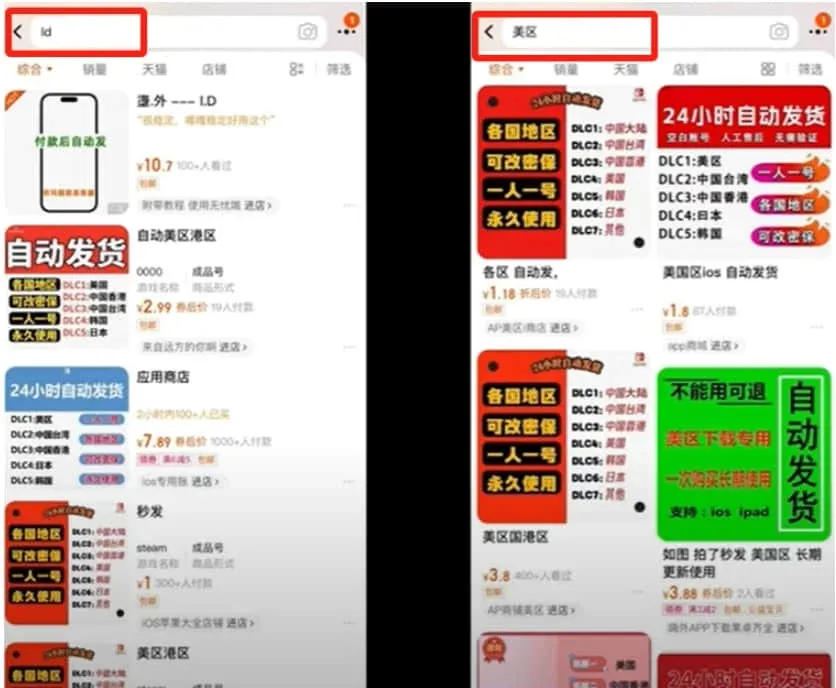
The iOS version requires an Apple ID registered in the United States (U.S. region ID). These accounts can be purchased at a low price from e‑commerce platforms; after purchase you will receive the email address and password.
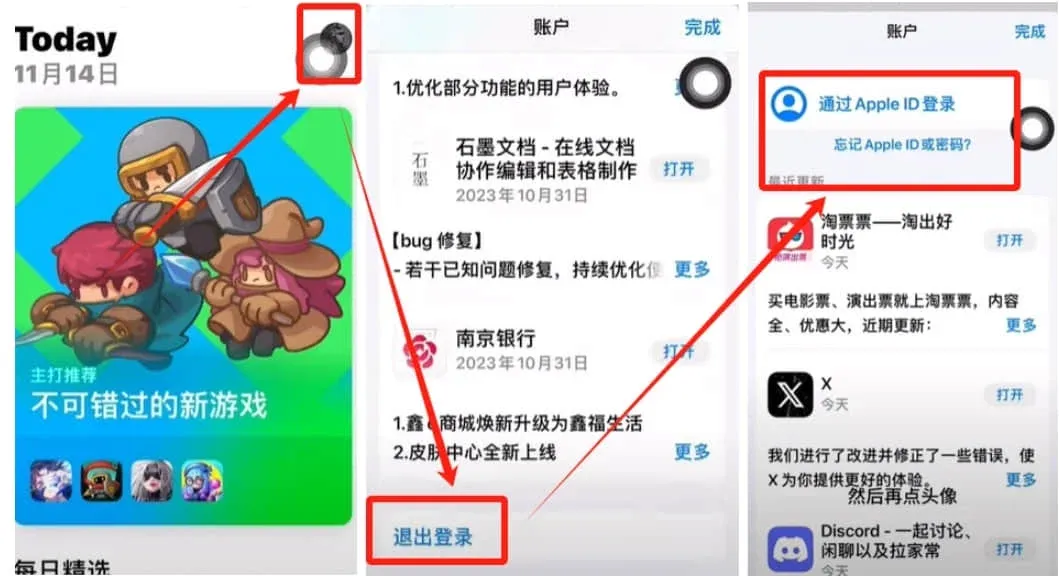
- In the iPhone Settings, sign out of your current Mainland China Apple ID and sign in with the purchased U.S. account.
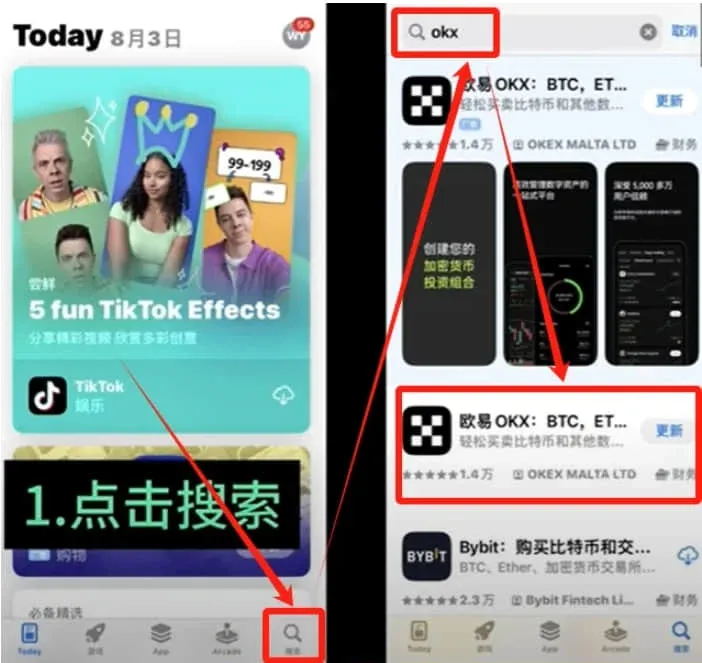
- Open the App Store, search for “OKX”, and look for the official app with a black background and a five‑square icon (approximately 14 k downloads). Tap Get to install.
Step 3: Log In and Secure Your Account
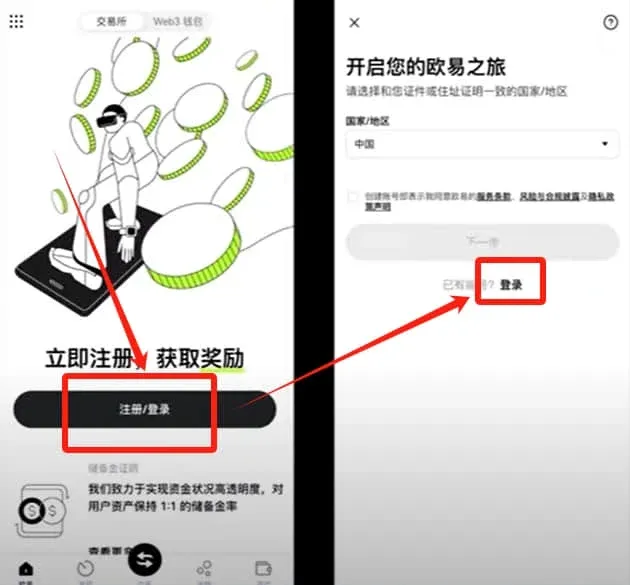
- Launch the installed OKX app and log in with the email address or phone number and password you used on the desktop registration.
- If you have not yet registered, you can create a new account directly from the login screen; remember to enter the invitation code `B2345` to receive the rebate.
Mandatory Security Settings
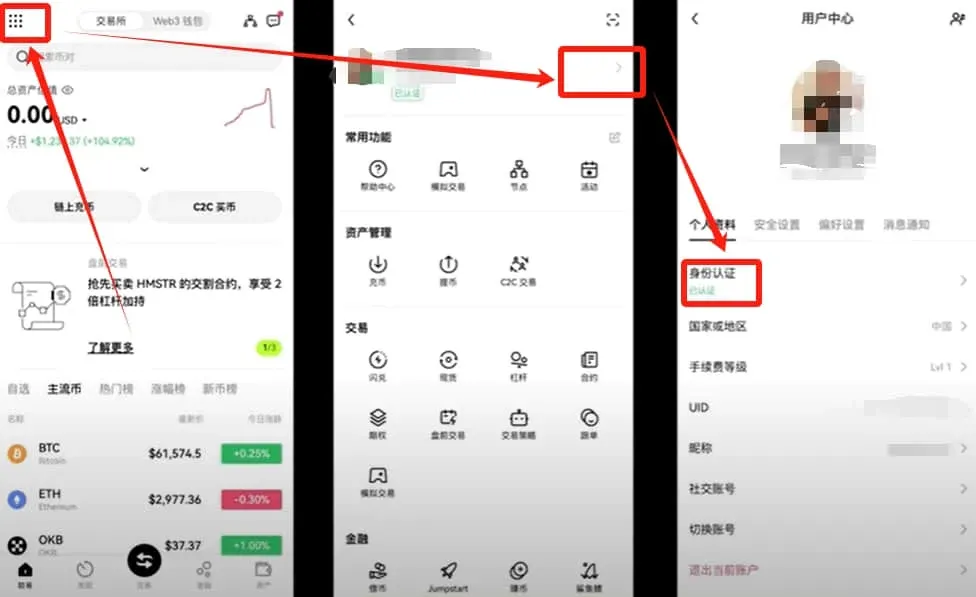
- Identity Verification (KYC): Upload a photo of your government‑issued ID. It is recommended to complete the highest verification tier to increase fiat deposit/withdrawal limits.
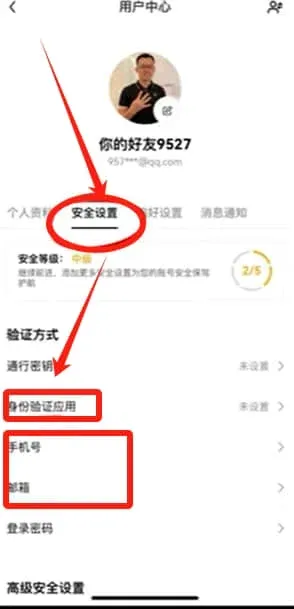
- Security Checks: Bind both a mobile number and an email address; enable Google Authenticator or another two‑factor authentication (2FA) method.
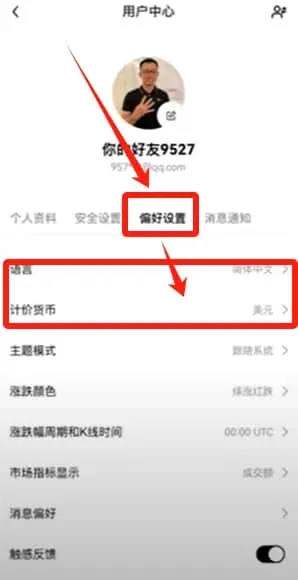
- Preferences: Switch the interface language to English (or your preferred language), set the quote currency to USD, and adjust any other settings as needed.
Adding a Fiat Withdrawal Bank Account
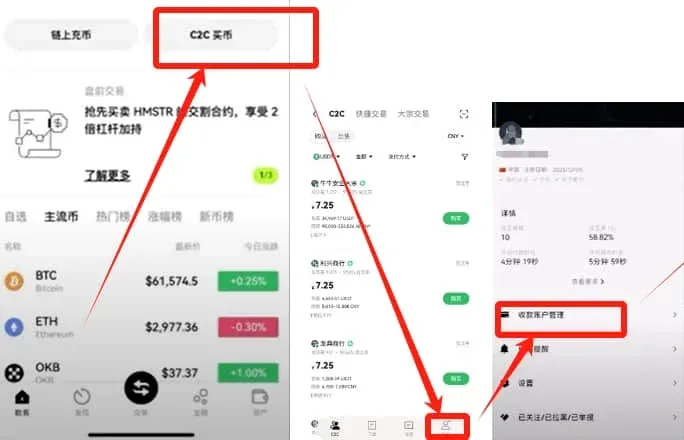
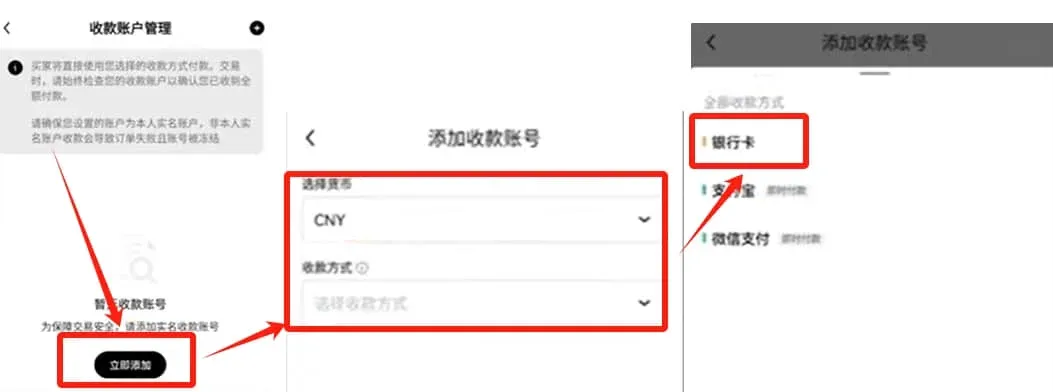
- Navigate: Home → C2C Buy → bottom‑right Profile → Payment‑Method Management → Add Now.
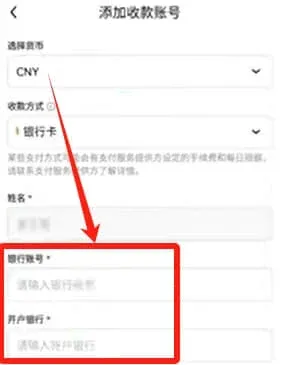
- Choose the fiat currency USD, select Bank Card as the payment method, fill in the card number and issuing bank details, then tap Confirm.
Bank‑card selection tips
- The receiving card can be different from the card you use for payments.
- Avoid using payroll cards or social‑security cards.
- Choose a card that is not your primary spending card but remains active.
Step 4: Purchase USDT
USDT acts as a bridge between fiat currencies and other digital assets; in Mainland China it is the only stablecoin commonly used for subsequent trading.
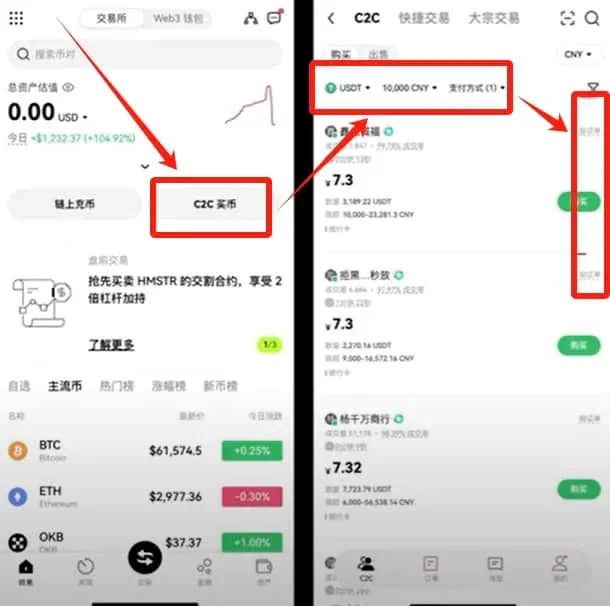
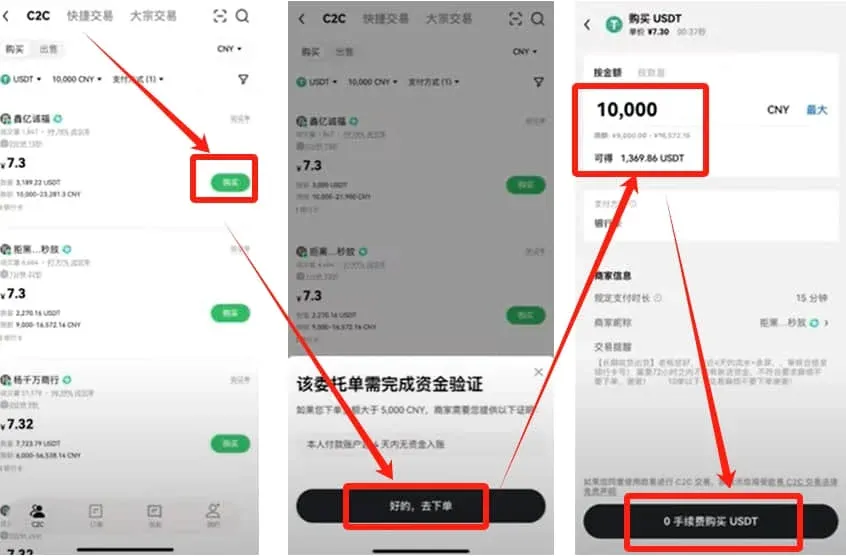
- From the home screen tap C2C Buy, select USDT, and enter the amount you wish to spend (e.g., USD 1,500). Choose Bank Card as the payment method.
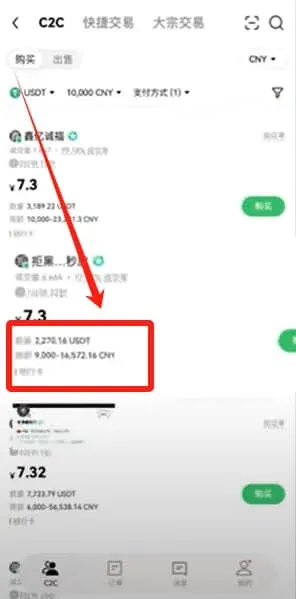
- The platform will display a list of matching sellers. Prioritize sellers whose trade volume ≥ 3,000, account age ≥ 6 months, and completion rate is high.
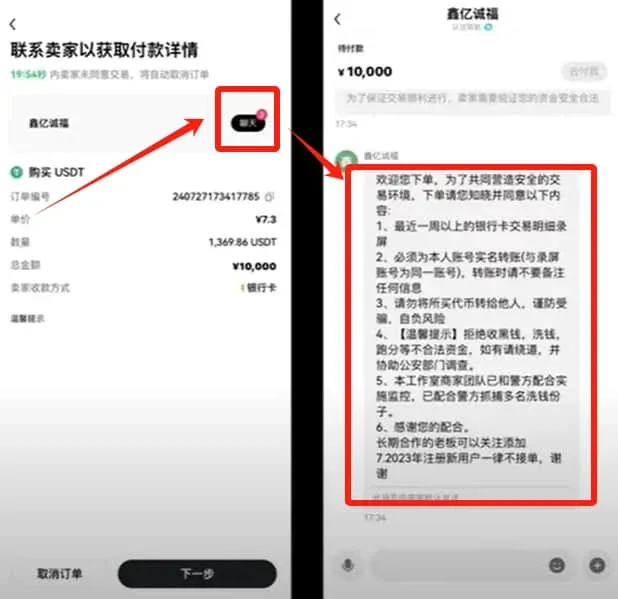
- Tap Buy to generate an order, then open the chat with the seller to confirm required documents (usually a recent bank‑statement screenshot). Provide the requested proof and obtain the seller’s receiving bank details.
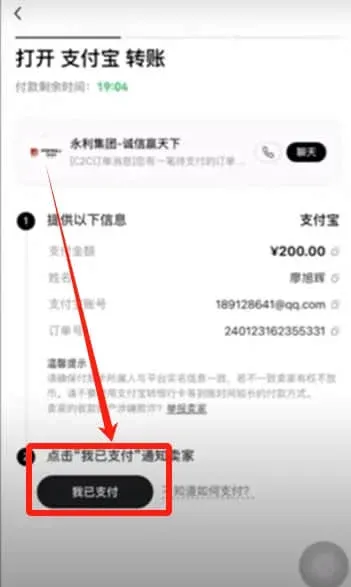
- Transfer the funds via your bank, then click I Have Paid in the app. Once the seller confirms receipt, the USDT will be credited to your account.
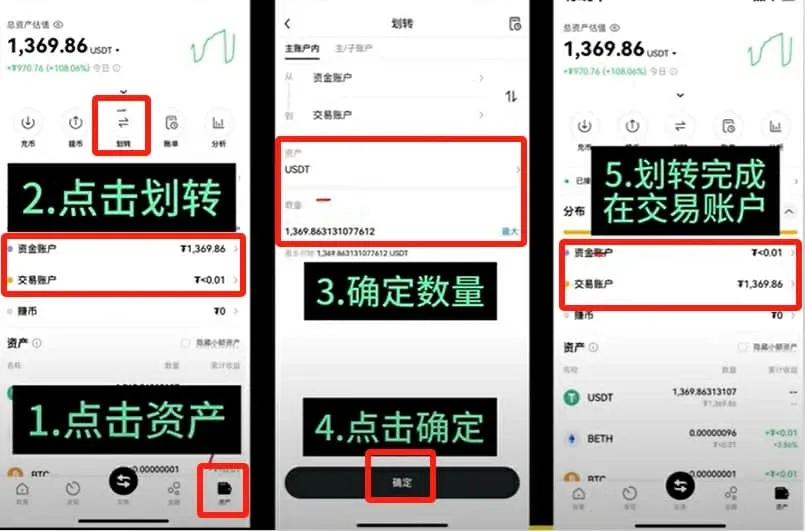
Transfer to the Trading Account
- Tap Assets at the bottom‑right, then Transfer. Choose USDT, select All, and confirm.
- After confirmation, the USDT moves from your funding (or “wallet”) account to the trading account and can be used for spot trades.
Step 5: Trade Virtual Currencies
- From the home screen, tap the middle Trade button and select Spot (also known as “Coin‑to‑Coin”).
- In the upper‑left corner, pick a trading pair such as ETH/USDT. Enter the amount you wish to buy (you can slide the bar from 0 % to 100 %). For quick execution, use a Market Order.
- Press Buy ETH; the required USDT will be deducted automatically and the ETH will appear in your trading account.
Quick Switching Between Common Pairs
- DOGE/USDT: Type “doge” in the search bar and select the pair.
- BTC/USDT: Type “btc” to locate the Bitcoin pair.
Related Reading
- How to Sell Ethereum on Binance Spot Market: Order Types Explained
- OKX Registration Guide: Verify Identity & Buy USDT Fast
- OKX Crypto Guide: User‑Friendly Entry for Beginners
💡 Register on Binance with referral code B2345 for the maximum trading fee discount. See Binance complete guide.



