Bitaigen Research
Today we will discuss what USDT is, as well as the meaning of “deposit” and “withdrawal” in the context of crypto trading.
USDT is a stablecoin that is pegged 1:1 to the US Dollar. On the OKX platform you can acquire USDT via the C2C (peer‑to‑peer) market or the “Instant Buy” function, and later sell it on the same platform’s C2C market, thereby converting between fiat currency and USDT.
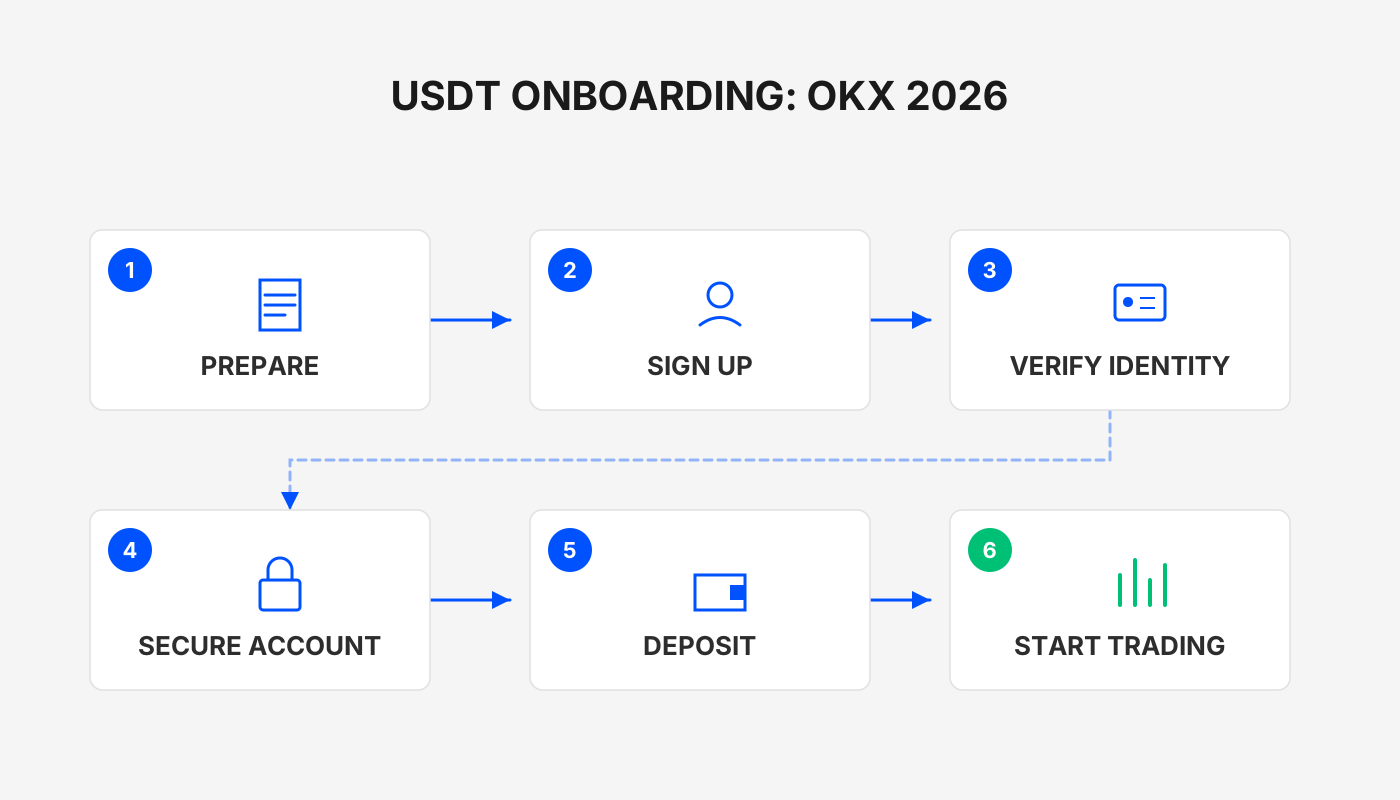
In this article we systematically outline the concept of USDT, the deposit and withdrawal pathways on OKX, and demonstrate two practical methods—C2C and Instant Buy. Clear step‑by‑step instructions help newcomers quickly master fiat‑to‑USDT conversions. Subsequent sections cover common questions and safety considerations, so the article is worth a thorough read.
1. What Is USDT?
USDT (Tether) is a stablecoin whose value is anchored to the US Dollar at a 1:1 ratio. You can think of it like the plastic chips used in a casino in Macau: you exchange 1 USD for a chip of equal face value and can later redeem the chip for 1 USD again. The difference is that the US Dollar is held in a traditional bank account, whereas USDT is recorded on a blockchain, making on‑chain transfers and conversions much faster and cheaper.
In the crypto community, deposit refers to converting fiat currency (e.g., Chinese Yuan, Euro, or USD) into USDT, while withdrawal means converting USDT back into fiat. Because USDT mirrors the US Dollar and moves freely on multiple blockchains, many users first convert fiat to USDT when entering an exchange, and convert back to fiat when exiting, to reduce the complexity of cross‑chain or cross‑currency operations.
2. Where Can You Buy USDT?
The most common channels for buying USDT are centralized exchanges such as OKX and Binance. Whether you are buying or selling, it is advisable to perform the transaction through a regulated exchange, because each trade generates an order record that serves as proof of legitimacy.
Transaction records help prevent money‑laundering and other illicit activities. Using an exchange for fiat ↔ USDT swaps is relatively safe and leaves an audit trail. Do not trust informal “high‑price buy USDT” or “low‑price sell USDT” offers from unverified sources; these often involve money‑laundering or counterfeit‑coin risks.
Below we will walk through the complete process—from account registration to buying and selling USDT—suitable for users who have never owned an exchange account before.
Step 1: Register an Account
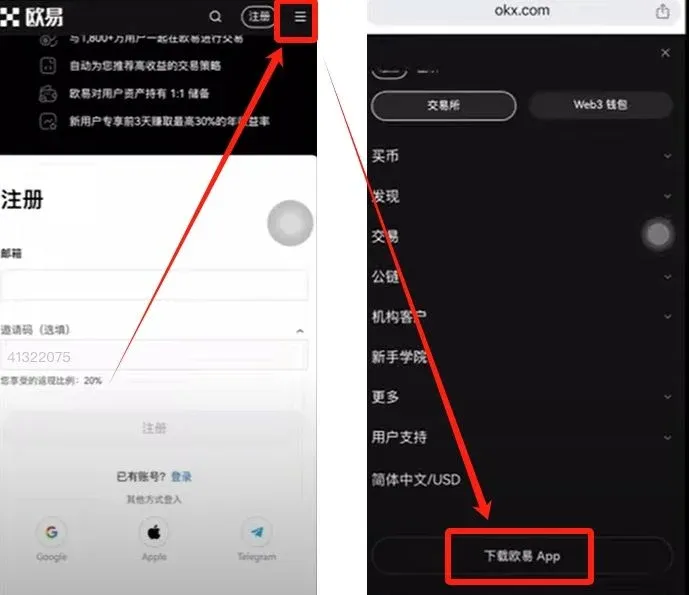
Click the link below to go directly to the registration page. If you are on a mobile browser, copy the URL into your preferred browser.
OKX new‑user registration: Register here
Important for U.S. residents: Binance.com is not available in the United States. U.S. users should register on Binance.US (or another U.S.-compliant exchange) instead. The link above works for users outside the U.S.
On the registration page, enter an email address that can receive verification codes. If the referral code does not auto‑populate, manually type `B2345` to enjoy a permanent 20 % fee discount.
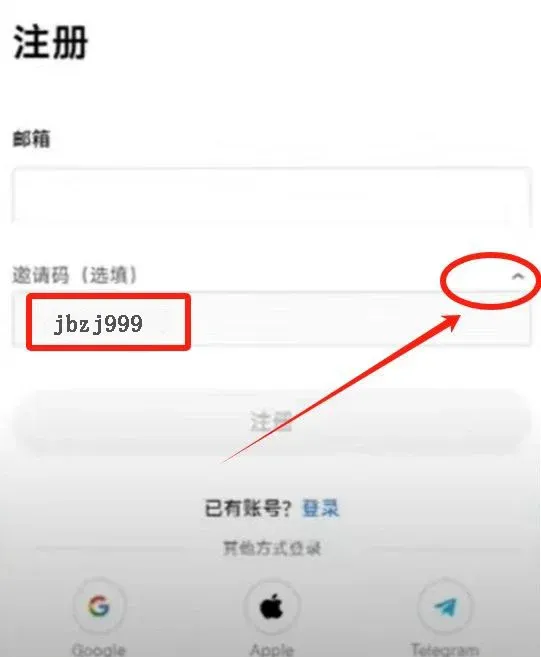
Tip: A 20 % fee discount is valuable for frequent traders because it can substantially lower transaction costs.
After confirming your email, continue with the following fields:
- Mobile phone number (used for password recovery)
- SMS verification code
- Country / Region (choose the jurisdiction of your identification document)
- Login password
Follow the on‑screen prompts until the registration is successful.
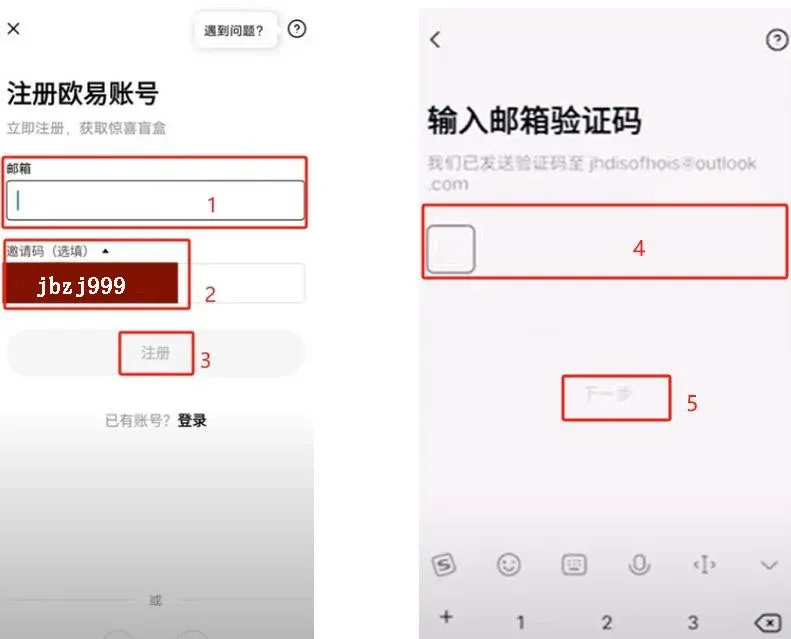
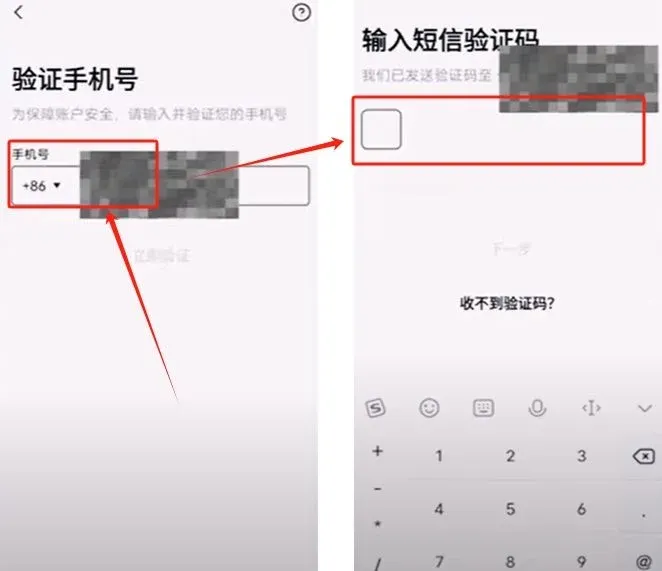
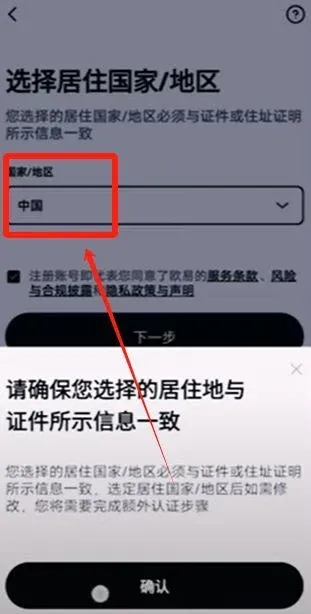
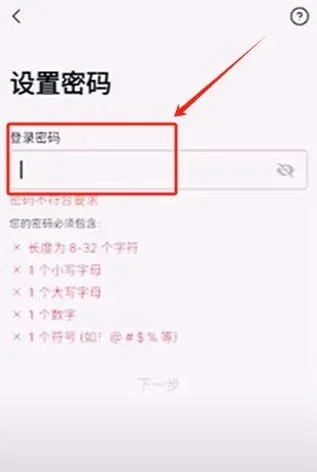
Once registration is complete, download the OKX mobile app and perform identity verification and basic configuration.
Step 2: Download the Mobile App
In the upper‑right corner of the registration page you will see a three‑line (hamburger) menu that provides a direct download link for the OKX app, or you can click the link below:
OKX App download: Download here
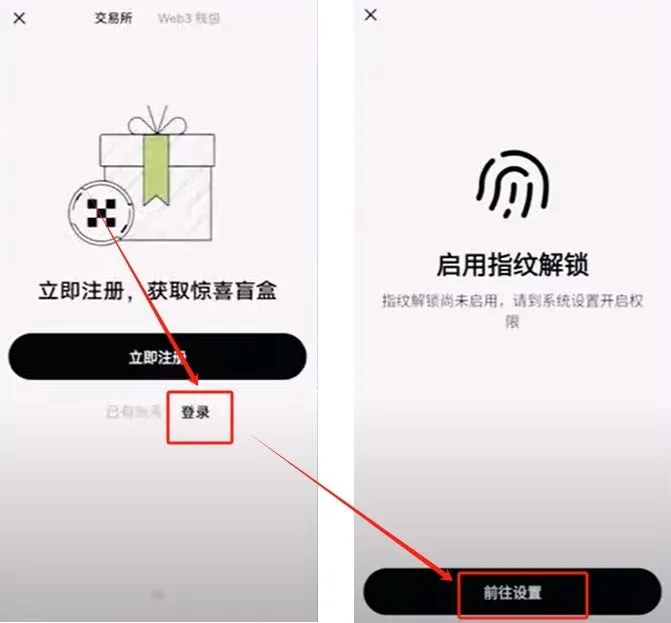
After logging in, the app will ask whether you want to enable a “passkey” (fingerprint, facial recognition, etc.). Choose according to your personal security preferences.
Step 3: Deposit (Buy USDT)
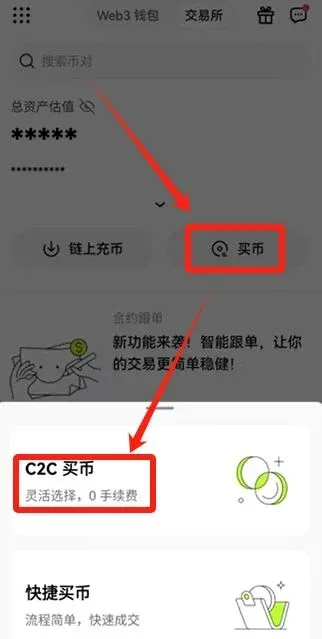
- On the home screen tap Buy. Two options will appear: C2C Buy and Instant Buy.
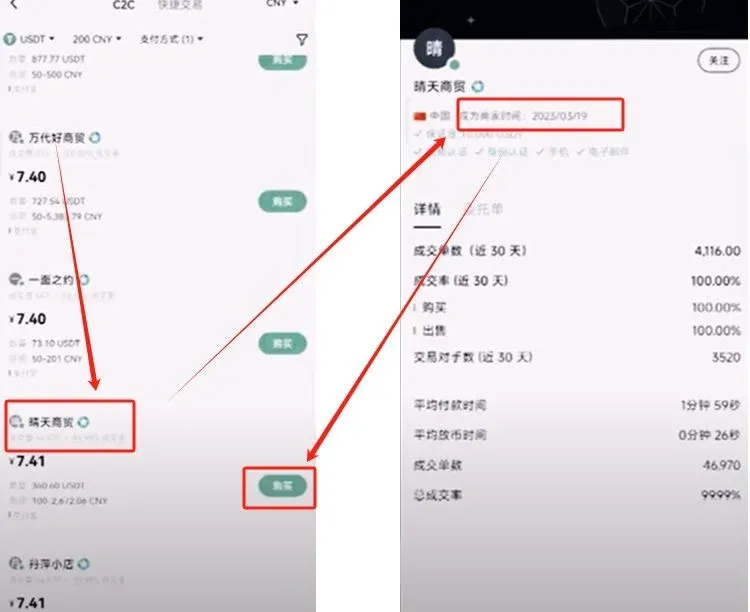
- We recommend starting with C2C Buy because you can manually select reputable counterparties (high trading volume, high completion rate, long‑standing on the platform).
Instant Buy automatically matches you with the lowest‑price seller, but there is a small risk that a malicious seller may list an artificially low price to lure buyers. New users should exercise caution.
Bind a Payment Method
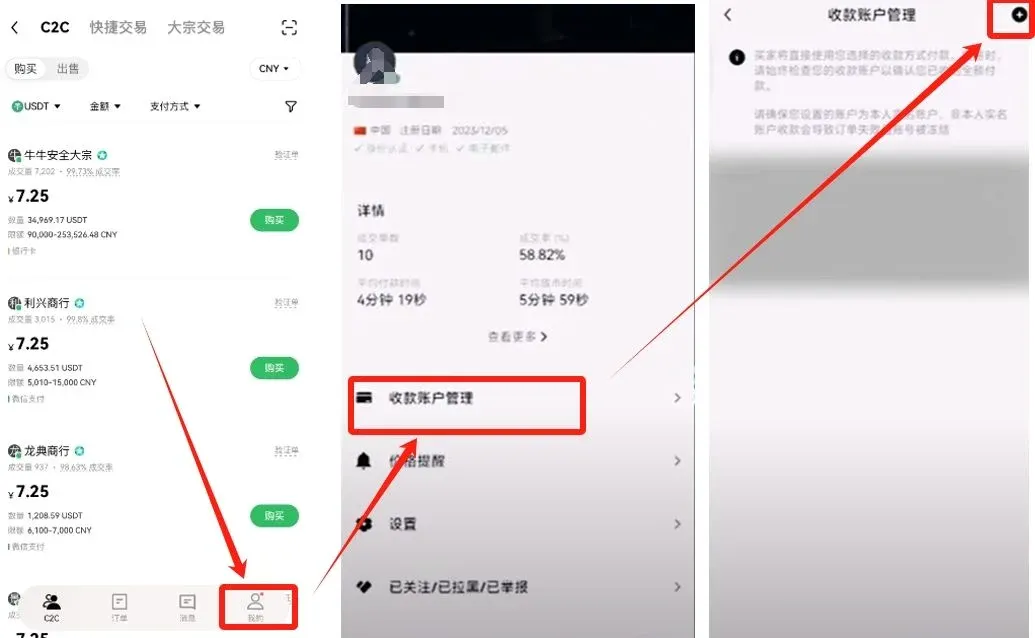
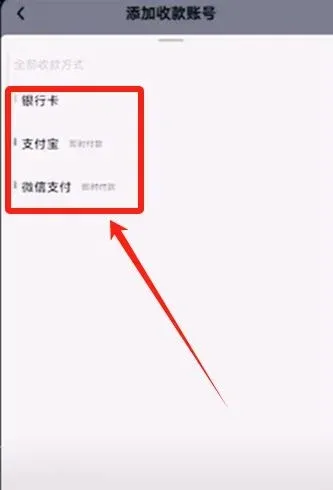
Navigate to Me → Payment Method Management, then tap the + icon at the top‑right to add a new method. Available options include:
- Bank card
- Alipay
- WeChat Pay
For small deposits, Alipay or WeChat Pay are convenient. For larger amounts, using a less‑frequently used bank card can reduce exposure.
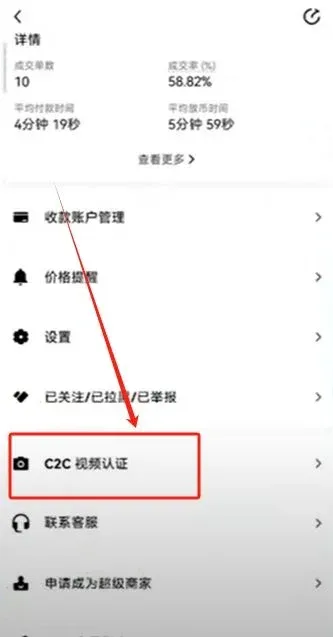
Complete C2C Video Verification (for Large Deposits)
If the deposit amount is sizable, the system will require you to pass a C2C video verification to raise your single‑transaction limit.
Choose a Merchant and Place an Order
Filtering criteria:
| Criterion | Recommended Minimum |
|---|---|
| Trading volume | ≥ 3,000 USDT |
| Completion rate | ≥ 99 % |
| Merchant tenure | ≥ 1 year |
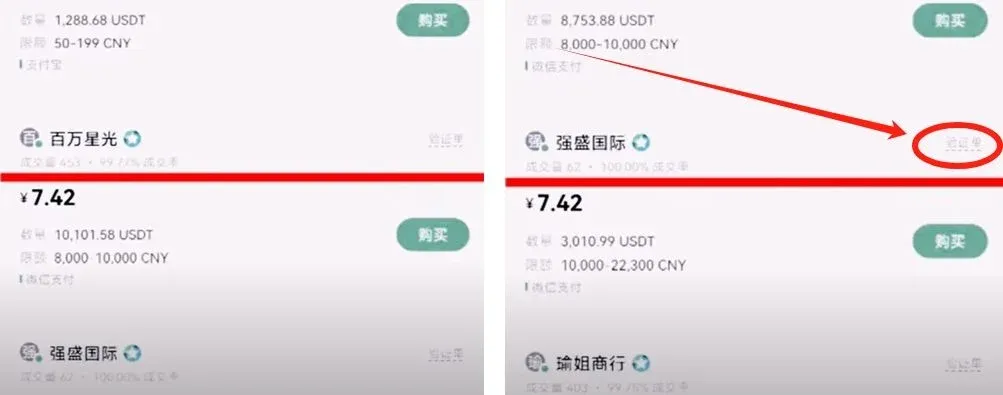
Merchants meeting these standards will display a Verification Order badge, indicating that orders of ≥ 5,000 USDT require you to provide supporting documentation of source of funds.
Order Placement Steps
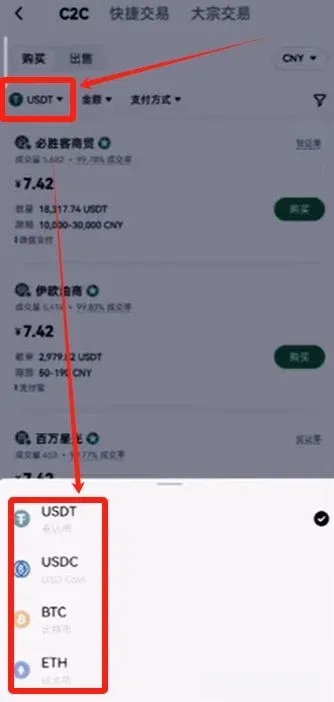
- Select USDT (you can switch to another cryptocurrency if needed).
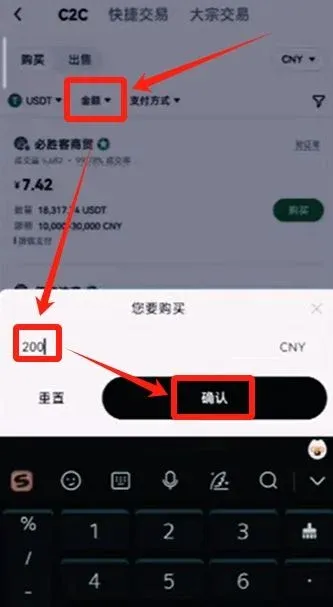
- Enter the purchase amount (example: 200 USDT) and tap Confirm.
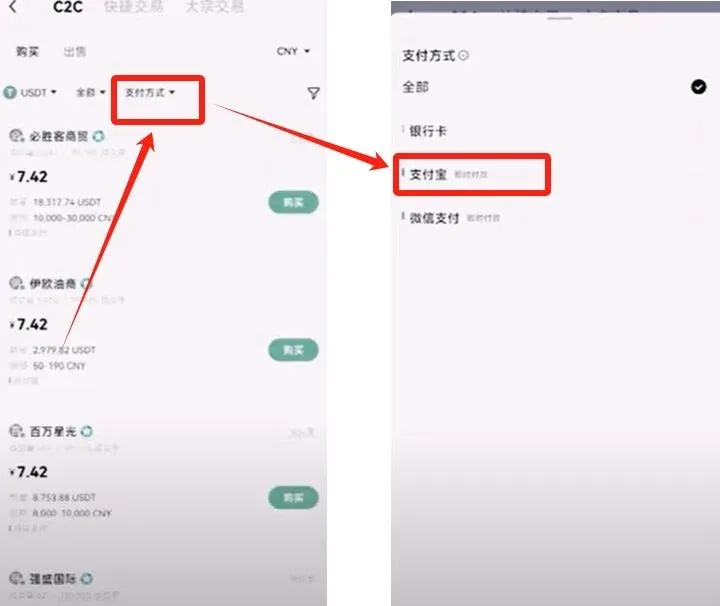
- Choose a payment method (Alipay, WeChat Pay, or bank card). The platform will then list eligible merchants.
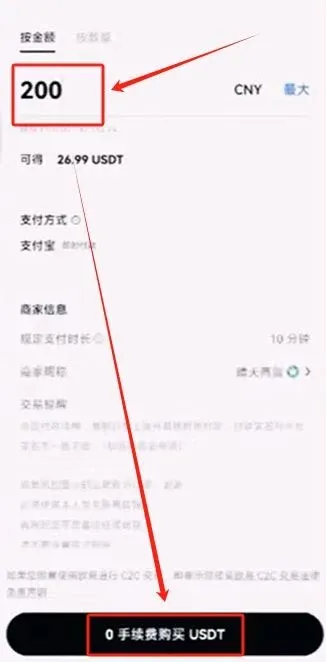
- After selecting a merchant, tap Buy → 0 % Fee Purchase to generate the order.
Complete the Payment
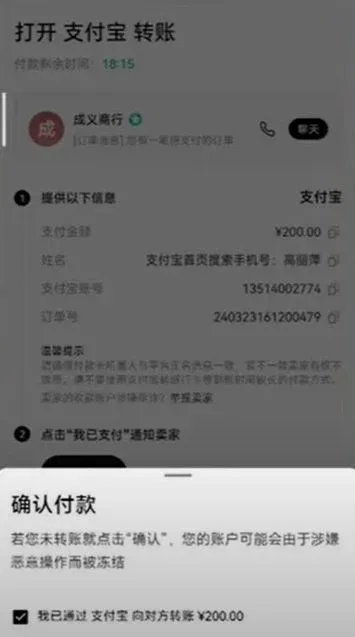
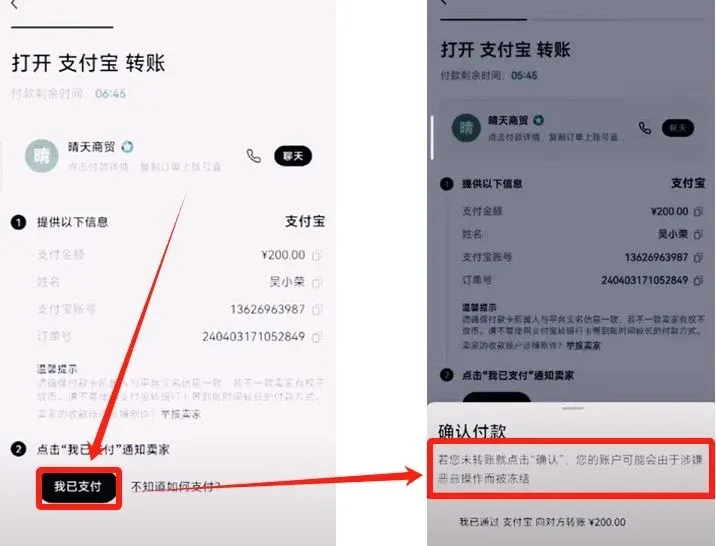
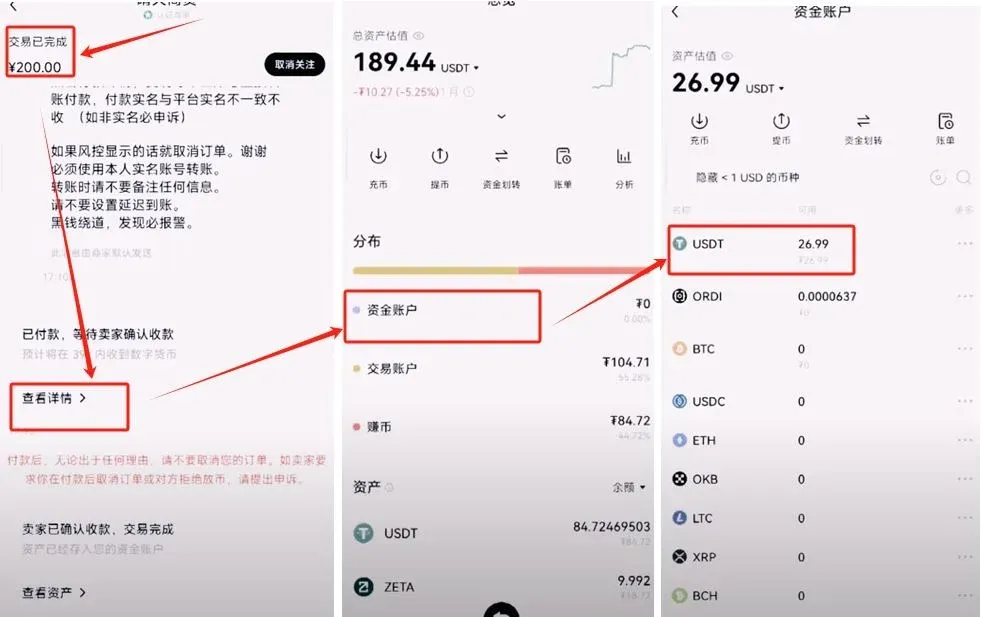
On the order page, tap Chat. Verify that the merchant’s receiving account matches the real‑name information displayed on the platform, then transfer the funds using the chosen payment method. After you have transferred the money, click I have paid. The merchant will confirm receipt and release the USDT to your account.
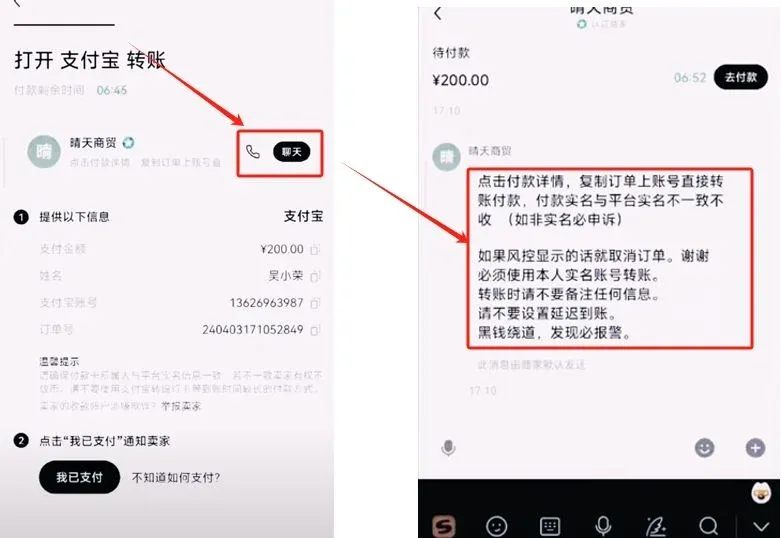
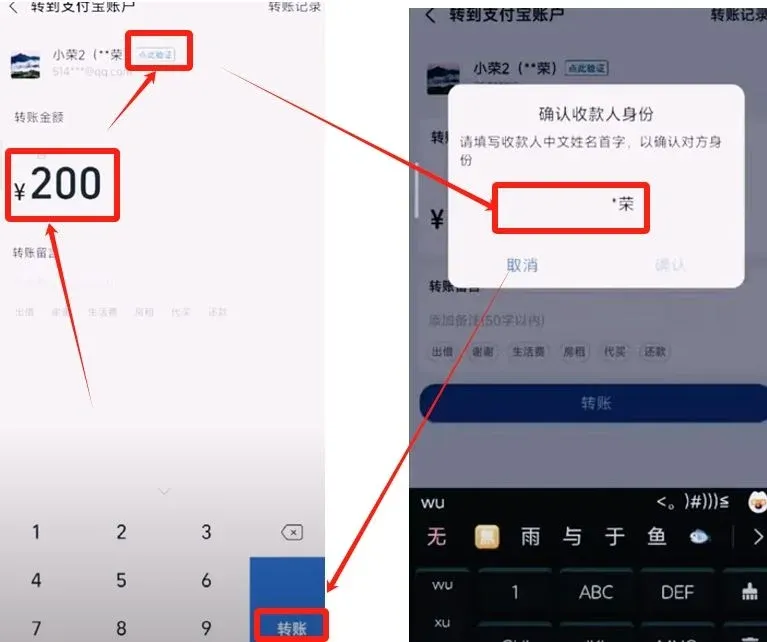
Once the merchant releases the tokens, navigate back to the Assets page to see the newly credited USDT balance.
Step 4: Withdraw (Sell USDT)
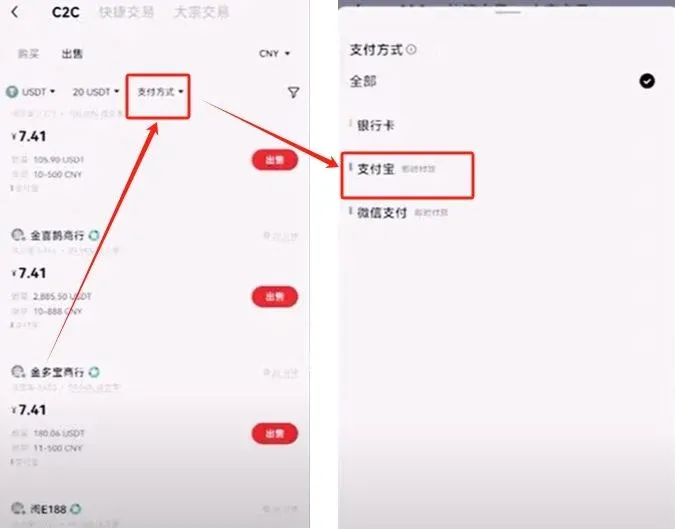
- Return to the home screen, tap Buy → C2C Buy, and in the upper‑right corner switch the mode to Sell.
- Enter the amount of USDT you wish to sell (example: 20 USDT). The system will prompt you to move USDT from your Trading Account to your Funding Account if needed.
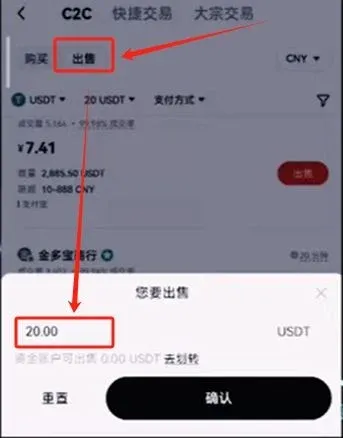
- Choose a receipt method (Alipay is recommended if already linked). The platform will display buyer quotes according to the amount.
- Apply the same high‑volume, high‑completion‑rate filter to pick a trustworthy buyer.