
 Bitaigen Research
 Using an unlinked email on an iPhone, follow the steps on the official Apple ID website to select Taiwan as the region, and complete two‑factor verification in the device’s App Store; this will create an overseas Apple ID.
Because of restrictions in the Mainland‑China region, iPhone users must register a Taiwan (Chinese‑Taiwan) Apple ID in order to download exchange apps such as Binance, OKX, etc. Apple IDs for the United States and Hong Kong are no longer usable; the US store only offers a stripped‑down version of Binance, and the Hong Kong store may also have the app removed due to regulatory pressure. Therefore, the most reliable approach is to register a Taiwan Apple ID.
In this article we provide a detailed walkthrough for iPhone users on how to bypass domestic restrictions, obtain a Taiwan‑region Apple ID, and successfully download mainstream exchange apps such as Binance and OKX. The full guide includes step‑by‑step instructions, precautions, and security tips to help you quickly restore trading functionality—definitely worth a careful read.
Why can’t Binance/OKX be found in the App Store?
- Global compliance requirements – Binance adapts its app to meet the regulations of each jurisdiction, releasing different versions for different regions. In some territories the international version cannot be listed in the local App Store because of regulatory policies.
- Geographic restrictions and access – The region associated with an Apple ID determines the content that appears in the App Store. If the Apple ID is set to Mainland China, search results are filtered accordingly.
- Specifics of the Binance international version – Chinese‑language users who want to access the global trading platform need to download the Binance international app (simply called “Binance”) and then switch the app language to Chinese.
These factors make it essential to obtain the official app through a legitimate channel. The method described below has been approved by Binance and is considered safe and reliable.
How to register an overseas Apple ID for an iPhone?
1. Preparation
- iPhone / iPad – one device
- An email address that has never been used for an Apple ID (Gmail is recommended)
- Address generator – use a Taiwan‑address generator to produce a realistic street name and postal code (e.g., Taipei City 100). Street name and phone number can be generated from this site
- Name can be entered in pinyin or traditional Chinese characters; the birthdate must be over 18 years old (it does not need to be the real date)
2. Start the registration
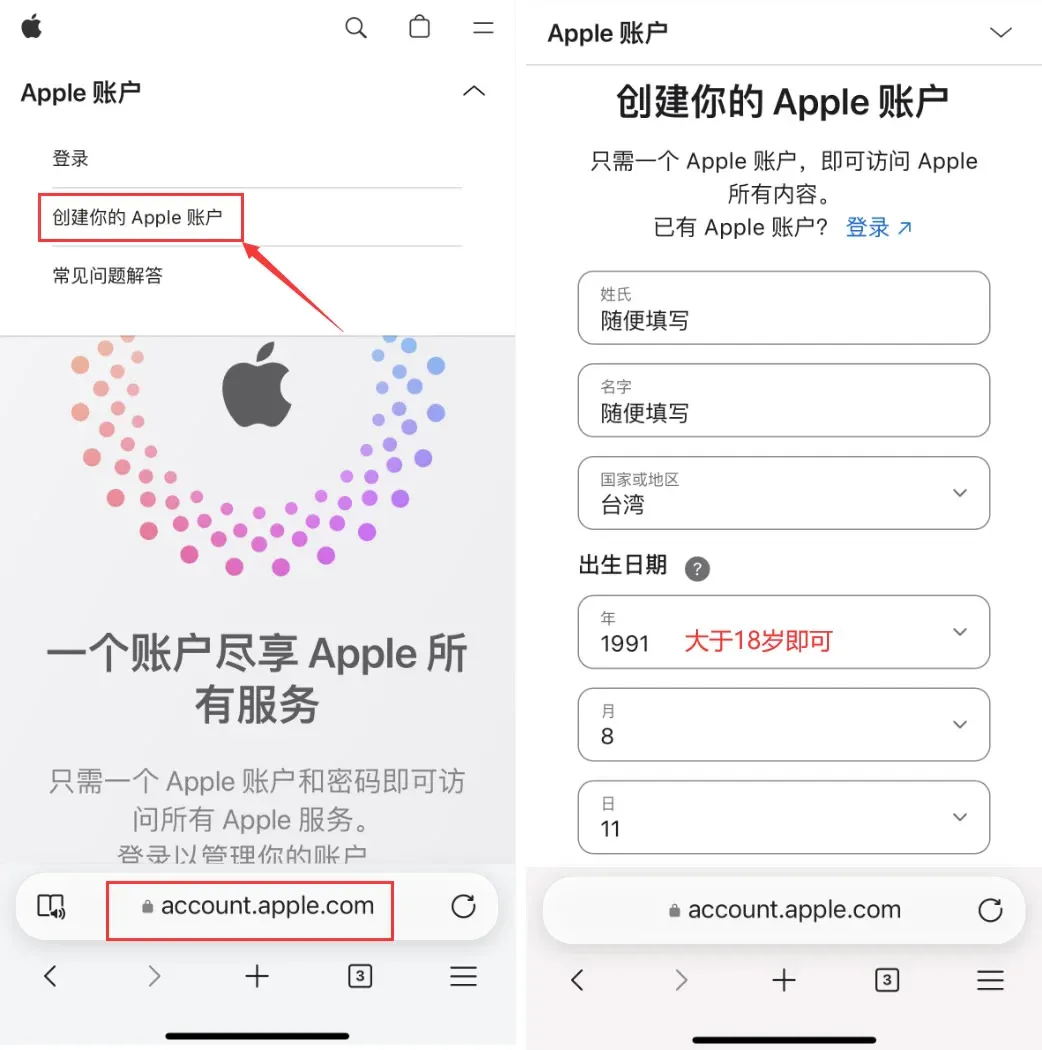
- Open the registration page – in a browser go to the Apple ID registration site. Fill in the fields in order:
- Last name, First name – any values are acceptable
- Country/Region – select Taiwan
- Date of birth – ensure the age is over 18
- Email – use the Gmail address you prepared
- Password – must contain upper‑case and lower‑case letters, numbers, and symbols
- Country/Region (for the verification code) can be set to Mainland China to make it easier to receive SMS on a Chinese mobile number
After completing the form, enter the verification code and click Continue.
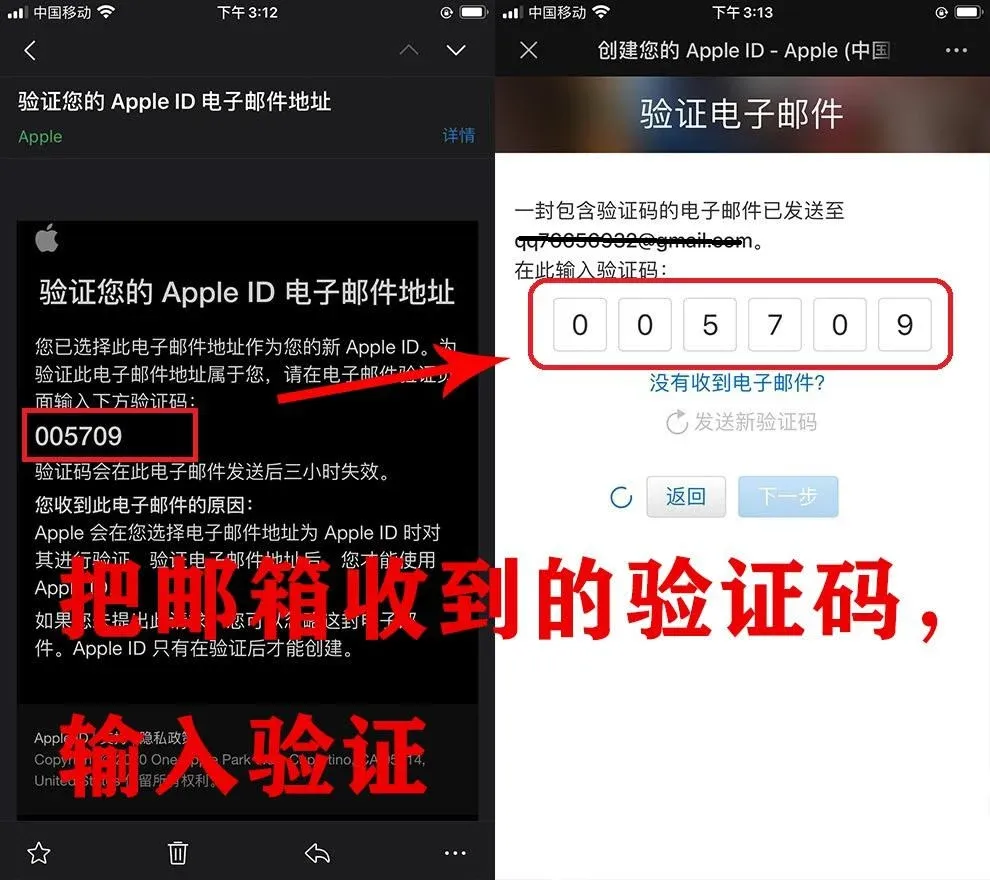
- Email verification – log into the email inbox, click the verification link in the message to confirm the address.
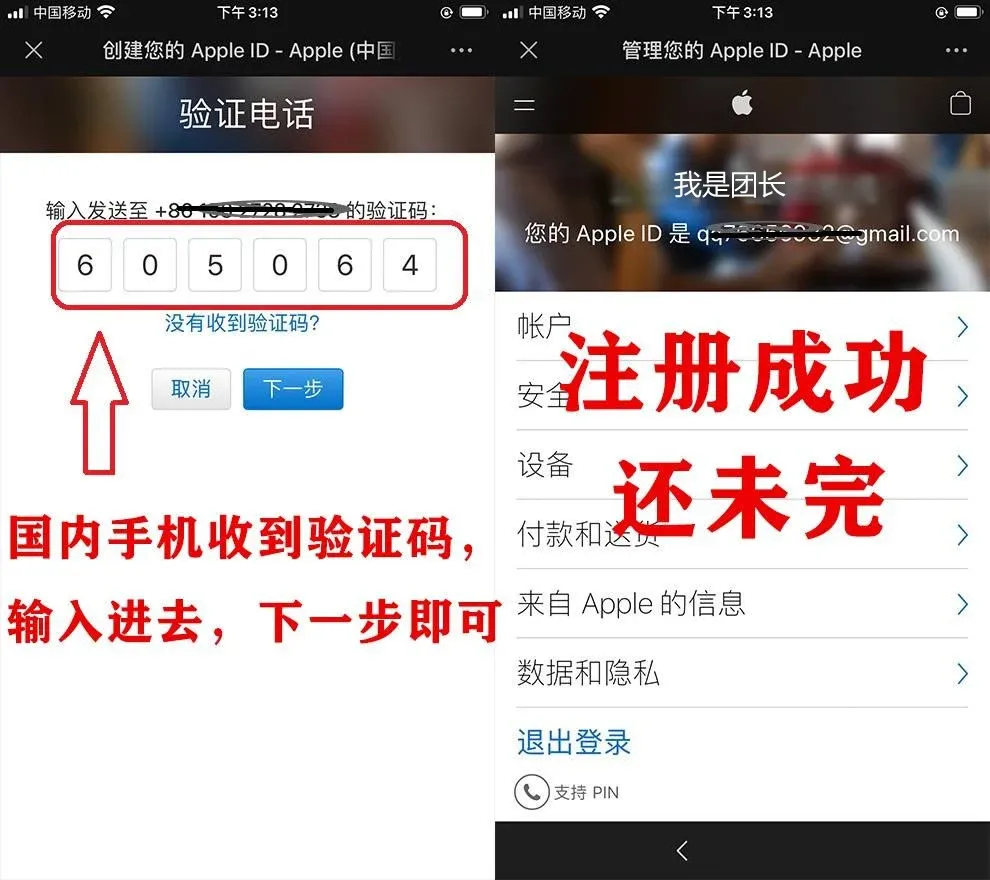
- Phone verification code – the system will send a code to the mobile number you entered earlier; input the code to finish the first verification round. At this point a Taiwan‑region Apple ID has been generated, but you still need to log in on the device.
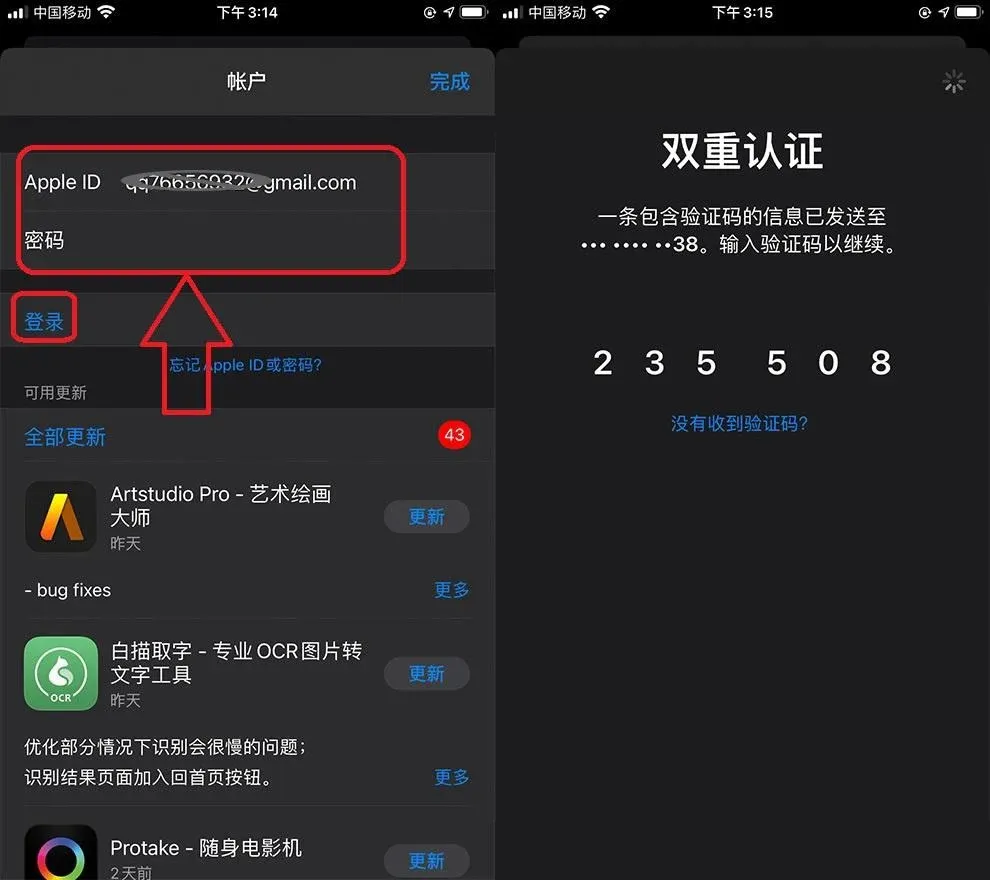
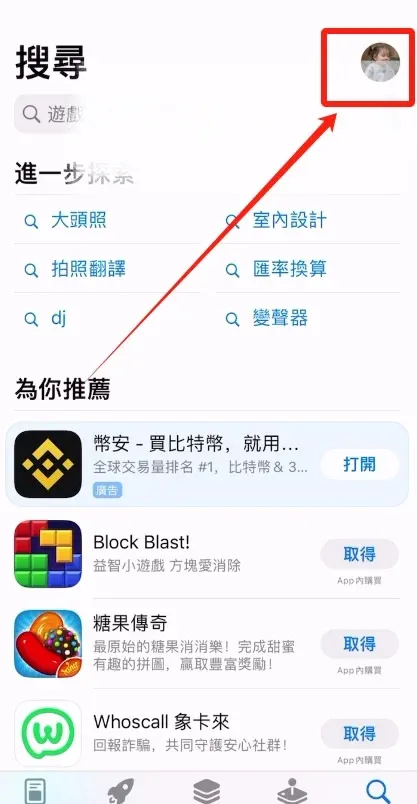
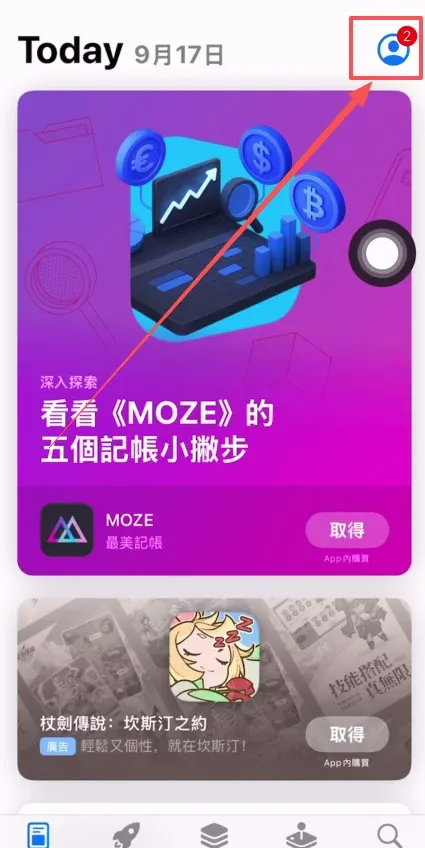
- Log in to the App Store on the iPhone/iPad – open App Store, tap the profile icon at the top‑right, choose Sign In from the Settings section, and enter the newly created Apple ID. After entering the credentials, the system will request another SMS verification code; complete it to proceed.
- Agree to terms and finish the profile – tap “Review” to open the Terms and Conditions page. On the payment‑method screen do not select any payment option; you may fill in the payer name and billing address arbitrarily, use a six‑digit postal code, and enter a dummy phone number such as 1234567890. Click Next when done.
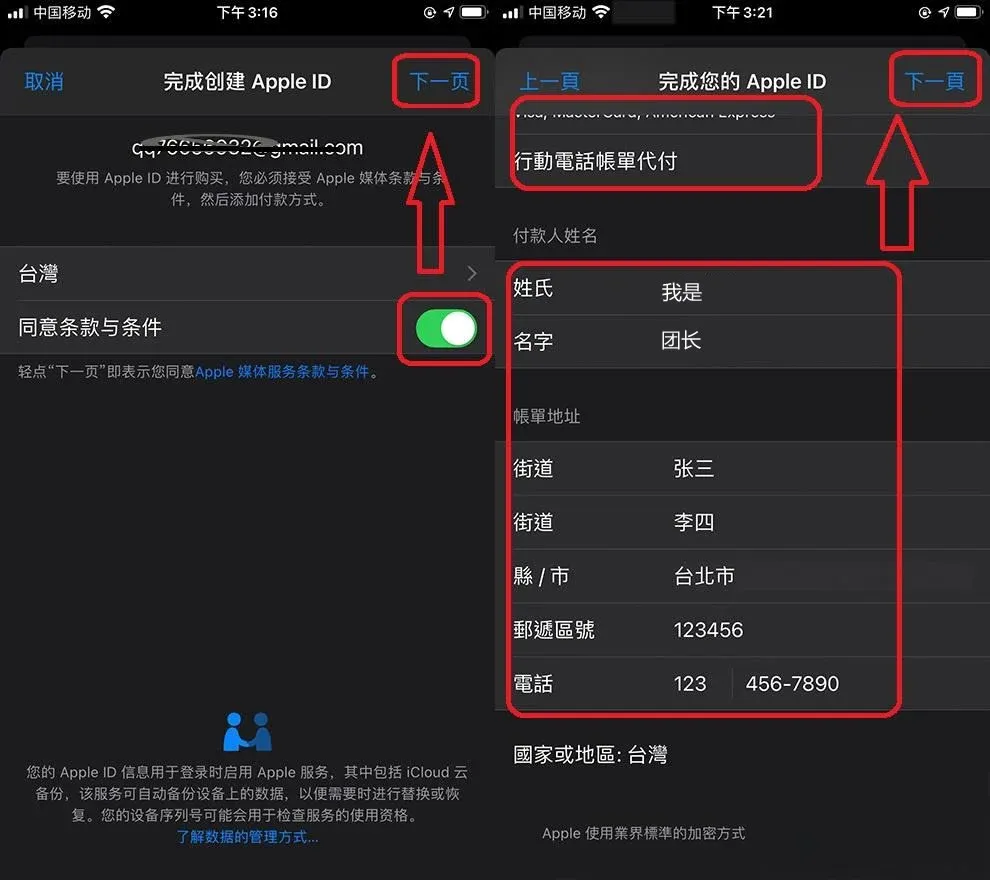
- Registration complete – the Apple ID is now active and can be used in the App Store to download Taiwan‑region apps.
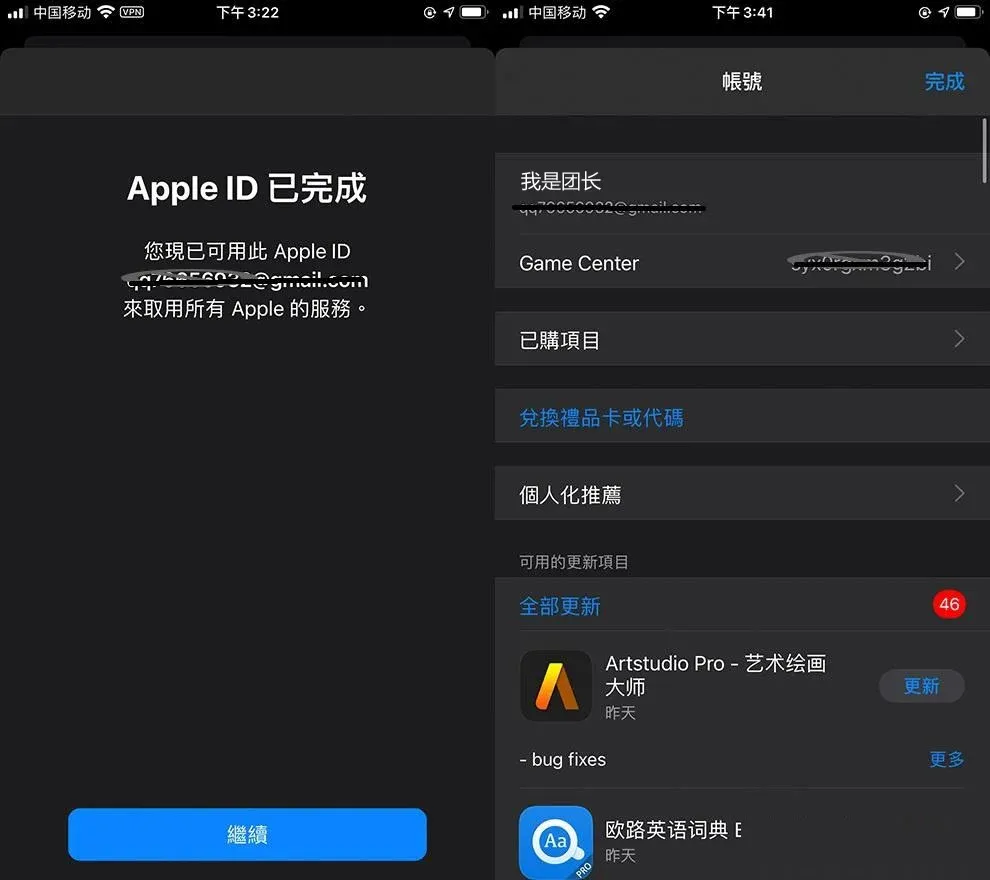
3. Log in to the App Store on the device
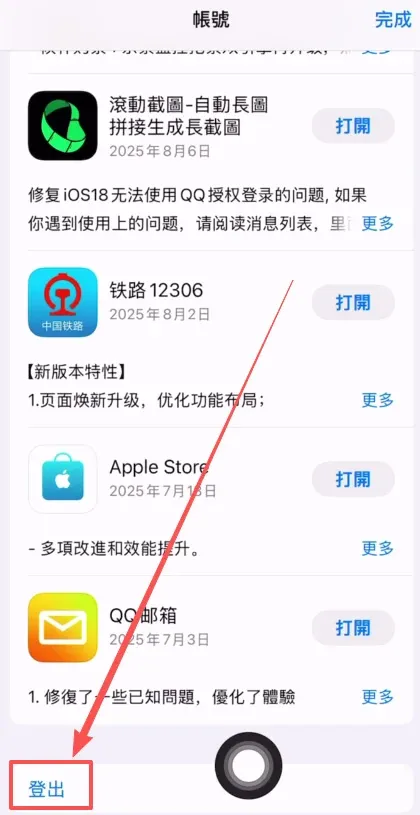
- Open App Store, tap the profile icon in the top‑right, and choose Sign Out to log out of the current Mainland‑China Apple ID.
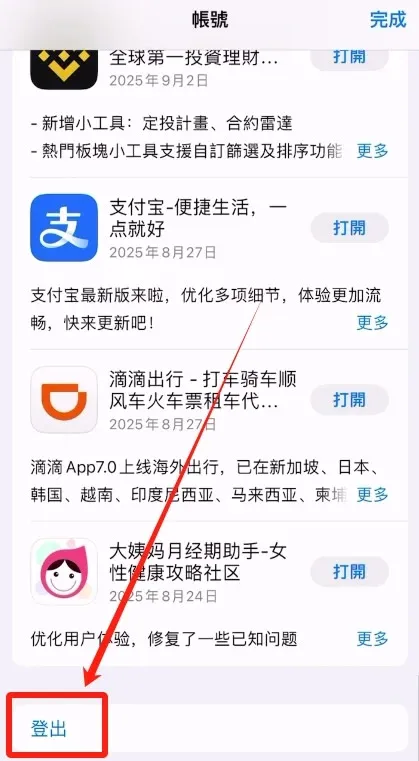
- Enter the Taiwan Apple ID you just created together with its password, then tap Sign In.
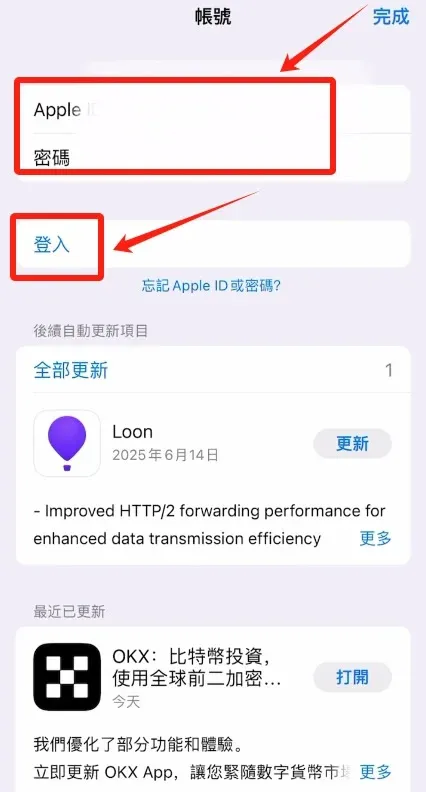
- After a successful login, you can search for and download the Binance, OKX, and other Taiwan‑region apps.
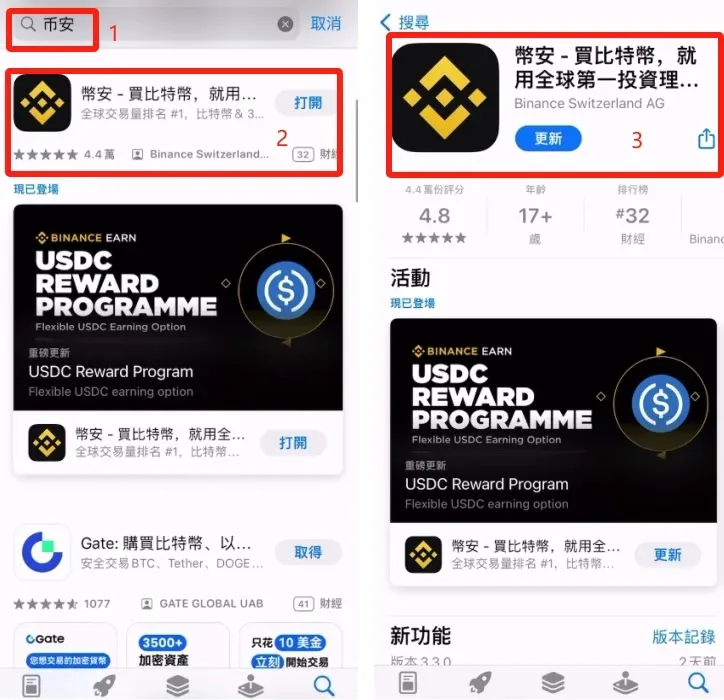
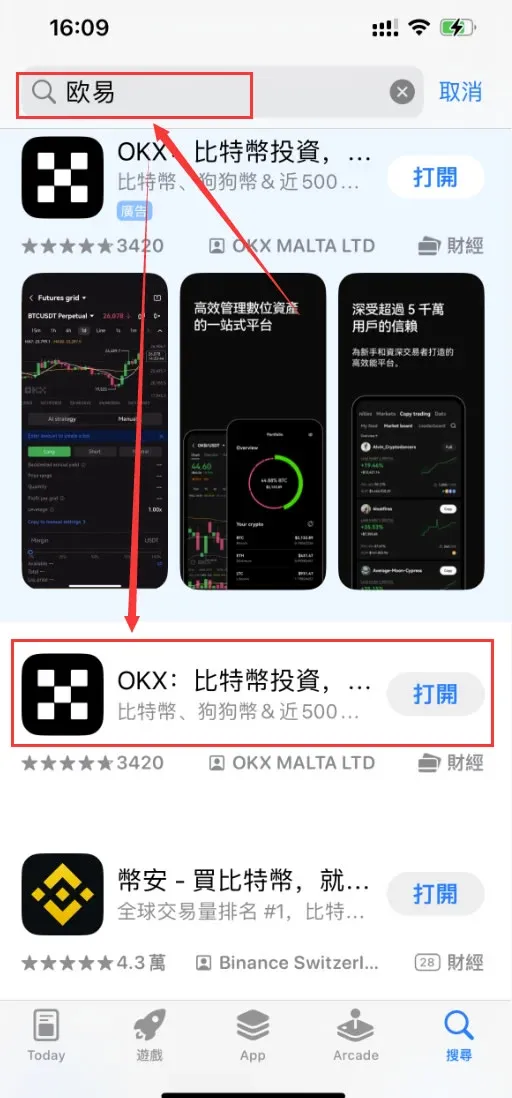
Note for U.S. users: Binance’s global app is not available in the United States; you must use Binance.US instead, which complies with U.S. regulations. The same regional considerations apply to OKX and other exchanges.
Alternative registration options
If you prefer not to perform the steps yourself, you can search on Google for “Taiwan Apple ID purchase”. Choose a vendor that appears on a non‑advertisement page and buy a pre‑created account, as illustrated below.
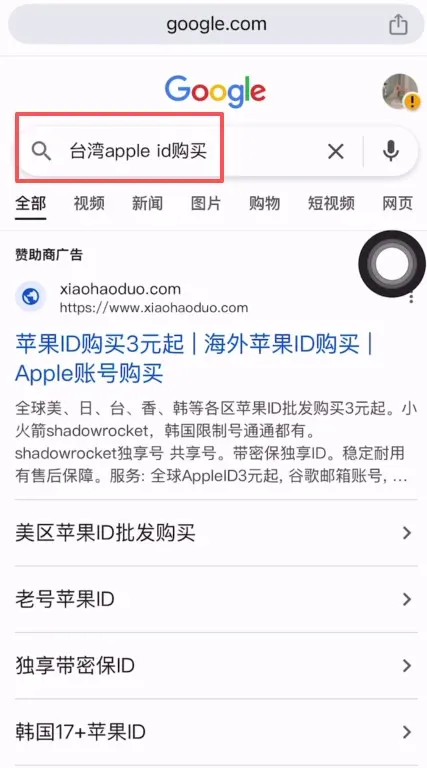
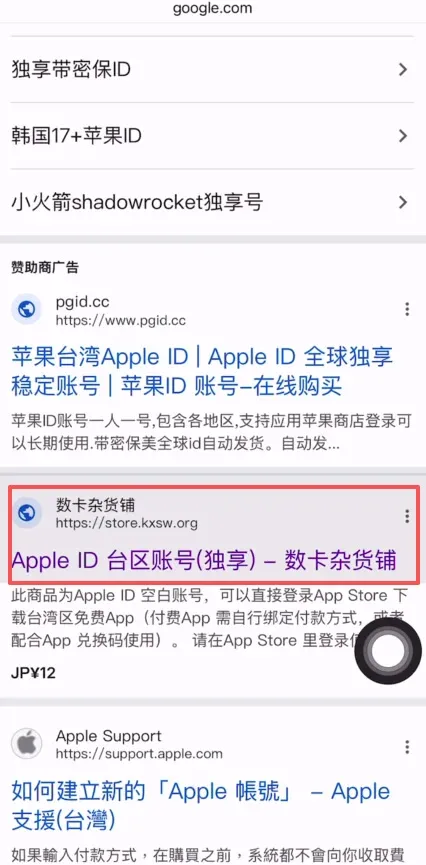
- The price is typically around CNY 12 (≈ USD 1.70). After payment you will receive a Taiwan‑region Apple ID that already has an email address bound to it.
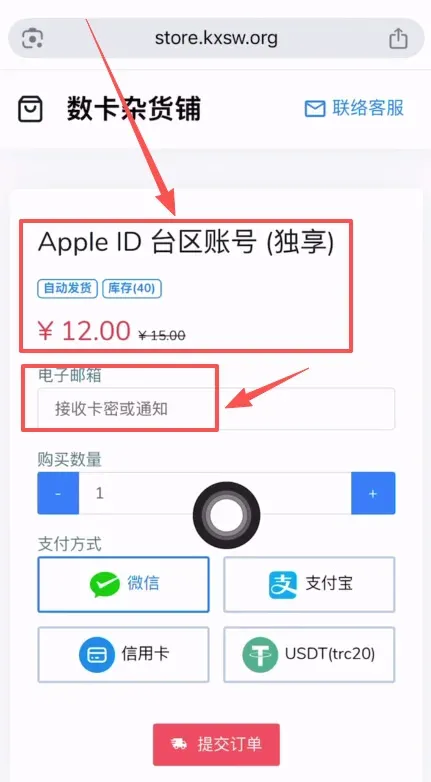
- Once you have the account, log out of your current Apple ID in App Store, sign in with the newly purchased one, and then search for “Binance”. Download the second (international) version for use.
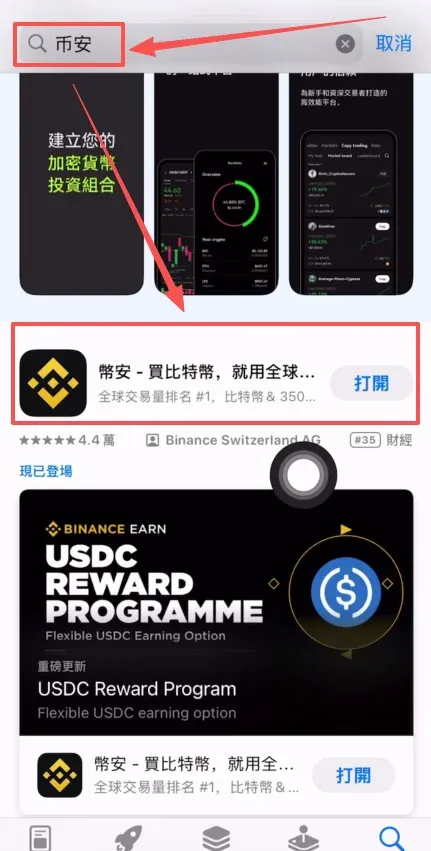
The above constitutes the complete workflow for iOS users to register a Taiwan Apple ID. For more Taiwan Apple ID tutorials, please follow additional articles from Bitaigen (比特根).
Additional notes for global users
- When funding your exchange accounts, the most common fiat options are USD transfers via SEPA or SWIFT; choose the method that best fits your jurisdiction.
- Cryptocurrency gains may be subject to tax in your local jurisdiction. Consult a tax professional to ensure compliance with applicable tax laws.
💡 Register on Binance with referral code B2345 for the maximum trading fee discount. See Binance complete guide.
⚠️ Risk Disclaimer: Crypto prices are highly volatile. This is not investment advice.



