
 Bitaigen Research
 In order to download the official binance.com APK or obtain the iOS version via an overseas Apple ID, then register with a phone number or email and complete KYC, you can smoothly use the international version of the Binance app.
We have compiled the complete workflow for obtaining the international Binance app—from a secure download to finishing KYC registration—highlighting common pitfalls that could lead to the wrong download, and offering practical network‑switching tips to help beginners get started quickly. Continue reading for the details!
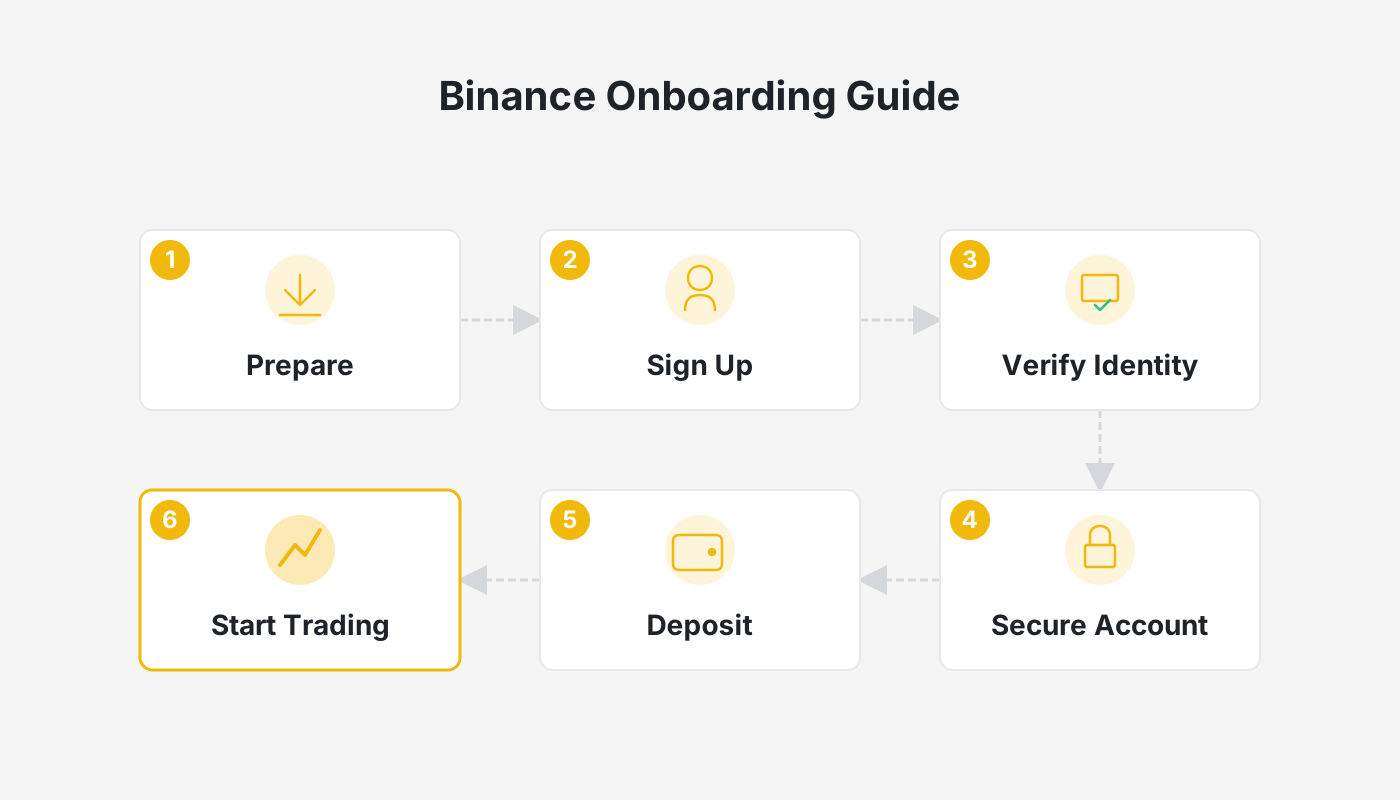
Phase One: Preparation and Obtaining the Official Application
Make Sure You Access Official Channels
- Visit the Official Website: Open `binance.com` in your browser. If a regular network connection is restricted, use a reliable networking tool and switch the node to Singapore, Japan, South Korea, or any region outside Mainland China.
- Choose a Download Method: On the homepage click “Download APP” and select the appropriate entry for your device’s operating system.
Android Users
- Procedure: On the download page of the official site, directly choose “Android” to download the APK installation package.
- Security Tip: Before downloading, temporarily enable Settings > Security > Allow installation of apps from unknown sources. After the install, it is advisable to turn this permission off again to keep your phone secure. Always download from the official website; do not use third‑party market APKs.
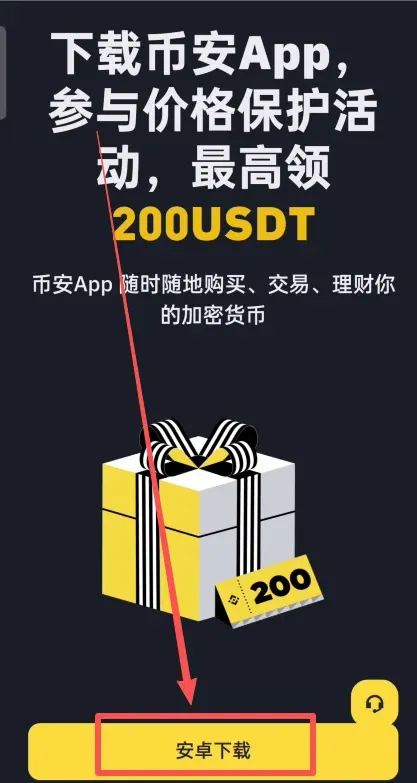
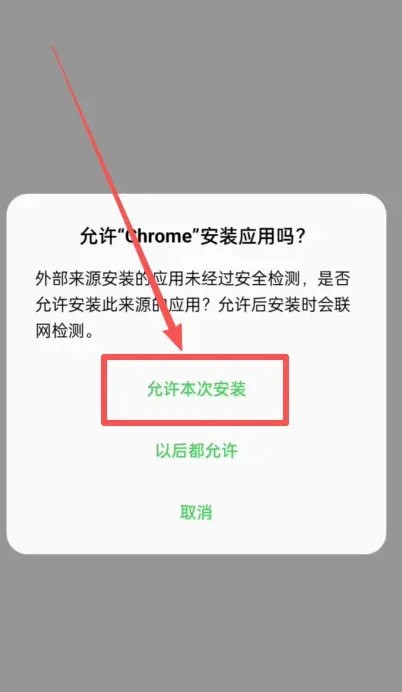
iOS (Apple) Users
- Core Requirement: The Binance app is not listed in the Mainland‑China App Store, so you need an overseas Apple ID (Taiwan, Hong Kong, or Singapore IDs are recommended).
- Step‑by‑Step
- Sign out of your current Mainland‑China Apple ID.
- Log in with the prepared overseas Apple ID.
- Search for “Binance” in the App Store, verify that the developer is Binance Holdings Limited, and tap Get to download.
- After the download finishes, you may switch back to your regular Apple ID; the installed app will remain functional, but future updates will still require the overseas ID.
Reference tutorial: How to Download the Binance App? A Download and Installation Guide for Mainland‑China Users (Android/iOS)
Phase Two: Account Registration (Chinese‑Language Interface)
Once the app is installed, you can immediately begin the registration process, which is fully available in Simplified Chinese.
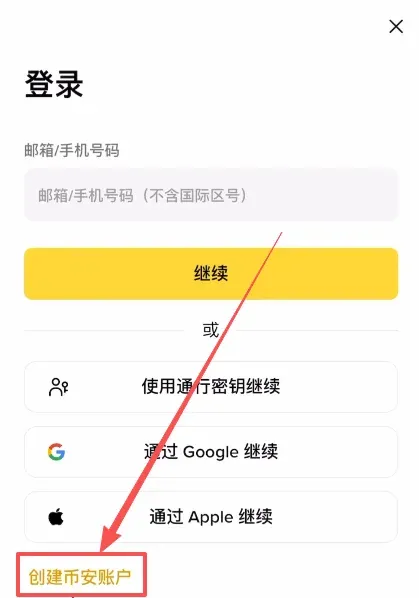
- Open the App and Choose “Register”
- Launch the Binance app (official registration link: https://www.bitaigen.com/binance / official download link: https://www.bitaigen.com/binance/download) and tap Register / Login.
- Select Create a Binance Account.
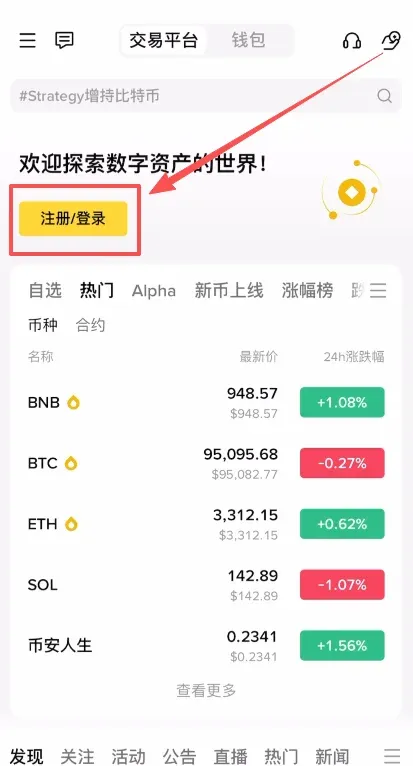
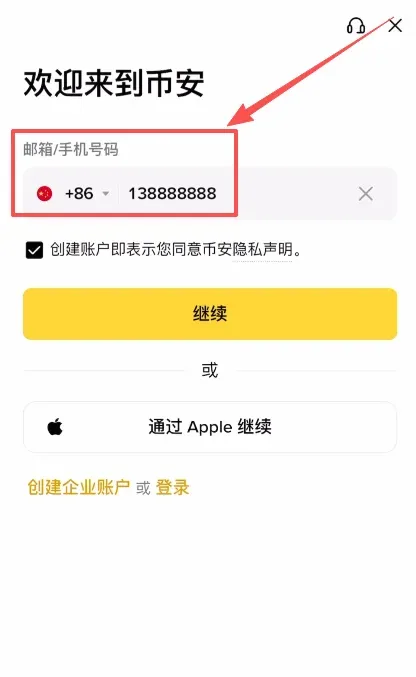
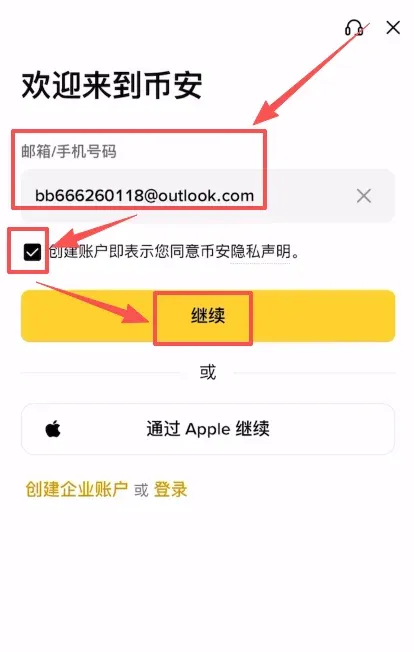
- Enter Phone Number or Email
- The system accepts Mainland‑China +86 mobile numbers, but you may also use an email address.
- Tick the agreement checkbox and tap Continue.
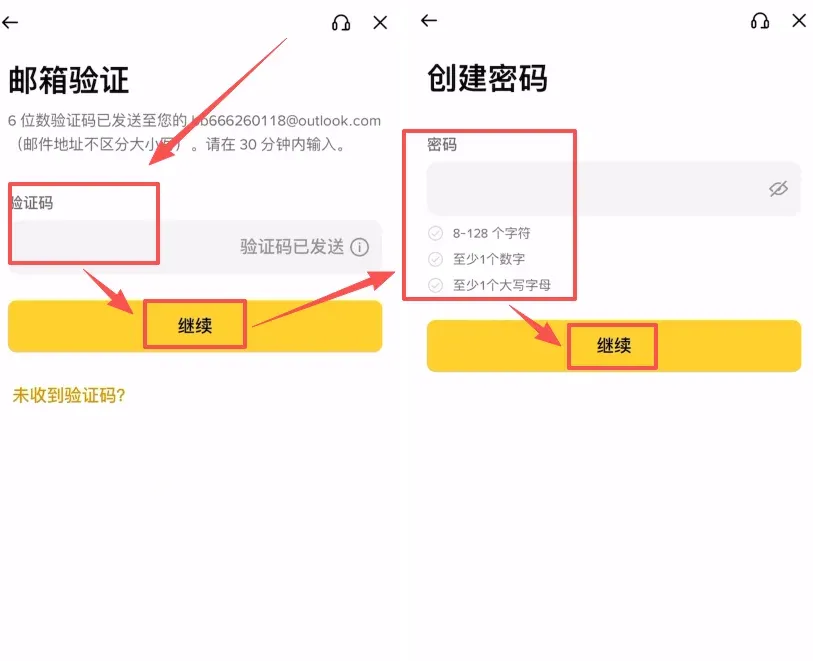
- Verification Code and Password Setup
- Input the verification code you receive via SMS or email, then proceed to the password‑creation screen. Follow the on‑screen requirements to set a secure login password, completing the initial account creation.
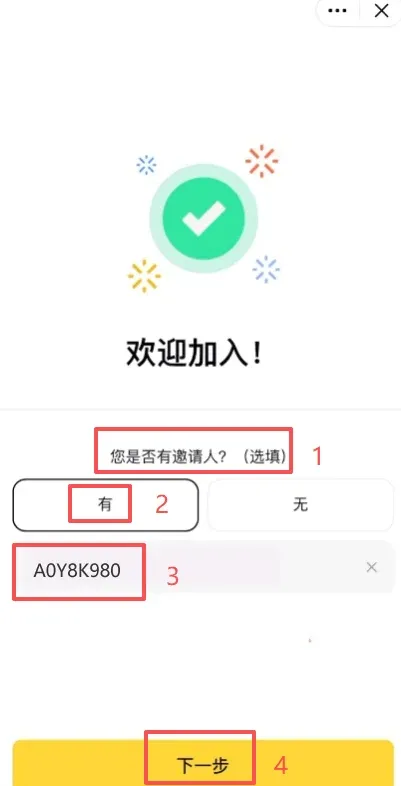
- Enter a Referral Code (Optional)
- The system will ask “Do you have an inviter?”. Choose Yes, and fill in the inviter ID `B2345`. Doing so will qualify you for a 20 % rebate on future trading fees.
Phase Three: Completing Identity Verification (KYC)
You must finish KYC before you can use the C2C marketplace and other advanced features.
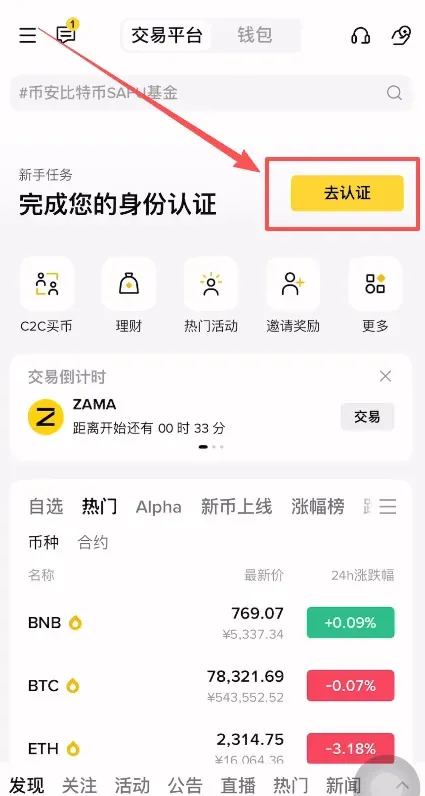
- Access Point: Open the Binance app, and in the home‑screen New User Tasks panel tap Go to Verification.
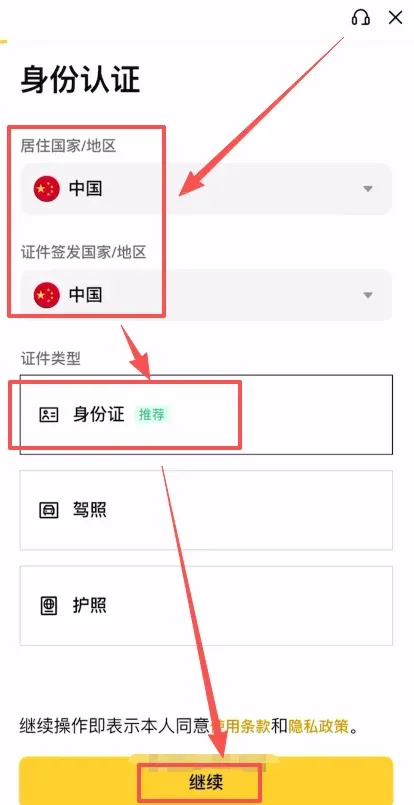
- Residence and Document Selection
- Choose Mainland China for both Residence Country/Region and Document Issuing Country/Region.
- Document Type: The app recommends using a National ID Card.
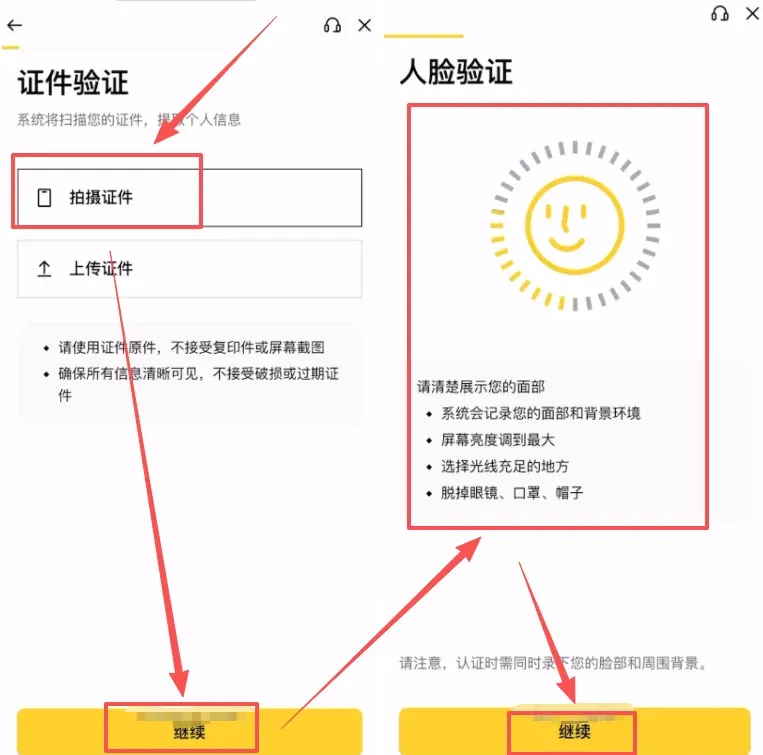
- Upload Materials
- Follow the prompts to photograph and upload the front and back of your ID card, then complete the facial‑recognition step.
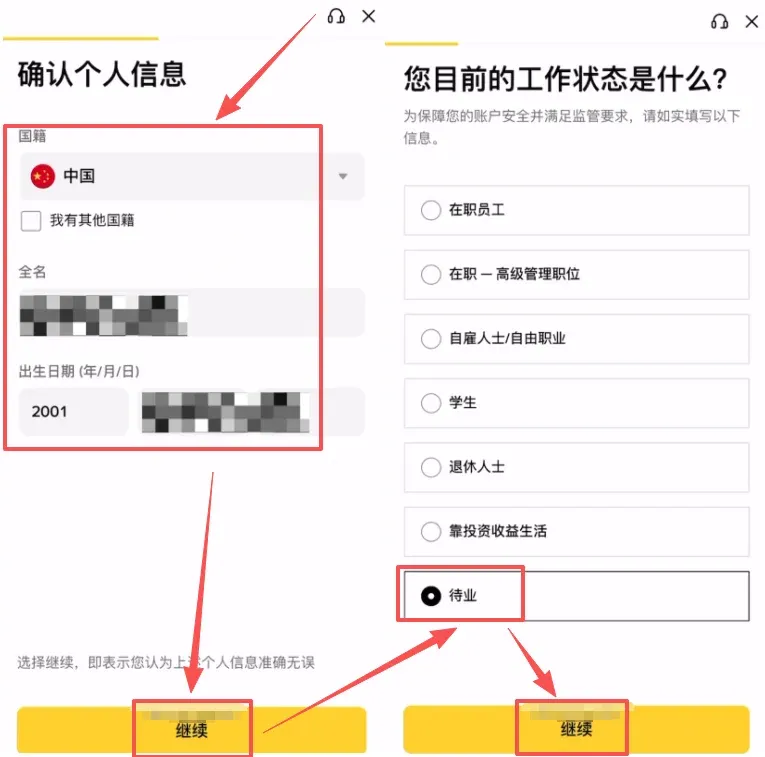
- Confirm Information
- Review nationality, full name, date of birth, employment status, and other personal details. Submit the form and wait for the verification result. Once approved, all trading functions are unlocked.
Note: Cryptocurrency gains may be subject to tax in your jurisdiction. Please consult a tax professional to understand your obligations.
Phase Four: Securing Your Account
1. Enable Two‑Factor Authentication (2FA)
- It is recommended to bind either Google Authenticator or Binance’s own Binance Authenticator.
- Overview of the steps:
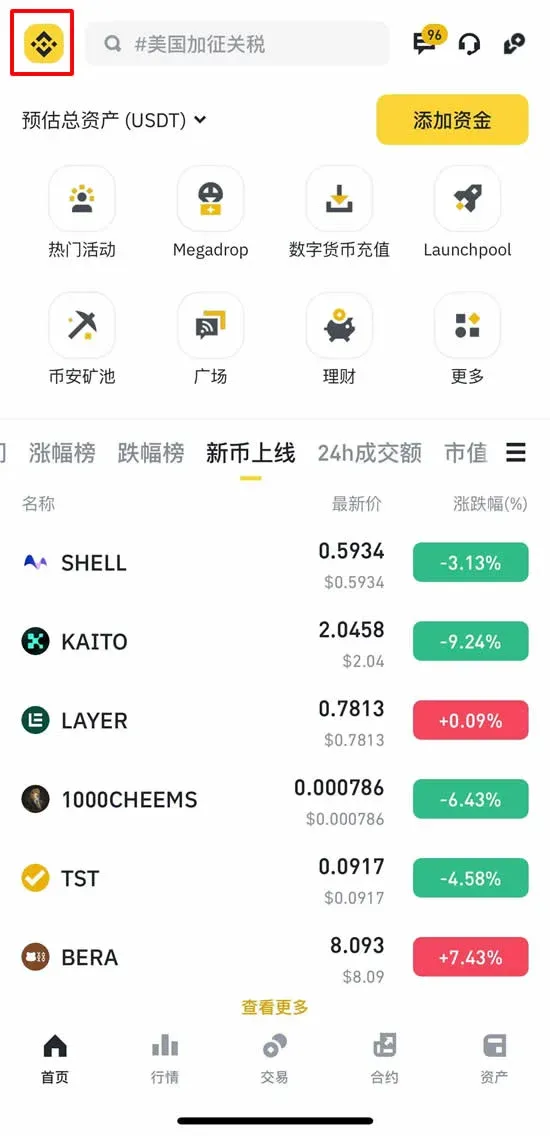
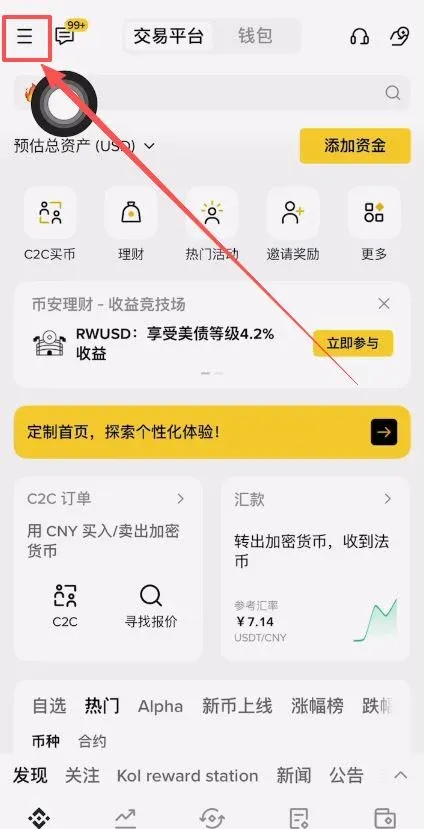
- Open the Binance app, tap the icon in the top‑left corner → Account → Security.
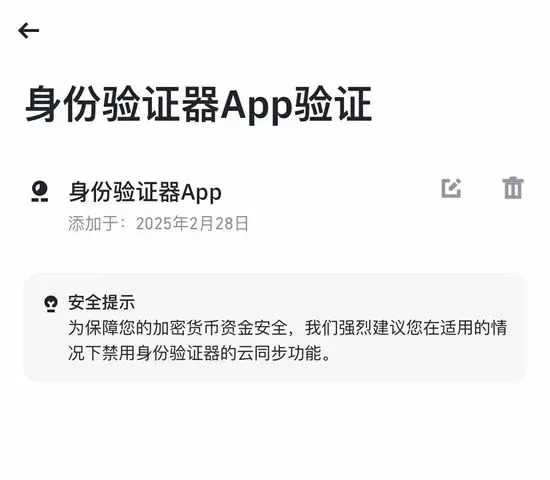
- Go to the Authenticator App section, ensure Binance Authenticator is installed, and tap Enable.
- Copy the 16‑character secret key and store it safely; paste it into the Authenticator app and give the entry a recognizable name.
- Enter the 6‑digit code generated by the Authenticator to complete the binding.
‑
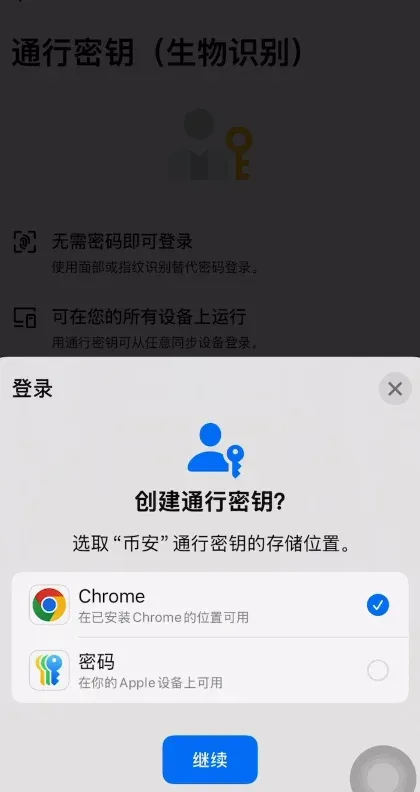
2. Set Up Passkeys (Face/Fingerprint)
- Within Security, locate Passkeys, tap Add Passkey, and follow the prompts to register your device’s facial recognition or fingerprint data.
‑
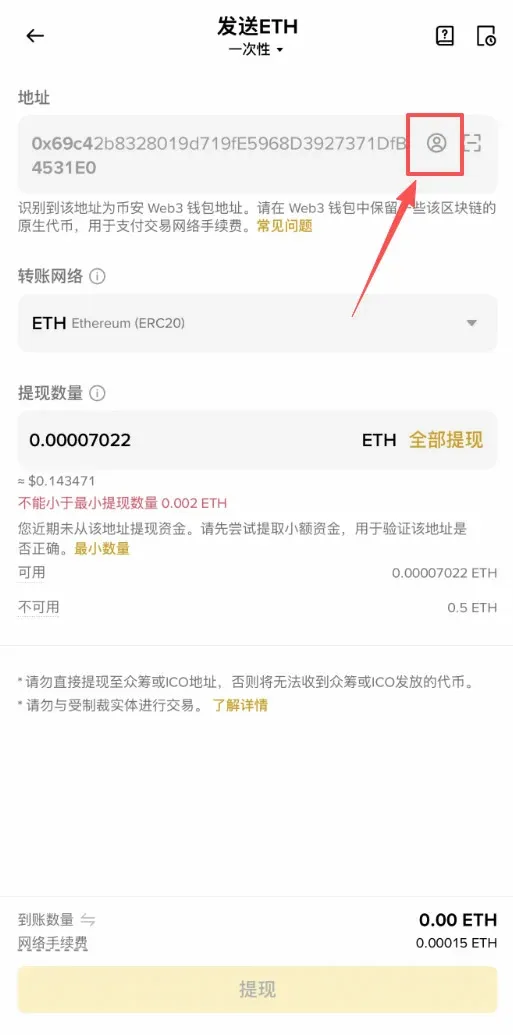
3. Enable Withdrawal Address Whitelist
- When activated, withdrawals can only be sent to addresses you have previously whitelisted, significantly reducing the risk of unauthorized transfers.
Core Security Red Lines
- Use Only Official Channels: Download exclusively from the official website or the official App Store. Avoid group chats, unfamiliar links, or QR codes that claim to provide the app.
- Safeguard Your Credentials: Never share your login password, verification codes, private keys, or mnemonic phrases with anyone. Official customer support will never request this information.
- Comply with Fund‑Usage Regulations: For peer‑to‑peer (C2C) trades, always conduct the transaction through the platform and use a payment method that is under your own verified identity to lower the risk of bank‑related compliance issues.
By following the steps outlined above, you can successfully download and register the international Binance exchange app, and begin a secure and convenient digital‑asset management experience.
For more Binance download and registration tutorials, stay tuned to Bitaigen (比特根) for future articles.
Additional Global‑Market Notes
- Funding in Fiat: The platform accepts deposits and withdrawals in USD via SEPA (for European users) or SWIFT (for worldwide users). Choose the method that best fits your region.
- U.S. Residents: The global Binance app is not available to U.S. customers. Residents of the United States should use Binance.US, which complies with local regulations.
---
*This translation is provided for informational purposes only and does not constitute financial or legal advice.*
💡 Register on Binance with referral code B2345 for the maximum trading fee discount. See Binance complete guide.



