
 Bitaigen Research
 Gate.io (Gate) Exchange – Complete Beginner Guide
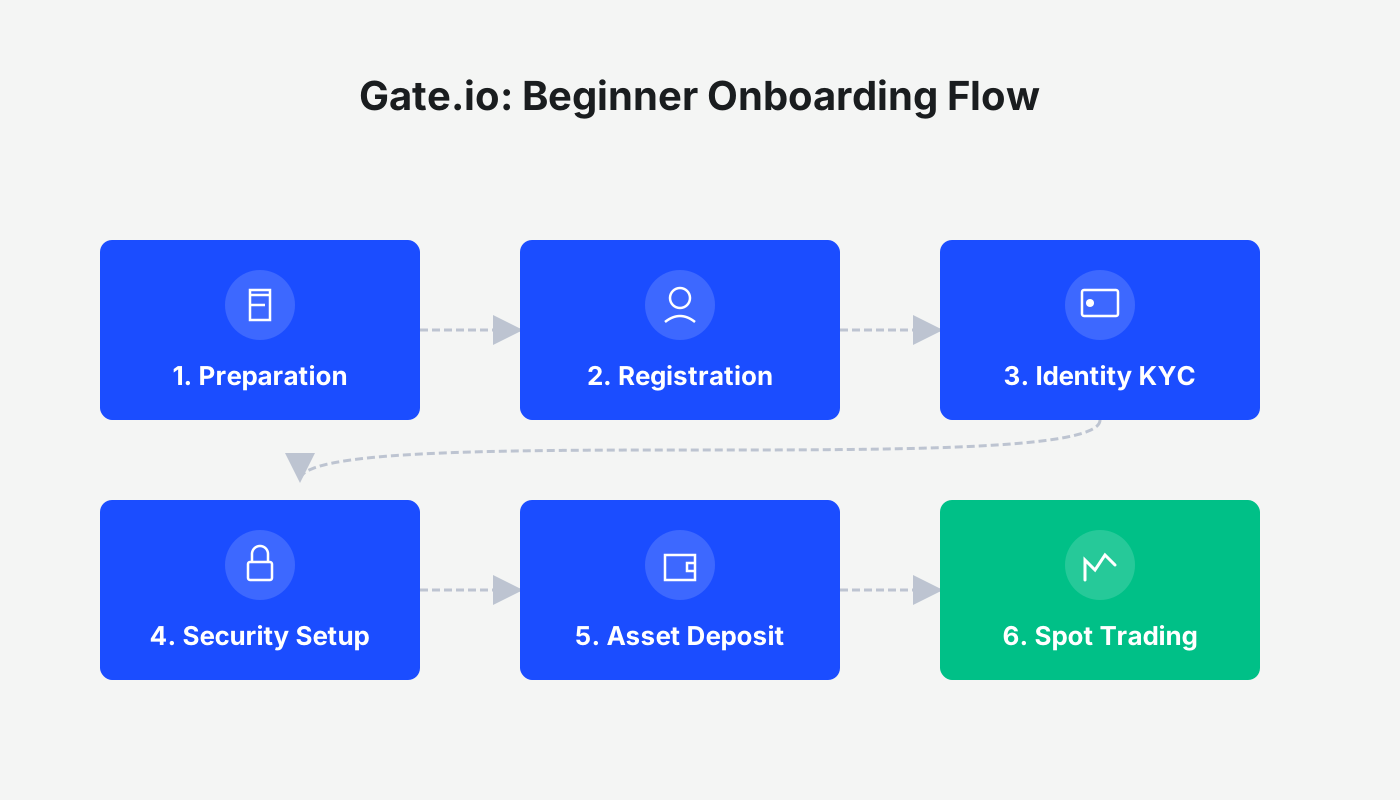
Gate.io (Gate) newcomers only need to complete registration, set up security, verify identity, buy crypto, trade, and sell crypto to finish the entire workflow.
Our Bitaigen editorial team has carefully compiled a full‑process beginner guide for Gate.io, covering everything from downloading the app and registering an account to security settings, identity verification, and buying and selling cryptocurrencies. With this article you can get started quickly, avoid common pitfalls, and confidently begin your digital‑asset journey.
Step 1: Download and Install the Gate App
Gate exclusive referral link: https://www.gate.com/share/vqnhawhe
Android users
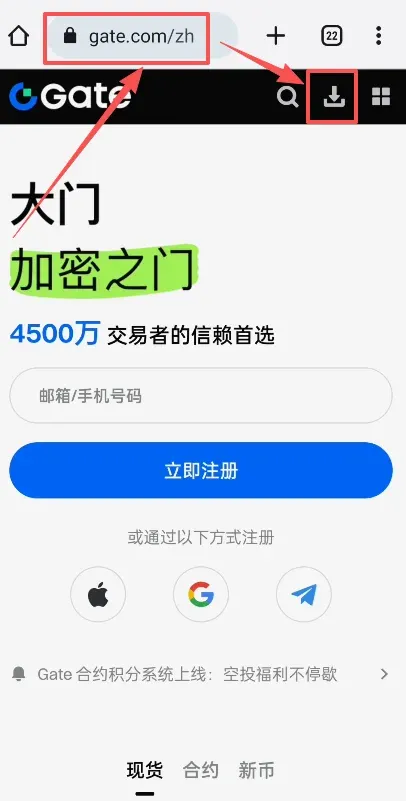
- Open `gate.com` in your browser and tap the download button.

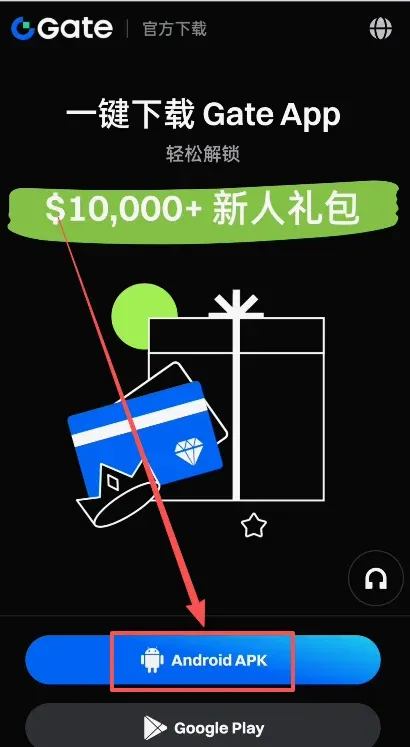
- Choose the first APK package and click Download.
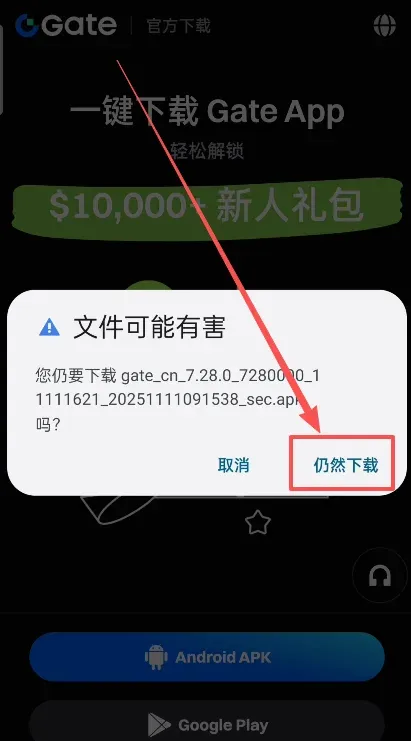
- When the system warns that the file may be harmful, tap Download anyway.
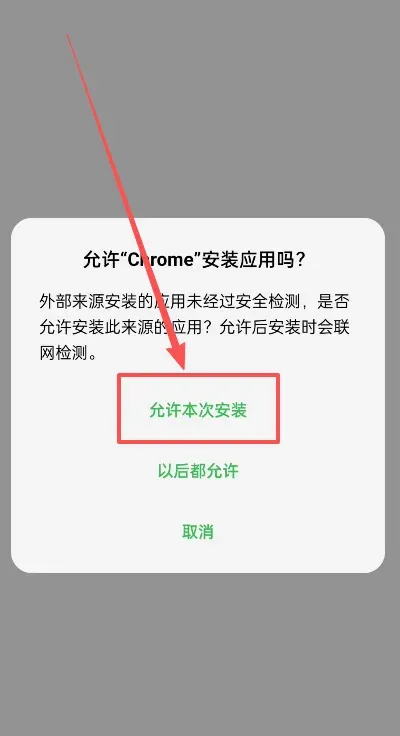
- After the download finishes, open the file and select Allow this installation.
- The deep‑scan will flag the file as high‑risk; tap View details → Install anyway.
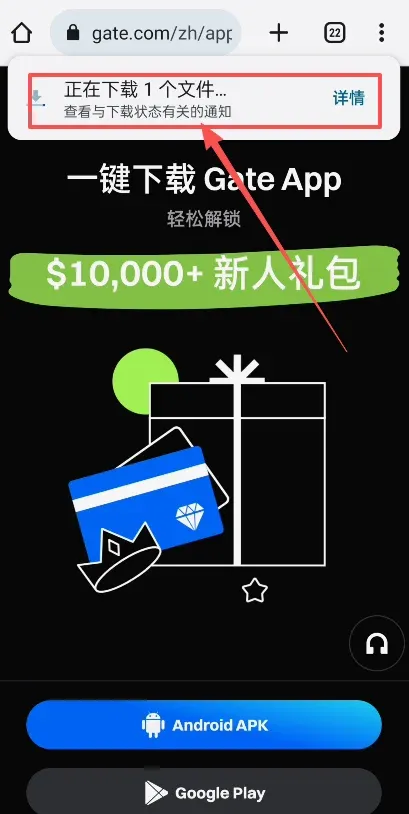
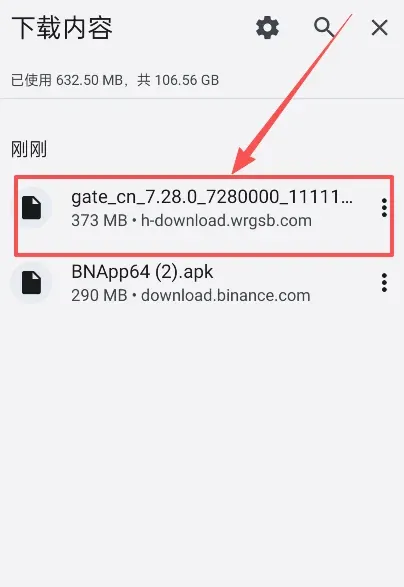
- Once installation succeeds you will see the Gate Android app on your device.
iOS users
- You need an overseas Apple ID; we recommend a Taiwan‑region Apple ID because it has the fewest restrictions.
- Log out of the current Apple ID in the App Store and sign in with the Taiwan Apple ID.
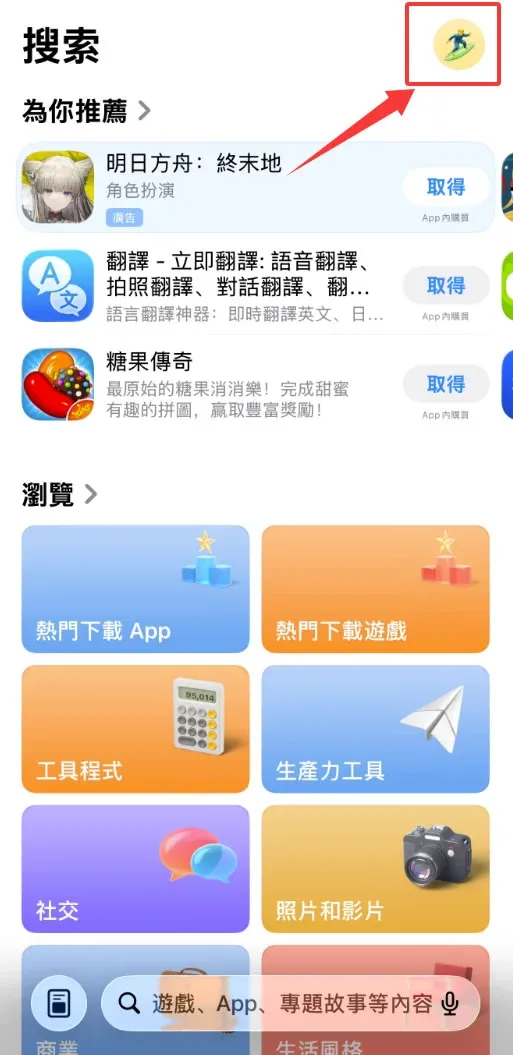
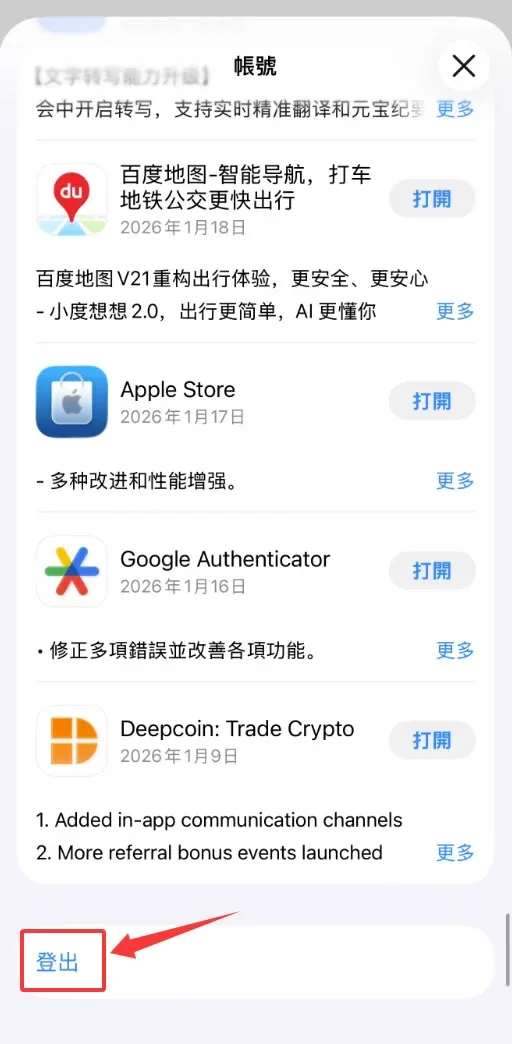
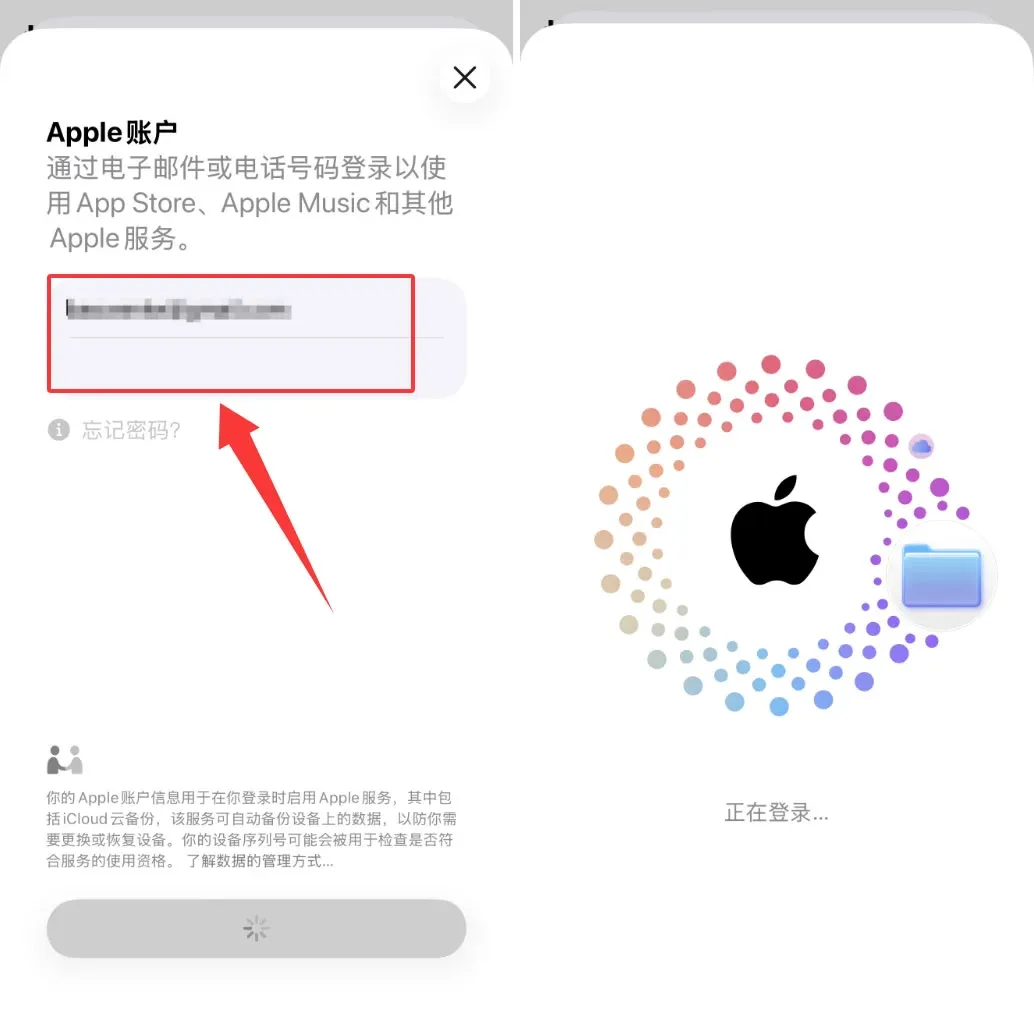
- Search for “Gate”, skip any advertisements, and download the official Gate app.
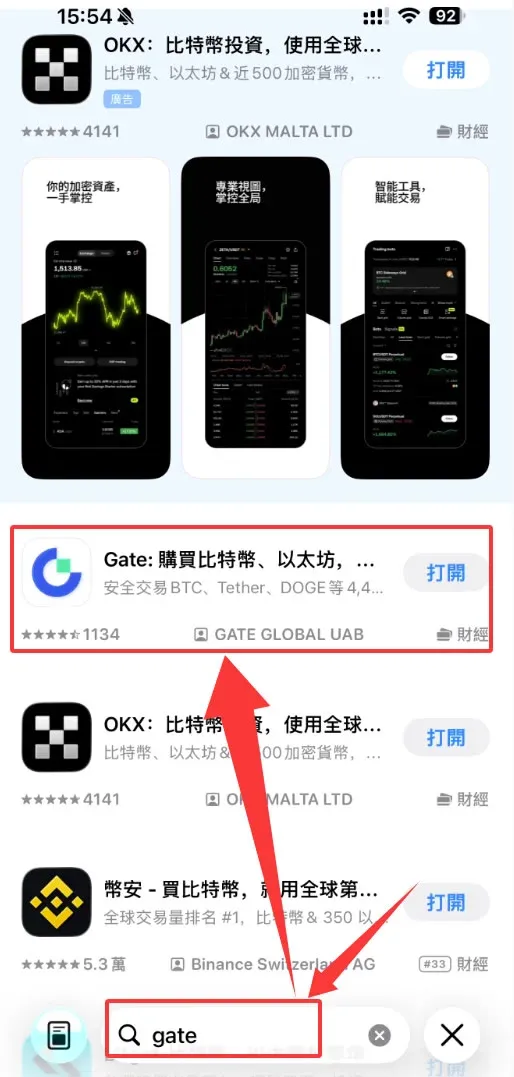
Step 2: Register a Gate Account
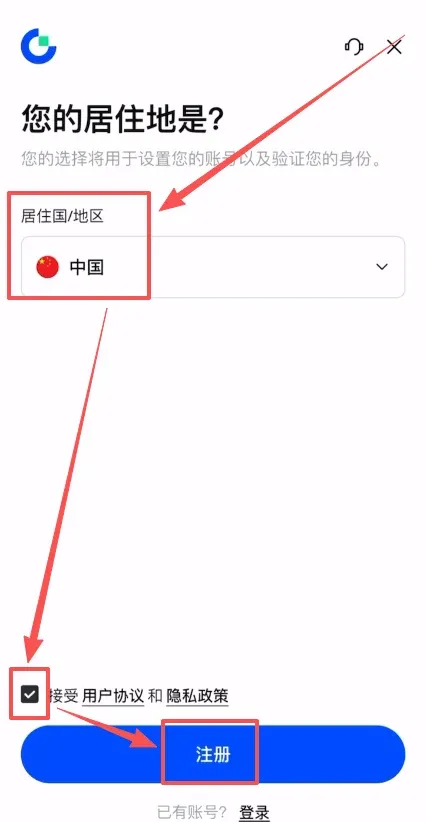
- Open the Gate app and tap Register.
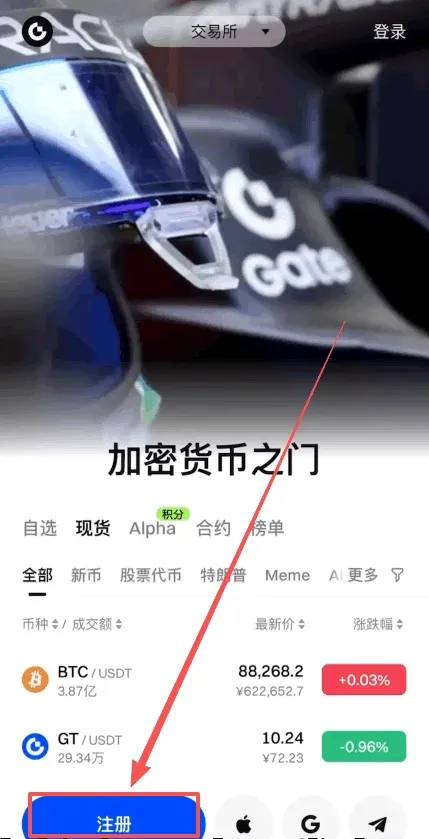
- Choose China as your residence, agree to the terms, and tap Register.
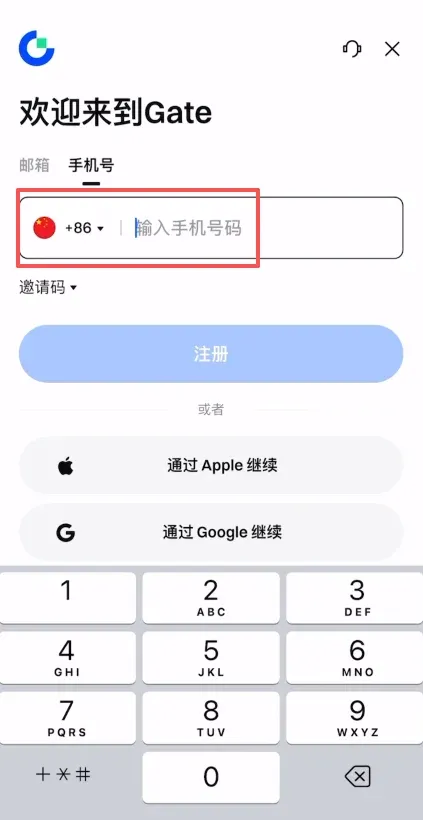
- You can register with either an email address or a mobile number; the country code +86 is pre‑selected for China.
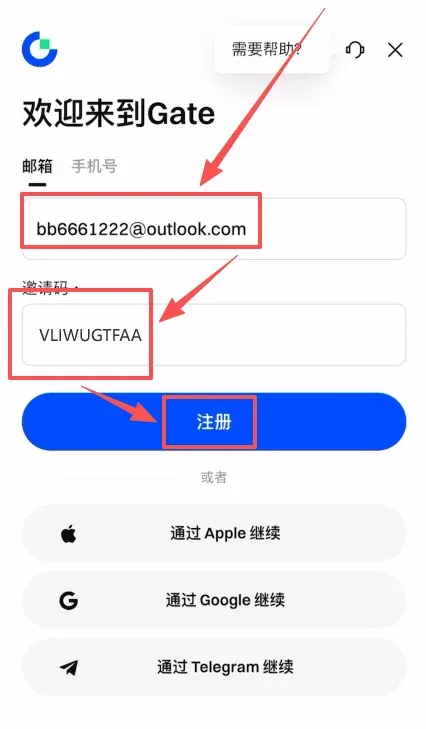
- If you use email registration, enter the invitation code `VLIWUGTFAA` to enjoy a permanent 20 % fee discount.
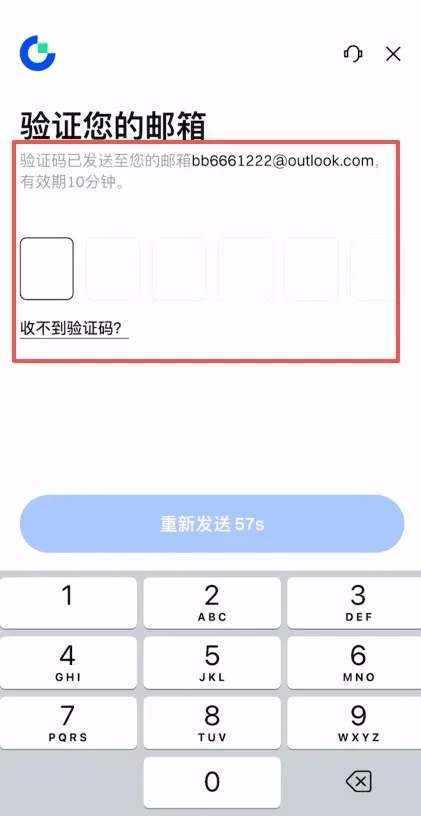
- Gate will send a verification code to your inbox; input it and then set a login password (minimum 8 characters, cannot be all numbers or all letters).
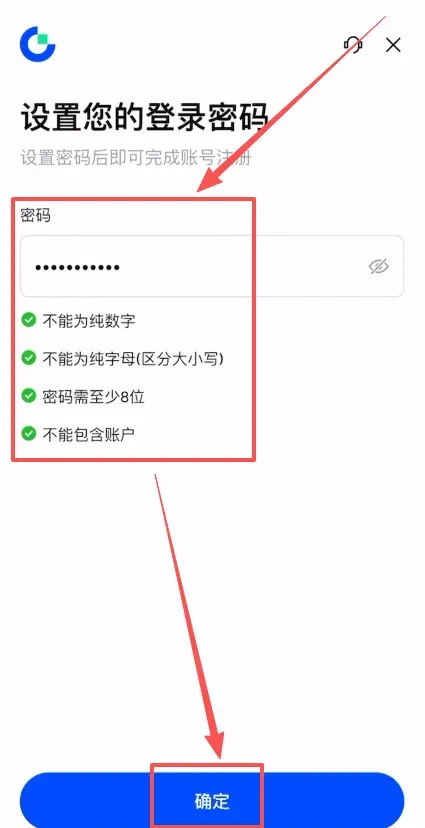
- After completing these steps, your Gate account is created.
Step 3: Complete Identity Verification
- Upon successful registration, the app automatically directs you to the Identity Verification page; tap Verify Now.
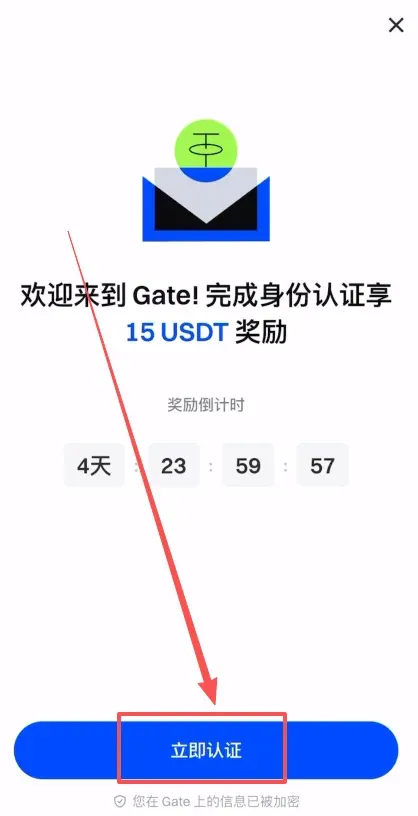
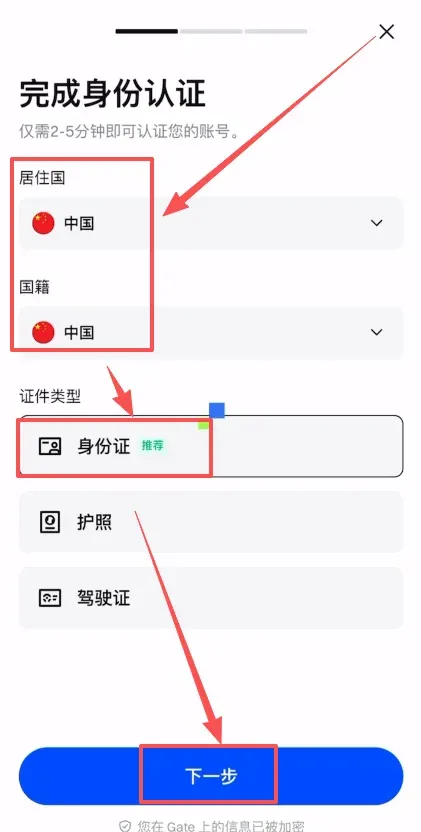
- Choose your country/region of residence (China) and select a document type (ID card, passport, or driver’s license). This guide uses an ID card as an example.
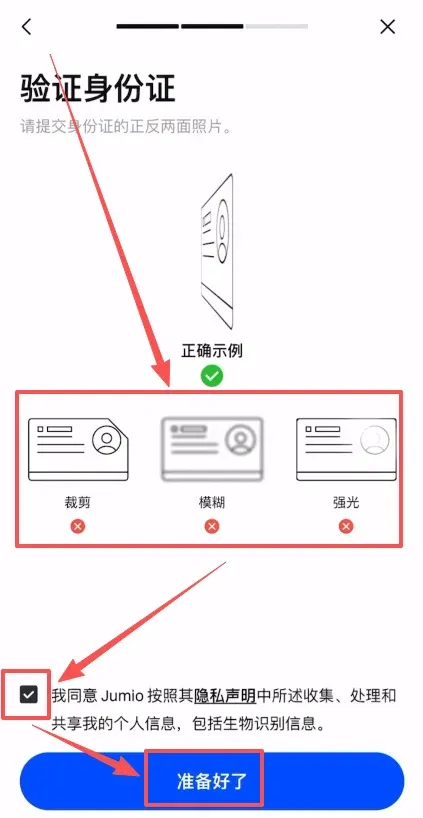
- Upload clear front‑ and back‑side photos of the ID card, ensuring there are no shadows or glare. Tick the agreement box and tap I’m ready.
- Perform facial recognition as prompted by the app.

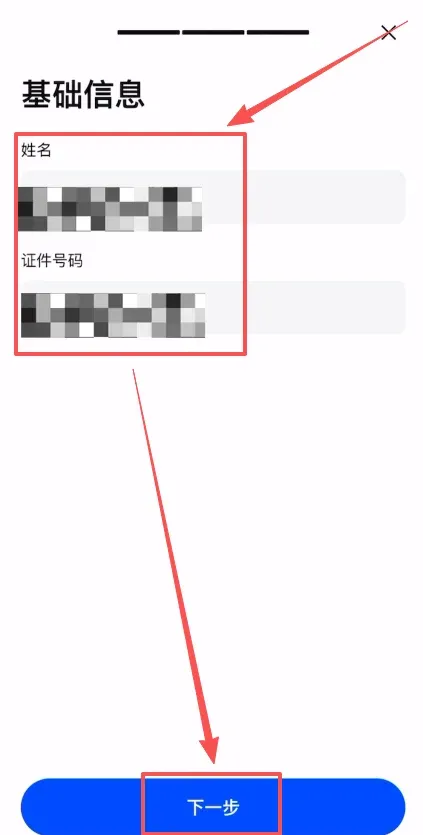
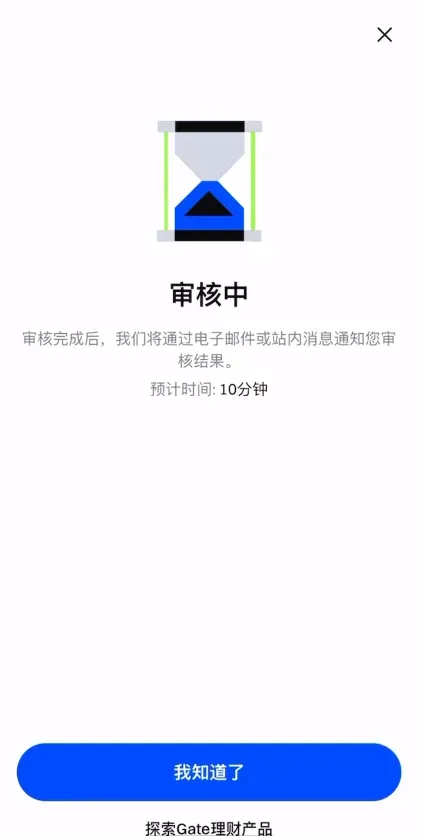
- Verify that the displayed name and document number are correct, then submit for review.
Step 4: Security Settings
1. Add a Passkey
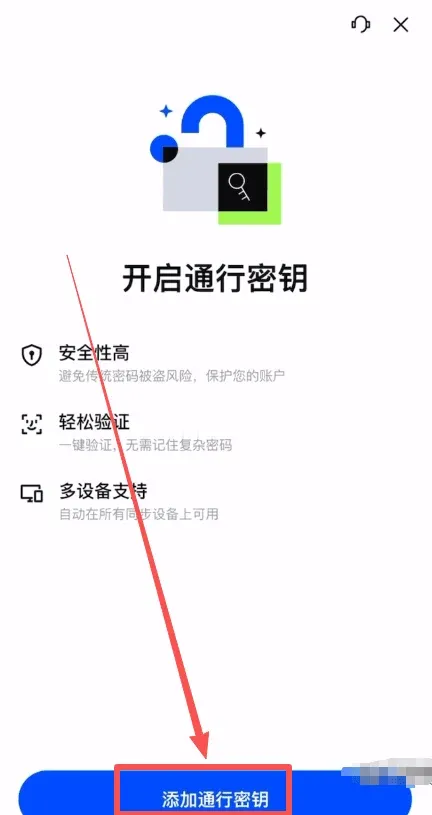
- A passkey links your facial data with the Gate account and is stored on Gate’s servers and iCloud, enhancing the security of logins, withdrawals, and other high‑risk actions.
- In the app, tap Add Passkey to complete the binding.
2. Bind Google Authenticator
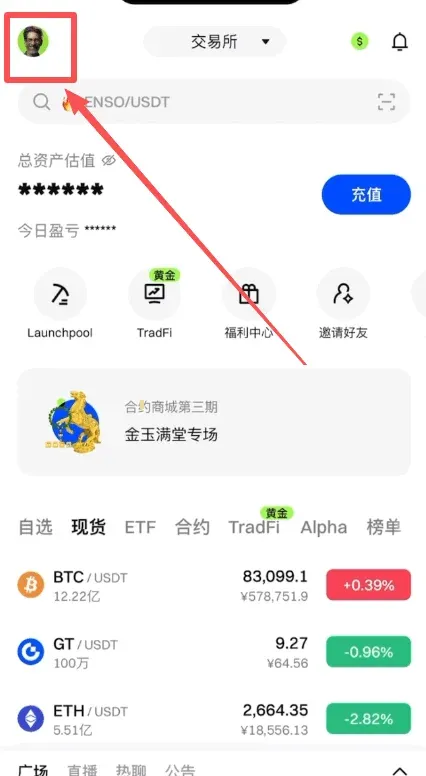
- Navigate to Profile → Security Center → Google Bind.
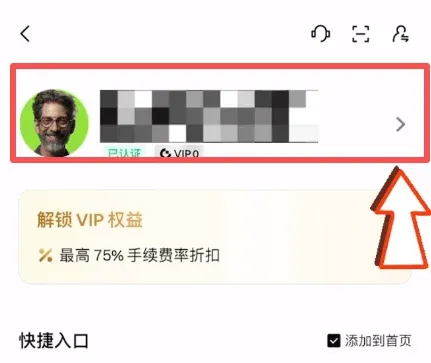
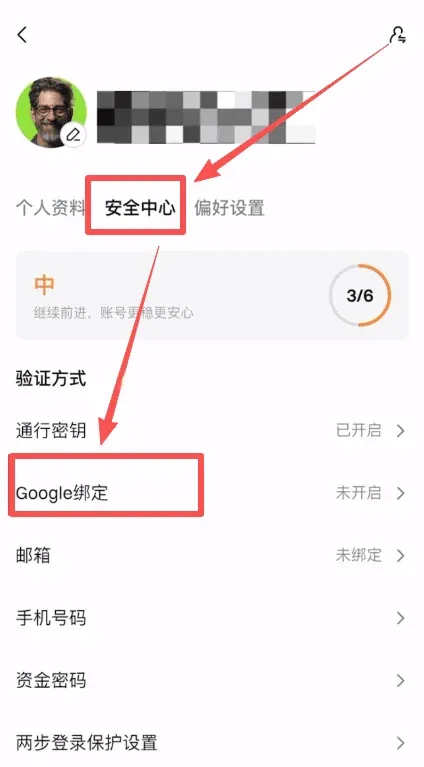
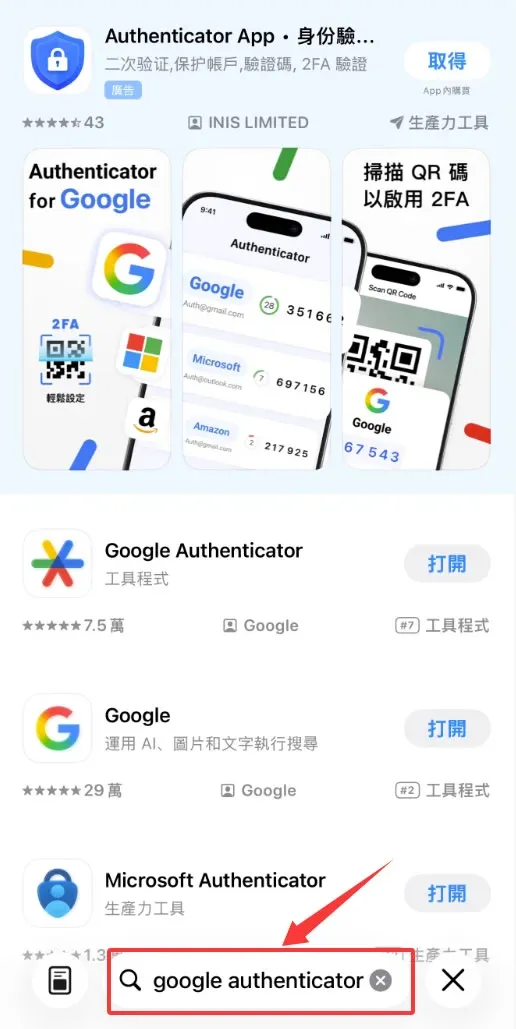
- We recommend using Google Authenticator (search “Google Authenticator” in the App Store and download with a Taiwan Apple ID).
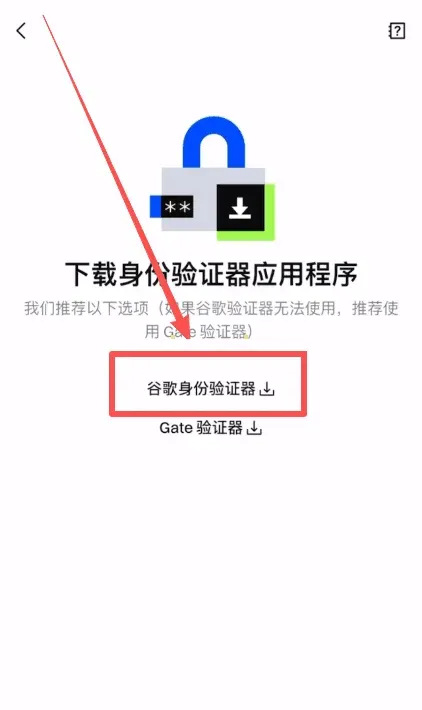
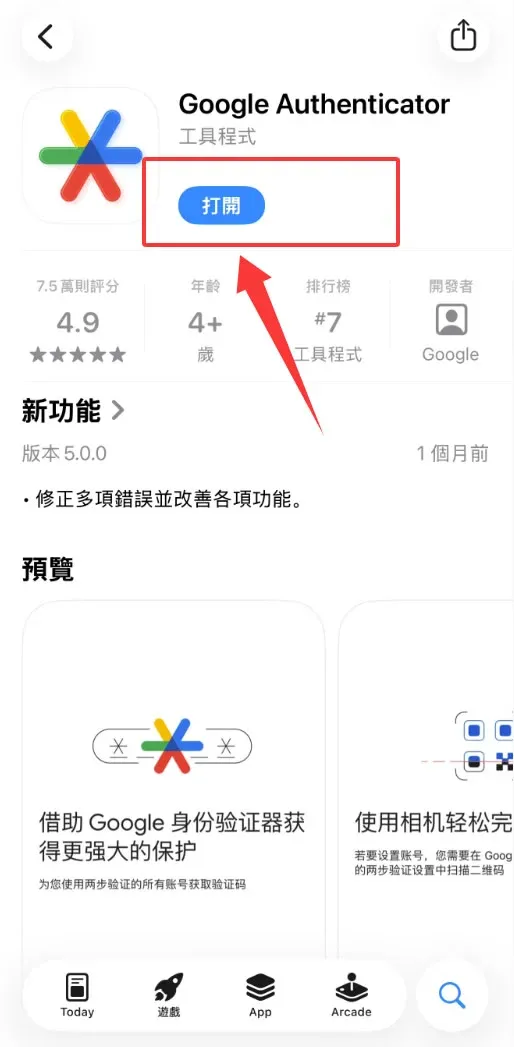
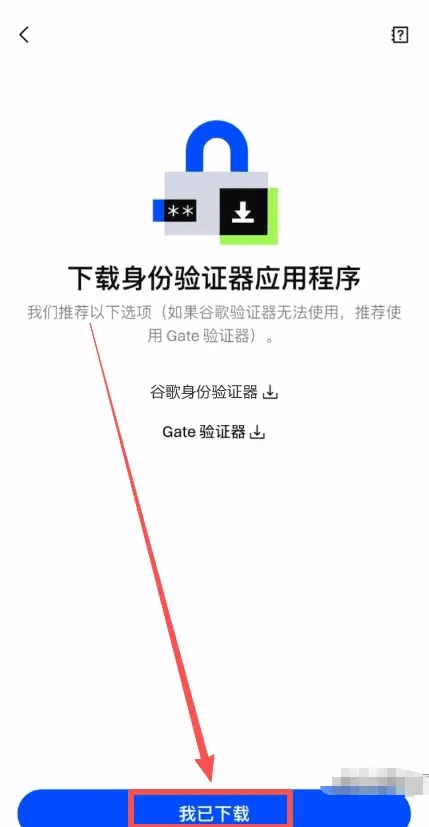
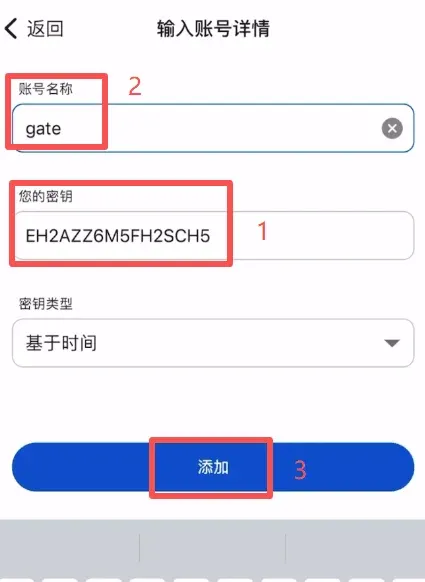
- After installing the authenticator, tap I’ve installed in Gate and copy the displayed secret key.
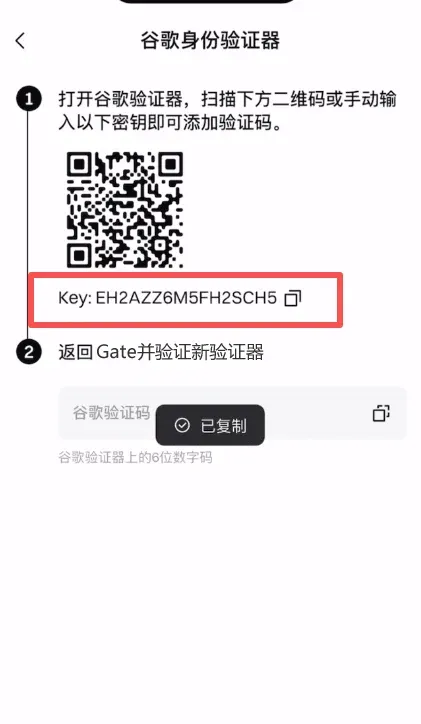
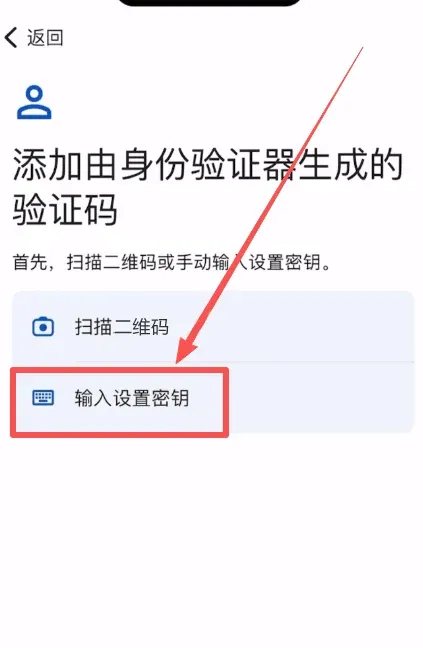
- Open Google Authenticator, choose Add account → Enter setup key, paste the key, and give the entry a name (e.g., “Gate”).
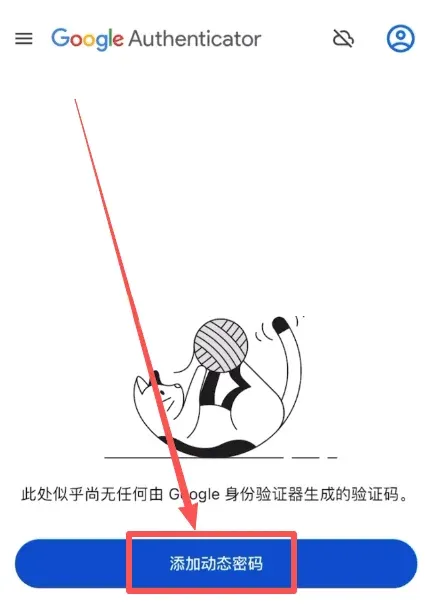
- The authenticator will now generate a 6‑
Related Reading
- Gate.io: Download App, Verify, Buy Crypto & Withdraw Fiat
- Binance vs OKX vs Gate.io: Security, Fees & UX Review
- OKX Beginner Guide: Register Verify Deposit Trade Withdraw
💡 Register on Binance with referral code B2345 for the maximum trading fee discount. See Binance complete guide.



