
 Bitaigen Research
 KuCoin is a globally influential cryptocurrency exchange that offers a relatively convenient trading environment thanks to its multilingual support and 24/7 customer service team. This article systematically reviews KuCoin’s core features—including security mechanisms, platform history, registration process, and the unique GemSPACE function.
We will dissect KuCoin’s core advantages layer by layer—from platform history and account protection to the distinctive GemSPACE feature—while providing a complete registration guide for beginners. This helps you get started quickly and evaluate the platform’s security. In addition, we will dive into its multilingual support, 24‑hour customer service, and the transparent Proof‑of‑Reserve (PoR) mechanism, enabling you to assess the platform’s credibility comprehensively. Want more details? Keep reading.
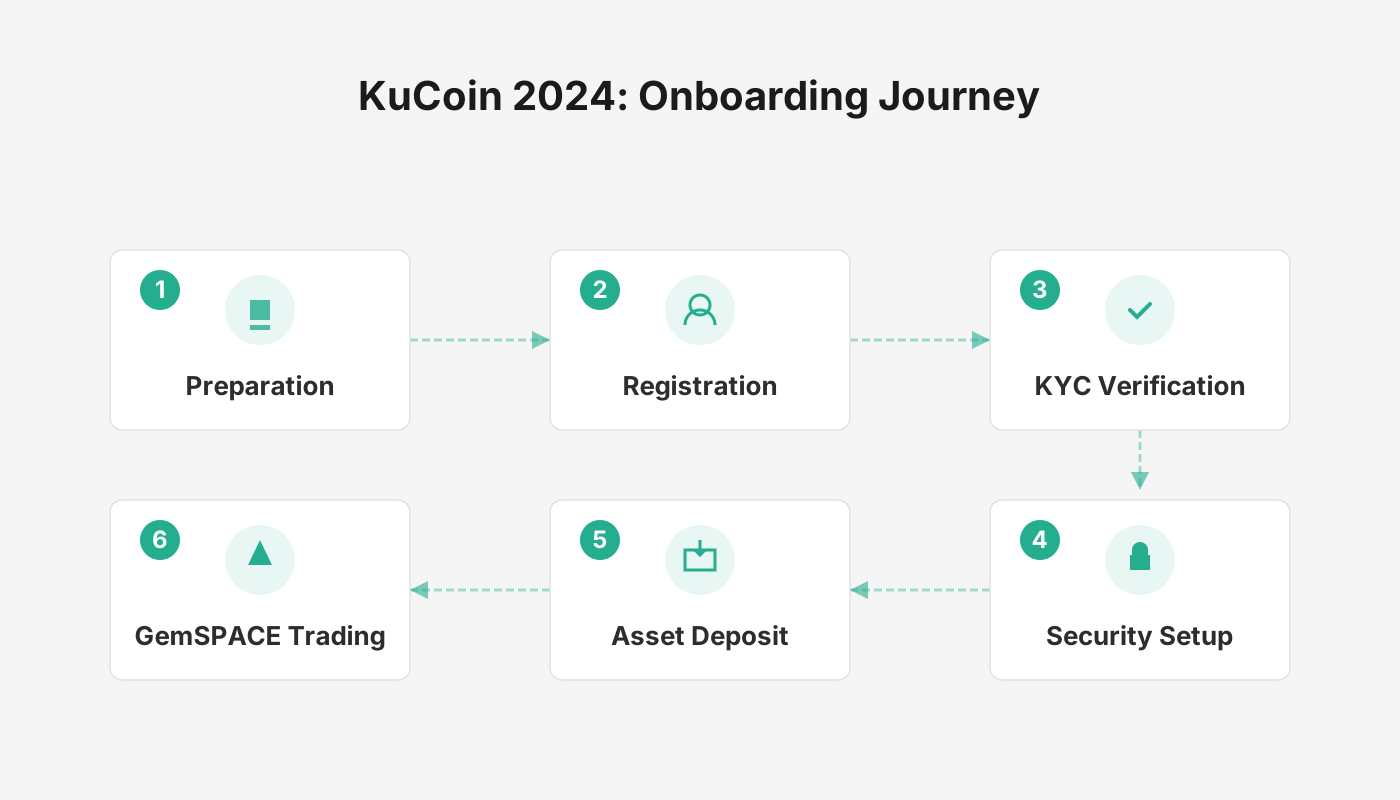
Overview of Platform Security
When choosing an exchange, the safety of your assets is usually the top priority. KuCoin has built a multi‑layer protection system to prevent theft, covering account security, data encryption, system monitoring, and operational management. The platform also emphasizes corporate culture and employee security‑awareness training, striving to reduce risk at every step.
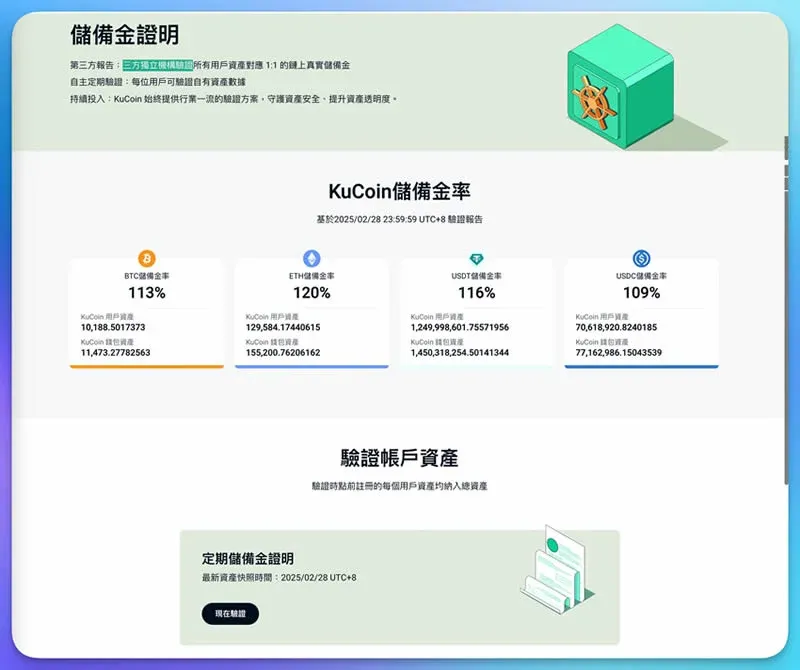
A particularly noteworthy component is the Proof‑of‑Reserve (PoR), verified by an independent third‑party audit firm, ensuring a 1:1 correspondence between user assets and the platform’s reserve funds. The process is public and transparent, and users can independently verify the data, further boosting trust.
KuCoin’s Development Timeline
Founding Background
The KuCoin founding team consists of two entrepreneurs passionate about technology and blockchain. Founder Michael showed programming talent from a young age, building his own website at eight and launching an internet company at sixteen. In 2012, through a recommendation from his former employer Eric, he encountered Bitcoin for the first time, began mining, and tried trading on the then‑largest platform Mt.Gox. He found the user interface cumbersome and the experience poor.
After recognizing the potential of blockchain technology, the duo decided to create a “trading platform that anyone can easily join,” regardless of financial background or asset size. By the end of 2013, they wrote the first line of KuCoin code in a coffee shop, officially launching the project.
Market Positioning
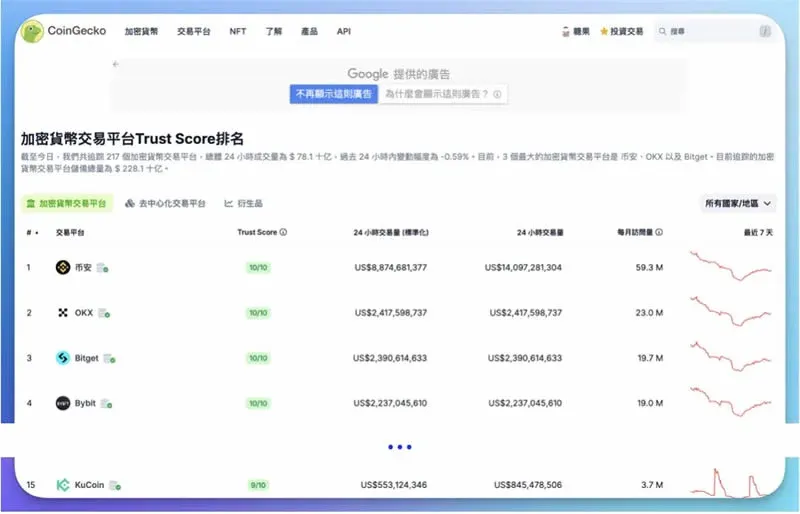
KuCoin was formally incorporated in the Seychelles in 2013, promoting the idea of a “trading service platform for the masses” with multilingual interfaces and round‑the‑clock support. According to CoinGecko data, KuCoin ranks 15th among roughly 800 global exchanges, consistently staying near the top of the industry.
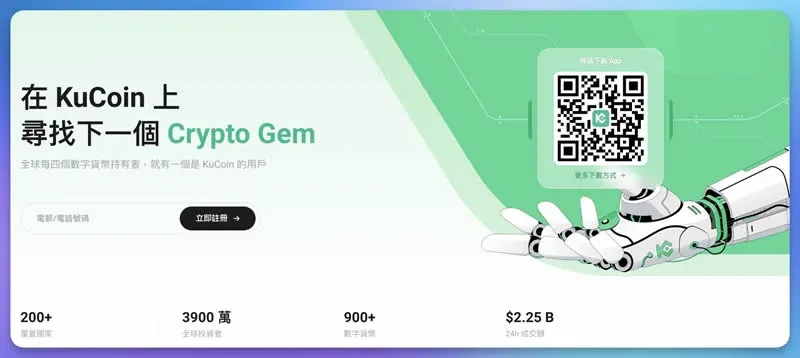
Registration and Account Security
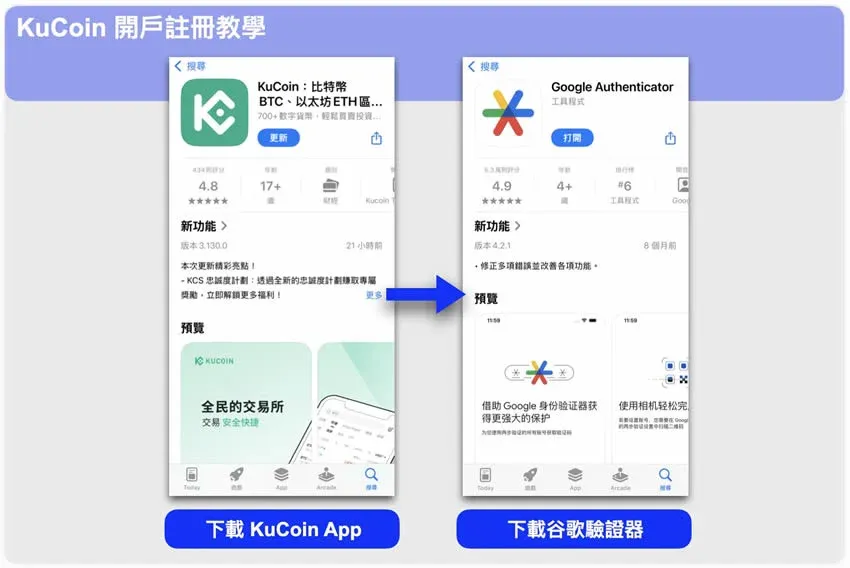
1. Download and Prepare
- Install the official KuCoin app on an iOS or Android device.
- Have a two‑factor authentication tool (e.g., Google Authenticator) ready for later verification steps.
2. Create an Account
- Open the app and tap “Register” at the top of the screen.
- Enter a mobile number or email address, receive the verification code sent by the platform, and input it.
- Set a login password — 10‑32 characters, must include both uppercase and lowercase letters and numbers, and cannot contain spaces. Click “Confirm.”
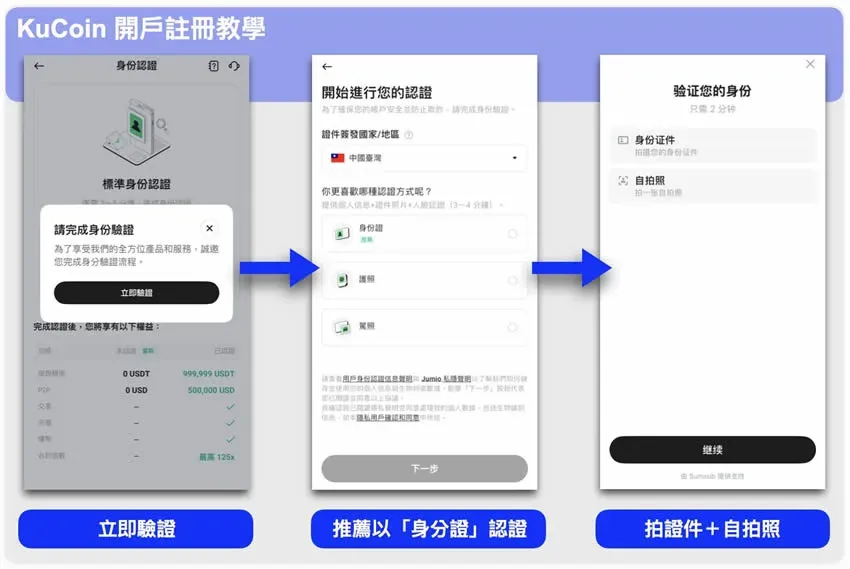
3. Complete KYC Verification
After successful registration, go to the “Verify Now” page, select a document type (ID card is recommended), fill in your name, document number, etc., and follow the prompts to upload photos of the document and perform facial recognition. Once approved, you can enable deposits, withdrawals, and full trading functionality.
4. Enable Two‑Factor Authentication (2FA)
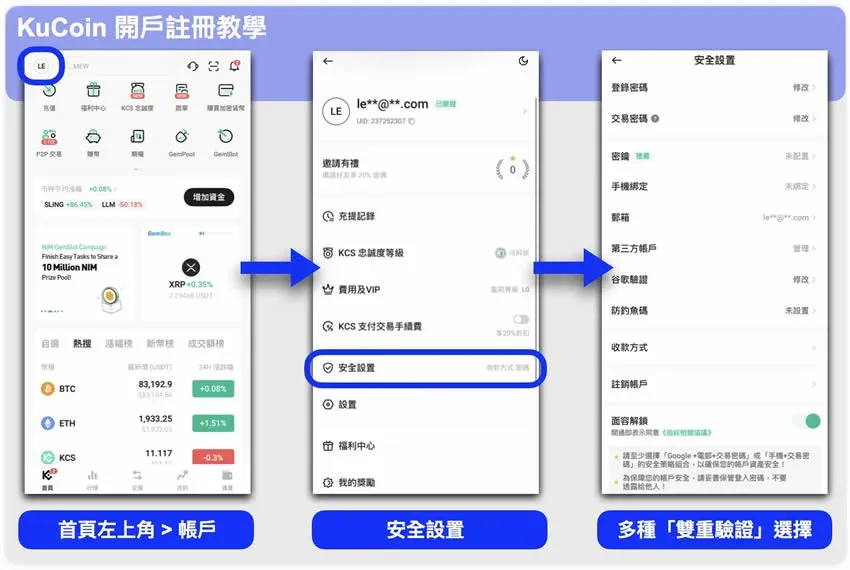
To further strengthen account security, enable 2FA:
- Navigate to “Account” in the upper‑left corner of the home screen → “Security Settings.”
- Choose a method such as Google Authenticator, SMS, email, or a security key and bind it.
- After setup, every login, withdrawal, or critical operation will require a one‑time code.
GemSPACE: KuCoin’s New‑Coin Exploration Hub
GemSPACE is an innovative section built by KuCoin specifically for users who want early exposure to promising new tokens (referred to by the platform as “gems.”). It offers various activities that reward participants.
- New‑Coin Zone: Real‑time announcements of projects that are about to list.
- Multiple Listing Modes: Includes GemPool (lock stablecoins or platform tokens to receive airdrops), GemSlot (receive airdrops by depositing/trading), GemVote (vote on which tokens get listed), BurningDrop (stake new tokens for yield), and other participation methods.
- Task Rewards: Complete designated tasks to claim exclusive platform rewards.
- Project Listing Application: If you are a new project team, you can submit a listing request through GemSPACE for a chance to be launched on KuCoin.
Summary
Whether you are a newcomer to the crypto space or an experienced trader, KuCoin offers a one‑stop solution covering security, account onboarding, and new‑coin discovery. With a streamlined registration process, robust two‑factor authentication, and the distinctive GemSPACE ecosystem, users can engage in digital‑asset trading more safely and conveniently while seizing potential market opportunities.
For deeper analysis of KuCoin, stay tuned to Bitaigen’s future updates.
Localization note: When dealing with fiat on‑ramps, KuCoin supports USD via SEPA/SWIFT transfers for global users. Residents of the United States should use Binance.US (instead of the global Binance platform) for comparable services. Additionally, cryptocurrency gains may be subject to taxation in your local jurisdiction; consult a tax professional for guidance.
Related Reading
- Bybit vs KuCoin: Fees, Features & Derivatives
- BingX vs KuCoin: In‑Depth Crypto Exchange Comparison 2024
- OKX Chinese Name “Ouyi”: Meaning, Brand Upgrade & Full Guide
💡 Register on Binance with referral code B2345 for the maximum trading fee discount. See Binance complete guide.



