
 Bitaigen Research
Since January 21 2026, Solana Mobile has launched an SKR airdrop for eligible Seeker Season 1 users and developers. According to official figures, more than 100 000 users and 188 developers have qualified, and the airdrop will distribute nearly 2 billion SKR tokens to the community—approximately 20 % of the total 10 billion‑token supply. This guide will help you verify your eligibility, safely claim the tokens in the Seed Vault Wallet on a Seeker phone, and provide practical tips to avoid common mistakes during the high‑traffic claim period.
We have systematically compiled the entire Solana Mobile SKR airdrop workflow to help Seeker Season 1 participants quickly verify eligibility, safely receive tokens in the Seed Vault Wallet on a Seeker device, and navigate peak‑time pitfalls. Keep reading to complete the claim step‑by‑step and steer clear of typical traps.
Airdrop Overview and Claim Window
The Seeker (SKR) airdrop targets early participants in the Seeker mobile ecosystem. The total allocation is roughly 2 billion SKR, distributed to eligible Seeker device owners and to developers who submitted compliant dApps during Season 1. The claim window lasts 90 days; any unclaimed tokens will revert to the airdrop pool after April 20 2026. Before claiming, ensure your wallet holds about 0.015 SOL to cover Solana network fees. The official contract address is SKRbvo6Gf7GondiT3BbTfuRDPqLWei4j2Qy2NPGZhW3—verify it carefully before interacting.
Complete Steps to Claim SKR on a Seeker Phone
Once your wallet is set up, the entire process can be performed on the device itself and usually takes less than a minute.
- Power on your Seeker phone and open the Seed Vault Wallet.
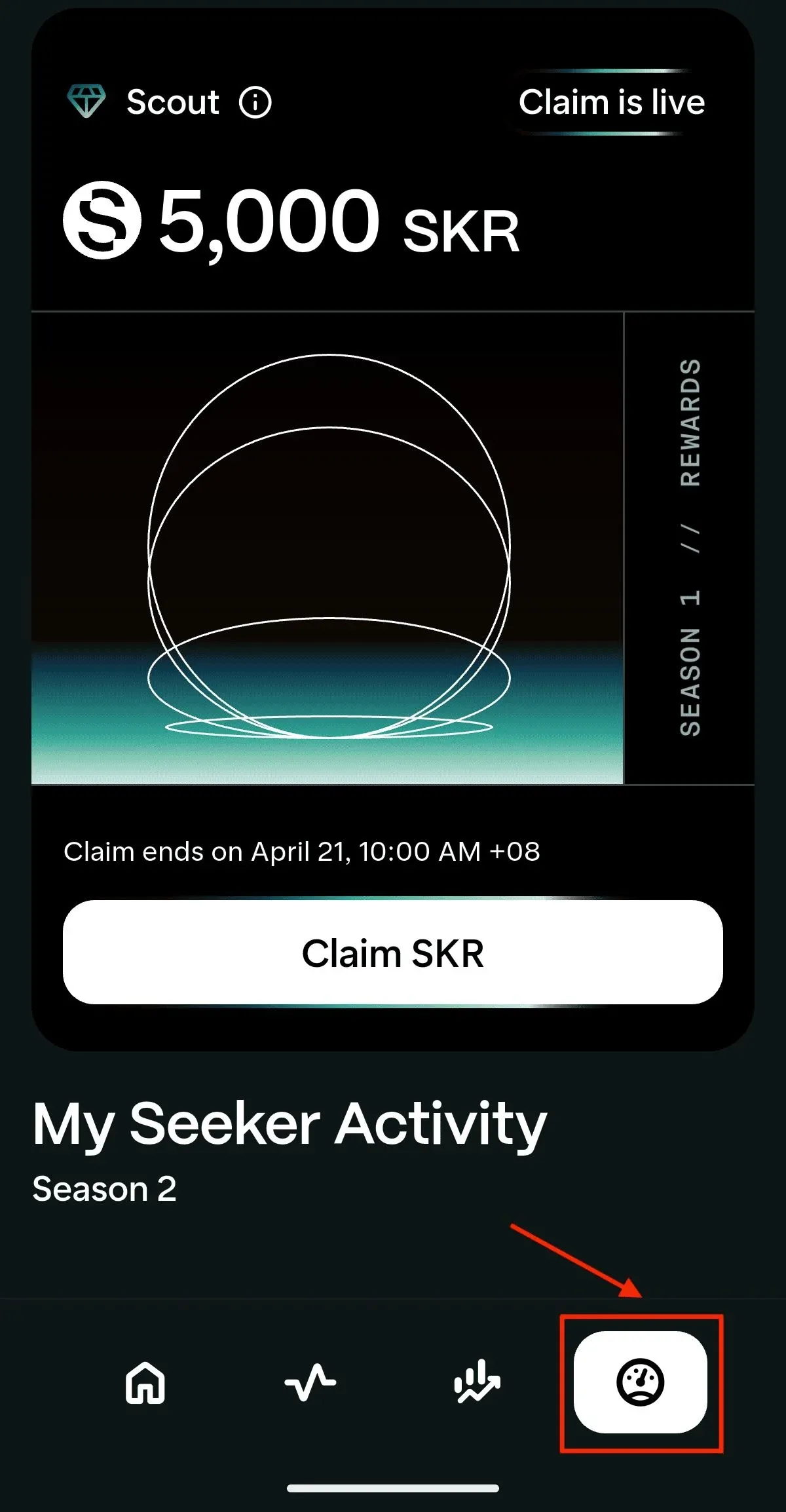
- Navigate to the Activity Tracking tab in the upper‑right corner.
- Tap the Claim SKR button and confirm the transaction.
- The system will automatically deduct approximately 0.015 SOL for the network fee.
- Once completed, the SKR will be instantly credited to your wallet, and you may immediately stake or transfer them.
Developer‑only: If you launched a qualifying application on the Solana Mobile dApp Store during Season 1, claim the corresponding SKR through the publishing portal.
Core Functions of the SKR Token
SKR is an SPL token on Solana that serves multiple purposes:
- Governance rights – Holders can vote on critical ecosystem decisions such as app curation and incentive schemes.
- Staking and rewards – The airdropped tokens can be staked right away; during the first 48‑hour inflation period, rewards are earned with zero commission.
- Economic incentives – SKR links Seeker users, developers, ecosystem custodians, and hardware partners into a multi‑party incentive model.
- Ecosystem distribution – Nearly 2 billion SKR (20 % of total supply) are airdropped directly to qualified users and developers, driving network growth.
Through these mechanisms, Seeker and SKR together form a device‑centric mobile Web3 ecosystem where ownership, participation, and governance are tightly bound to phone‑based activity.
Optional Step: Staking SKR
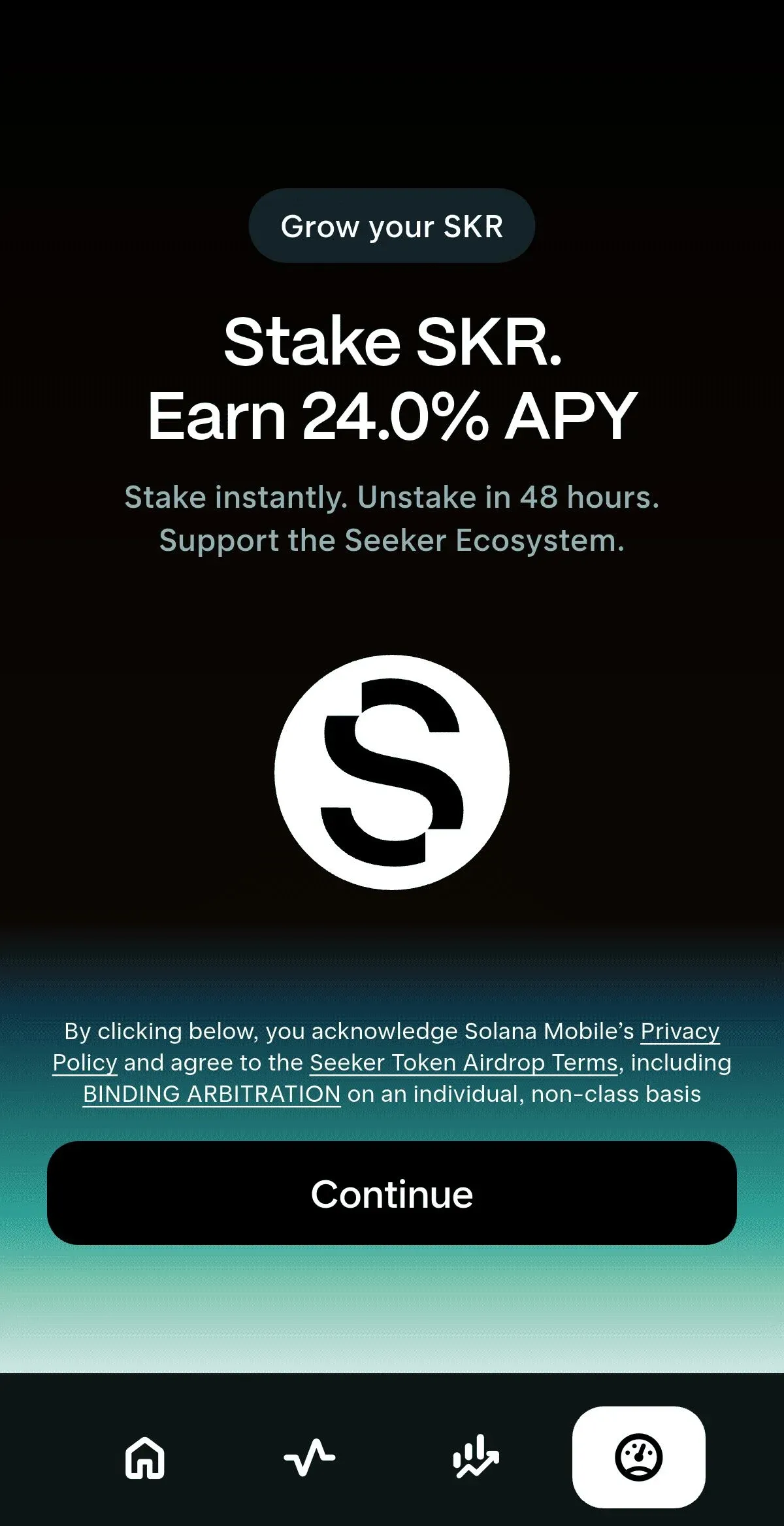
After the airdrop, you may stake SKR directly on the device or via the desktop portal.
- Verify that the SKR balance appears in the Seed Vault Wallet (unstaked tokens cannot be delegated).
- Open the SKR Staking feature inside the wallet.
- Choose a guardian or validator node, or select the system‑recommended default option.
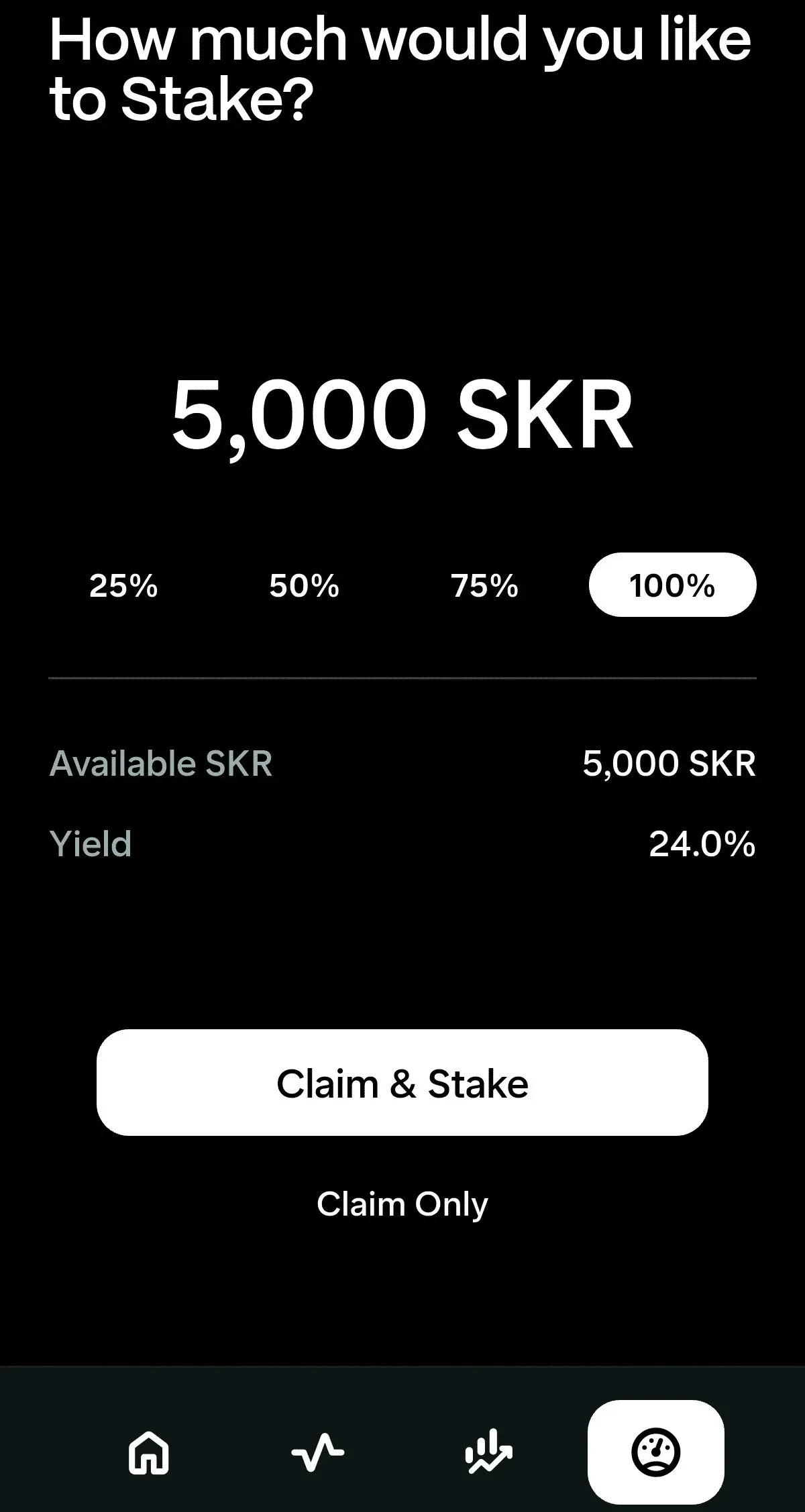
- Enter the amount of SKR you wish to stake and confirm the transaction.
- Staking becomes effective immediately; every 48‑hour inflation event will allocate rewards, with an initial commission rate of 0 %.
Unstaking: You can initiate unstaking at any time, but a 48‑hour cooldown period applies during which rewards pause. After the cooldown, the tokens become withdrawable.
Common Pitfalls and Security Reminders
During the claim and subsequent actions, follow this checklist to protect your assets:
- Reject external links – The entire SKR claim process occurs within the Seeker device; you will never be asked to log in on a website or click an external link. Any request to visit a third‑party site is likely a scam.
- Confirm the correct navigation path – Open Seed Vault Wallet → right‑hand menu or Activity Tracking to see the SKR allocation. Avoid signing transactions outside the wallet environment.
- Mind the claim deadline – The 90‑day window cannot be extended. Tokens not claimed by April 20 2026 will be reclaimed. Set a reminder to complete the process before the deadline.
- Maintain a small SOL reserve – Keep roughly 0.001–0.01 SOL in the wallet to cover transaction fees; insufficient balance will cause the claim to fail.
- Verify the token contract – Interact only with the officially published contract address to avoid counterfeit tokens.
- Plan for price volatility – Airdropped tokens often experience sharp price swings. Consider splitting your actions into smaller batches or waiting for sufficient liquidity before executing large trades.
Adhering to these points, together with the device’s built‑in security flow, will maximize the safety of your SKR allocation.
Closing Remarks
The Seeker (SKR) airdrop grants early Seeker phone users and Season 1 developers a direct stake in the ecosystem. With SKR now listed on major centralized exchanges and Solana‑based DEXs, and backed by roughly USD 50 000 of trading incentives from Jupiter, the token enjoys improved liquidity and visibility, allowing holders to stake, hold, or trade more conveniently.
Nevertheless, the long‑term value of SKR remains dependent on the market adoption of Seeker hardware, the growth of ecosystem developers, and real‑world on‑chain usage. As with any airdrop, price fluctuations are inevitable. Complete the claim within the stipulated period, assess your personal risk tolerance, and decide whether to retain the tokens for governance and staking rewards or to trade them once liquidity stabilizes.
Tax note: Crypto gains, including any realized profit from SKR, may be subject to taxation in your jurisdiction. Be sure to consult local tax regulations or a qualified professional.
For further details on claiming SKR, you can search for previous Bitaigen (比特根) articles or continue scrolling through the related content below. Thank you for your ongoing interest and support of Bitaigen (比特根)!
Related Reading
- Seeker (SKR) Review: Tech, Ecosystem & Market Outlook
- Solana Tokens 2026: Top Coins & Firedancer Upgrade
- Seeker (SKR) Review: Solana Mobile Web3 Token Analysis
💡 Register on Binance with referral code B2345 for the maximum trading fee discount. See Binance complete guide.



