
 Bitaigen Research
 How to Transfer Crypto to Someone Else on Binance?
On the Binance app home page, tap Wallet, go to Withdraw, enter the recipient’s phone number, email address, or Binance ID, confirm the details, and the transfer will be completed to the other person’s Binance account.
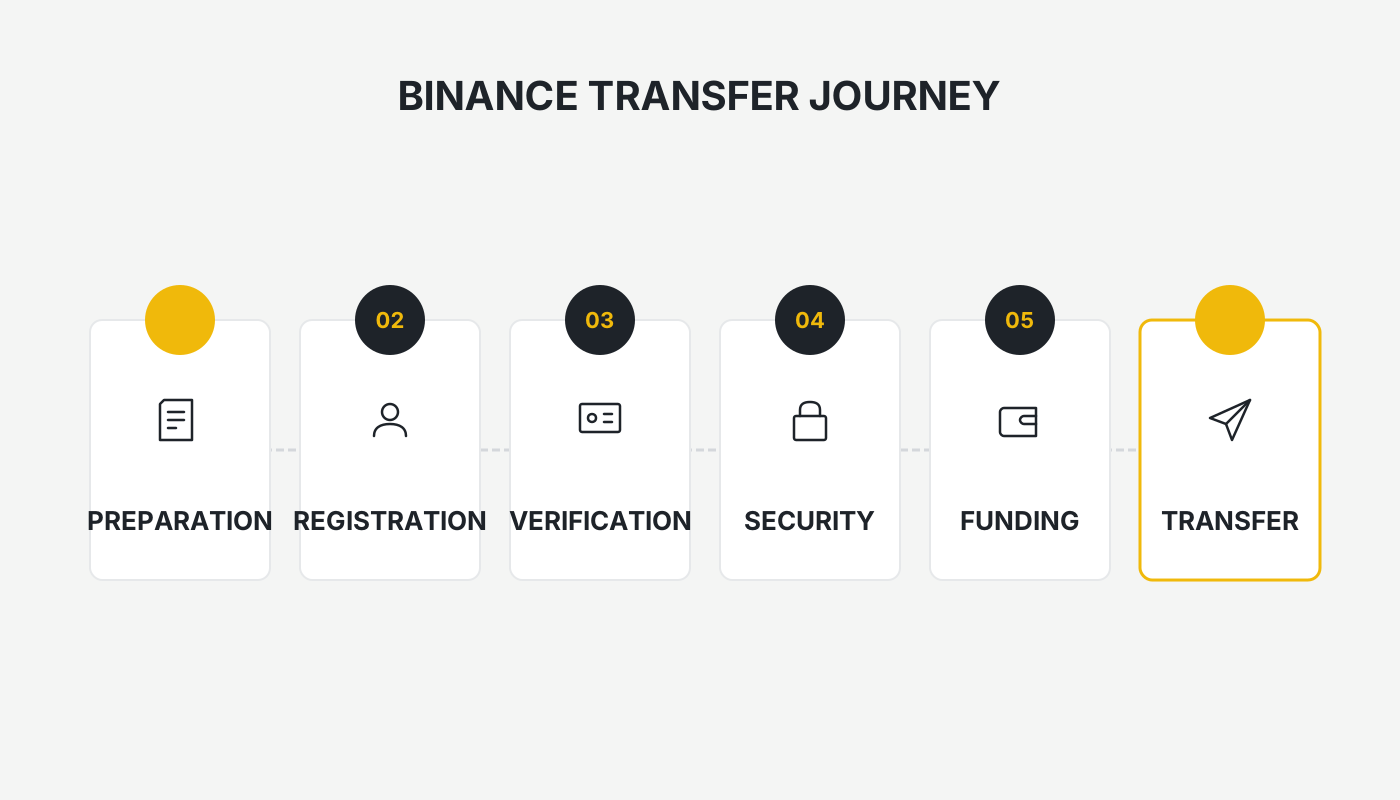
In this article we systematically outline the entire internal‑transfer workflow on Binance, explain how withdrawal fees are calculated, describe the steps to take if you send funds to the wrong address, and share common risk‑mitigation tips. The goal is to help users avoid common pitfalls, improve efficiency, and master the key points of safe crypto transfers.
Binance Exchange App Download and Feature‑Usage Guide (Detailed Walkthrough)
How to Download the Binance Exchange in Mainland China – Official Links
All the links below are provided by Binance and are considered safe:
- Binance referral code: `B2345`
- Official Binance website: <https://accounts.binance.com/register?ref=B2345>
- Binance app download page: <https://www.bitaigen.com/binance/download>
*Can you still use Binance in China in 2026?* The latest registration tutorial (including the mainland China registration process)
*What is Binance?* Is it a scam? Official download and registration guide (2026 edition)
*How to download the Binance app for iPhone in China?* Step‑by‑step tutorial
How to Transfer Crypto to Someone Else on Binance?
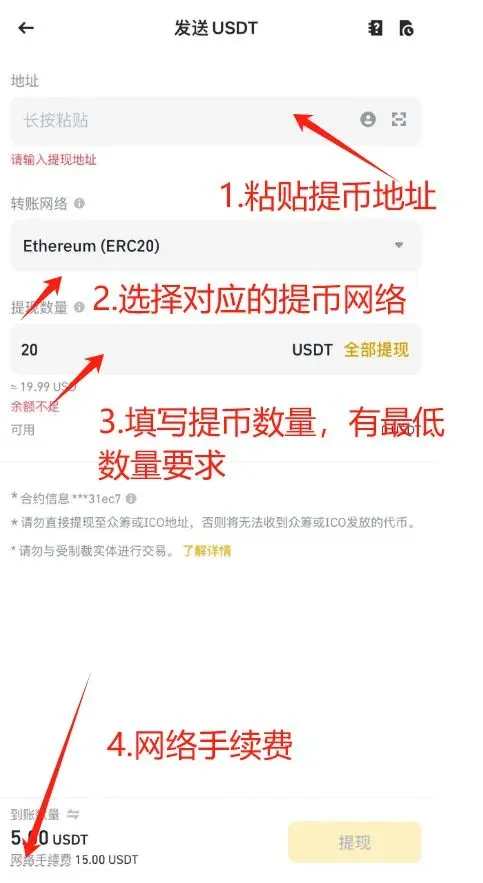
- Open the Binance app, then use the bottom navigation bar to select Wallet → Spot Wallet → Withdraw.
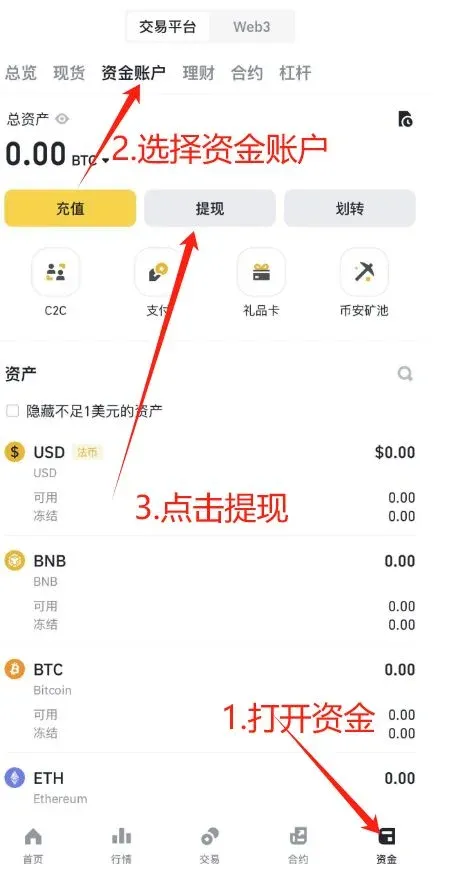
- Select the withdrawal asset: using USDT as an example, tap the corresponding coin.
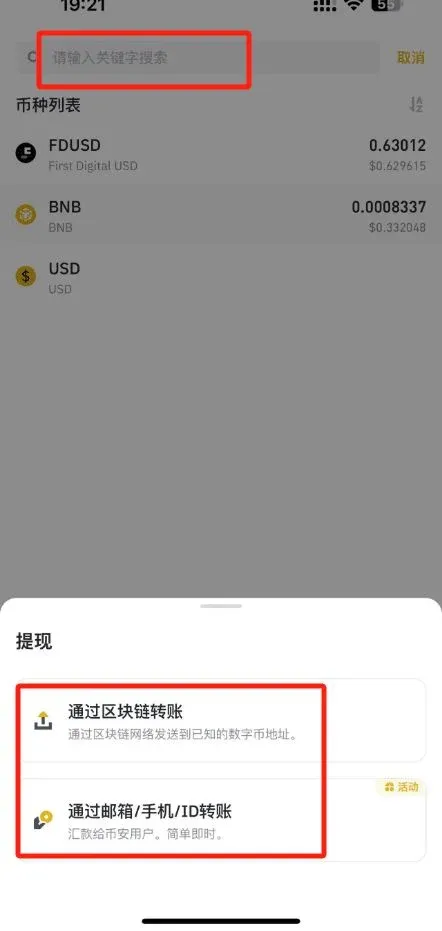
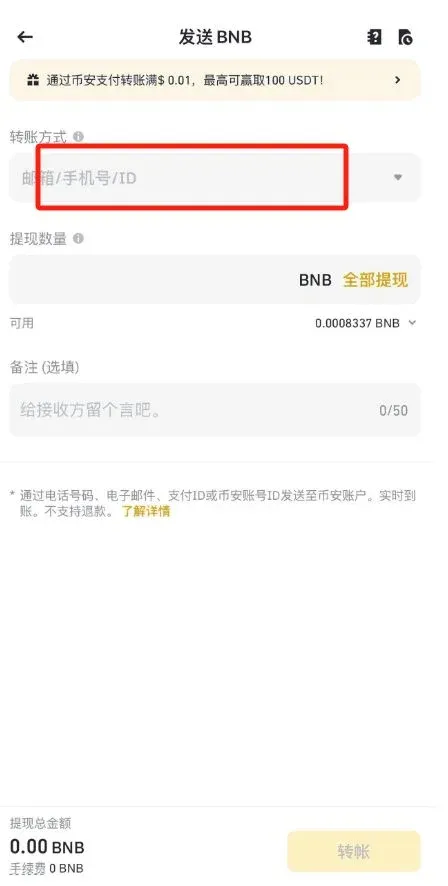
- Enter the withdrawal details
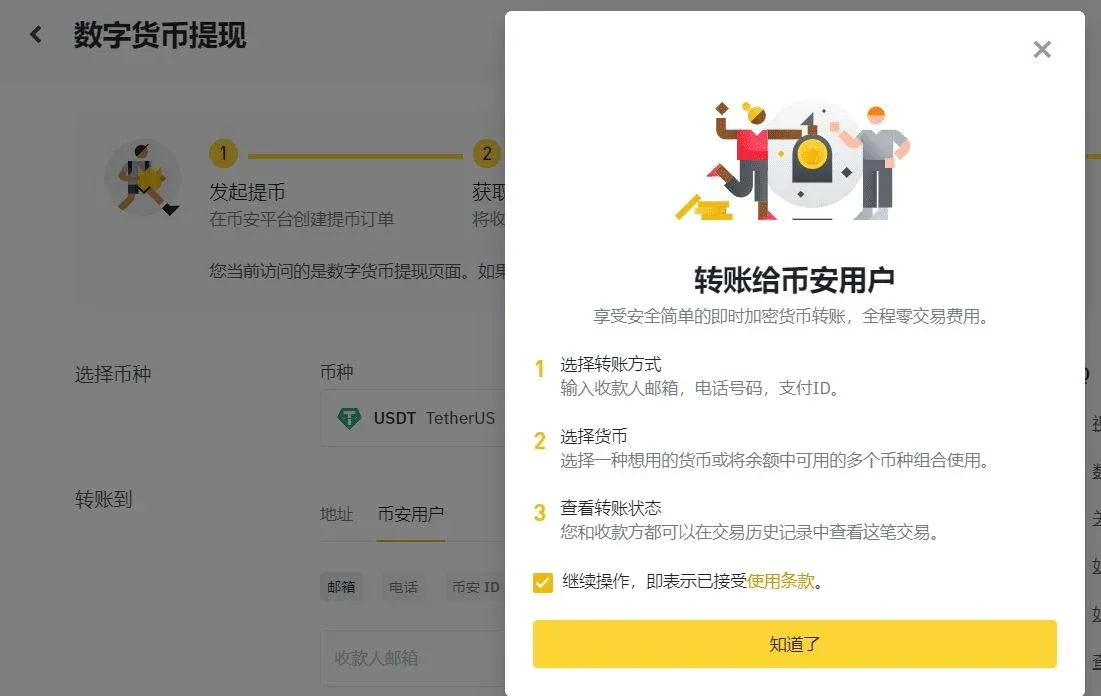
- Withdrawal type: For on‑chain withdrawals you must provide the receiving address and amount; for internal transfers you only need the recipient’s email, phone number, or Binance ID.
- Network selection: Choose the network that the receiving wallet or exchange supports. Common networks are listed in the table below:
| Network | Full name | Remarks |
|---|---|---|
| **BEP20** | BNB Smart Chain (BSC) | Low fees |
| **ERC20** | Ethereum network (ETH) | High compatibility |
| **TRC20** | TRON network | Fast and cheap |
| **EOS** | EOS network | Requires MEMO |
| **BTC** | Bitcoin network | Legacy chain |
| **BTC (SegWit)** | Native SegWit (bech32) | Addresses start with “bc1” |
Note: If you choose a network that requires a MEMO (e.g., XRP, EOS), be sure to fill in the correct MEMO; otherwise the assets may never appear in the destination account.
- Internal transfer: Only the recipient’s email / phone number / Binance ID is required; no network information is needed.
- External withdrawal: Double‑check that the receiving platform supports the selected network and token contract address.
- Apply a referral code: Enter the code YISPALEX on the withdrawal screen to receive a 20 % reduction on the fee.
Binance Cryptocurrency Withdrawal Fees
Overview of Withdrawal Fees
The withdrawal fee charged by Binance is actually paid to the underlying blockchain’s miners or validators. It guarantees that the transaction is confirmed in a timely manner. Fees fluctuate according to network congestion, and Binance displays the current fee on the withdrawal screen before you submit the request.
Minimum Withdrawal Amount
Each digital asset has a minimum withdrawal amount. The amount you wish to withdraw must be greater than this threshold. Exact figures and the corresponding fees can be found on the “Deposit & Withdrawal Fees” page; the information is updated dynamically as network conditions change.
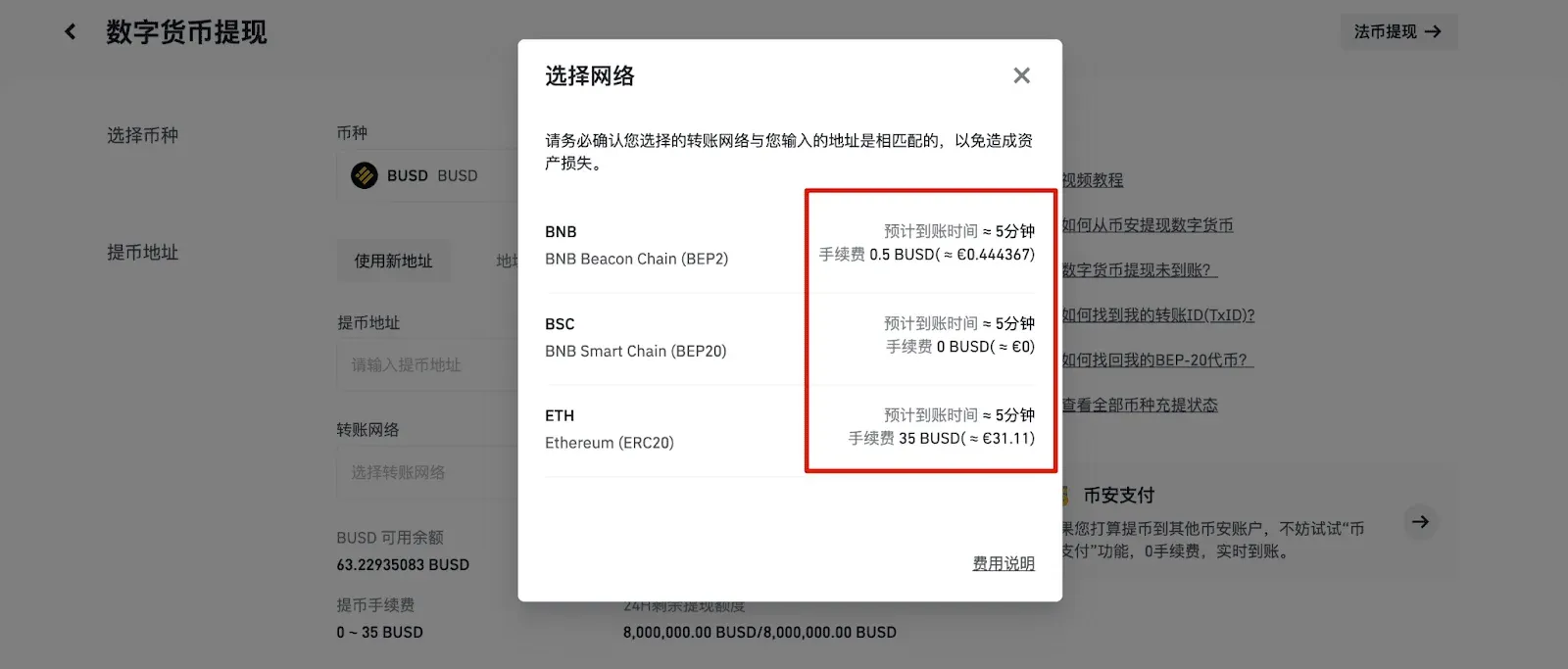
Fees and minimum amounts differ across networks. For example, the rates for BEP20, BEP2, and ERC20 can vary dramatically. Always pick a network that is compatible with the external wallet; using an incompatible network may result in assets that are unrecoverable.
What to Do If the Transaction Shows “Confirmed on‑chain” but the Funds Have Not Arrived?
Once a withdrawal is marked Successful, it cannot be cancelled. If you encounter any of the following situations, follow the corresponding troubleshooting steps:
- The receiving platform does not support the chosen network or token
- Verify that the destination platform has enabled deposits for the selected network and token. If it does not, the assets may never be credited; you will need to contact the platform’s support team for assistance.
- Withdrawal sent to an incompatible wallet
- Check whether the wallet has the appropriate network added (e.g., BSC, ERC20). If the network is missing, the assets remain on the blockchain and can be recovered by adding the network or importing the private key.
- The receiving platform has not yet credited the deposit
- On‑chain confirmations and a platform’s internal confirmations are not always the same. For instance, Bitcoin typically requires 1 on‑chain confirmation to be considered final, but many exchanges wait for 2–3 confirmations before showing the balance. Wait until the platform completes its internal verification.
What If I Sent a Withdrawal to the Wrong Address?
After a withdrawal request is submitted, it enters an automated execution flow that cannot be stopped. If you entered an incorrect address, Binance cannot trace or reverse the transaction. You can try the following remedies:
- Contact the address owner: If you know who controls the wrong address, negotiate a return.
- Reach out to the wrong platform’s support: If the funds landed on another exchange, provide the TxID (transaction hash) and ask for assistance.
- Forgot to include a MEMO: Supply the TxID to the receiving platform; they may be able to locate the funds using the hash.
- BEP20 token sent to a non‑BSC wallet: Follow the recovery guide below.
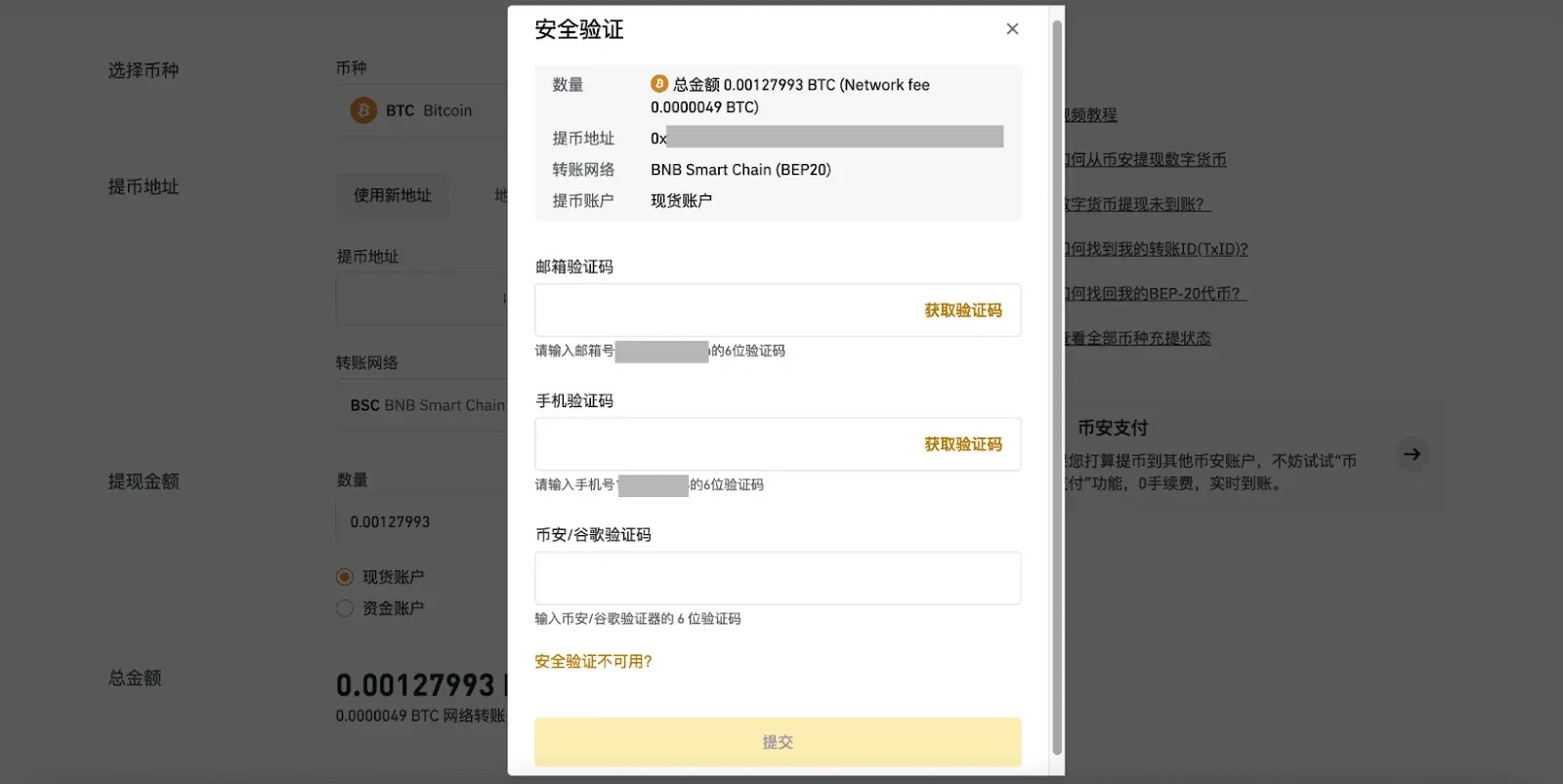
How to Recover BEP20 Tokens Sent to a Wallet That Does Not Support the BSC Network?
BEP20 is the token standard on the Binance Smart Chain (BSC). If you mistakenly sent BEP20 tokens to a wallet that does not recognize BSC, you can attempt to retrieve them using the steps below:
- Add the BSC network to the wallet
- For MetaMask, open Settings → Networks → Add Network, then input the BSC mainnet RPC details (available from Binance Academy). Switch to the BSC network and the missing tokens should become visible.
- Import the private key or seed phrase into a BSC‑compatible wallet
- Wallets that support BSC include Binance Chain Extension Wallet, Trust Wallet, MetaMask (with BSC added), etc.
- Recovery methods
- Seed‑phrase recovery: Choose “I already have a wallet”, paste the original seed phrase, and the wallet will reconstruct the same address on BSC.
- Private‑key import: Choose “I don’t have a wallet”, create a new one, then go to Settings → Import Private Key and paste the key from the original wallet.
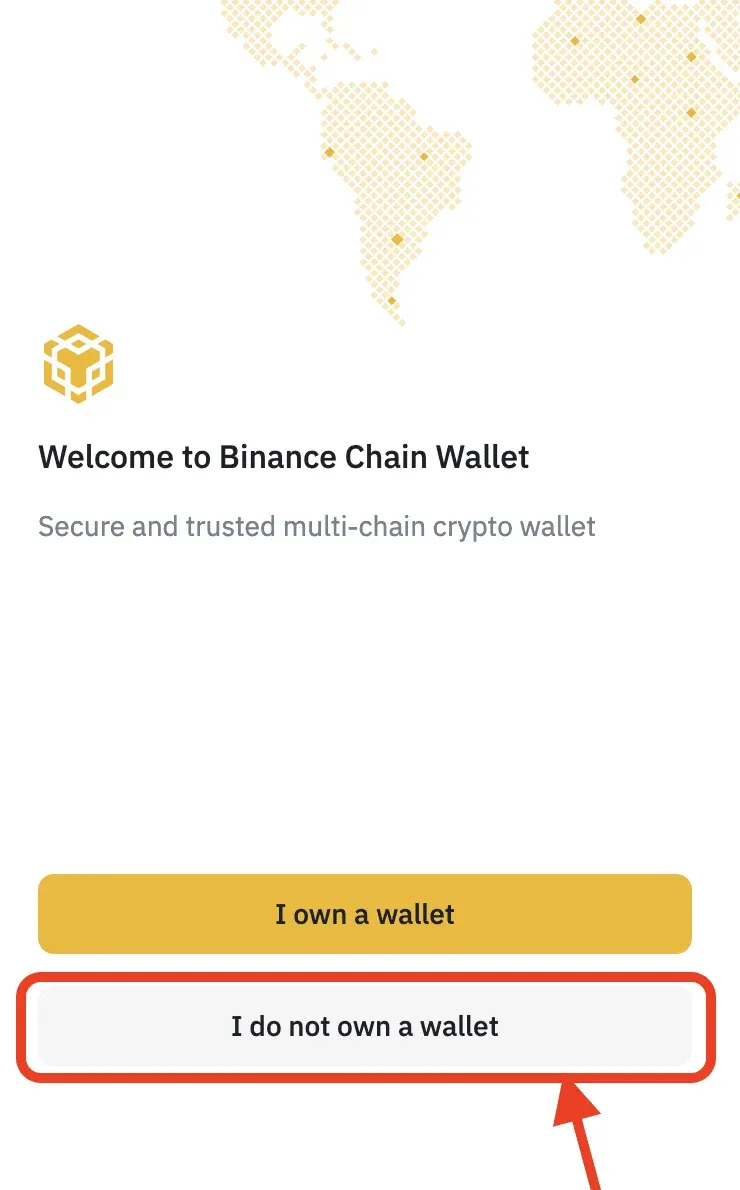
- Ensure you have BNB for gas
- Transactions on the BSC network require BNB as gas. Make sure the recovered wallet holds a small amount of BNB to cover the fee before you attempt to move the tokens out or withdraw them again.
Binance Security Department – Selected Tutorials
- How to Buy Crypto on Binance: Limit orders, market orders, stop‑loss/take‑profit, OCO order guide
- Binance Registration & Download Tutorial: Full steps for Android and iOS versions
- Complete Binance Mobile App Registration Process: Account opening, identity verification, security settings, C2C funding (including a 20 % rebate)
Important for U.S. Users: Residents of the United States must use Binance.US rather than the global Binance platform, as the latter is not available to U.S. customers.
Fiat Withdrawal Note: When you need to convert crypto to fiat, Binance supports withdrawals in USD via SEPA (for European banks) or SWIFT (for worldwide banks). Choose the appropriate method based on your bank’s capabilities.
Tax Disclaimer: Cryptocurrency transactions may generate taxable events (e.g., capital gains, income) under the tax laws of your jurisdiction. Users should consult a qualified tax professional to understand their obligations.
That concludes the comprehensive guide compiled by Bitaigen editors titled “How to Transfer Crypto to Someone Else on Binance? Withdrawal Fees, Sending to a Wrong Address, and Asset Recovery.” We wish you a smooth experience!
💡 Register on Binance with referral code B2345 for the maximum trading fee discount. See Binance complete guide.



