
 Bitaigen Research
In today’s crypto ecosystem, mastering the creation and operation of a Web3 on‑chain wallet, becoming familiar with the on‑chain token purchase process, and possessing a certain level of data‑analysis capability have become essential steps for capturing investment opportunities.
Bybit co‑founder and CEO Ben Zhou noted on X: “Last weekend, massive amounts of SOL and USDC moved from centralized exchanges onto the chain to snap up TRUMP. Moonshoot + Meteora/Jupiter issued more than $30 billion worth of the meme coin TRUMP in under 10 hours, and the entire process required no CEX at all. We are accelerating development of on‑chain wallets and charting tools—if you don’t join this shift you’ll be left behind.”
On the same day, Blockworks data analyst Dan Smith disclosed on X that the daily trading volume on Solana’s decentralized exchanges (DEXs) hit a new high of $33.6 billion. Of that, TRUMP‑related tokens accounted for $9.6 billion, the SOL‑USD pair contributed $10.4 billion, and stablecoin swaps added $850 million. These figures illustrate the vibrancy of the Solana ecosystem and the community’s enthusiasm for decentralized platforms.
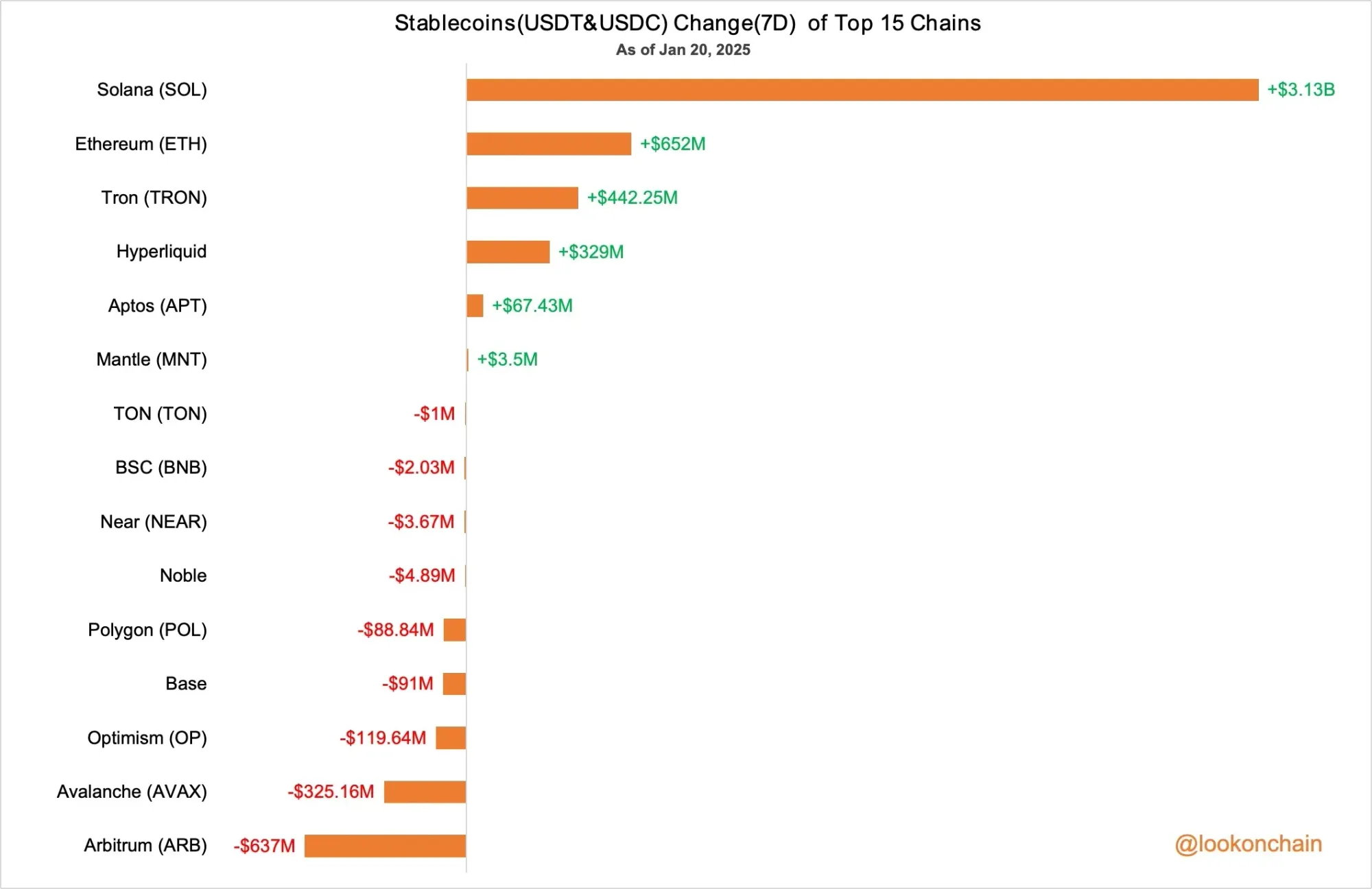
Moreover, Lookonchain statistics show that in the past seven days the total USDT and USDC balances on Solana grew by $3.13 billion, further underscoring continued market confidence in the ecosystem.
Because many newcomers have been asking for help, the Bitaigen editorial team prepared two tutorial pathways using SOL as an example:
- For “veterans” who already have experience with centralized exchanges: Demonstrate how to withdraw from an exchange and, when SOL withdrawals are restricted, how to use cross‑chain methods to complete the transfer.
- For complete beginners with no on‑chain experience: Walk through the creation of a Web3 wallet from scratch, the token‑purchase flow on‑chain, and recommendations for common on‑chain tools.
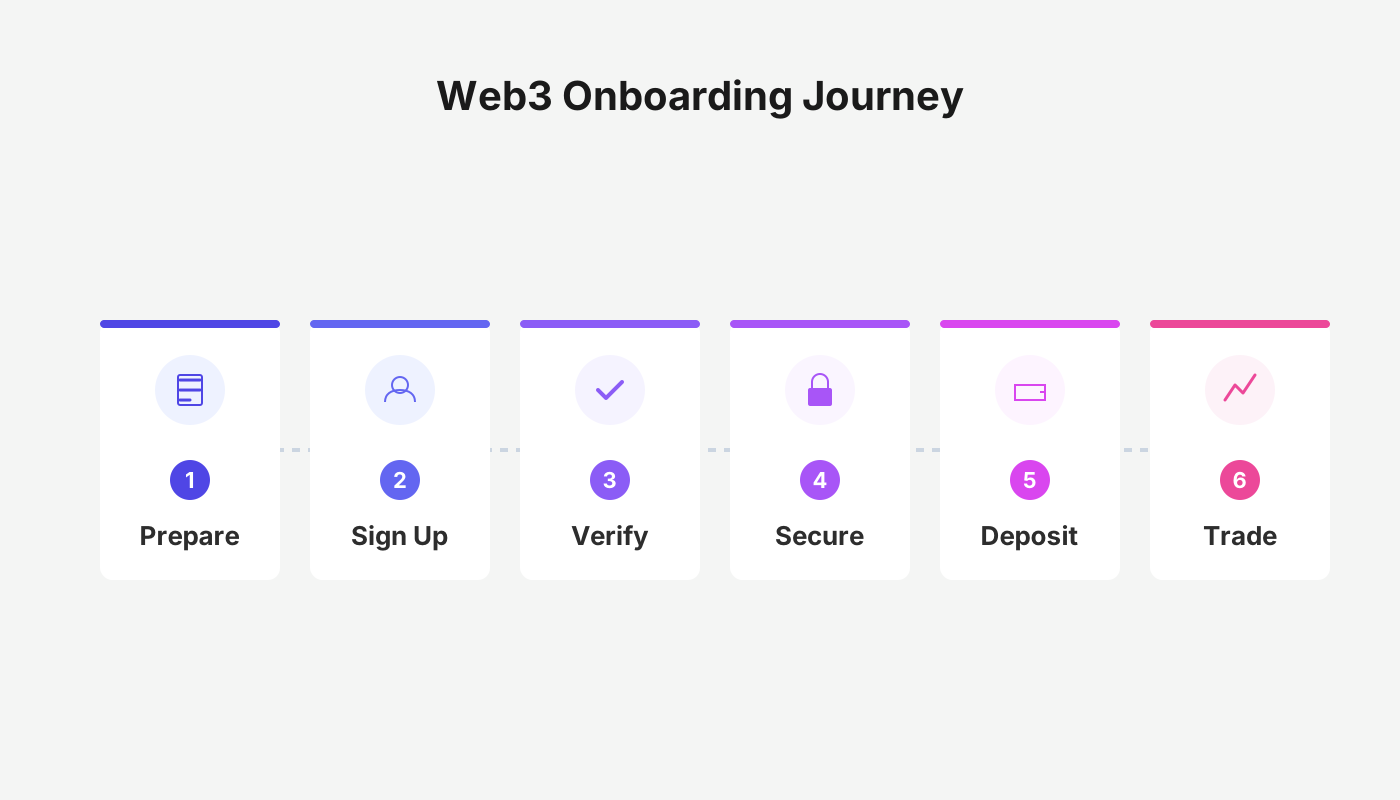
In this article we outline the full process—from creating a Web3 wallet from zero, to purchasing on‑chain tokens, to obtaining SOL via cross‑chain methods—accompanied by screenshots and key cautions to help beginners get up to speed and understand the underlying ecosystem logic. To seize decentralized investment opportunities, we recommend continuing to read.
Having an On‑Chain Wallet Is a Prerequisite
On‑chain trading differs from centralized exchange trading; participants must own their own on‑chain wallet. For users who are just stepping into crypto, creating a wallet is the first step toward market participation. The two most popular wallets today are Phantom and the OKX Web3 wallet, with Phantom even surpassing Coinbase in download rankings on the U.S. iOS App Store, indicating its strong popularity. Below we demonstrate wallet creation on a mobile device (desktop steps are analogous).
Creating a Phantom Wallet
STEP 1. Visit the appropriate app store, download the Phantom app, open it and select “Create New Wallet,” then tap “Choose Seed‑Phrase Wallet.”
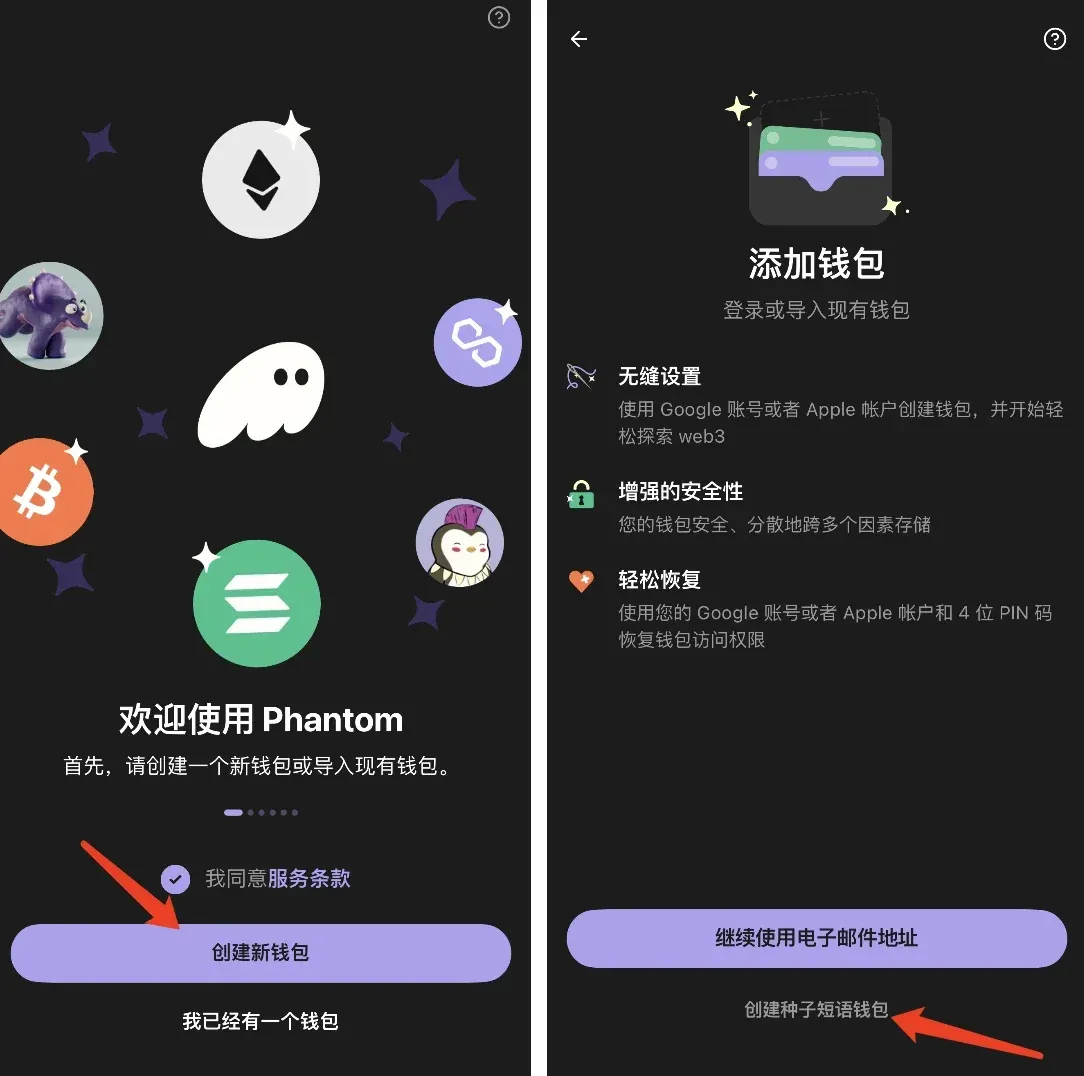
STEP 2. Record the mnemonic phrase; it is strongly recommended to write it down on paper—this is the only recovery method, and it must never be shared with anyone.
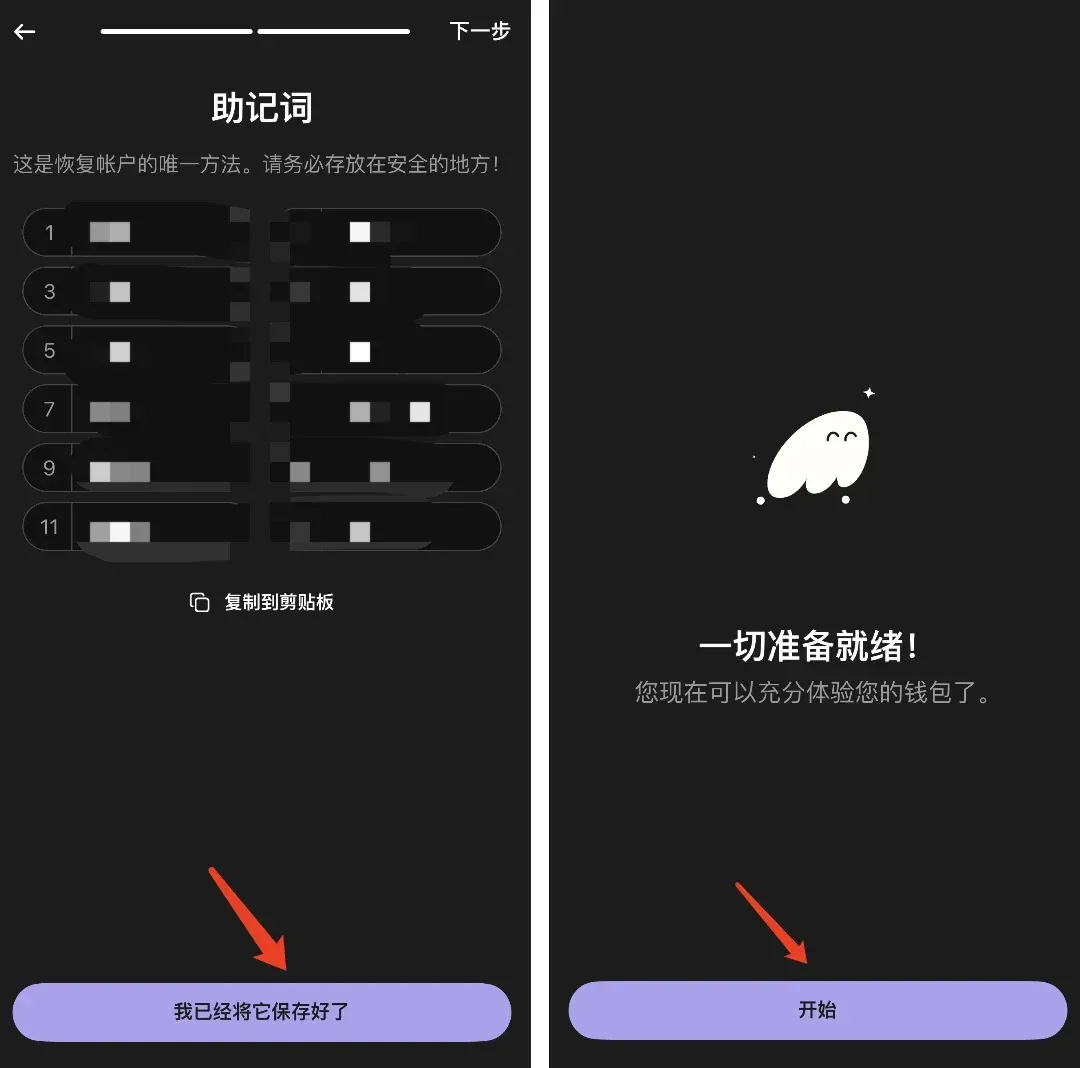
STEP 3. After completion you can view and copy your wallet address.
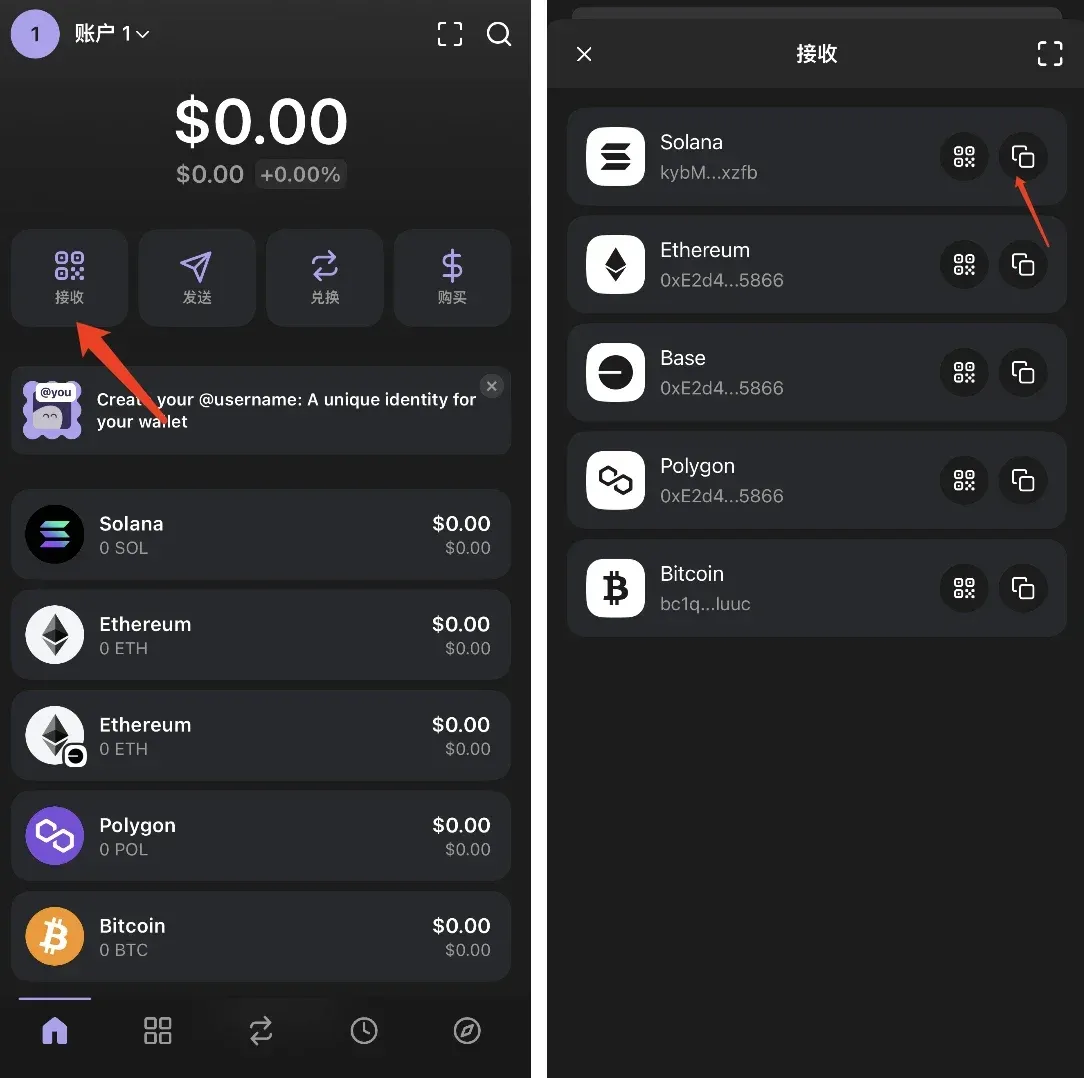
Creating an OKX Web3 Wallet
STEP 1. Open the OKX app (official registration: https://www.okx.com/zh-hans/join/B2345 [official download: https://www.bitaigen.com/binance/download]), switch to “Web3 Wallet,” and tap “Create Wallet.”
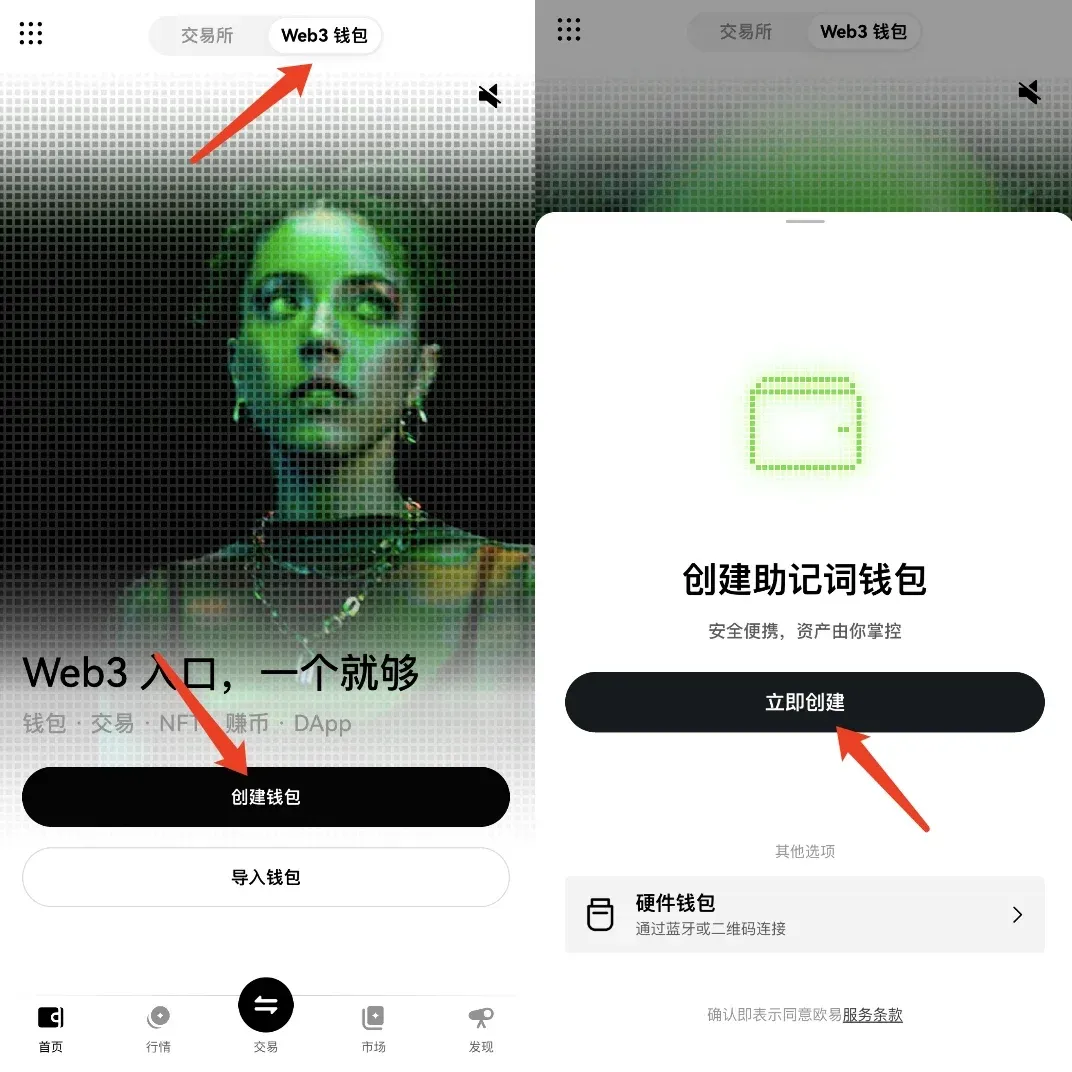
STEP 2. Manually back up the mnemonic phrase and store it securely.
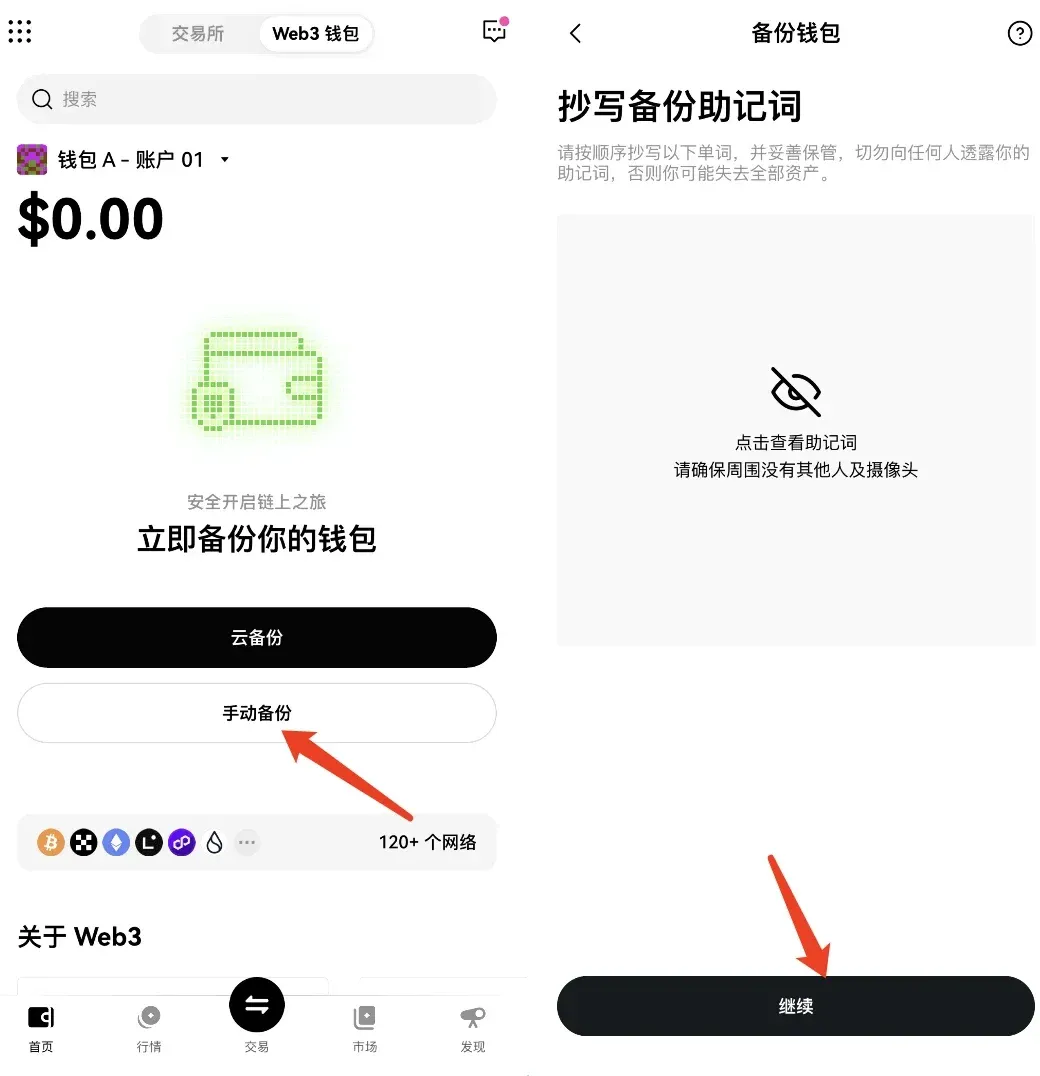
STEP 3. Retrieve and copy your wallet address.
Reminder: The mnemonic phrase is extremely important—store it safely.
Withdrawing from Exchanges to On‑Chain Wallets
Withdrawing SOL from an Exchange to an On‑Chain Wallet
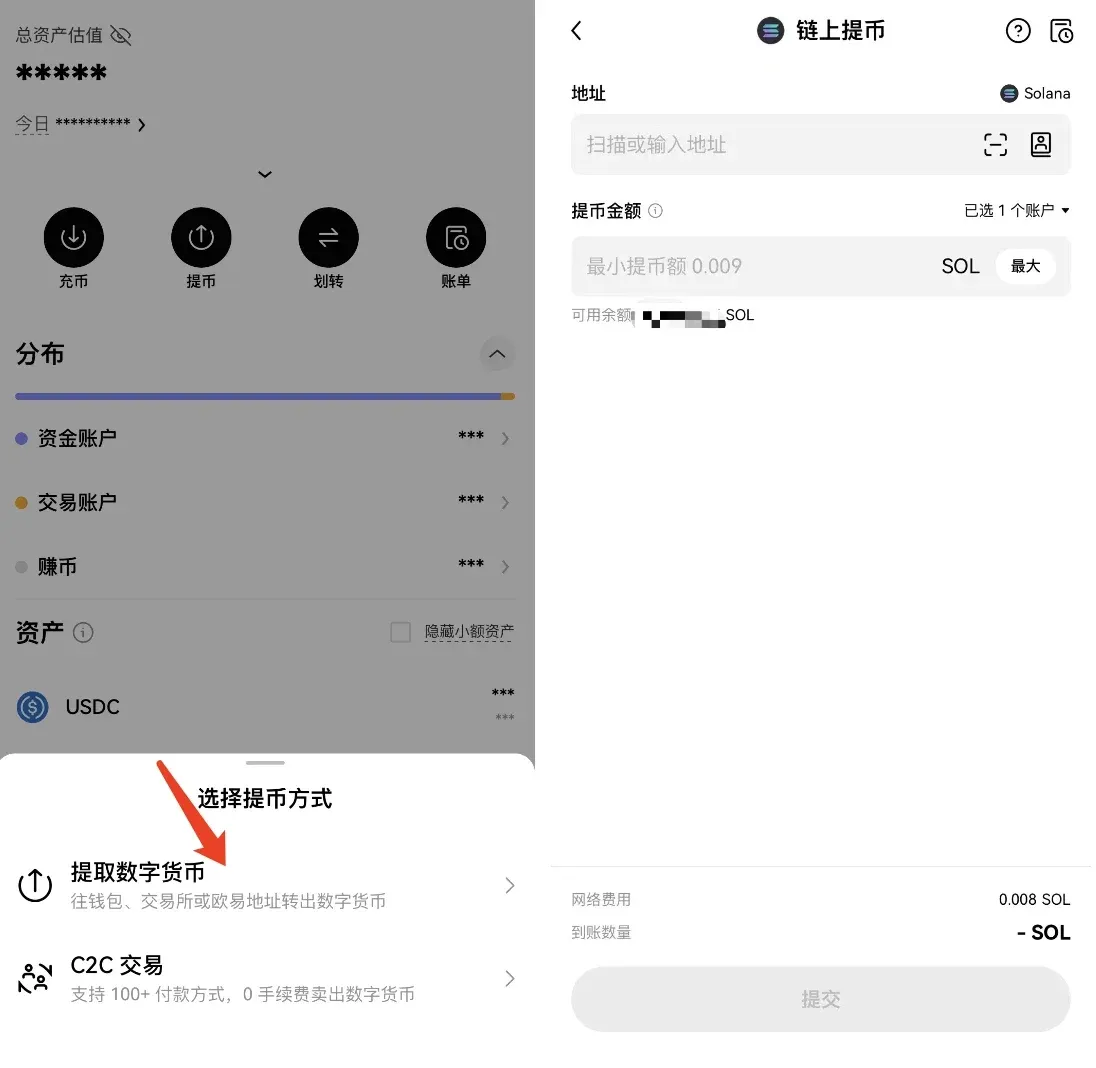
Using OKX as an example, log in, navigate to the “Withdraw” page, select “Withdraw Digital Asset,” choose SOL from the token list, and paste the wallet address obtained earlier (note that different tokens may have multiple chain options; be sure to confirm the correct network when withdrawing).
If Withdrawals Are Paused, How to Obtain SOL via Cross‑Chain Methods
When trying to snap up hot tokens in the Solana ecosystem, the common practice is to buy SOL on a centralized exchange and then withdraw it to an on‑chain wallet. However, large‑scale withdrawals can congest or even pause the channel, making cross‑chain withdrawal a crucial skill. Below is a viable cross‑chain approach:
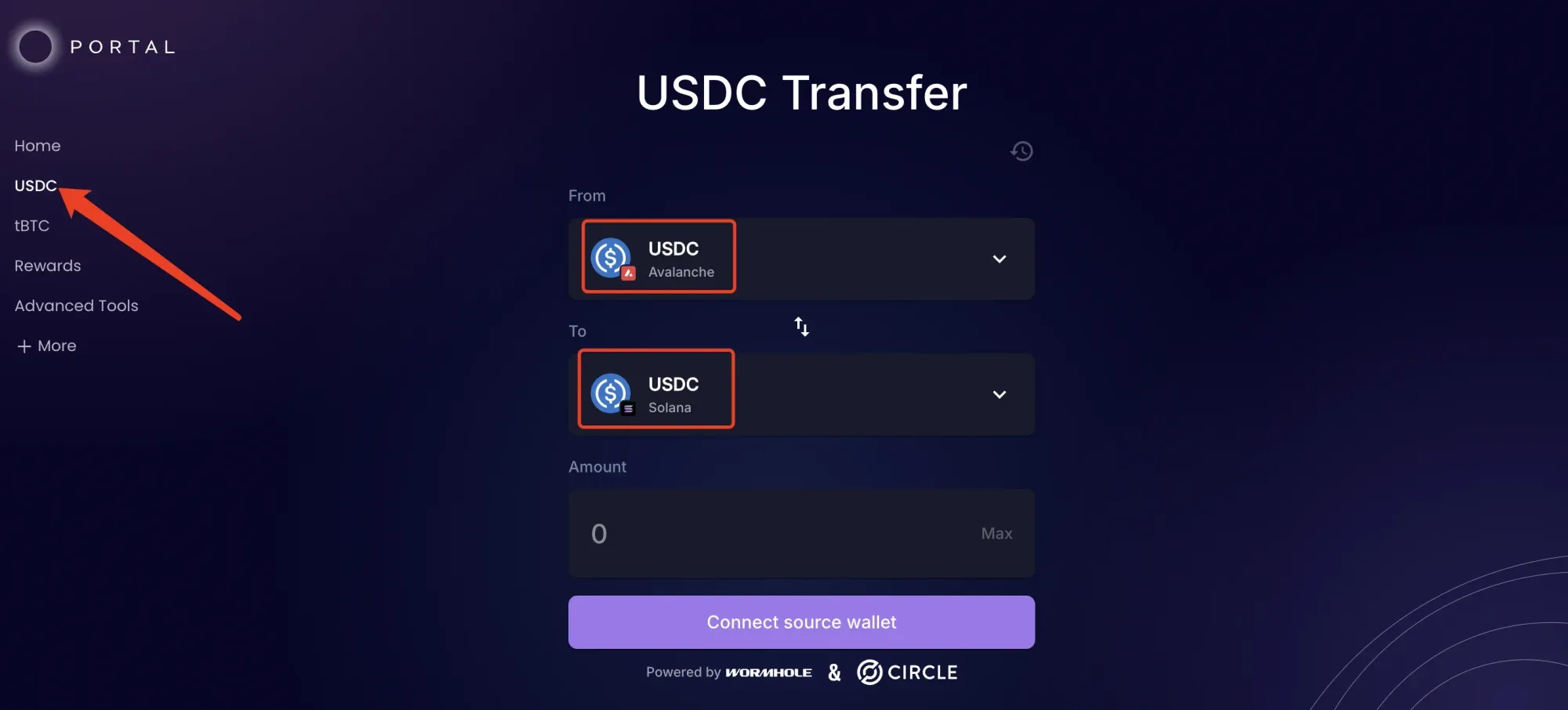
- Cross‑chain bridge URL: https://portalbridge.com/usdc-bridge/
- STEP 1: Transfer USDC from the centralized exchange to one of the supported chains such as Avalanche, Arbitrum, or Optimism (choose any).
- STEP 2: Use the bridge above to move USDC from the selected chain onto Solana (Avalanche is recommended to avoid the longer confirmation times of Ethereum L2s).
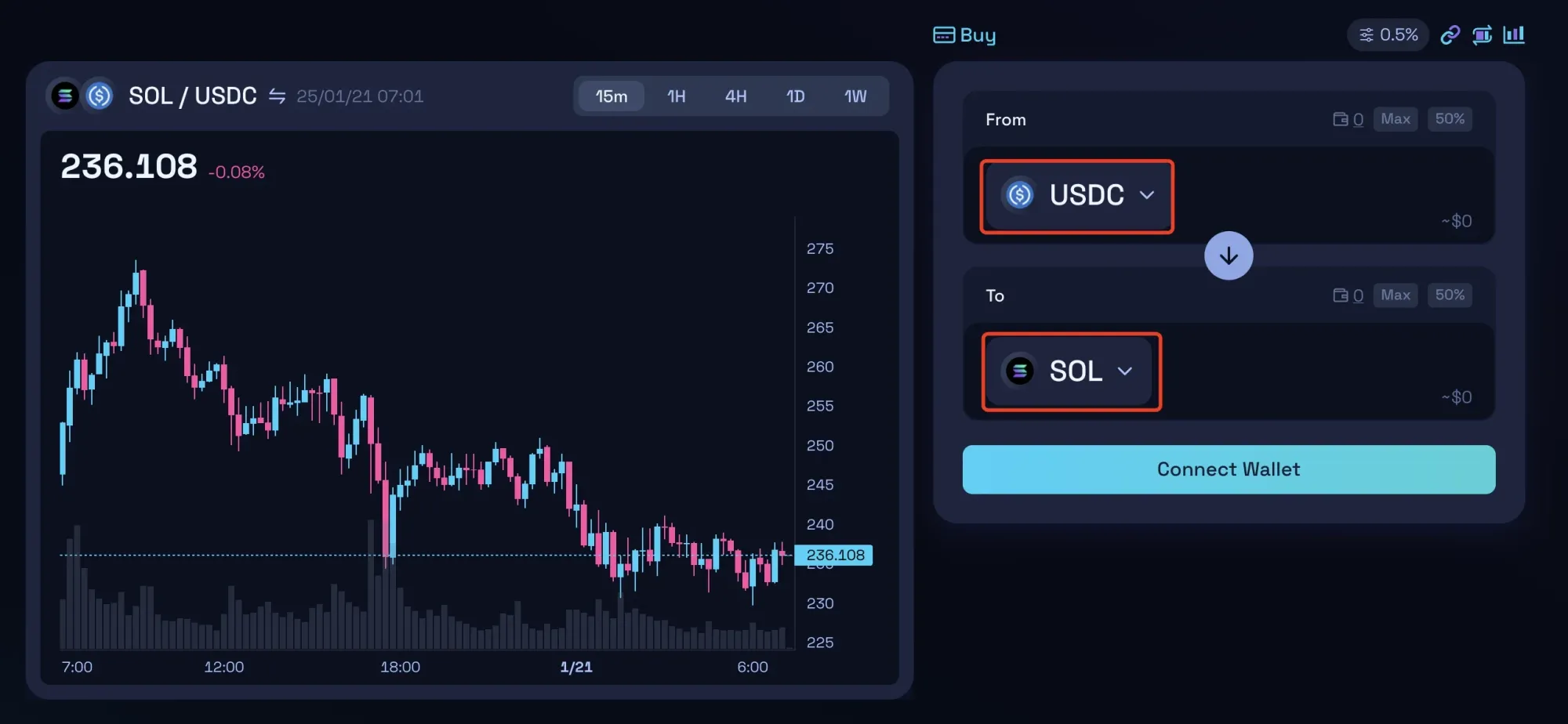
- STEP 3: Once USDC arrives on Solana, swap it for SOL on a DEX such as Raydium (example link: https://raydium.io/swap/).
How to Purchase Popular On‑Chain Tokens
Buying Directly on a DEX
According to DeFiLlama data from January 19, Raydium’s 24‑hour fees surpassed those of Tether, ranking first: Raydium generated $25.24 million in fees, while Tether generated $17.65 million. This demonstrates that Raydium is the primary gateway for token trading within the Solana ecosystem. Users simply need to visit https://raydium.io/swap/, connect their wallet, select the target token, and execute the trade.
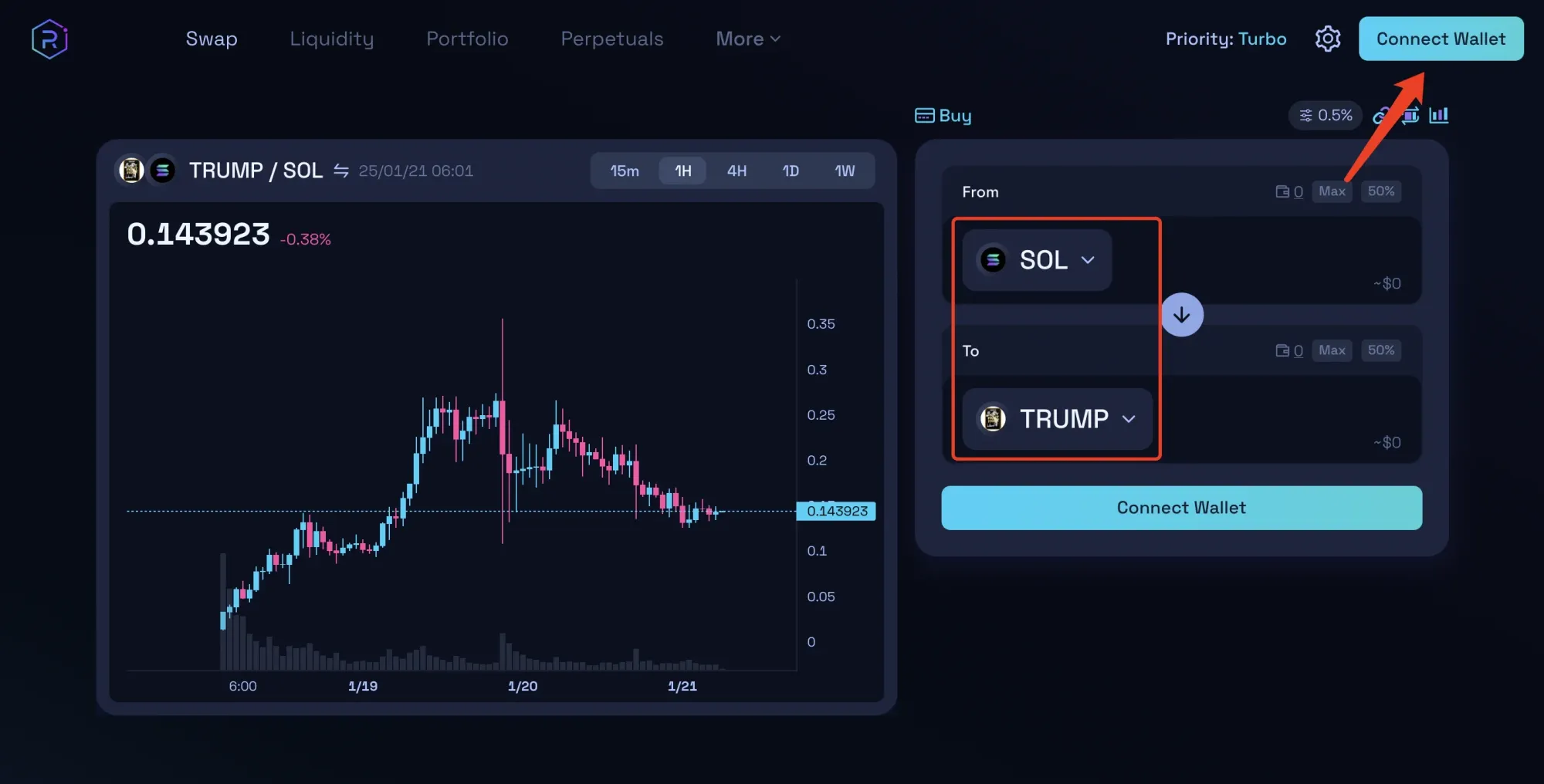
When a project’s trading activity is high and liquidity is tight, relying solely on Raydium may lead to order‑execution difficulty. Moreover, projects lacking fundamental information often require on‑chain metrics—such as token holder distribution, smart‑money inflows, and whether the team is manipulating the market—to assess risk. Blindly chasing “dog‑coins” carries high risk, but mastering on‑chain analysis can markedly improve the odds of success. Therefore, we suggest pairing Raydium with the GMGN platform for more precise decision‑making.
Using the On‑Chain Tool GMGN
GMGN combines a meme‑coin data dashboard with trading functionality. Open the official GMGN site, connect your wallet, and type the target token’s contract address into the search box; the right‑hand panel then allows you to input the amount you wish to buy or sell and complete the transaction.
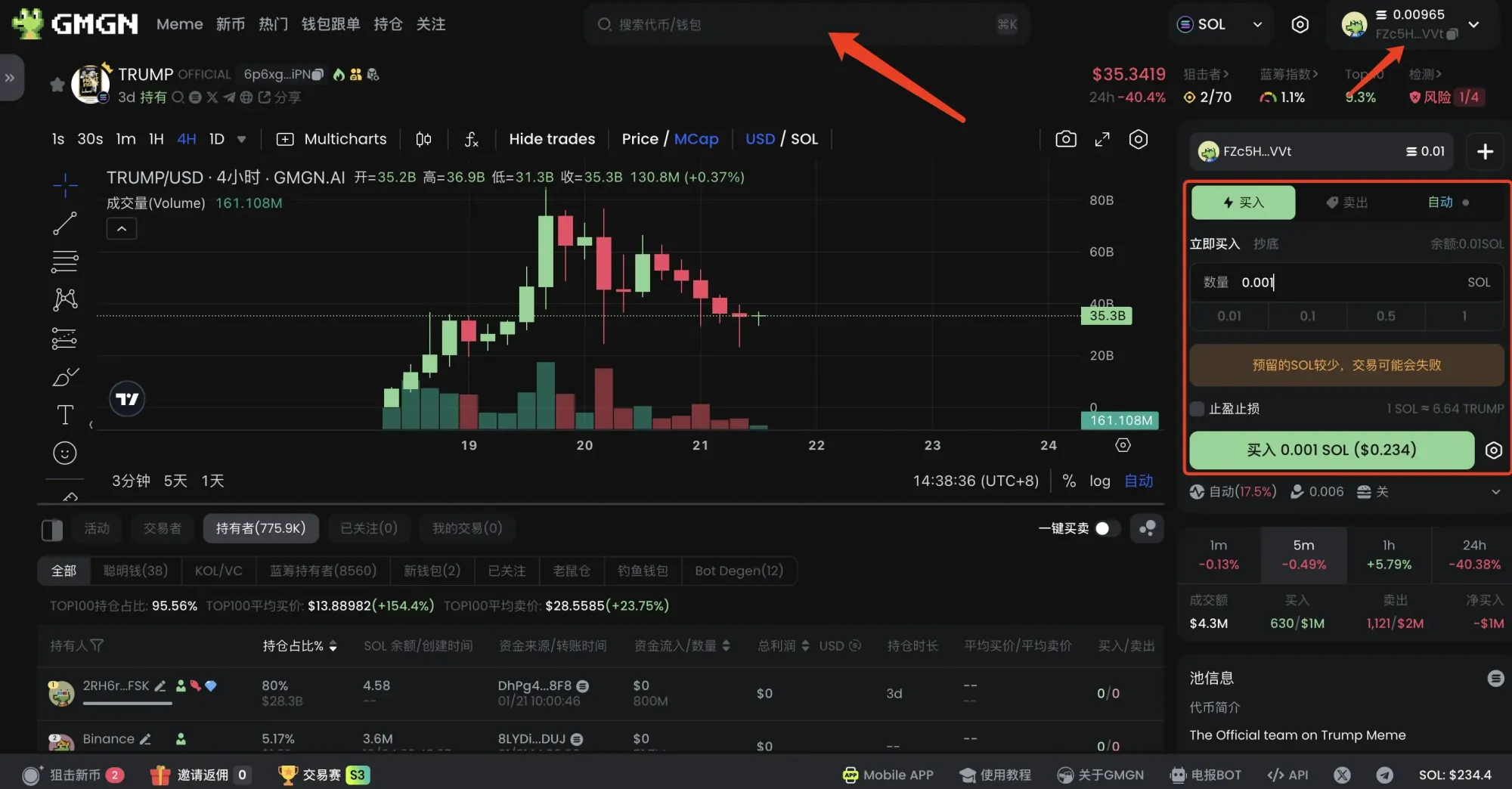
The content above constitutes the complete guide compiled by the Bitaigen editorial team on creating a Web3 wallet, performing cross‑chain withdrawals, and purchasing on‑chain tokens. We wish you smooth sailing and successful trades within the Solana ecosystem.
*Note: Cryptocurrency gains may be subject to tax in your jurisdiction. Users should consult local tax regulations or a qualified professional.*
Related Reading
- Spot Ethereum ETFs: Issuers & SEC Approval Steps
- Bitcoin Valuation Models: Cost, Scarcity, Network & Holding
- How to Transfer USDT (TRC20) from Binance to Bybit – Step-by-Step Guide
💡 Register on Binance with referral code B2345 for the maximum trading fee discount. See Binance complete guide.



