
 Bitaigen Research
 In this article, the Bitaigen editorial team walks you through the complete end‑to‑end process of purchasing OKB on OKEx. We break down each step—from account registration and KYC verification to the quick‑buy entry point and payment channels—with clear screenshots and practical tips, helping newcomers get started quickly while avoiding common mistakes. If you want to complete the transaction efficiently, keep reading for the full guide.
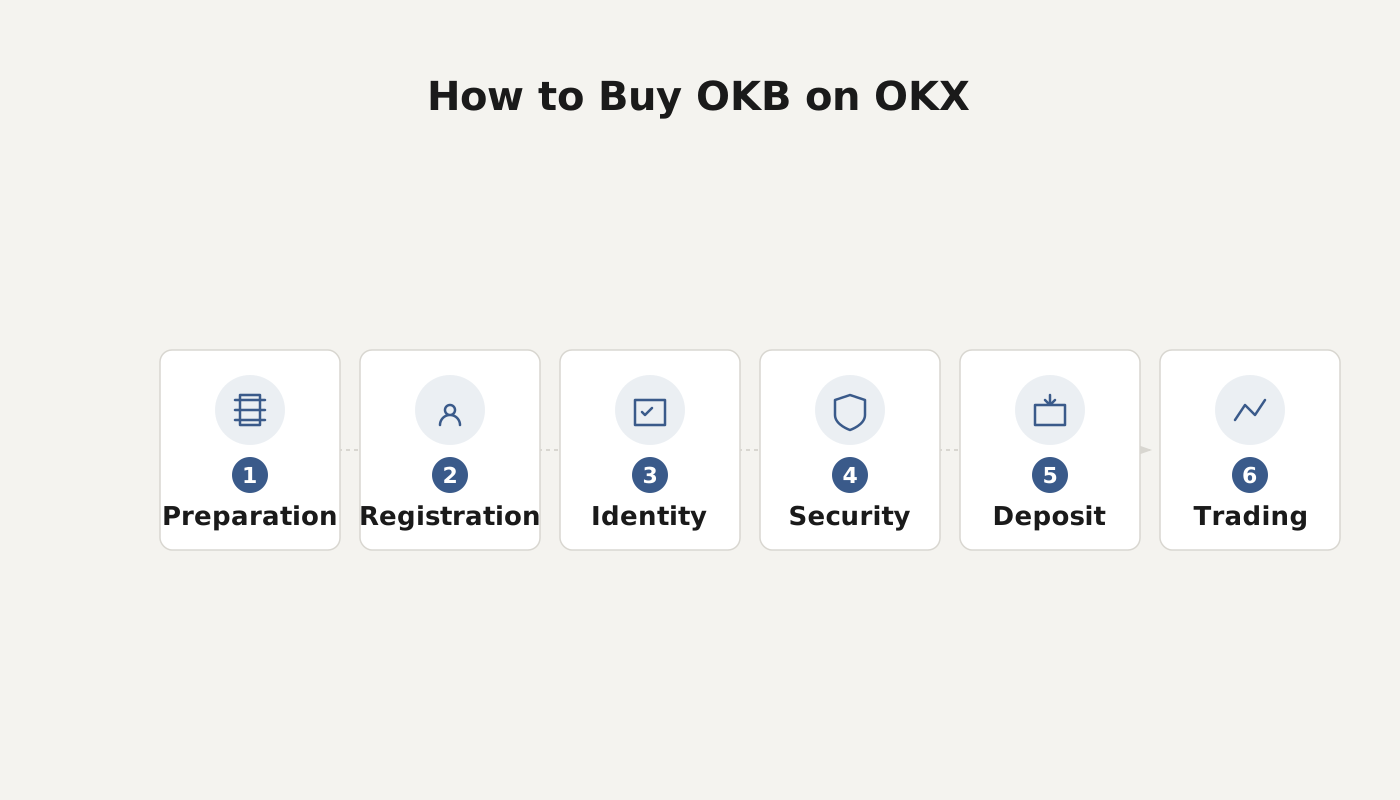
Full Process for Buying OKB on the OKEx Exchange
1. Complete Account Registration
1. Register on a platform that supports OKB purchases
First, go to the official OKEx registration page to create an account. The registration link is: Register on OKEx. After filling in the required information, submit the form (please note that you should complete the web registration first, then download and install the mobile app).
2. Perform Identity Verification
2. Real‑name verification (KYC)
In accordance with regulatory requirements, all digital‑asset trading must complete KYC. Navigate to the personal center and follow the prompts to finish identity verification. For detailed steps, refer to the tutorial “[How to Complete KYC Verification on OKEx]”.
3. Go to the Home Page and Use the Quick‑Buy Entry
3. Open the platform’s home page
After logging in, click the OKEx logo at the top‑left corner to return to the home page. On the right side of the home page you will see a quick‑access button labeled “Buy OKB”.
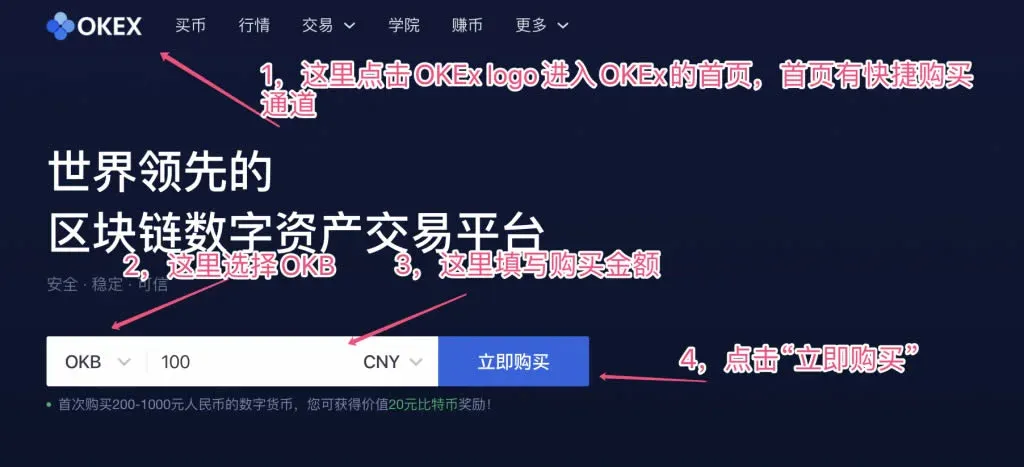
In this entry, select OKB, enter the amount you wish to purchase, and click “Buy Now” to proceed to the next step.
4. Choose a Payment Method and Confirm the Amount
4. Select your payment channel
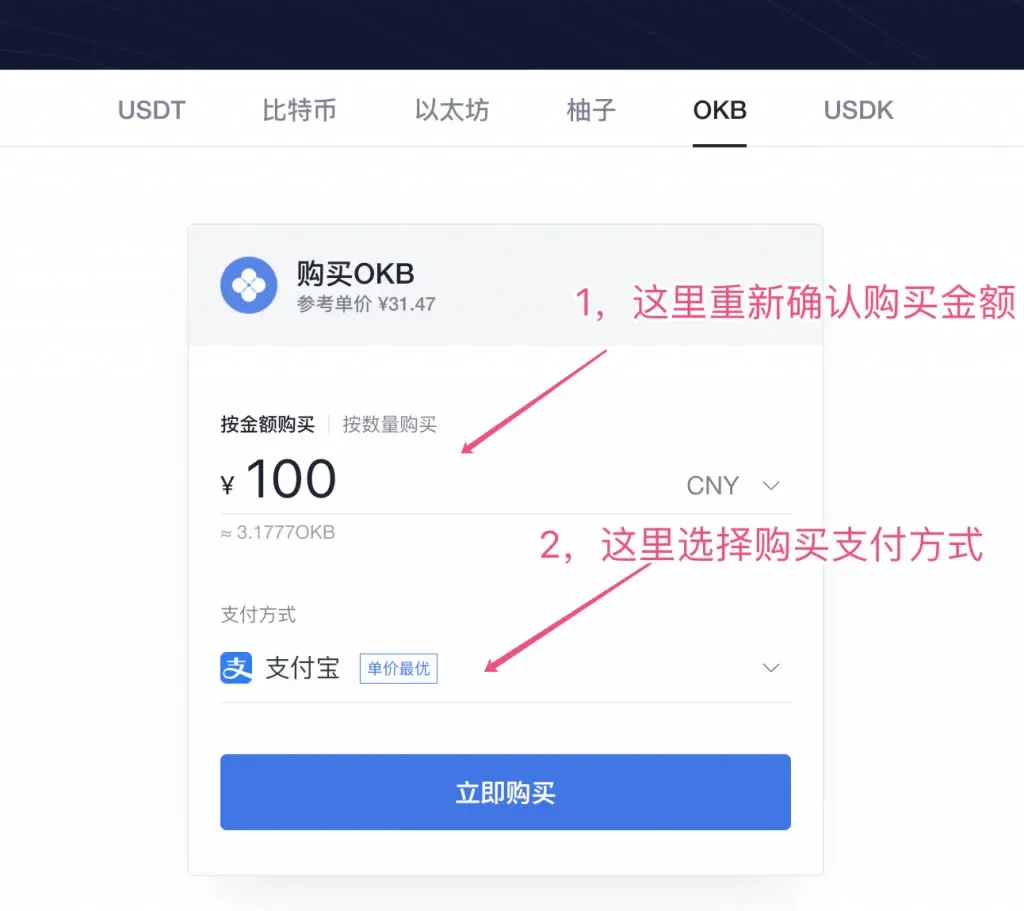
The system will display the purchase amount again for your verification and will offer a range of payment options such as Alipay, bank card, WeChat Pay, and, for global users, USD via SEPA or SWIFT transfers. Choose the method that best suits you and click “Buy Now” to go to the payment page.
5. Complete Payment and Receive the Tokens
5. Pay the seller
The page will show the seller’s receipt information for the corresponding OKB purchase. Transfer the funds to the seller using the payment method you selected in the previous step. Once the transfer is complete, click “I have completed the transfer, next”.
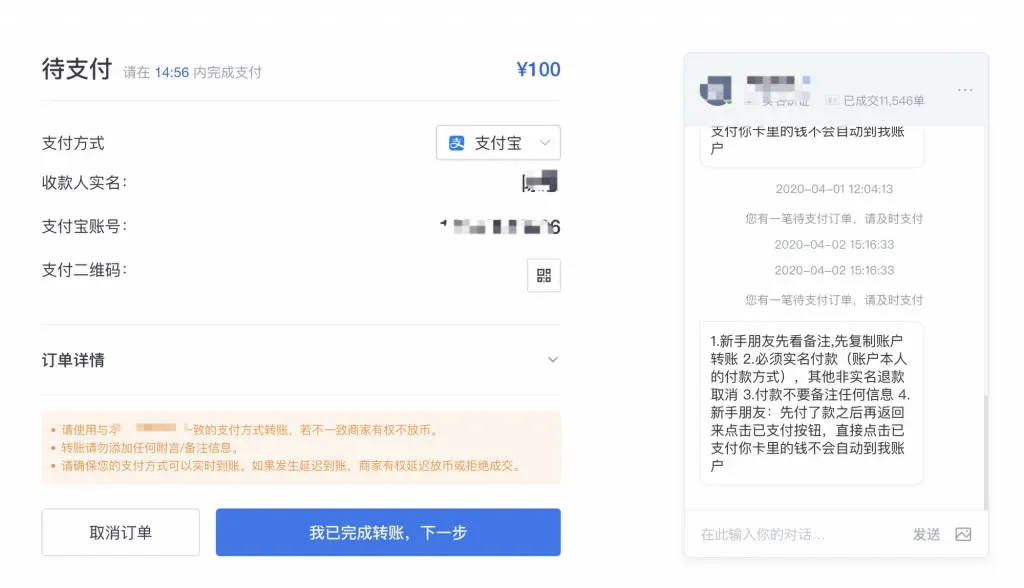
After the seller confirms receipt of your payment, the appropriate amount of OKB will be credited to your account. By default, these OKB tokens are stored in your fiat wallet; you can later transfer them to your spot wallet for trading, or move them into Earn (formerly “余币宝”) to earn additional yield.
---
What Is OKB?
OKB is the native platform token issued by the OKEx exchange, built on blockchain technology by OK’s top‑tier global development team. The token follows a token‑economics model designed to connect innovative digital‑asset projects, high‑quality OKEx users, and professional investors, thereby completing the OKEx ecosystem loop and promoting healthy development of the blockchain and digital‑asset industry.
To date, the total circulating supply of OKB stands at 300 million tokens. In future ecosystem plans, the platform will actively incorporate feedback and suggestions from token holders to achieve broader win‑win outcomes.
For more detailed information about OKB, refer to the OKB Introduction link provided in this document.
For additional practical guides on buying OKB on OKEx, follow the related专题 articles published by Bitaigen (比特根).
Related Reading
- OKB Token Benefits: Trading Fees, Governance, and OKEx Ecosystem Overview
- OKEx Review: History, Tech Architecture & Market Position
- OKEx: Safe Trading, Funding History & Withdrawal Guide
💡 Register on Binance with referral code B2345 for the maximum trading fee discount. See Binance complete guide.



