
 Bitaigen Research
 We systematically review the compliance, app operation flow, and fee structure for newcomers on the MXC (MEXC Global) exchange, helping readers quickly assess whether the platform meets their trading needs and providing practical withdrawal and purchase guidance to avoid common pitfalls. For detailed safety points, continue reading.
What is the SHIB trading fee on the MEXC exchange?
- The platform’s trading fee is a flat 0.2%, aligned with market quotes.
- All deposit operations are fee‑free, and depositing digital assets incurs no charge.
- Withdrawal fees are adjusted periodically according to the actual conditions of the underlying blockchain networks.
For perpetual contracts, the maker fee is 0.03% and the taker fee is 0.075%.
For example, withdrawing ETH requires a fee of 0.005 ETH, with a minimum withdrawal amount of 0.04 ETH per transaction; withdrawing EOS costs 0.1 EOS, with a minimum of 2 EOS. Overall, withdrawal fees are relatively moderate.
Common stablecoin withdrawal fees are also low: USDT‑ETH (Ethereum network) charges 2 USDT per transaction, while USDT‑TRX (Tron network) costs only 0.5 USDT.
Note: Crypto gains may be taxable in your local jurisdiction; consult a tax professional for guidance.
---
How to withdraw funds from the MEXC app?
- From the home screen, tap the “Assets” button in the lower‑left corner.
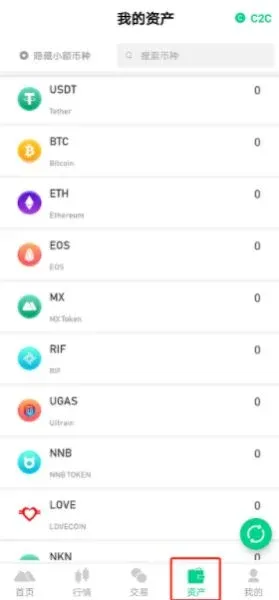
- In the asset list, select the cryptocurrency you wish to withdraw; this example uses USDT.
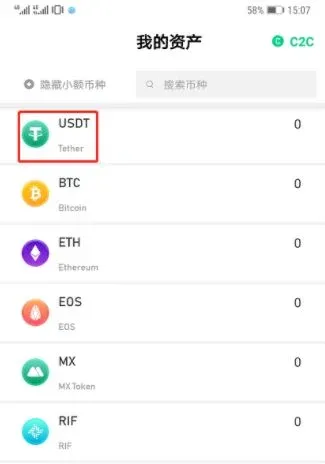
- Tap the “Withdraw” button for the chosen asset.
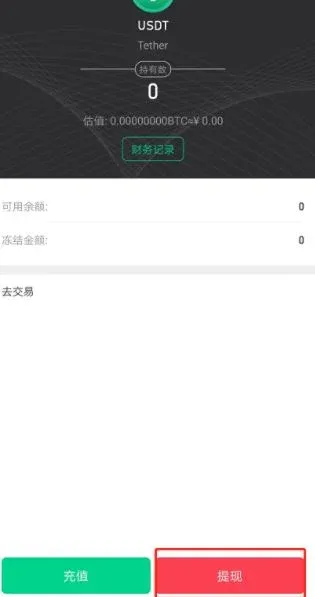
Tip: If your funds are still in the fiat wallet, transfer them to the spot (trading) wallet first; otherwise the withdrawal cannot be processed.
- Follow the on‑screen prompts to enter the withdrawal address and amount, then confirm. Withdrawal fees differ slightly by network:
- OMNI network: fee 4.8 USDT.
- ERC‑20 network: fee 2 USDT, with generally faster arrival.
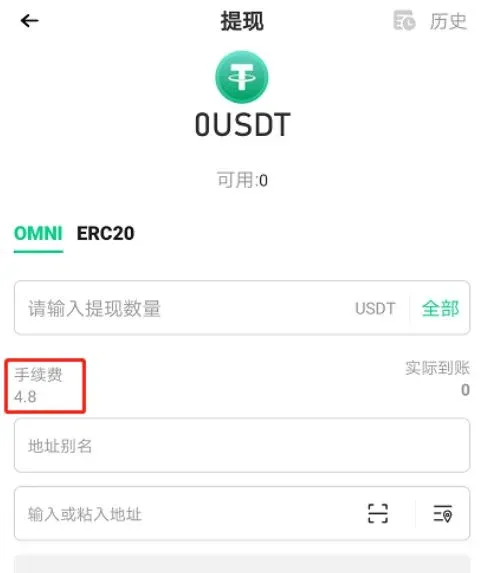
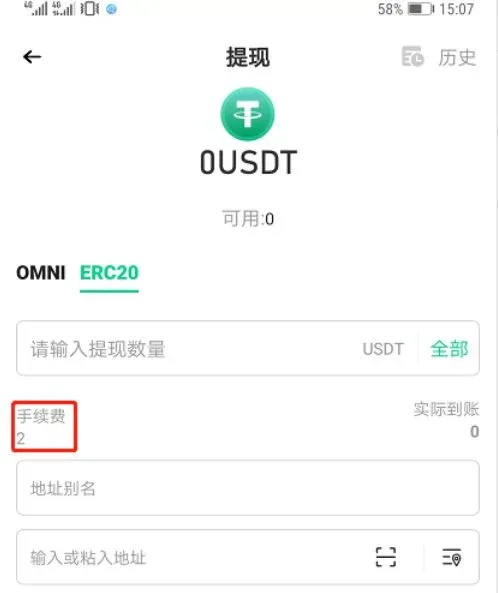
- Some assets support both OMNI and ERC‑20; be sure to select the network that matches your wallet.
- The withdrawal amount must meet or exceed the minimum withdrawal amount shown on the page; otherwise the system will reject the request.
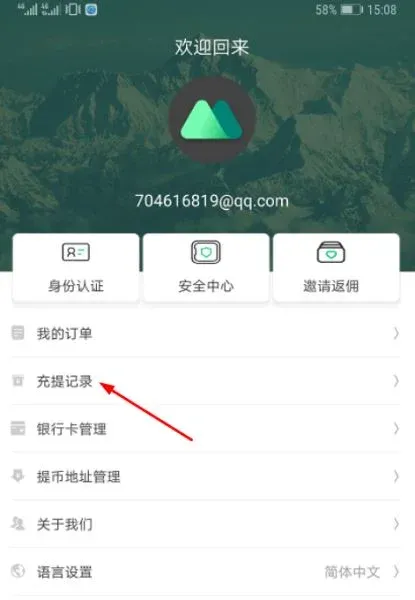
- After submitting, you can monitor the withdrawal progress on the “Deposit & Withdrawal” page and verify receipt on the relevant blockchain explorer or in your wallet.
---
Is the MEXC exchange legal?
MXC Group’s Australian entity has passed scrutiny by the local financial regulator AUSTRAC and obtained an official compliant trading licence on 21 February 2020. The licence permits the provision of designated financial services within Australia.
Looking back at the platform’s history, the MEXC exchange was founded in 2018 and currently lists 293 digital assets across 442 trading pairs. Its international operation is built by seasoned quantitative teams from Wall Street, Europe, and Japan, together with core blockchain industry professionals. Using a decentralized self‑organising model, the exchange aims to become a world‑leading hub for blockchain asset exchange and trading.
---
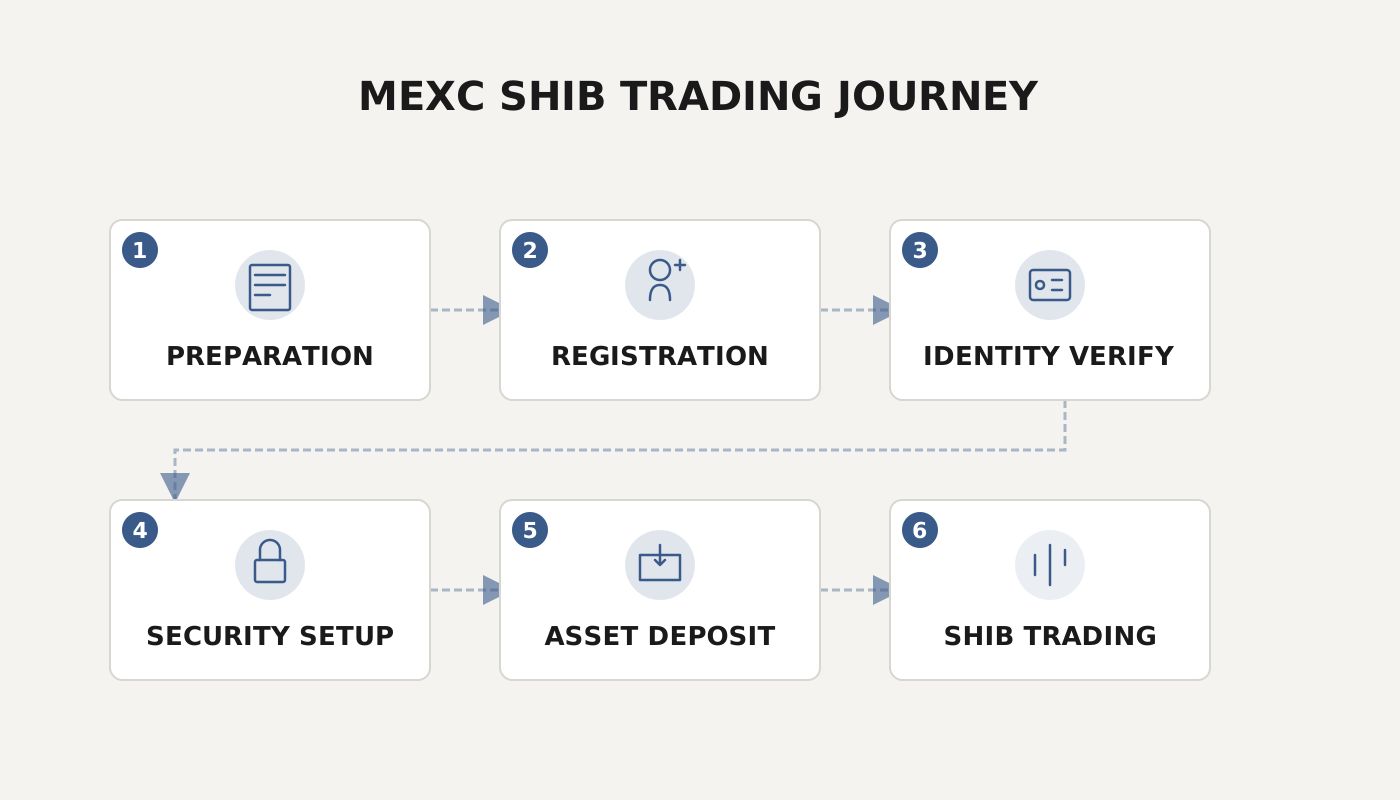
How does a beginner purchase SHIB on the MEXC app?
1. Download and register the MEXC app
- Search for “MEXC Global” in major app stores and download the Android version (e.g., v6.11.1, about 176.75 MB, supporting Simplified Chinese).
- After installation, register using an email address or mobile number. Identity verification is required before the “buy crypto” feature becomes available.

2. Overview of two purchase methods
Method 1: One‑click purchase
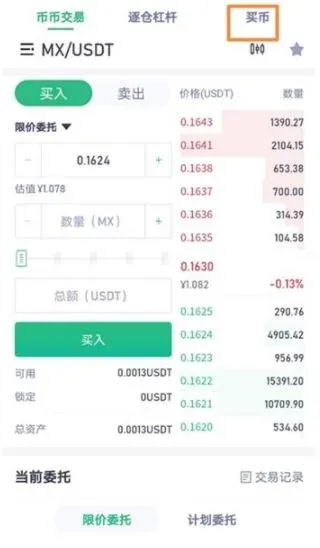
- Log in and go to the client’s home screen, then tap the bottom “Trade” tab.
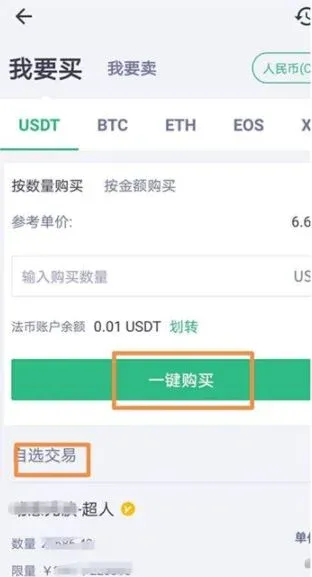
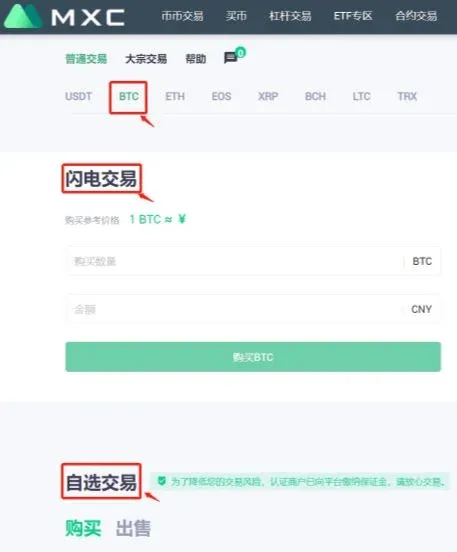
- On the trading page, locate “Buy Crypto” and choose either “One‑click Buy” or “Custom Trade”.
- Follow the prompts to complete payment; the corresponding amount of SHIB will be automatically credited to your spot wallet.
Method 2: Spot (coin‑to‑coin) exchange
- First, purchase an equivalent amount of USDT on the “Buy Crypto” page.
- Transfer the USDT from the fiat wallet to the spot (trading) wallet.
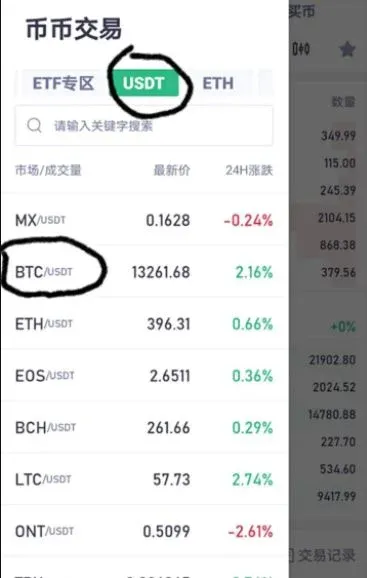
- Navigate to the “Spot Trading” page, search for SHIB, and exchange your USDT for SHIB at the current market price.
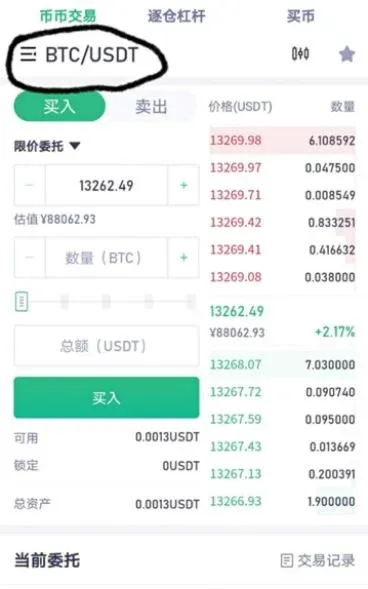
3. Web version also supported
Whether on desktop or mobile browsers, you can purchase SHIB directly from the “Buy Crypto” page by entering the desired amount.
---
Additional Localization Notes
- For fiat deposits, users outside the United States typically use SEPA (Euro‑zone) or SWIFT (global) transfers, while U.S. residents must access fiat on‑ramps through Binance.US rather than the global Binance platform.
- Always verify the network you select for withdrawals matches your receiving wallet to avoid loss of funds.
- Crypto transactions may have tax implications; consult local regulations or a tax advisor to ensure compliance.
Related Reading
- Binance Maintains Industry Leader Edge with $4.6B Net Inflow
- How to Buy Ass Donkey Coin (ASS) on MEXC – Guide
- Mochi MXC Platform Review: Fees, Token Mechanics & Security
💡 Register on Binance with referral code B2345 for the maximum trading fee discount. See Binance complete guide.



