Bitaigen Research
 In this article we systematically review OKX’s newly launched C2C withdrawal‑freeze compensation mechanism, providing a detailed analysis of merchant categories, compensation ratios and caps, as well as practical guidance to help users reduce risk and boost confidence when withdrawing funds. For the full details and step‑by‑step procedures, keep reading.
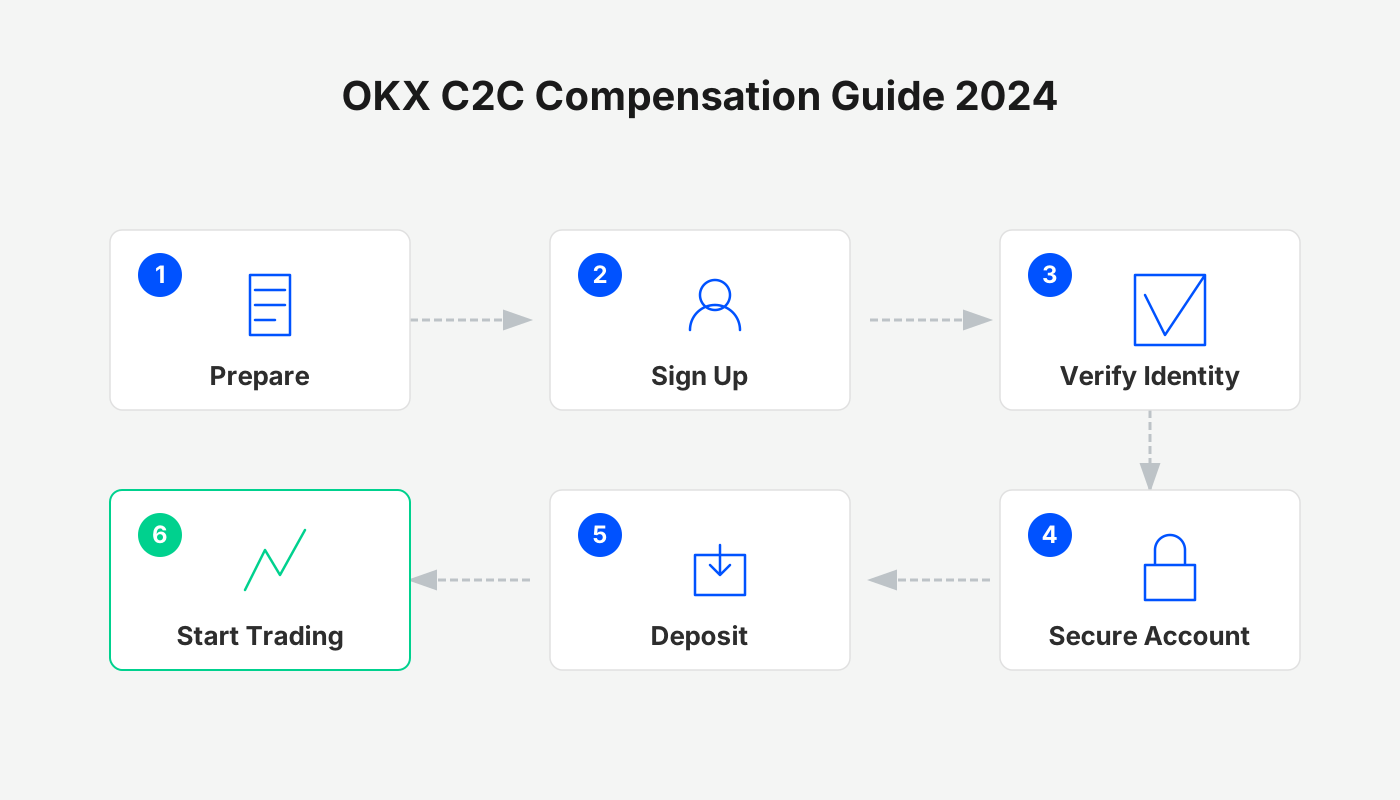
Full Breakdown of OKX’s C2C Freeze‑Compensation Mechanism
In the crypto space, the safety of withdrawals has always been the top concern for users. Recently, several major exchanges have introduced more comprehensive compensation schemes to strengthen user trust. As an industry leader, OKX has rolled out the C2C Freeze‑Card Compensation feature, further lowering the risk associated with withdrawals. Below we systematically outline the rules of this mechanism, the way merchants are screened, and the actual operational steps, so you can navigate the process with ease.

Overview of Freeze‑Compensation Rules
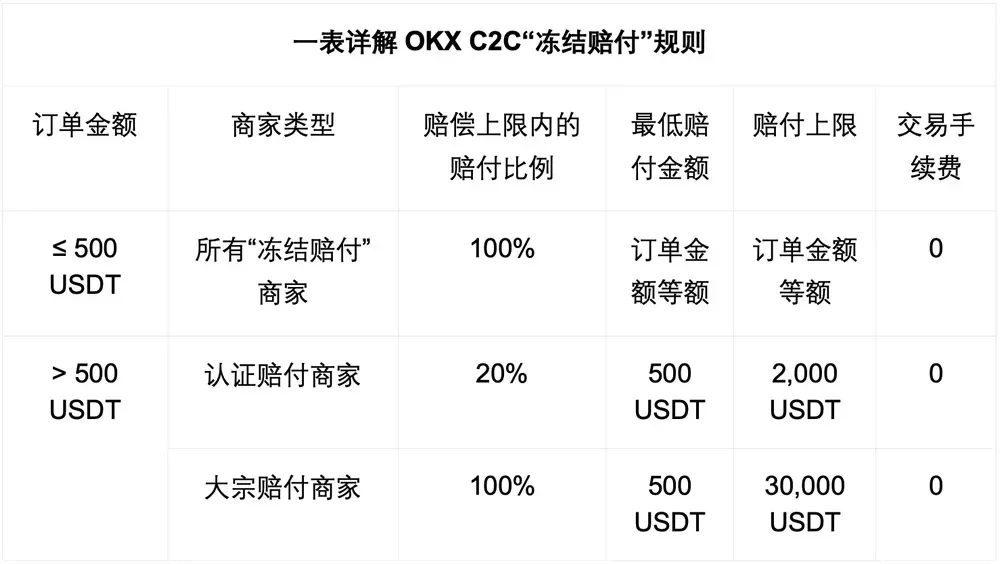
OKX classifies merchants into three tiers and sets different compensation ratios and maximum payouts based on the order amount, as shown in the table below:
| Merchant Type | Order Amount | Compensation Ratio | Compensation Cap | Remarks |
|---|---|---|---|---|
| **All‑Compensated Merchants** | ≤ 500 USDT | 100 % | – | Full compensation for small‑value trades |
| **Verified Compensated Merchants** | > 500 USDT | 20 % | 2 000 USDT | Amount above 500 USDT compensated at 20 %; minimum payout of 500 USDT |
| **Bulk‑Trade Compensated Merchants** | > 500 USDT | 100 % | 30 000 USDT | Full compensation for large trades; minimum payout of 500 USDT |
Note: The platform and the merchant jointly provide a security deposit; the compensation fund does not rely solely on the merchant’s own assets, making the guarantee more robust.
How to Choose Merchants Qualified for Freeze‑Compensation
Using the Mobile App
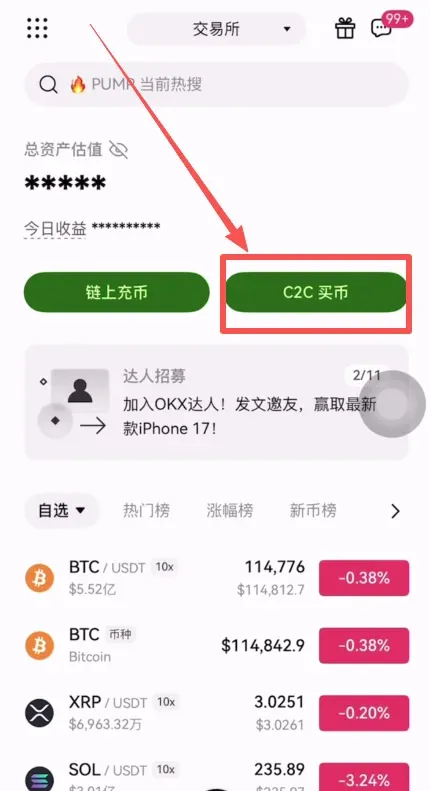
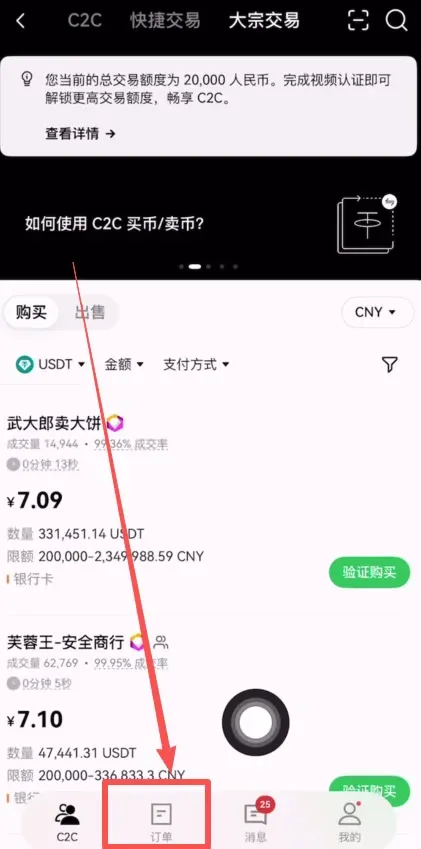
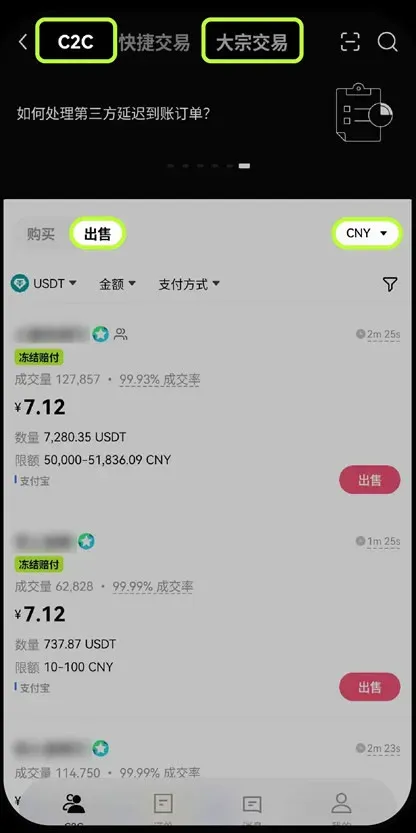
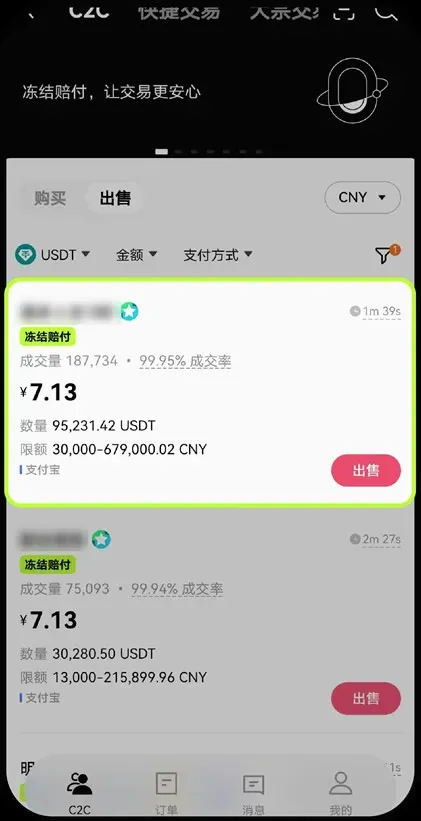
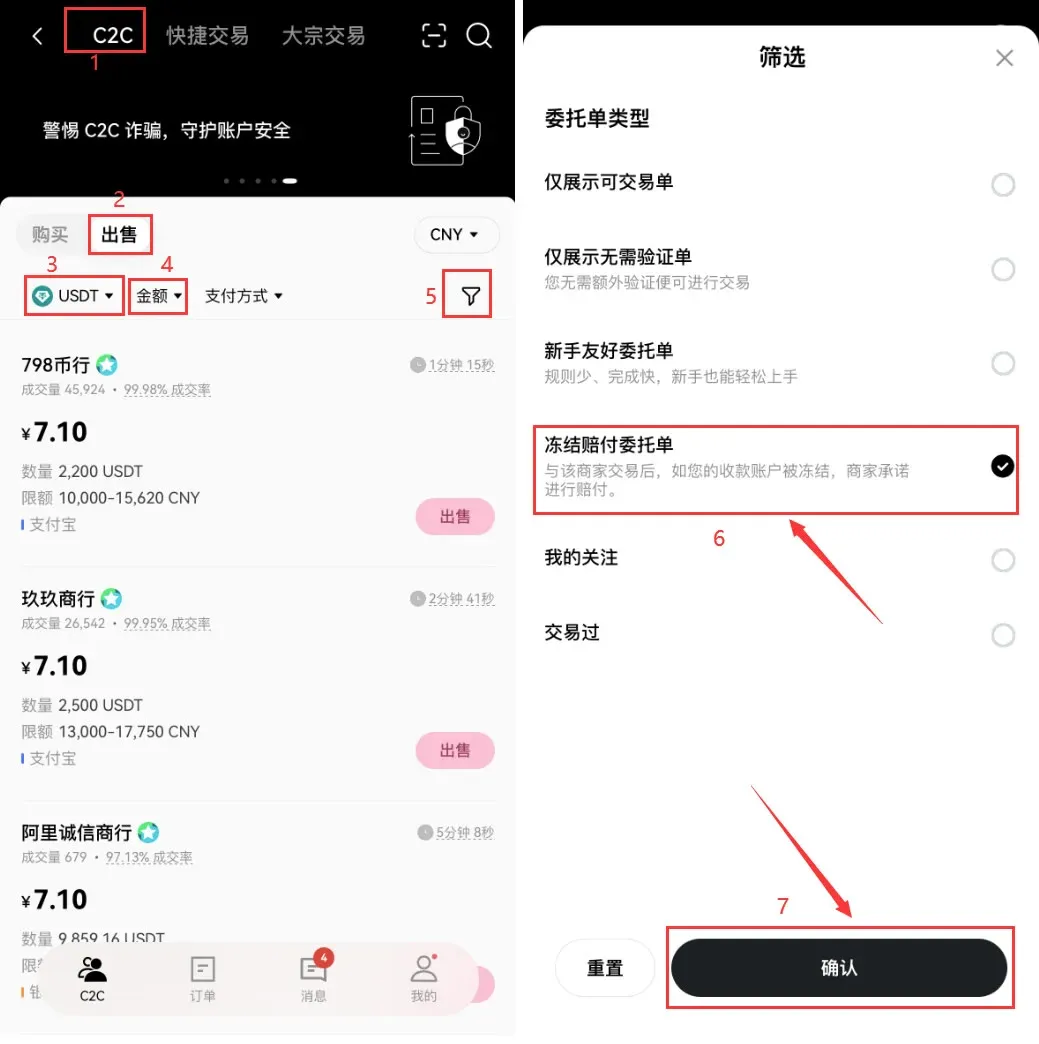
- Open the OKX app, go to the home screen and tap [C2C Buy] → [C2C / Bulk Trade].
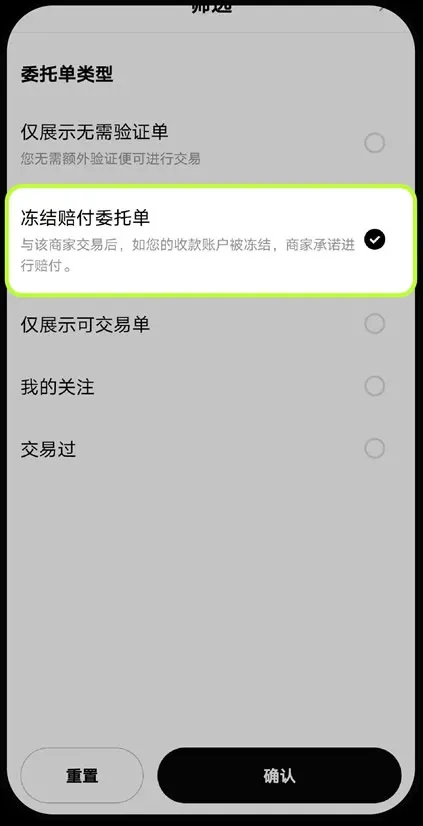
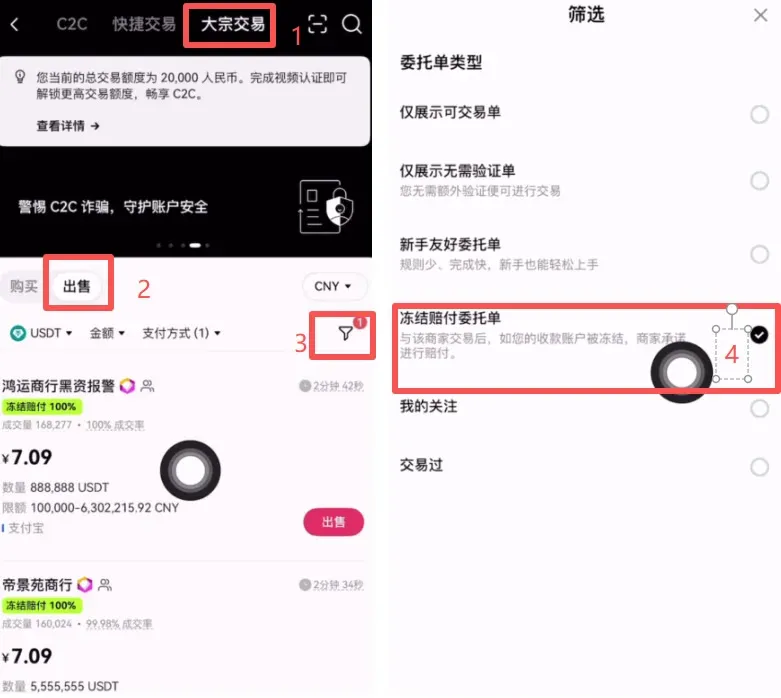
- Select [Sell], then tap the [Filter] icon in the top‑right corner.
- Check [Freeze‑Compensation Order]; the system will now display only merchants that meet the compensation criteria.
Using the Web Interface
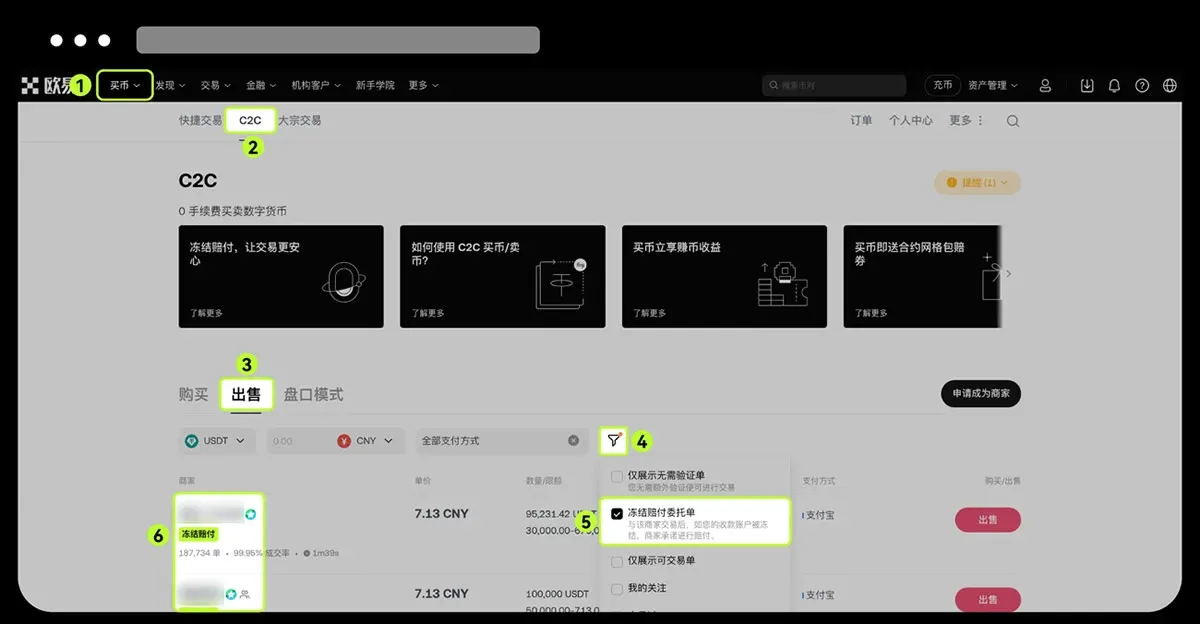
- In the left‑hand navigation bar click [Buy] → [C2C / Bulk Trade] → [Sell].
- In the filter panel also tick [Freeze‑Compensation Order] to view the list of certified merchants.
Friendly Reminder: If you encounter abnormal behavior during a trade (e.g., non‑verified payment, suspicious activity, etc.), promptly report or appeal through OKX C2C customer support.
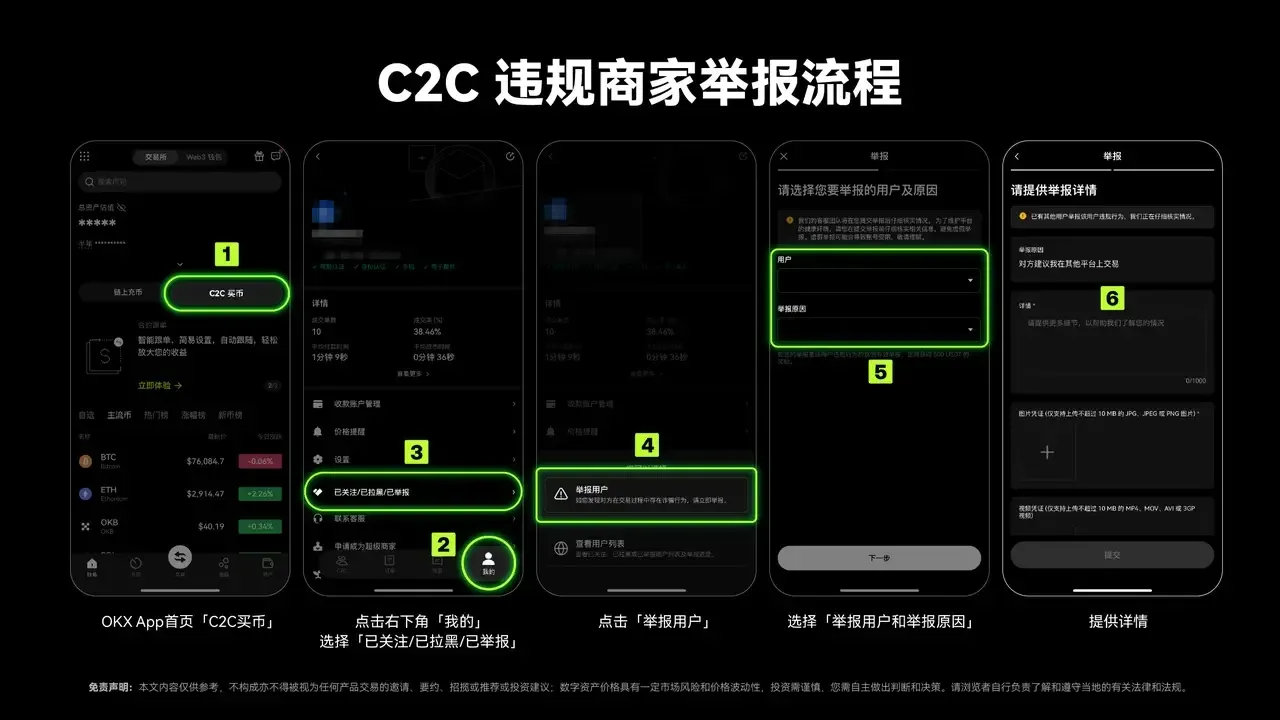
*Figure: OKX C2C non‑compliant merchant reporting process*
---
Complete Withdrawal Workflow Demonstration
1. Registration and Login
If you do not yet have an OKX account, you can complete registration and download the official client via the following channels:
- Official registration link: https://www.okx.com/zh-hans/join/B2345
- Official app download: https://www.bitaigen.com/binance/download
Related tutorial:
2025 Comprehensive OKX Account Registration + KYC Verification Full‑Screen Guide
Important for U.S. users: Access the U.S.‑specific platform Binance.US for any fiat‑on‑ramp services, as the global OKX site is not available for direct fiat deposits in the United States.
2. Adding a Receiving Method
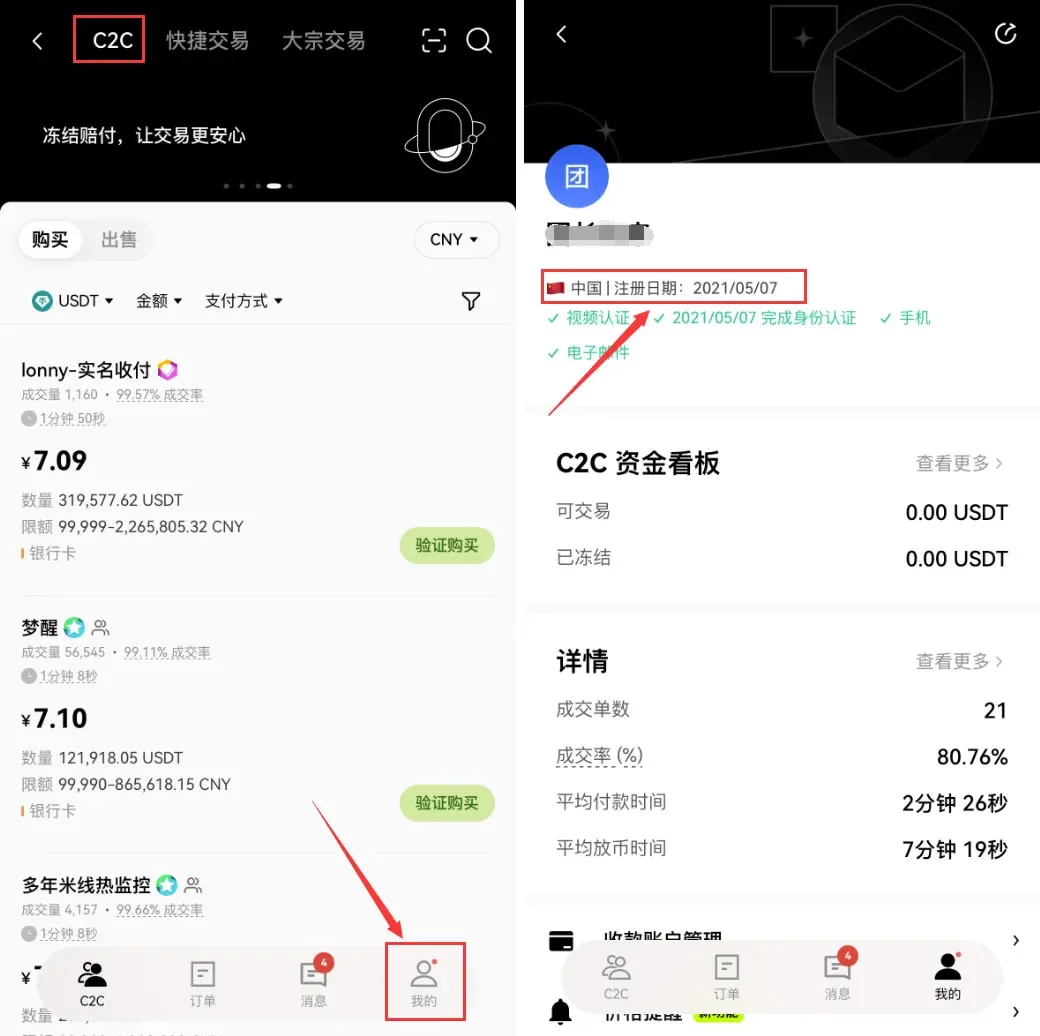
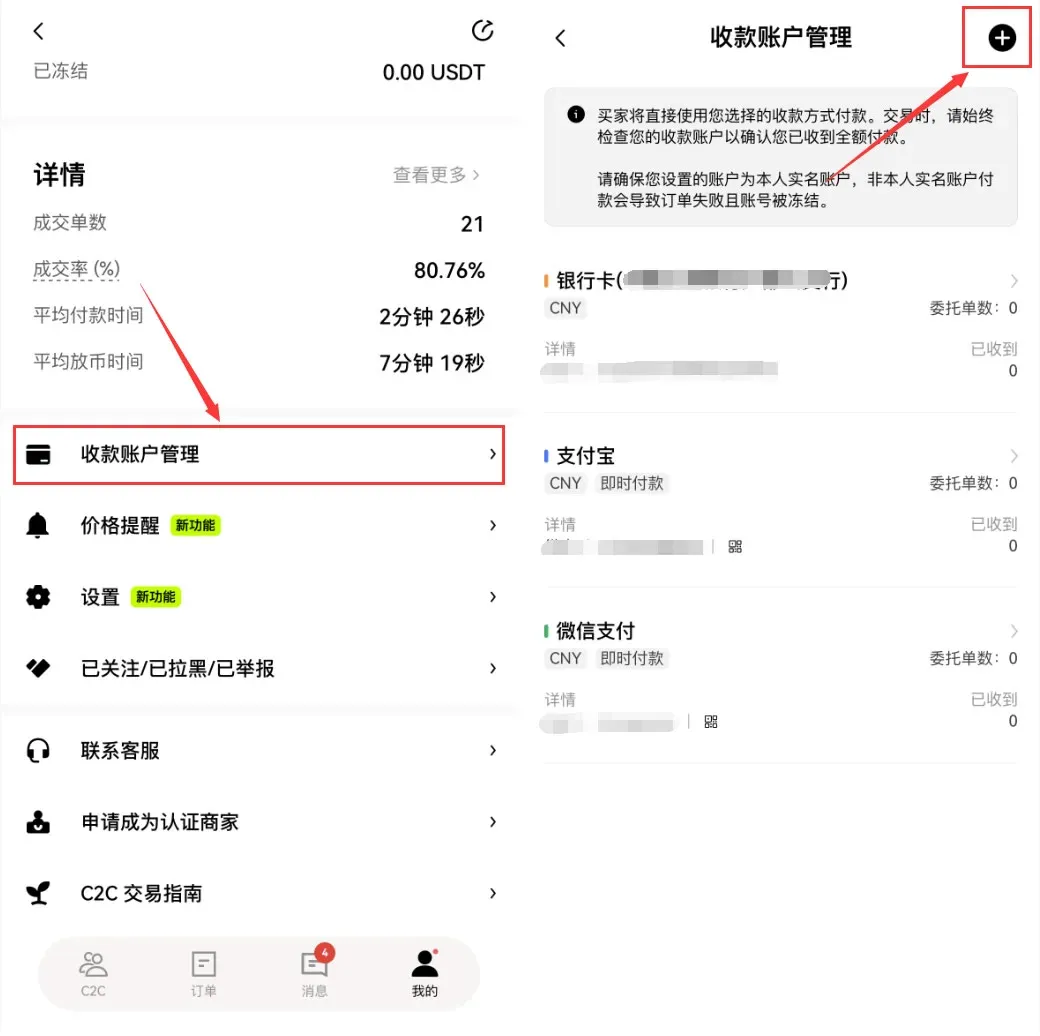
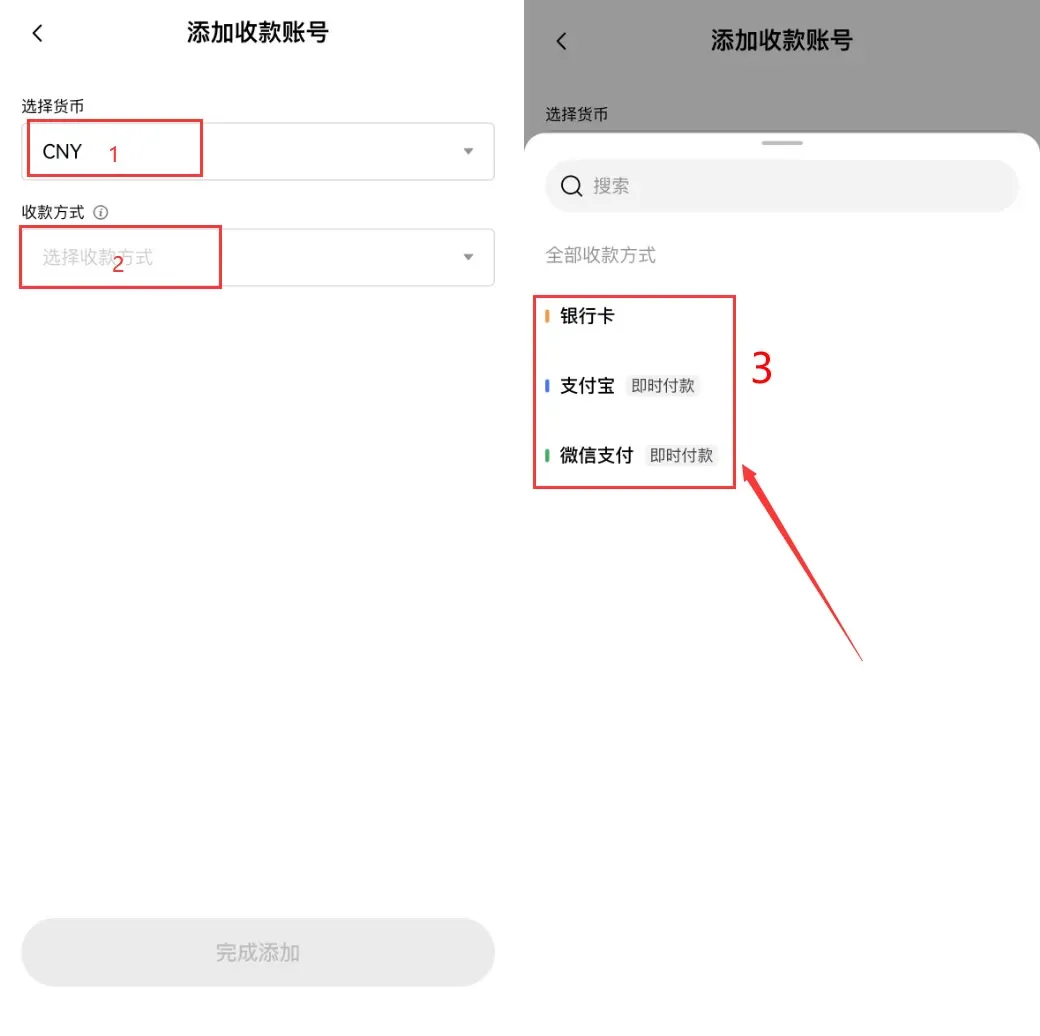
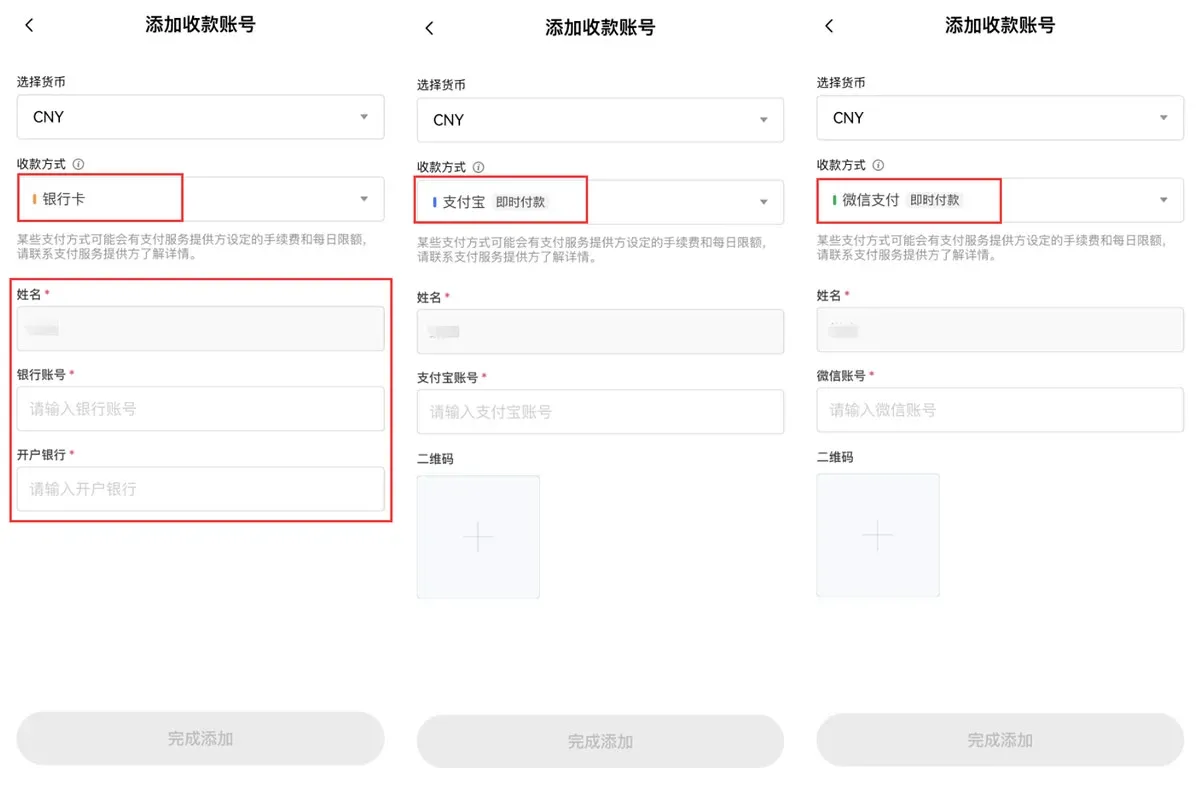
From the app’s home screen, tap [Profile] at the bottom right → [Payment Account Management] → the + icon at the top right, then follow the prompts to fill in the required information.
- Bank Card: Must be linked to a personally verified account; provide card number and issuing bank.
- Alipay: Up to three different phone‑linked Alipay accounts can be added.
- WeChat Pay: A single identity document can bind up to five WeChat accounts.
It is advisable to use a dedicated payment account for crypto‑related transactions, enabling asset segregation in case of disputes.
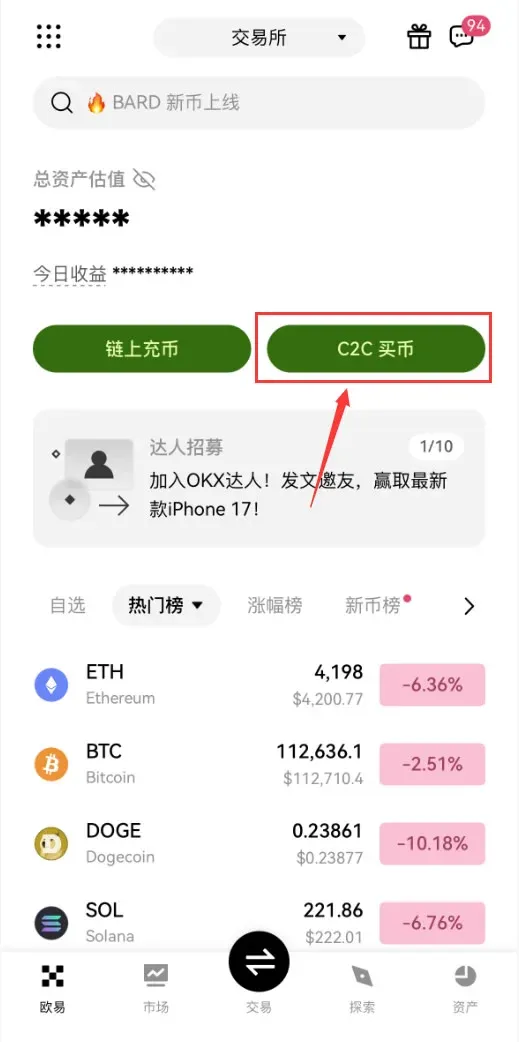
3. Small‑Amount Withdrawal (≤ 500 USDT) Example
- On the [C2C Buy] page switch to [Sell], choose the cryptocurrency you wish to liquidate (USDT, USDC, BTC, ETH). For this example we use USDT.
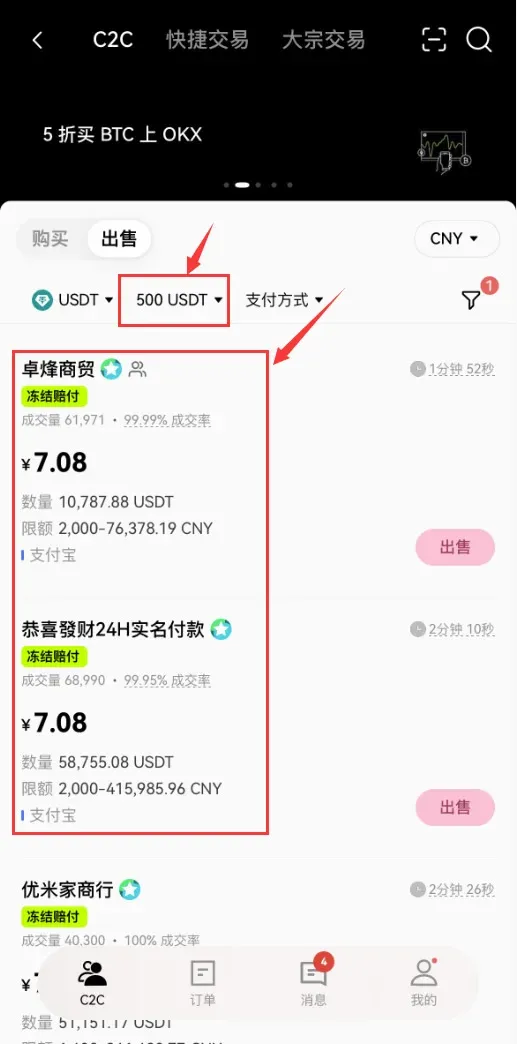
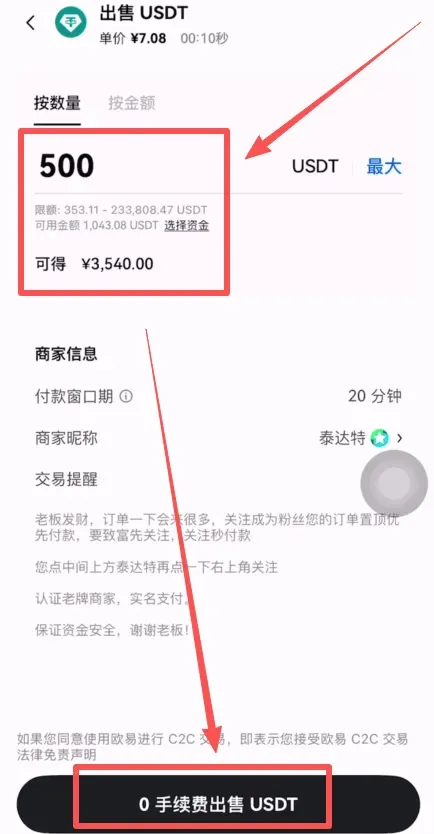
- Enter a withdrawal amount of 500 USDT, tick the [Freeze‑Compensation Order] box at the top right, then tap [Confirm].
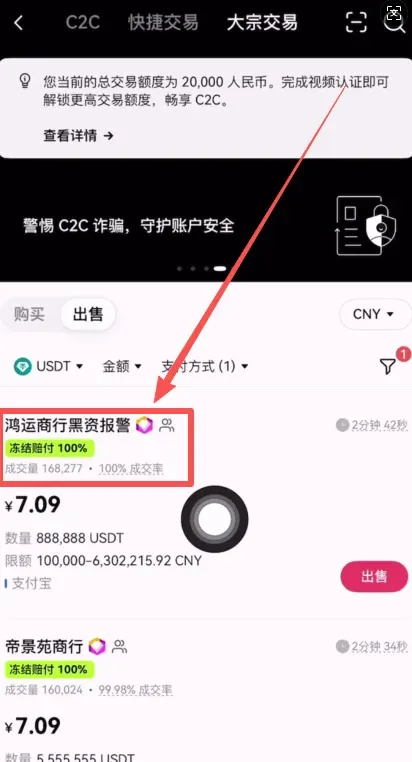
- The system will list merchants with a green badge—these are the ones that have freeze‑compensation qualification.
- Choose a payment method (e.g., Alipay) and further filter the merchants that meet your preference.
Identifying Merchant Information
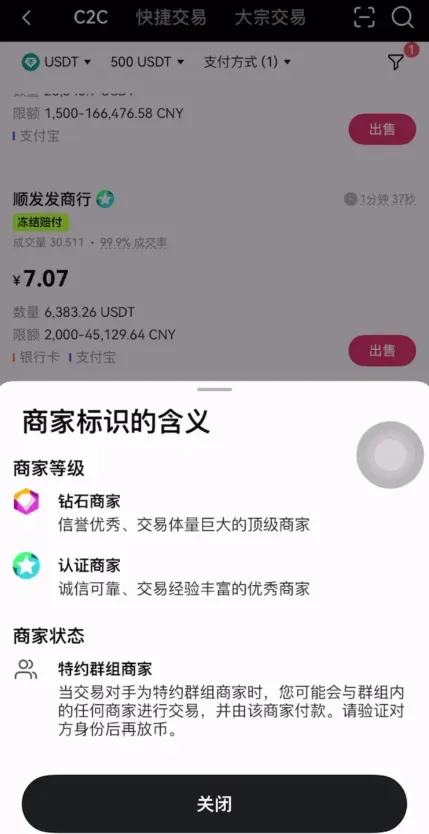
- Diamond Icon: Indicates the merchant has passed platform‑level verification.
- Head‑Icon: Denotes a “Special‑Group” merchant, meaning multiple merchants within the same group can process the transfer; compliance is similarly guaranteed.
- Trade Volume / Completion Rate: Useful metrics for assessing merchant activity and reliability.
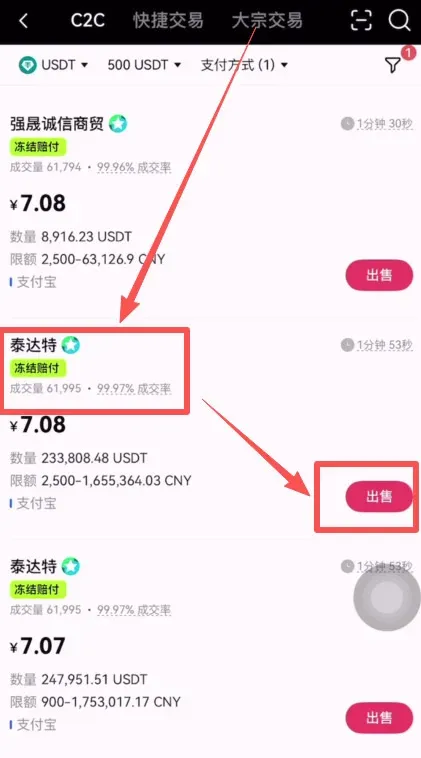
- After confirming the amount, the platform automatically calculates the estimated fiat receipt (e.g., 500 USDT ≈ 3 540 CNY, roughly $500 USD at current rates). Click [Sell with 0 % Fee].
- Once you receive a payment notification from the buyer, verify the actual receipt in your bank or payment account before clicking [Confirm Receipt]. The platform will then release the corresponding USDT to the buyer.
4. Large‑Amount Withdrawal (> 500 USDT) Procedure
- Still on the [C2C Buy] page, go to [Sell] → [Bulk Trade], and tick [Freeze‑Compensation Order].
- All bulk‑trade merchants are diamond‑level, offering higher qualifications. You can further filter by established date, trade volume, completion rate, and other metrics.
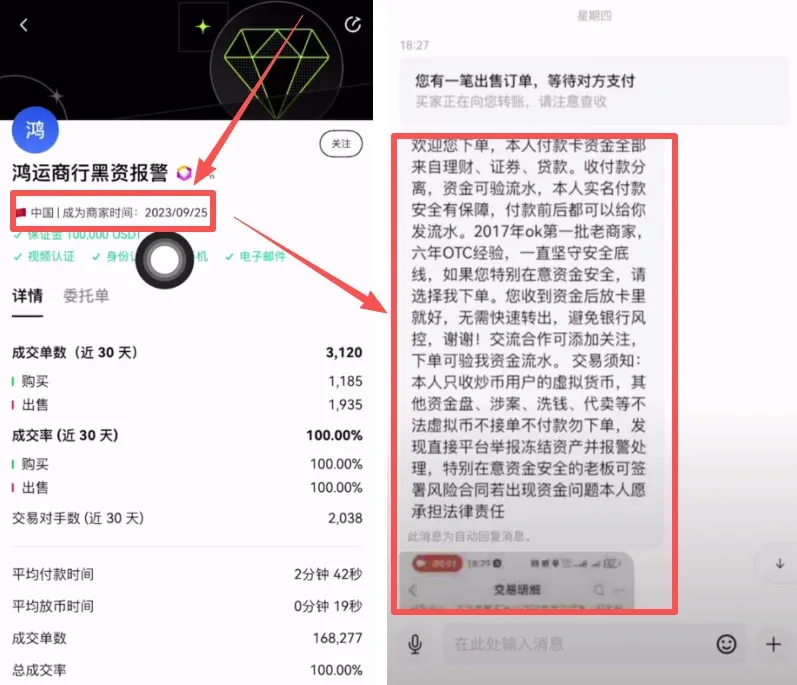
For high‑value orders, it is recommended to prioritize merchants that have been operating for more than two years and that proactively provide transaction‑history screenshots or security statements, thereby reducing counter‑party risk.
The actual settlement steps are identical to the small‑amount flow; after the platform confirms receipt of your fiat payment, it will transfer the USDT to the buyer.
---
How to Claim Compensation After a Freeze
Conditions that Trigger Compensation
- The user’s account is frozen by a judicial order and cannot be operated.
- The freeze period has been clearly defined.
- All documents submitted by the user are genuine and complete.
If these conditions are satisfied, the platform will, after review, require the merchant to compensate based on its security deposit. The merchant’s deposit cap on the platform is 30 000 USDT, so the maximum possible compensation is that amount.
Compensation will not be granted in cases such as:
- Submission of falsified documents.
- Freeze caused by non‑judicial reasons.
- Situations where the freeze has already expired.
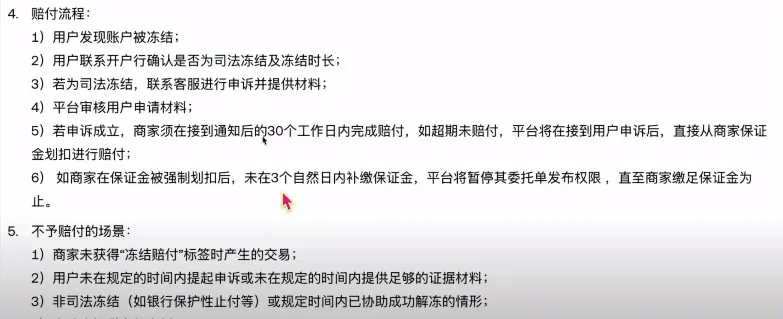
Appeal Procedure (App Example)
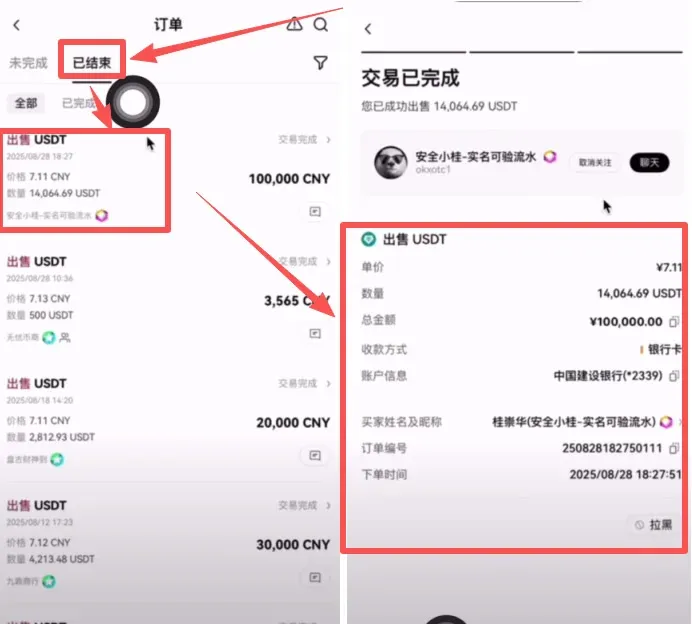
- Open [C2C Buy] → [Orders], switch to the [Completed] tab, and locate the order that encountered an issue.
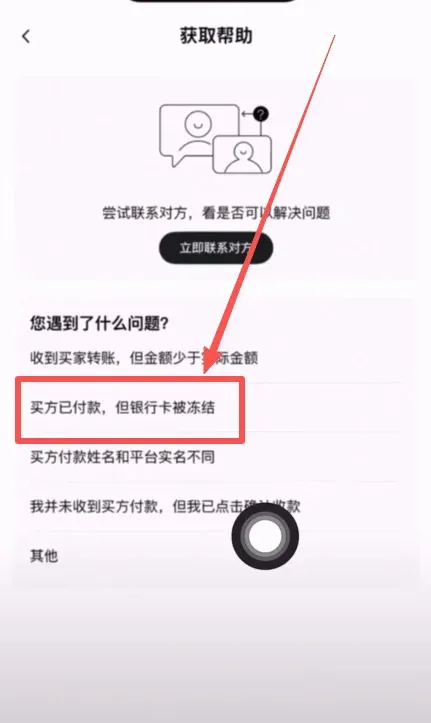
- Tap [Need Help] at the bottom right of the order.
- Choose “Buyer has paid but my bank card is frozen”, then proceed to the next step.
- After communicating with the merchant, tap [Initiate Appeal].