
 Bitaigen Research
 OKX offers a copy‑trading feature that lets investors automatically mirror the actions of experienced traders without having to make their own decisions. Using the platform’s intelligent algorithm, the system continuously monitors the buy and sell orders of the selected trader and, when predefined conditions are met, executes identical trades in real time. This approach is especially suitable for users who have limited time or lack professional experience, allowing them to benefit from the strategies of top traders, reduce the chance of personal judgment errors, and potentially improve overall returns.
In this article we walk you through every step of OKX’s copy‑trading feature, from cancellation to full‑process setup, complete with screenshots to help beginners get started quickly and avoid common pitfalls. Once you master these techniques, you can confidently replicate expert strategies, boost trading efficiency, and continue reading for the details.
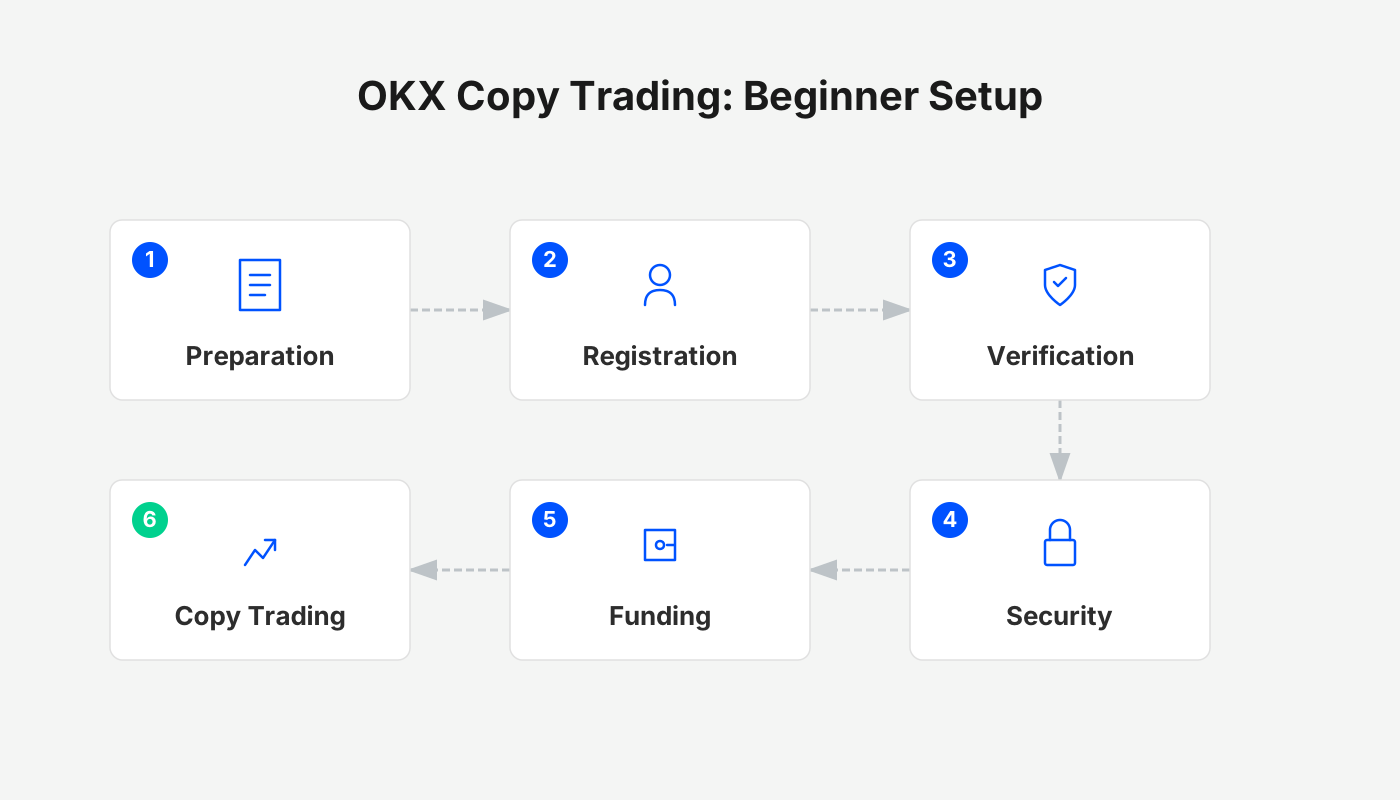
How to Set Up or Cancel OKX Copy‑Trading?
Before you start copying, it is advisable to become familiar with how to cancel an existing copy‑trade, so you can avoid unnecessary risk when adjusting strategies or market conditions change. Below we first explain the cancellation process, then describe how to complete the copy‑trading setup.
2. OKX Cancel Copy‑Trading Tutorial
- Open the management page: In the mobile app, tap Trade → the double‑arrow icon → Copy‑Trading → My Copy‑Trades to reach the copy‑trading management screen.
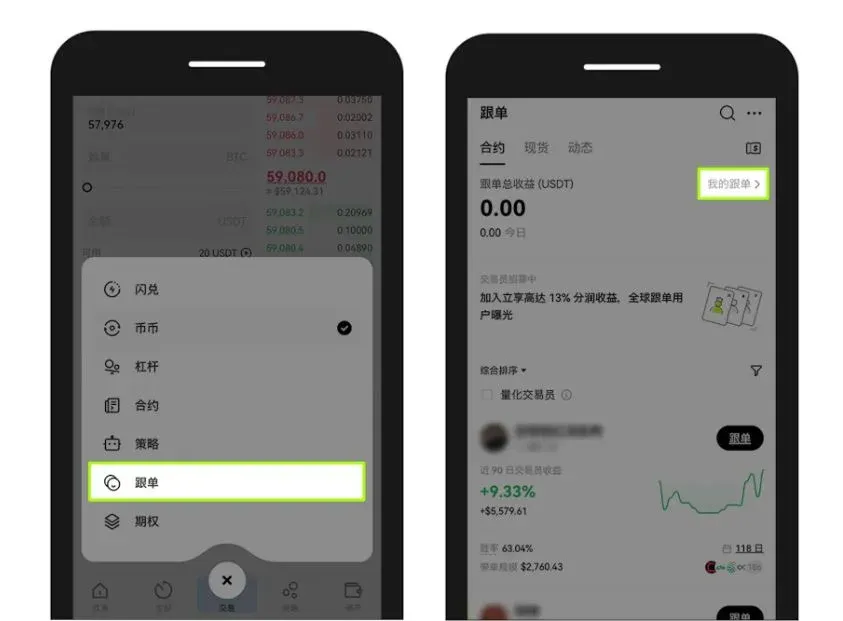
- Locate the item you want to cancel: This page lists all active copy‑trade records. Find the one you wish to terminate and tap it to open its detail view.
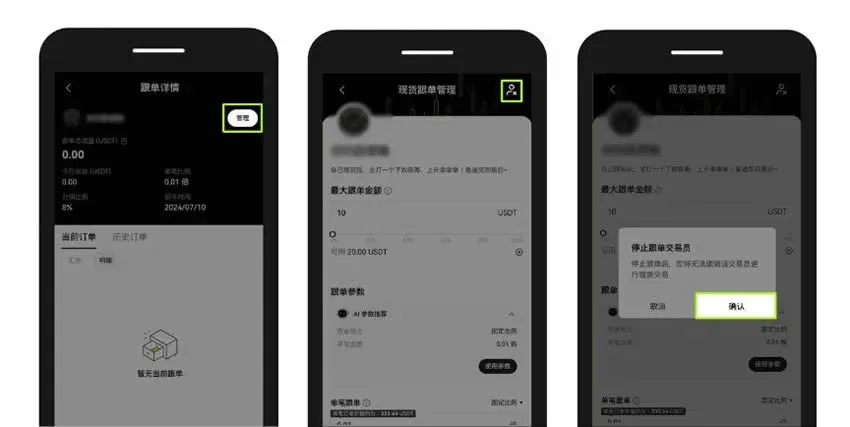
- Execute the cancellation: In the detail view you will see a Cancel Copy‑Trade or Stop Copy‑Trade button. After tapping it, a confirmation dialog appears; confirm once more to complete the cancellation.
Friendly reminder: Do not allocate all of your capital to a single trader. Diversifying your copy‑trades can effectively reduce losses caused by any one trader’s mistake. It is recommended to regularly review the performance of the traders you follow, adjust or replace them according to market developments and your personal risk tolerance, and set strict stop‑loss and take‑profit levels to avoid emotionally driven trading.
---
Next, we provide a detailed walkthrough of how to configure copy‑trading on the OKX platform.
1. OKX Copy‑Trading Setup Tutorial
Log In and Enter the System
- First, visit the official OKX website to register and log in (Official Registration | Official Download). Follow the prompts to enter your region, email address, and mobile phone number.
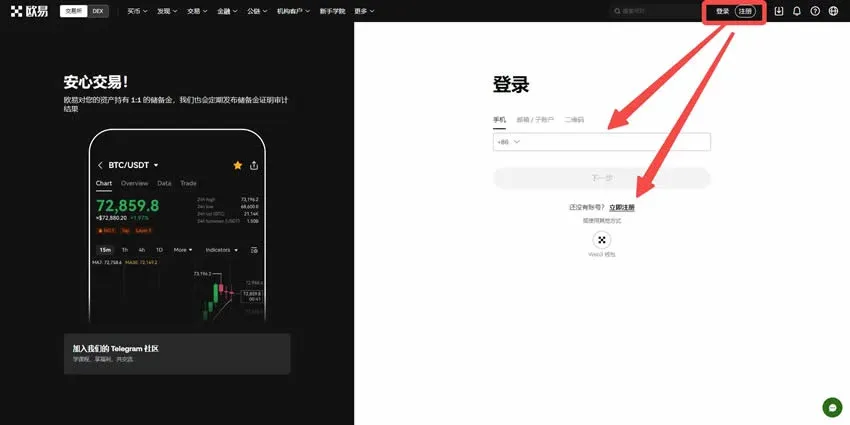
- After a successful login, look for a button or tab labeled Copy‑Trading or Social Trading on the homepage or the trading interface, and click it to launch the copy‑trading system. The system will display a list of traders sorted by metrics such as return rate, number of trades, etc., helping you quickly pick a suitable candidate.
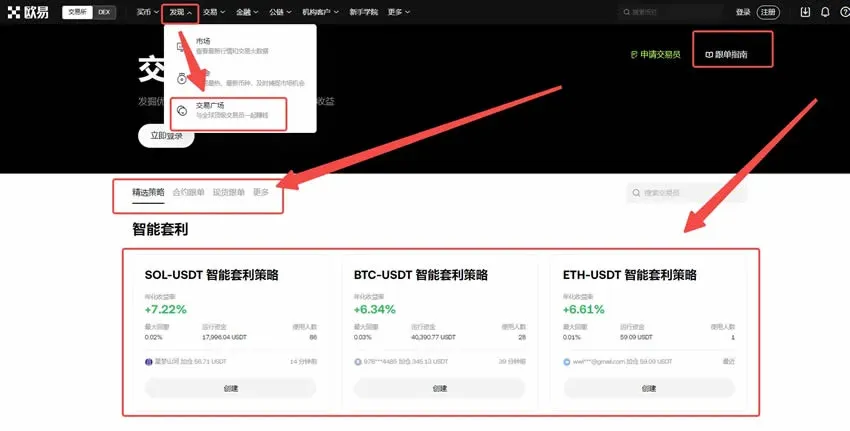
Choose the Right Trader
When browsing the list, pay particular attention to the following dimensions:
- Historical Return Rate: Distinguish short‑term high‑volatility gains from long‑term stable performance.
- Trading Frequency: Align with your own capital deployment rhythm to avoid excessive fees from overly frequent trades.
- Asset Types: Make sure the trader’s primary instruments match the cryptocurrencies you are interested in.
- Community Feedback: Read comments from other users to gauge the trader’s reputation on the platform.
Configure Copy‑Trading Parameters
Once you have selected a target, you need to set the specific copy‑trading details:
- Copy Ratio: Based on your risk tolerance and available capital, set the proportion of your funds you wish to allocate to mirroring the trader.
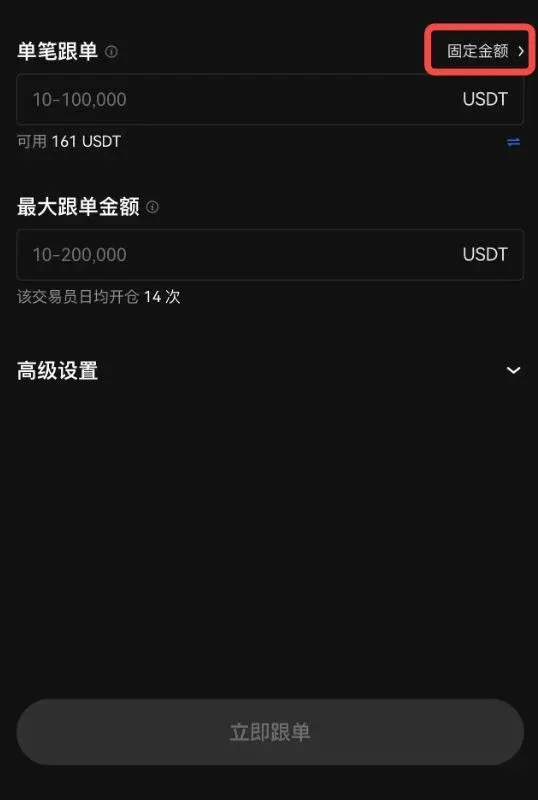
- Stop‑Loss / Take‑Profit: Input appropriate stop‑loss and take‑profit thresholds so the system automatically closes positions when losses or profits reach your preset levels.
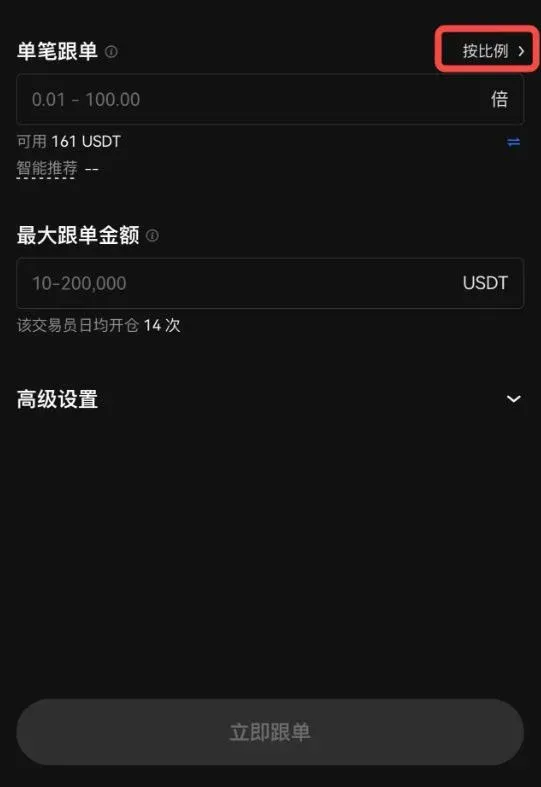
- Delay Time: To mitigate execution slippage caused by rapid market movements, you can set a brief delay buffer before the copy order is executed.
After completing these settings, double‑check every parameter. When you are satisfied, click Confirm Copy‑Trade. The system will confirm the successful setup and display detailed information about your active copy‑trade.
---
By following the steps above, investors can flexibly start or stop copy‑trading on the OKX platform. Whether you are a beginner or an experienced trader, it is essential to adhere to risk‑management principles, regularly assess the performance of the traders you follow, and adjust your strategy in response to market conditions for more resilient asset management.
Related Reading
- OKX Contract Copy‑Trading Guide 2025: How to Use the New App
- OKX On-Chain Earn: Register, Get Fee Discounts & Earn Safely
- OKX Guide: Register, Verify KYC & Buy Crypto via C2C
💡 Register on Binance with referral code B2345 for the maximum trading fee discount. See Binance complete guide.



