
 Bitaigen Research
 On the OKX platform, whether you want to transfer digital assets from an external wallet into your account or withdraw coins from the platform, you must follow the respective Deposit and Withdrawal procedures. Below, we break down the exact steps for both the mobile APP and the Web interfaces, helping you complete asset movements quickly and safely.
We have compiled the full deposit‑and‑withdrawal workflow for OKX’s APP and Web versions, complete with screenshots and clear step‑by‑step instructions. This guide helps newcomers get started fast and avoid common mistakes. Continue reading to master the key points of secure transfers. The article details every interface location and operational tip, and provides practical risk warnings so you can handle asset inflows and outflows efficiently and safely.
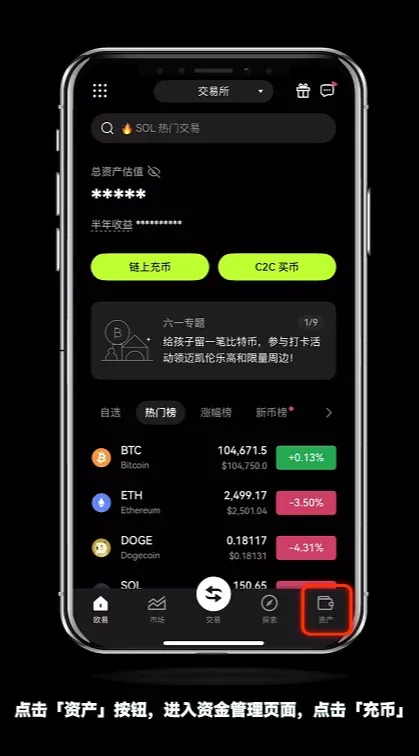
OKX APP – Deposit
- Open the OKX APP, tap the Assets tab at the bottom, then select Deposit.
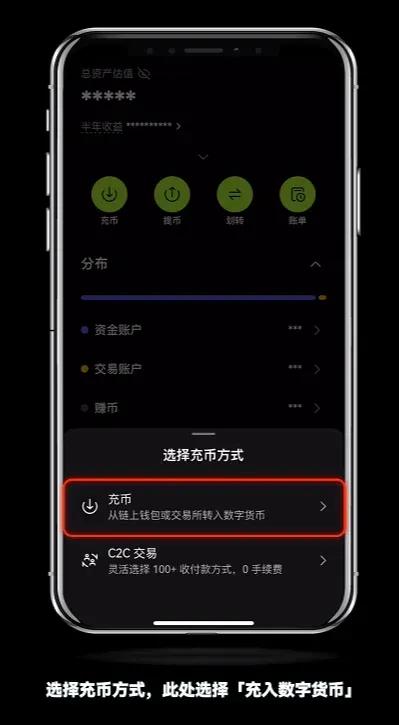
- In the pop‑up window choose Deposit Cryptocurrency, which takes you to the deposit‑method selection page.
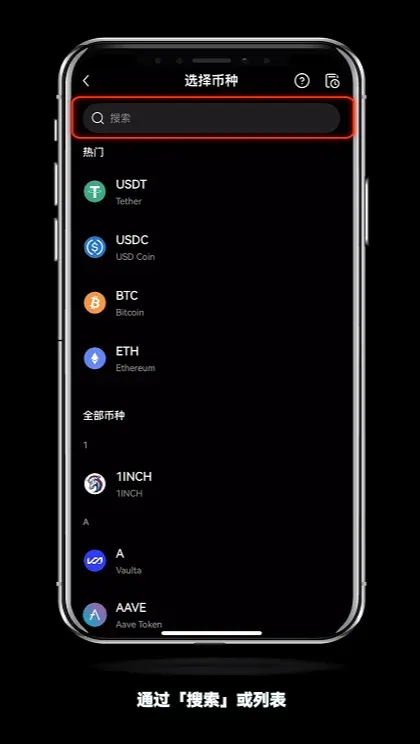
- Use the search box or scroll through the list to find the coin you wish to transfer, then tap it to open its specific deposit page.
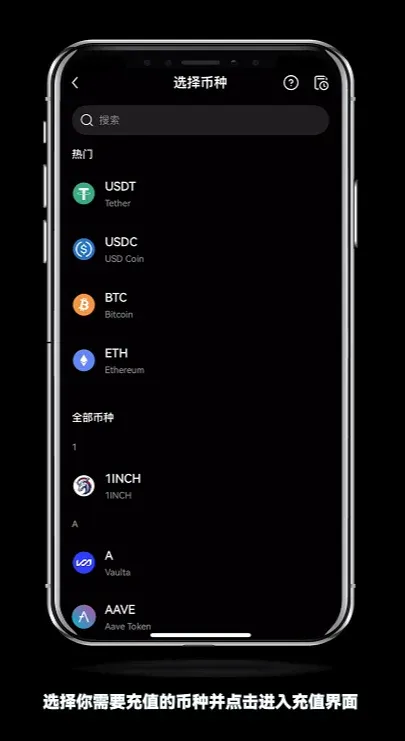
- Each blockchain network has its own address. Make sure you select the network that matches the one used by your original wallet. For example, if you hold USDT‑TRC20 on another platform, choose USDT‑TRC20 on OKX as well.
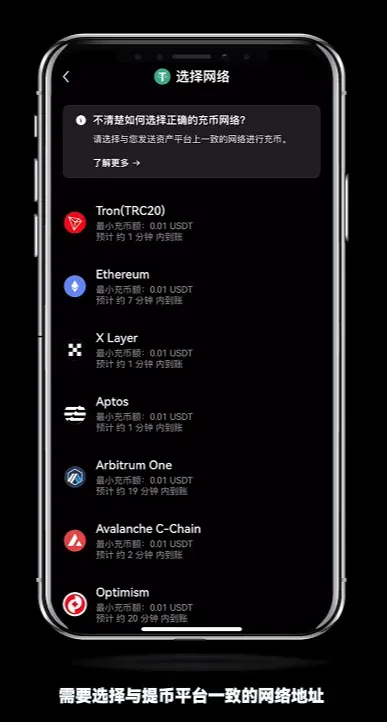
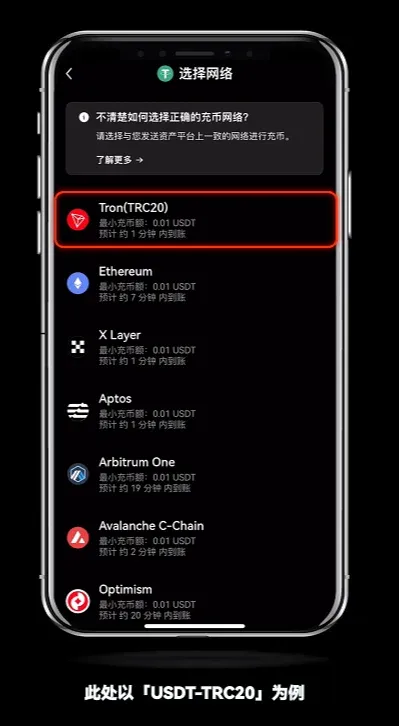
- Tap Copy in the address field, then return to your external wallet or exchange’s withdrawal page. Paste the copied address, enter any required password or verification code, and confirm the deposit.
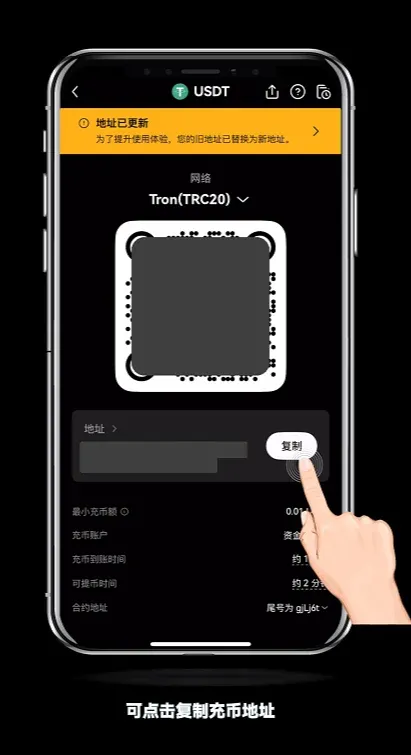
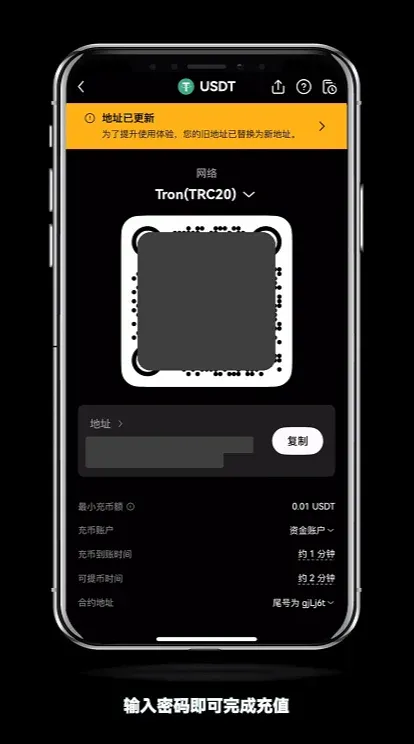
Tip: Different networks have varying confirmation times. It’s advisable to check the network status before initiating a withdrawal.
---
How to Withdraw – Withdrawal? (Web)
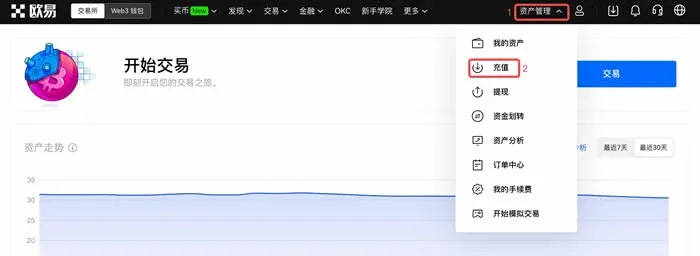
- New users can first complete registration via the sign‑up link. Using USDT as an example, log in, then click the top‑right Asset Management → Deposit.
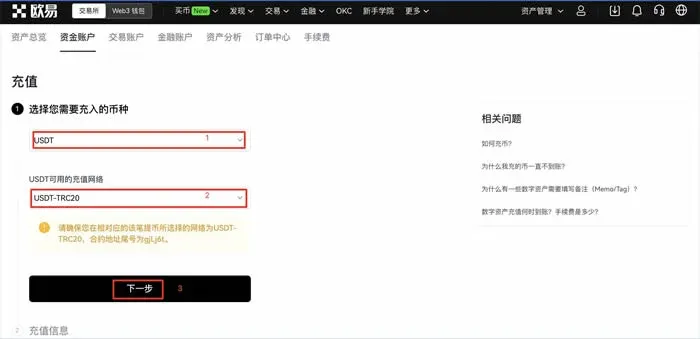
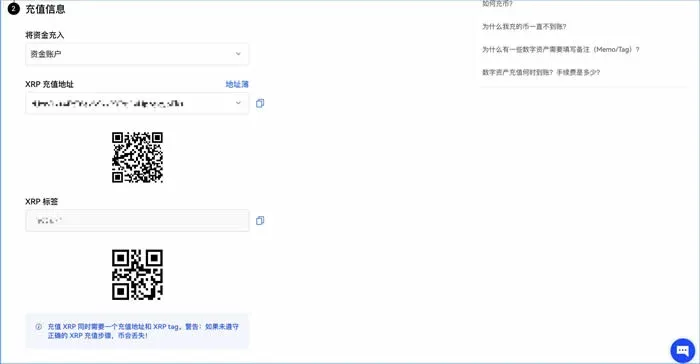
- Select USDT, then in the pop‑up network list choose the desired chain (e.g., USDT‑ERC20, USDT‑TRC20, USDT‑OKC) and click Next. On the following page, pick the sub‑account you want the funds to go to and Copy Address.
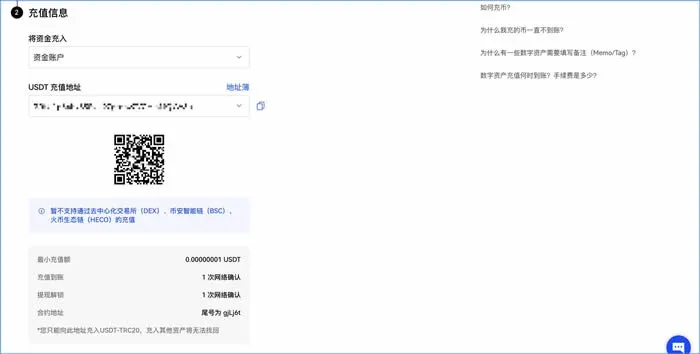
- Open the external wallet or exchange where you hold USDT, go to its withdrawal page, paste the OKX address you just copied, fill in the amount, password, and any other required information, then confirm.
Note: The withdrawal network must match the network you selected on OKX; otherwise the assets may be lost.
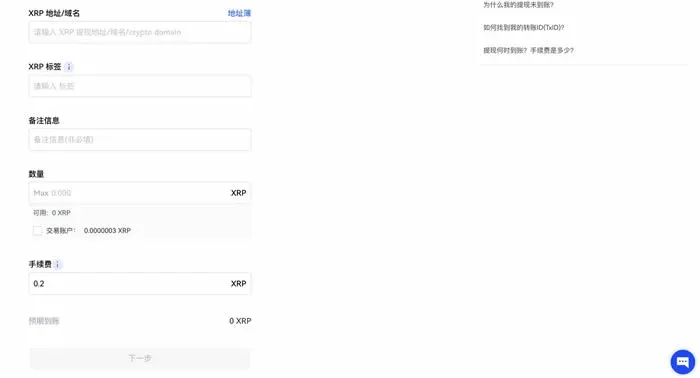
Some tokens (e.g., XRP) also require a memo/tag beneath the address. The tag is usually a string of numbers; omitting it will cause the deposit to fail.
---
How to Withdraw on the OKX APP?
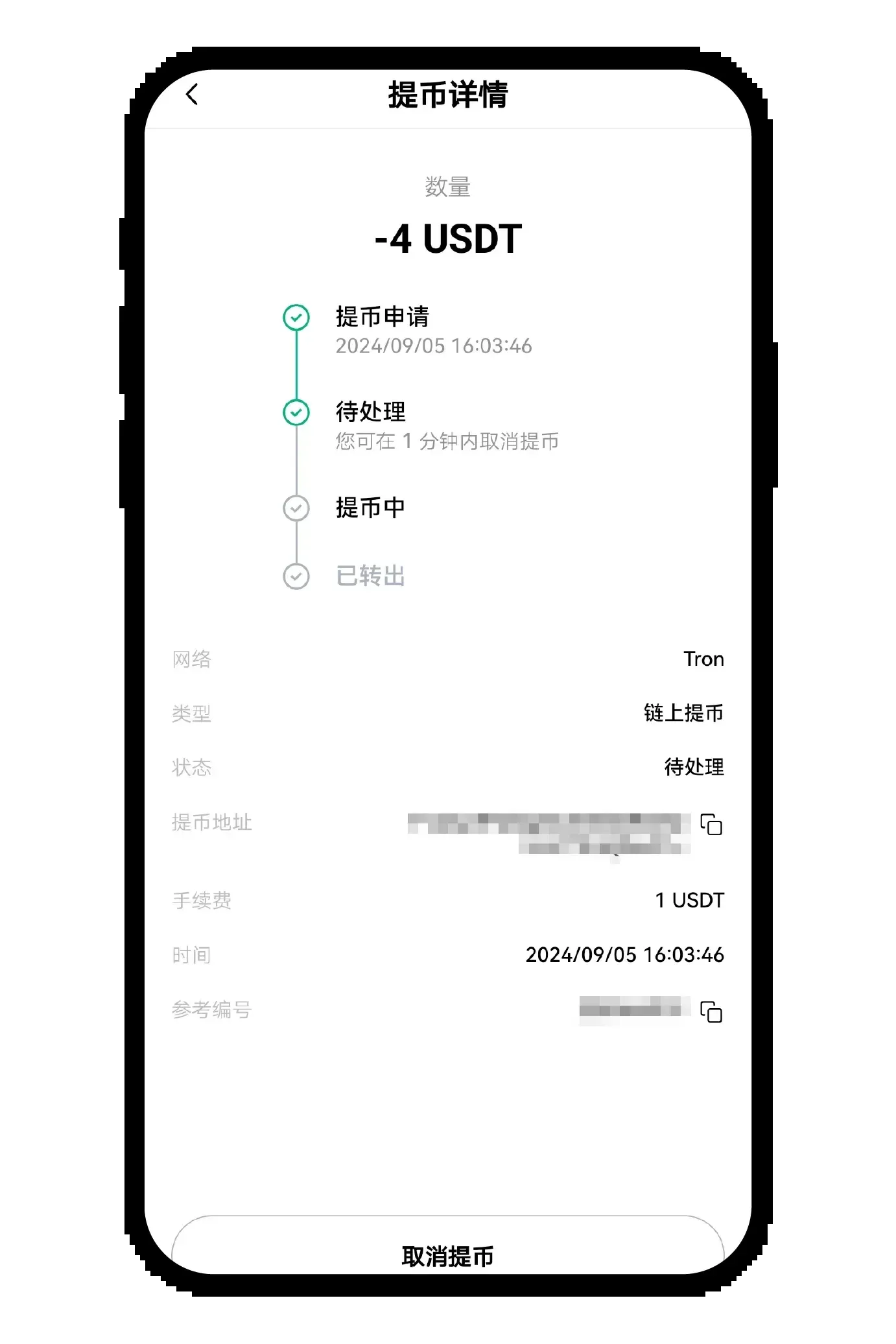
When performing a withdrawal, be certain that the selected network matches the one you used for the deposit; otherwise the assets may never arrive. The withdrawal process moves through four status stages: Withdrawal Requested → Pending → Processing → Sent. When the page shows Sent, the assets have left OKX and you should contact the receiving platform or wallet for final confirmation.
On‑Chain Withdrawal (USDT example)
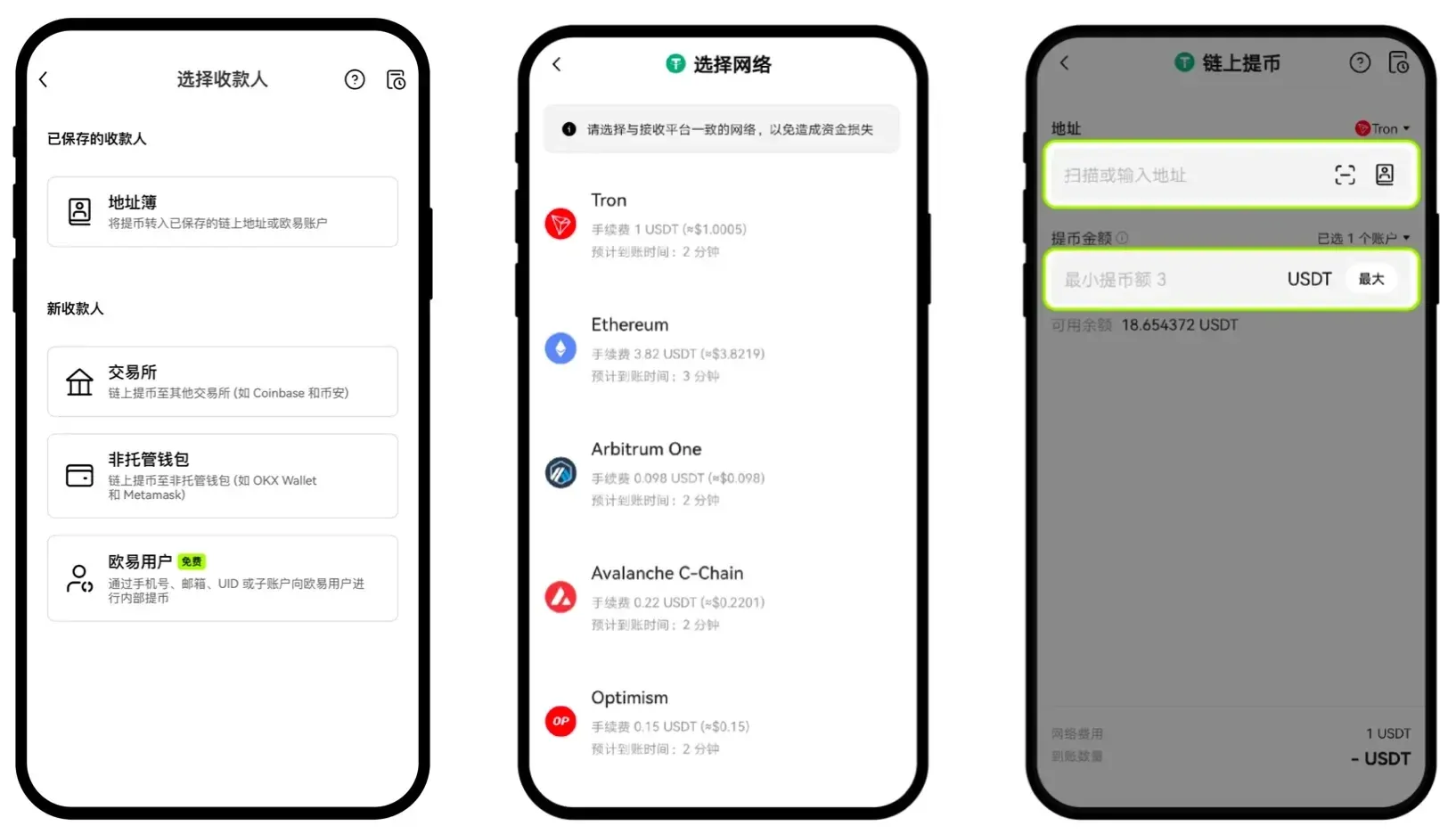
- Launch the OKX APP, go to Assets → Withdraw → Withdraw Cryptocurrency, type USDT in the search box and select it.
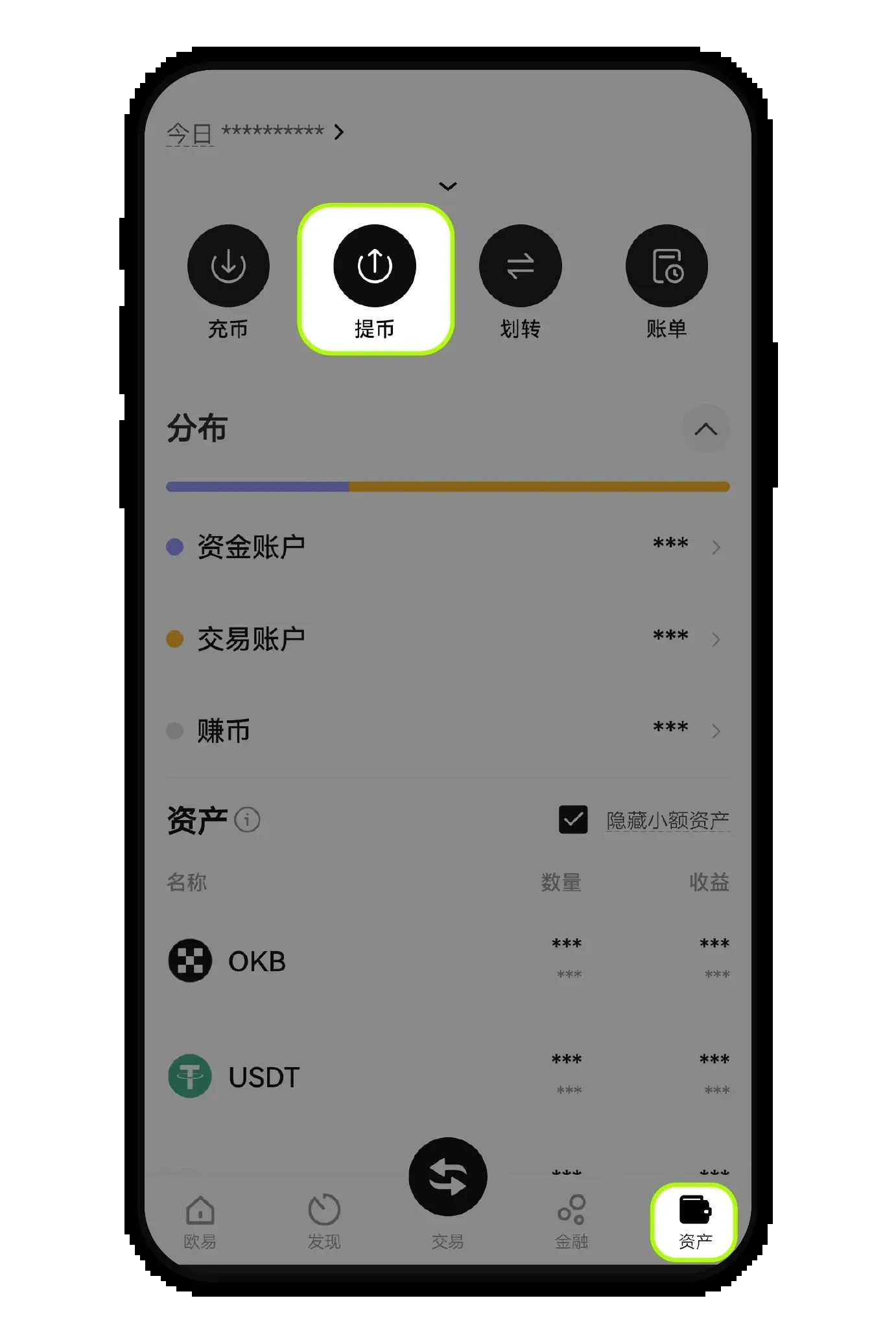
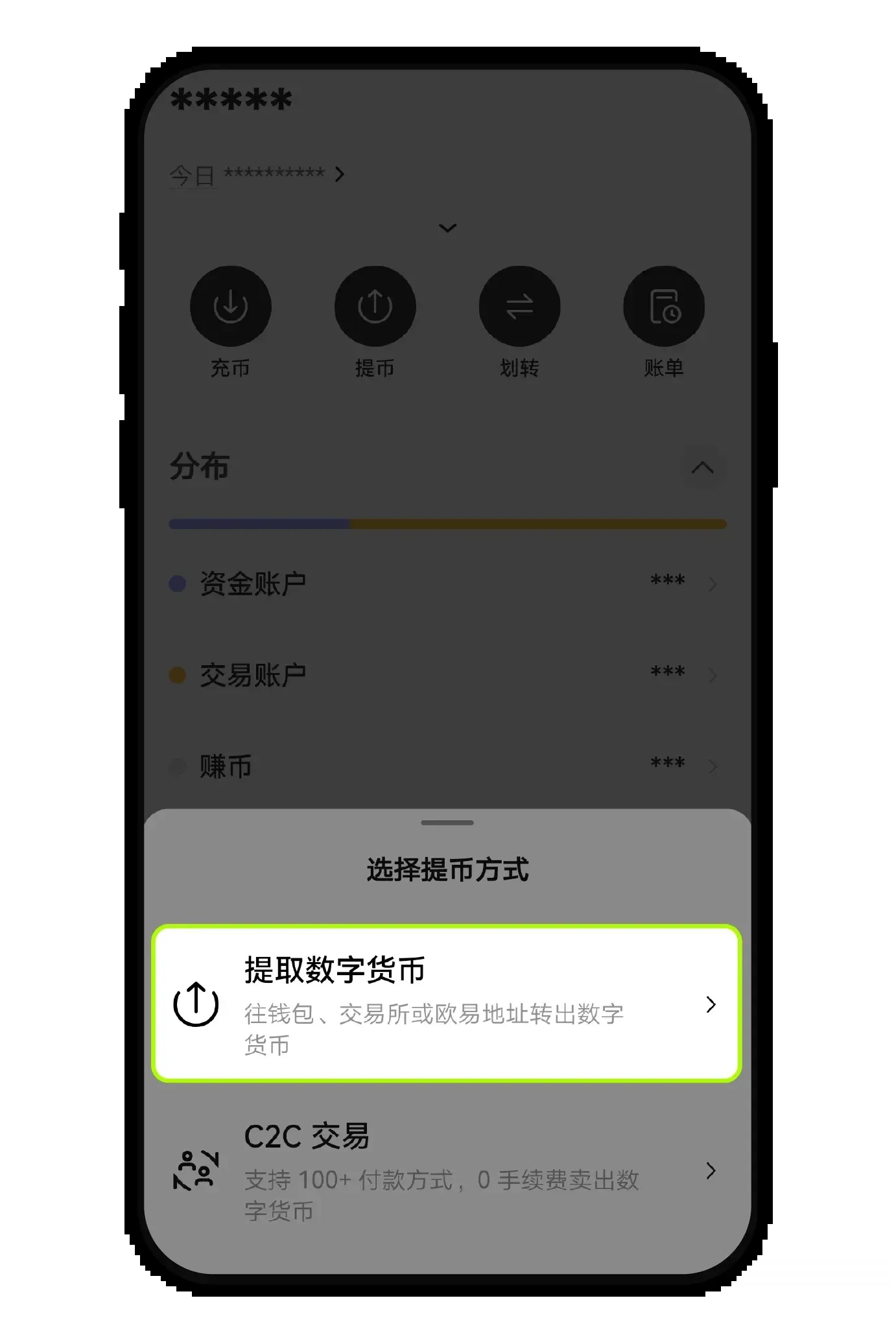
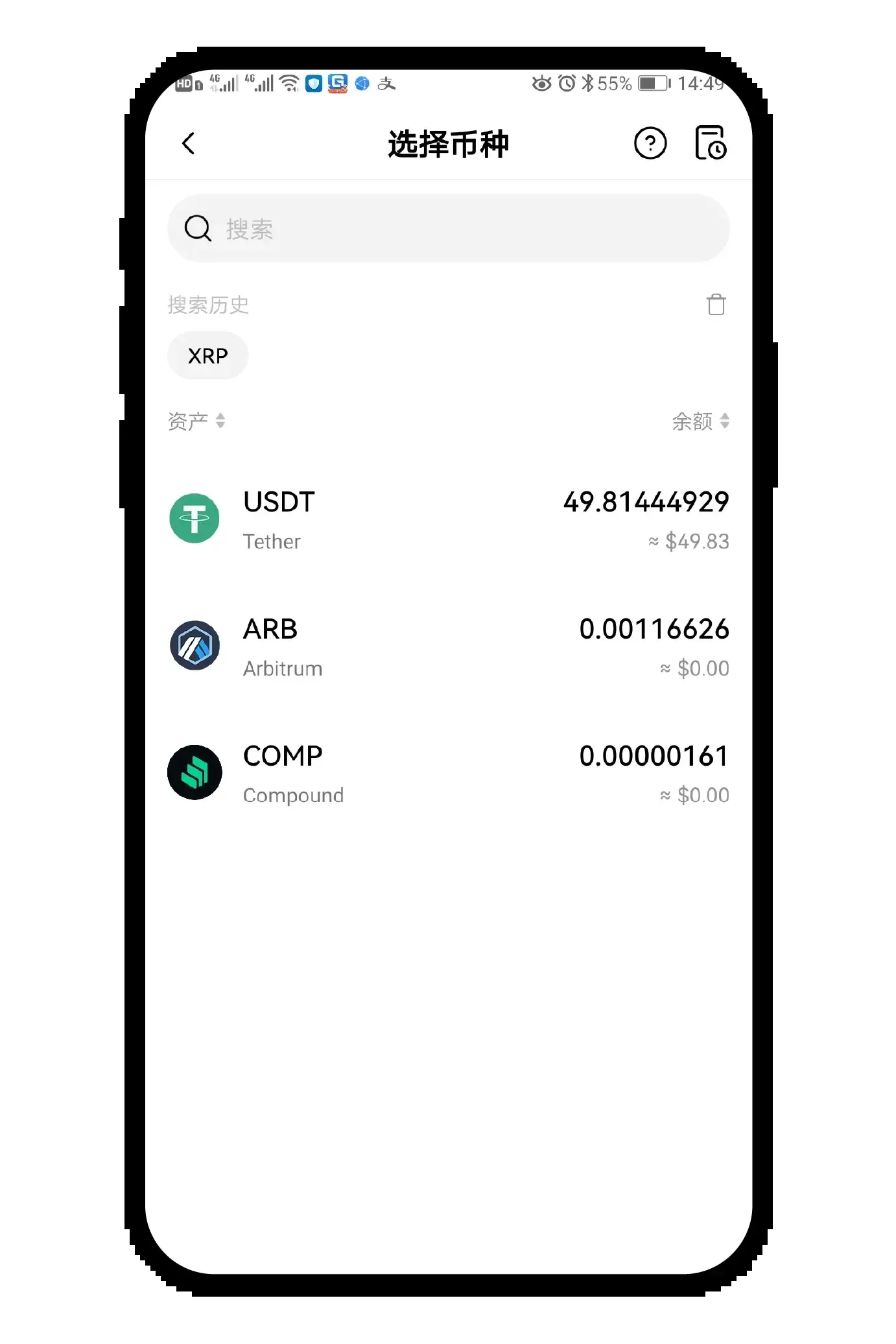
- In the Destination Address field you can choose Address Book, Exchange, or Non‑Custodial Wallet. Then select the withdrawal network, paste or scan the target address, enter the amount and tap Submit. Before entering an amount, you can view the platform’s minimum withdrawal limit.
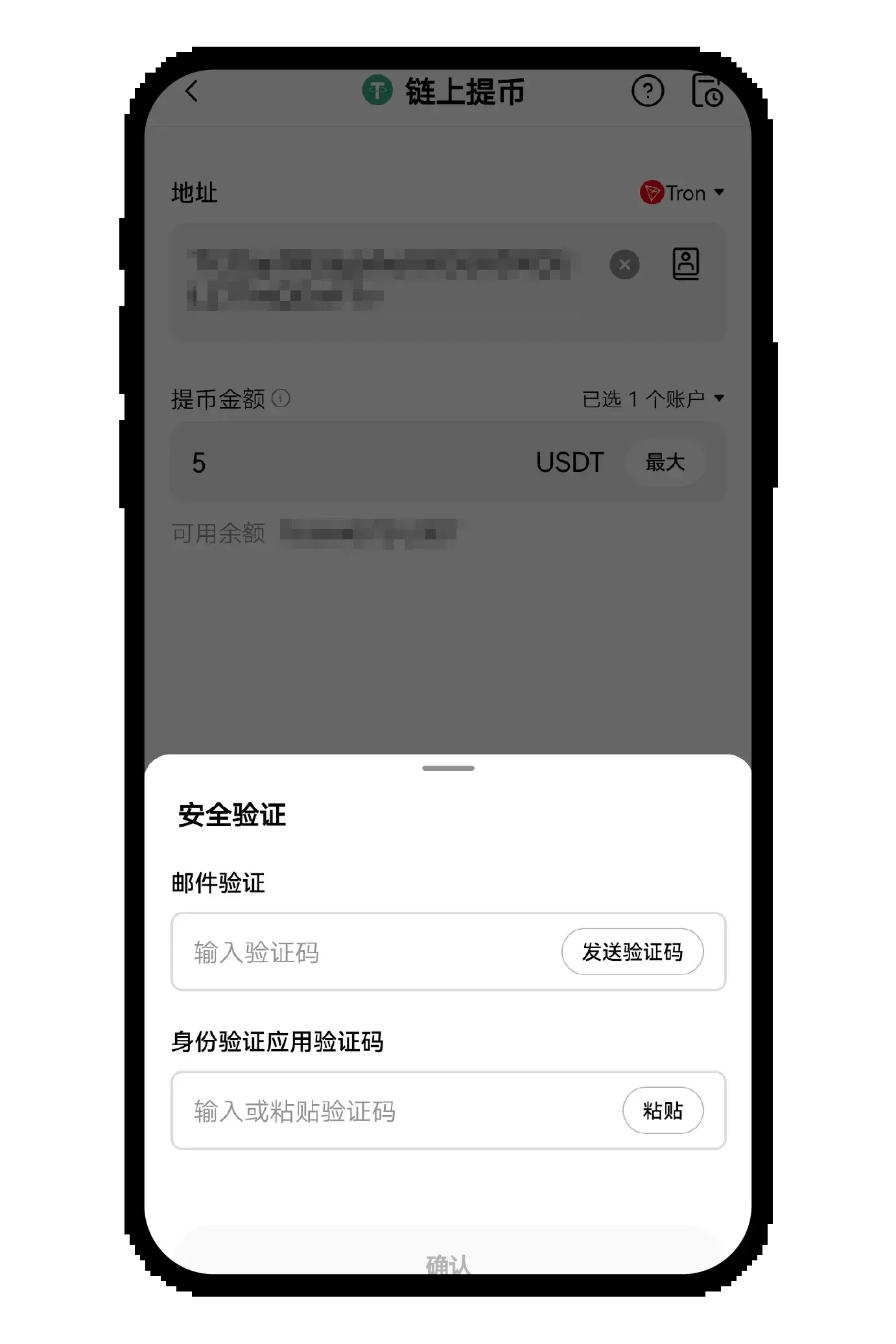
- Follow the on‑screen prompts to input your transaction password, verification code, and any other required information to complete the withdrawal request.
---
OKX Web – Withdrawal
1. On‑Chain Withdrawal
- Log in to the OKX website, click the top‑right Asset Management → Withdrawal. In the coin list, select USDT and tick On‑Chain Withdrawal in the pop‑up window.
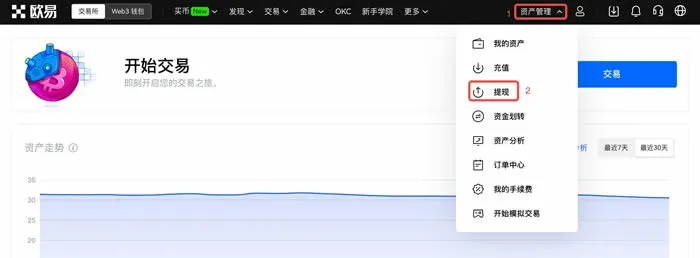
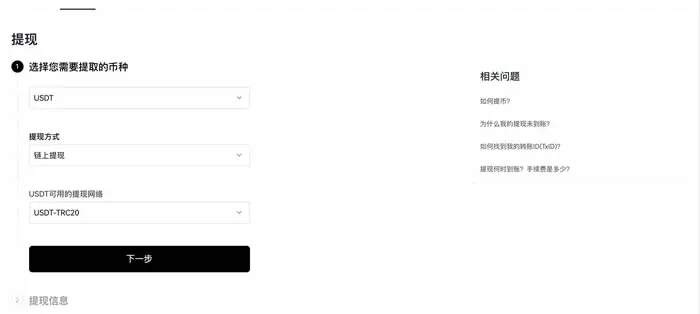
- Choose the network (e.g., USDT‑TRC20), click Next, then fill in the receiving address or domain name and the withdrawal amount, and click Next again. The system will request your transaction password or verification code; after confirming, the withdrawal is complete.
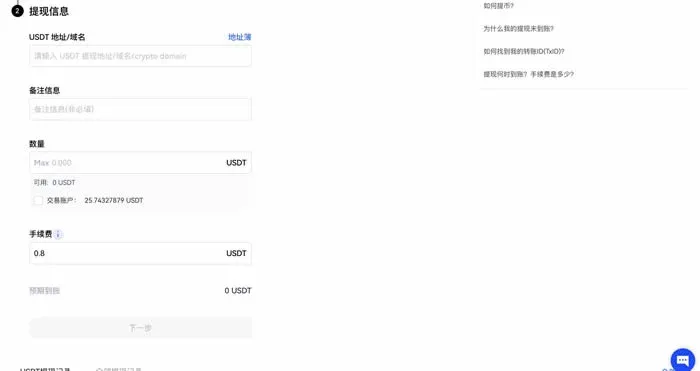
Friendly reminder: The withdrawal network must be identical to the network you used for depositing on other platforms, otherwise you risk losing the assets.
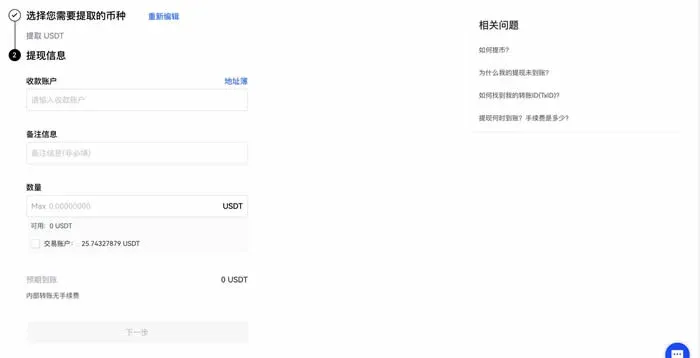
2. Internal Transfer
- Still on the Asset Management → Withdrawal page, select Internal Transfer, enter the recipient’s account and the amount, follow the steps, and complete the password verification.
- For certain coins (e.g., XRP) you must also provide a memo/tag after the address; missing this information will result in the funds not arriving.
---
The above constitutes a complete guide to depositing and withdrawing on the OKX platform via both the mobile APP and the Web interface. For more practical tips on OKX deposits and withdrawals, follow Bitaigen for future updates.
Note for U.S. residents: When dealing with fiat‑on‑ramp or off‑ramp services, use Binance.US (or another U.S.-compliant exchange) rather than the global Binance platform.
Tax reminder: Crypto gains may be taxable in your jurisdiction; consult a tax professional to understand your local obligations.
Related Reading
- Binance & OKX Tokenize US Stocks: Apple, Tesla on Chain
- OKX Dual‑Currency Win: Earn Fixed Returns on Crypto Investments
- OKX Dual‑Currency Win: Fixed‑Return Non‑Principal‑Protected Investment Explained
💡 Register on Binance with referral code B2345 for the maximum trading fee discount. See Binance complete guide.



