
 Bitaigen Research
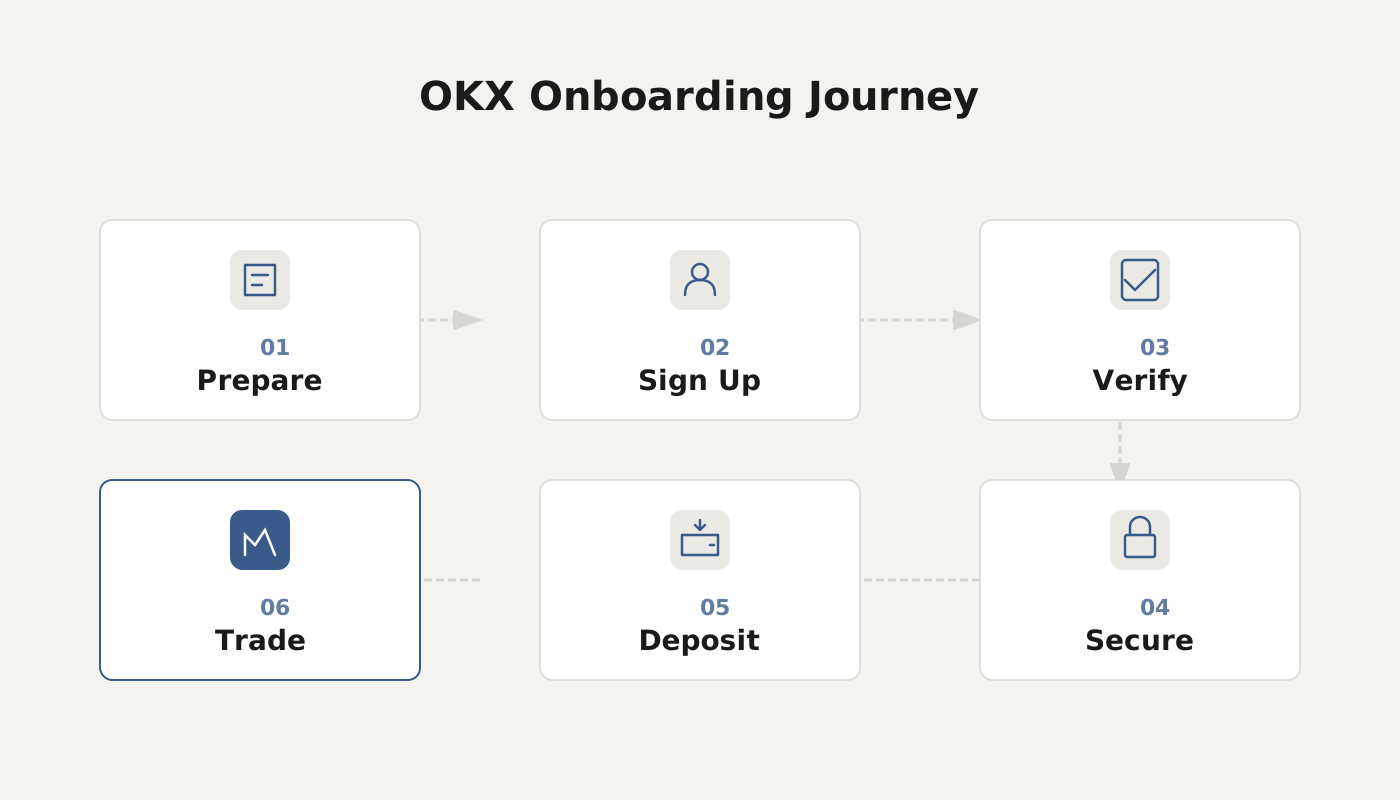
 OKX (formerly known as OKEx) is a leading centralized cryptocurrency exchange operating worldwide, headquartered in Seychelles, and providing digital‑asset trading services to users in more than 100 countries.
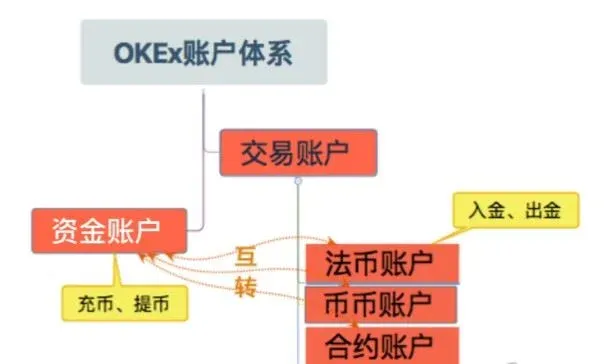
The fund account on OKX is used for storing, depositing, and withdrawing crypto, while the trading account is used to execute buy‑sell and other trading operations; the two accounts serve distinct functional purposes.
In this article we outline the two core account types on the OKX platform—the fund account and the trading account—examining their functional positioning, differences in asset security versus trading risk, and the flow and fee structure of transfers between them. By presenting a clear side‑by‑side comparison, we aim to help users manage assets and anticipate risks before depositing funds or placing orders. Subsequent sections will demonstrate practical techniques, so a thorough read is recommended.
1. Overview of Fund Account and Trading Account
OKX offers two primary account categories:
- Fund Account: Used to store a user’s digital assets and to perform internal transfers, deposits, or withdrawals.
- Trading Account: Used for spot, contract, perpetual and other types of trading; assets held here serve only as trading collateral.
2. Asset Security and Trading Risk
- Assets in the fund account represent the user’s ultimate ownership. The platform employs multiple security measures (e.g., cold‑wallet storage, two‑factor authentication) to safeguard these assets.
- Assets in the trading account fluctuate with trading activity and are exposed to market price movements; the associated risk must be borne by the user.
OKX provides limit orders, market orders, and take‑profit/take‑loss functions to help users manage risk while trading.
3. Fund Transfers and Trading Costs
- Users can freely transfer assets between the fund account and the trading account; the operation is fast and user‑friendly.
- Trading costs include transaction fees and cancellation fees, among others. OKX’s fee schedule is relatively low within the industry, and it offers tiered discounts for high‑frequency traders.
4. Asset Management vs. Trade Management
| Feature | Fund Account | Trading Account |
|---|---|---|
| Main Operations | Store, deposit, withdraw, internal transfer | Buy, sell, cancel orders, view fills |
| Information Queried | Asset balances, deposit history | Order status, trade details |
| Focus | Asset safety and custody | Trade execution and strategy |
5. OKX Fund‑to‑Trading Account Transfer Guide
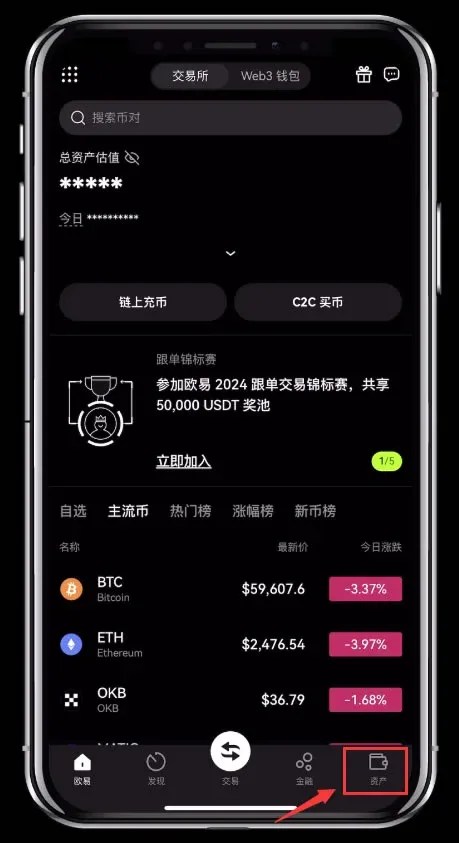
- Open the OKX mobile app and go to the `Assets` page.
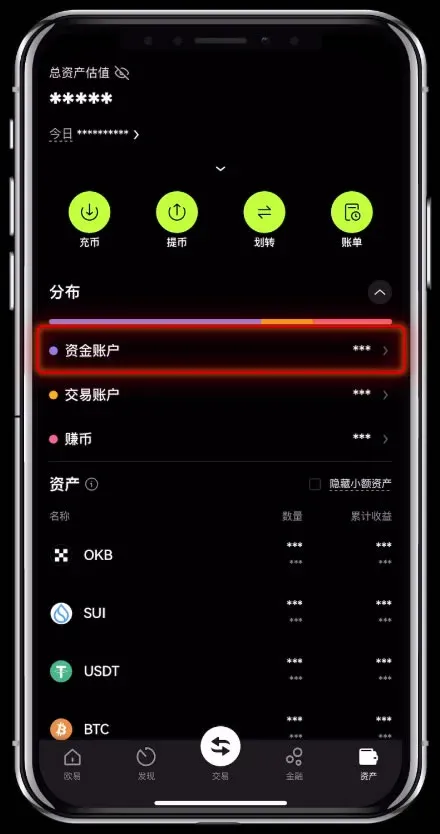
- Fund Account: Used for C2C, Earn products and other financial services.
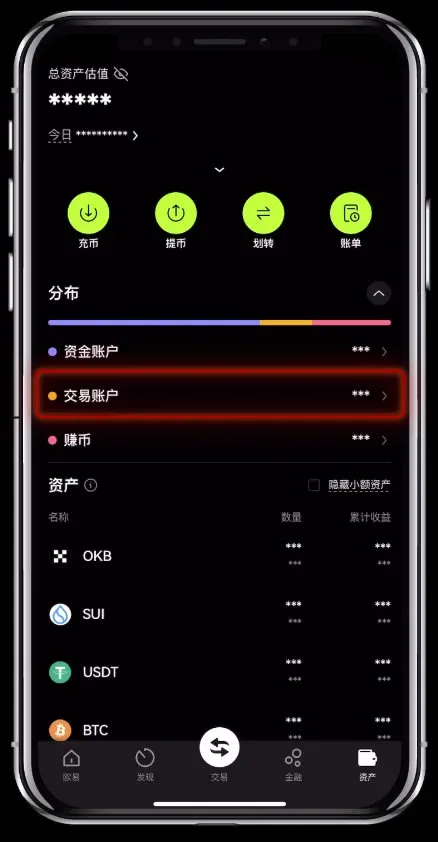
- Trading Account: Used for spot, contract, perpetual, options and other trading activities.
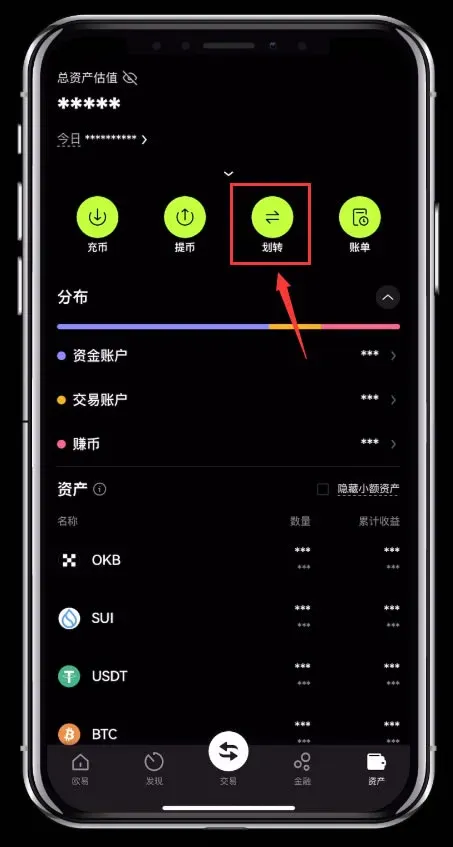
- Tap `Assets` → `Transfer`.
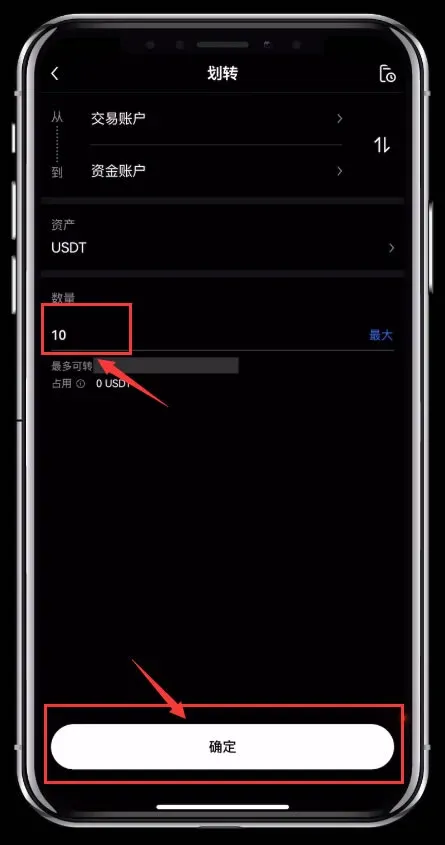
- On the transfer screen, select the direction between Fund Account and Trading Account (you can use the “Reverse” button to switch).
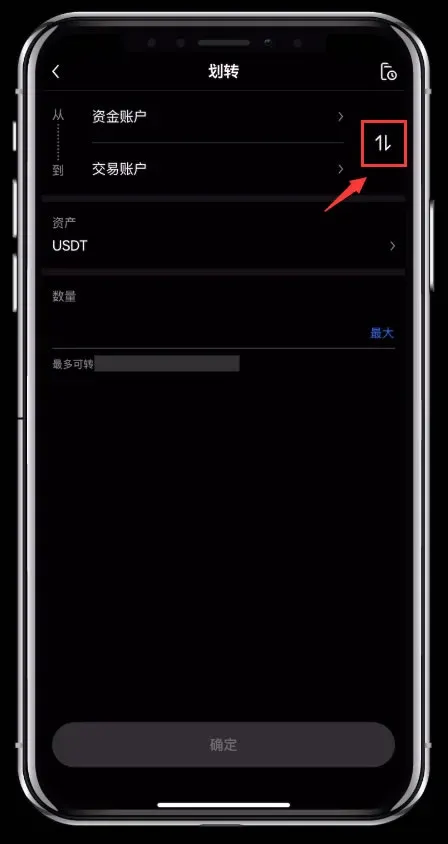
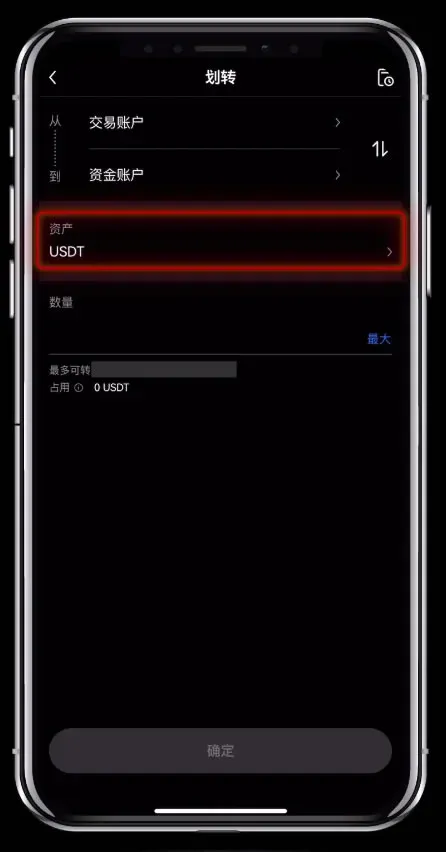
- Choose the asset you wish to move, enter the amount, and confirm to complete the transfer.
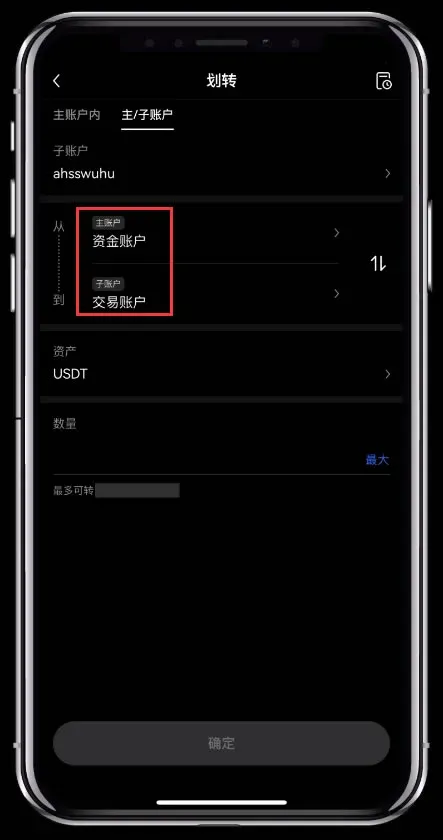
- The procedure for transferring between sub‑accounts mirrors that of the main account.
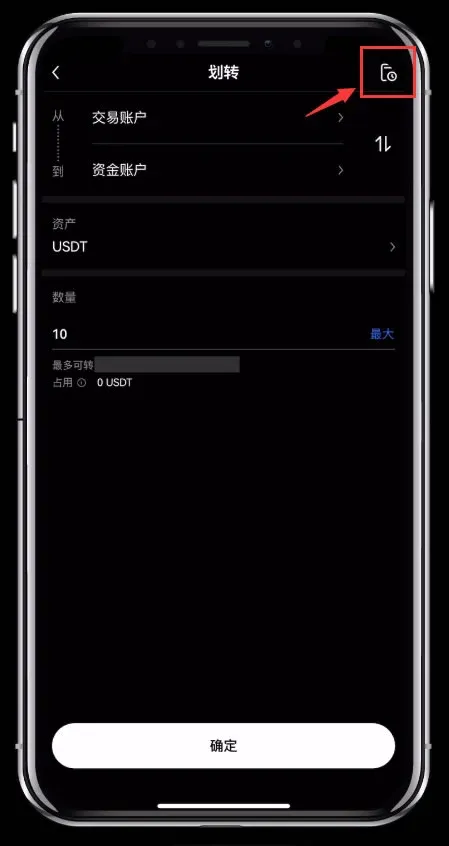
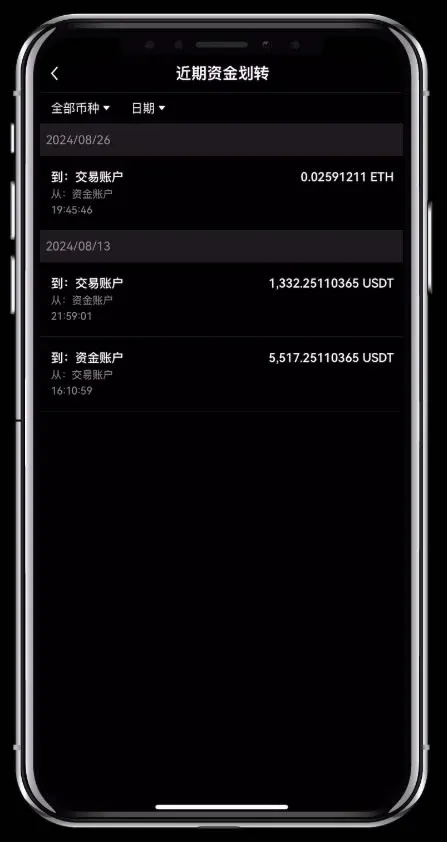
- Tap `History` in the top‑right corner of the transfer screen to view past transfer records.
Important Considerations for OKX Fund‑to‑Trading Transfers
- Verify account details: Always double‑check the direction and target account before confirming a transfer to avoid accidental mis‑routing.
- Fee clarification: Most internal transfers on the platform are free; cross‑platform or special‑service transfers may incur a fee.
- Arrival time: Transfers are typically completed within a few hours. If delays occur, review the transfer record and contact customer support.
- Account security: Enabling two‑factor authentication (2FA) is strongly recommended to enhance account protection.
6. Summary
The fund account acts as the repository for a user’s assets, while the trading account functions as the workstation for executing buys and sells. Together they form a complete digital‑asset management and trading ecosystem. When using OKX, pay close attention to asset security, trading risk, and any transfer fees, and make full use of the platform’s risk‑control tools to achieve safer and more robust asset operations.
For additional information on the differences between OKX’s trading and fund accounts, please refer to other articles on Bitaigen (比特根).
*Please note that cryptocurrency gains may be taxable in your local jurisdiction; consult a tax professional for guidance.*
Related Reading
- OKB Functions, Holder Rights & Roadmap in OKX
- Discover top regulated crypto exchanges—Binance, OKX, Bitget, and Bybit
- OKX Exchange Overview: Spot, Margin & Derivatives Trading
💡 Register on Binance with referral code B2345 for the maximum trading fee discount. See Binance complete guide.



