
 Bitaigen Research
 In this article we outline OKX’s latest Square 2.0 strategy‑copying feature, providing a step‑by‑step guide on how beginners can quickly register, select high‑quality signal providers, and execute copy trades. By walking through each practical step, we aim to help you leverage professional traders’ setups in volatile markets for a more stable trading experience. Subsequent sections will also reveal key risk‑control points, so a thorough read is recommended.
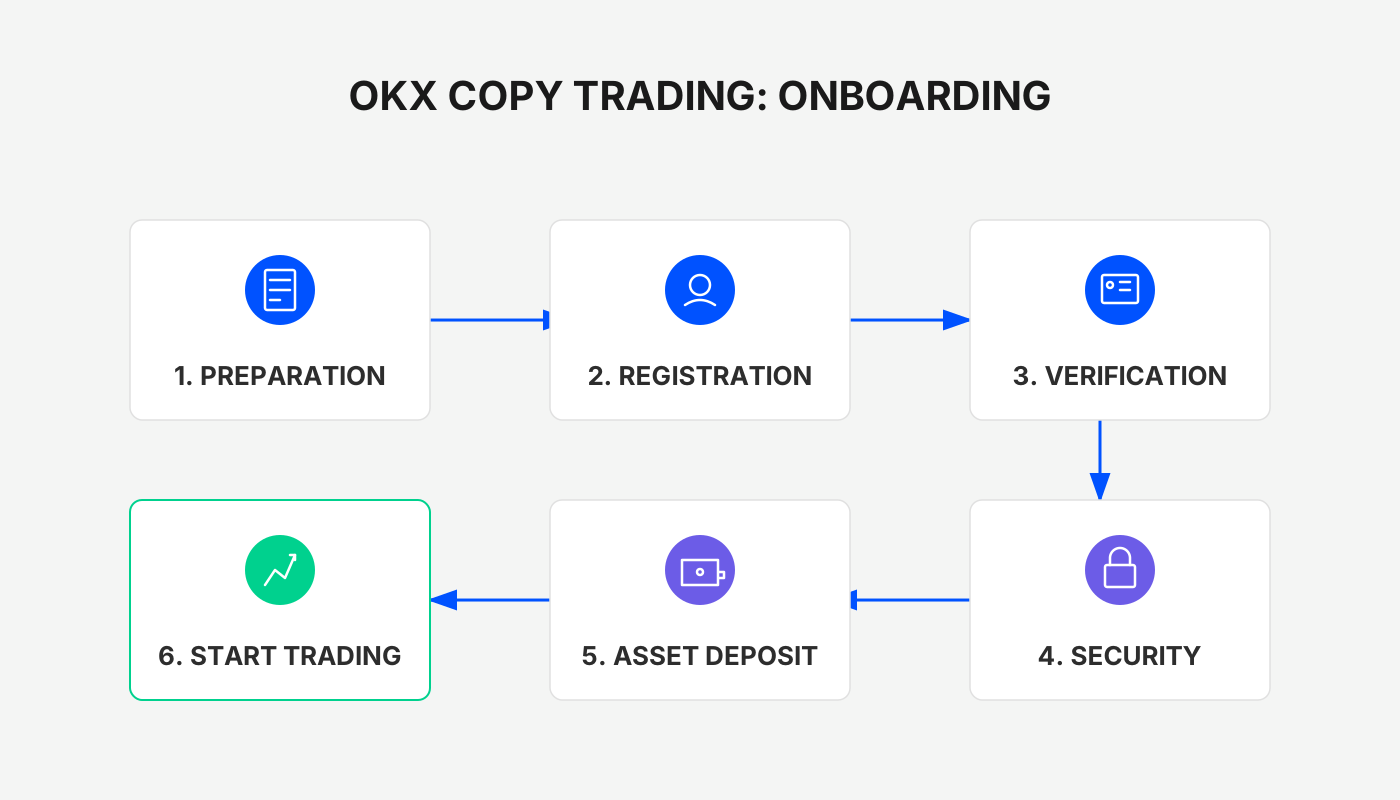
In a complex market environment, even traders with solid technical skills and years of live‑trading experience can miss opportunities due to emotional swings or judgment errors. Strategy copy‑trading is a tool that helps investors mitigate these risks and achieve steadier results. OKX’s recently launched Square 2.0 version retains the original copy‑trading function while adding a “follow‑the‑trader” mode, allowing ordinary users to mirror an entire professional trader’s layout and share in the profits.
Quickly Open an Account and Enter the Copy‑Trading Ecosystem
If you do not yet have an OKX (formerly known as OKEx) account, you can sign up and download the client via the links below:
- Official registration link: <https://www.bitaigen.com/binance>
- App download link: <https://www.bitaigen.com/binance/download>
Note for U.S. residents: The link points to the global Binance referral. U.S. users should use Binance.US instead of the global Binance platform.
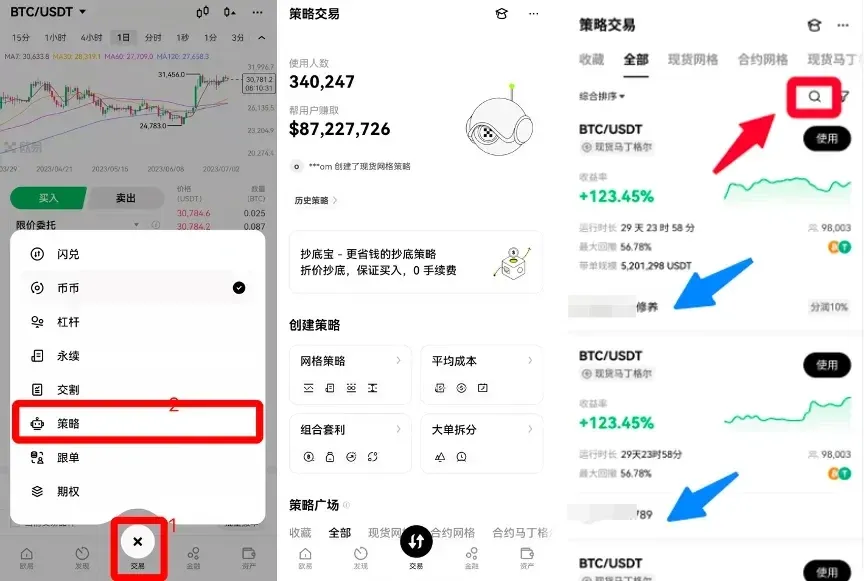
After completing registration, launch the OKX app and sequentially tap Trade → Square Strategies → Signal Providers to reach the provider list page. You can either use the search bar to locate a specific trader or browse the recommendation section for platform‑curated top providers.
What Is OKX Strategy Copy‑Trading?
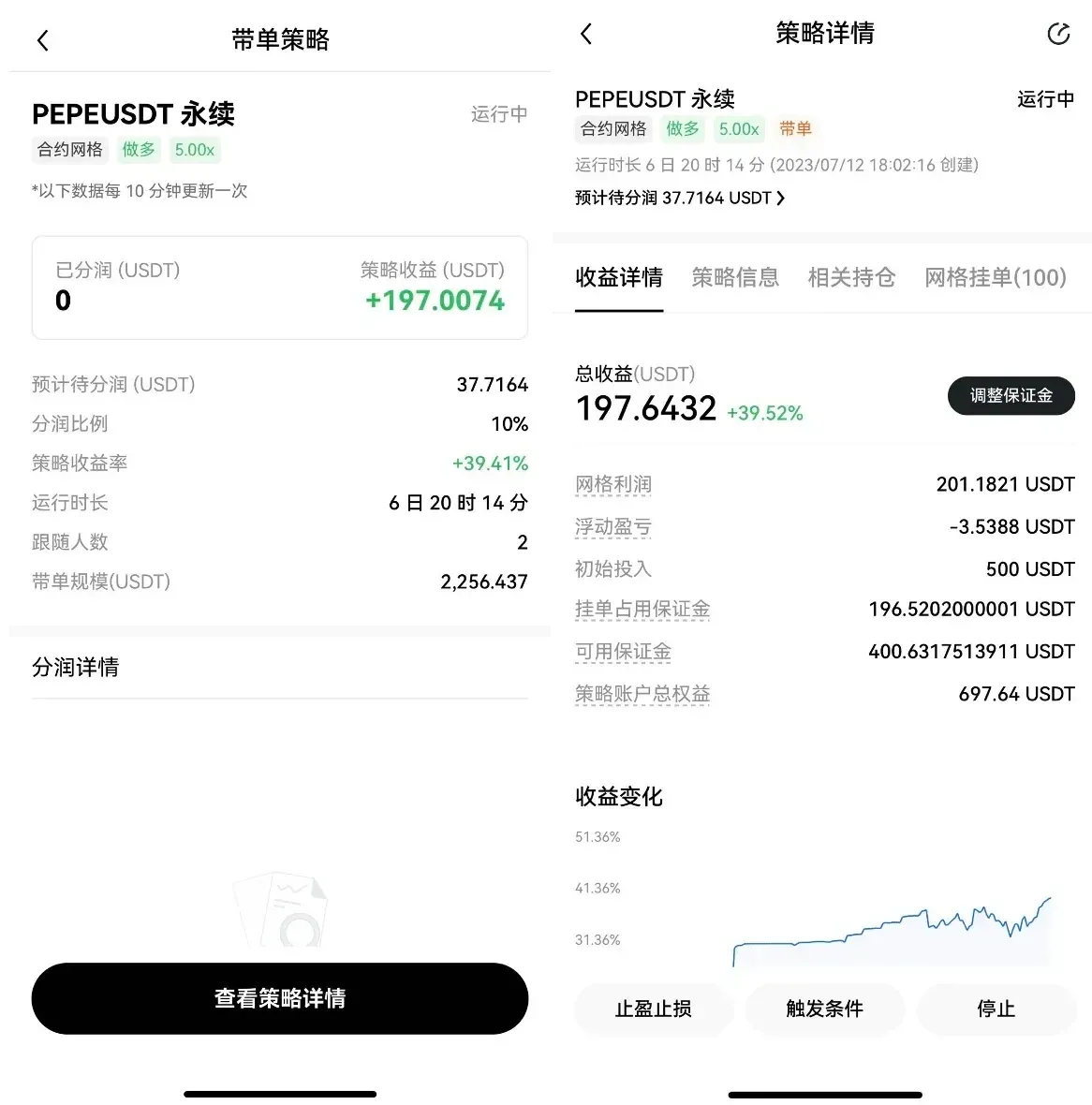
OKX strategy copy‑trading is a “one‑click copy” system built on the Square strategy framework. The platform sets up a revenue‑sharing mechanism for signal providers, allowing them to receive up to 30 % of the generated profits. At the same time, the provider’s exact strategy parameters are hidden by the platform to protect their competitive edge. Core characteristics of the system include:
- One‑click activation for an effortless copying workflow
- Platform‑selected strategies with higher revenue‑share ratios
- First‑round supported strategy types: Spot Grid (including moving grid) and Consistent Grid
- First‑round supported trading pairs: only USDT‑denominated pairs
Selecting a Provider and Initiating a Copy
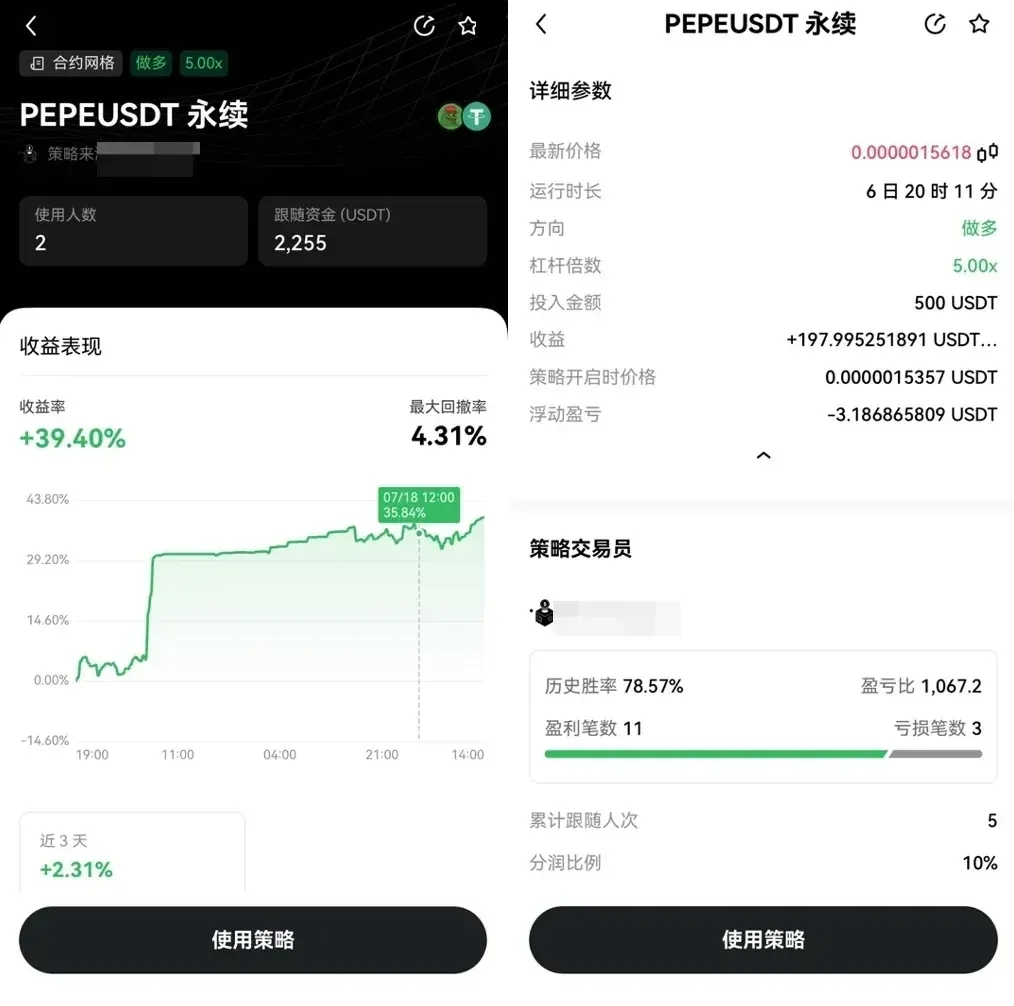
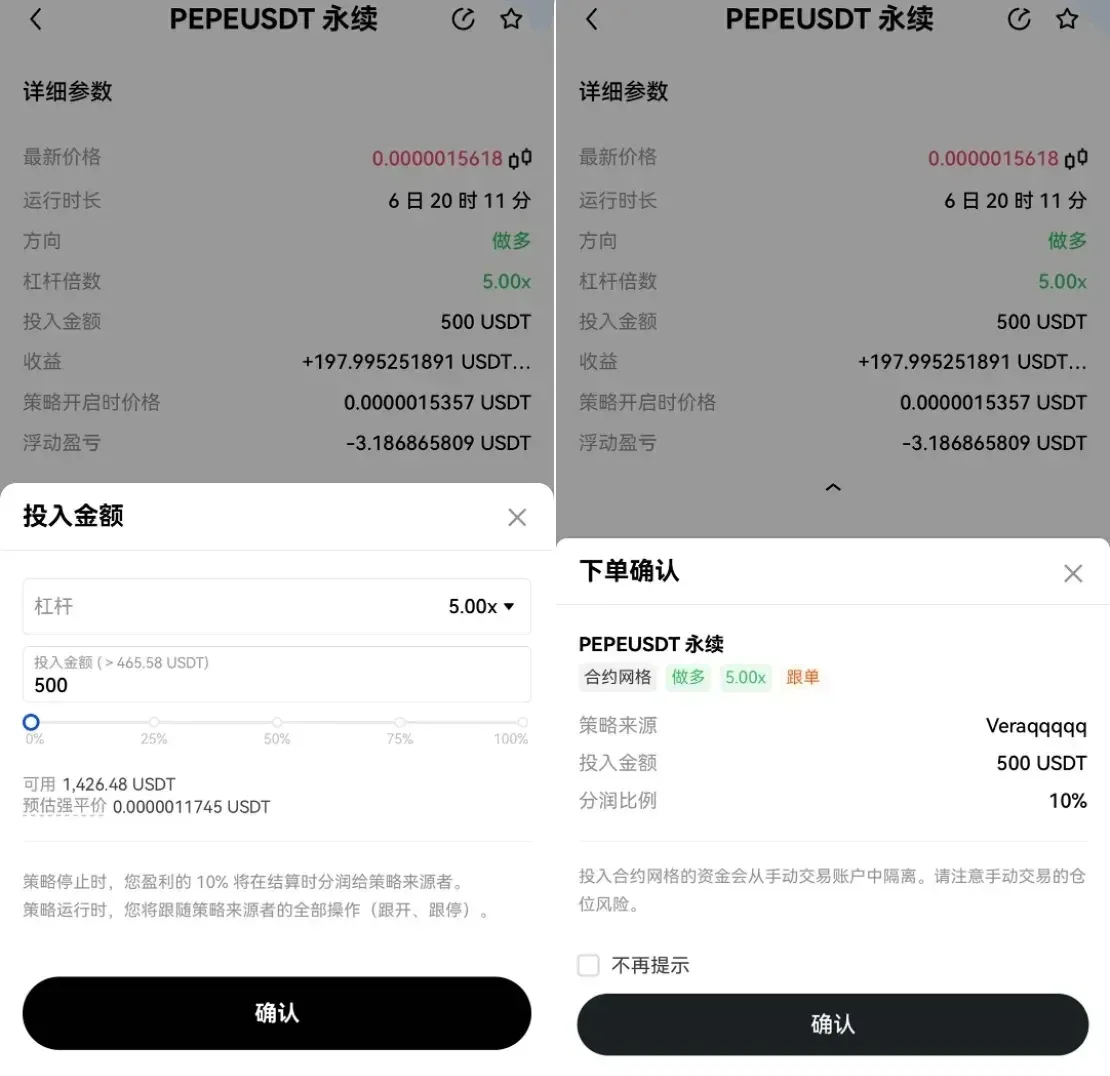
On a provider’s personal page you can view their historical performance, the strategy currently in use, and the set revenue‑share ratio. After confirming the details, enter the amount you wish to allocate and click Create Strategy to start copying.
Once the creation succeeds, the system will automatically execute the strategy whenever its trigger conditions are met. If you manually stop the copy or the provider ceases the strategy, the system will instantly send a stop notification. After the strategy concludes, any profit generated will be transferred to your funding account according to the agreed revenue‑share ratio, calculated as:
Revenue Share = Net Strategy Profit × Share Ratio
The share ratio is displayed when you select a provider and is locked in at the moment you create the strategy; it cannot be altered later.
Key Details During the Copy Process
- All copy actions are automated; you follow the provider’s buy/sell signals in real time, with positions opened and closed synchronously.
- If you manually halt the copy while the strategy is running, the system will still settle the revenue share based on the profit or loss already realized.
- Revenue‑share earnings are deposited into a dedicated system account and transferred to the provider’s main account during the weekly settlement window (every Sunday at 00:00 UTC).
Earnings and Requirements for Becoming a Signal Provider
For skilled strategy developers, becoming a signal provider offers an additional income stream beyond direct trading profits. The platform grants platform‑wide promotion (free traffic) for high‑quality, stable strategies, helping providers quickly attract copy‑traders and create a virtuous cycle.
To apply as a signal provider, you must satisfy three hard criteria:
- Upload valid proof of strategy trading activity;
- Accumulate a total investment of more than 1,000 USDT across all strategies in the past 30 days;
- Operate at least 5 distinct strategies within the past 30 working days.
Once approved, you may set a revenue‑share ratio ranging from 0 % to 30 % when creating a strategy. After publishing, a platform‑issued “Signal Provider” badge appears on your profile. Note that the share ratio is immutable after launch, and a stopped strategy must fully liquidate all positions.
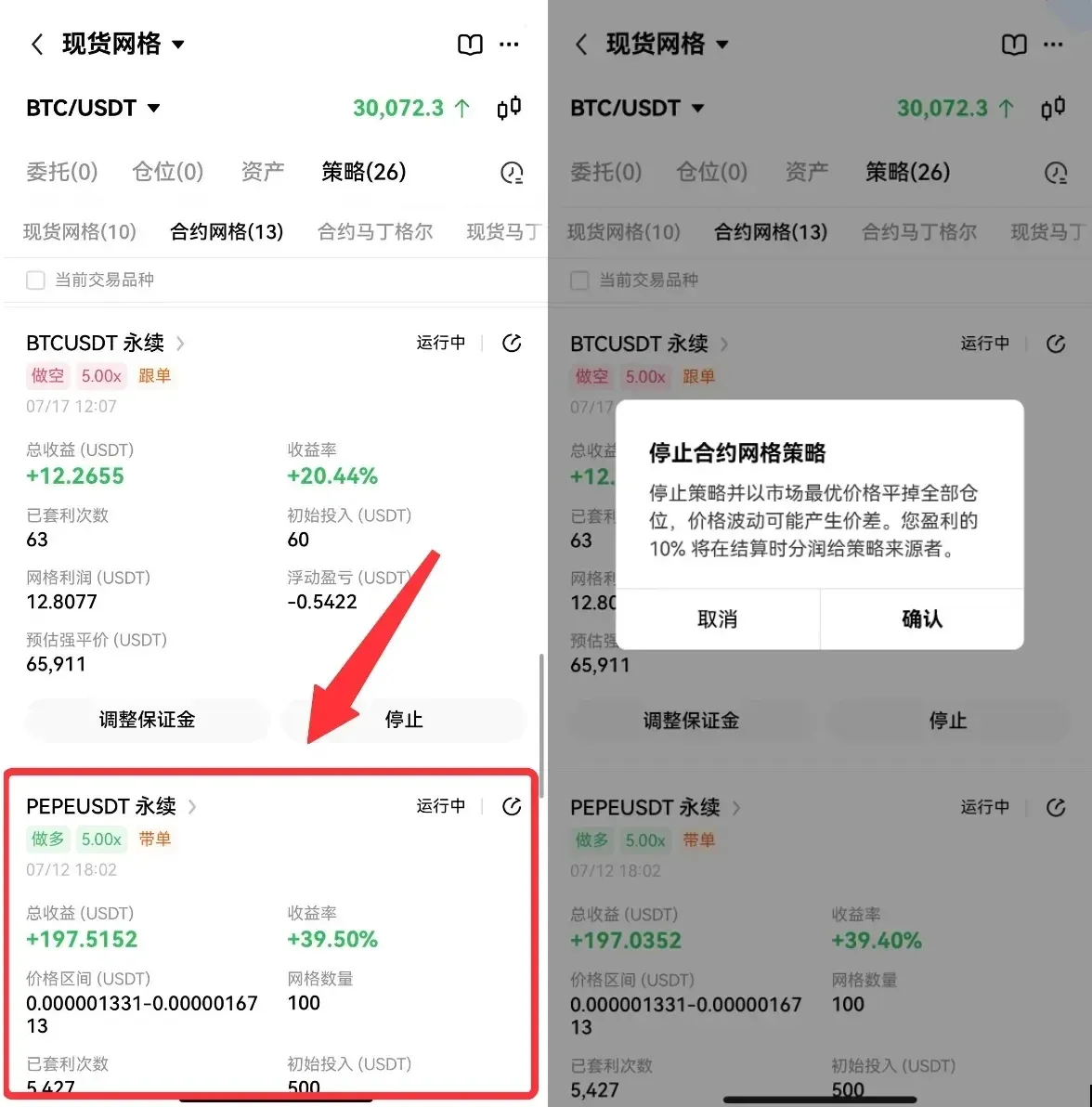
Promotion Methods for Signal Providers
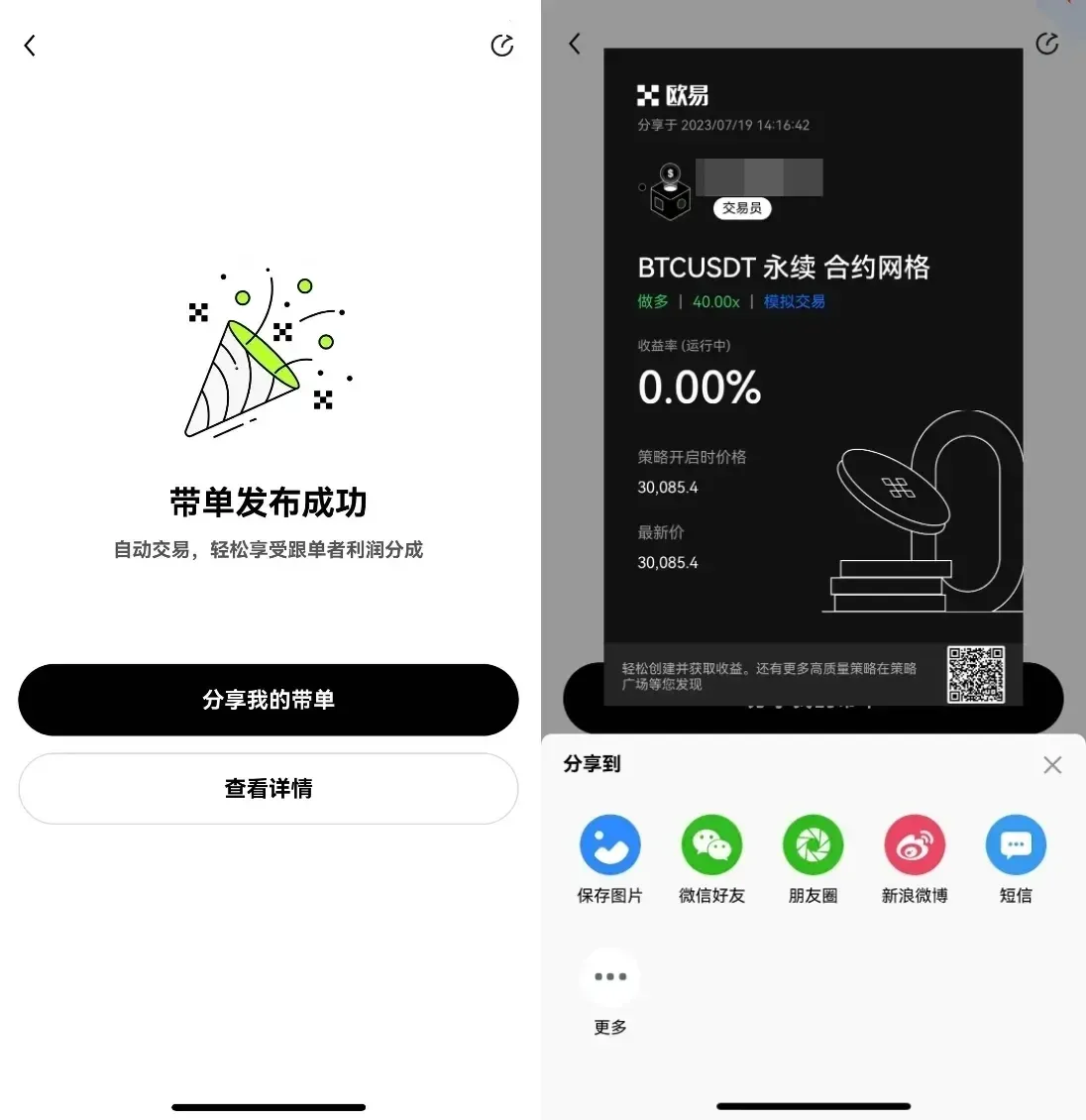
When a strategy is successfully published, the system automatically generates a promotional poster. Providers can share this poster on social media or offline channels; copy‑traders only need to scan the QR code with the OKX app to open the corresponding strategy page and start copying.
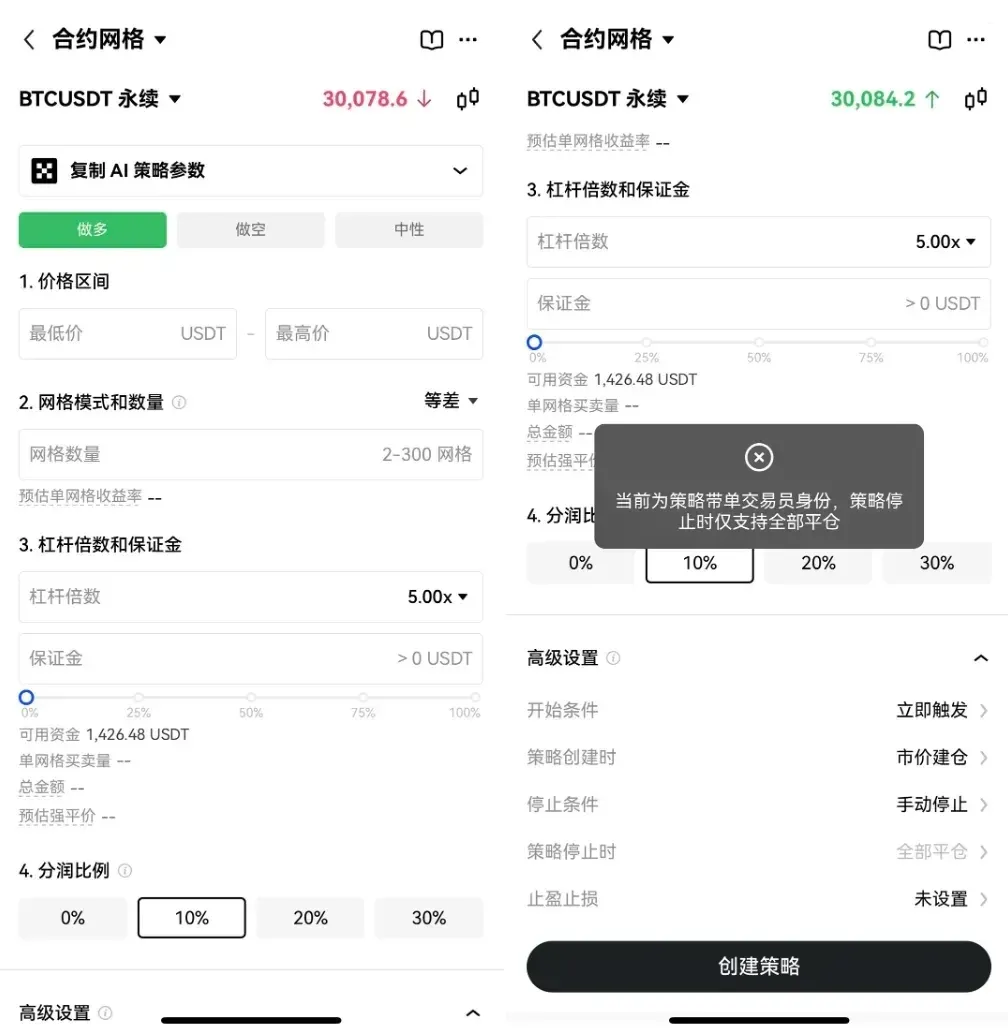
Providers can also view their strategy details, cumulative copy‑trading earnings, and revenue‑share settlement records at any time within the app, ensuring full transparency of income.
Summary
OKX strategy copy‑trading combines “one‑click copy” with revenue sharing, offering a low‑barrier profit avenue for investors lacking strategy expertise or time, while simultaneously providing strategy developers with an additional revenue source. For deeper operational insights, stay tuned to Bitaigen’s upcoming specialized articles.
Tax reminder: Crypto‑related gains may be subject to taxation in your local jurisdiction. Please consult a qualified tax professional to understand your obligations.
Related Reading
- OKX Copy‑Trading Review: Workflow, Benefits, Risks & Fees
- 2026 Top Cryptocurrency Exchanges Ranked: Binance, OKX & More
- Top 10 Most Recognized Crypto Exchange Platforms in 2026
💡 Register on Binance with referral code B2345 for the maximum trading fee discount. See Binance complete guide.



