
 Bitaigen Research
 Spot margin trading is a margin‑based trading method that allows users to use the cryptocurrency they hold as collateral, borrow assets within a leveraged framework, and take long or short positions to capture price‑difference gains. After adopting OKX’s unified account model, a successful opening of a position creates a corresponding long or short position in the account, and users can view real‑time profit and loss caused by market fluctuations on the Positions page. Note that the borrowed assets appear as liabilities in the position; these liabilities cannot be transferred out, and repaying the liability is considered the completion of the position’s closure.
We have compiled the full end‑to‑end workflow for spot margin trading on the OKX mobile app, providing a detailed breakdown of account transfers, leveraged opening, and interest‑accrual rules. This will help you grasp the key points before you start trading, avoid common pitfalls, and get up to speed quickly by reading on. In addition, we offer practical tips to help you manage margin risk more efficiently.
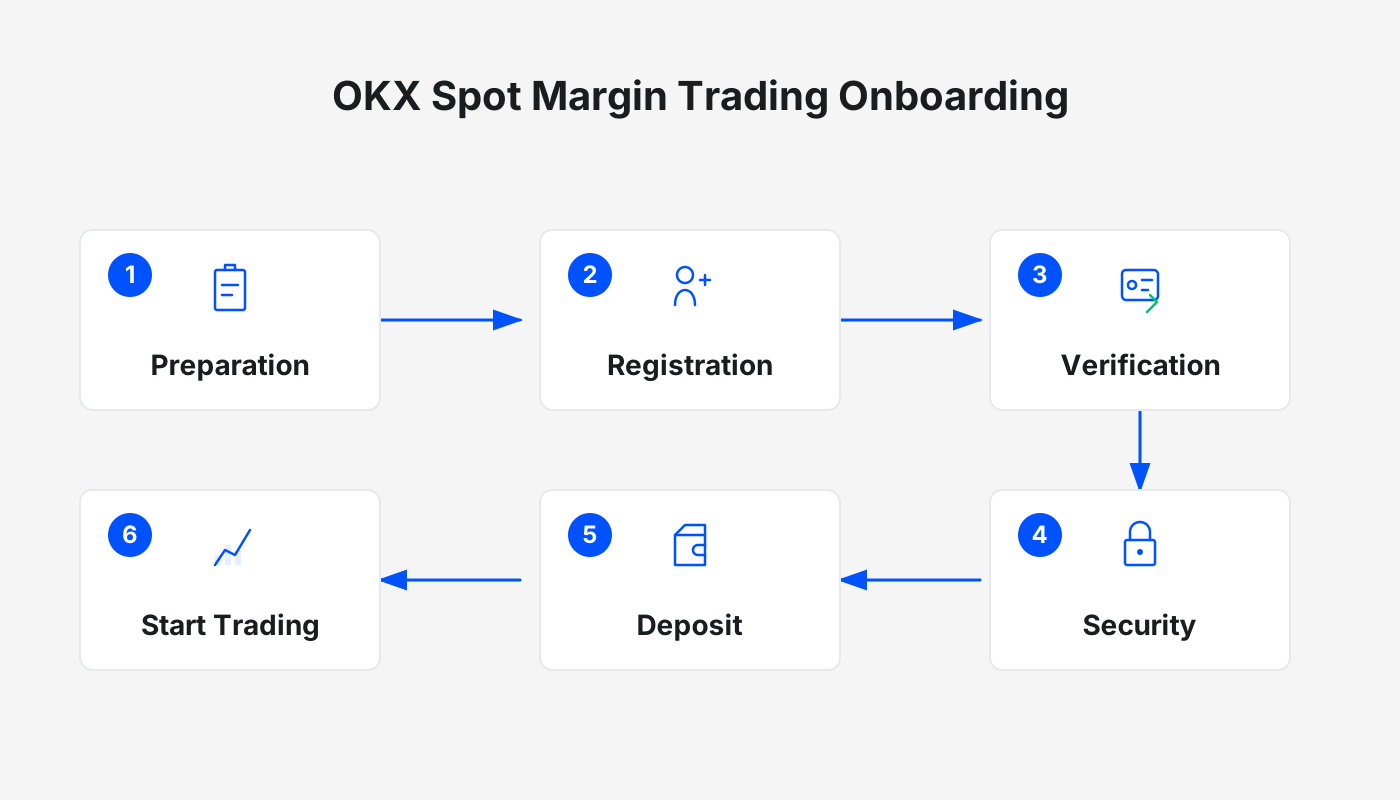
Mobile App
Interest Calculation Note
- Debts generated under either cross‑margin (full‑margin) or isolated‑margin (partial‑margin) modes accrue interest.
- Interest accrual and deduction are applied separately to cross‑margin and isolated‑margin debts. The platform settles interest once per hour, using 00:00 UTC of each day as the reference point. For example, if a user borrows assets at 22:55, no interest is charged for that borrowing until after 23:00; if the user repays before 22:57, no interest is generated either.
1. Transfer of Funds
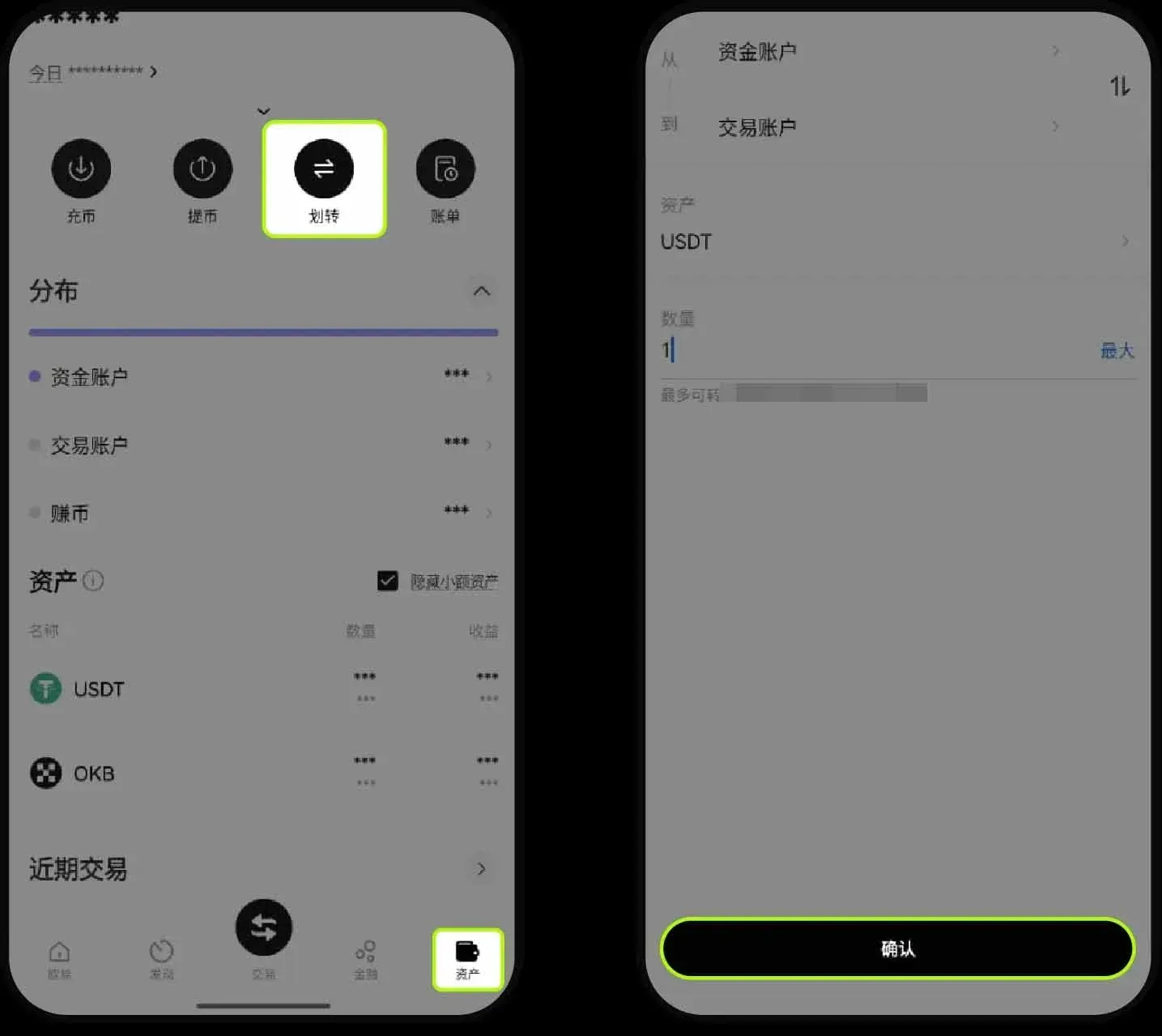
Before performing any leveraged operation, you must first complete a fund transfer. Open the OKX app (official registration here official download — US users should use Binance.US instead of the global Binance), enter the invitation code `jbzj999`, and tap Assets → Transfer in order. Using USDT as an example, select From: Funding Account and To: Trading Account, enter the amount to transfer, and confirm.
2. Buying Long
- Open Position (using BTC/USDT as an example)
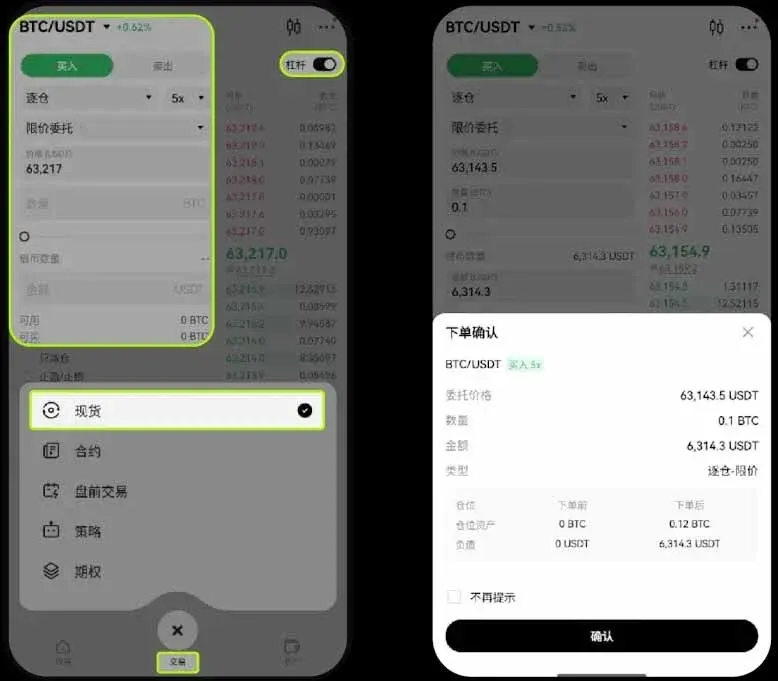
In the app, go to the Trade page, switch to Spot mode, then tap the Leverage button in the upper‑right corner. Choose Cross‑Margin or Isolated‑Margin, select Limit Order, set USDT Collateral, pick the desired leverage multiplier, input the target price and the quantity to buy, and finally tap Buy BTC and confirm.
- Close Position
Navigate to the Positions page, select the position you wish to close, and tap Close. You may manually enter a closing price or simply choose Market for immediate execution, specify the quantity to close, and confirm once more.
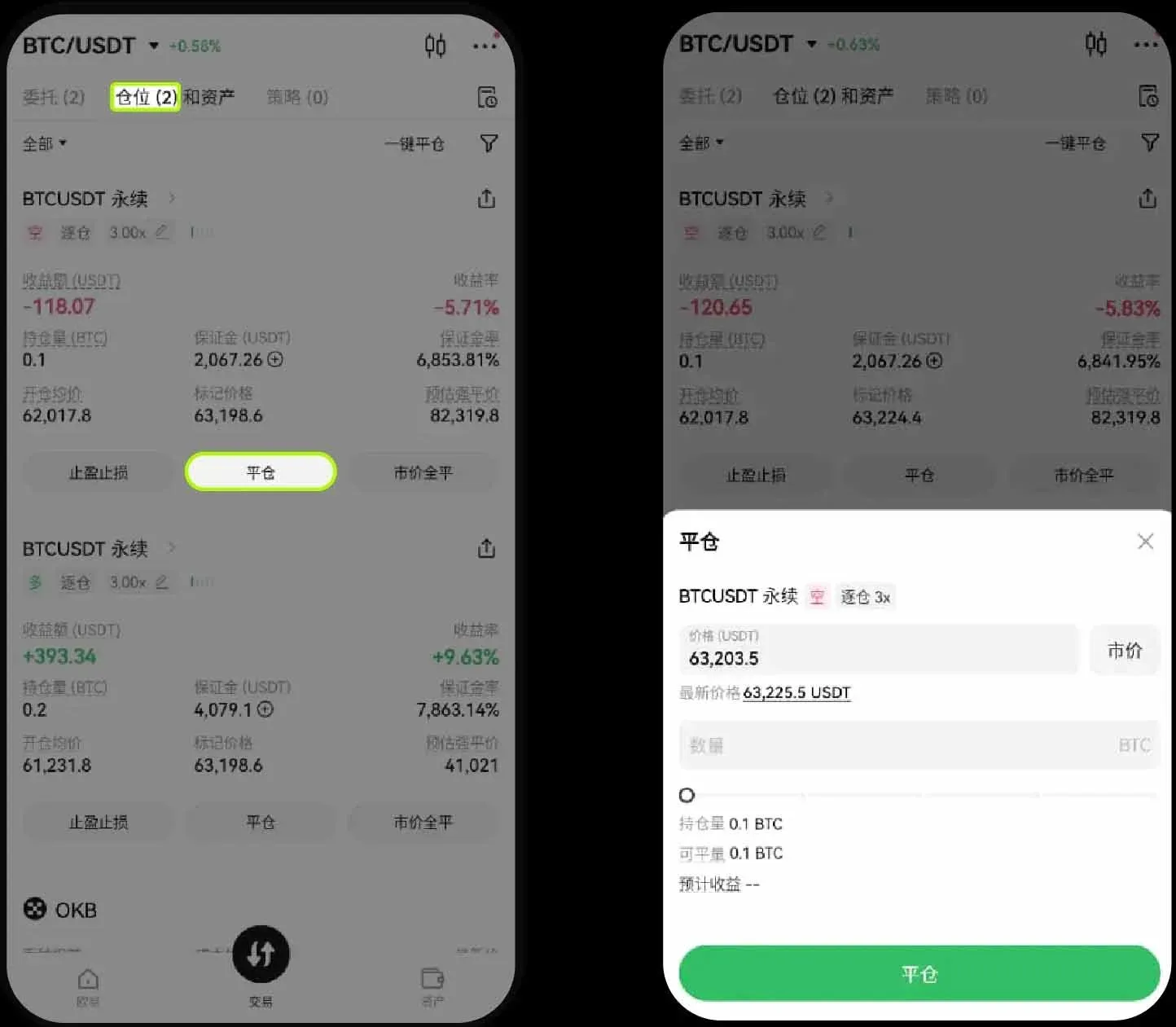
- If you want the position to be automatically closed via a take‑profit or stop‑loss order, select Take‑Profit/Stop‑Loss under the corresponding position, set the trigger price and quantity, and confirm. The system will execute the order once the conditions are met.
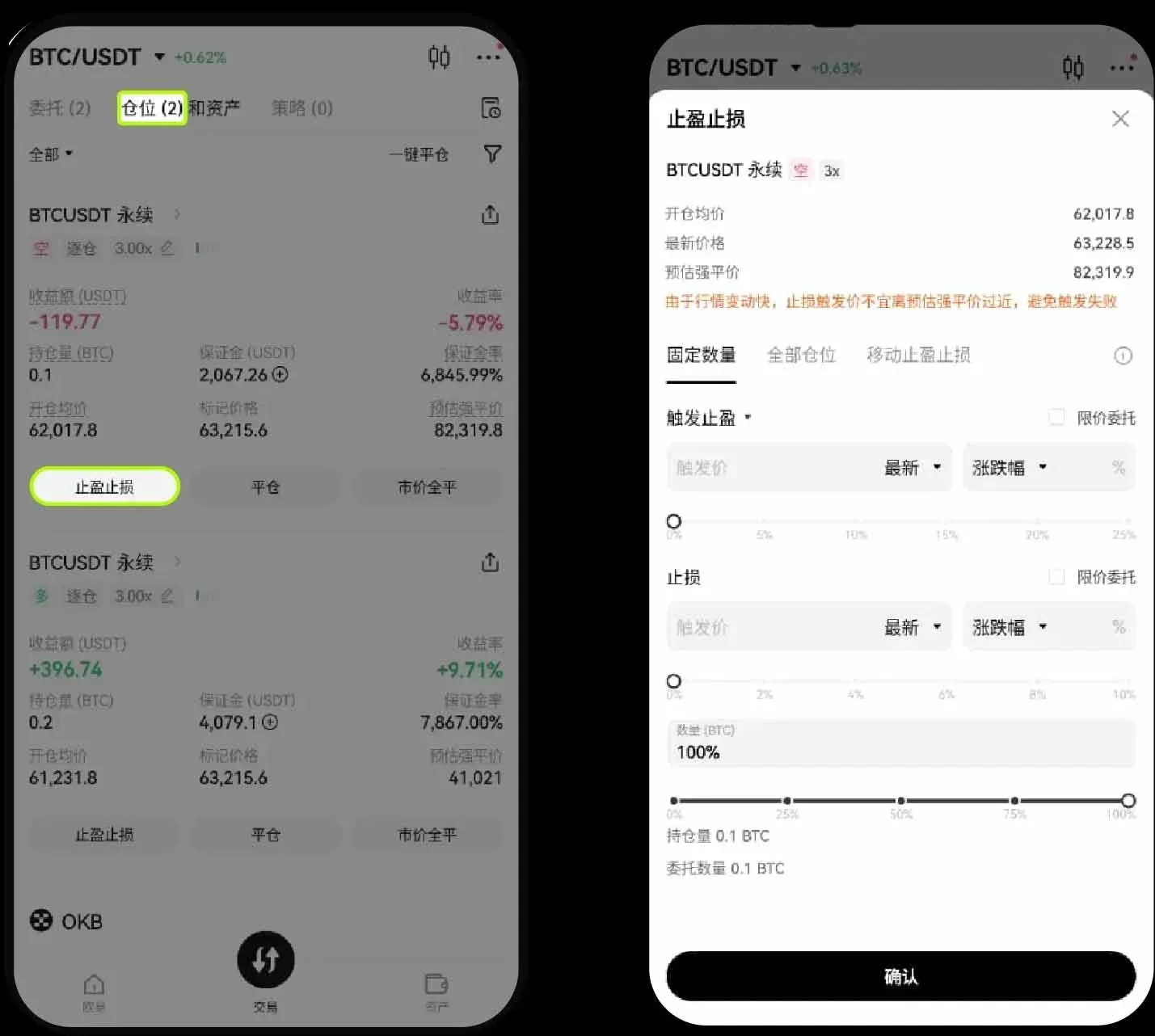
- To liquidate the entire position in one click, use the Market Close All function. Be aware that during periods of extreme volatility, orders may not be filled instantly.
- Position Information
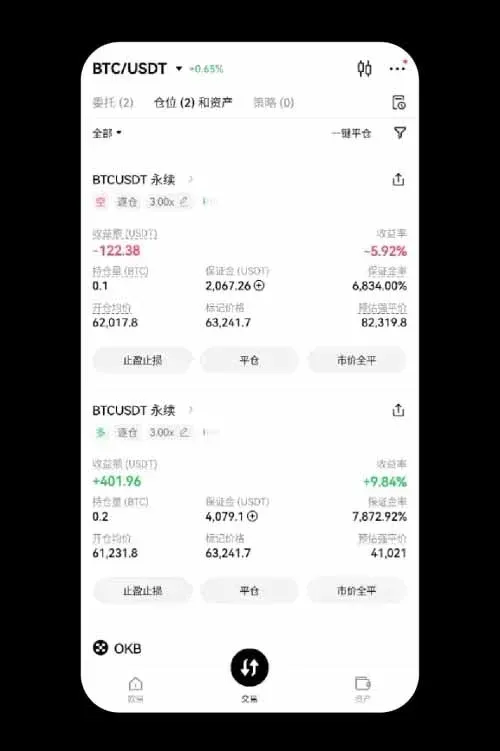
After a successful opening, users can view key data in the Positions list, including the average entry price, estimated liquidation price, initial margin, and current profit/loss (in USDT).
- Order Management
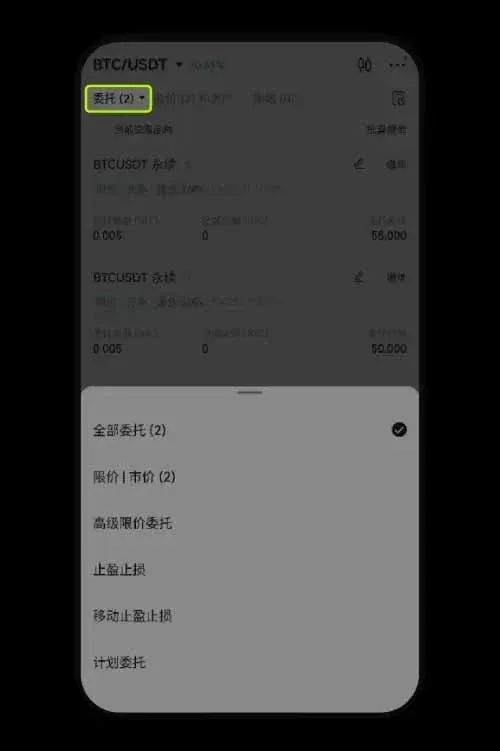
Tap Current Orders at the bottom of the main trading screen to view any pending take‑profit/stop‑loss orders. You can cancel an order via Cancel Order, or select All to view historical order records.
3. Selling Short
- Open Position (again using BTC/USDT as an example)
After entering the Trade page, switch to Leverage mode, configure Cross‑Margin/Isolated‑Margin, choose Limit Order, set USDT Collateral, and select the leverage multiplier. Fill in the sell price and quantity, then tap Sell BTC and confirm to open a short position.
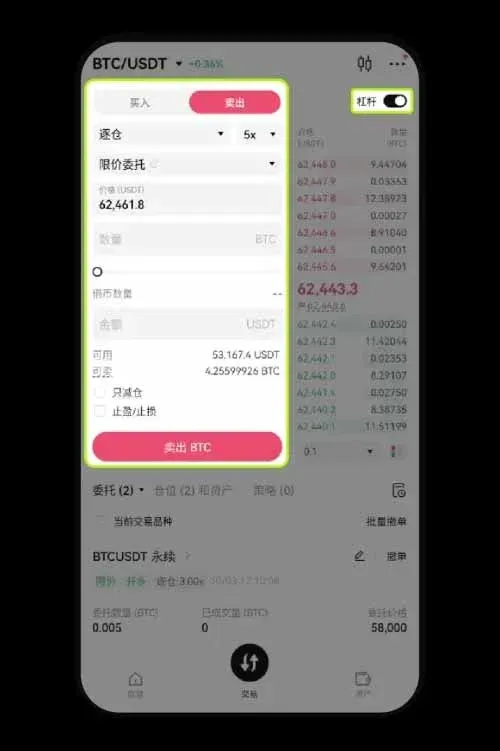
- Close Position
The closing process mirrors that of a long position: go to the Positions page, select the target position, tap Close, input a price or choose Market, confirm the quantity, and finalize the closure.
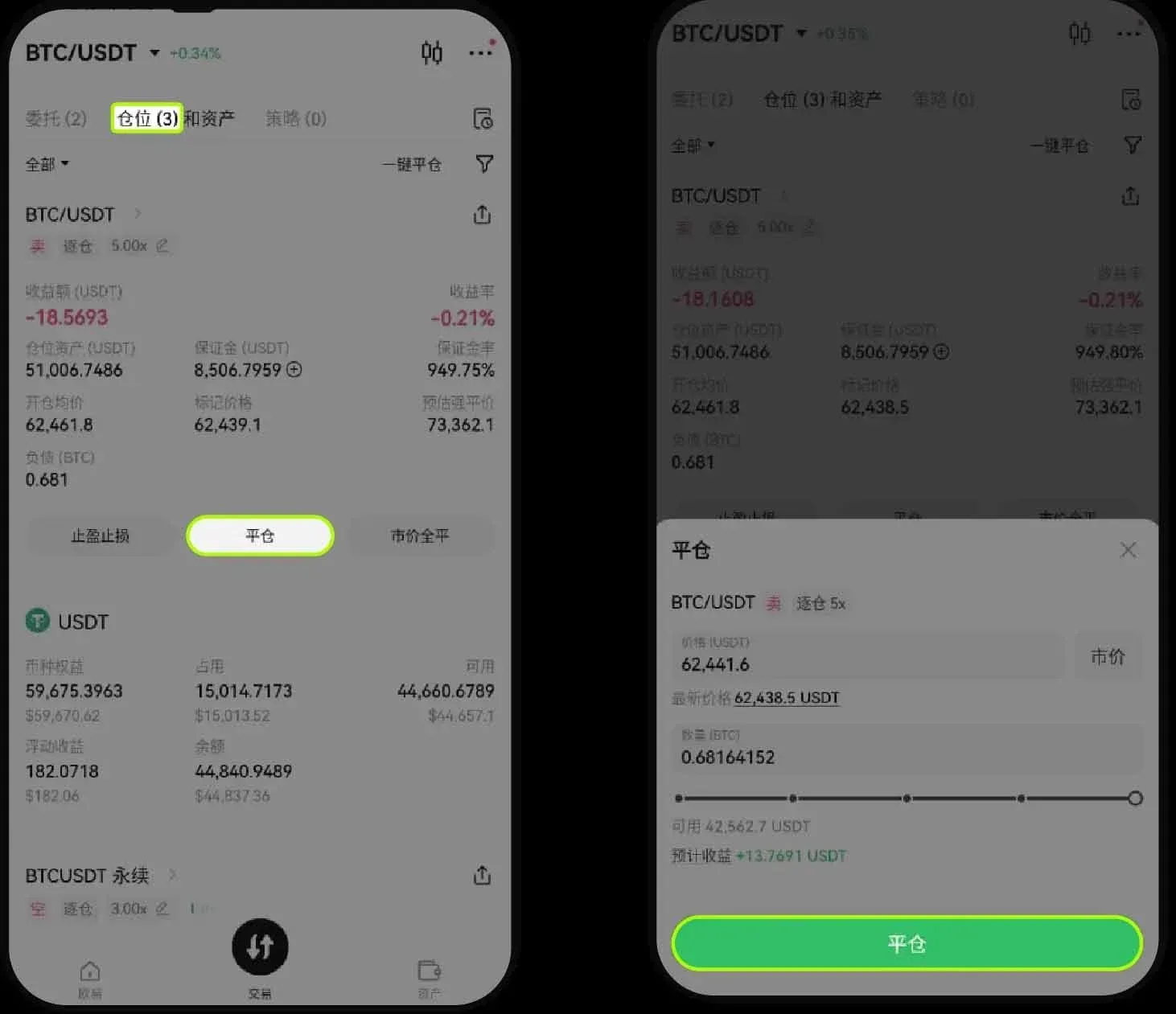
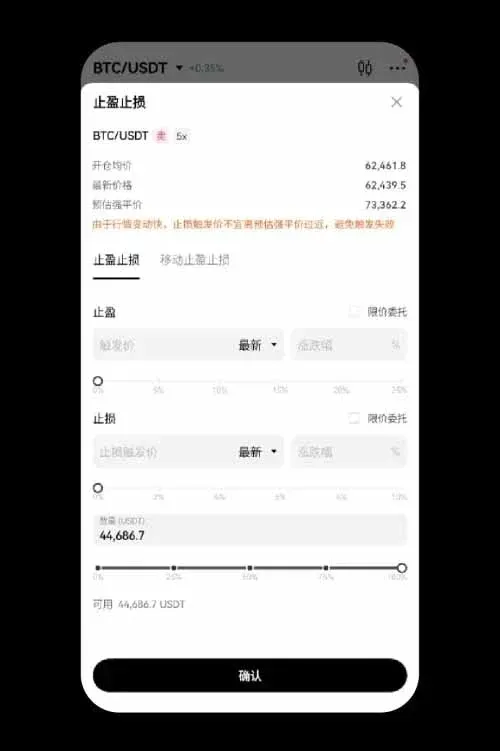
- You can also pre‑set a Take‑Profit/Stop‑Loss level to automatically close the short when the market reaches the defined price. To clear the entire short position at once, tap Market Close All.
---
This article has now provided a complete visual and textual guide to spot margin trading on the OKX mobile app. For more practical tutorials on OKX margin trading, you can search past articles on Bitaigen (比特根) or continue browsing the related links below. Thank you for your attention and support of Bitaigen (比特根)!
Related Reading
- OKX Beginner Guide: Register Verify Deposit Trade Withdraw
- OKX Leveraged Borrowing Explained: Margin Trading Guide
- OKX Exchange 2025: Security, Products & Global Reach
💡 Register on Binance with referral code B2345 for the maximum trading fee discount. See Binance complete guide.



