
 Bitaigen Research
 MetaMask Cross‑Chain Transfer Guide
MetaMask is a decentralized crypto‑asset management tool that lets users create and manage multiple digital currencies. It supports direct interaction with numerous decentralized applications (DApps), making it easy to participate in trading, fundraising, gaming and other scenarios. Asset security relies on both a password and a private key, while the wallet includes built‑in cross‑chain transfer functionality, allowing assets to move between different blockchains with greater convenience. Below is a step‑by‑step demonstration of how to use MetaMask together with the Binance Bridge to transfer ETH from the Ethereum network (ERC‑20) to the Binance Smart Chain (BEP‑20).
In this article we break down every step of the MetaMask cross‑chain transfer process, from withdrawing ETH to completing the chain migration via Binance Bridge, and we provide safety tips along the way. Illustrated with screenshots, the guide helps beginners get up to speed quickly. A FAQ section follows—keep reading for answers to common questions.
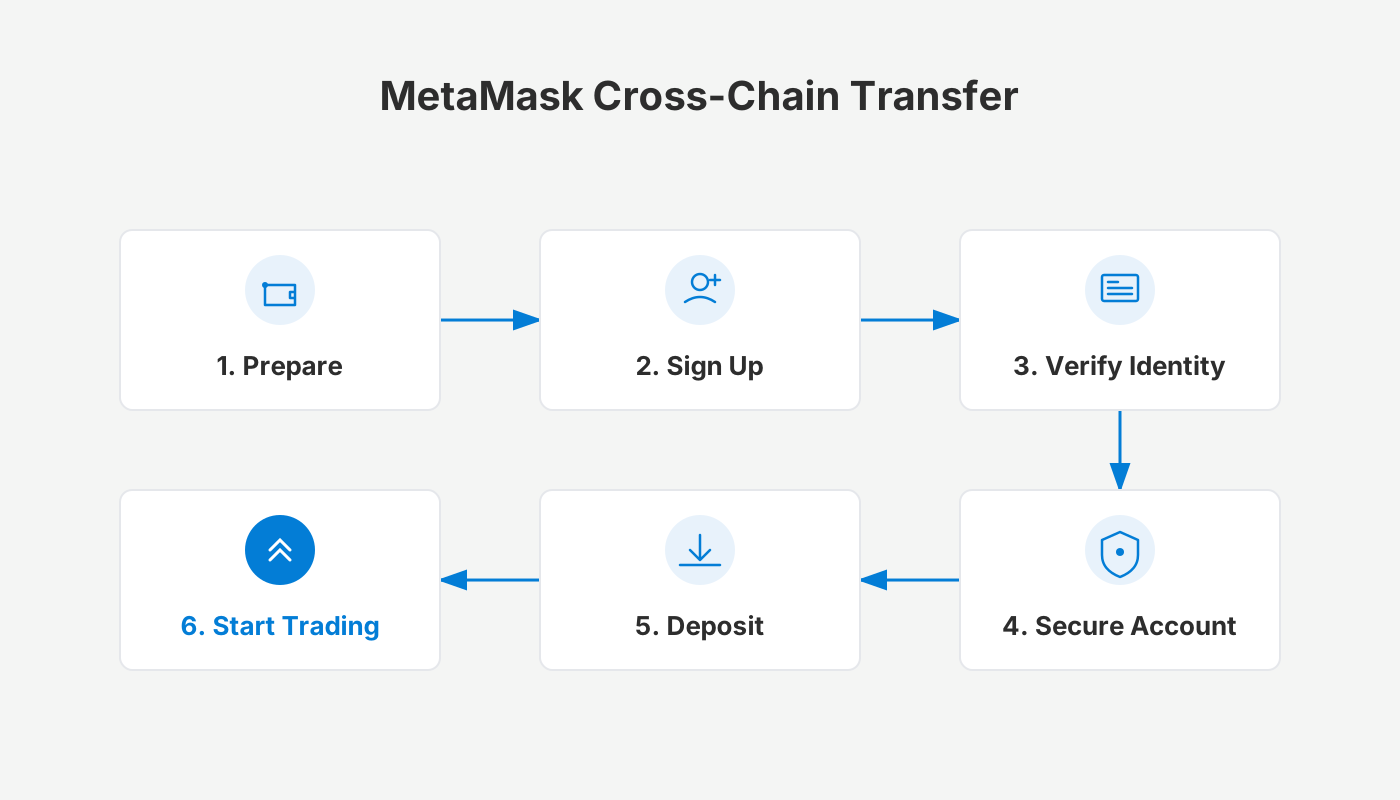
Complete MetaMask Cross‑Chain Transfer Workflow
1. Withdraw ETH into MetaMask
- Obtain your MetaMask wallet address
- By default, MetaMask is connected to the Ethereum Mainnet.
- Your wallet address looks like `0x......`; hover over it and click the copy icon to copy it to the clipboard.
- Initiate a token send from the wallet page
- First enable the sending feature by navigating to Profile → Security → Sending Cryptocurrency → Enable.
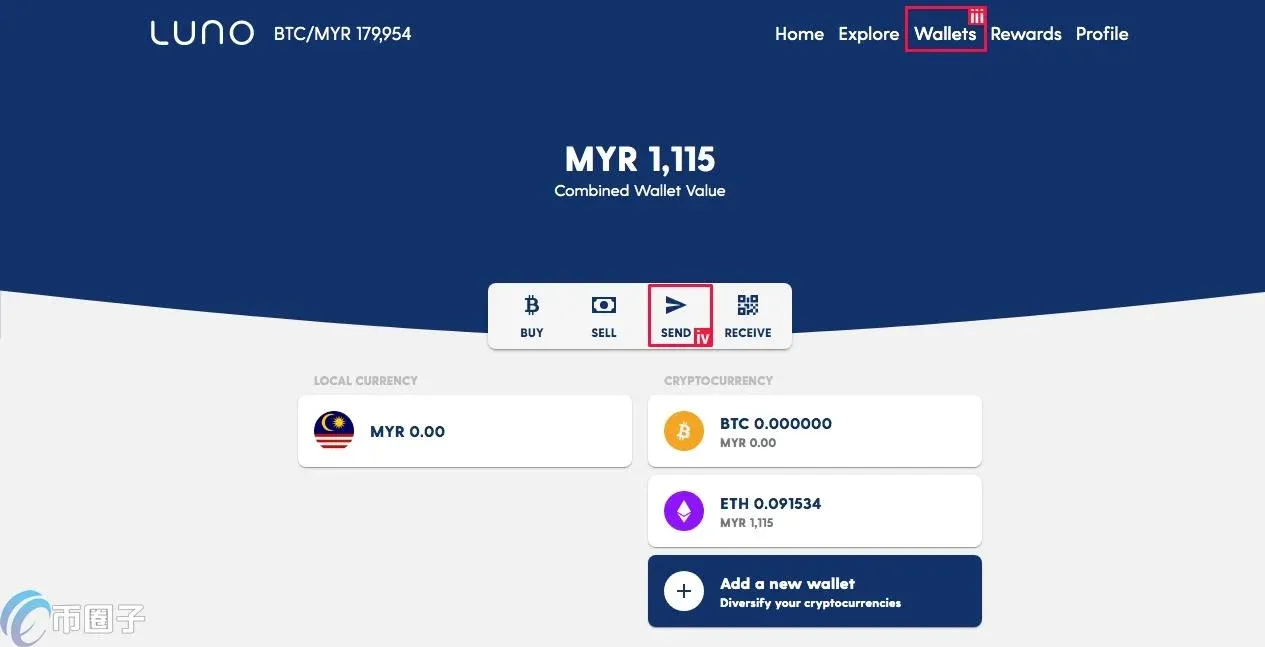
- Go to the Wallet tab and click Send.
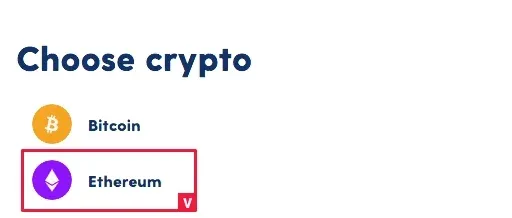
- Choose Ethereum (ETH), paste the address you copied in step 1, then click Next.
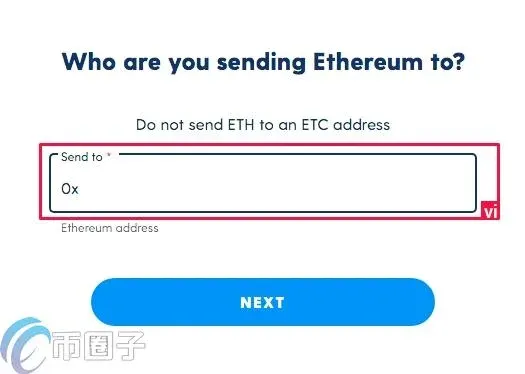
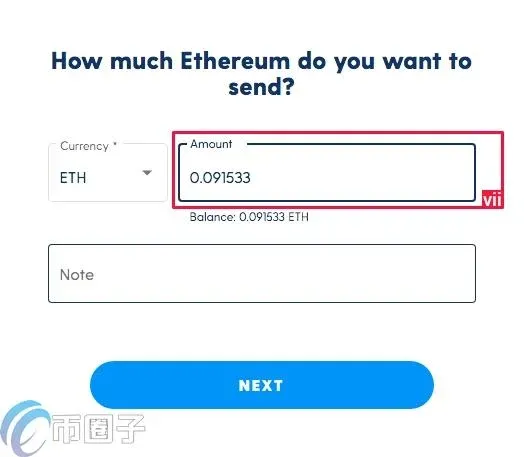
- Enter the amount of ETH you wish to send and click Next again.
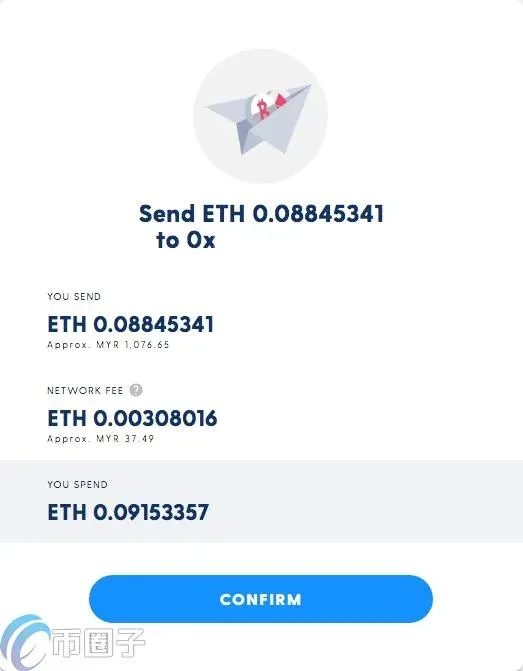
- Confirm the transaction
- A summary window will appear; review the details and submit the transaction.
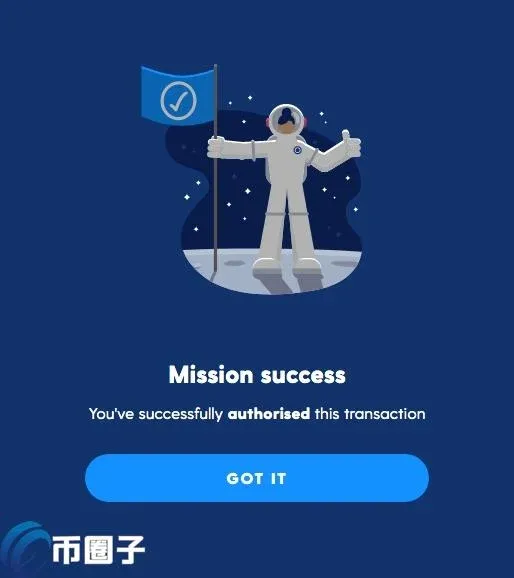
- You will receive an SMS verification code on your mobile phone; click the link in the message and follow the prompts to authorize the transaction.
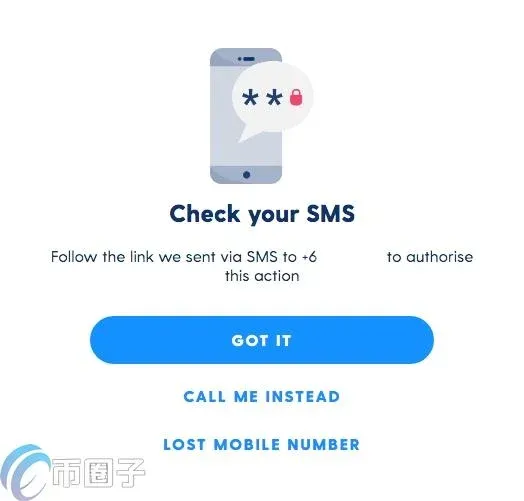
- The transaction typically takes about five minutes to be reflected in MetaMask.
2. Connect to Binance Bridge and Initiate the Cross‑Chain Transfer
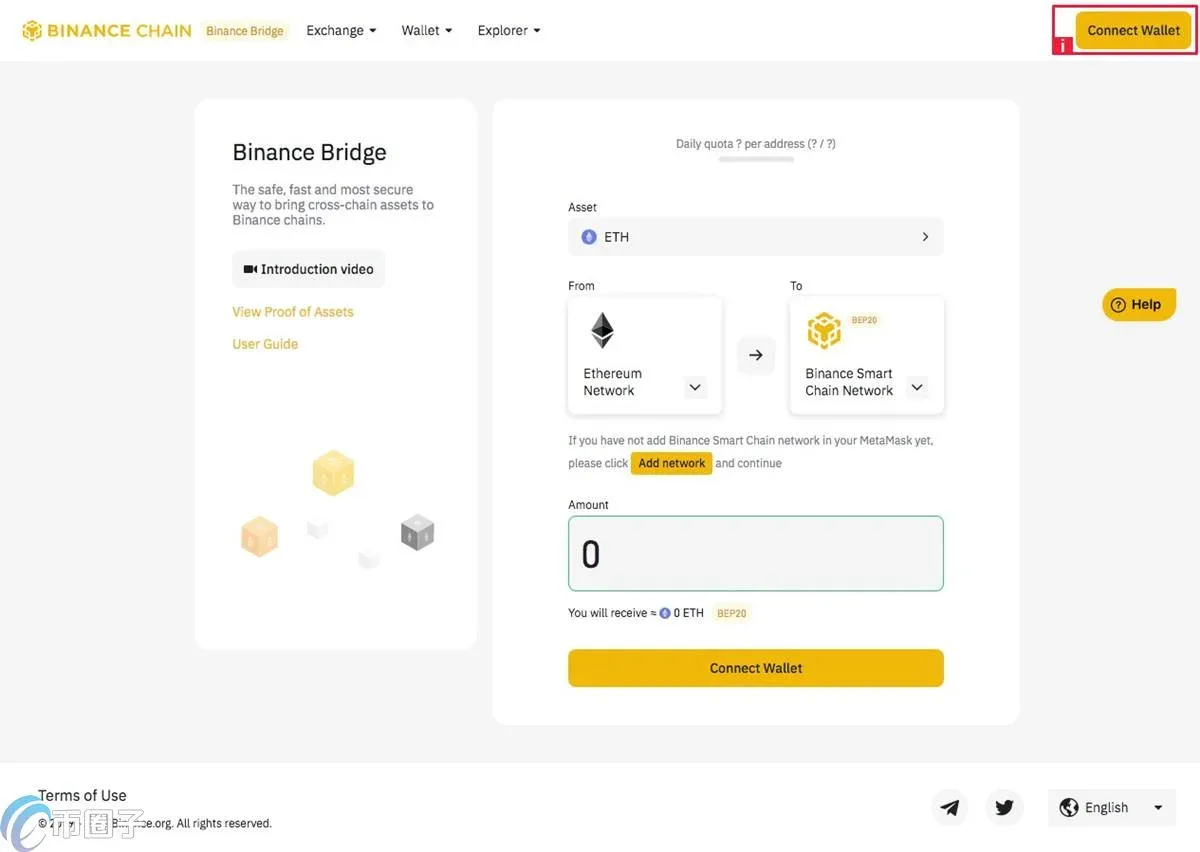
- Open the Binance Bridge page and click “Connect Wallet.”
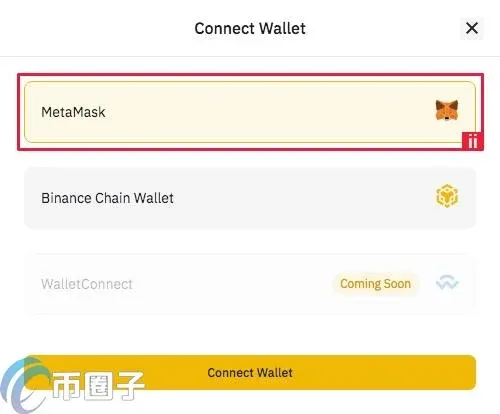
- In the pop‑up window select MetaMask and complete the connection.
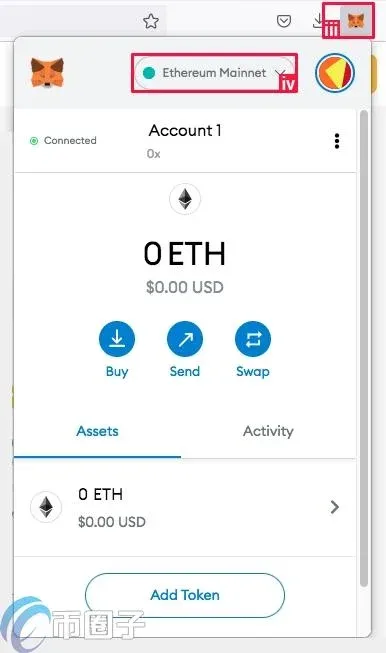
- Make sure MetaMask is set to the Ethereum network
- If the network has not switched automatically, click the MetaMask extension icon and select Ethereum Mainnet from the network dropdown list.
- Configure the cross‑chain parameters
- In the Bridge interface, choose the asset you want to move (ETH). The platform will automatically set From as the Ethereum network and To as the Binance Smart Chain.
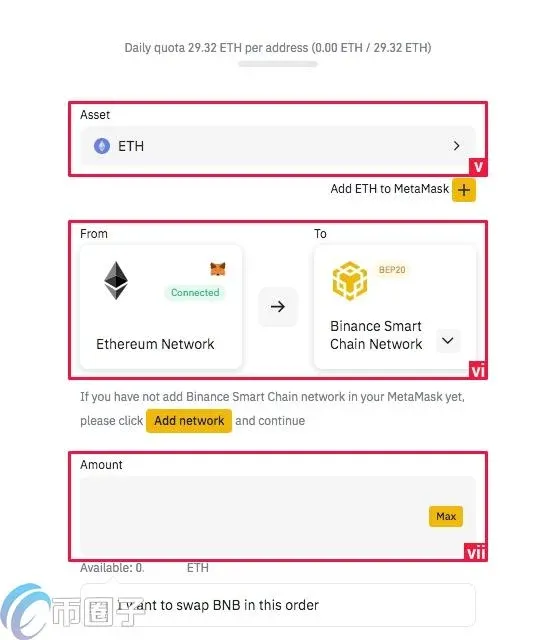
- After entering the transfer amount, the system will indicate that gas fees must be paid in BNB.
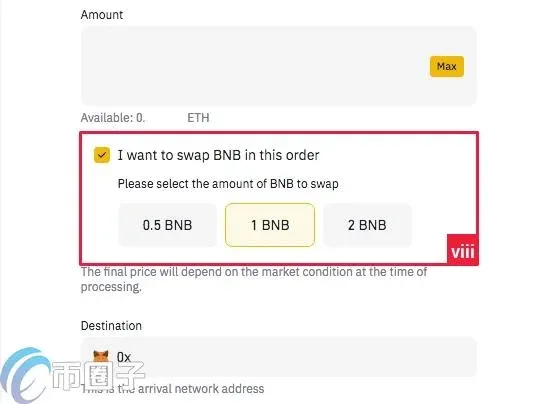
- Click Swap BNB, then follow the prompts to swap the necessary amount of ETH for BNB.
- Submit and confirm the transaction
- Press Next, and a MetaMask confirmation window will appear once more. Confirm the details.
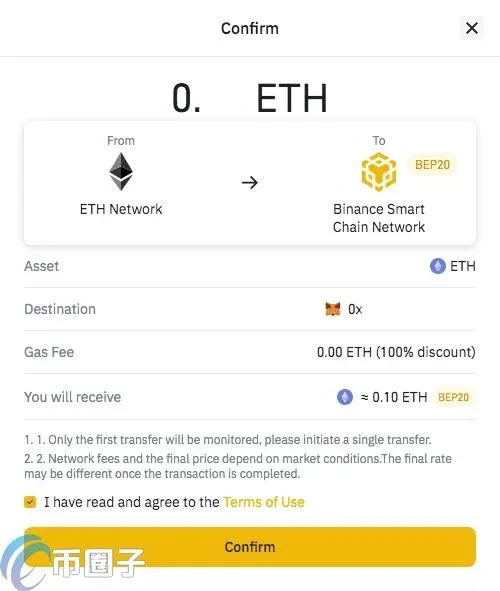
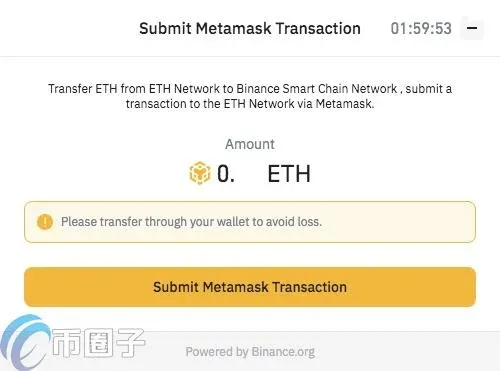
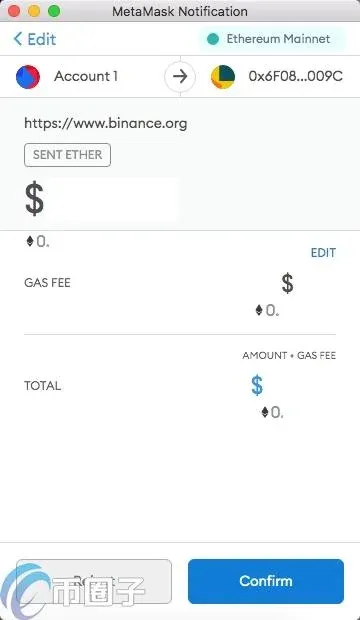
- Once the transaction is processed, MetaMask will display a success toast.

- At this point the ERC‑20 ETH has been successfully bridged to the BEP‑20 version on Binance Smart Chain.
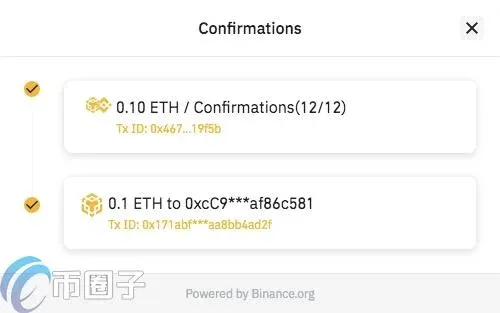
3. View Your Asset on Binance Smart Chain
- Switch MetaMask’s network to “Binance Smart Chain Mainnet.”
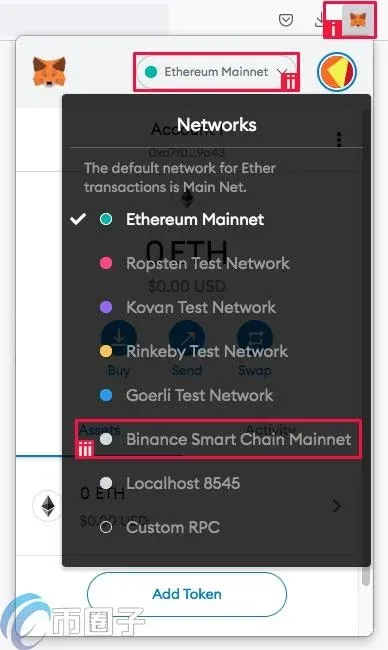
- Click the MetaMask icon in the upper‑right corner of your browser, open the network dropdown, and choose the BSC Mainnet entry.
- Manually add the token to your asset list
- Visit CoinMarketCap, search for Ethereum (ETH), and click the MetaMask badge under the contract information section.
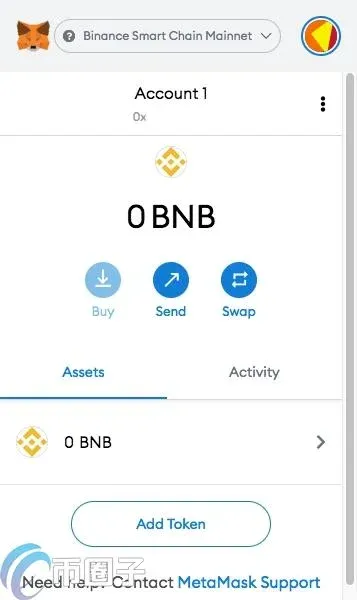
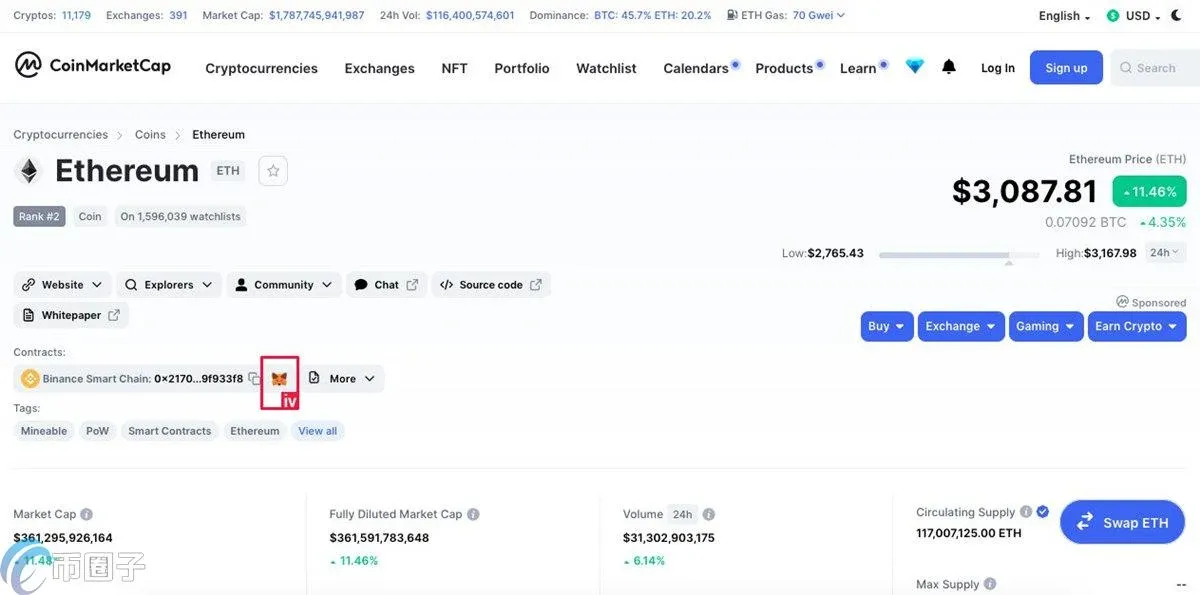
- MetaMask will pop up an “Add Token” prompt; confirm it to have the ETH token appear in your asset overview.
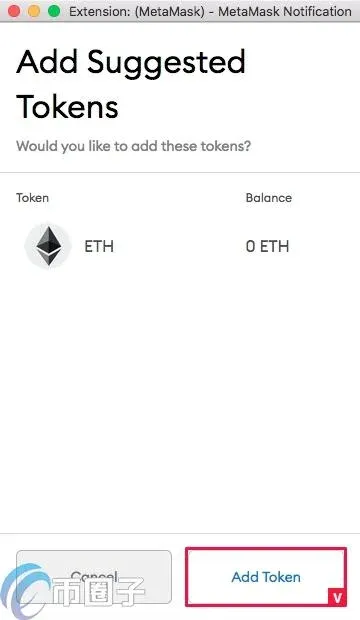
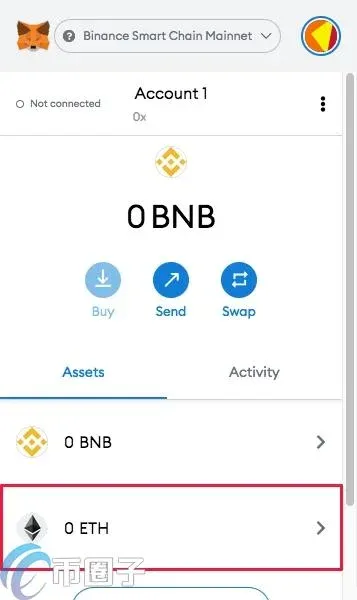
After completing the steps above, you will see the bridged ETH balance on Binance Smart Chain, ready for subsequent trading, DeFi activities, or other blockchain interactions.
---
MetaMask not only provides a convenient cross‑chain transfer experience, it also lets users decide whether to share data with third‑party services, thereby enhancing personal privacy. Whether you are managing assets or participating in the broader blockchain ecosystem, always keep your private key and security credentials in a safe place, follow best‑practice security guidelines, and protect your holdings from accidental loss or theft.
Note for U.S. users: When accessing Binance services, you must use Binance.US (or another regulated U.S. exchange) rather than the global Binance website.
Tax reminder: Crypto‑related gains may be subject to taxation in your local jurisdiction. Consult a qualified tax professional to understand your reporting obligations, especially when converting or moving assets across chains.
Related Reading
- MetaMask Transaction Fees: Gas, Base & Priority
- Add Binance Smart Chain to MetaMask Fox Wallet – Quick Guide
- Browser‑Extension Crypto Wallets: MetaMask, Coinbase, Rabby & More
💡 Register on Binance with referral code B2345 for the maximum trading fee discount. See Binance complete guide.



