
 Bitaigen Research
 Binance Account Registration Guide (2026)
A Binance account can be created via the official website or the official app using a phone number or an email address. After completing KYC, all features become available. Once registered, it is strongly recommended to bind Google Authenticator or the Binance Authenticator for two‑factor authentication (2FA) to enhance account security.
In this article we walk you through the full 2026 Binance account registration process, covering the required network environment, email/phone preparation, KYC documentation, and security 2FA setup. With step‑by‑step illustrated instructions, even first‑time users can open an account quickly and trade safely thereafter.
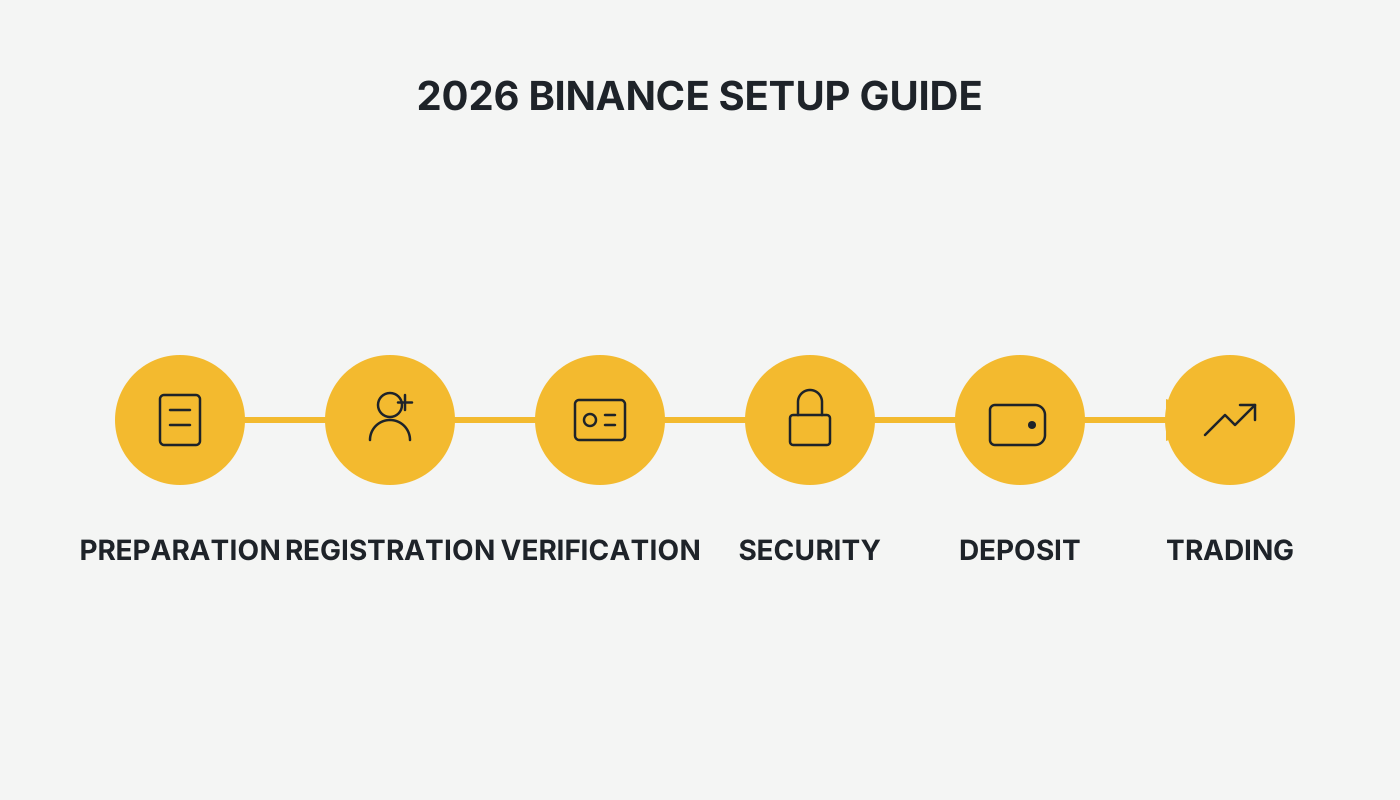
What You Need to Prepare for a Binance Account
- Network Environment – Binance is an international platform; users in certain regions need a stable internet connection to reach the website and finish registration. Users located in Mainland China should use the dedicated link provided in this article; the platform updates this link regularly.
- A Valid Email Address or Mobile Number – This will be used to receive verification codes, login alerts, and security notifications. We recommend a frequently used and secure email service (e.g., Gmail, Outlook) or a domestic mobile number; Binance now supports registration via phone number.
- Proof‑of‑Identity Document – In line with global KYC (Know‑Your‑Customer) regulations, identity verification is mandatory. Prepare clear photos of the required identification documents in advance.

Binance Account Registration Process
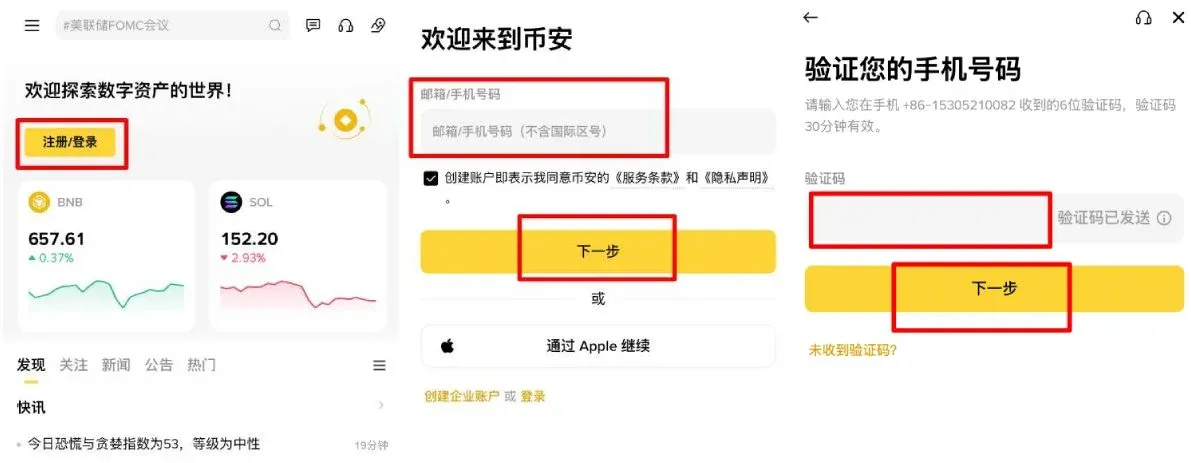
Below we use the App + Phone Number method as an example; the email registration steps are essentially the same.
- Open the Binance App, go to the registration page, and tap “Register / Login.”
- Enter the prepared phone number. The system will send a 6‑digit SMS verification code; input the code and tap Verify.
- Set a password. The app will display password strength; we recommend choosing a “Strong” level and avoiding reuse of passwords from other platforms.
- If you have a referrer, fill in the Referral ID in the corresponding field (you can receive fee discounts and other benefits). If you do not have one, simply enter `B2345`.
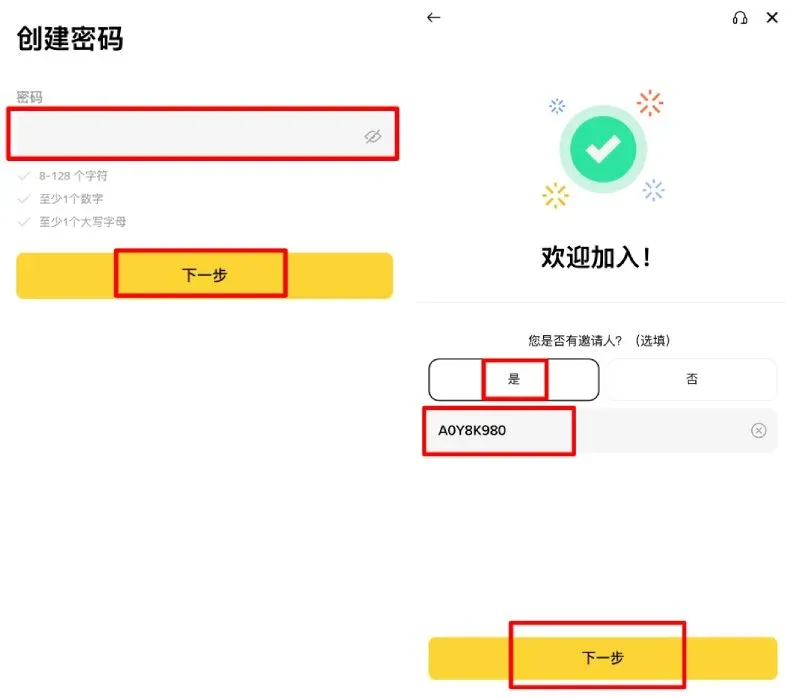
After completing the steps above, a basic account is created. However, many functions remain limited; you must finish identity verification (KYC) to unlock deposits, trading, withdrawals, and all other permissions.
Completing Identity Verification
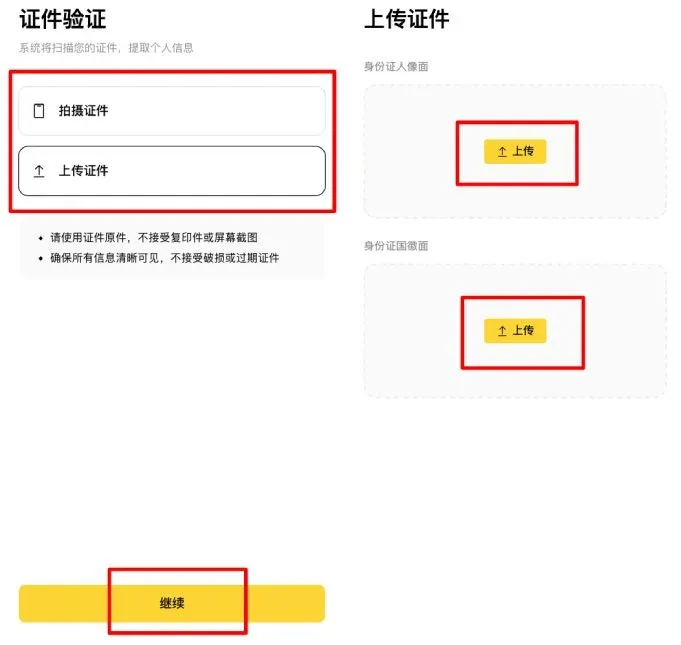
- Log in to your account and navigate to [Identity Verification] (found under the user avatar dropdown menu or prompted by a system pop‑up).
- Choose Personal Verification and fill in your name, nationality, gender, date of birth, etc., making sure the information matches your ID document.
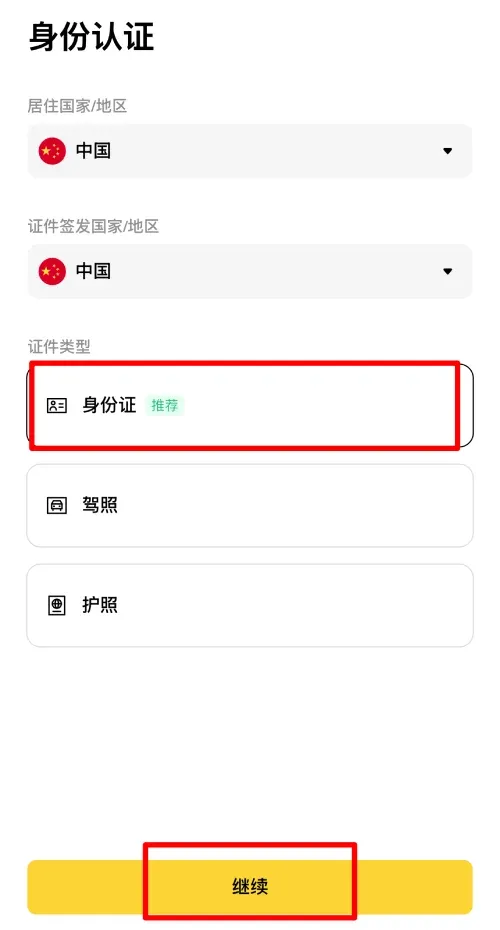
- Upload the required document photos:
- Front side of ID (portrait side)
- Back side of ID (national emblem side)
- Selfie holding the ID (face clearly visible, ID information fully readable)
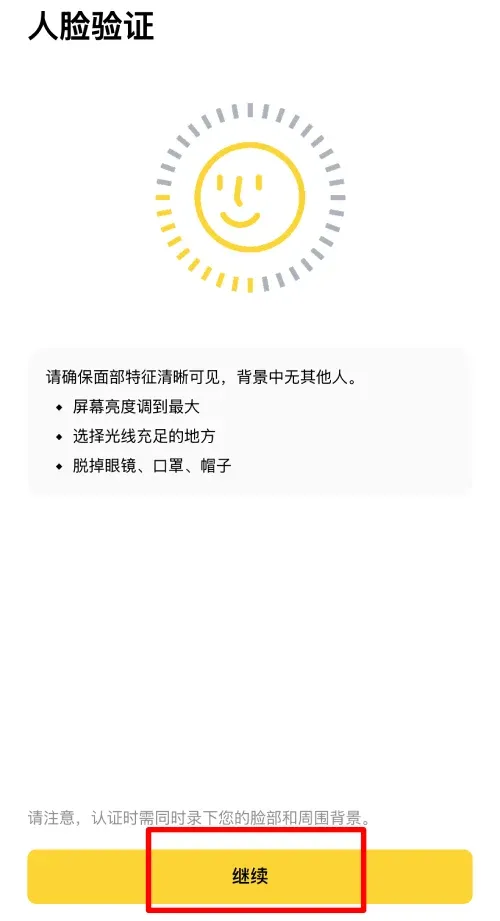
- Facial Recognition: The system will request camera access and ask you to perform actions such as blinking and turning your head. Perform this in a well‑lit area with a simple background.
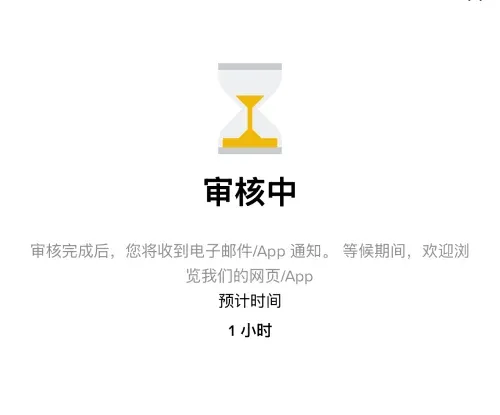
- After confirming that all information is correct, click Submit. The review is typically automated and can be completed within minutes to a few hours. Once approved, you will receive an email or an in‑app notification, and your account will be upgraded to a full‑function account.
Enabling Account Security Settings
Activate Two‑Factor Authentication (2FA)
Two‑factor authentication is a critical measure for protecting your account. You can choose Google Authenticator or Binance Authenticator; the following sections detail each method.
Google Authenticator
- Download and install the official Google Authenticator app on your mobile device.
- Log in to the Binance App, then go to [Account] → [Security].
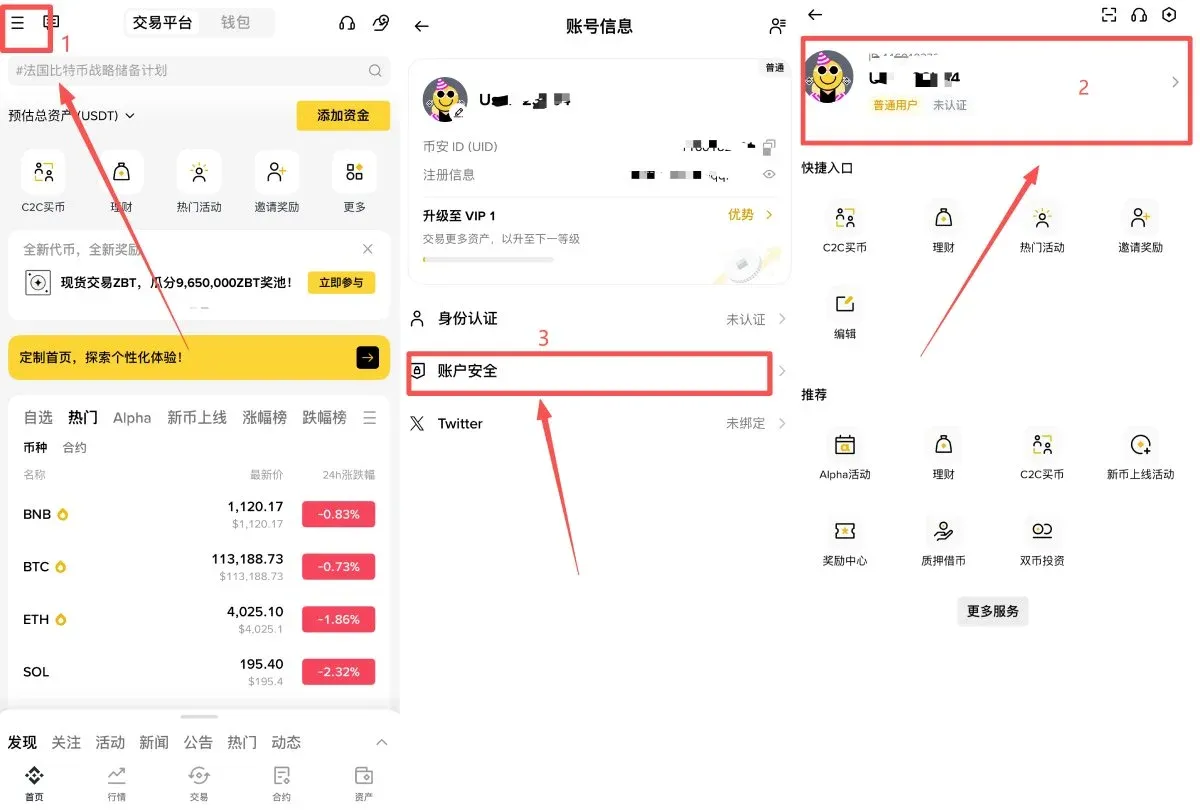
- Select [Authenticator App] → [Enable]. The system will display a QR code and a setup key. Copy the key but do not click “Next” yet.
- Open Google Authenticator, tap [+] → [Enter setup key], paste the key, assign a name, and save.
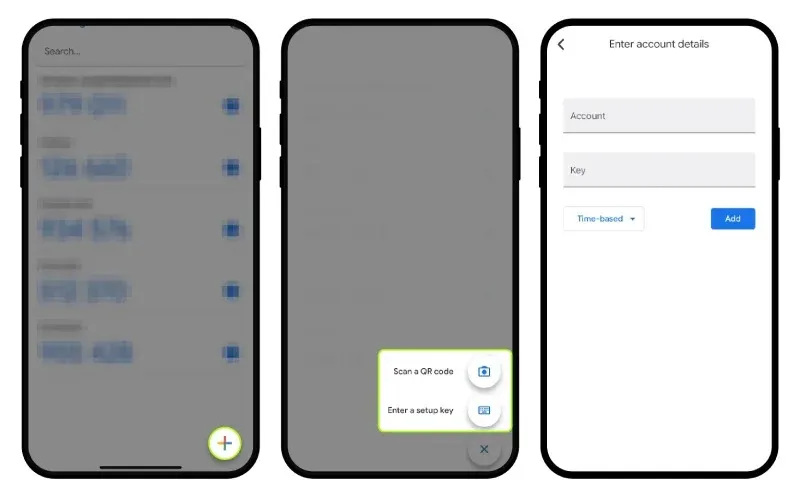
- Return to the Binance App, tap [Next], and enter the 6‑digit code generated by the Authenticator to complete the binding.

Binance Authenticator
- Ensure that Binance Authenticator is installed; in the app, tap [Enable].
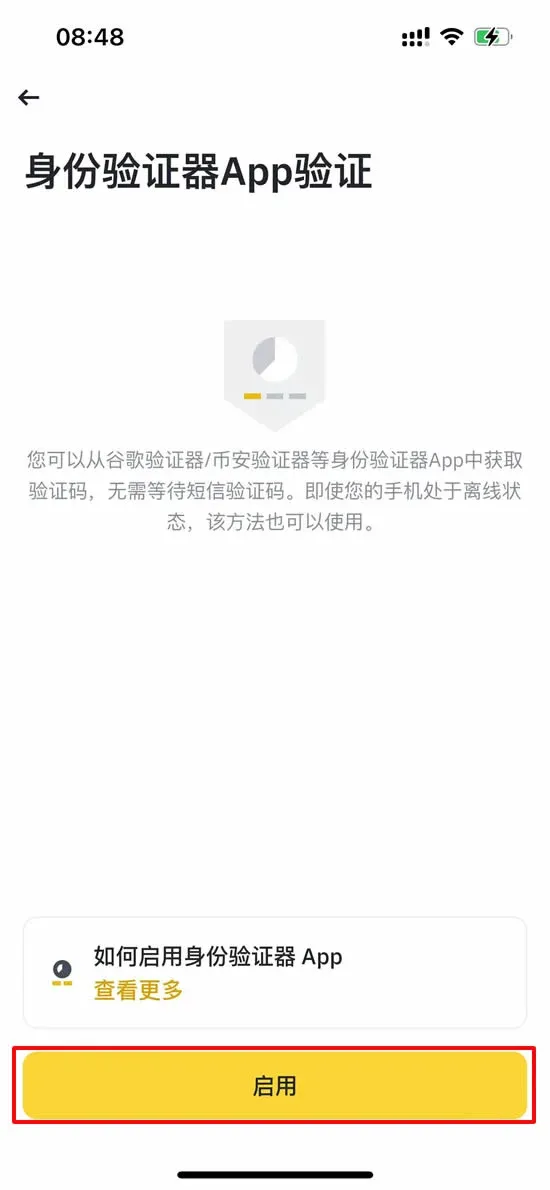
- The system will display a 16‑character secret key. Store it securely, then paste or manually enter the key into the Binance Authenticator and assign a label.
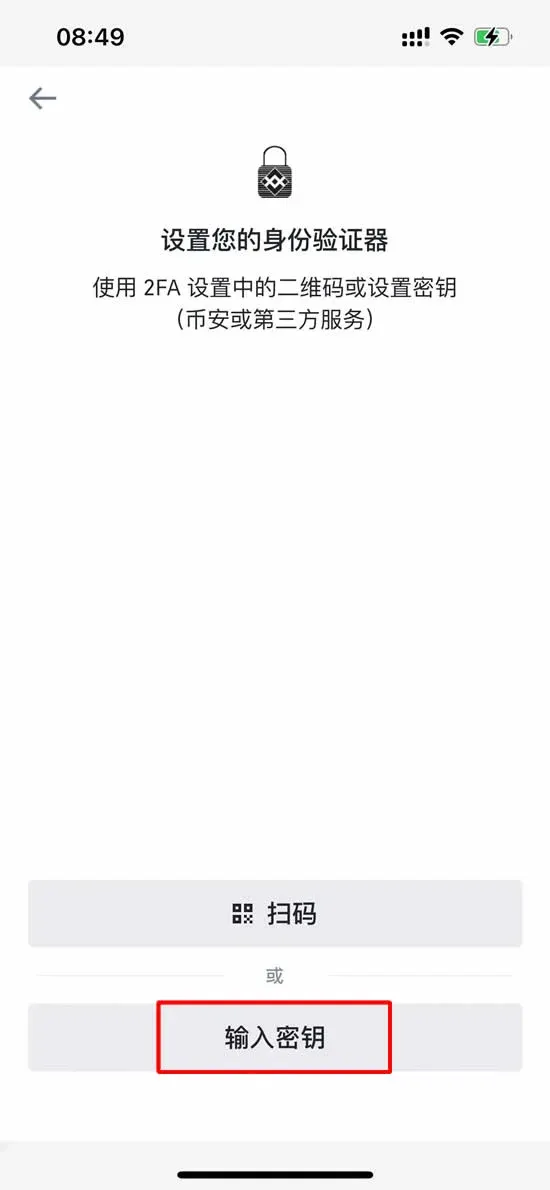
- After the key is saved, a 6‑digit one‑time code is generated. Return to the Binance App, input that code, and submit.
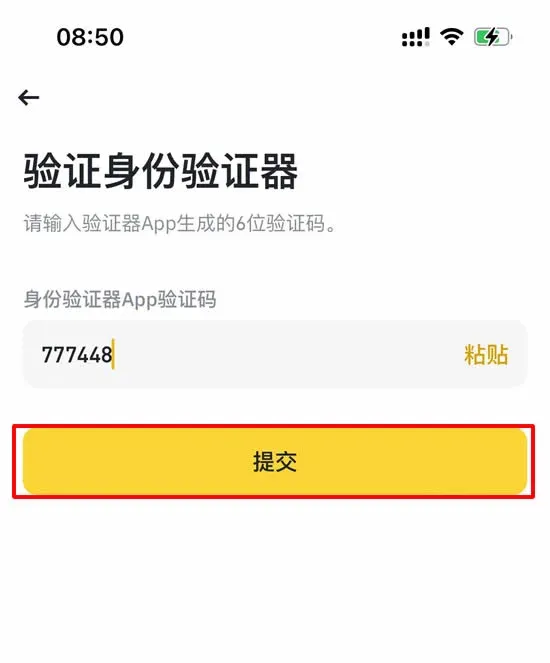
Once enabled, any login, withdrawal, or other sensitive operation will require the 2FA code.
Frequently Asked Questions
- Can users from Mainland China register on Binance?
Binance is a global platform; users in China can also register using a phone number or email address.
- Is there any fee for registration or verification?
Registration and KYC are completely free; Binance does not charge any fees for creating an account or completing identity verification.
- What should I do if verification fails?
Common reasons include blurry document photos, mismatched information, or facial‑recognition failure. Review the requirements, correct any issues, and resubmit. If you experience repeated failures, contact Binance customer support.
- How do I download the Binance App?
A QR code is provided at the bottom of the official website, or you can search for “Binance” in the Apple App Store (requires an overseas Apple ID) and Google Play Store. Ensure the developer listed is “Binance.”
Summary
By following this tutorial you can successfully complete Binance account registration → Identity verification → Two‑factor authentication. After your account is upgraded to full functionality, you can access Binance’s suite of products, including spot trading, futures, C2C, and various earn services, catering to both beginners and advanced traders. Users in Mainland China can also perform deposits, withdrawals, and trades on the platform.
Note for U.S. residents: To comply with U.S. regulations, you must use Binance.US rather than the global Binance platform.
Tax disclaimer: Crypto gains may be subject to taxation in your local jurisdiction. Please consult a qualified tax professional to understand your obligations.
For more information on Binance’s additional features or the latest tutorials, search the historical articles of Bitaigen (比特根) or continue browsing the related links below. We wish you a smooth and secure trading journey on Binance!
Related Reading
- Solve Common Binance Registration Issues Quickly
- Download Binance App 2026 & Register: Step‑by‑Step Guide
- 2026 Guide: How Mainland China Users Can Access Binance Safely
💡 Register on Binance with referral code B2345 for the maximum trading fee discount. See Binance complete guide.



