
 Bitaigen Research
 In Mainland China, acquiring USDT with relatively low risk by using the OKX (formerly known as OKEx) platform’s peer‑to‑peer (C2C) marketplace together with Alipay payment is currently the most reliable solution. By carefully selecting merchants and following the platform’s “freeze‑card” protection measures, you can complete a purchase while keeping your funds secure. The following sections systematically explain the advantages of Alipay, the detailed step‑by‑step workflow, and the platform’s freeze‑compensation mechanism, helping newcomers get started quickly.
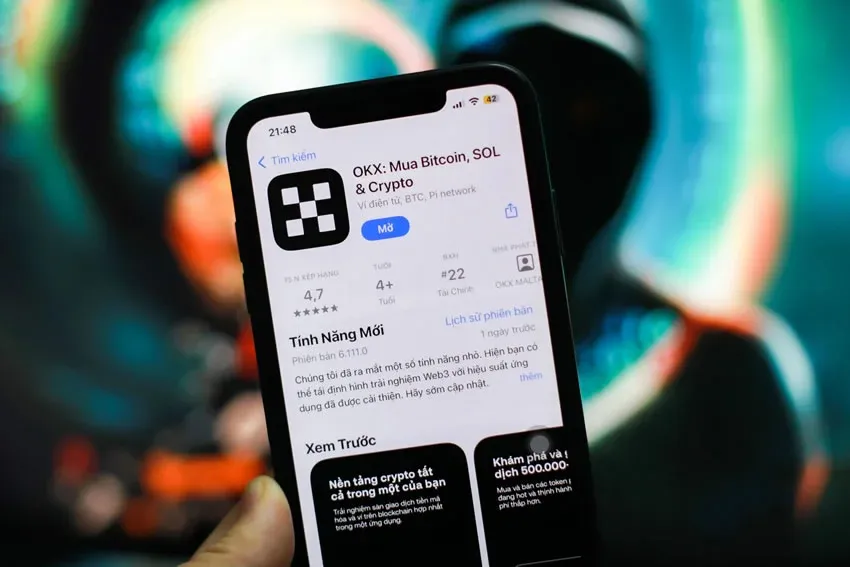
In this article we provide a complete, systematic walkthrough for beginners on buying USDT through the OKX C2C market using Alipay. We focus on the freeze‑card mechanism, merchant‑selection tips, and payment‑risk mitigation, enabling you to complete the transaction while safeguarding your assets. To get up to speed and avoid common pitfalls, keep reading.
Note: Crypto gains may be taxable in your local jurisdiction; consult a tax professional if needed.
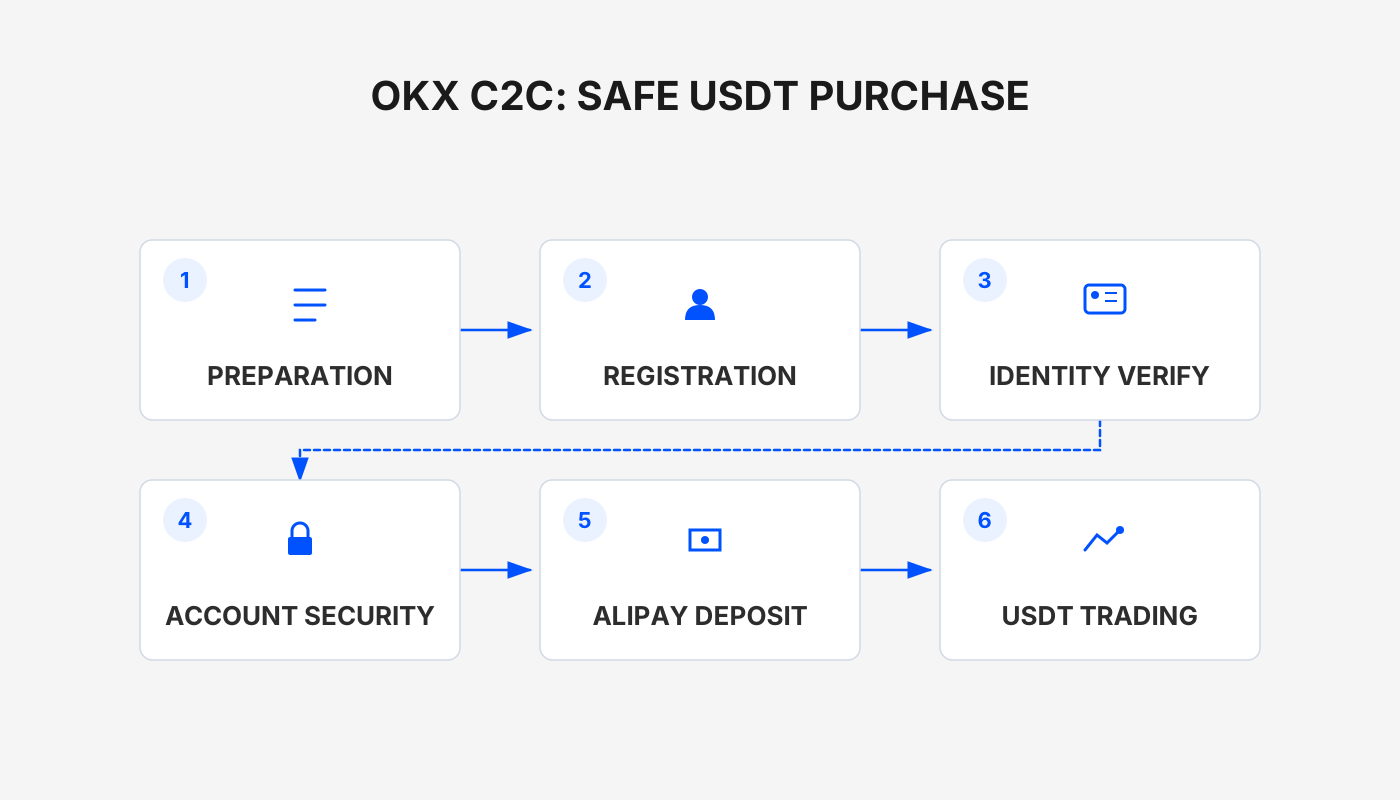
Why Choose Alipay?
Before placing any order, keep the following three bottom‑line rules in mind—they are essential for preventing your assets from being frozen:
- Clear source of funds: Do not act as an intermediary for others; all payments must be made from your own account to avoid involvement in illicit money‑flow chains.
- Alipay’s pre‑risk‑control feature: The system automatically scans the counterparty’s account for anomalies before payment. If a risk is detected, the transaction is blocked, meaning no payment equals no trade—naturally reducing the chance of a freeze.
- Isolation of payment method: It is recommended to use Alipay balance or Yu‑e‑Bao (Alipay’s money‑market product) rather than a directly linked bank card, to prevent the bank’s own risk controls from being triggered.
OKX Alipay Purchase of USDT – Freeze‑Card Method
When selecting a seller that accepts Alipay on OKX’s fiat‑to‑crypto (C2C) section, pay special attention to the following points: both Alipay and Chinese bank cards have built‑in risk controls, so it is advisable to start with merchants that have a good reputation and handle small transaction amounts. You can also combine tools such as a “Mastercard U‑Card” to further lower the freeze risk. The complete process includes registration, completing KYC, entering the C2C market, filtering merchants, making the payment, and confirming receipt.
The illustrated tutorial below is written specifically for first‑time OKX users; be sure to read every step carefully.
OKX Alipay Purchase of USDT – Freeze‑Card Step‑by‑Step Illustrated Guide
Before you begin, make sure the OKX mobile app is installed on your phone. Users who have not yet installed it can follow the link below to download and install:
OKX Exchange App Installation Guide: Quick start guide for Bitcoin investing (Android / iOS download)
Step 1 – Use Filters to Reduce Risk
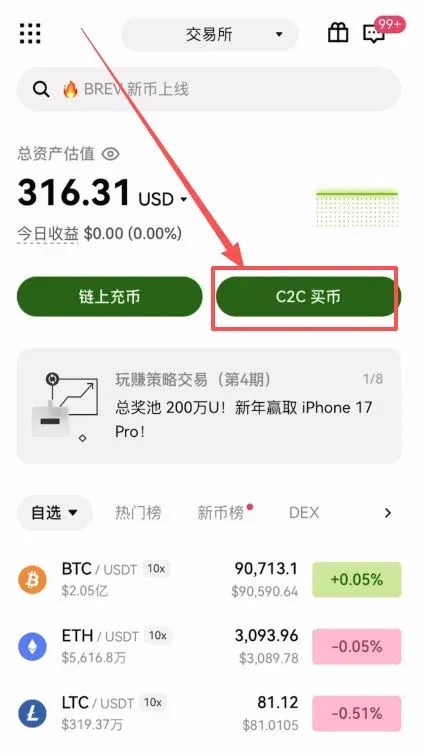
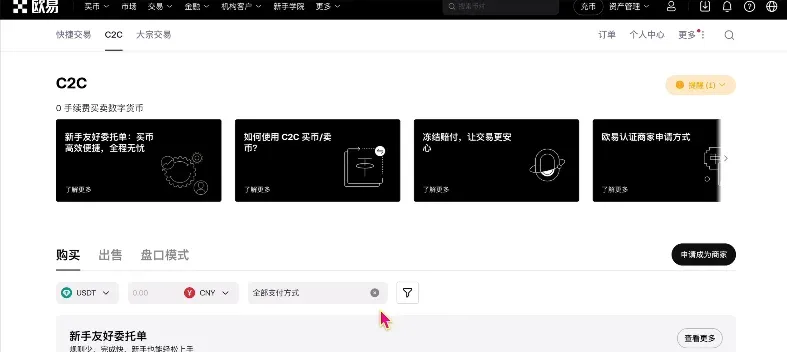
After opening the OKX app, navigate to the C2C Buy page on the home screen:
- Tap C2C Buy to enter the trading interface.
- In the amount field, enter the amount of RMB you wish to spend (e.g., 1,000 CNY) and select Alipay as the payment method.
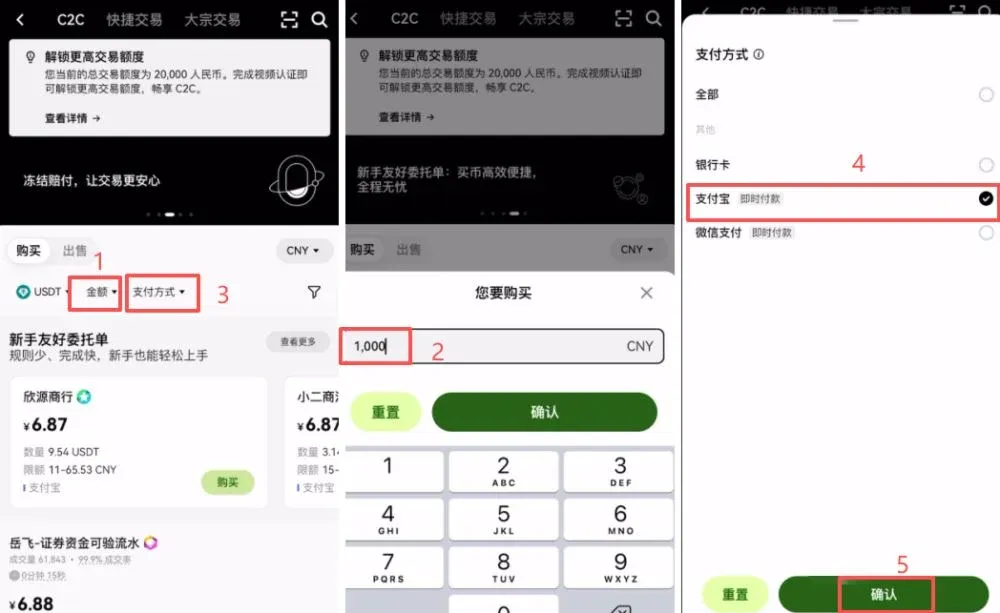
- Tap the funnel icon in the upper‑right corner and enable the switches for “Show only non‑verification orders” and “Beginner‑friendly orders.”
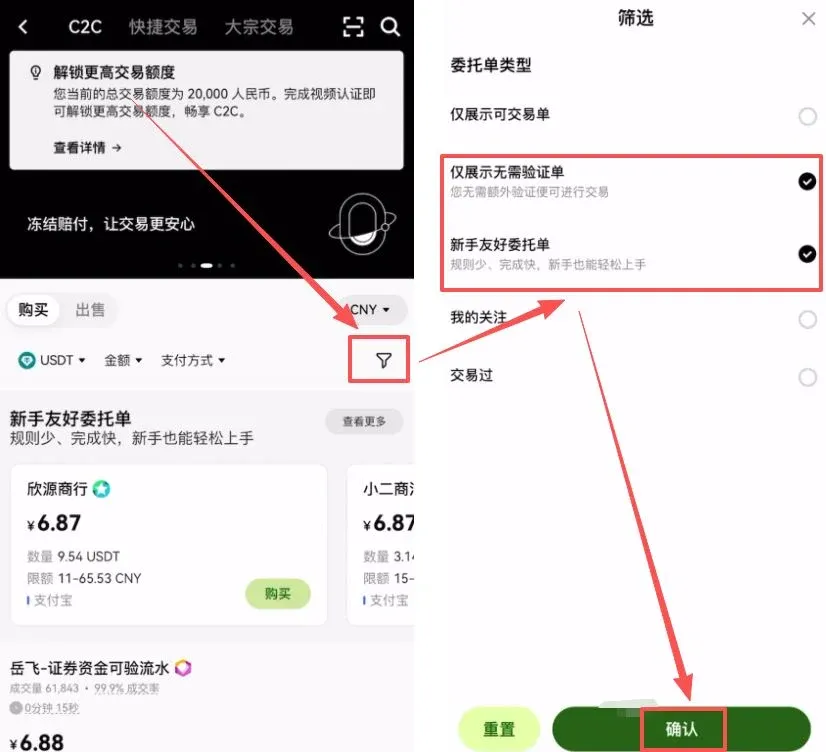
This removes the need for cumbersome transaction‑record proof and only displays high‑quality sellers who accept beginners.
Step 2 – Quickly Identify Reliable Merchants
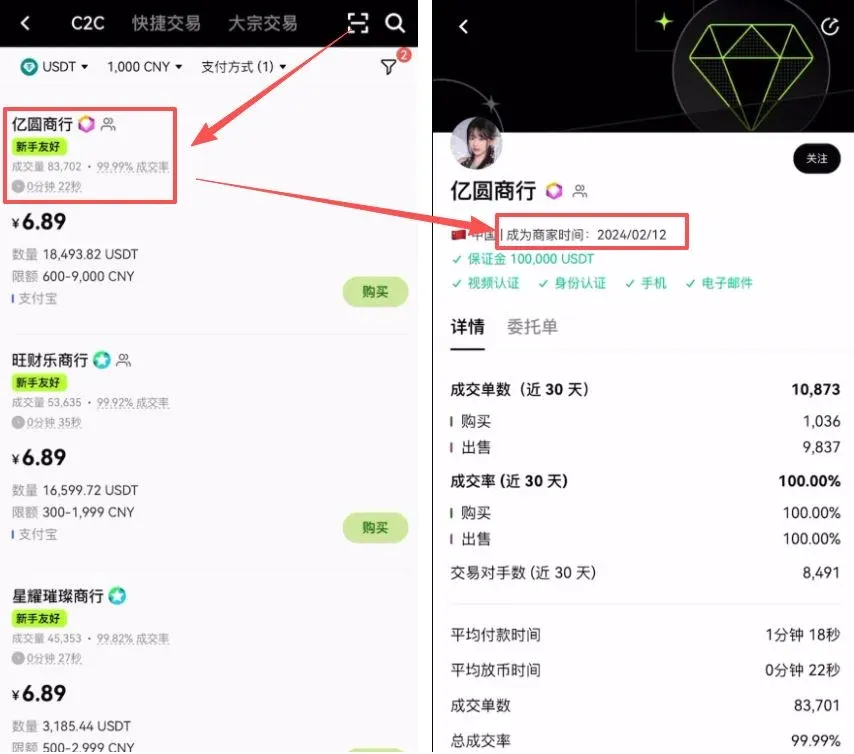
When the merchant list appears, focus on the following hard metrics in addition to price:
- Trade volume and success rate: Prefer sellers with a large number of completed trades and a high completion ratio.
- Merchant registration age: Open the merchant’s profile and look for “Time since becoming a merchant.” Choose accounts that have been active for at least six months; longer‑standing merchants generally provide a higher level of asset safety.
Step 3 – Place the Order and Complete Payment
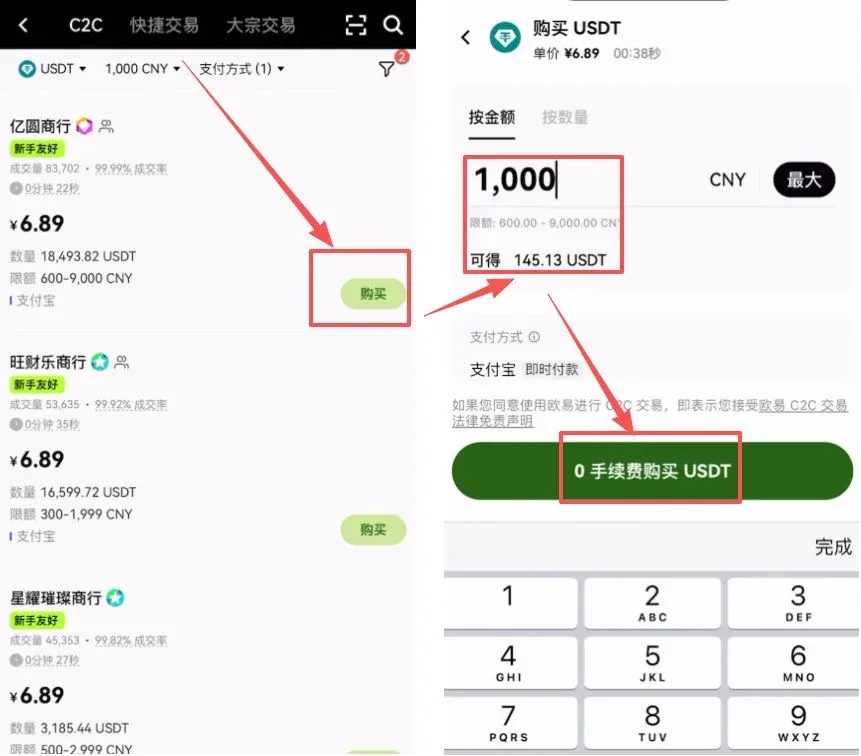
After confirming the merchant, proceed to the order page:
- Enter the purchase amount, tick the “0‑fee purchase” box, and then click Buy to generate the order.
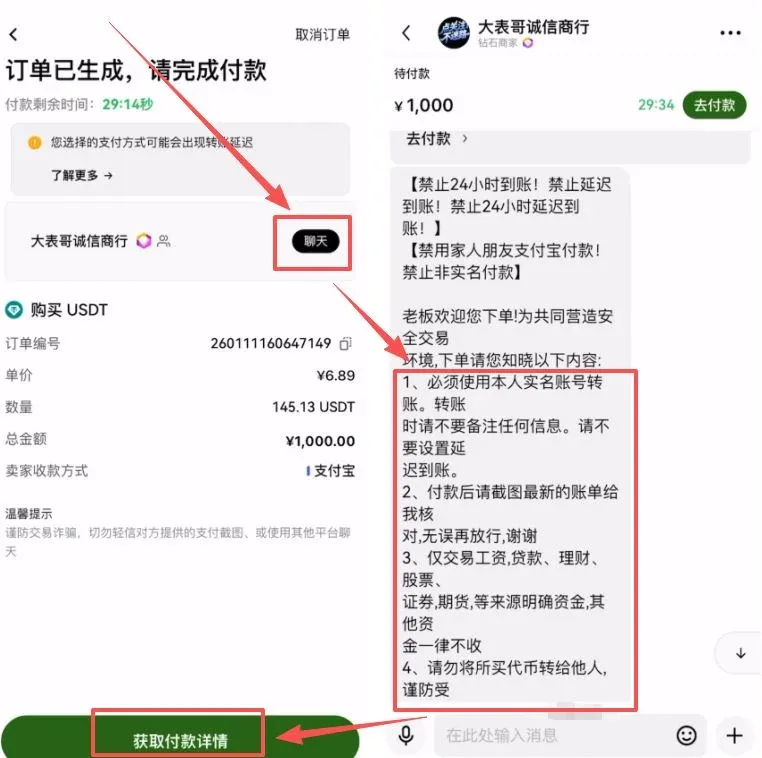
When the order is generated, pay close attention to the chat window for the seller’s instructions. Typical requirements include:
- Real‑name payment with no delayed settlement.
- Leave the transfer remark field blank—do not include keywords such as USDT, BTC, etc.
After obtaining the payment details, copy the Alipay account provided by the seller:
- Open the Alipay app, search for that account, and complete the transfer.
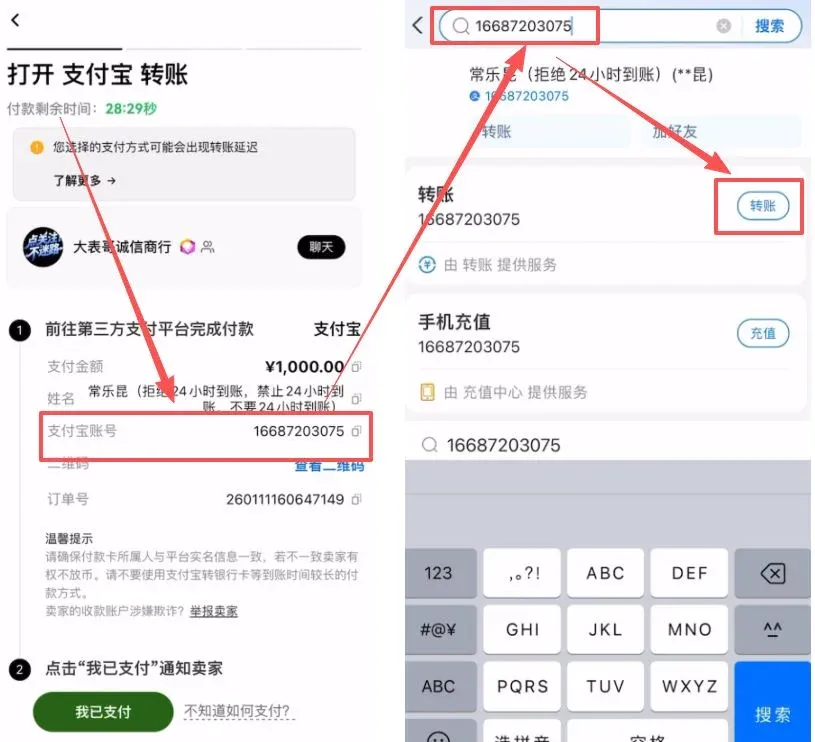
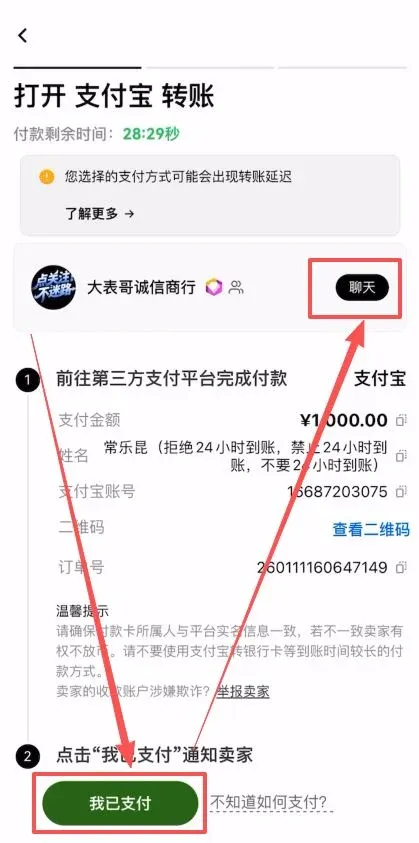
Step 4 – Confirm Payment and Wait for Token Release
Once the transfer succeeds, return to the OKX app and tap 【I have paid】 to notify the seller. After the seller verifies receipt, they will instantly release the USDT to your OKX wallet. If any questions arise during this stage, you can communicate directly with the seller through the chat window.
OKX C2C Freeze‑Compensation Beginner Guide
OKX recently introduced a C2C Freeze‑Compensation feature that offers up to 100 % reimbursement for users whose outgoing transactions are blocked (“frozen”). Because C2C trades involve third‑party merchants carefully selected by the platform, fund security has long been a pain point for the industry. With this mechanism, OKX becomes the first exchange to formally guarantee merchant behavior with a platform‑wide safety net.
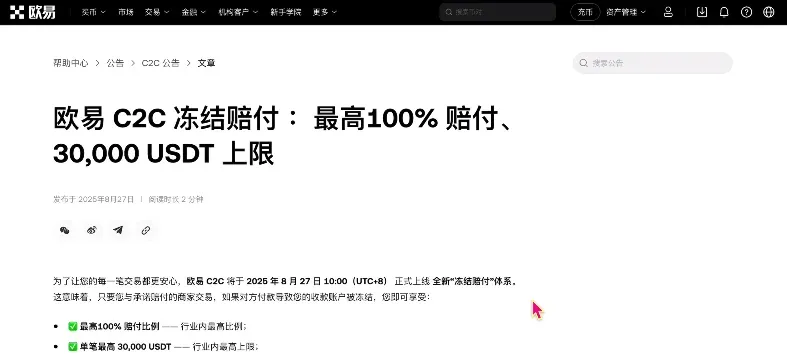
Overview of Freeze‑Compensation Rules
Compensation is tiered according to the order amount:
- Order ≤ 500 USDT: All merchants marked with “freeze‑compensation” provide 100 % full‑amount reimbursement.
- 500 USDT < Order ≤ 10,000 USDT: Compensation is 20 %, with an upper cap of 2,000 USDT.
- Order > 10,000 USDT (≈ USD 12,500 or ¥100,000): For merchants that meet the “large‑volume” criteria, compensation rises to 100 % with a maximum of 30,000 USDT.
This structure both restrains merchant risk and gives retail users appropriate protection at different trade sizes.
Detailed Compensation Table
| Merchant Type | Order Amount | Compensation Rate | Compensation Cap | Remarks |
|---|---|---|---|---|
| **All compensation merchants** | ≤ 500 USDT | 100 % | Equal to order amount | Full protection for small trades |
| **Verified compensation merchants** | > 500 USDT | 20 % | 2,000 USDT | Minimum payout of 500 USDT |
| **Large‑volume compensation merchants** | > 500 USDT (large‑volume) | 100 % | 30,000 USDT | Minimum payout of 500 USDT |
The platform and merchants jointly maintain a compensation pool, so payouts do not rely solely on a single merchant’s margin, enhancing the ability to honor reimbursements.
How to Find Merchants Offering Freeze‑Compensation on OKX
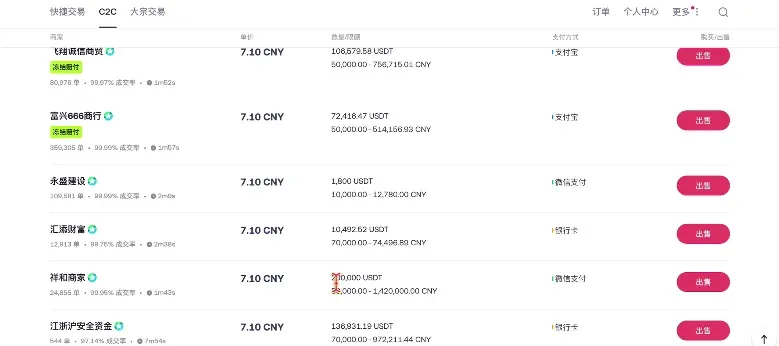
- Open the OKX app, go to C2C Buy, and on the Sell side look for orders labeled “Freeze‑Compensation.”
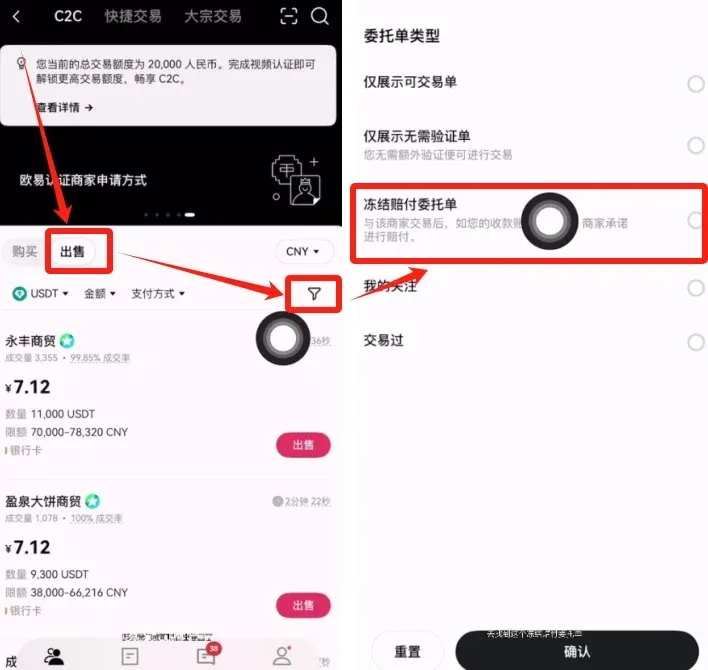
- Using the example “Real‑Name Payment – Funds Safety,” tap the advertisement; you will see that this merchant only accepts sell‑side trades. After opening the order, confirm that you can purchase, then you can benefit from the freeze‑compensation feature.
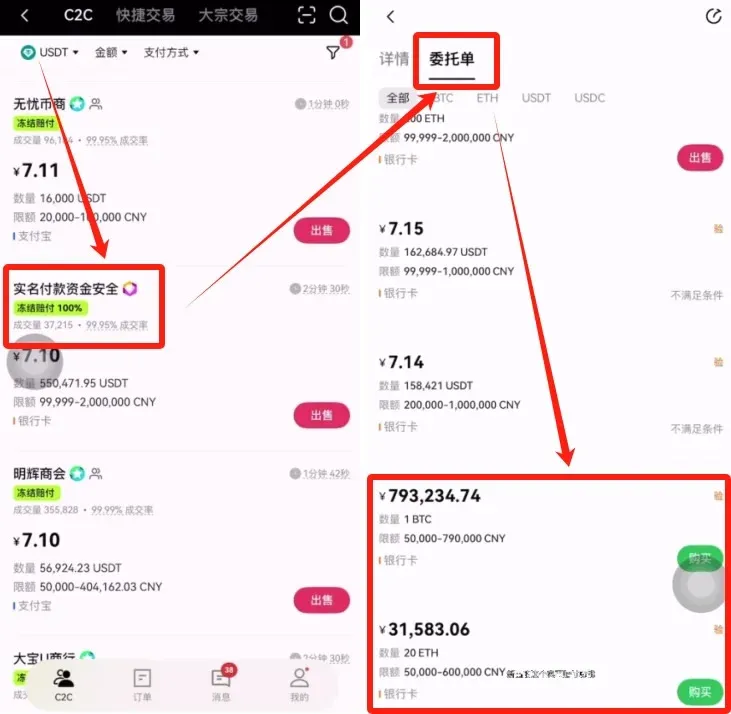
- Compare with other platforms (e.g., Binance). After a judicial freeze, comparable merchants on Binance can only provide 50 % compensation, which is noticeably less protective than OKX.
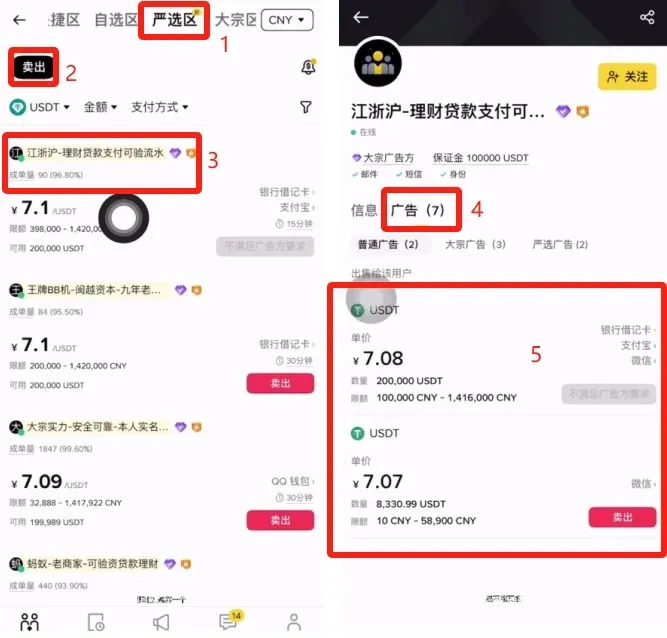
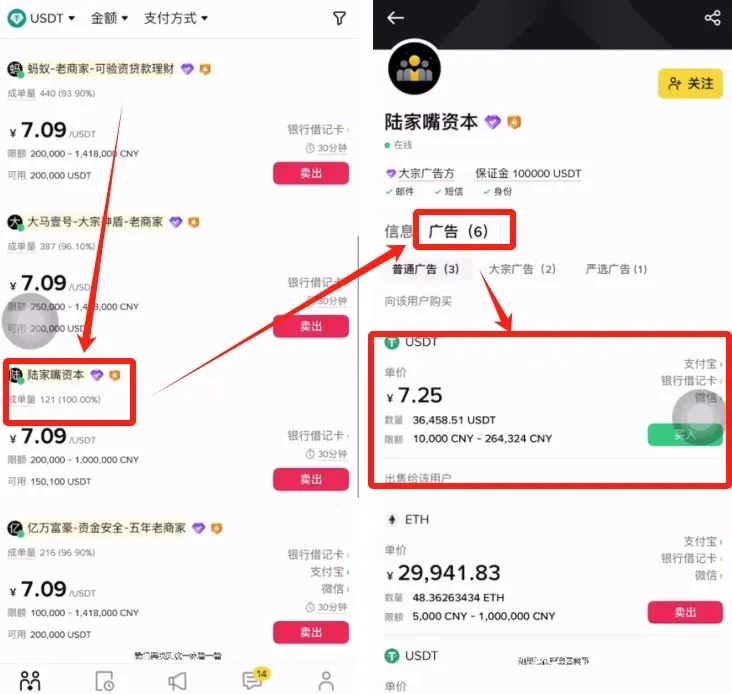
Therefore, for users attempting to deposit USDT for the first time, selecting an OKX merchant that provides freeze‑compensation offers a higher level of asset safety.
OKX vs. Binance Compensation Comparison
| Item | OKX (OKEx) | Binance (global) |
|---|---|---|
| **Compensation Rate** | ≤ 500 USDT 100 %; > 500 USDT regular merchants 20 %; large‑volume merchants 100 % | Flat 50 % |
| **Compensation Cap** | Up to 30,000 USDT per transaction | Up to 20,000 USDT per transaction |
| **Merchant Types** | Verified compensation merchants / Large‑volume merchants (platform‑backed) | Strictly vetted “Shield” or large‑advertiser merchants |
| **Fees** | No fee for freeze‑compensation merchants | 0.2 % fee in the “Strict Selection” zone |
| **Applicable Trades** | Supports both buying and selling | Only selling (USDT → RMB) |
| **Core Advantages** | Full protection for small trades, platform‑backed fund pool, zero fees | Rigorous merchant vetting but fixed 50 % compensation |
*For users located in the United States, please note that Binance.US is the compliant platform for U.S. residents; the global Binance platform is not available to them.*
The above content constitutes the complete English rewrite of “OKX Alipay Safe Purchase of USDT – Freeze‑Card Step‑by‑Step Guide (New Users Must Read).” For more practical tips on safely buying USDT on OKX, follow Bitaigen (比特根) and stay tuned for future articles.
Related Reading
- How to Recharge USDT via OKX C2C: Step-by-Step Guide 2026
- Trade Spot & Futures on OKX Mobile App 2026 – Step-by-Step
- OKX Headquarters Relocation in Mainland China Service Update
💡 Register on Binance with referral code B2345 for the maximum trading fee discount. See Binance complete guide.



