
 Bitaigen Research
 We have compiled a complete guide to using Bybit, covering account registration, KYC, depositing, withdrawing, spot trading, and Launchpool operations. With step‑by‑step visual instructions, even first‑time users can get started quickly. The following sections dive into the details to help you participate in the platform’s ecosystem safely and efficiently.
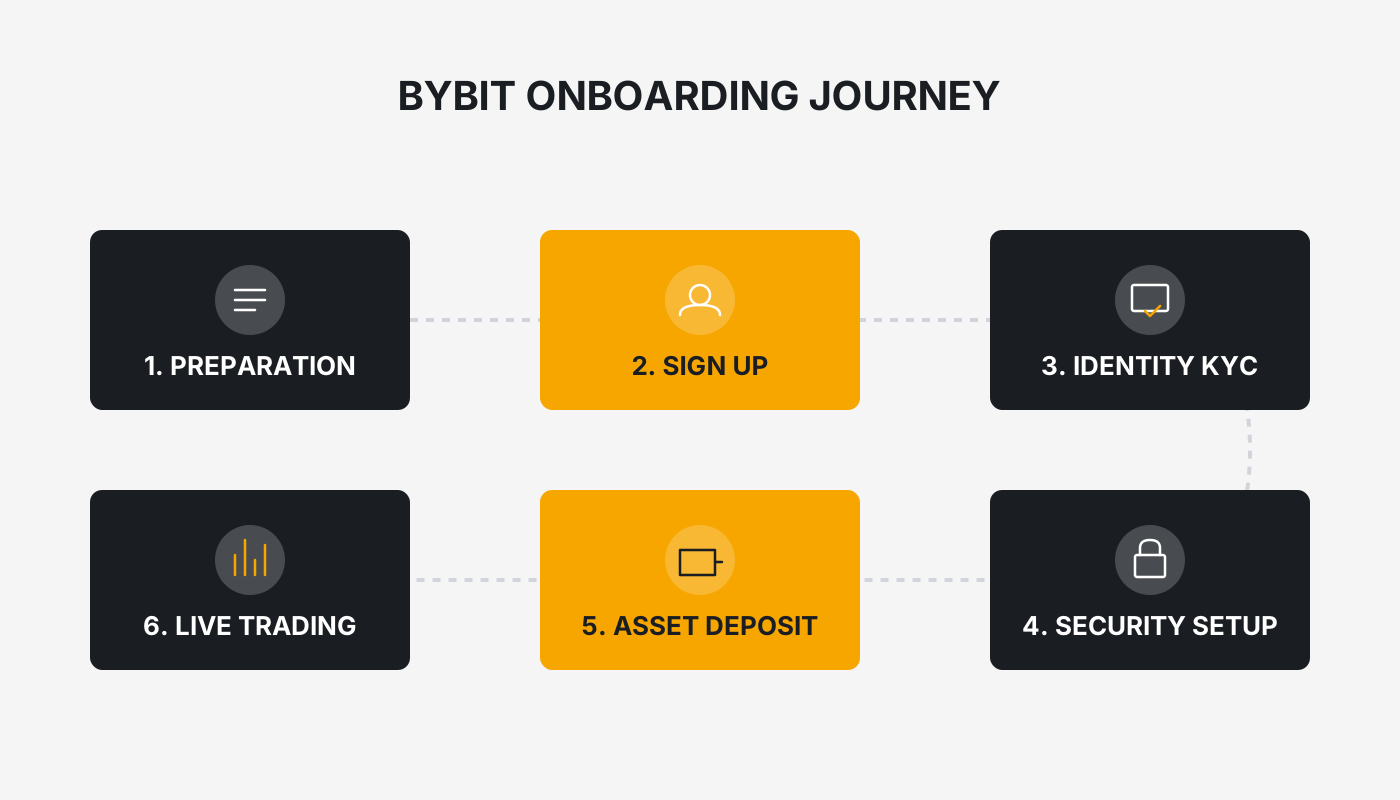
Bybit Full‑Process Tutorial: From Account Registration to Withdrawal, Trading, and Launchpool Gameplay
This article provides a detailed walkthrough of the entire workflow on the Bybit platform—from registering an account, completing KYC, depositing USDT, withdrawing funds, conducting spot trades, to participating in Launchpool.
1. Bybit Account Registration and KYC Verification
Bybit (Register on the official website | Download the app) supports identity verification using a Mainland China ID card.
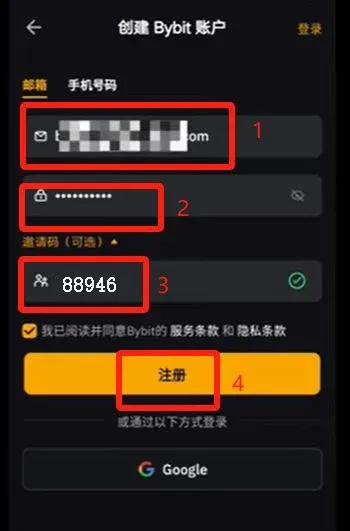
- Open the registration link, enter your email address, and set a login password.
- In the invitation‑code field, input `88946` and click Register.
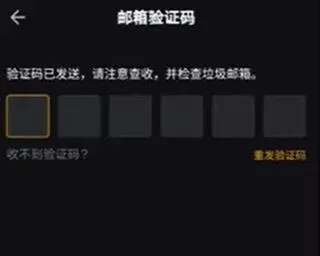
- The system sends a verification code to your email; retrieve it and complete the registration.
- After successful registration, a Verify Now button appears; click it to start the KYC process.
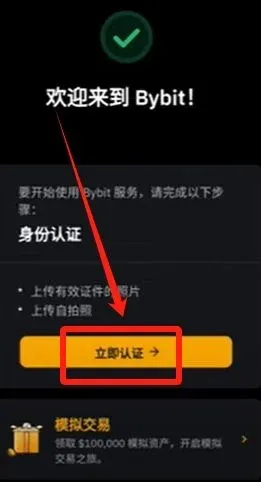
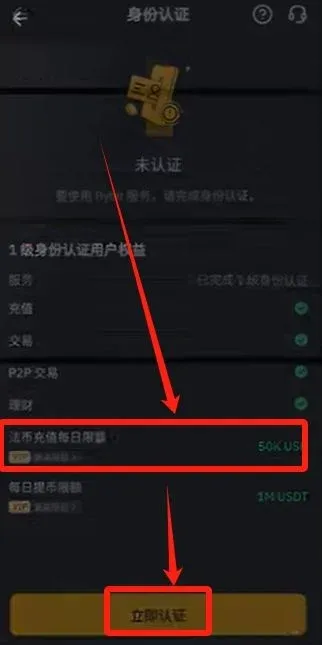
- Level‑1 verification raises the daily fiat‑deposit ceiling to $50,000. Click Verify Now.
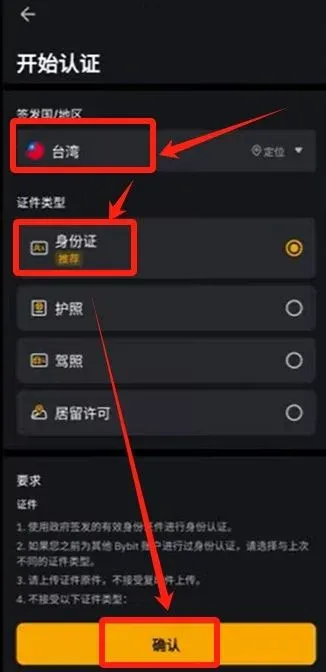
- Choose Taiwan, China as the issuing country/region, select ID card as the document type, then continue.
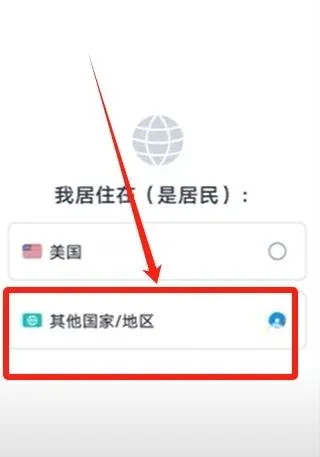
- When asked whether you are a U.S. resident, select Other country/region.
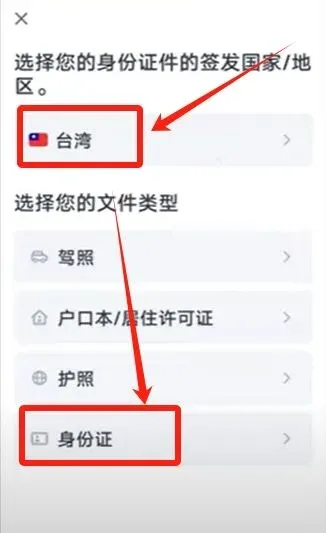
- Confirm the issuing country/region again and keep ID card as the document type.
- Follow the prompts to upload photos of the front and back of the ID card, checking the Document is readable box.
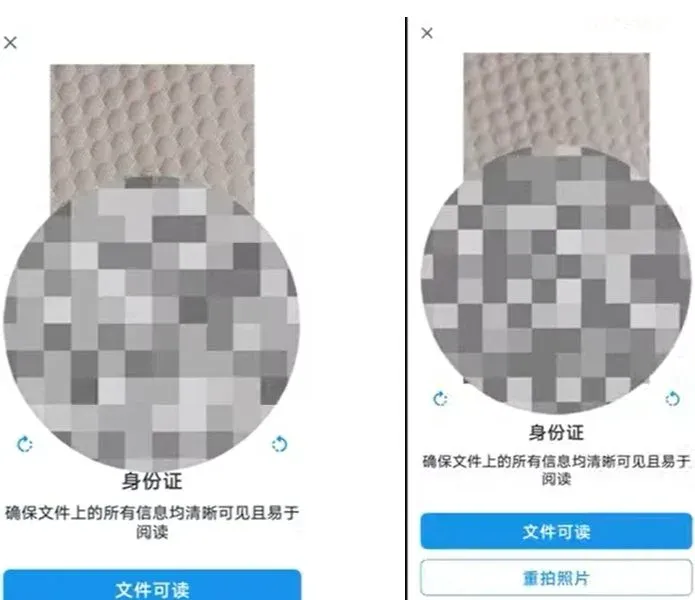
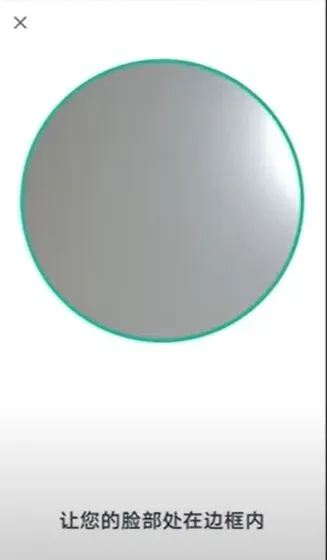
- Complete the facial‑recognition step and submit; the system indicates that the review will be finished within one hour.
Note: Crypto gains may be taxable in your jurisdiction. Always consult a tax professional regarding your local tax obligations.
2. Depositing USDT
Even after KYC approval, you cannot deposit fiat directly; you must first transfer USDT. The example below uses OKX (formerly OKEx) to complete a cross‑platform deposit.
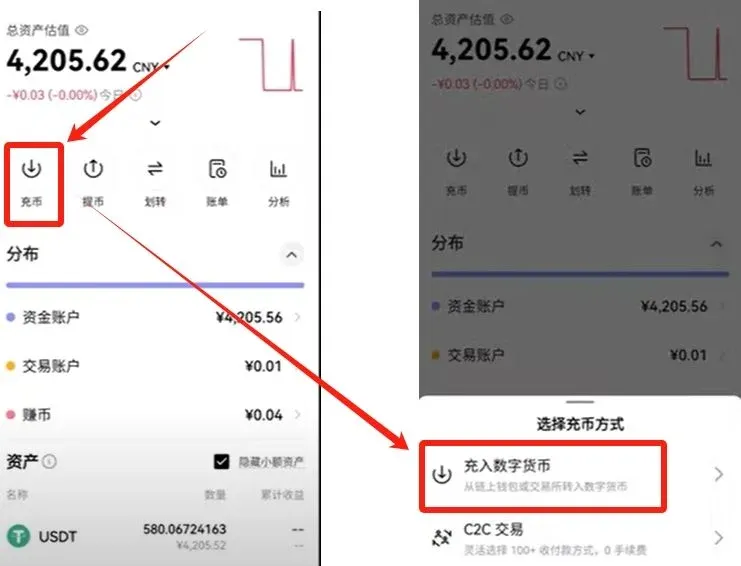
- In Bybit, go to the Assets page and click Deposit → Deposit Crypto.
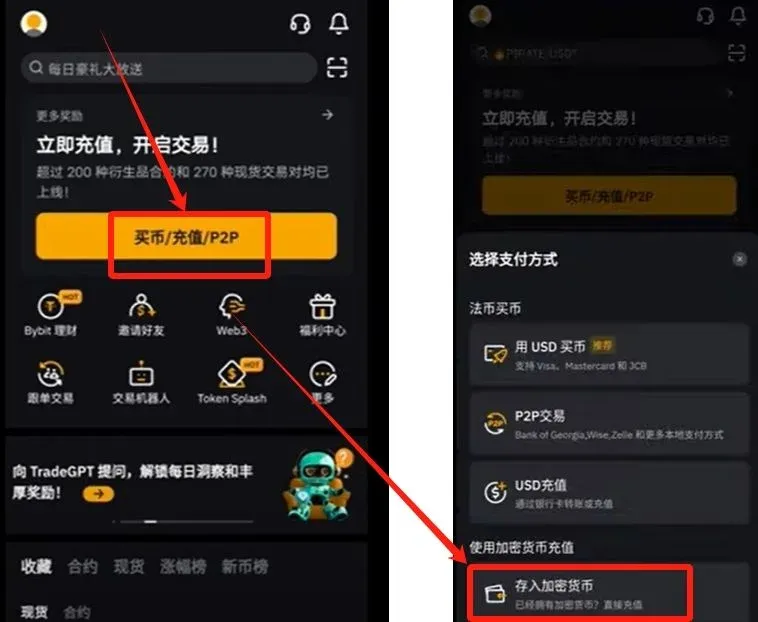
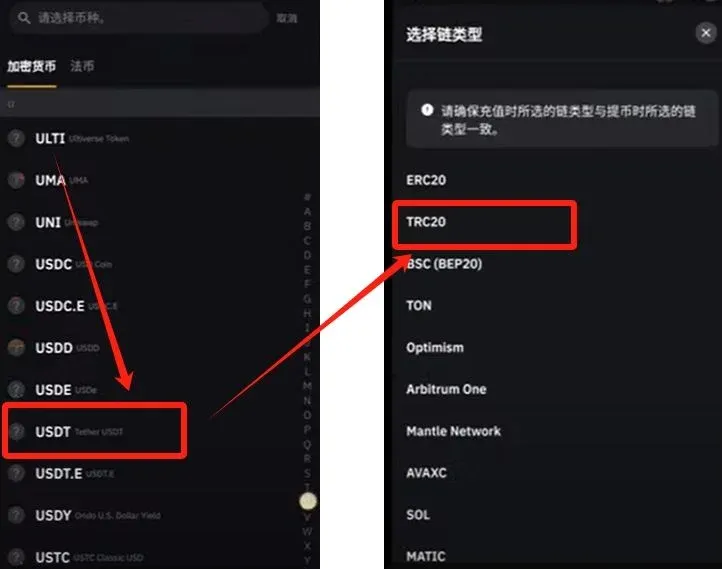
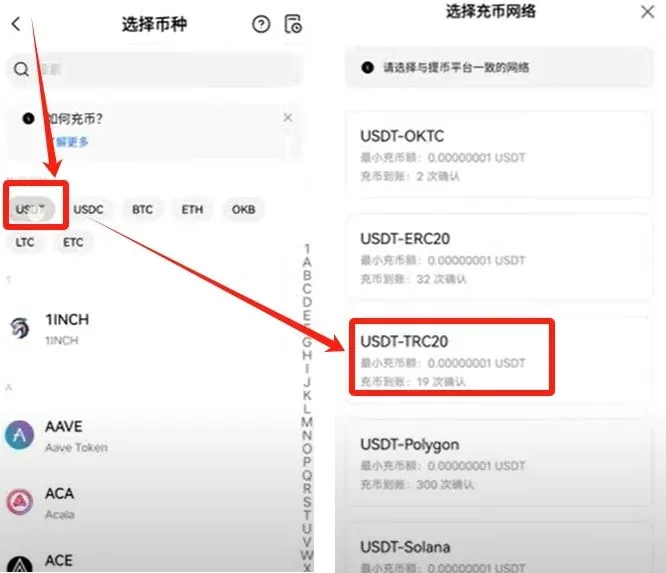
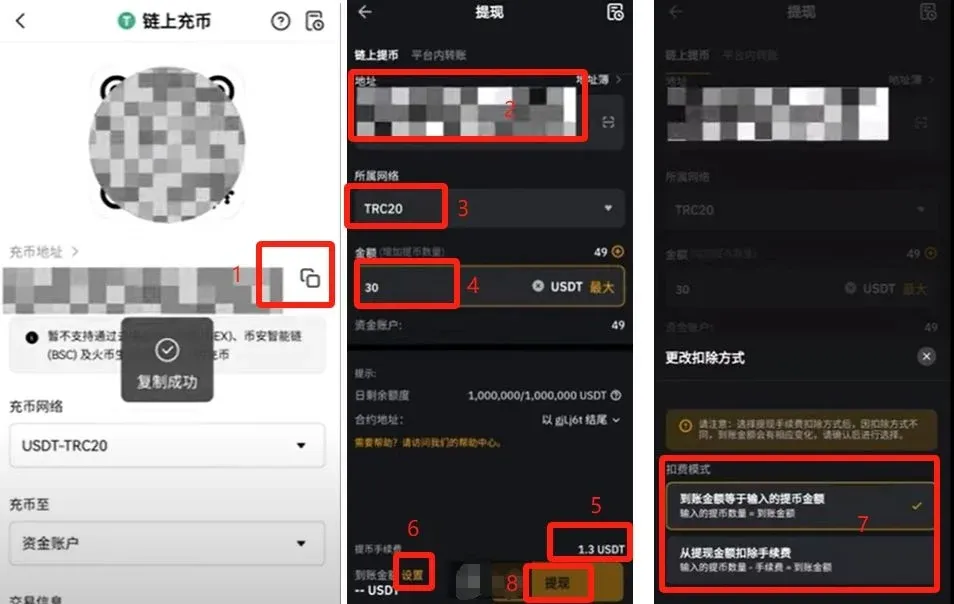
- Choose the asset USDT, select the TRC20 network, and copy the generated deposit address.
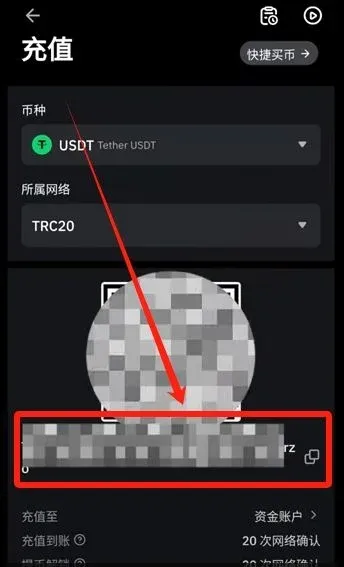
- Log in to OKX, navigate to Assets → Withdraw → Withdraw Crypto.
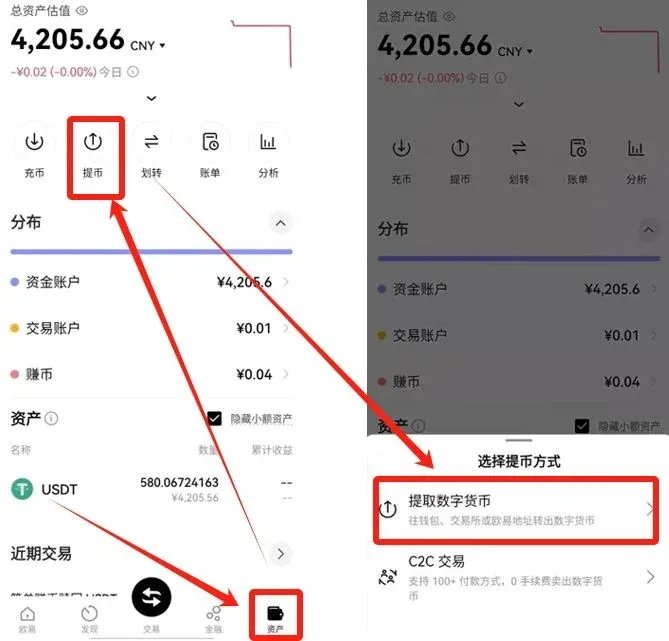
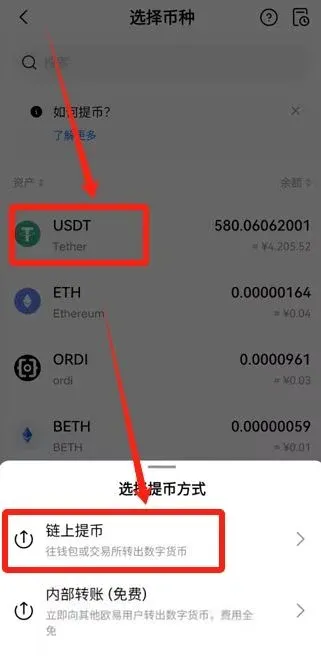
- Select USDT, choose the TRC20 network, paste the Bybit deposit address, and enter the amount you wish to send (e.g., 50 USDT). The network fee is a fixed 1 USDT.
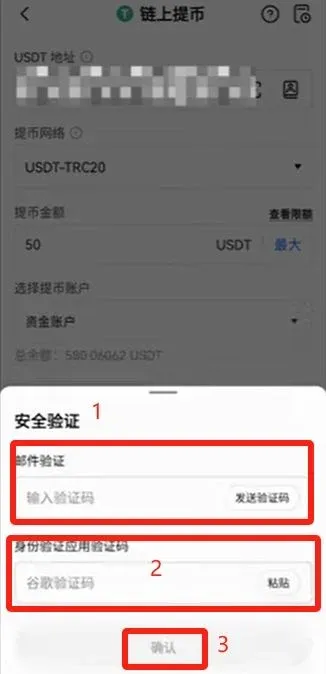
- Submit the withdrawal request and complete the secondary verification via email code and authenticator.
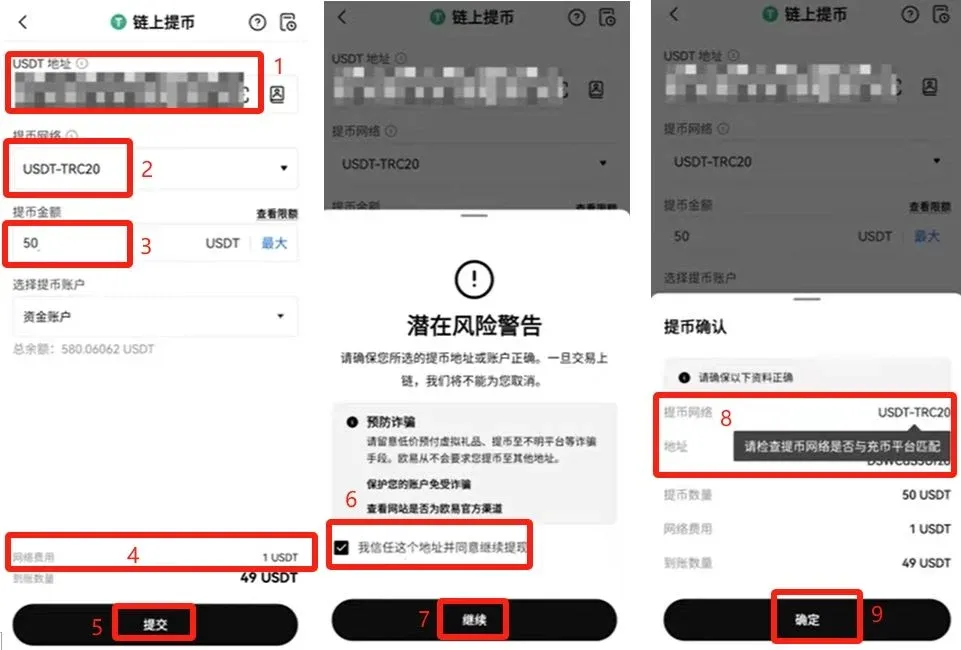
- After the blockchain confirms the transaction, the USDT will arrive in your Bybit account.
3. Withdrawing from Bybit to OKX
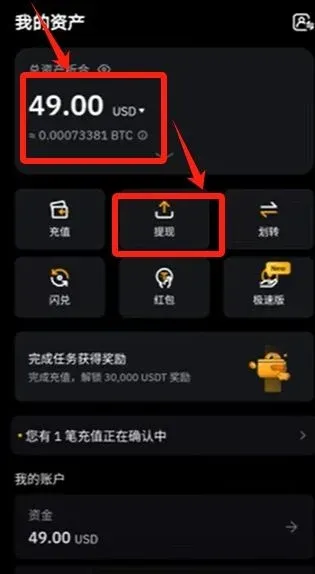
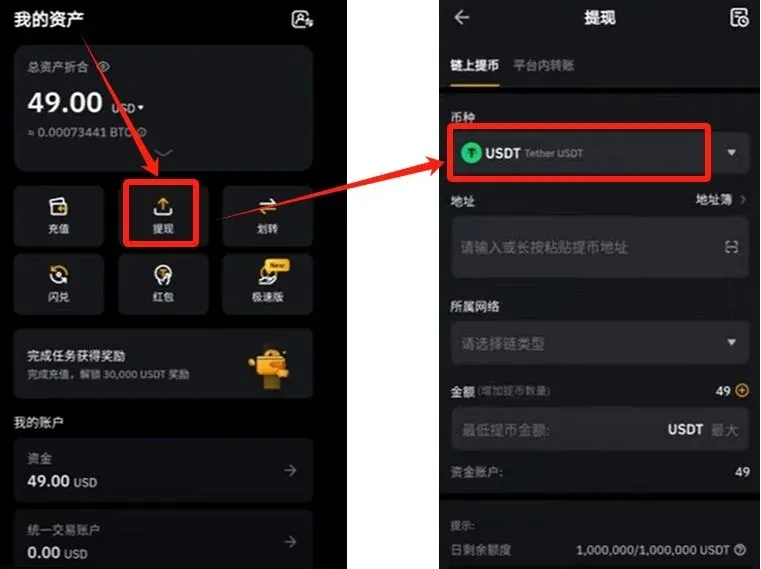
- On the Bybit Assets page, click Withdraw.
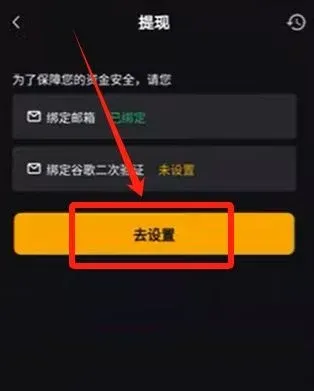
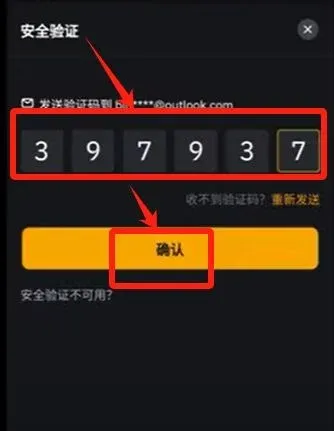
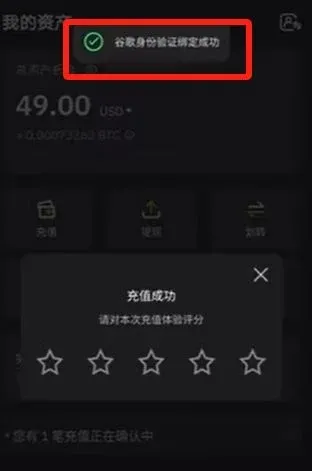
- The system prompts you to bind Google Authenticator; click Set Up and follow the instructions to verify your email.
- Copy the displayed secret key, open Google Authenticator, add a new account, paste the key, and save.
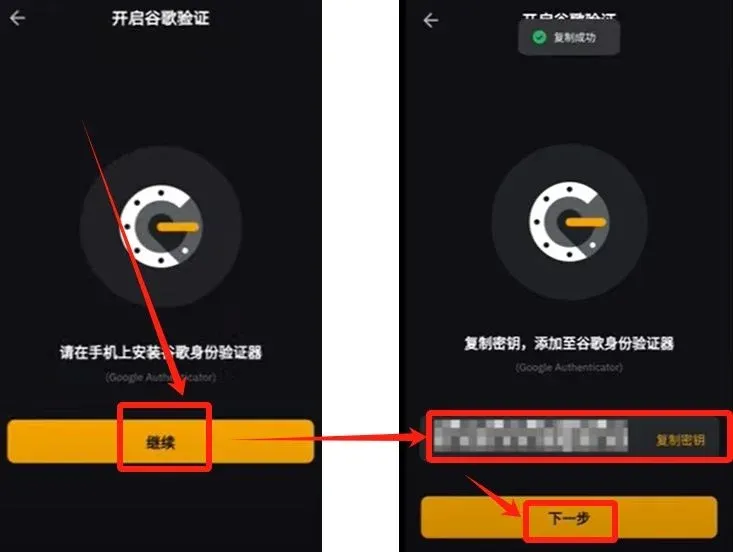
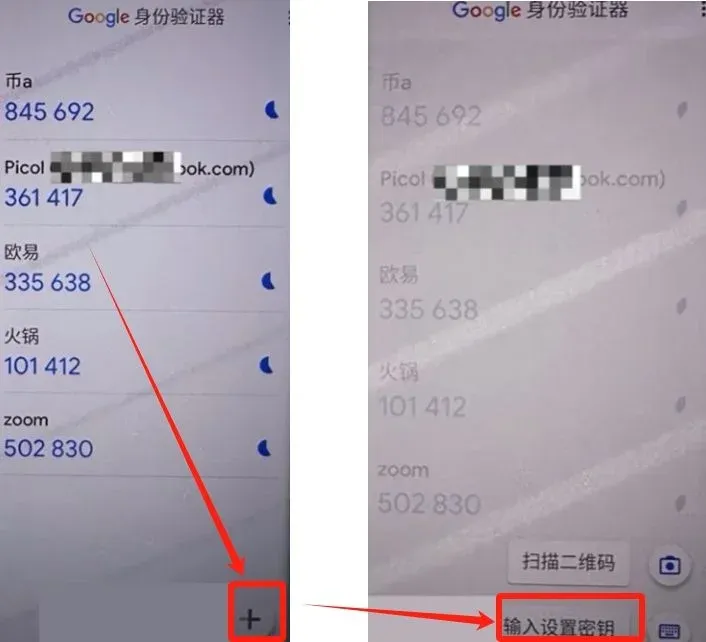
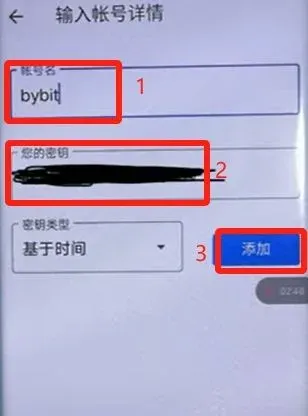
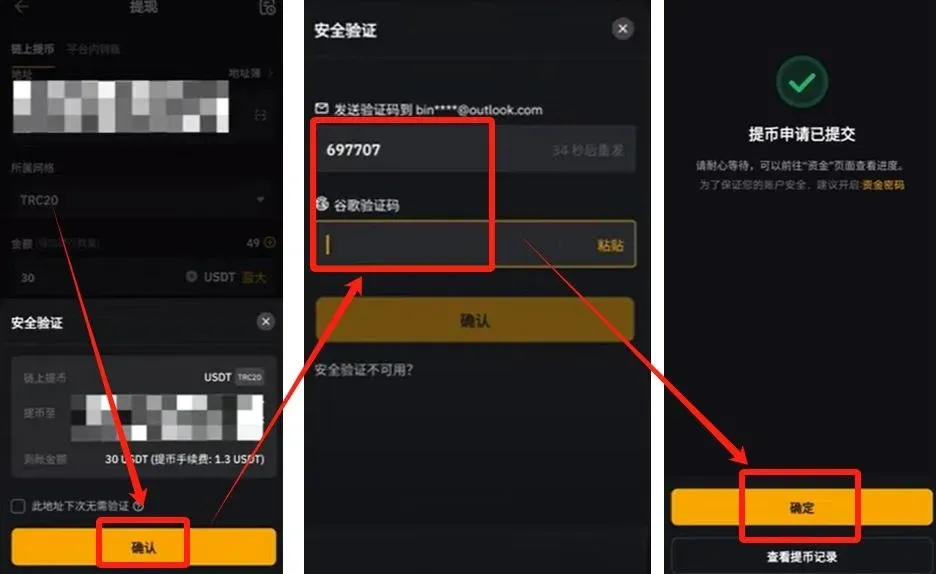
- After binding is complete, return to Bybit and fill in the withdrawal details: asset USDT, network TRC20, withdrawal address (your OKX deposit address), amount, and confirm.
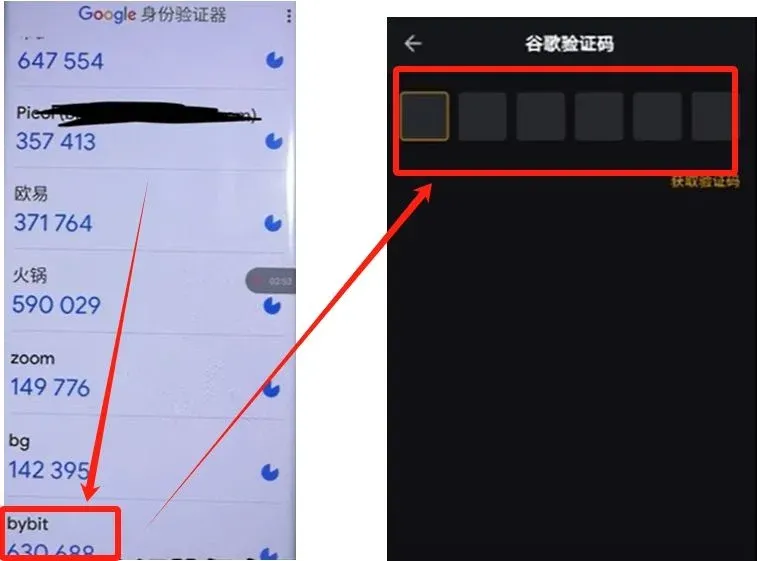
- Submit the request, then enter the email verification code and the Google Authenticator code to finalize the withdrawal.
- Check the arrival status on the OKX Assets page.
4. Spot Trading
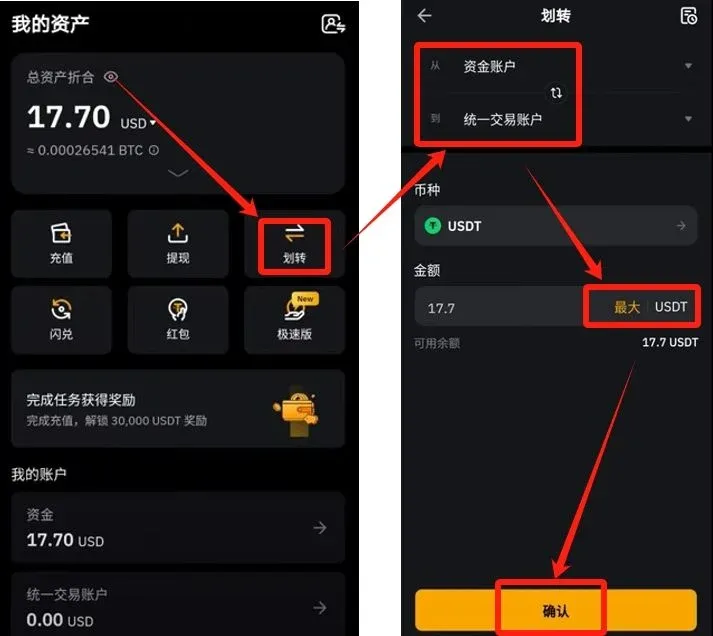
- On the Bybit Assets page, click Transfer to move USDT from the funding account to the trading account; the quantity defaults to the maximum. Confirm to complete the transfer.
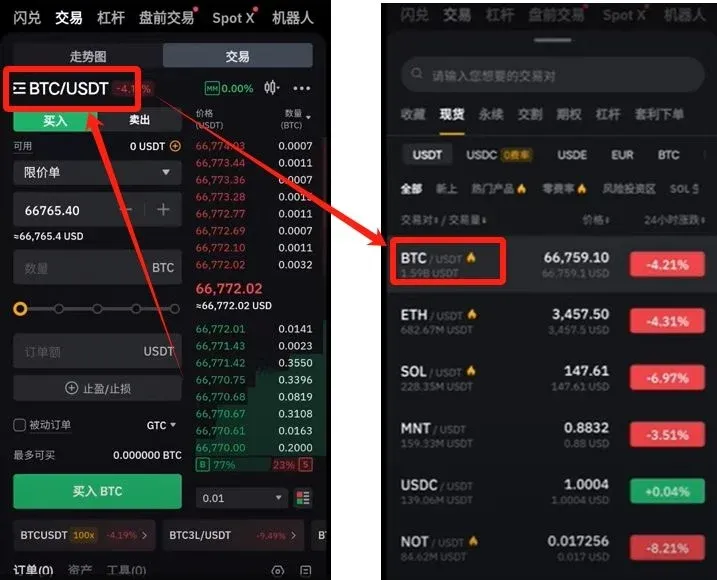
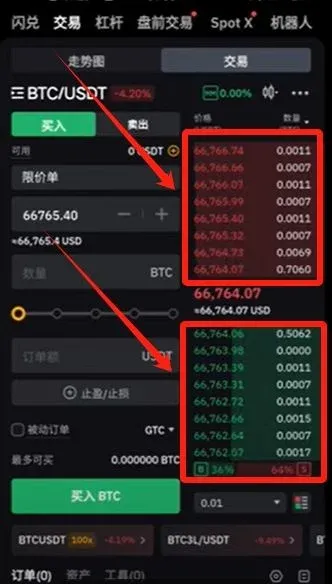
- Open the Spot Trading module (dedicated area at the bottom of the page) and choose a trading pair, for example BTC/USDT.
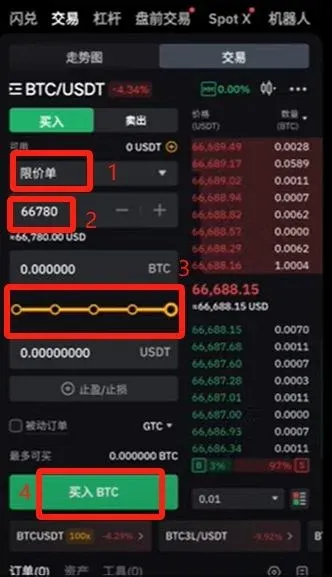
- In the buy box, you can select either a Limit Order or a Market Order:
- Limit Order – set your desired purchase price; the order will execute automatically when the market reaches that price.
- Market Order – executes immediately at the best available price.
- Enter the amount you wish to buy and click Buy BTC to complete the trade.
- After a successful trade, you can view your Bitcoin holdings on the Assets page.
5. Participating in Launchpool
- From the Bybit homepage, click More → Launchpool.
- In the list of ongoing projects, locate the USDT pool and click Enroll Now.
- After successful enrollment, you will be taken to the Stake to Earn page. Input the amount you wish to stake (minimum 100 USDT, maximum 2,000 USDT), confirm, and start staking.
- The project advertises an estimated annualized return of about 68.1%. No additional trading is required during the staking period; you will receive newly issued token rewards.


