
 Bitaigen Research
 After registering an account on Huobi Global and completing the KYC verification, you can use fiat currencies such as USD in the fiat‑c trading section to purchase digital assets like USDT, and later withdraw the fiat by either transferring the crypto off‑exchange or selling it back to fiat.
This guide walks beginners through the entire process on Huobi Global: account registration, KYC verification, and fiat‑c buying and selling. It aims to help you get started quickly and withdraw your assets safely. The article also addresses common questions and operational details to help you avoid pitfalls and improve your user experience, so it’s worth reading carefully. Additionally, we provide practical screenshots and flowcharts to let you verify each step one by one.
Note for U.S. residents: the global Huobi platform may have limited availability in the United States. U.S. users should consider using a U.S.-registered exchange such as Binance.US for comparable services.
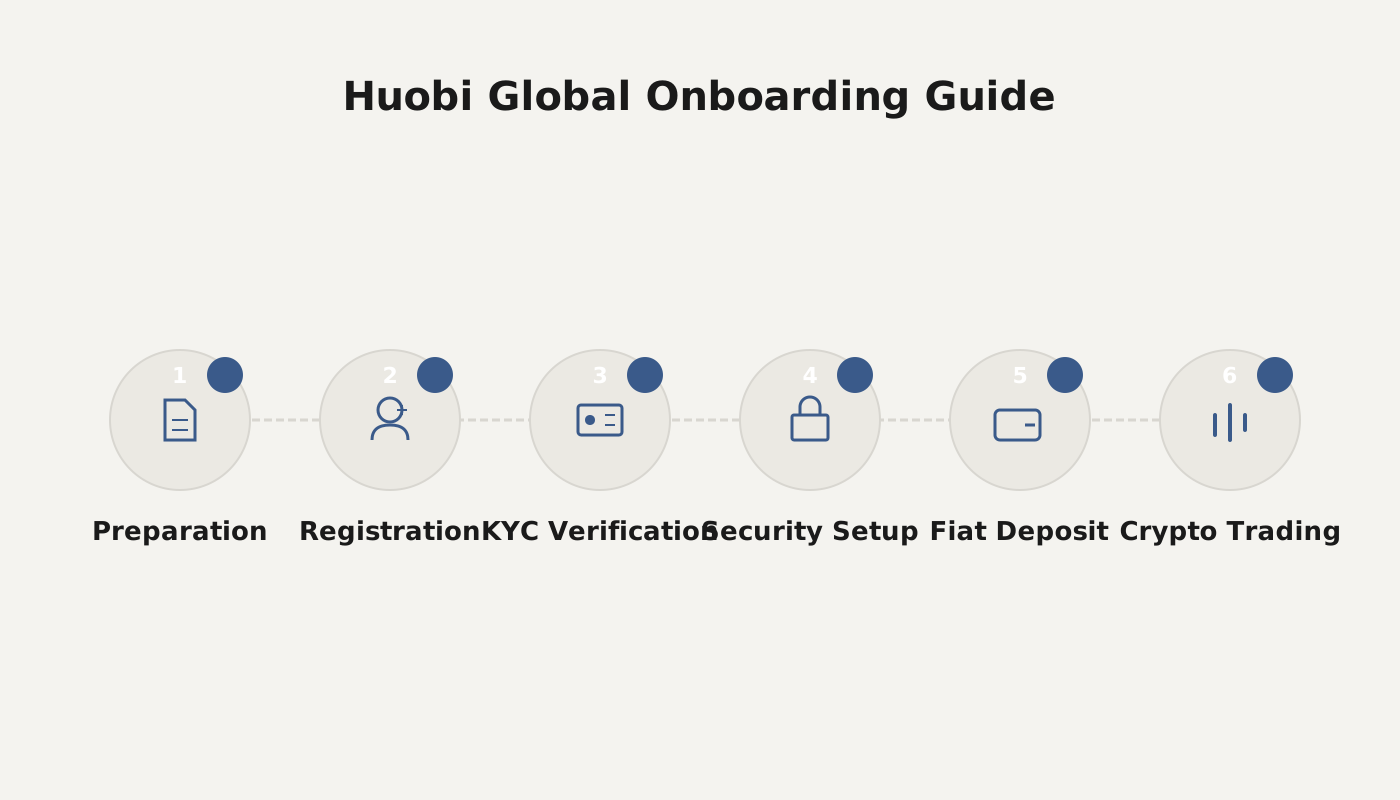
Huobi Global Trading Beginner Tutorial
Step 1: Register a Huobi Account
- Click the official registration link or download the Huobi App on your mobile device.
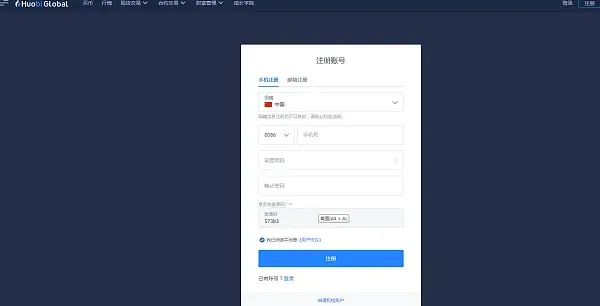
- On the registration page select your country, enter your mobile number (the example uses mobile registration), set a login password, and then click Register.
Step 2: Complete Identity Verification (KYC)
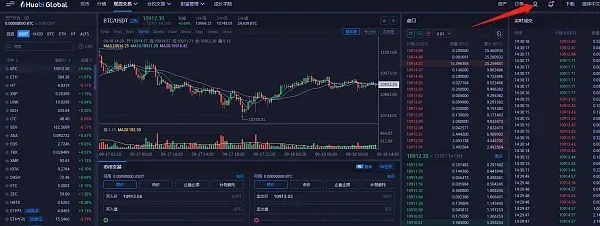
- Go to the Identity Verification page and follow the prompts to fill in your real‑world personal information.
- After submission, the system will finish the review within 24 hours. Trading is not possible until KYC is successfully completed.
Why KYC Is Required
KYC policies oblige financial institutions to implement real‑name account registration, identify the actual controller and beneficial owner of the account, and conduct thorough checks on the customer’s identity, permanent address, or corporate activities.

Step 3: Use Fiat (USD) to Purchase Crypto
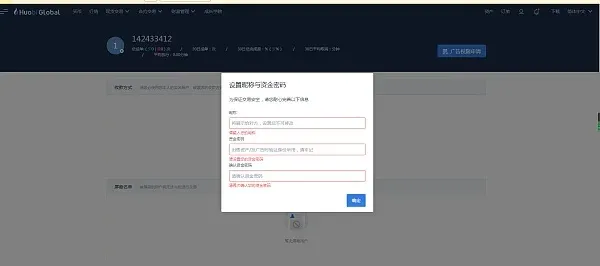
- First set up your fiat preferences: provide a nickname, configure a fund password, and add a withdrawal method (e.g., SEPA bank transfer, SWIFT, credit‑card, or other supported payment options).
- On the homepage click Buy Crypto, then in the custom‑trade area choose Buy, and select USDT as the target coin.
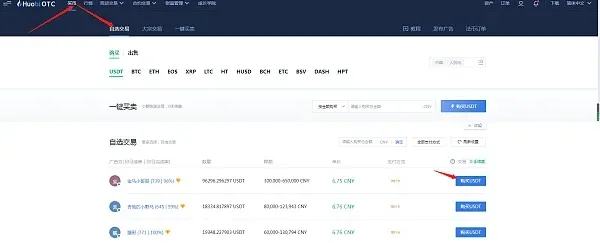
- In the seller list, pick a counter‑party whose price, limit, and accepted payment method (bank transfer via SEPA/SWIFT, credit‑card, PayPal, etc.) suit you. Enter the amount you wish to spend and confirm the order.
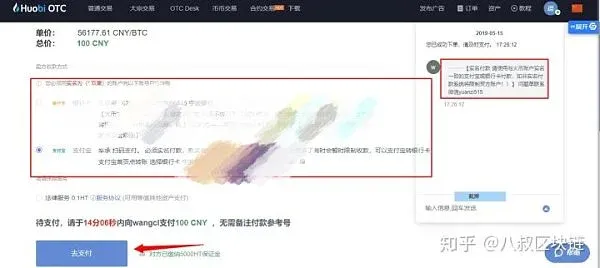
- The platform will redirect you to a payment page. Follow the seller’s instructions to complete the transfer (e.g., SEPA transfer, SWIFT, or other method) and then click I have completed the payment – Continue.
Operational Tips
- The payment must be made within the time window shown; otherwise the order may be automatically cancelled by the system.
- Once the seller confirms receipt, the USDT is usually credited to your account within 3 minutes. This internal credit is fast and does not require on‑chain confirmations.
Step 4: Withdraw Crypto from Huobi
Below is an example of moving USDT from the fiat‑c (OTC) area to another platform:
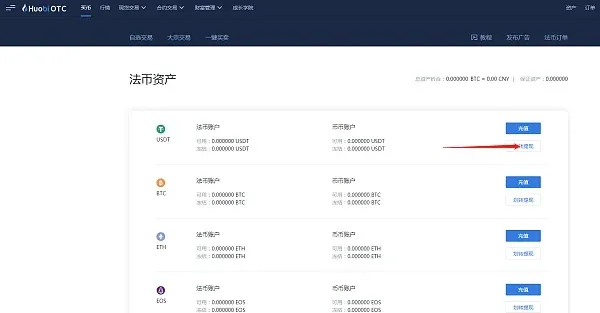
- Open the Huobi OTC interface, click the Assets button in the top‑right corner, select Transfer & Withdraw, and first transfer the USDT from the OTC wallet to the spot‑trading wallet.
- Switch to the spot‑trading page and click Assets under your personal account in the top‑right corner.
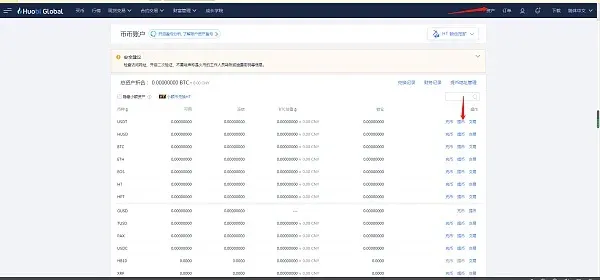
- In the asset list locate USDT, click the blue Withdraw button, fill in the blockchain network, the destination USDT address on the target platform, and the amount to withdraw, then confirm the submission.
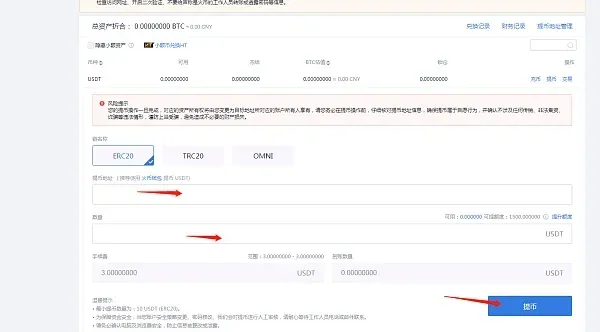
The Deposit process is the reverse of withdrawal; simply choose “Deposit” following the same navigation path.
How to Convert Your Digital Assets Back to Fiat (USD)
- Navigate to the Fiat Account section.
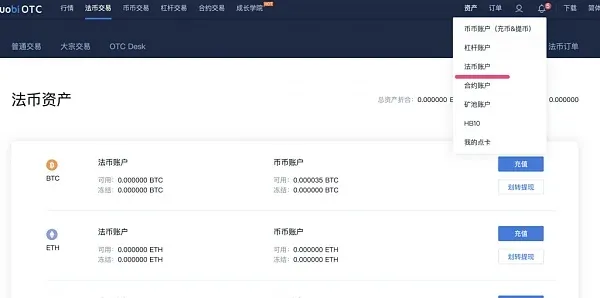
- In the fiat‑c asset list locate the cryptocurrency you wish to sell (if it does not appear, first convert it in the spot‑trading area to a supported fiat‑c coin).
- Transfer the chosen coin into the fiat‑c asset account via deposit or internal fund transfer.
- Click the Fiat Trading tab at the top, choose Standard Trade → Sell, and follow the on‑screen prompts to complete the sale and request a fiat withdrawal.
Tax Reminder: Crypto‑to‑fiat conversions may generate taxable events in many jurisdictions. Please consult local tax regulations or a tax professional to determine any reporting obligations.
The steps above constitute the full Huobi Global onboarding and fiat‑c buying/selling workflow. For additional Huobi tutorials and detailed guides, please follow Bitaigen (比特根) for more related articles.
Related Reading
- Binance.com Trading Platform Security & Registration Requirements
- Huobi Global: Mobile Registration & Verification Guide
- Understanding KYC Verification for Digital Currency Exchanges
💡 Register on Binance with referral code B2345 for the maximum trading fee discount. See Binance complete guide.



