Bitaigen Research
After completing account registration and KYC identity verification on OKX, you can enter the C2C (peer‑to‑peer) marketplace, select a high‑reputation merchant, purchase USDT with fiat (e.g., Chinese RMB), and then transfer the USDT to your trading account to buy Bitcoin or other digital assets.
If you want to dip your toes into the crypto world, the first step is to set aside a modest amount of capital and buy a small quantity of cryptocurrency so you can experience the entire workflow. This article is aimed at newcomers who have never purchased a coin before but are curious about the industry. It provides a detailed, step‑by‑step guide to buying crypto for the first time.
Common Questions
1. Where do the coins we buy actually reside?
Cryptocurrencies are stored using a decentralized ledger called a blockchain. Unlike a bank account, the coins are not held by a centralized institution; they are associated with a cryptographic address that consists of random characters. The balance of each address is publicly visible, but only the holder of the corresponding private key can control the assets at that address. Think of the address as a digital wallet and the private key as the key that unlocks it.
2. Where can I buy coins?
Regulatory treatment of crypto varies from country to country. In mainland China, direct fiat‑to‑crypto purchases are currently not supported. The most common method is C2C (person‑to‑person) trading.
- Major platforms such as Binance, Huobi, and OKX act as escrow agents, similar to the role of Alipay.
- When you trade, you transfer fiat to the counter‑party, and they send the cryptocurrency to your address.
- Centralized exchanges assign you an account and keep the private key on your behalf; decentralized exchanges let you manage the private key yourself. For fiat‑to‑crypto purchases, centralized platforms remain the most convenient option.
3. What is a stablecoin?
Assets like Bitcoin can be highly volatile, so traders often use a stablecoin that is pegged to the US dollar as a pricing reference. The most common stablecoin, USDT, claims that each issued token is backed by one US dollar of reserves, although the actual reserve ratio may be below 100 %. Most trading pairs are quoted against USDT.
Purchase flow: first buy USDT with fiat, then exchange USDT for other cryptocurrencies on an exchange.
Below we move into a hands‑on demonstration of the entire buying process on OKX.
From a beginner’s perspective, we walk through OKX’s registration, KYC verification, and C2C buying workflow, helping you get started quickly while keeping your assets safe. The article also explains wallet fundamentals and addresses common doubts, followed by step‑by‑step operational details that are worth reading carefully.
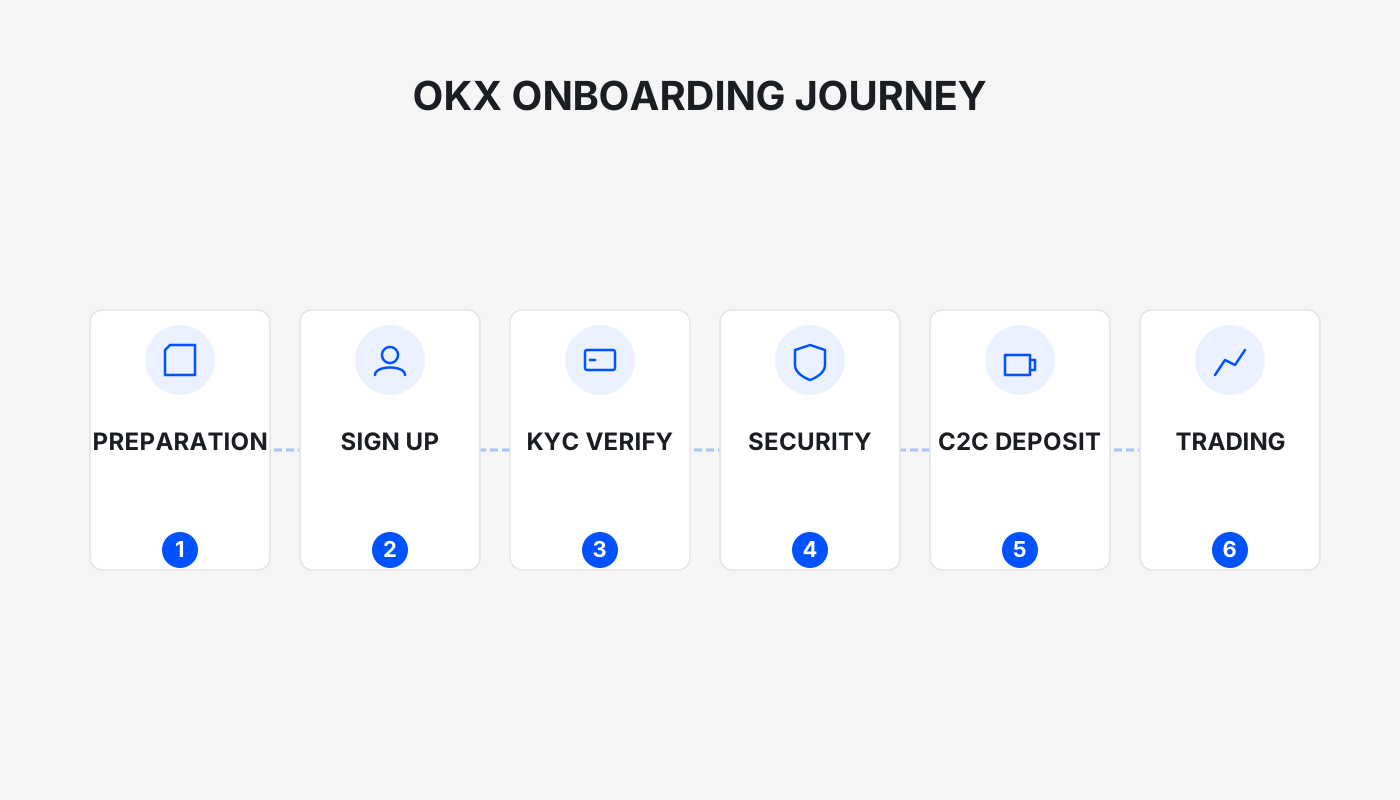
1. OKX Account Registration and Identity Verification
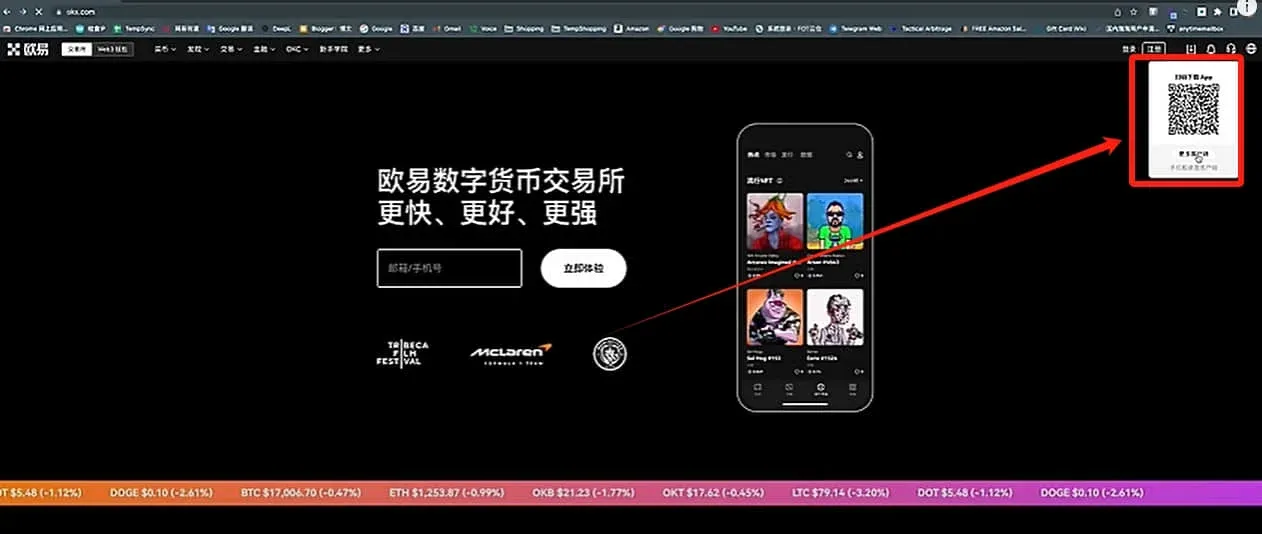
The official OKX website uses the domain OKX.com. After downloading the client app, you can start the registration process. On the web interface, the top‑right corner contains a “More Clients” button, or you can scan the QR code directly.
- iPhone users need an overseas Apple ID; Android users can download the APK directly.
New‑User Registration Links
- OKX new‑user registration: Click to Register
- OKX APP download: Click to Download
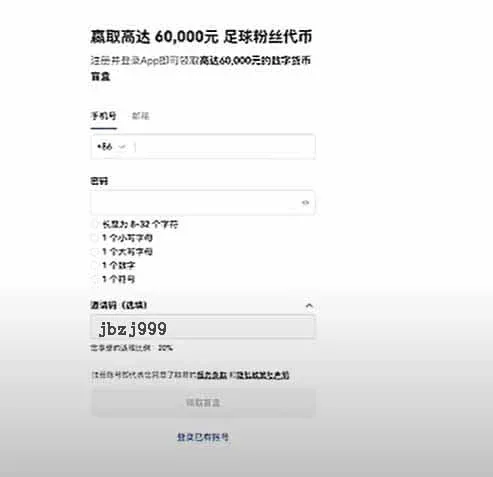
Friendly reminder: using the invitation code `B2345` during registration grants you up to 50 USDT in rewards, provided you enter the code at sign‑up. Inviting others also earns you a permanent 20 % fee rebate.
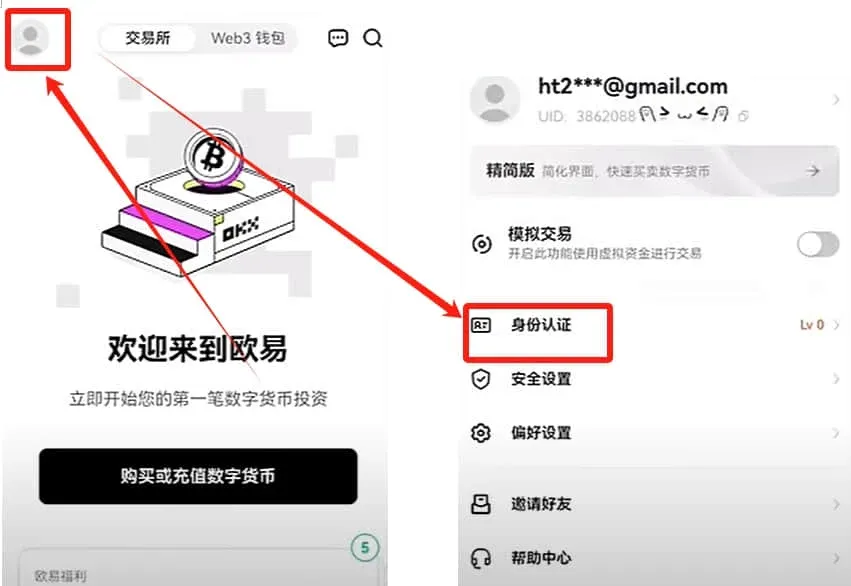
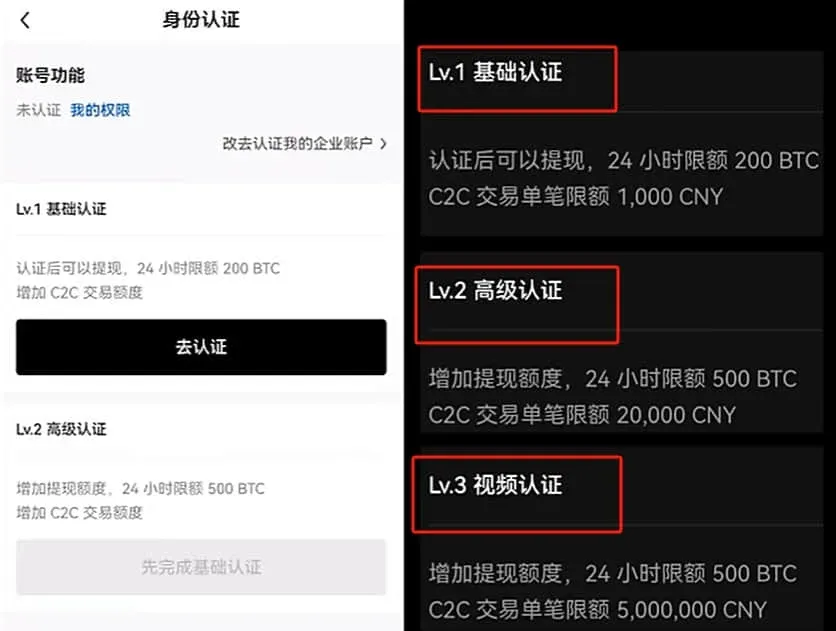
After completing registration, tap the avatar in the top‑left corner → [Identity Verification] to begin the KYC process. Your verification tier determines your fiat‑trading limits:
| Verification Tier | Single‑Transaction Limit (RMB) |
|---|---|
| Tier 1 | 1,000 |
| Tier 2 | 20,000 |
| Tier 3 | 5,000,000 |
2. Buying and Selling Coins
1. Access the C2C Buying Interface
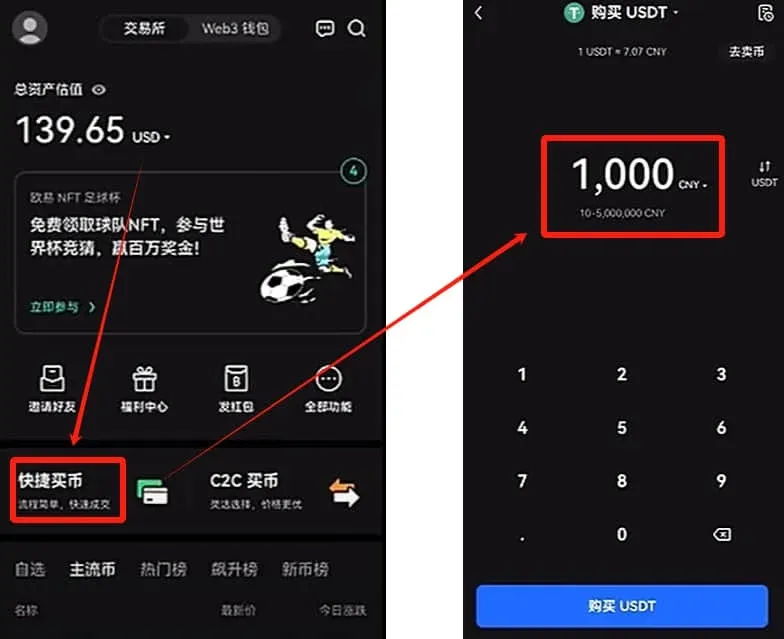
After verification, the [Quick Buy] button on the homepage is not the optimal route because the platform assigns a random merchant, whose quality can vary widely. It is recommended to navigate to the C2C page manually and filter merchants yourself.
In the top‑left corner, select the cryptocurrency you wish to purchase. For beginners, we recommend buying USDT (a stablecoin) first, rather than buying Bitcoin or Ethereum directly.
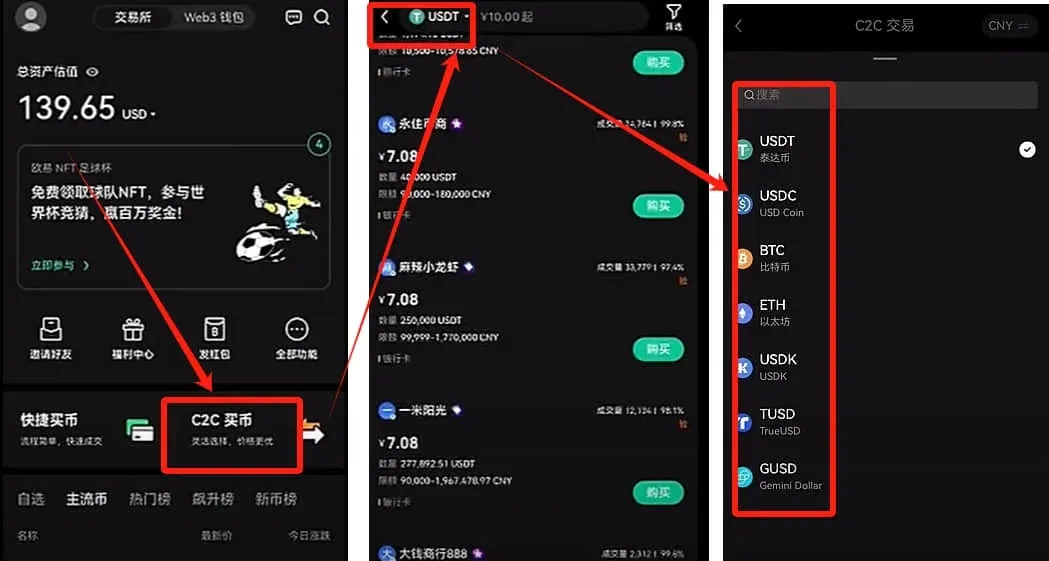
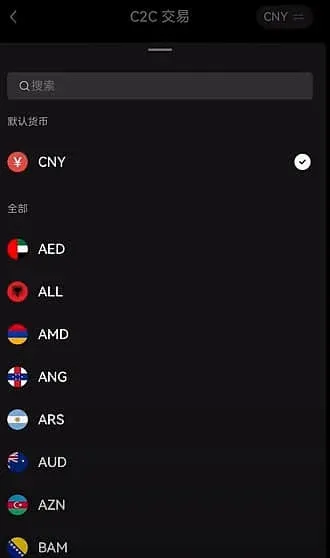
The top‑right shows the fiat currency; domestic Chinese users see RMB by default.
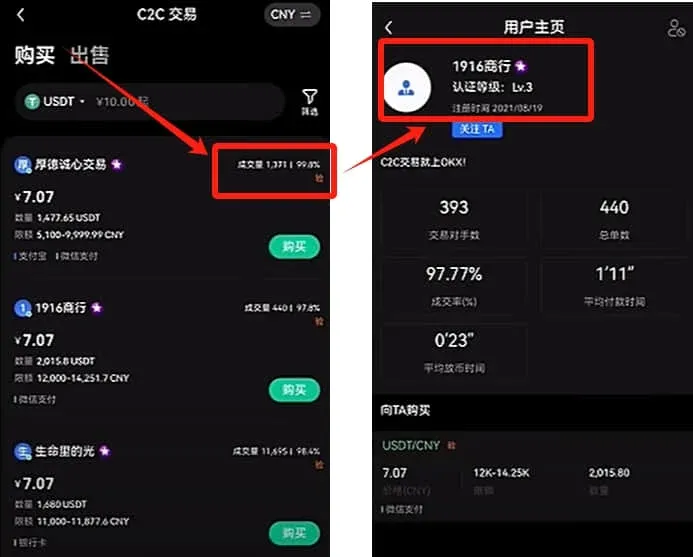
2. Merchant Filtering Criteria
- Transaction Volume ≥ 3,000
- Completion Rate ≥ 98 %
- Verification Level = 3, and the account has been registered for a long time
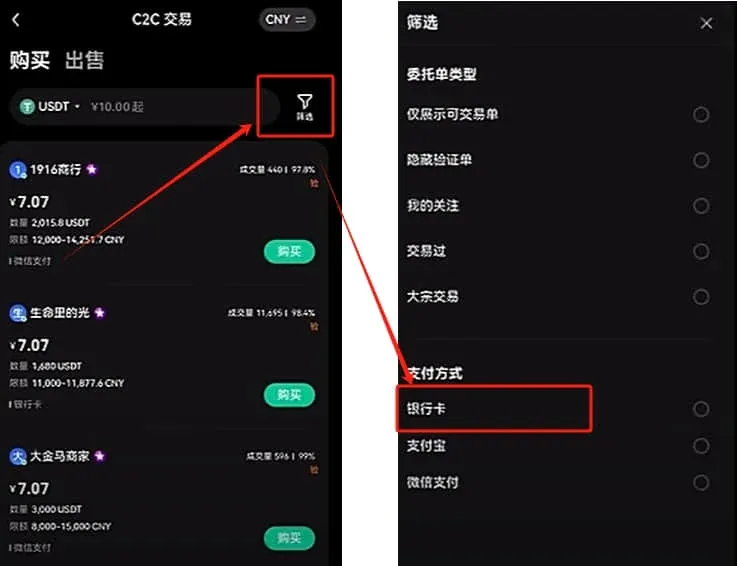
Common payment methods include bank cards, Alipay, and WeChat Pay. To reduce the risk of account freezing, it is advisable to use a secondary bank card or a dedicated Alipay/WeChat mini‑account rather than your primary payment instrument.
3. Enter Purchase Amount and Place the Order
Larger amounts usually attract a more favorable exchange rate. Using 1,000 RMB as an example, after selecting a qualified merchant, click [Buy].
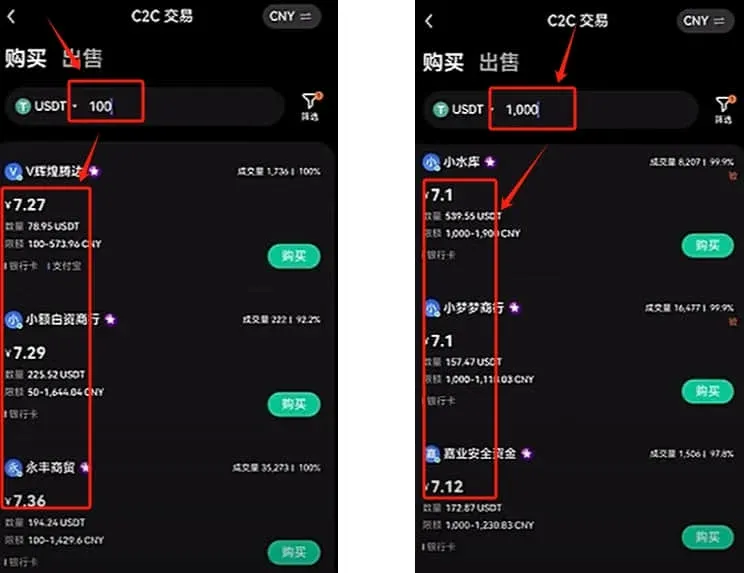
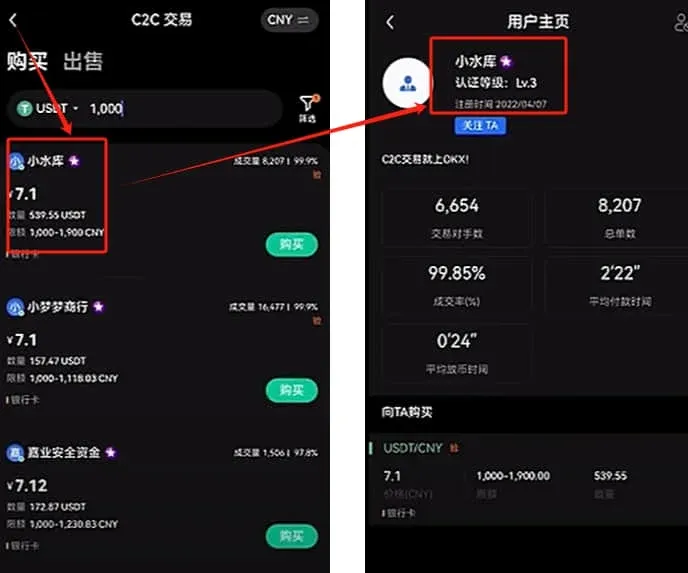
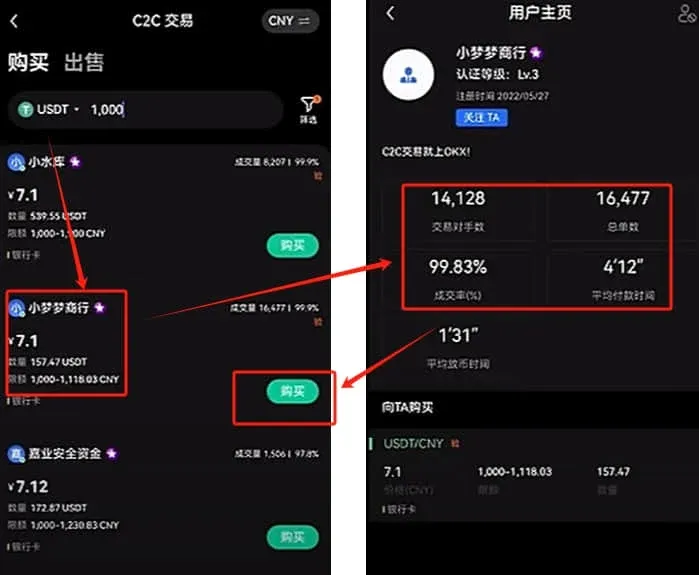
On the order screen, input the amount you wish to spend, confirm the details, and then click [Buy USDT].
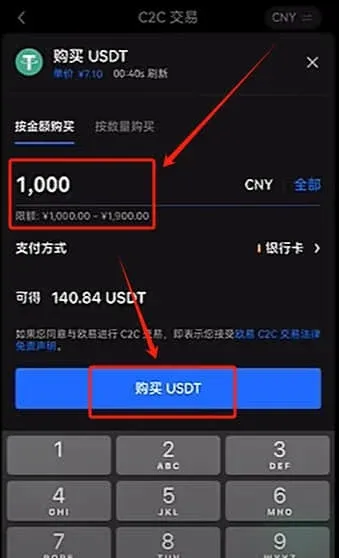
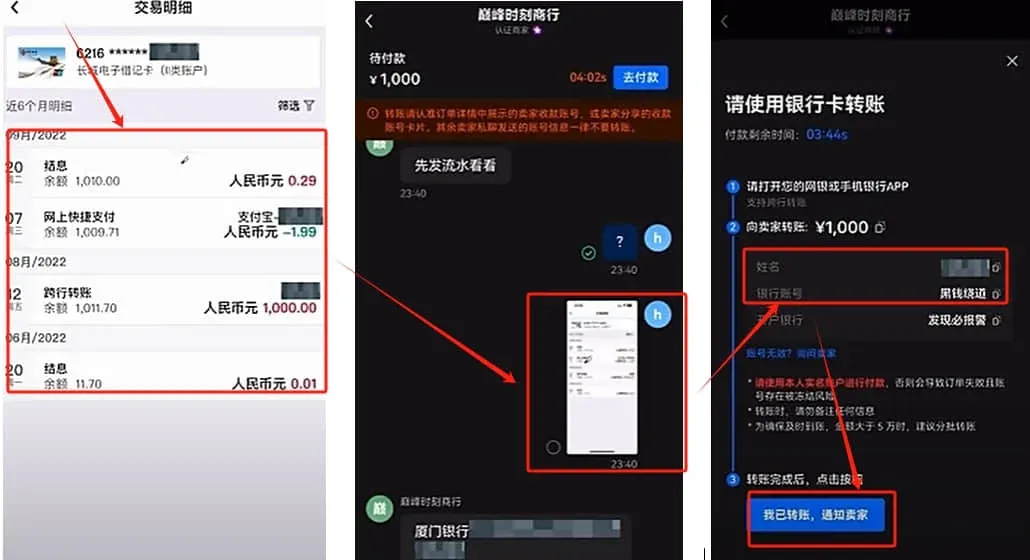
The system allocates a 15‑minute payment window. Before you pay, the seller may request a screenshot of your OKX verification tier and a bank statement to confirm that the source of funds is legitimate.
- Verify that the seller’s bank account name matches the name displayed in their OKX KYC profile.
- If the seller asks you to use a friend’s or relative’s account, politely decline—this is a red flag.
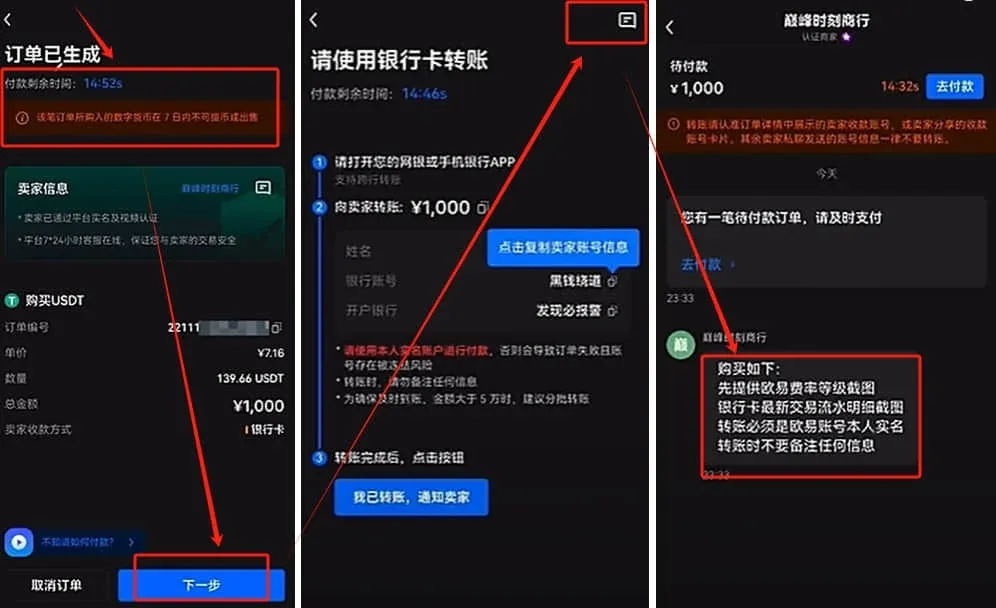
After you have completed the bank transfer, return to OKX and click [I Have Transferred] to notify the seller. Once the seller confirms receipt, the order status changes to “Trade Completed,” and the USDT will appear in your Funding Account.
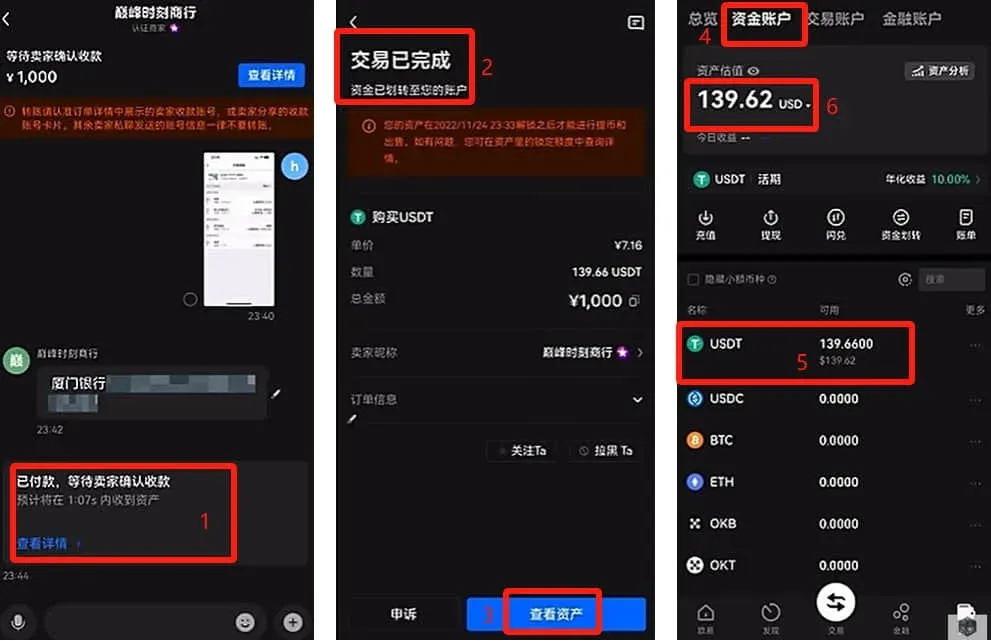
If the seller fails to release the USDT or does not receive your payment, keep the transaction record and open a dispute with OKX customer support. The platform requires merchants to post a security deposit, which helps keep the overall risk manageable.
4. Selling Coins
The selling workflow mirrors the buying process; simply switch to [Sell] on the C2C page and use the same merchant‑filtering standards. Because selling involves receiving fiat, the risk of a frozen card is higher. It is advisable to use a dedicated bank card and double‑check the counter‑party’s verification information before confirming the trade.
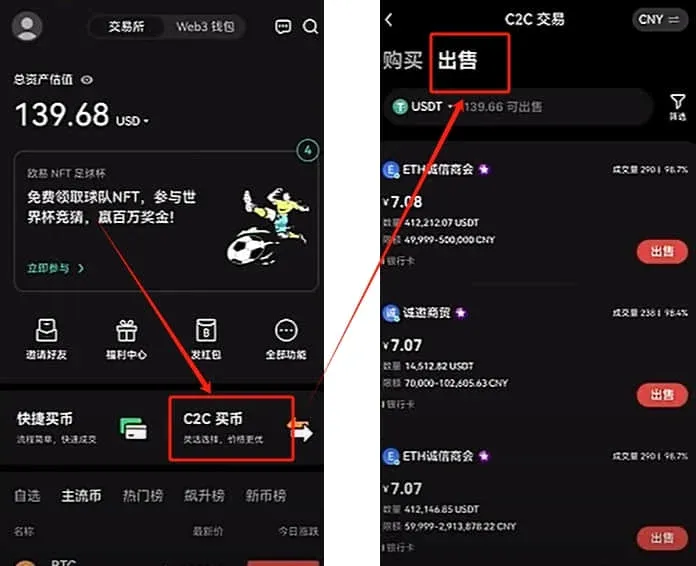
3. Purchasing Bitcoin (Step‑by‑Step Example)
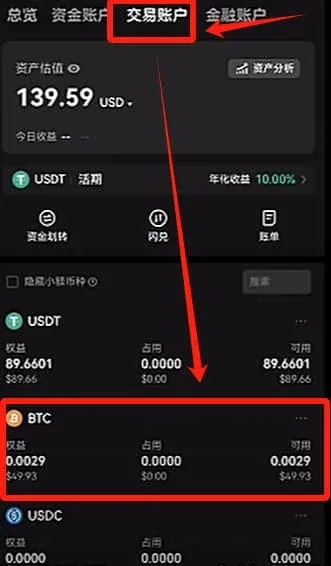
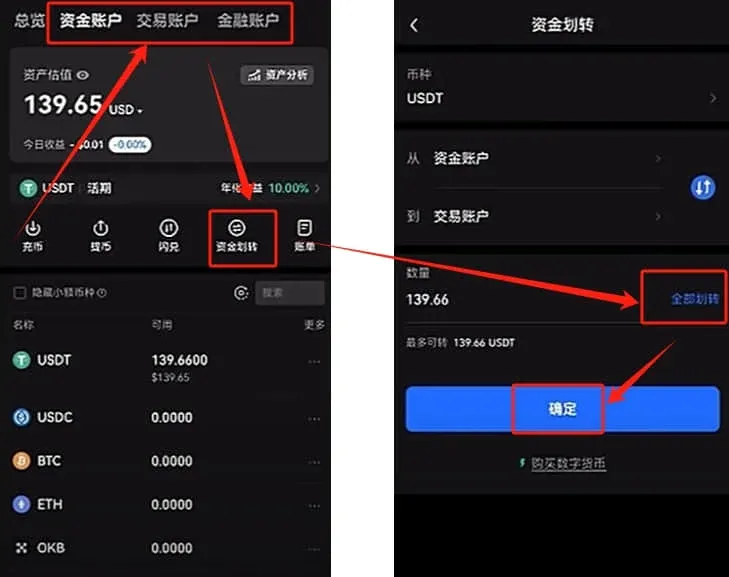
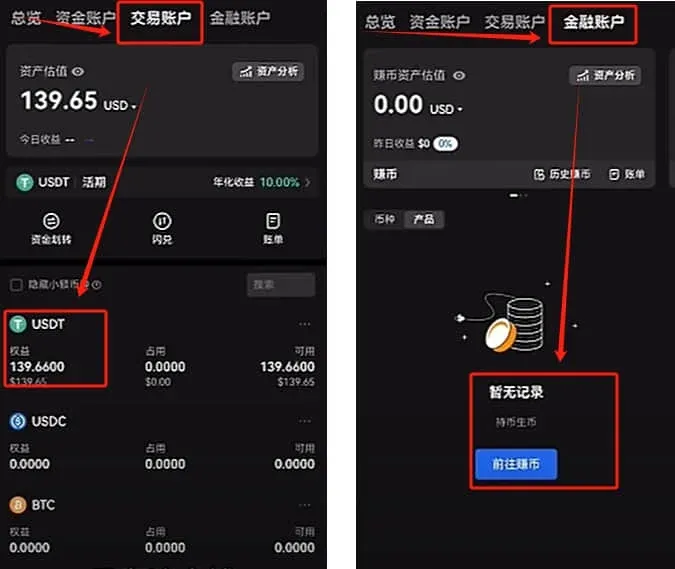
- Transfer Funds: Your USDT currently sits in the Funding Account. Tap [Transfer] → Transfer All → Confirm to move the USDT into your Trading Account.
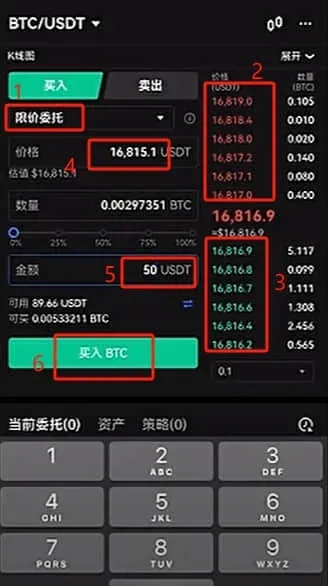
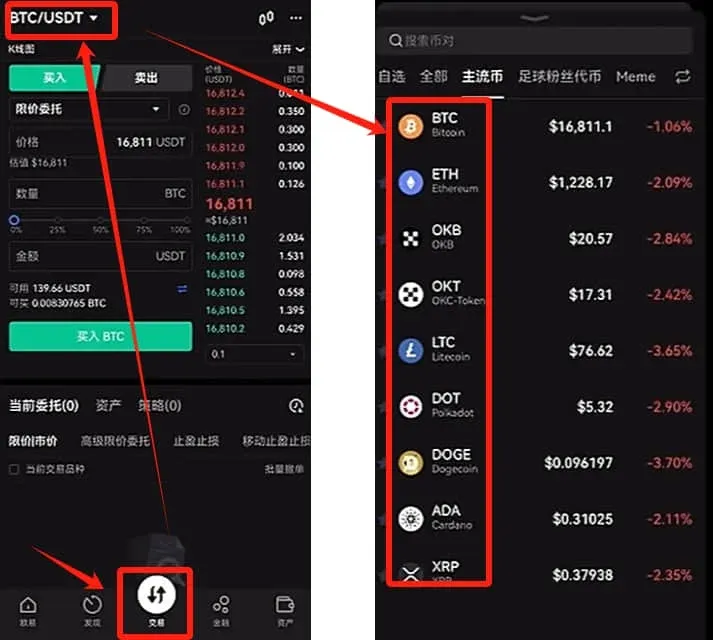
- Enter the Trading Interface: In the Trading Account, press the Trade button. By default you will land on the BTC/USDT market.
- Choose Order Type
- Market Order: Executes instantly at the best available price.
- Limit Order: You set a specific price; the order will fill only when a counter‑party matches that price.
Market example: Buy $50 USD worth of BTC → click [Buy BTC] → Confirm.
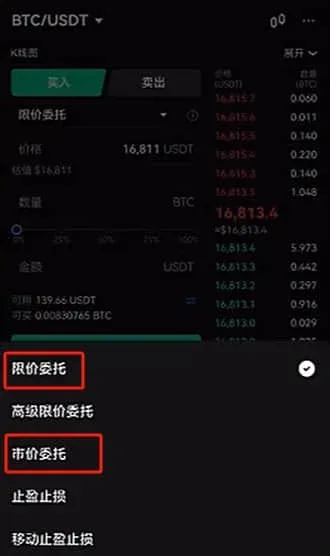
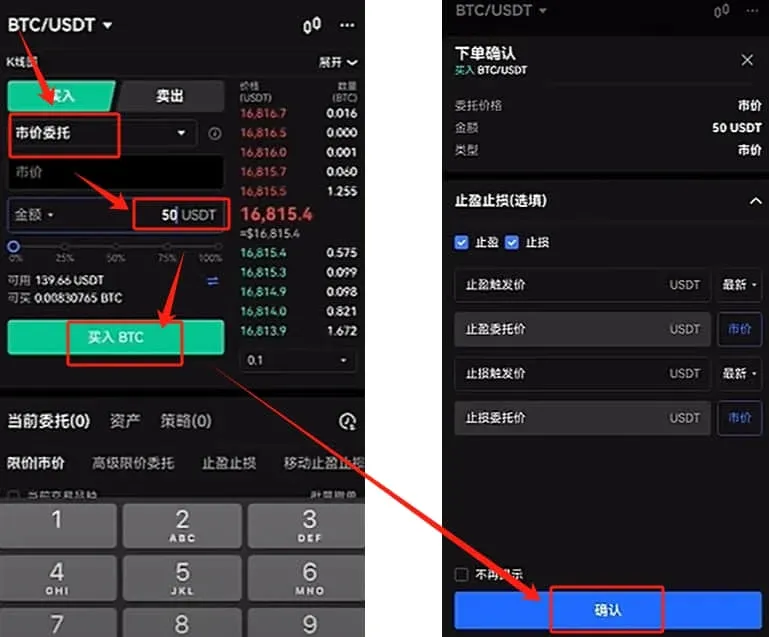
Limit example: Set a buy price of 16,815.1 USD, enter a $50 amount → Buy BTC. If no match occurs, you may tap Cancel Order.