
 Bitaigen Research
 Binance Exchange Login Issues: Why You Can’t Access the Site and How to Fix Them
The inability to log into Binance or the site not loading is usually caused by network conditions, regional restrictions, browser cache, or platform maintenance. Common culprits include DNS resolution errors, unsynchronized device clocks, or server outages.

In this article we systematically outline the most frequent reasons that block Binance login, and we provide practical troubleshooting steps ranging from network environment to browser configuration. With clear, step‑by‑step instructions, users can quickly pinpoint the problem, restore access, and improve their trading experience. Continue reading for the details.
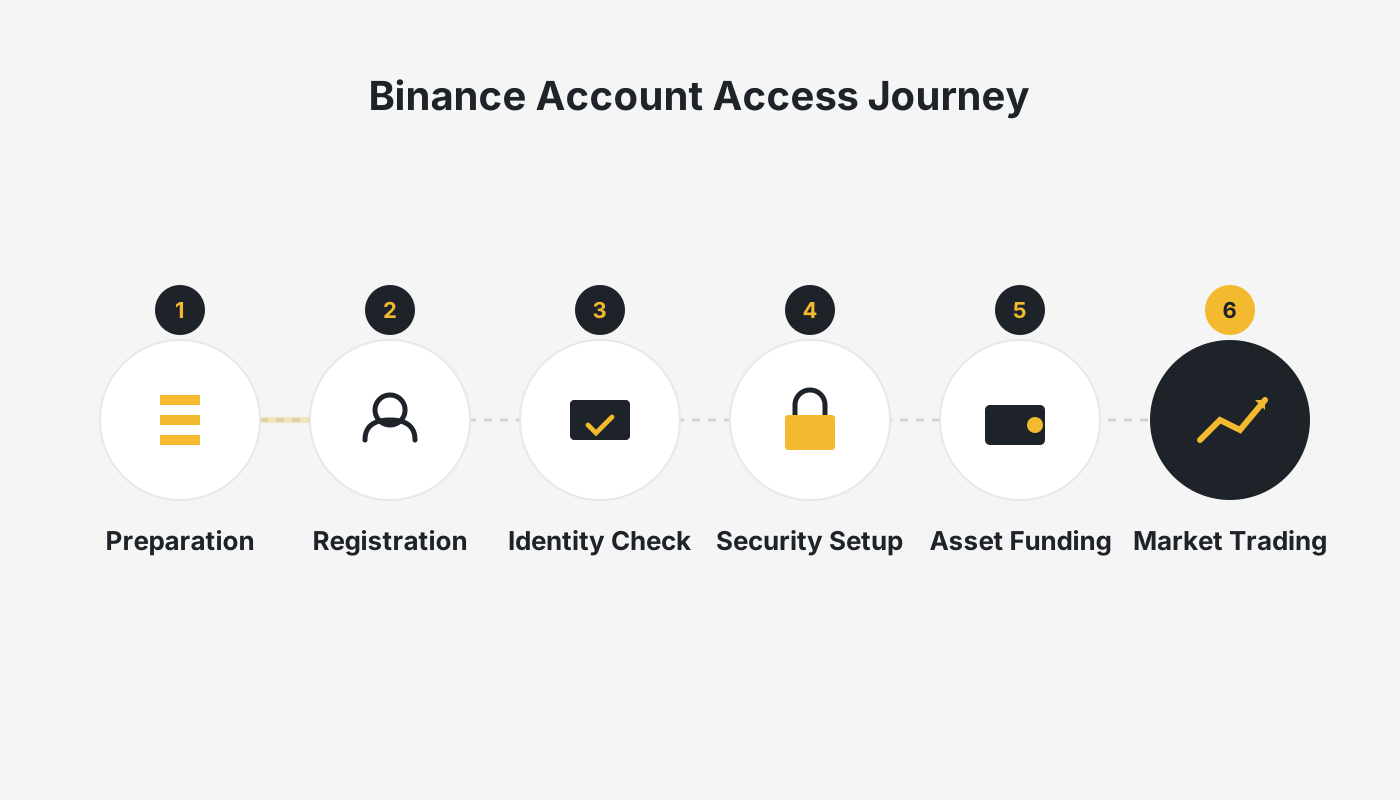
Common Reasons Why the “Binance Website” Won’t Open
Network connectivity problems
Weak Wi‑Fi signal, an aging router, or being in a dead‑zone can cause the page to lag, appear blank, or return an error.
Browser issues
Accumulated cache, conflicting extensions, or an outdated browser version can all affect page loading. Some ad‑blocking extensions may mistakenly block Binance resources, resulting in incomplete page rendering.
Incorrect URL
Make sure you are entering the official Binance address. The current global site is https://www.binance.com. Certain regions use binance.cn or other regional domains; always verify the address to avoid clicking phishing links that appear in search results.
Regional network restrictions
Regulatory differences across countries or regions can lead to network blocking of platforms like Binance. If you are located in mainland China, India, or other jurisdictions with strict regulations, ordinary internet access may be limited—this is considered normal.
Platform maintenance or server issues
Although rare, Binance may experience short‑term interruptions due to system upgrades, technical maintenance, or sudden traffic spikes. Check official social channels (Twitter, Telegram) or third‑party monitoring sites such as Downdetector to see if a large‑scale outage is reported.
Device clock out of sync
If the system time or time‑zone settings on your computer or mobile device are inaccurate, the HTTPS secure connection to Binance’s servers can fail, leading to page‑load or login errors.
How to Resolve “Binance Website Not Opening”
Bypass regional restrictions
Using a stable, low‑latency network (e.g., a reputable VPN service or an overseas acceleration node) can increase the likelihood of successful access.
Clear browser cache
- Open your browser’s settings → Privacy & Security → Clear browsing data.
- Choose “All time,” tick “Cookies and other site data” and “Cached images and files.”
- Click “Clear data,” then restart the browser.
Chrome, Firefox, Safari, or Microsoft Edge are recommended; some domestic browsers may actively block cryptocurrency sites.
Use the official Binance app
When the web version is unstable, downloading and using the official Binance mobile app provides a more reliable experience and supports push notifications, QR‑code login, and other features.
Check device time and time‑zone
Ensure your phone or computer shows the correct local time and time‑zone; if necessary, manually calibrate it before attempting to log in again.
Contact official customer support
If the above steps do not resolve the issue, you can reach Binance’s multilingual support channels via the website. Response times are generally fast.
Note for U.S. users: Access the platform through Binance.US rather than the global Binance site to comply with local regulations.
Latest Binance Account Registration & Verification Guide
Account creation
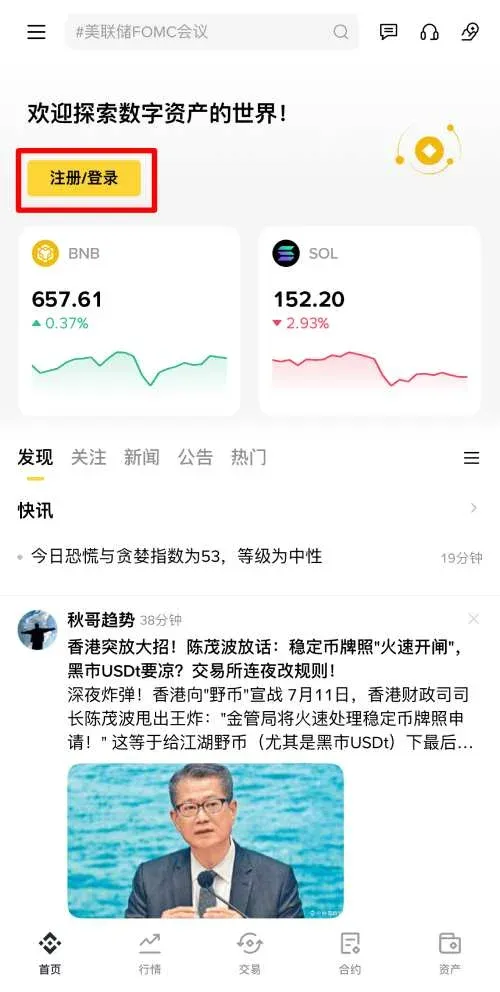
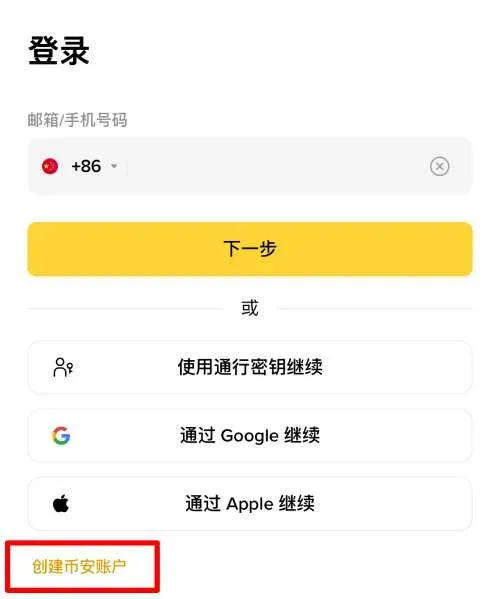
Enter the referral code `B2345` to receive a 40 % trading‑fee discount. On the Binance homepage, click the 【Register / Login】 button in the top‑left corner, then select 【Create a Binance Account】.
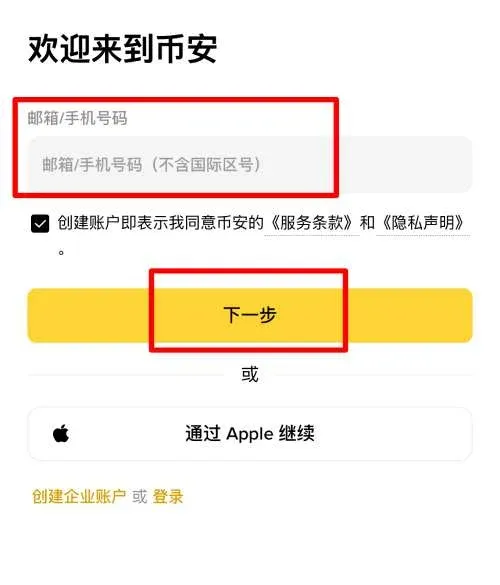
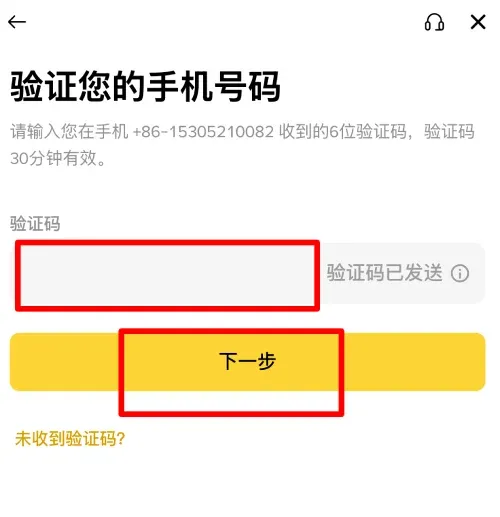
Enter your mobile number or email address and click “Next.” Binance will send a verification code to the provided contact.
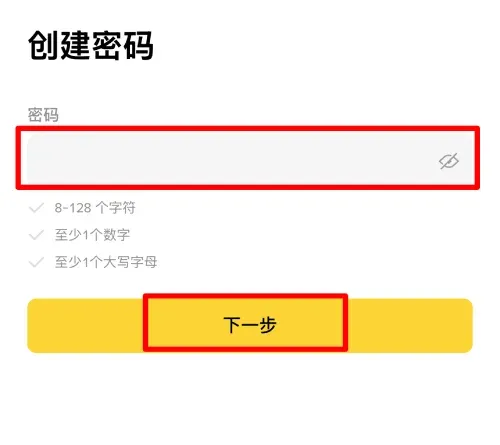
After entering the code, continue to set a login password. Choose a password you can remember but that remains secure.
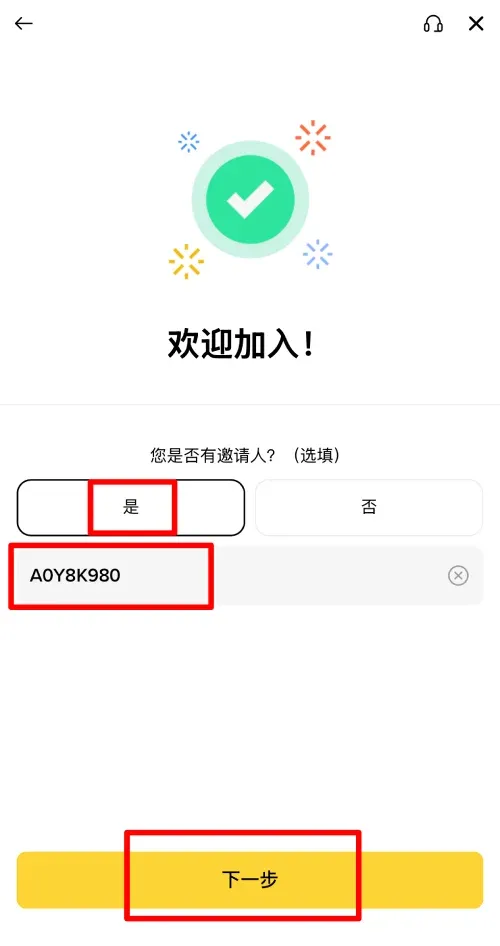
When the password is set, the system will prompt you to input a referral code. Enter `B2345` to claim the associated benefit.
Identity verification
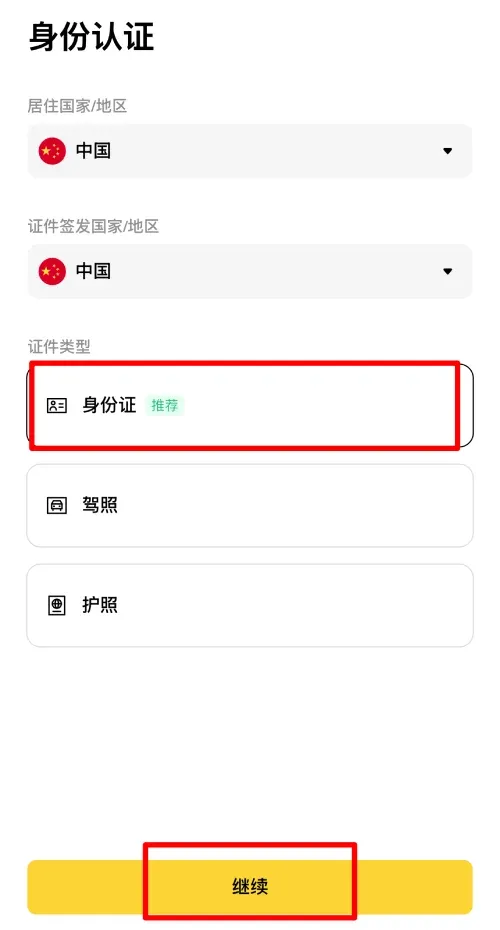
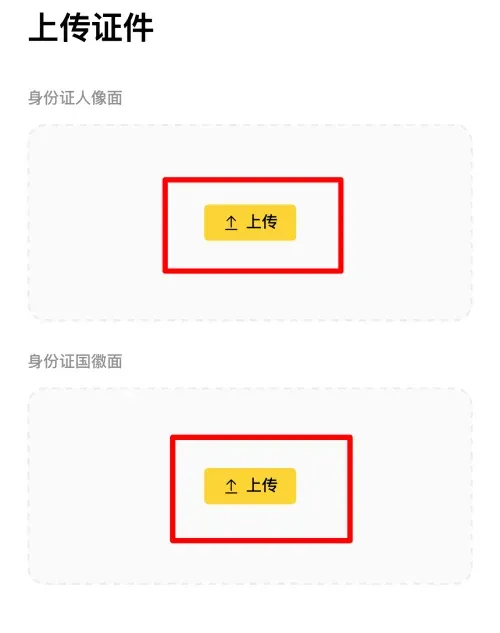
After registration, identity verification is mandatory before you can trade. Accepted documents include national ID cards, driver’s licenses, and passports; using a national ID is generally the simplest method.
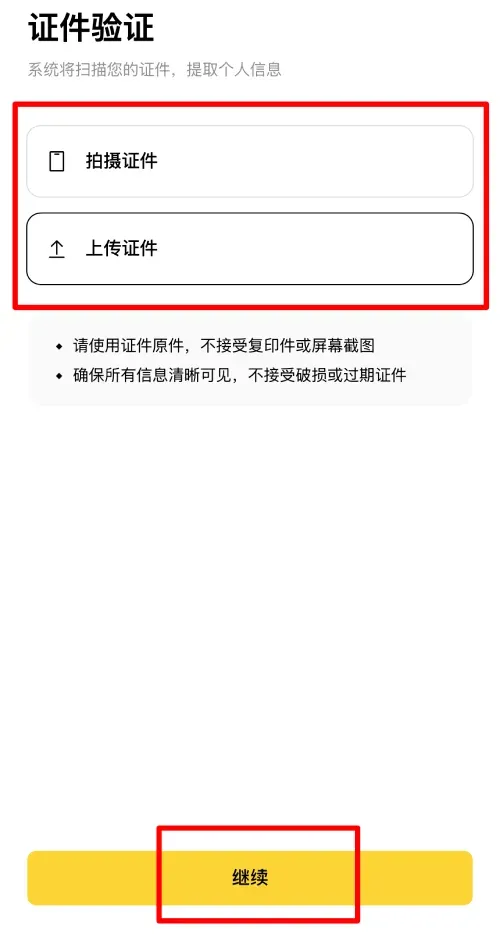
On the ID‑verification page you can choose “Capture document” or “Upload document.” If the document is on hand, take a photo directly; otherwise, upload a scanned file.
After uploading, click “Continue” to proceed to the facial‑recognition step, following the spoken prompts to perform the required actions.
If the facial check succeeds, the system displays basic details such as name and date of birth; verify that the information is correct and click “Continue.”
After submission, a brief review period follows. Once approved, all verification steps are complete and you can start trading normally.
Conclusion
Most “Binance website not opening” problems stem from network glitches, browser cache, DNS resolution errors, or regional restrictions. By following a systematic troubleshooting flow—checking your connection, clearing cache, synchronizing device time, using a VPN or the official app—you can usually restore access quickly. Stay vigilant during the process to avoid phishing sites and protect your account credentials.
The above content fully answers the question “Why can’t I log into the Binance exchange? How to fix a Binance website that won’t load.” For more Binance usage tips, follow Bitaigen (比特根) and explore its other articles.
*Please note that cryptocurrency gains may be subject to taxation in your jurisdiction; consult a tax professional for guidance.*
💡 Register on Binance with referral code B2345 for the maximum trading fee discount. See Binance complete guide.



