
 Bitaigen Research
 We have compiled a complete step‑by‑step guide for purchasing USDC on Gate.io, covering account preparation, operations in the C2C (Customer‑to‑Customer) section, and the submission of payment evidence. This guide helps newcomers fund their accounts safely and efficiently. Read on to master every detail.
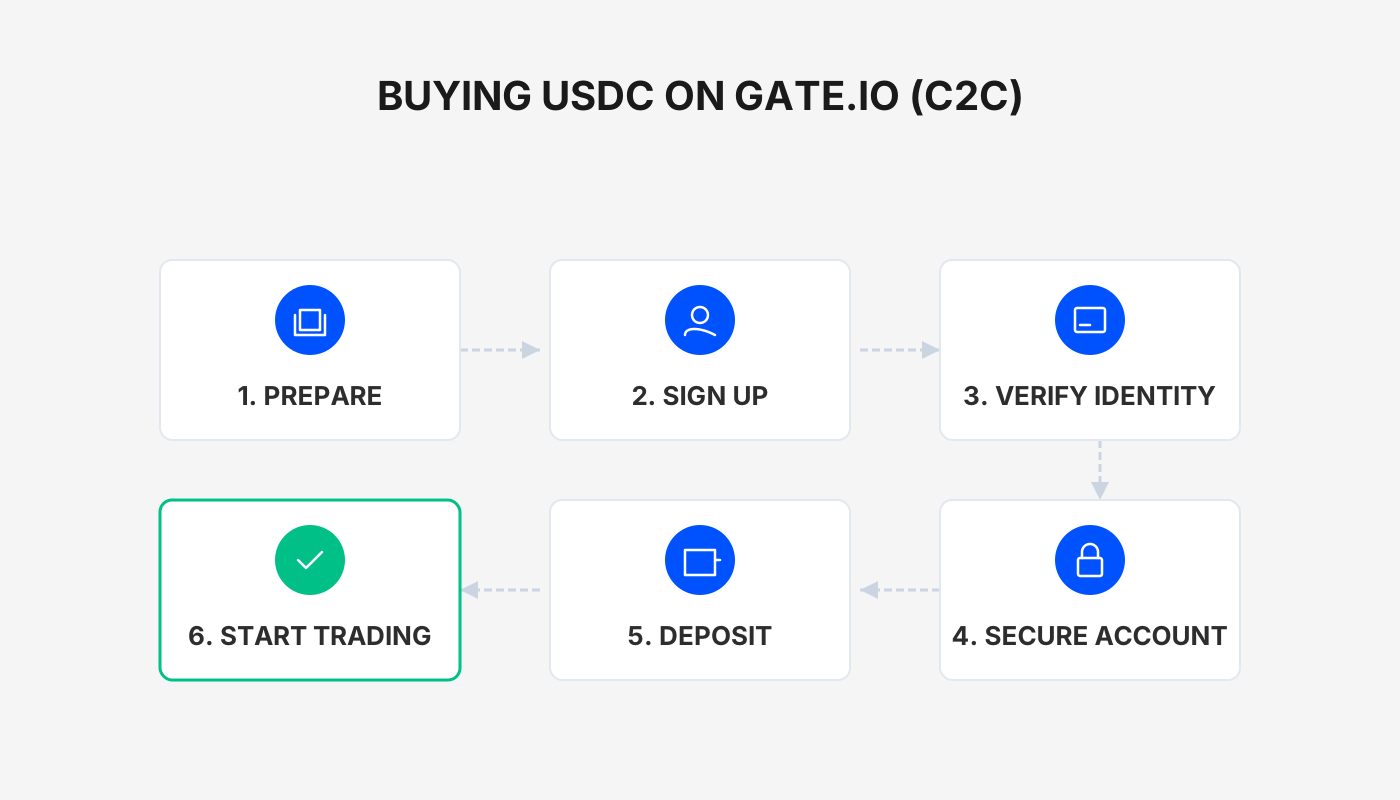
Comprehensive Guide: How to Buy USDC on Gate.io
Want to acquire USDC on a major exchange like Gate.io in a safe and cost‑effective way? The following sections break the process down from initial preparation to the moment the funds appear in your account, guiding you through each stage of the transaction.
---
1. Overview of the Whole Process
- Open the Gate.io mobile app and navigate to the C2C (Customer‑to‑Customer) trading area.
- In the “Favorites” (自选) tab, filter for sellers that meet your criteria and review the requirements for a “Verification Order”.
- Place the order, complete the offline payment, and upload the payment receipt.
- After the seller confirms receipt, the USDC will be automatically credited to your Gate.io wallet.
---
2. Open the C2C Trading Page and Switch the Currency
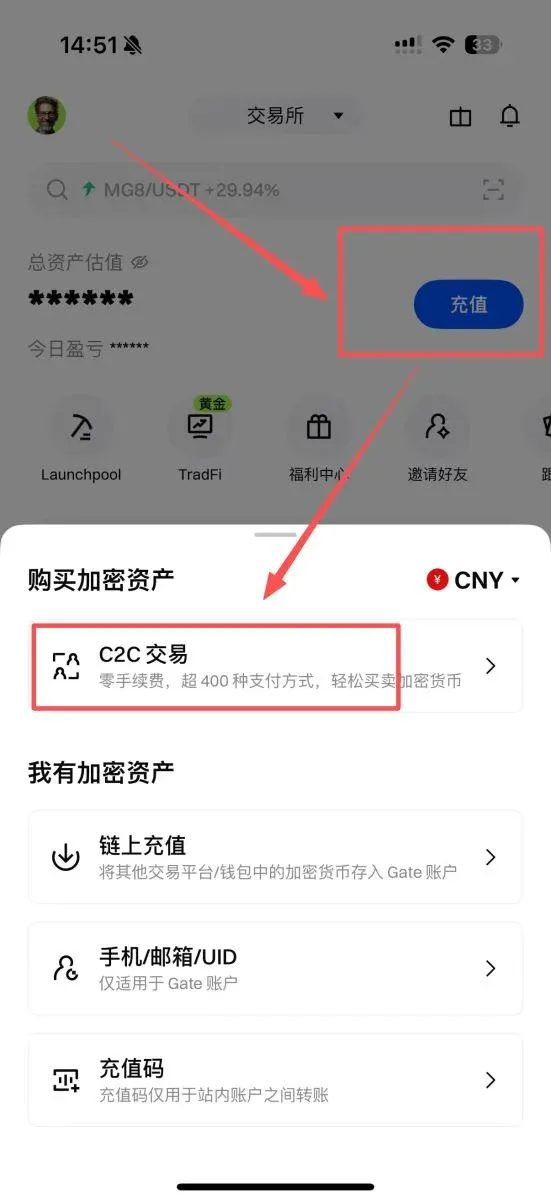
- On the Gate.io app home screen (tap Download → Register) locate and tap the “Deposit” button.
- In the deposit page, select “C2C Trading” to enter the relevant interface.
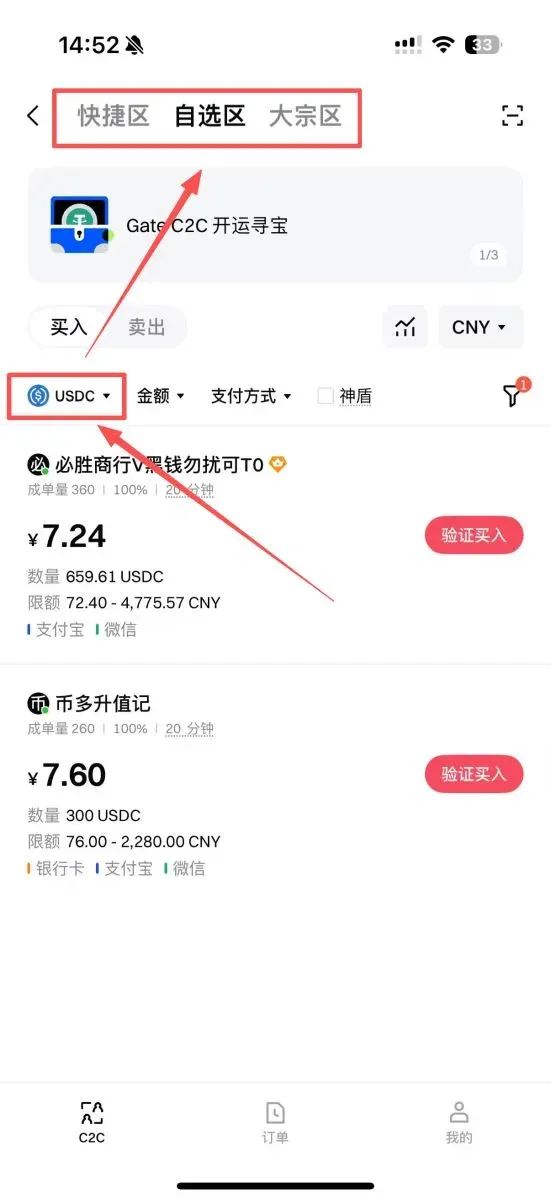
- After entering, the default listing is usually USDT; manually switch it to USDC.
- At the top of the page you will see three tabs: Quick, Favorites, and Bulk. For most users, the Favorites tab offers the largest selection of merchants and the most filtering options; if you are trading a large amount, consider using the Bulk tab.
---
3. Precisely Filter Sellers in the Favorites Tab
3.1 Set Filtering Conditions
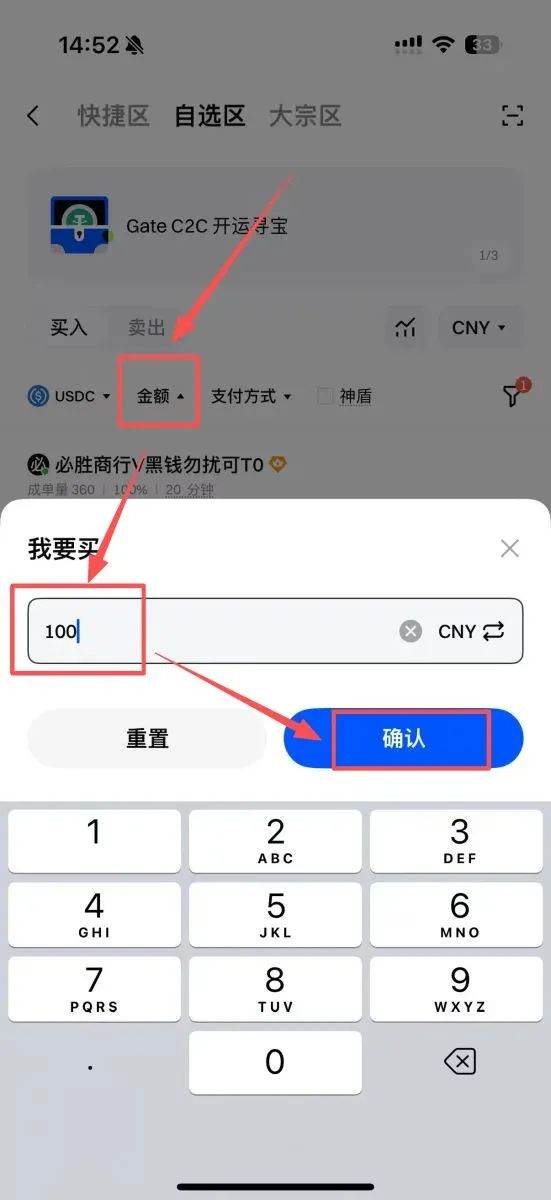
- Amount: Enter the quantity of USDC you intend to purchase, e.g., 100 USDC.
- Payment Method: Gate.io supports a variety of channels, including bank cards, credit/debit cards, SEPA/SWIFT bank transfers, as well as regional e‑wallets such as WeChat Pay, Alipay, QQ Wallet, and the digital RMB. Choose the method that is most convenient for you (for example, Alipay for users in Mainland China, or SEPA transfer for European users).
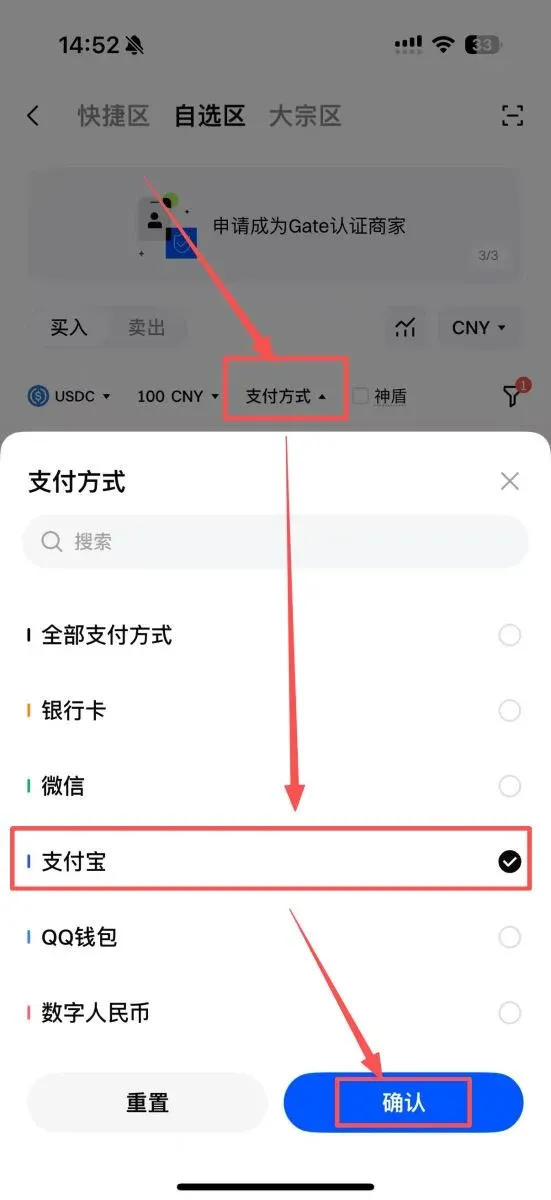
3.2 Choose Reliable Sellers
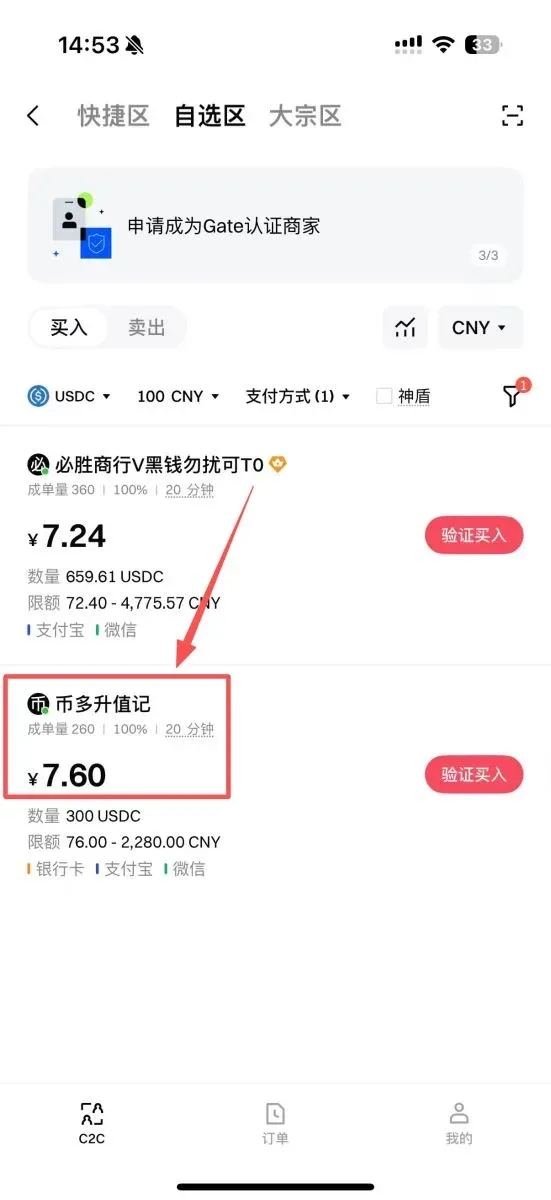
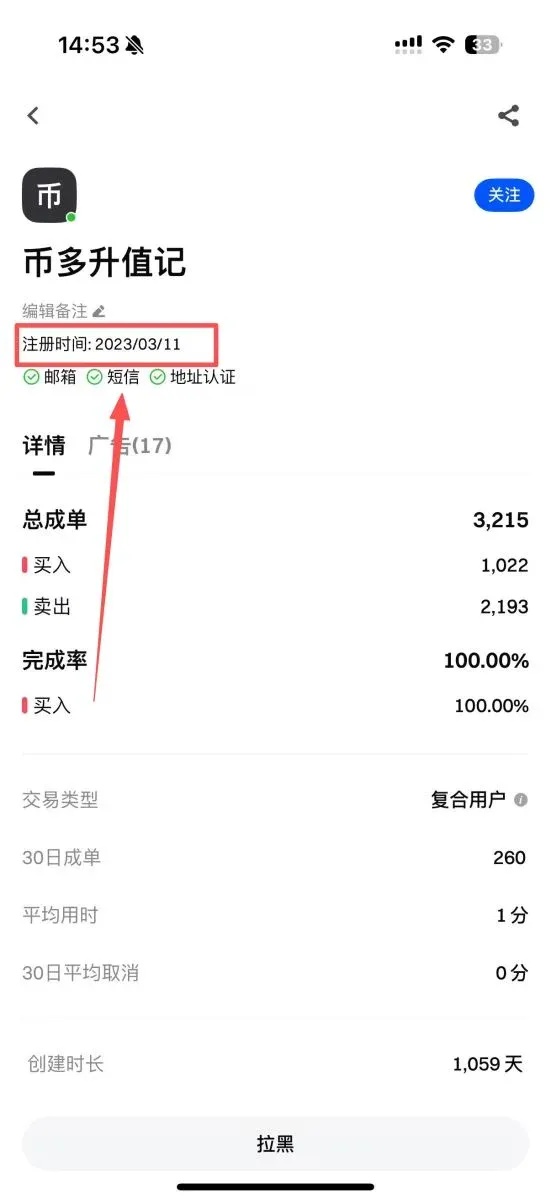
The system will list sellers that satisfy your filters. It is advisable to prioritize merchants with high trading volume and high completion rates, then click on their profile to view the registration date—the longer a seller has been registered, the more likely they have a solid reputation and reliable fund handling.
3.3 Understand the “Verification Order” Mechanism
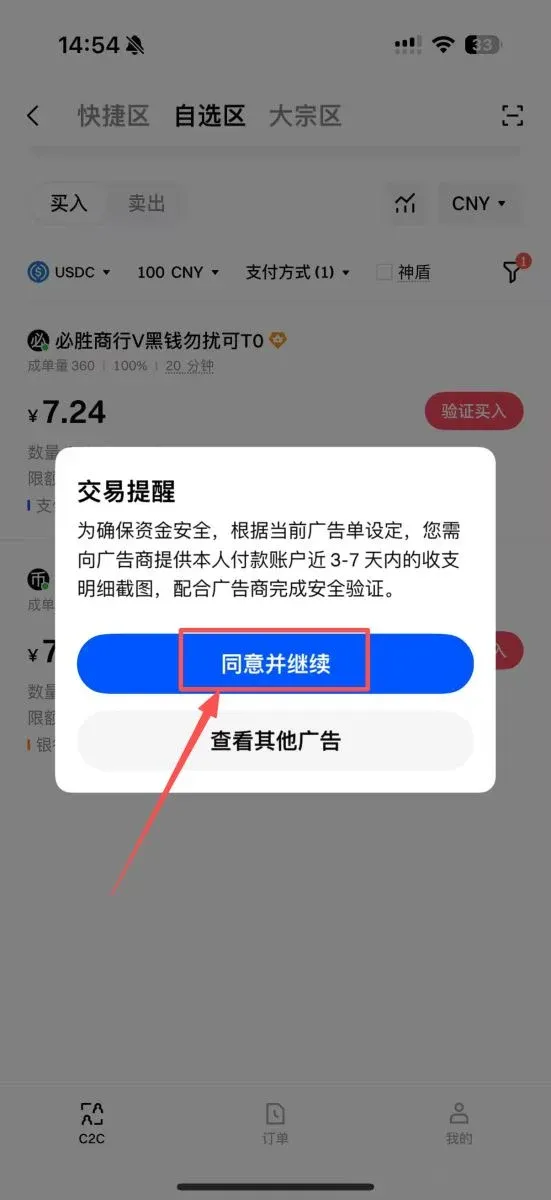
Some high‑quality sellers will tag their offers with “Verification Order”. This is a risk‑control measure that requires the buyer to provide a screenshot of the recent 3‑7 days of transaction history from the payment account (for example, a typical spending record). The purpose is to prove that the account is an actively used personal account rather than a dedicated, anonymous transaction account.
---
4. Place the Order, Make the Payment, and Submit the Receipt
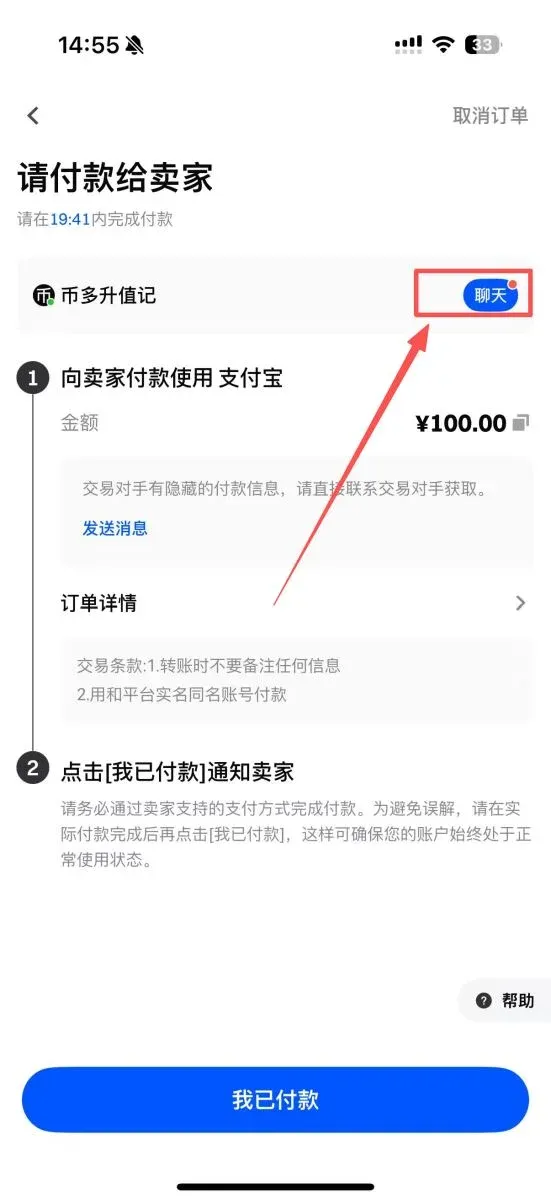
- Place the Order: On the selected seller’s page, tap “Buy”, read and agree to the trading terms, then input the exact purchase amount.
- Comply with the Terms: Common requirements include
- Do not add any memo or note (such as “Bitcoin”, “USDC”, etc.) when transferring funds.
- The transfer must be made from a real‑name verified account.
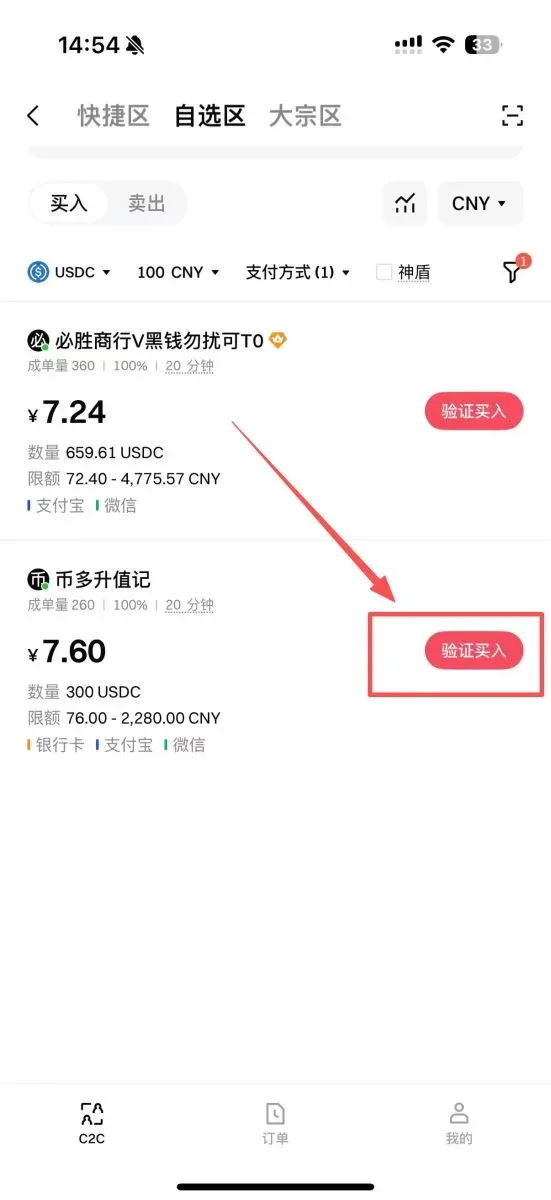
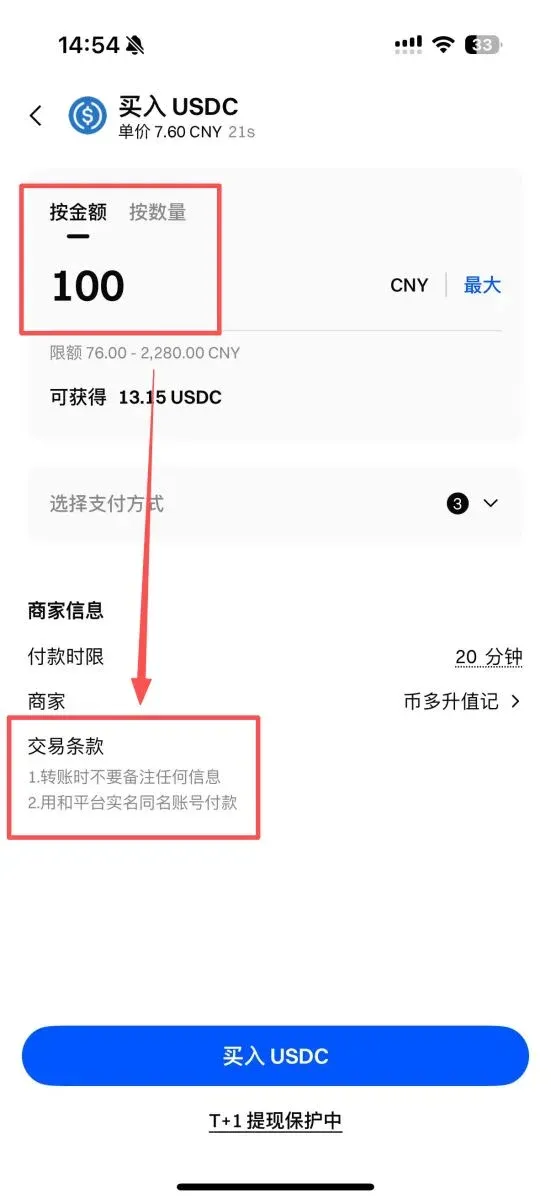
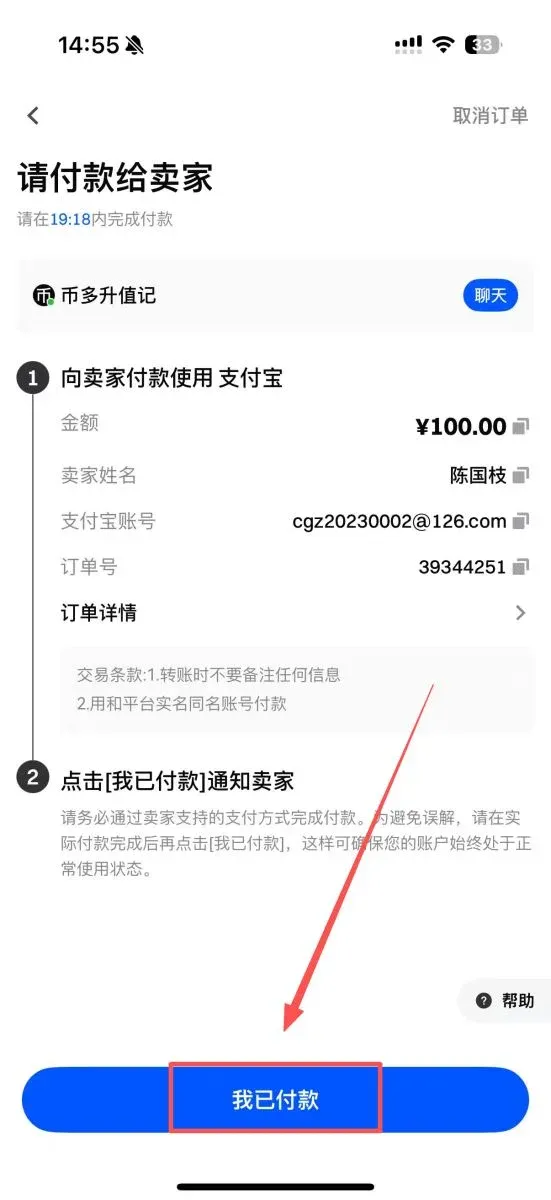
- Obtain Payment Details: After selecting the payment method, tap “Buy USDC”. The system will generate an order and display the seller’s name, Alipay account, bank account, or other relevant receiving information.
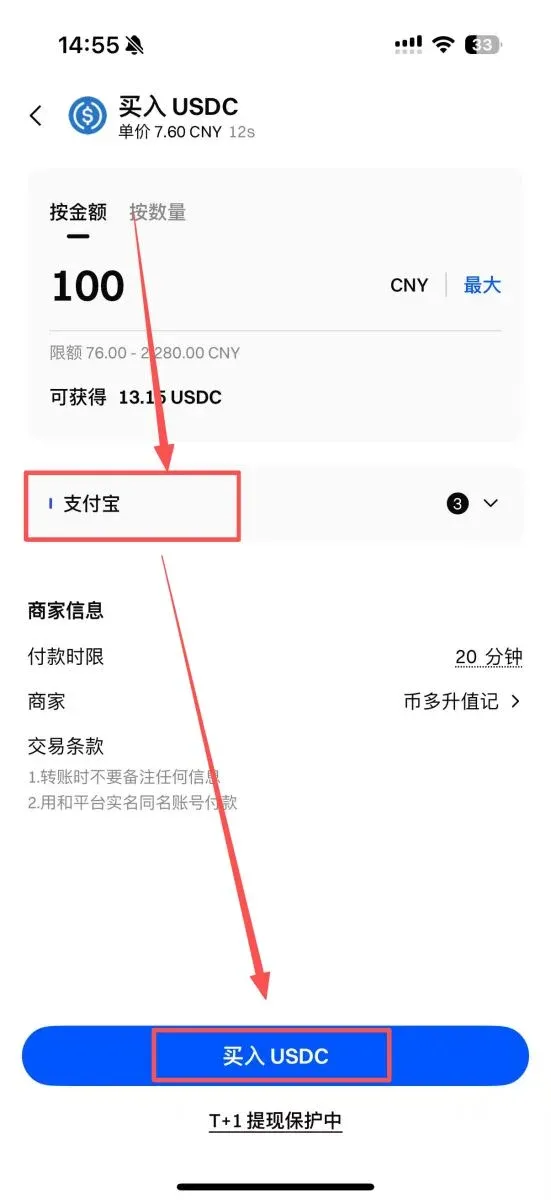
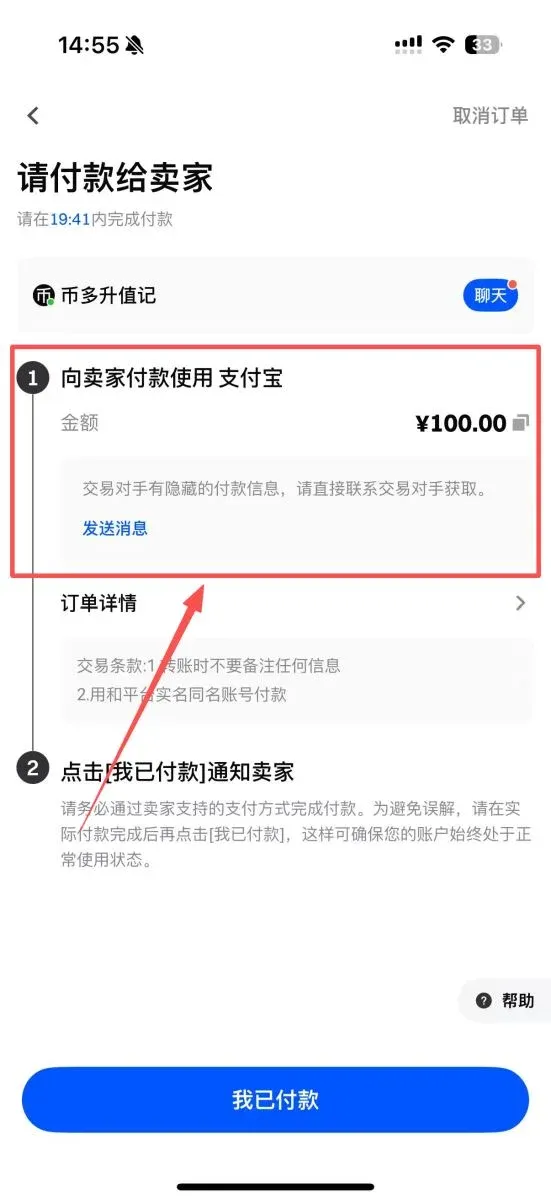
- Make the Offline Transfer: Leave the Gate.io app, open the chosen payment tool (Alipay, WeChat Pay, your bank’s online portal, etc.), and complete the transfer according to the seller’s provided details.
- Capture Screenshots and Upload: Once the transfer is successful, you must take two screenshots and return to the order page:
- A screenshot showing the successful payment confirmation.
- A screenshot of your recent account activity that satisfies the Verification Order requirement.
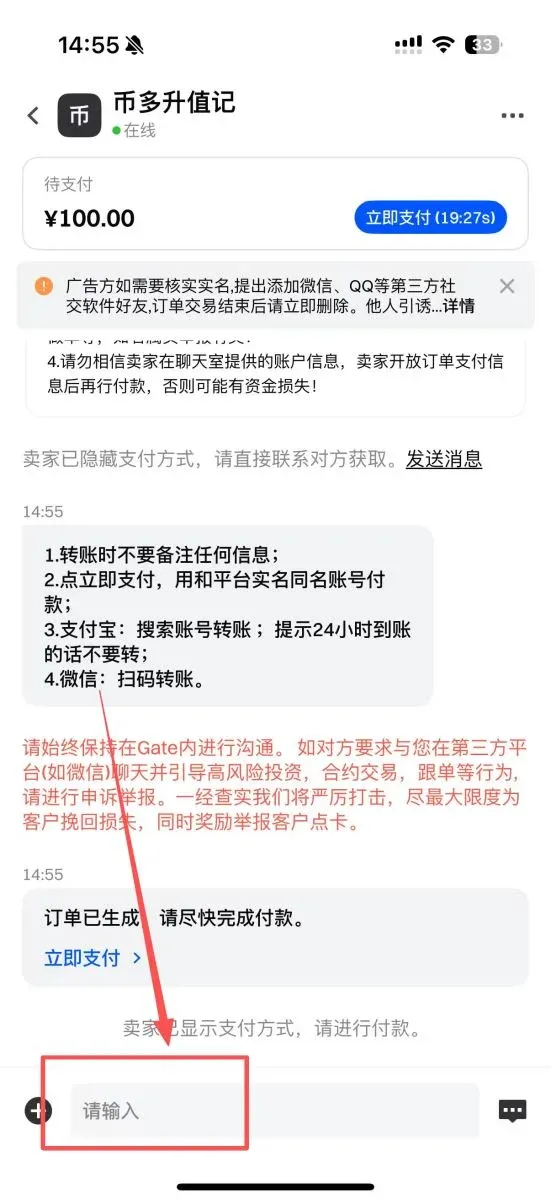
- Notify the Seller: In the order’s chat window, send the above screenshots, then click “I Have Paid” to let the seller know the payment is complete.
---
5. Wait for the Seller to Release the Coins
After the seller verifies that the payment information and receipts are correct, they will release the corresponding amount of USDC to your Gate.io account. At this point, the entire purchase process is complete.
---
6. Additional Tips
- If you have not yet enjoyed fee discounts on other platforms, you can register through the referral links at the end of this article for Binance, OKX, or Gate.io to receive a permanent cashback reward, further reducing transaction costs. U.S. users should use Binance.US rather than the global Binance platform.
- For more in‑depth information about buying USDC on Gate.io, feel free to follow the related tutorial series published by Bitaigen.
*Note: Cryptocurrency transactions may be subject to tax obligations in your jurisdiction. Please consult a tax professional to understand how crypto gains are treated locally.*
Related Reading
💡 Register on Binance with referral code B2345 for the maximum trading fee discount. See Binance complete guide.



