
 Bitaigen Research
 We provide a step‑by‑step walkthrough of Bitpie Wallet’s Token Factory, showing how to quickly launch a custom token on the BSC, HECO, and Ethereum (ETH) networks. By meeting the version requirements and paying a modest fee, you can configure essential parameters such as token name, total supply, and symbol. Read on for the complete procedure.
The official Token Factory (BEP20, HRC20, ERC20) enables you to create your own BSC, HECO, or ETH‑based token with a user‑friendly interface.
- Your Bitpie APP version must be greater than 5.0.026. Download the latest app from bitpiehk.com.
- Creating a token incurs a service fee; ensure your wallet has enough balance to cover it.
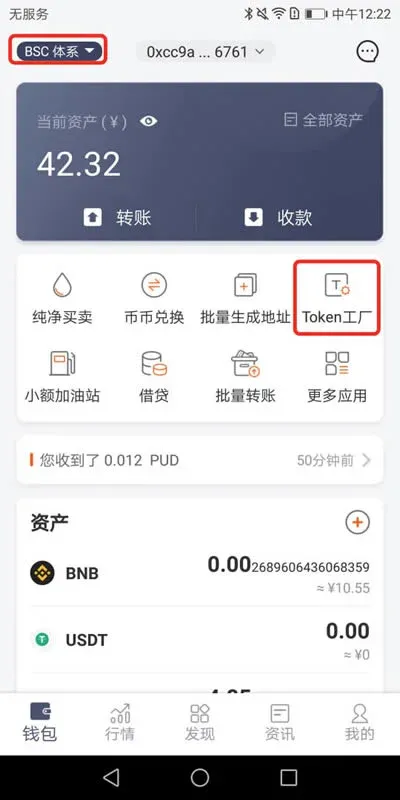
- On the wallet’s home screen, switch to the ETH/BSC/HECO network → select Token Factory → choose Official.
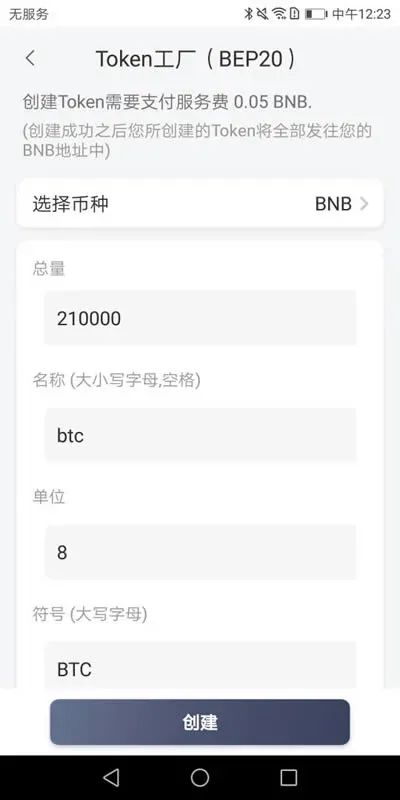
- Fill in the token’s total supply, name (case‑sensitive, spaces allowed), unit, and symbol (uppercase letters). Upload an icon and tap Create.
- Once the creation succeeds, the newly minted token will be transferred to your wallet address in full.
Test Token Factory
Creating a test token is free of service fees, though the name automatically receives a TEST‑ prefix and a small miner fee still applies.
The Test Token Factory is intended to let users familiarize themselves with the feature.
- The same Bitpie APP version requirement applies (> 5.0.026, download from bitpiehk.com).
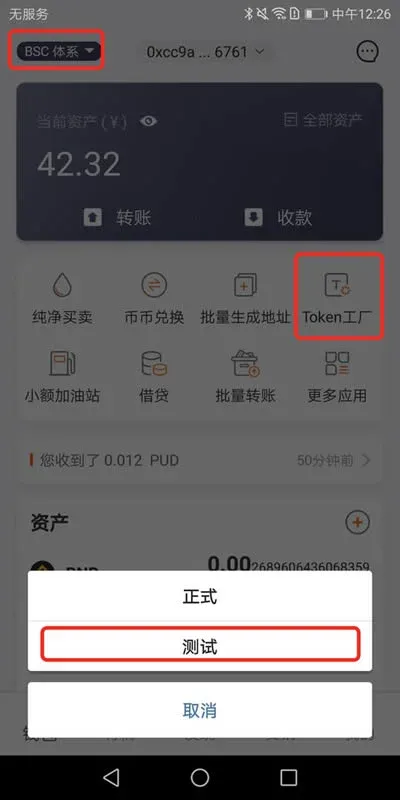
- From the wallet’s home screen, switch to the ETH/BSC/HECO network → select Token Factory → choose Test.
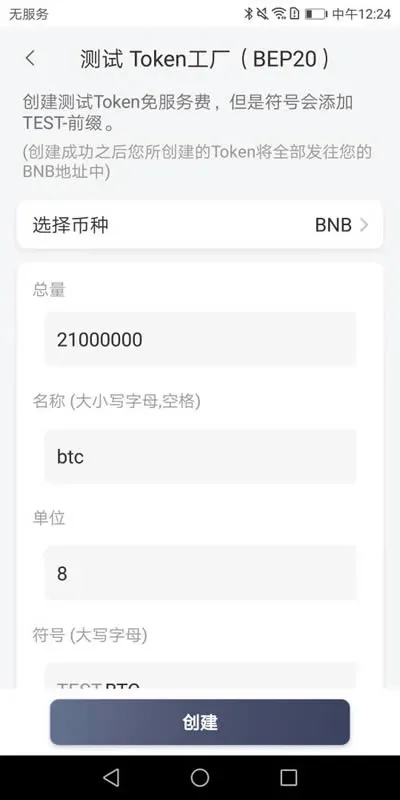
- Follow the prompts to enter the total supply, name (case‑sensitive, spaces allowed), unit, and symbol (uppercase). Upload an icon and press Create.
- After creation, the test token will also be sent entirely to your wallet address.
Adding Liquidity for a New Token
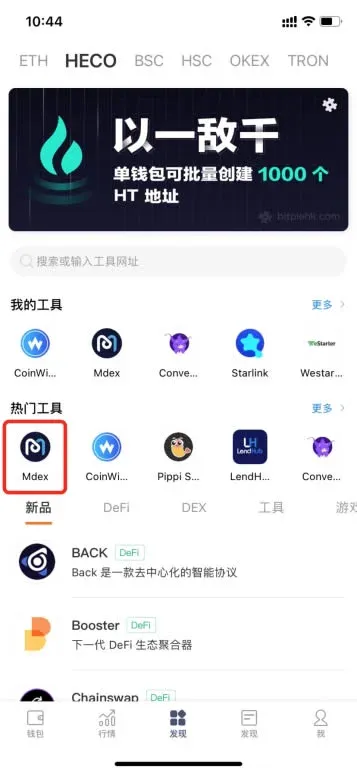
As an example, we add liquidity for the token PURE on the HECO‑based MDEX platform.
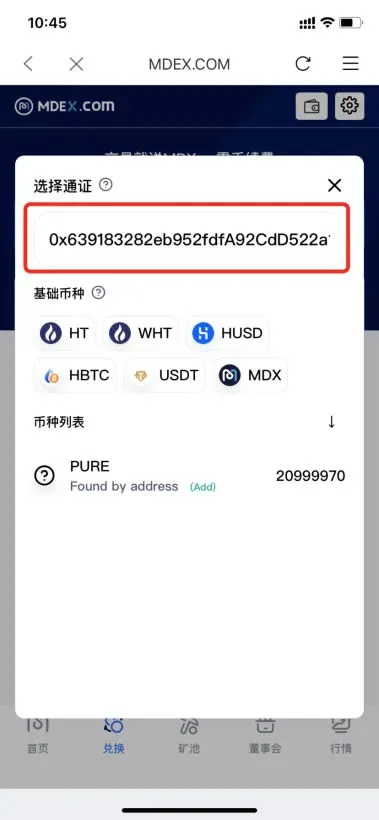
- On Bitpie’s home page, search for PURE and copy its contract address.
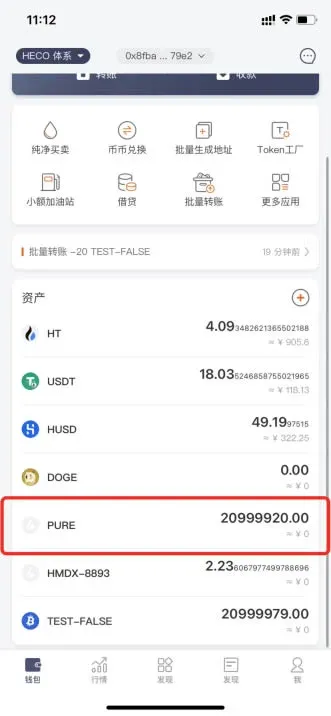
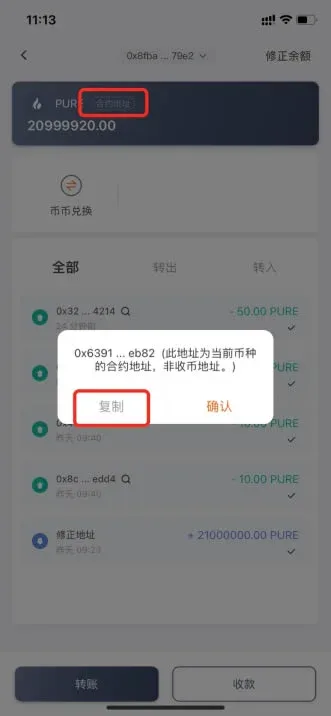
- Navigate to the Discover page → select HECO – MDEX → tap Create Liquidity → Select Token → paste the contract address.
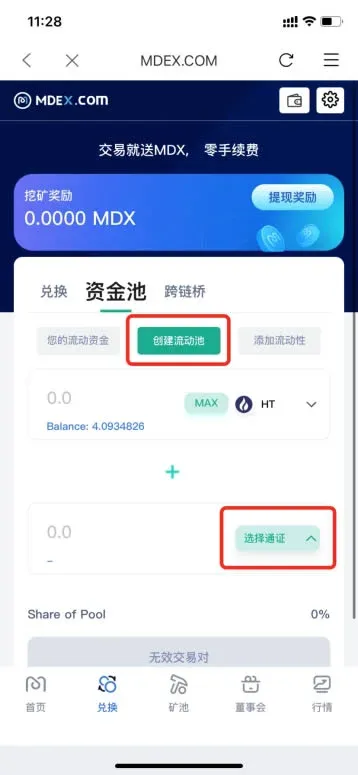
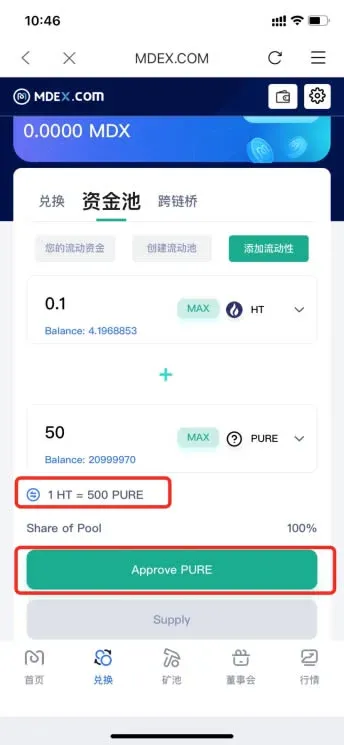
- Set the desired price for your token and complete the authorization step.
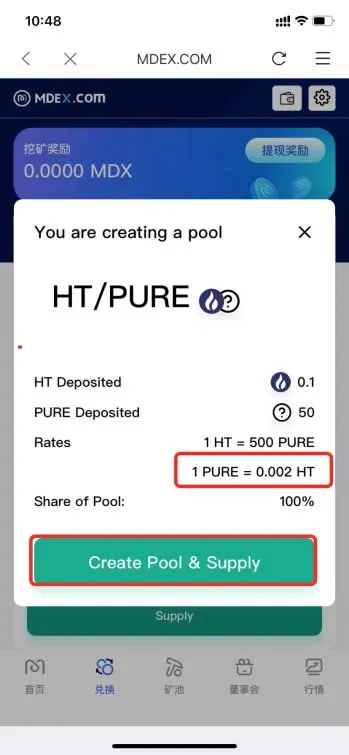
- Once liquidity is added, you can perform a swap test; the interface will indicate that the token is tradable, confirming success.
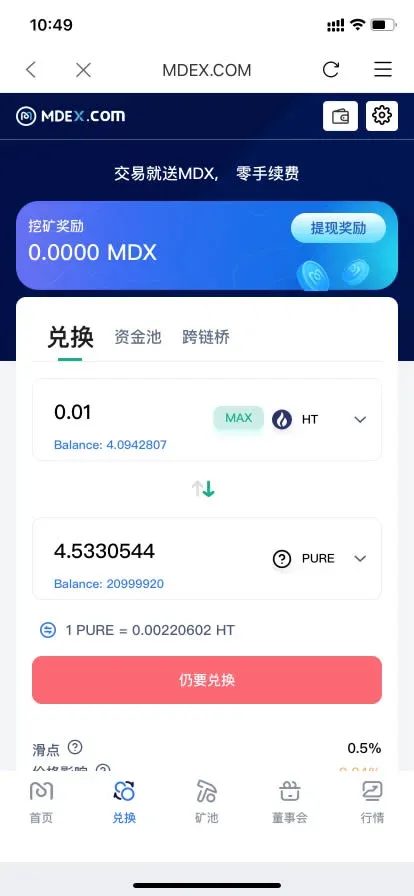
The steps above constitute a complete guide to using Bitpie Wallet’s Token Factory for creating tokens on the BSC, HECO, and ETH networks. For additional resources and advanced use‑cases, please refer to other articles published by Bitaigen (比特根).
💡 Register on Binance with referral code B2345 for the maximum trading fee discount. See Binance complete guide.



