
 Bitaigen Research
 Liquid’s parent company is Quoine, which was founded in 2014. In 2018, Quoine merged its two international platforms to form the now‑widely recognized Liquid exchange. The platform holds a regulatory licence in Japan, lists 72 cryptocurrencies across 139 trading pairs, and ranks among the top fifty digital‑asset exchanges worldwide. As Liquid expands into the Chinese market, many domestic investors are looking to learn how to register on the Liquid exchange. Below is a complete registration guide for the Japanese‑registered Liquid exchange.
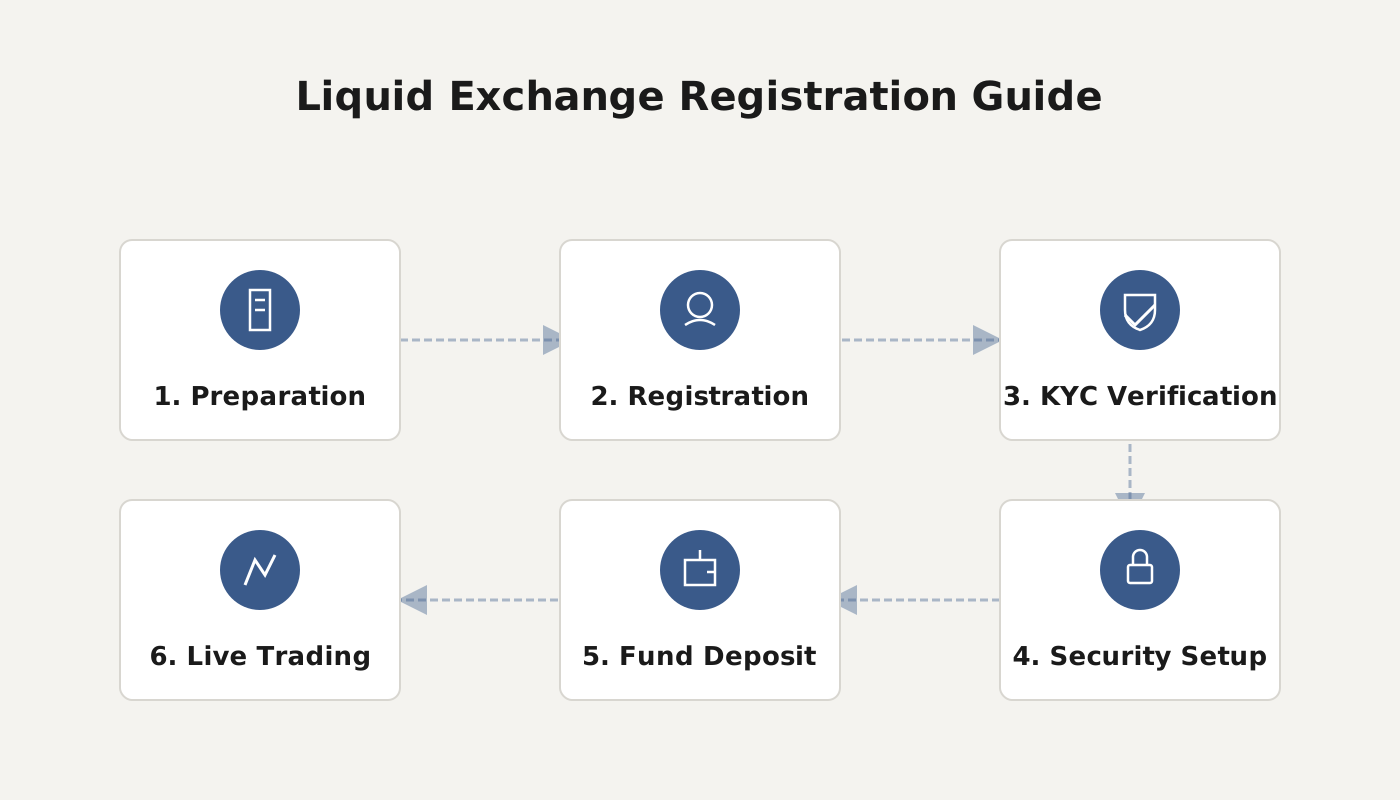
Switch the language on Liquid’s official website, fill in your email address and password to create an account, then confirm the email and upload your ID document, a selfie, and proof of address for identity verification. Once approved, you can start using the platform.
We have prepared a full onboarding workflow for investors who want to join the Liquid platform. From switching the website language and creating an account, to email verification and KYC, each step is illustrated with screenshots to help you complete registration quickly and begin your digital‑asset trading journey.
How to Register on the Liquid Exchange?
- Visit the Official Website
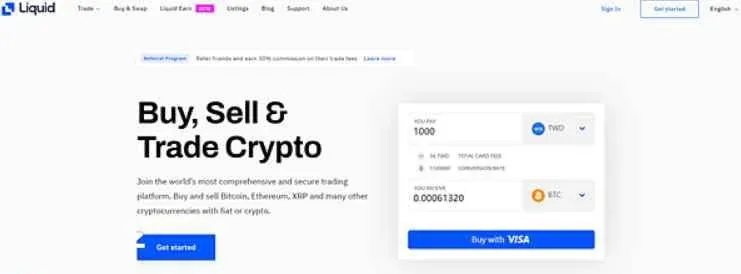
Open the Liquid official site.
- Switch the Language
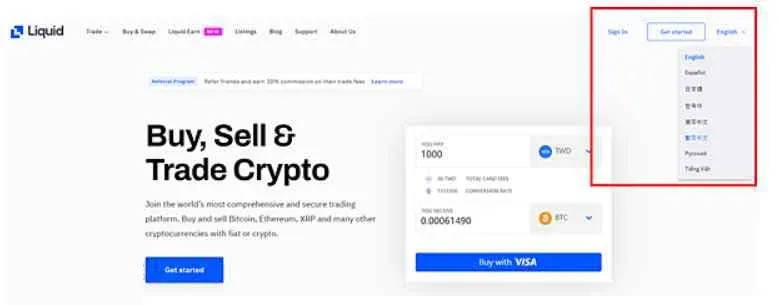
In the top‑right corner you can select a language; besides English, a Traditional Chinese interface is also available.
- Enter the Registration Page
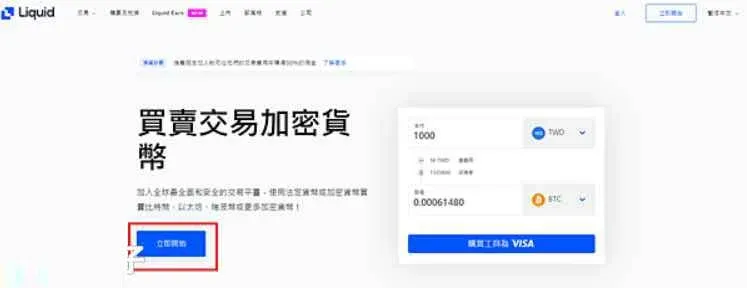
After choosing Traditional Chinese, click “Get Started” to begin the sign‑up process.
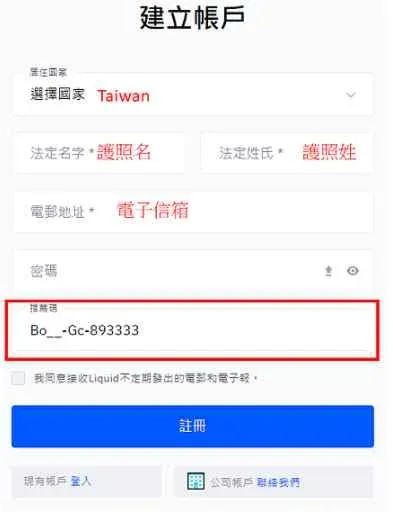
- Fill in Basic Information
- Country of residence
- Legal first and last name (as they appear on your passport)
- Email address
- Login password
After completing the form, click 【Register】.
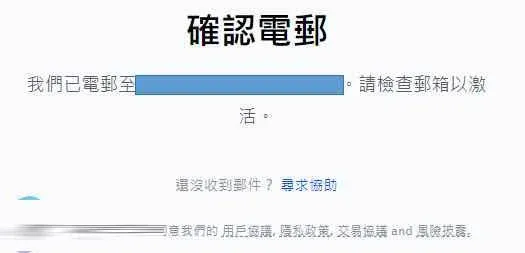
- Email Confirmation
The system will prompt “Confirm your email.” Log into your inbox and click the confirmation link in the received message.
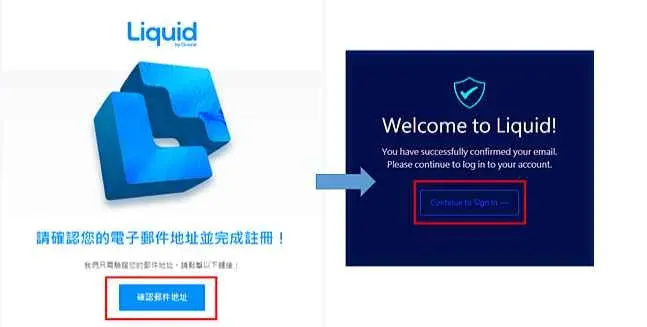
- Complete Email Verification
After clicking “Confirm email address,” the system shows a “Continue to Sign in” button. Click it to finish verification.
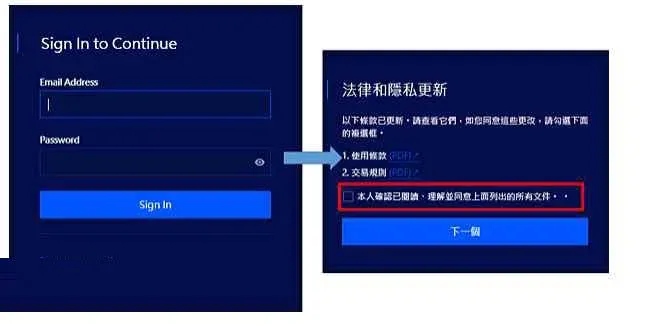
- Log Into Your Account
Enter the email and password you just registered with, then click 【Sign in】. Next, read and accept the legal and privacy policies, and click “Next.”
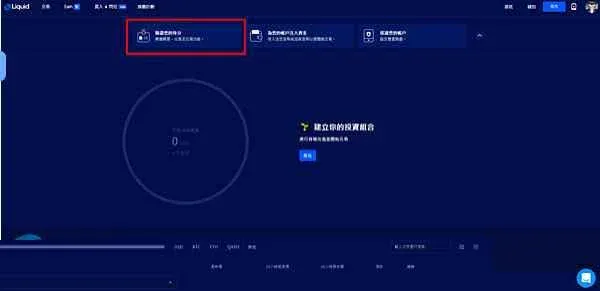
- Identity Verification
Choose “Verify your identity” to start the KYC (Know Your Customer) process.
- Prepare Required Documents
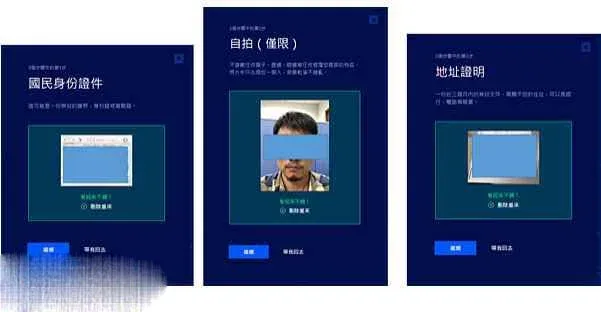
The verification documents you will need are:
- National ID or passport
- A selfie (front‑facing, full face, no shadows, plain background)
- Proof of address (e.g., a credit‑card statement)
- Upload the Files
Follow the on‑screen steps to upload your passport, selfie, and a Chinese‑language credit‑card statement as address proof.
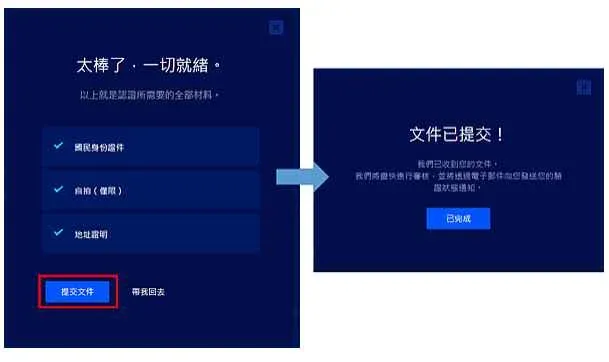
- Submit for Review
Click 【Submit Documents】. The system will forward the files to a manual review team, which will notify you of the outcome via email.
- Common Review Issues and How to Resolve Them
- ID document rejected: The system detected inconsistencies; re‑upload a clear, high‑resolution scan.
- Image quality problems: If the document cannot be read, provide a sharper image or use a passport instead. The selfie must be front‑facing, fully visible, and shadow‑free. You can also request video verification by emailing support@liquid.com.
- Blurred passport: Retake the photo, ensuring the machine‑readable zone (MRZ) is clearly visible.
- Video Verification
If the document review still fails, you can schedule a video verification with customer support. The process works like a Google Meet or Zoom call; have your passport, email, and a live shot of yourself ready. Once the video KYC succeeds, the system sends a confirmation email stating that the account has been approved.
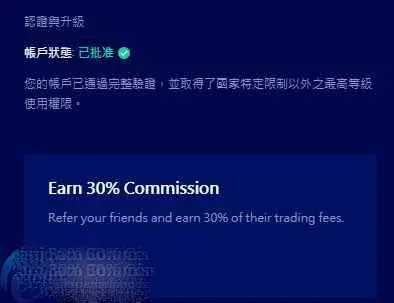
Congratulations! Your account status is now approved, all documents are valid, and you can begin trading cryptocurrencies on Liquid.
Is the Liquid Exchange Trustworthy?
- Regulatory Background: Liquid is a licensed digital‑asset exchange in Japan. In 2018, its parent company QUOINE consolidated two sites and launched the platform globally.
- Market Scale: It supports 51 cryptocurrencies and 98 trading pairs, with a 24‑hour trading volume of roughly USD 15.8 million (≈ ¥1.7 billion), ranking 24th worldwide in comprehensive exchange rankings.
- Operational Model: After establishing a solid foothold in Japan, Liquid has expanded into the United States and Europe, operating independent local entities that maintain licensed compliance. (U.S. residents should use Binance.US for any related fiat on‑ramps, as the global Binance platform is not available to them.)
- Security and Liquidity: The exchange offers good order‑book depth and robust security mechanisms, earning recognition within the industry.
Overall, Liquid builds on Japan’s stringent regulatory environment to provide a compliant and stable trading service, making it a reputable platform for digital‑asset transactions.
For additional guides on downloading and using the Liquid exchange, please refer to other articles published by Bitaigen.
Related Reading
- Korbit Bitcoin Exchange Review 2024 – Volume, Fees & Pairs
- Binance 24‑Hour Price Change: How It’s Calculated
- OKX Review: Registration, Security & Trading Features Guide
💡 Register on Binance with referral code B2345 for the maximum trading fee discount. See Binance complete guide.



