
 Bitaigen Research
 When using OKX (formerly known as OKEx) for digital‑asset trading, understanding the channels for moving funds in and out is the first priority. The platform itself does not support direct deposits or withdrawals of Chinese yuan (CNY), so you must first acquire or transfer a cryptocurrency such as USDT through another channel before you can move assets within OKX. The sections below systematically introduce the most common deposit (fund‑in) and withdrawal (fund‑out) methods, together with key operational tips, to help you get started quickly.
Core Recommendations
- Preferred deposit method: Purchase USDT on a large exchange such as Binance (or Binance.US for U.S. residents) and transfer it on‑chain to OKX. This approach offers low fees and favorable exchange rates.
- Preferred withdrawal method: Transfer USDT from OKX to another exchange or a personal wallet, balancing safety and cost.
- Critical prohibition: Always ensure that the blockchain network and the receiving address match exactly; selecting the wrong chain or address will result in a permanent loss of funds.
---
In this article we walk you through the complete OKX (formerly OKEx) fund‑in and fund‑out workflow, focusing on the mainstream channels, operational highlights, and common risks. With step‑by‑step illustrated guidance, even first‑time users can get up to speed quickly, ensuring asset safety and fee optimization. Continue reading for detailed procedures.
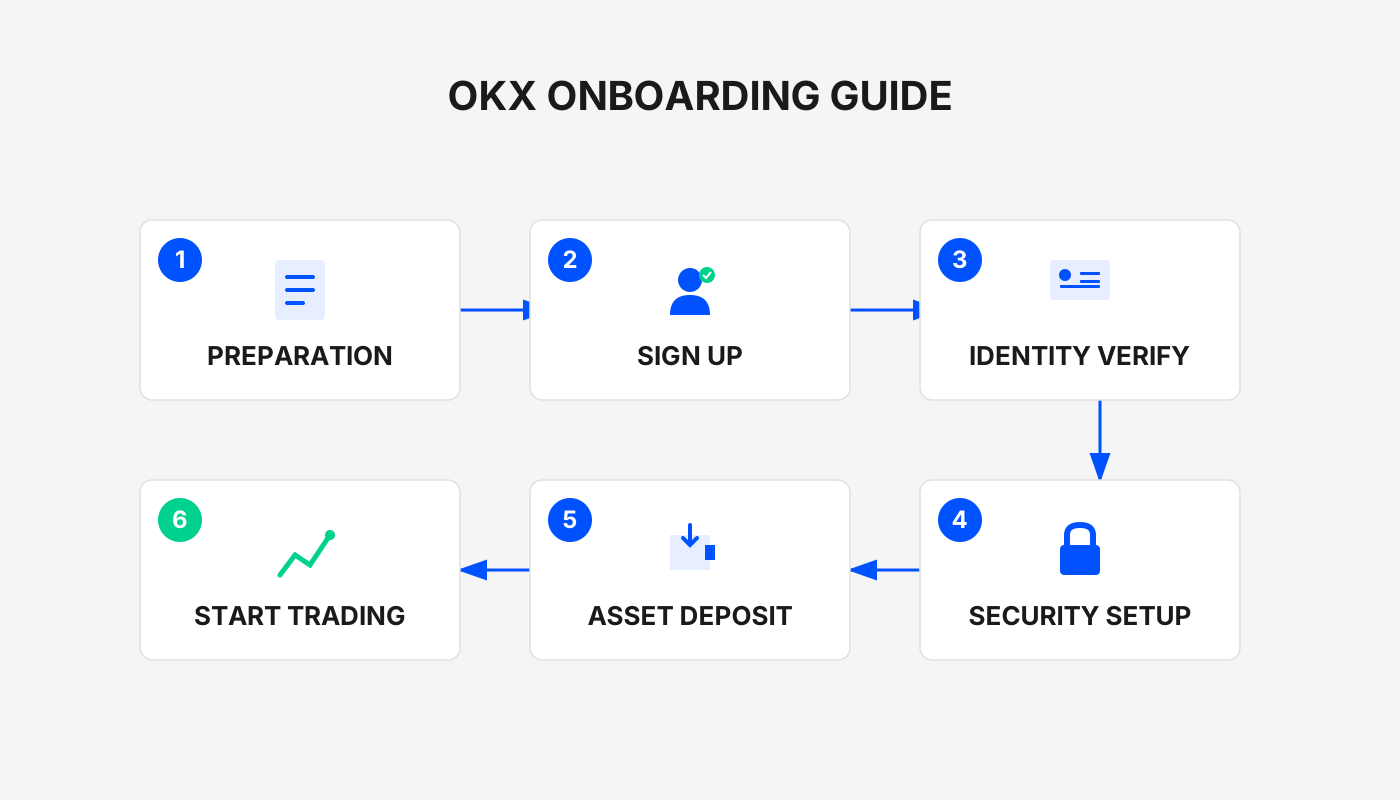
Preliminary Preparation
If you do not yet have an OKX account, you can register using the links and app download URLs below. Follow the accompanying video tutorial to complete account creation and KYC verification smoothly.
- Official OKX registration link: <https://www.okx.com/zh-hans/join/B2345>
- OKX APP download: <https://www.bitaigen.com/binance/download>
Friendly reminder: Register through the above link or use the invitation code `B2345` to receive up to 50 USDT as a welcome bonus. Be sure to enter the invitation code during sign‑up.
---
OKX Deposit (Funding) Guide
1. C2C Purchase (the most straightforward deposit method)
When you are new to OKX and do not yet hold any crypto assets, C2C (peer‑to‑peer) purchase is the most convenient option. The platform supports a variety of fiat‑payment channels such as bank cards, Alipay, and WeChat Pay, allowing you to buy major cryptocurrencies like USDT, BTC, or ETH directly. The system automatically compares offers and displays the exact amount you will receive; you simply select the lowest‑fee quote to complete the trade. The whole flow resembles a typical e‑commerce checkout and can settle within minutes.
- Supported payment methods: Bank cards, Alipay, WeChat Pay (for users in China); for global users, equivalent bank transfers via SWIFT/SEPA may be available where supported.
- Fees: Approximately 3‑5 % (depending on the chosen payment channel).
- Settlement time: Instant (1‑3 minutes).
Step‑by‑step Procedure
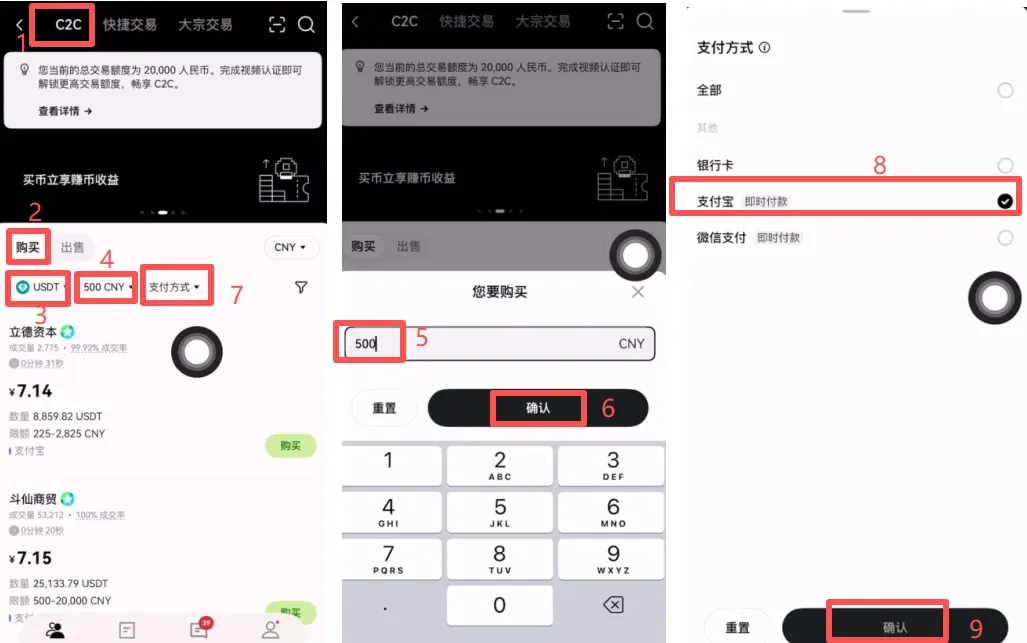
- Open the OKX APP and tap 【C2C Buy】 to enter the trading interface. At the top of the page you will see three tabs: 【C2C】, 【Quick Trade】, 【OTC】.
- Choose 【Quick Trade】 → 【Buy】, enter the amount you wish to spend and the cryptocurrency you want, then tap 【Select Payment Method】 to preview the order. After confirming the counterparty’s details, click 【Confirm】.
- The system generates payment instructions. Transfer the fiat according to the seller’s instructions. Once the payment is done, return to the app, tap 【I Have Paid】, and upload the payment receipt. After the seller verifies the payment, the crypto will be credited to your account.
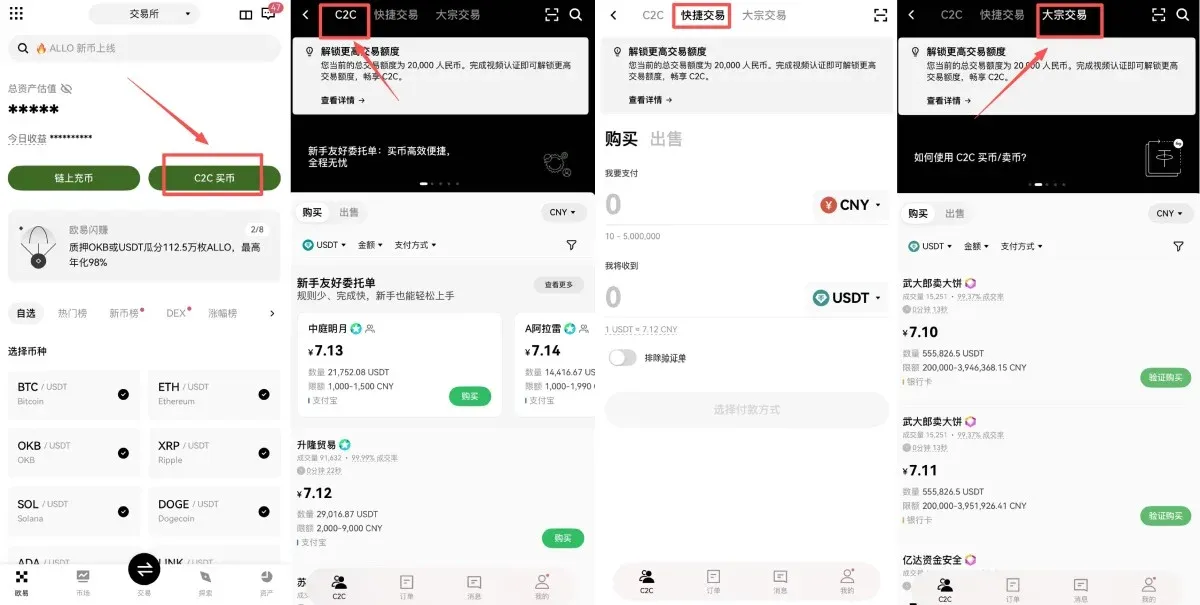
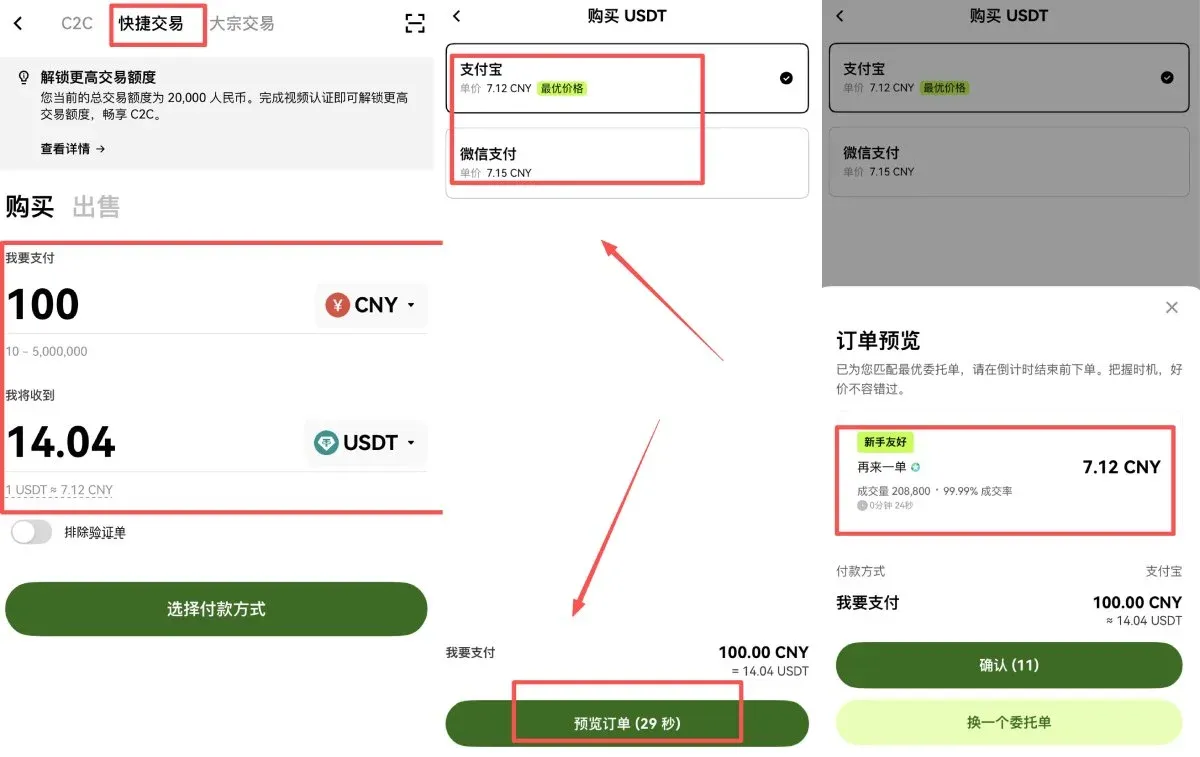
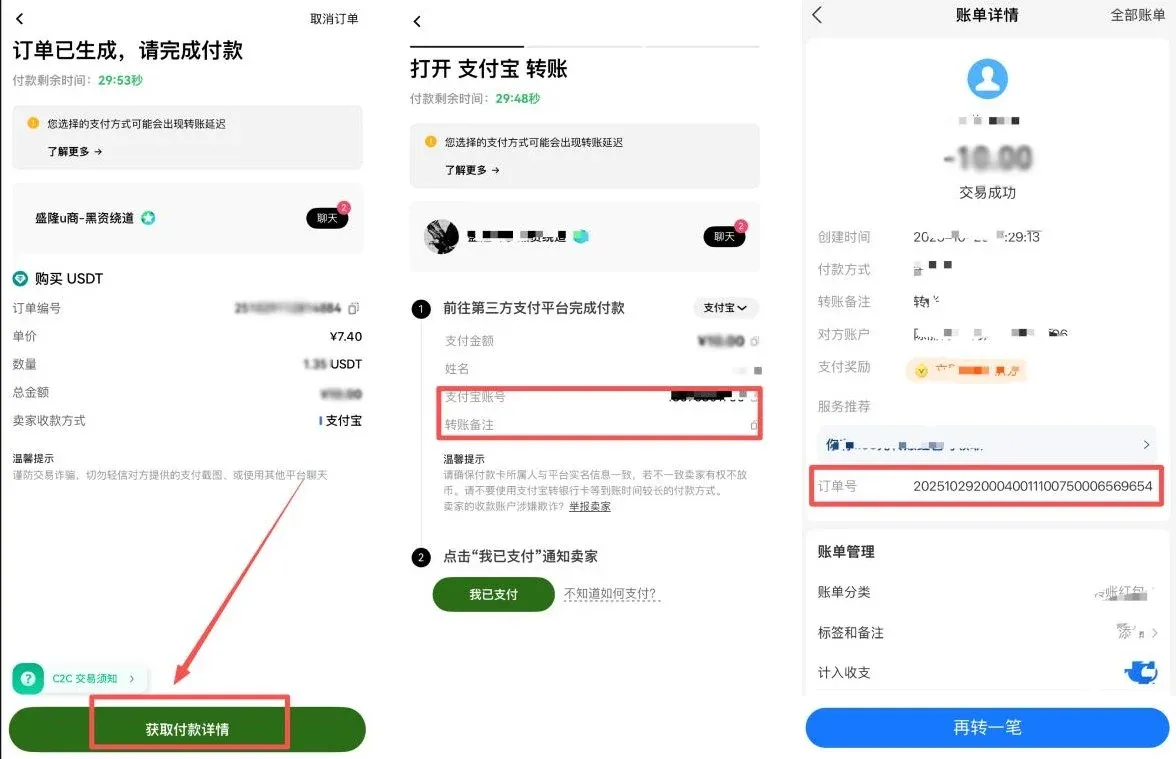
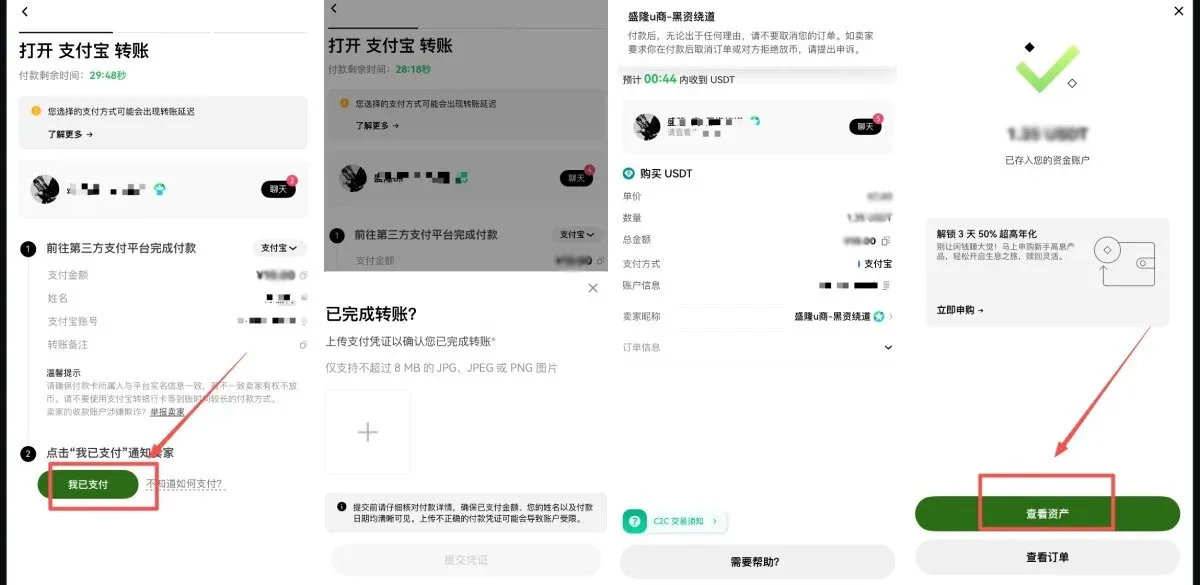
Tip: In both the bulk‑trade and regular C2C modes, you should first select the cryptocurrency (USDT is recommended), input the fiat amount, and the system will automatically calculate the corresponding USDT quantity. When choosing a counterparty, verify their transaction volume, success rate, and account age—prefer partners with a 100 % success rate and registration longer than one year.
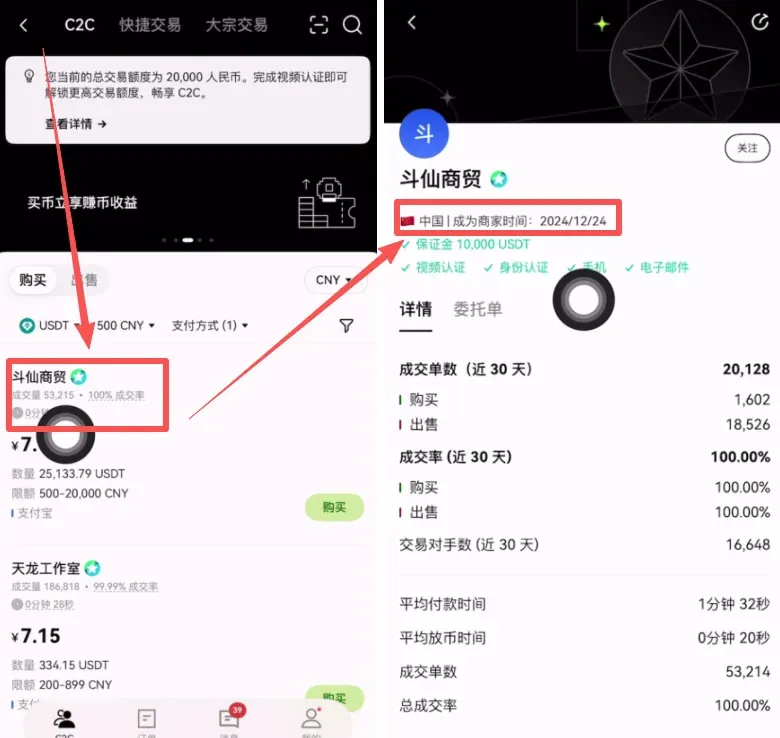
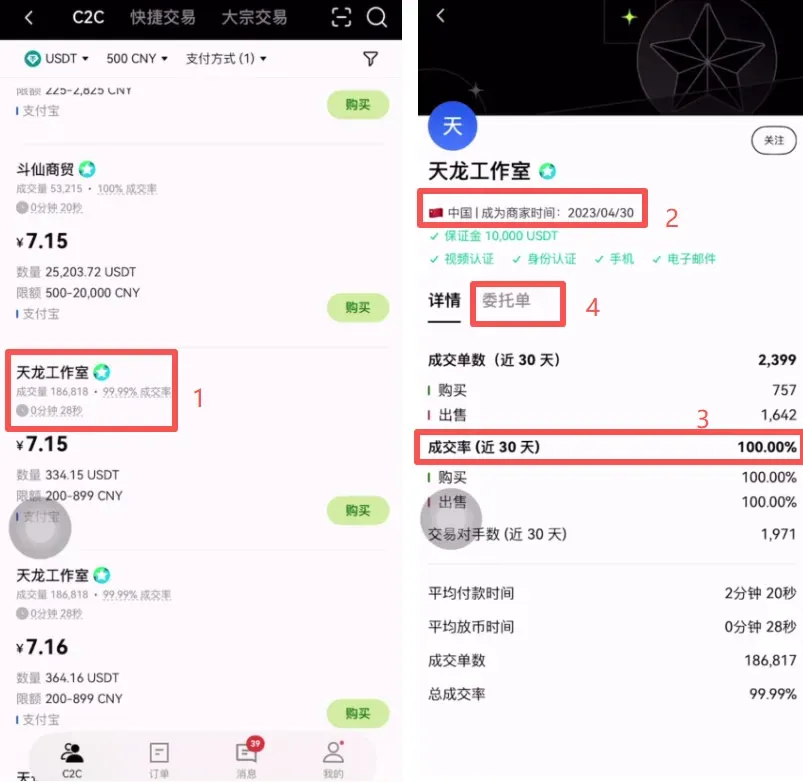
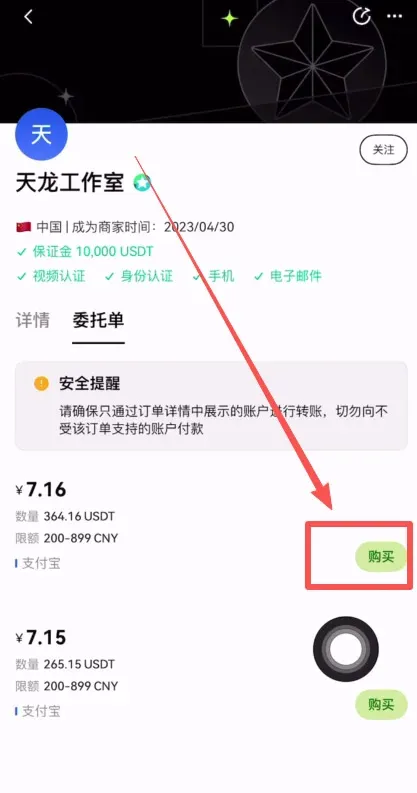
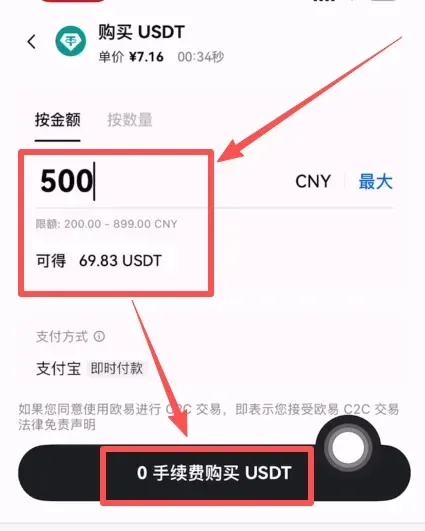
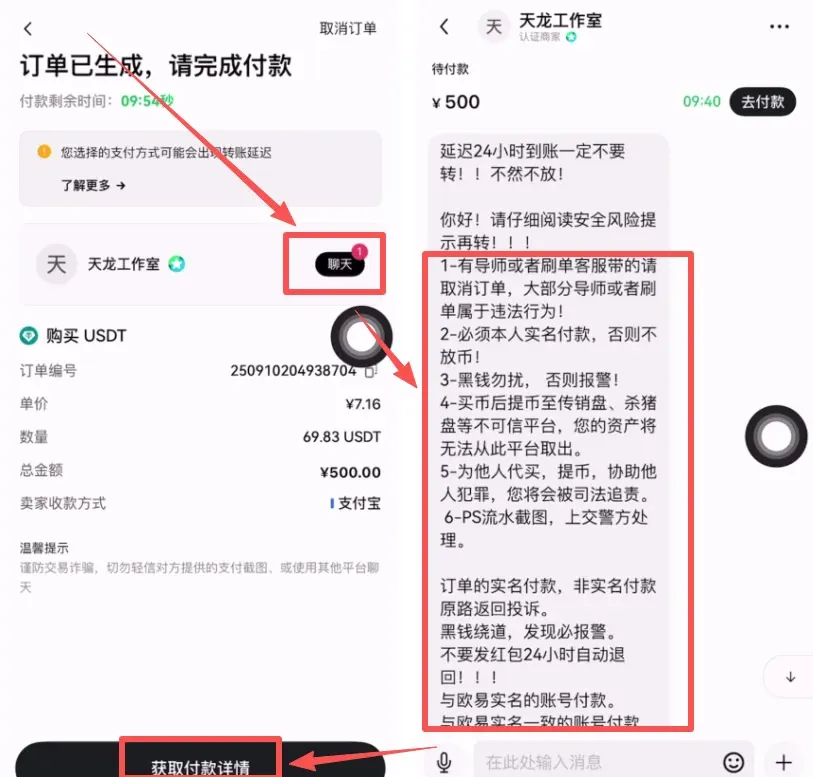
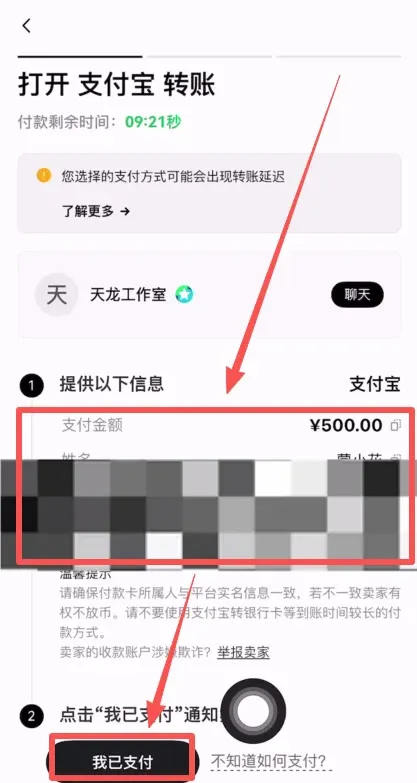
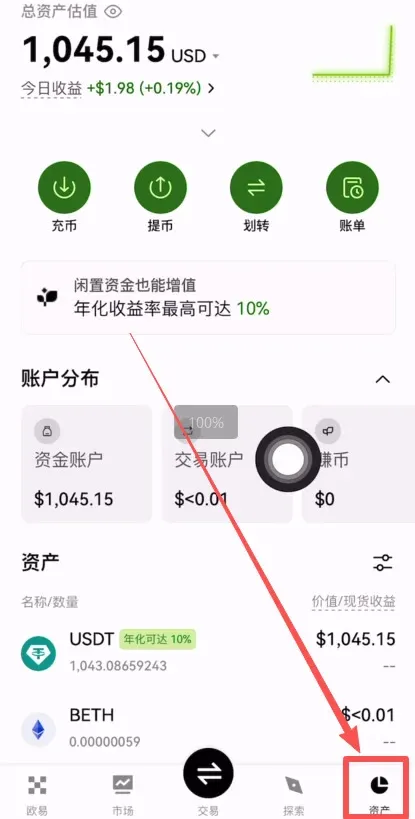
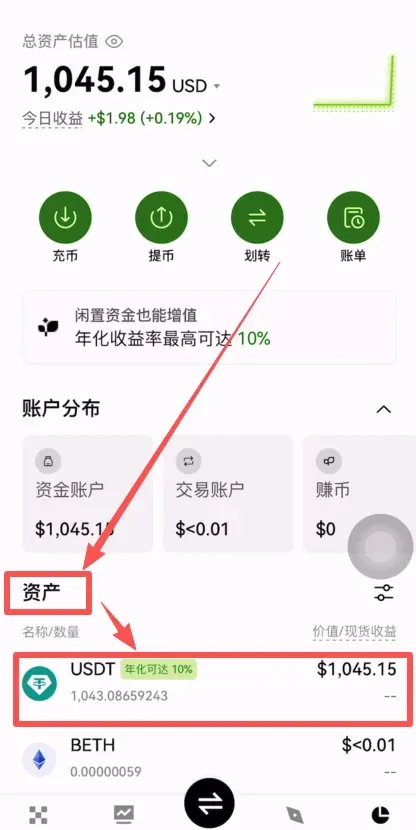
Advantages: Multiple payment options; no need to hold crypto beforehand.
Disadvantages: Relatively higher fees; exchange rates depend on the chosen payment channel.
---
2. On‑Chain Transfer from Another Exchange (recommended for beginners)
If you already hold USDT on platforms such as Binance, Bybit, or MAX, the most cost‑effective and speedy way to fund OKX is via an on‑chain deposit. This method avoids platform‑level fees; you only need to make sure the selected network matches, and the transfer typically completes within minutes.
Full Process Using USDT (TRC‑20) as an Example
| Item | Details |
|---|---|
| **Recommended network** | **TRC‑20** (zero on‑chain fee; only the sending side pays a minimal gas fee) |
| **Typical credit time** | Approximately **5‑10 minutes** |
| **Minimum deposit** | **10 USDT** (may vary slightly across different chains) |
| **Key precaution** | Conduct a small test transfer first to confirm the network alignment |
Benefits: Low fees, favorable rates, relatively safe.
Detailed Steps
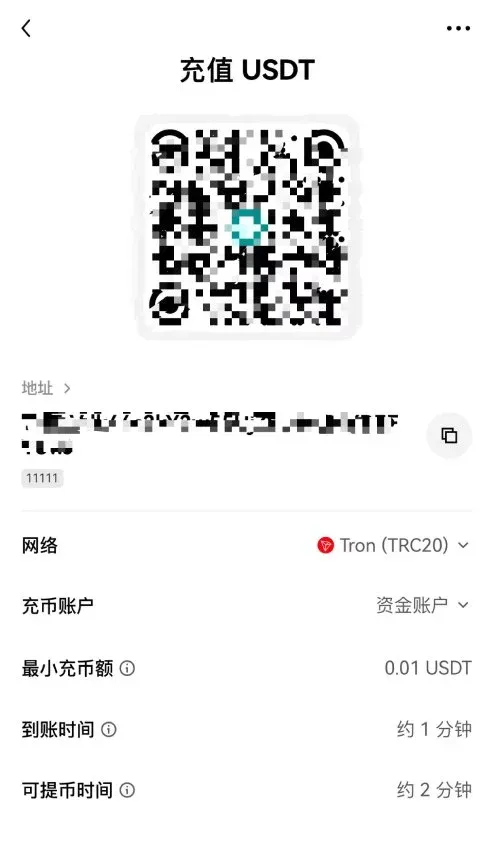
- Open OKX “On‑Chain Deposit”: In the APP home screen tap 【On‑Chain Deposit】, select the asset USDT, and the system will list several network options. We recommend TRC‑20.
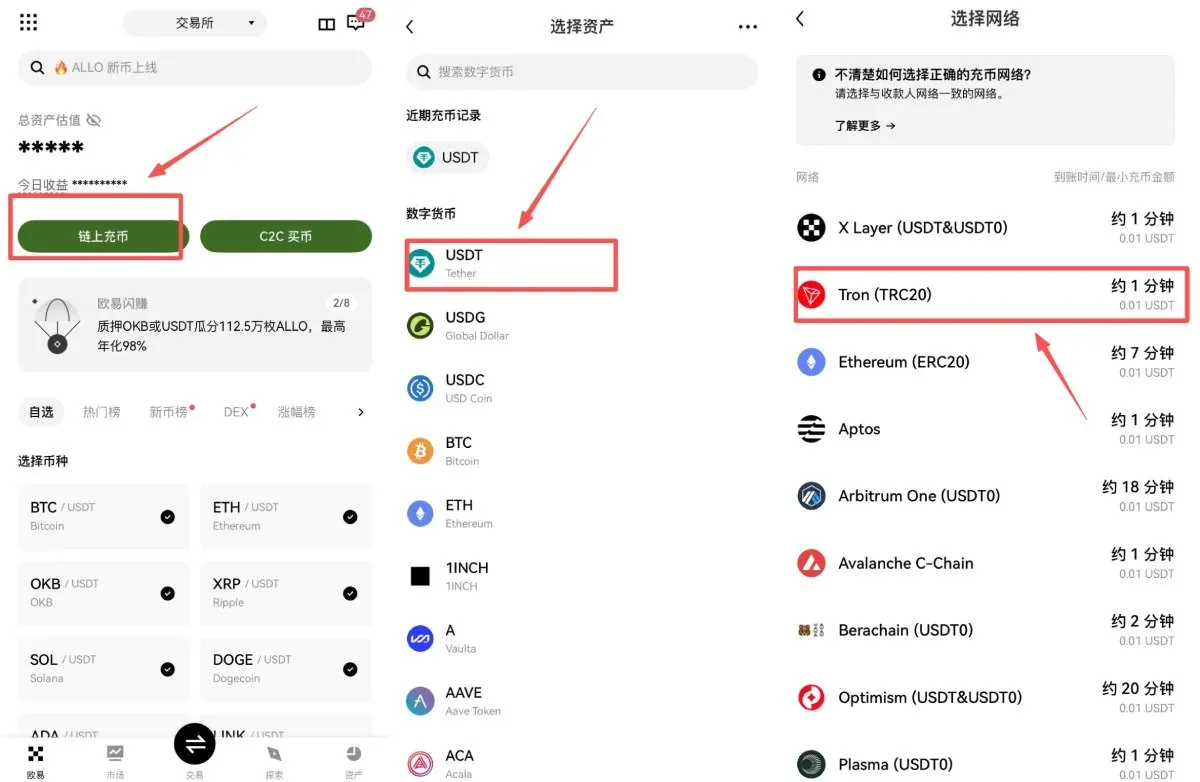
- Copy the deposit address: After choosing TRC‑20, a wallet address (e.g., `TX3abxxxx…`) appears. Tap Copy or scan the QR code, and double‑check the first and last few characters to ensure they are intact.
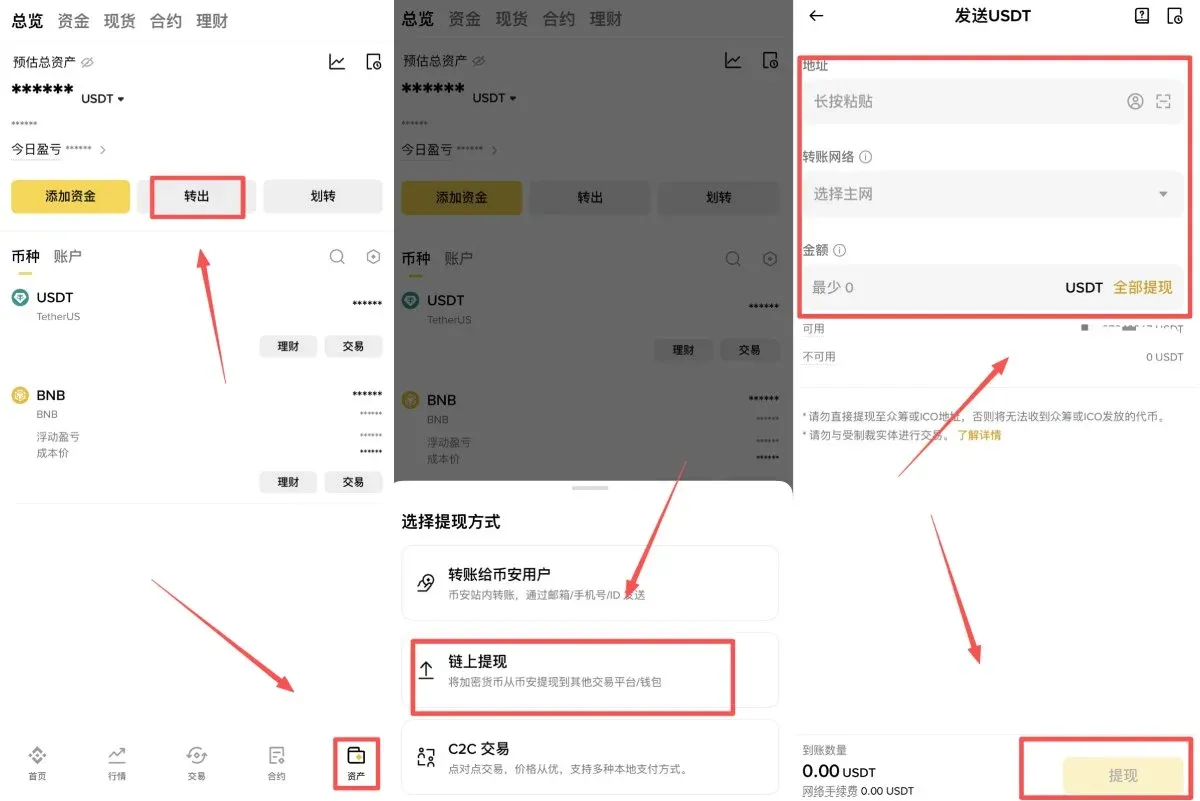
- Go to the source exchange (example: Binance): Log in to Binance (or Binance.US for U.S. residents), navigate to 【Assets】 → 【Withdraw】 → 【On‑Chain Withdrawal】, select USDT, paste the OKX address you just copied, confirm that the network is set to TRC‑20, input the amount, and submit.
- Wait for the funds to arrive: The TRC‑20 network usually confirms within 3‑10 minutes. The assets will automatically appear in your OKX spot wallet under Assets → Spot → USDT.
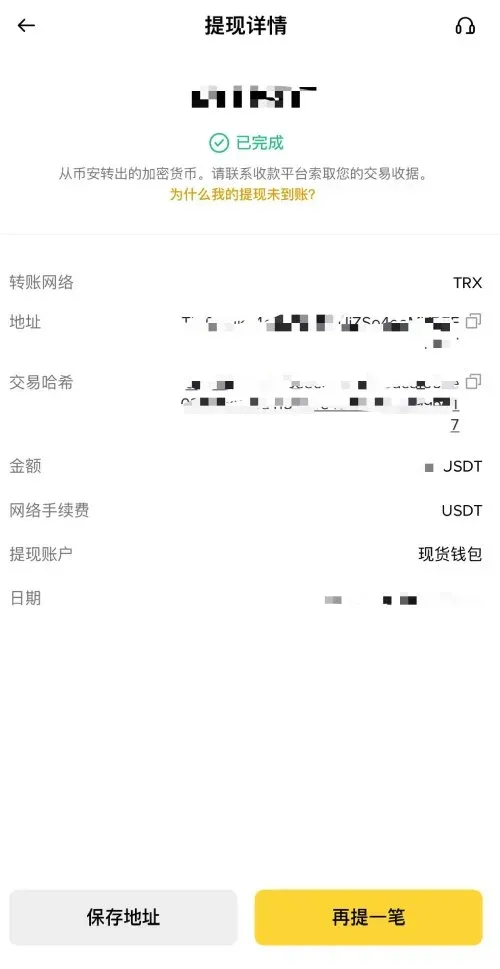
Critical reminder: Using the wrong blockchain (e.g., sending ERC‑20 USDT to a TRC‑20 address) will send the funds into a “black hole” from which they cannot be recovered. Always double‑check the network and address before confirming a transfer.
---
3. Direct Transfer from a Personal Crypto Wallet
If you already store crypto in a non‑custodial wallet such as Trust Wallet or MetaMask, you can also send assets directly to OKX:
- In OKX, select 【Deposit】, copy the address for the relevant token.
- Initiate a transfer from your external wallet, ensuring the selected network matches the one shown in OKX.
Pros: Low transaction fees, rapid arrival.
Cons: New users must correctly identify the appropriate network, which adds a small risk factor.
---
OKX Withdrawal (Fund‑Out) Guide
Just as there are multiple ways to bring money into OKX, there are several paths to move it out. The sections below describe the most common scenarios.
1. On‑Chain Withdrawal (to another exchange or personal wallet)
This is the most widely used and secure method. As long as you confirm that the blockchain network and destination address match, you can send assets to Binance, Bybit, MetaMask, or any other wallet.
Step‑by‑step Procedure
- Navigate to Assets → Withdraw, then choose 【Withdraw Cryptocurrency】.
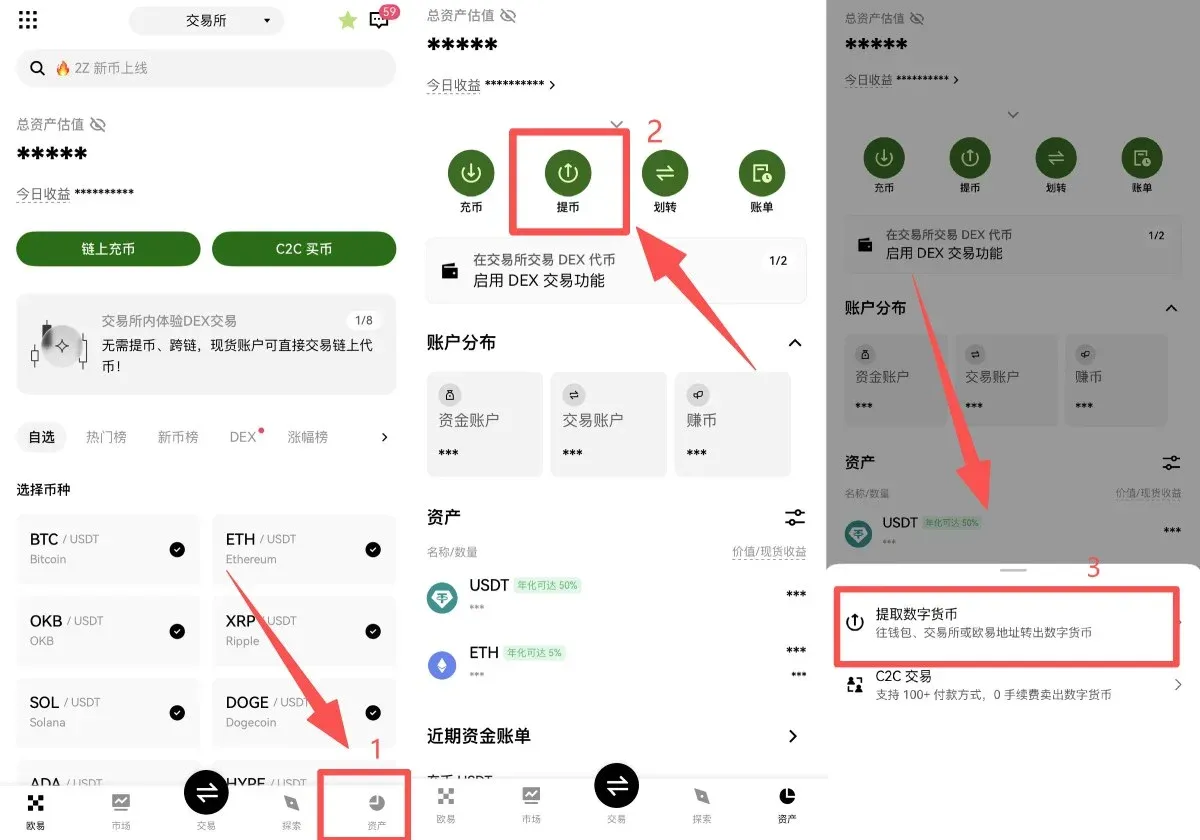
- Select the token and network: On the withdrawal page pick the desired cryptocurrency (OKX supports over 400 tokens). Next, select the target platform or a non‑custodial wallet and specify the main chain (e.g., TRC‑20, ERC‑20, BSC, etc.).
- Important: The withdrawal chain must be identical to the chain used by the destination wallet; otherwise the assets will be irretrievably lost.
- Obtain the destination wallet address: For example, on Binance log in → Spot Wallet → Add Funds → Choose USDT → Copy the deposit address (or scan the QR code).
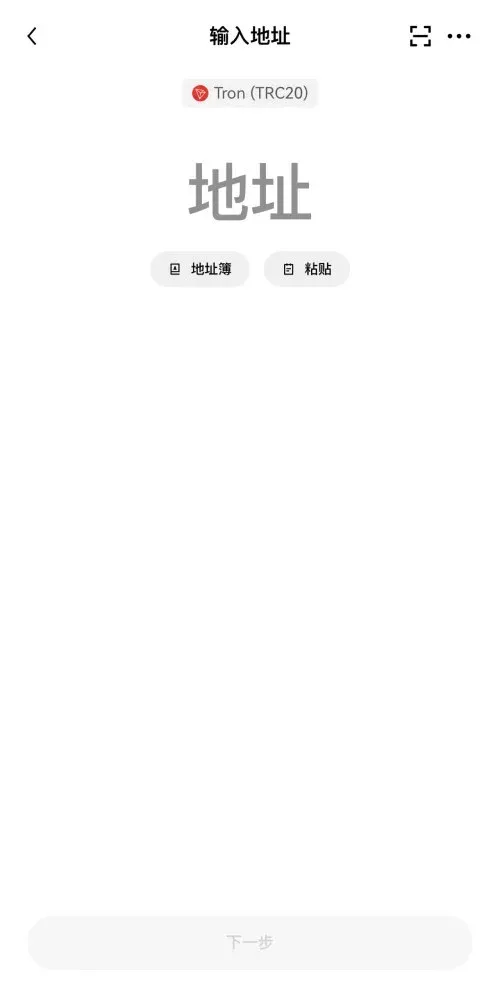
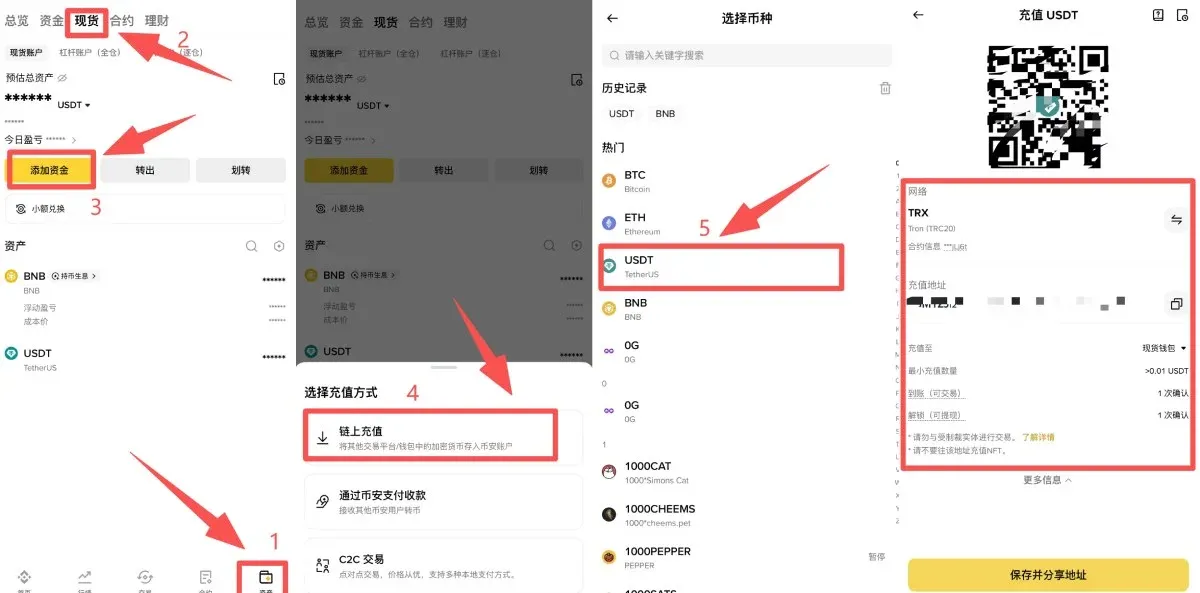
- Enter the withdrawal details: Paste the destination address into OKX’s withdrawal form. The platform automatically calculates the network fee and shows the net amount you will receive. After confirming everything is correct, click 【Next】, complete the required security verification (e.g., 2FA, email/SMS code), and submit.
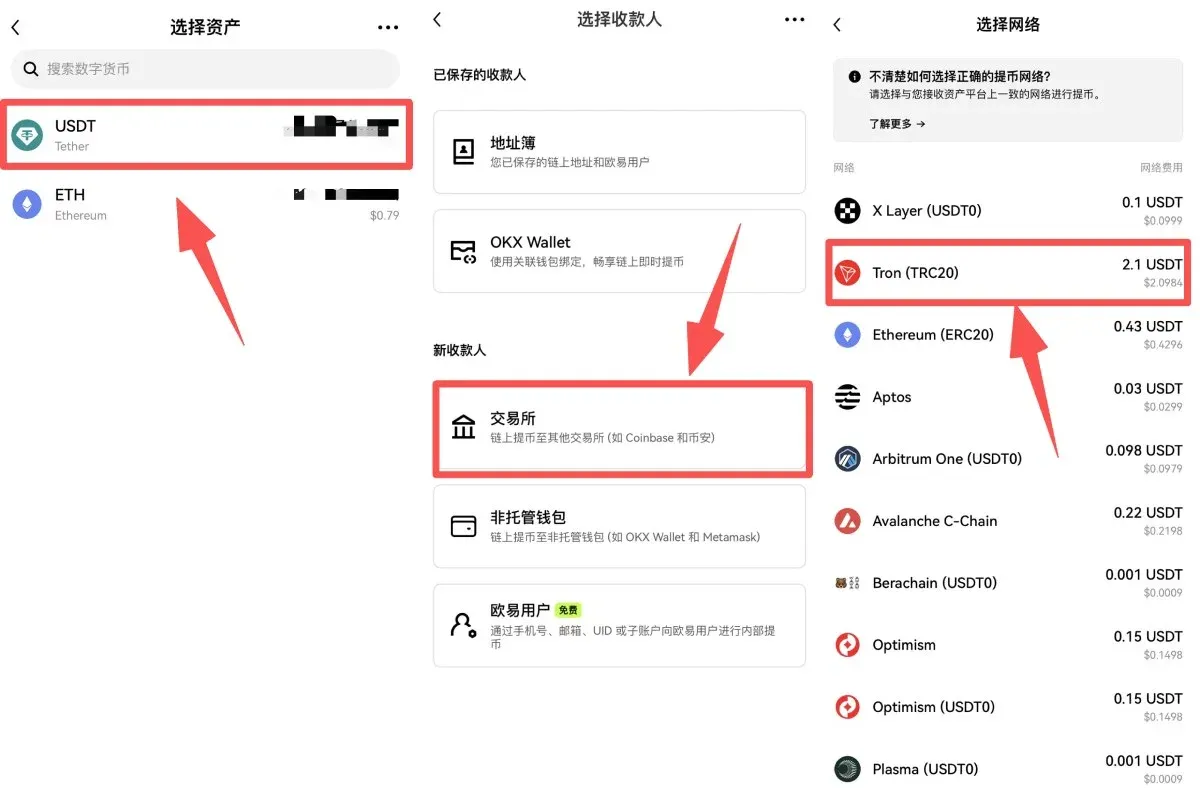
Fee Overview (as of Q4 2025): Minimum withdrawal amounts and network fees differ by chain. For example, TRC‑20 requires a minimum of 4.1 USDT (network fee **2.
Related Reading
- OKX P2P Trading Guide: Security, Appeals & Fraud Prevention
- Download Binance, OKX, Bitget: Android APK & iOS Guide
- OKX iPhone App: Alternative Download & Apple ID Guide
💡 Register on Binance with referral code B2345 for the maximum trading fee discount. See Binance complete guide.



