
 Bitaigen Research
 In this article we break down the step‑by‑step process for configuring the price‑floating window on the Feixiaohao (FeiXiaoHao) app, helping traders capture market movements at any time. With illustrated instructions, even beginners can get up to speed quickly, improve operational efficiency, and save the hassle of constantly checking prices. To see the full procedural details, keep reading.
Feixiaohao (www.feixiaohao.co) is a China‑based platform that focuses on blockchain data, news, and analytics. It aggregates global digital‑asset resources, houses an extensive catalog of coins, and offers professional real‑time market quotes, trend analysis, and portfolio‑tracking services. The platform lists hundreds of cryptocurrency exchanges worldwide, enabling multidimensional data analysis.
Feixiaohao can be thought of as the “Wikipedia of the crypto world.” Here you can look up the most comprehensive information on coins and exchanges without worrying about phishing sites or intrusive advertising links—saving you considerable time and effort.

Virtual Currency Exchange (Market App) v6.158.1 – Official Android version
- Category: Banking & Finance
- Size: 376.03 MB
- Language: Simplified Chinese (the app also supports English UI for global users)
- Last updated: 2026‑02‑11
Most traders who engage in spot or contract trading rely on the Feixiaohao app’s price‑floating window because it provides an intuitive, fast way to monitor price fluctuations and stay on top of real‑time market data.
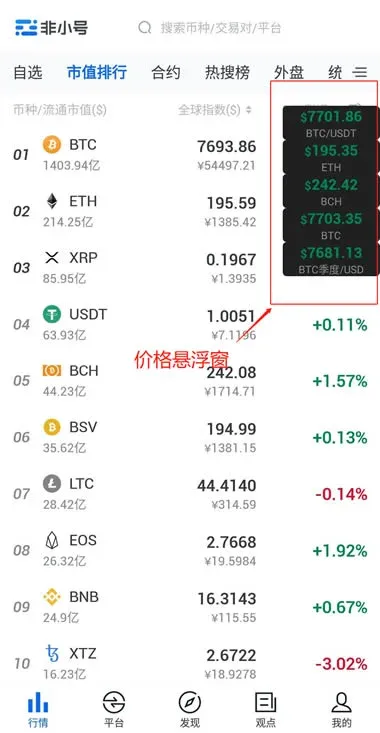
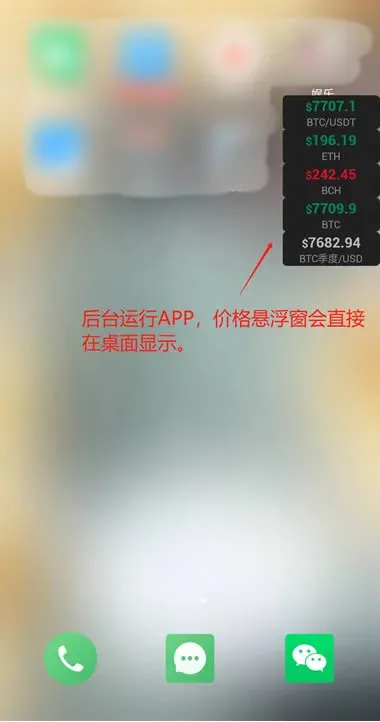
Configuring the floating window is extremely simple and can be finished in two steps.
Step 1 – Add the trading pairs you want to monitor to Favorites
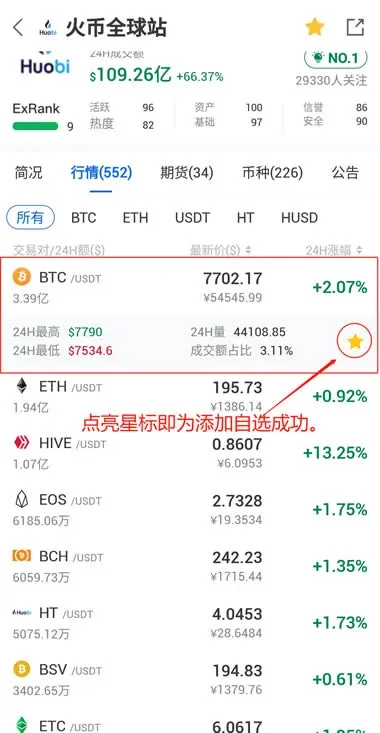
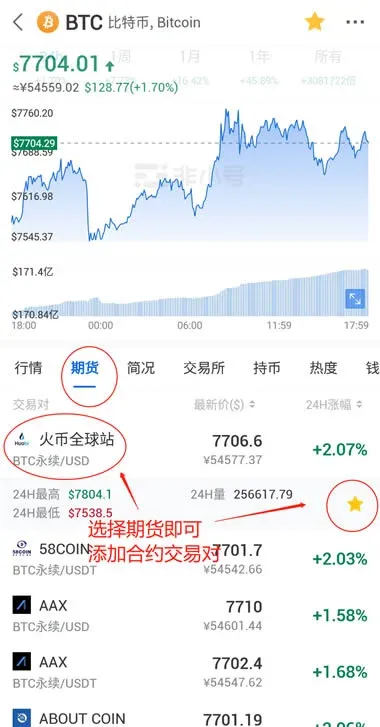
Important:
- If you want to follow the price of a coin on a specific exchange and market segment, select the corresponding trading pair. For example, to watch Bitcoin (BTC) on the Huobi Global USDT market—either spot or perpetual contract—search for “Huobi” in Feixiaohao, open the Huobi page, and then choose the BTC/USDT spot or contract pair.
- Why does the global index price for a coin on Feixiaohao sometimes differ from the price of a single‑exchange trading pair? The global index is a weighted average that Feixiaohao calculates by aggregating the latest prices from all listed exchanges. Its purpose is to give a broad‑market reference, so it may deviate from the price you see on any individual exchange.
Recommendation: When configuring the floating window, prioritize selecting a concrete exchange‑specific trading pair rather than the coin’s global index.
Step 2 – Enable the floating‑window feature from the My (Profile) page
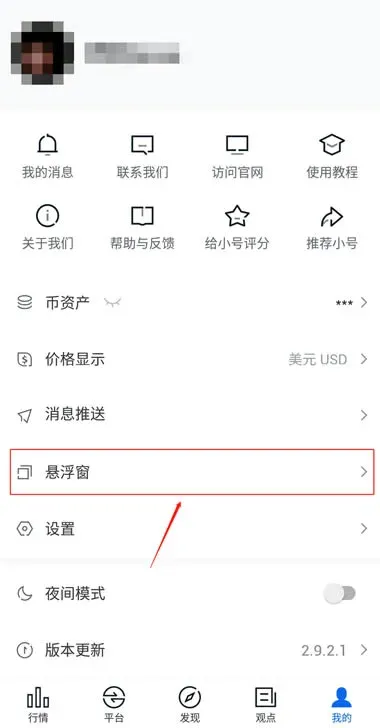
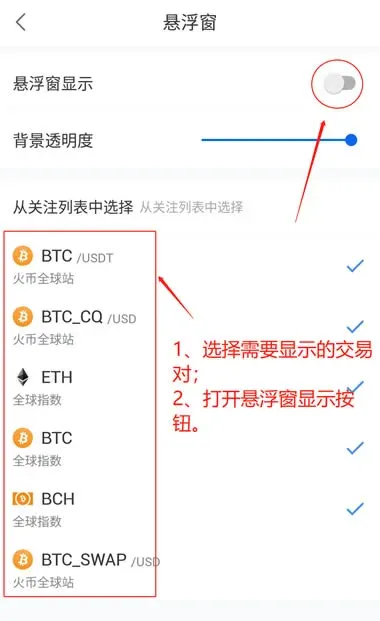
Floating‑window setup complete!
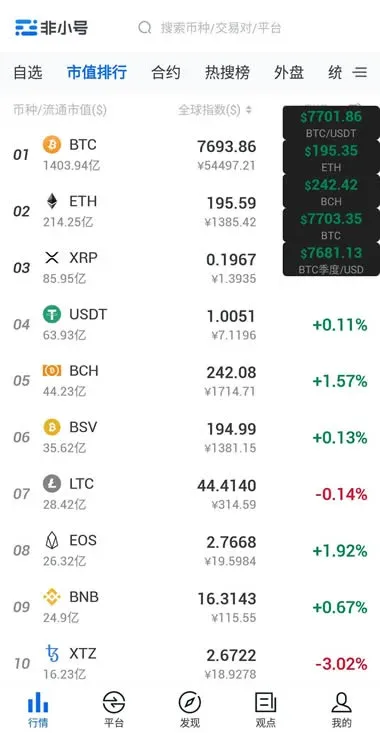
A quick reminder: the floating‑window feature is currently available only on Android; iOS devices cannot use it due to operating‑system restrictions.
The steps above constitute the full procedure for enabling the price‑floating window on the Feixiaohao app. For additional related material, you can follow Bitaigen (比特根) and explore their other articles.
---
Global‑market notes
- When dealing with fiat transactions, the platform displays values in USD; you can also transfer funds via SEPA (for European users) or SWIFT (for international users).
- U.S. users: If you intend to trade on Binance, be sure to use Binance.US, the U.S.-compliant version of the exchange, rather than the global Binance platform.
- Tax considerations: Cryptocurrency gains may be subject to tax in your jurisdiction. It is advisable to consult a qualified tax professional to understand your reporting obligations.
💡 Register on Binance with referral code B2345 for the maximum trading fee discount. See Binance complete guide.



