
 Bitaigen Research
 To download the OKX app on an iPhone, you first need to register a Taiwan‑region Apple ID on Apple’s official website, log into the App Store, switch the store to the Taiwan region, search for OKX, complete the download and installation, and be sure to use a non‑shared account to avoid the risk of account suspension.
Accessing the OKX exchange app with an iPhone in Mainland China is not complicated. By following the steps below you can smoothly bypass regional restrictions and complete the download in a safe, compliant manner. For iPhone users who want to trade digital assets, using the correct entry point and download method is the first step to beginning the OKX journey.
Below, the Bitaigen editorial team presents a detailed, step‑by‑step tutorial for iPhone users to download the OKX app.
In this article we outline the process for iPhone users to obtain the OKX app, including registering a Taiwan‑region Apple ID, switching regions, and downloading safely. Once you master the key points, you can cross regional limits and start trading digital assets. Continue reading for more practical details.
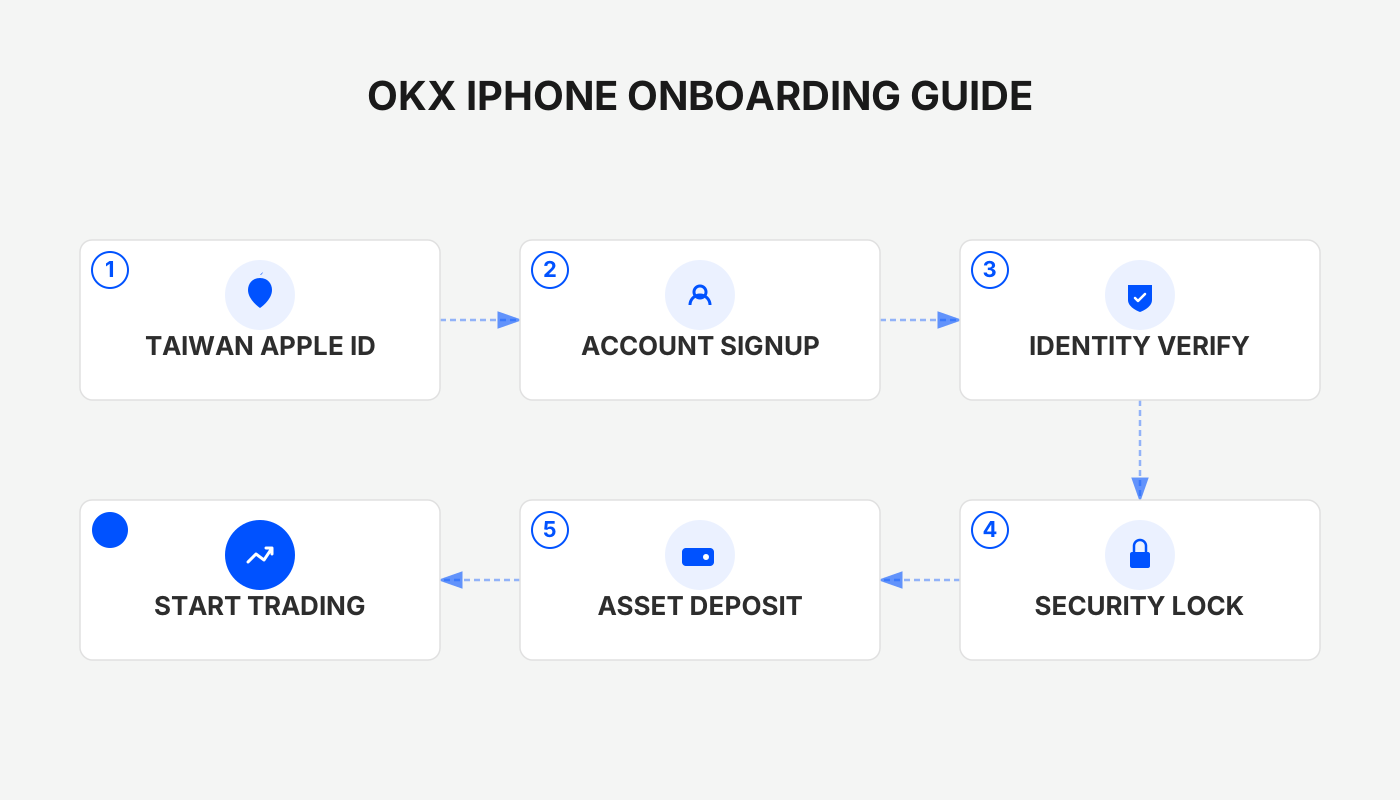
How to Register an Overseas Apple ID
Before downloading the iOS version of OKX, you need to log into the App Store with an overseas Apple ID. The following sections explain common uses for overseas IDs and the main points to consider when registering.
Functions of an Overseas Apple ID
- Access region‑locked content: The App Store displays different apps and services depending on the user’s location. By creating an overseas Apple ID you can reach region‑specific content such as certain games, tools, or financial applications.
- Early access to new services: Some Apple services (Apple Music, Apple News+, Apple TV+, etc.) roll out first in specific countries. Using an Apple ID tied to that region lets you try them ahead of others.
- Recommended regions: The U.S. App Store has the most comprehensive catalog and the most convenient gift‑card redemption options; however, if you want to download trading platforms (e.g., Binance, OKX), it is advisable to choose Taiwan or Hong Kong. Both use Traditional Chinese UI, which is easy to read and poses no language barrier.
Precautions When Using an Overseas ID
- Avoid shared accounts – Registering the ID yourself reduces the risk of privacy leakage, account bans, or device locks.
- Login method – It is recommended to sign in directly inside the App Store rather than through iOS Settings, as this lowers the probability of a ban.
- Region verification – If you cannot receive a verification code via a Taiwanese mobile number, you can first register a domestic Apple ID and later change its region in the account settings. Enterprise users should prepare an overseas phone number for verification.
Required Materials for Registration
| Material | Description |
|---|---|
| **Email address** | Common providers such as QQ, 163, Gmail, 189, etc., are acceptable. If an error occurs, try a different email. |
| **Phone number** | A working mobile number that can receive SMS verification codes. One phone number can be used to register multiple Apple IDs. |
| **Virtual address** | Obtain a fake address via an online generator (e.g., [shenfendaquan.com](https://shenfendaquan.com/) or [meiguodizhi.com](https://meiguodizhi.com/)). |
Official OKX website: <https://www.okx.com/>
OKX app download page: <https://www.bitaigen.com/binance/download>
Tutorial: Register a Taiwan Apple ID (Apple Account)
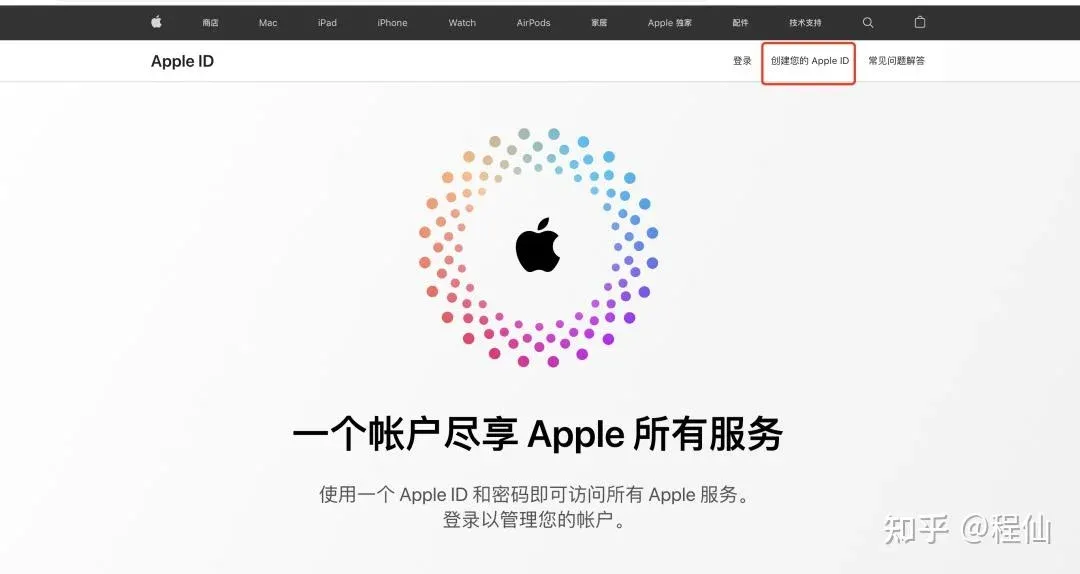
- Open the Apple ID website
On a computer or mobile browser go to <https://appleid.apple.com> and click Create Apple ID. (Using a computer is recommended.)
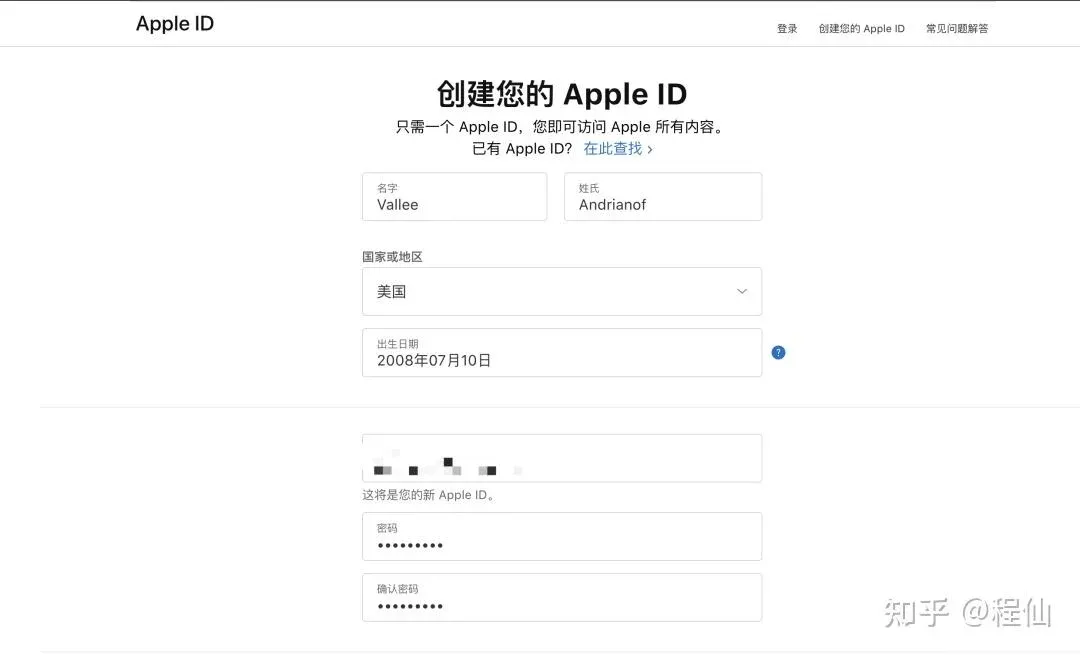
- Enter virtual identity information
Use the name, birthdate, address, etc., generated by the virtual‑address website. The age must be ≥ 18.
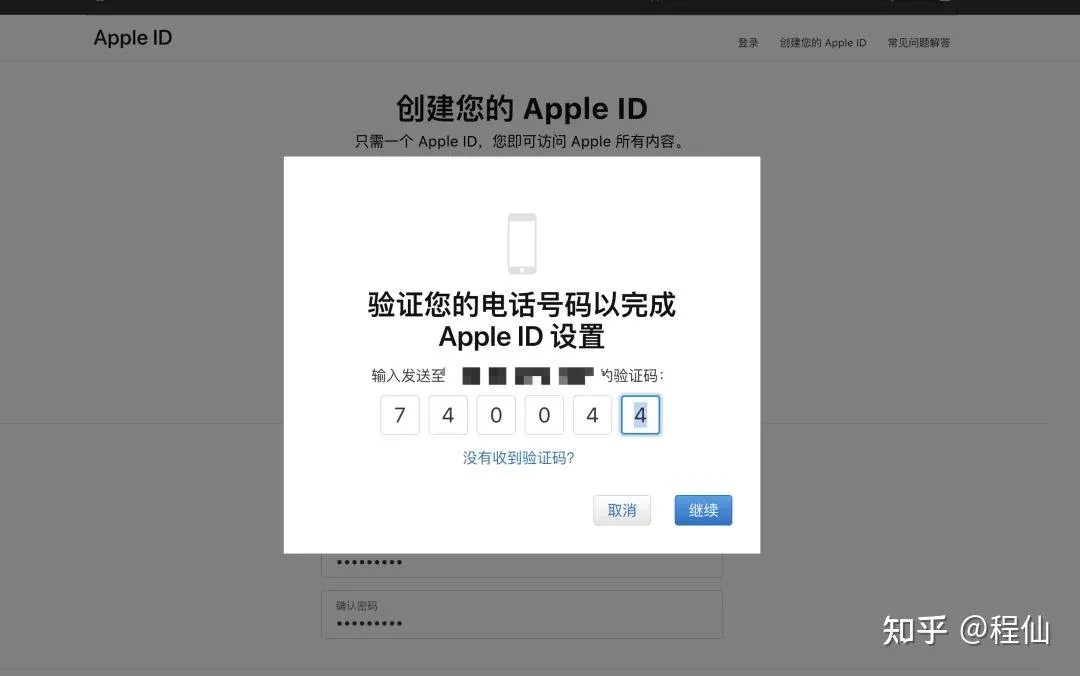
- Complete captcha verification
Sequentially input the graphical captcha, email verification code, and SMS verification code.
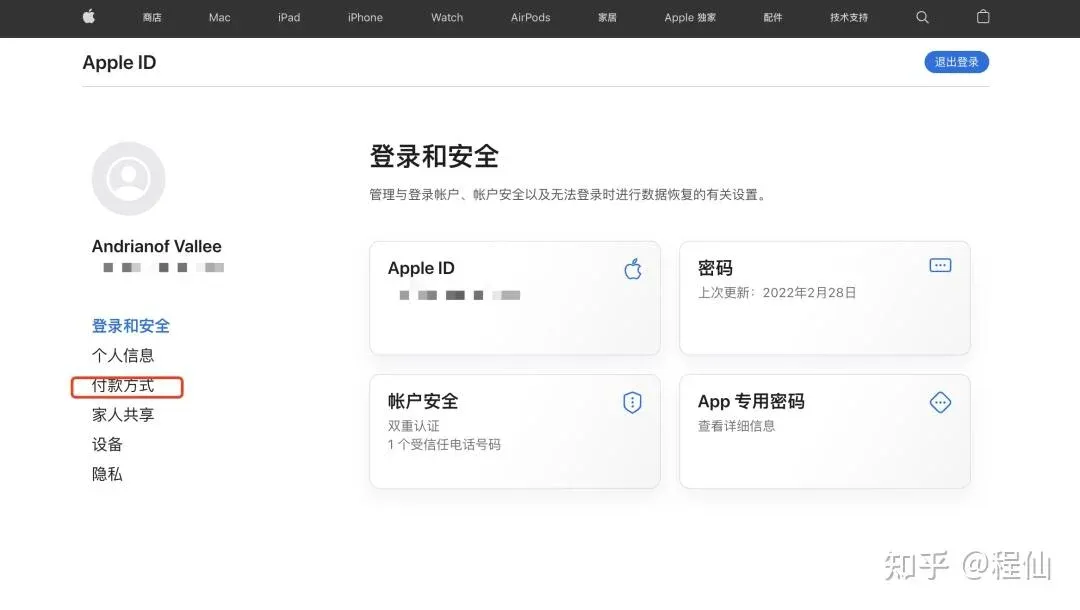
- Choose a payment method
On the “Payment Method” screen you can later set it to None.
- Enter a billing address
It is advisable to use a tax‑free U.S. state (Alaska, Delaware, Montana, New Hampshire, Oregon) to reduce future top‑up fees.
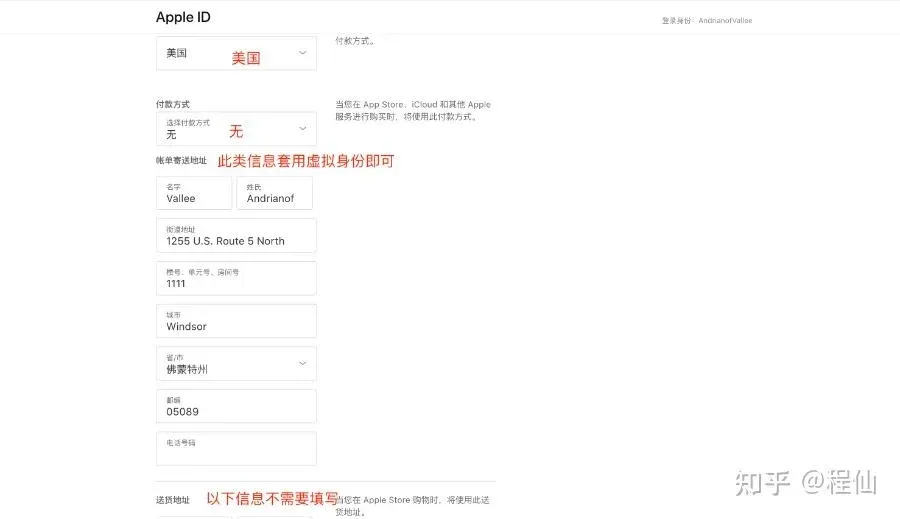
After registration the account is still a “partial” profile and will need a first‑time App Store download check.
Changing the Region of Your Apple ID
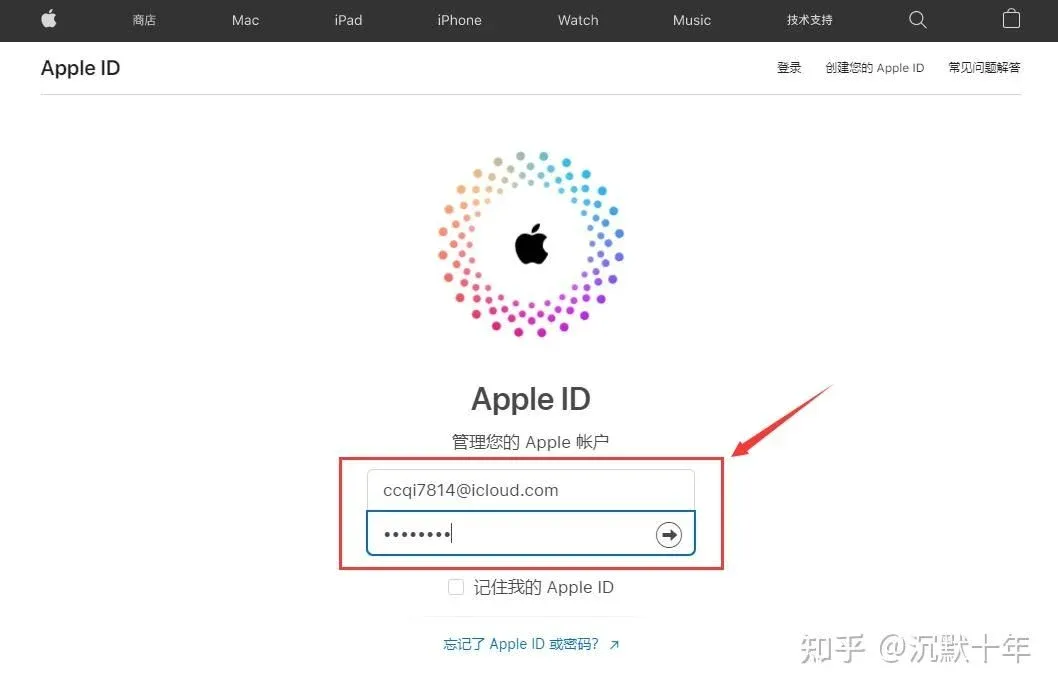
- Visit <https://appleid.apple.com/#!&page=signin> and click Sign In.
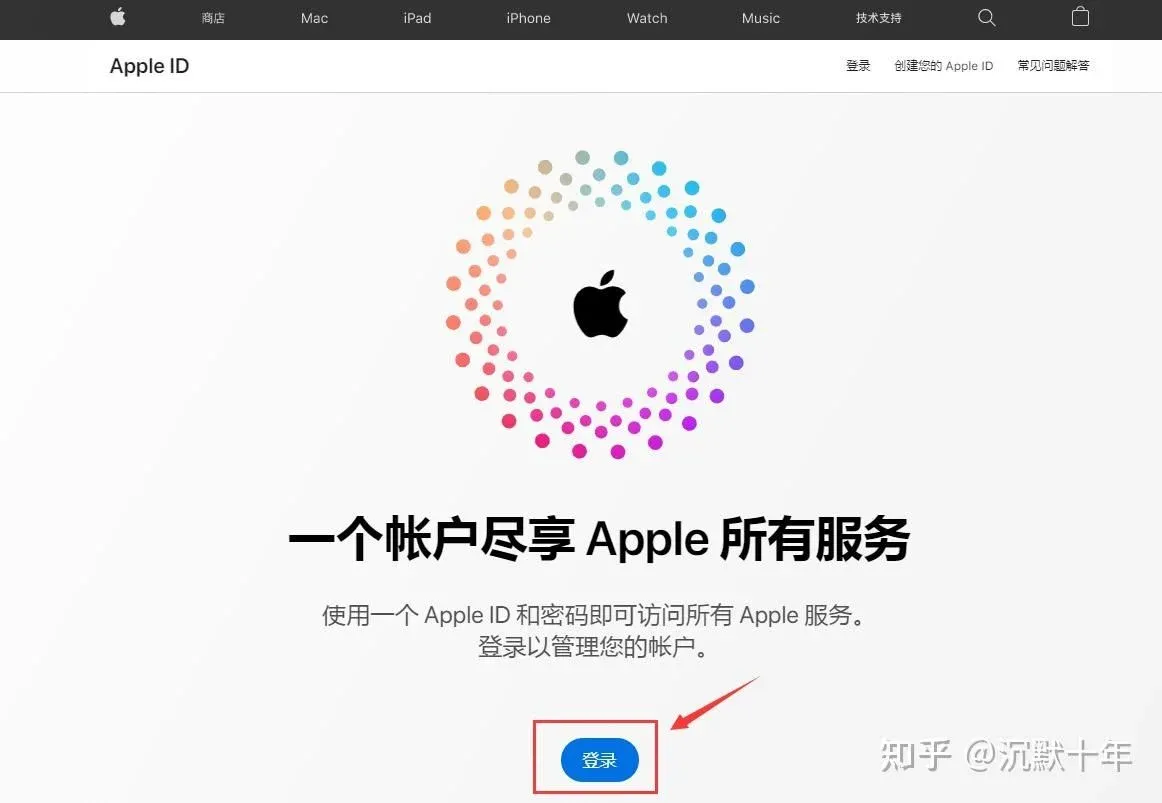
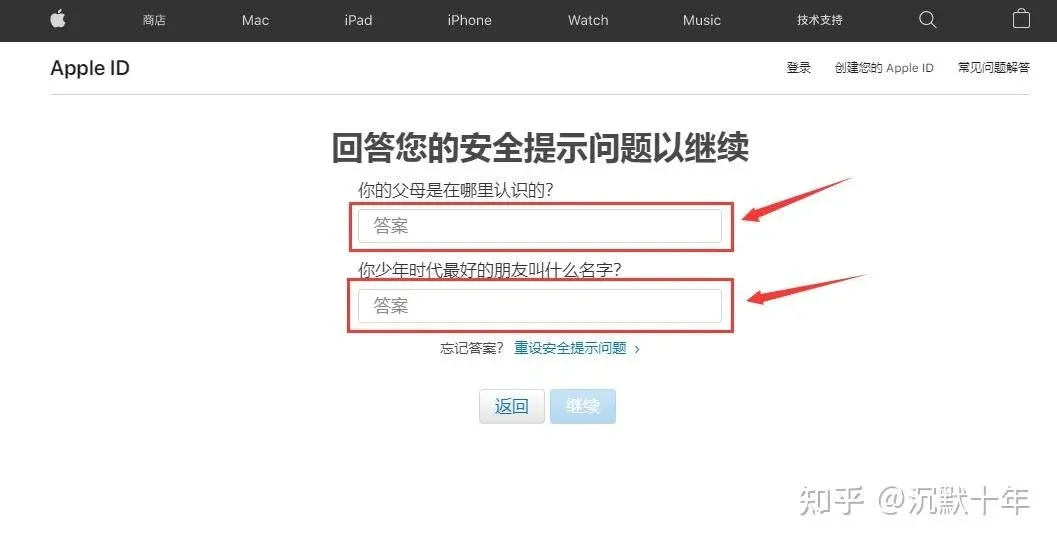
- Enter the domestic Apple ID you prepared earlier (it is recommended to use the newly created account) and complete the security‑question verification after logging in.
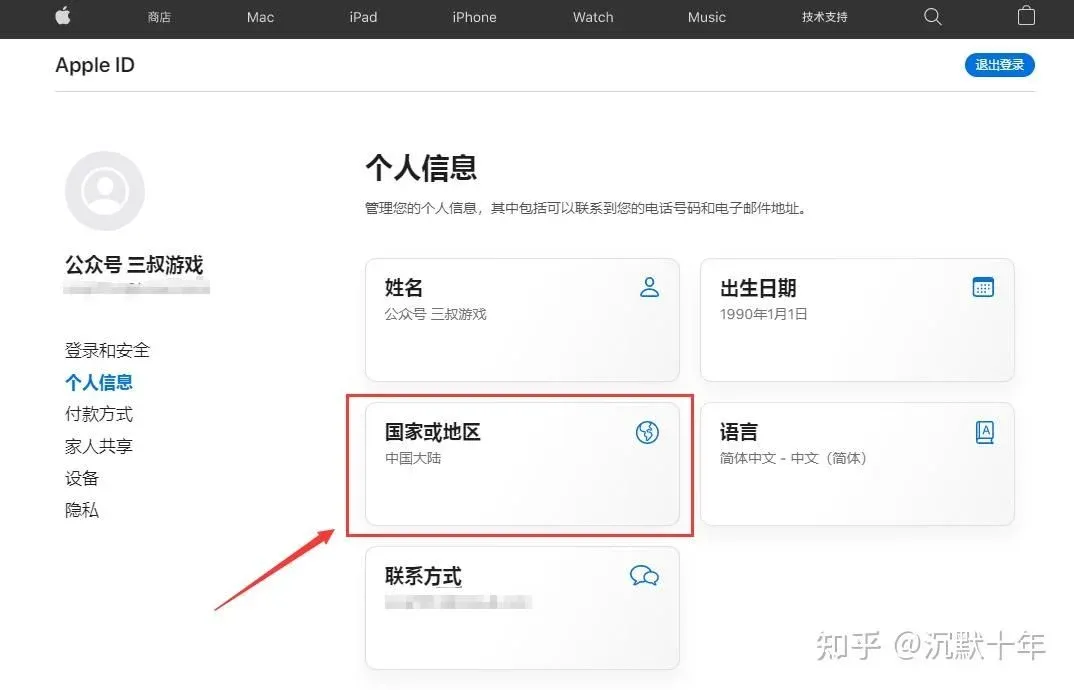
- Go to Personal Information and tap Country/Region.
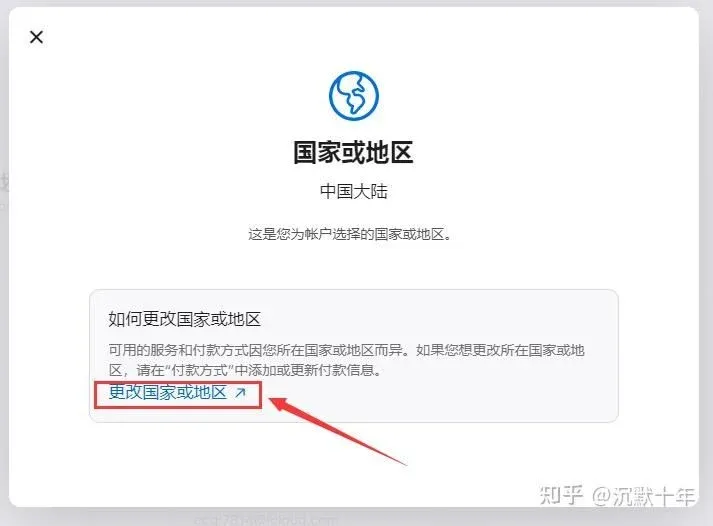
- Choose Change Country or Region, then set the region to Taiwan (or another region if you have a different requirement).
- For Payment Method select None. The billing‑address fields can be filled arbitrarily (e.g., all “aaaaaa”). Choose Alaska for the state/province, use 99622 as the ZIP code, and enter a phone number as prompted.
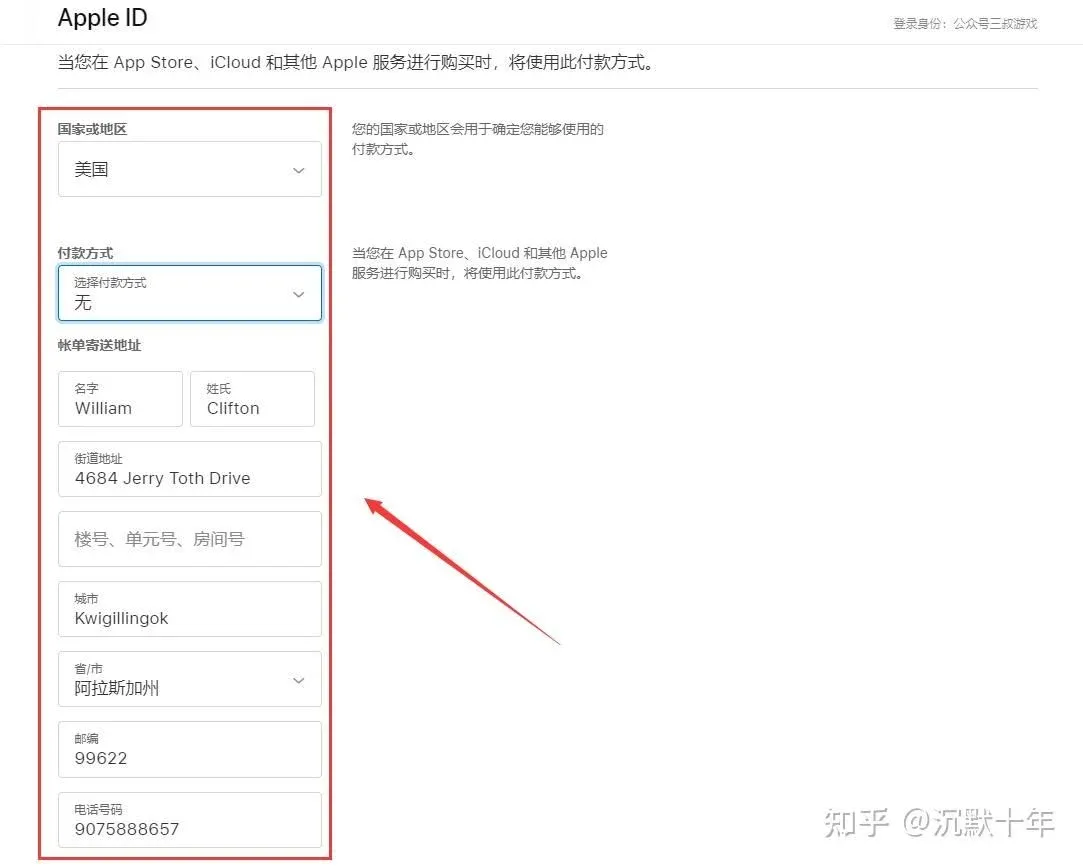
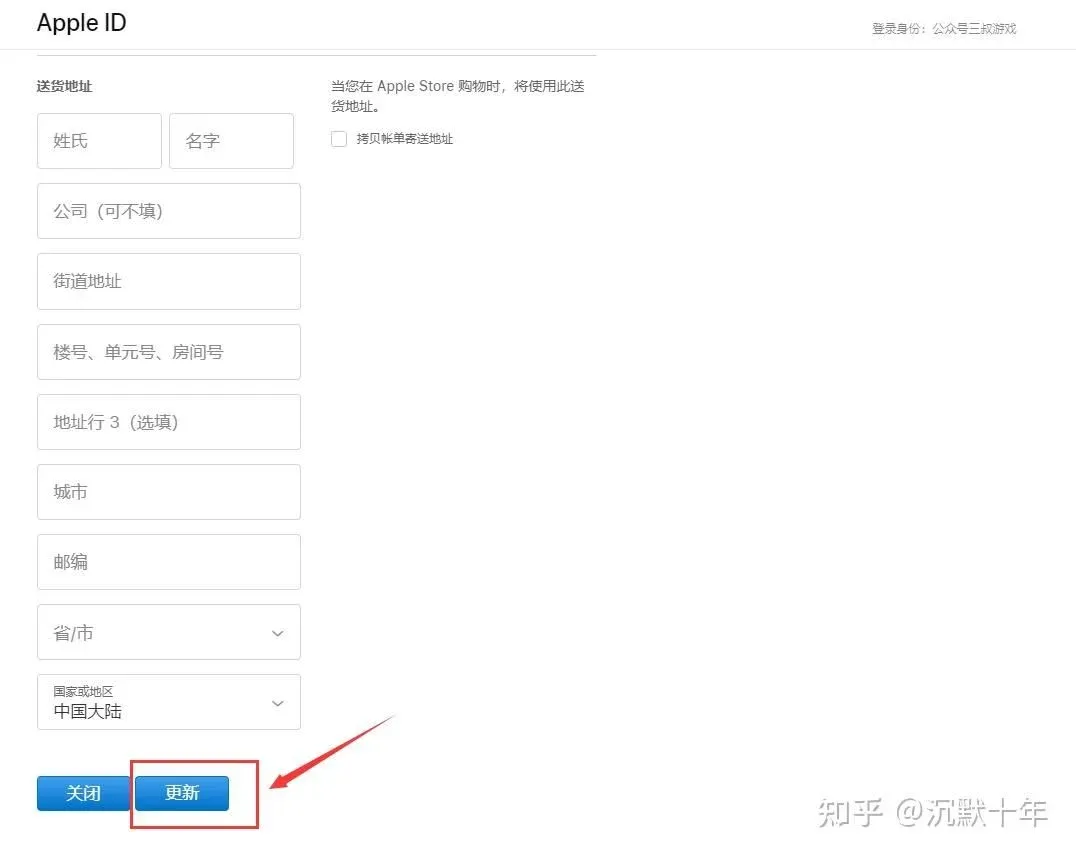
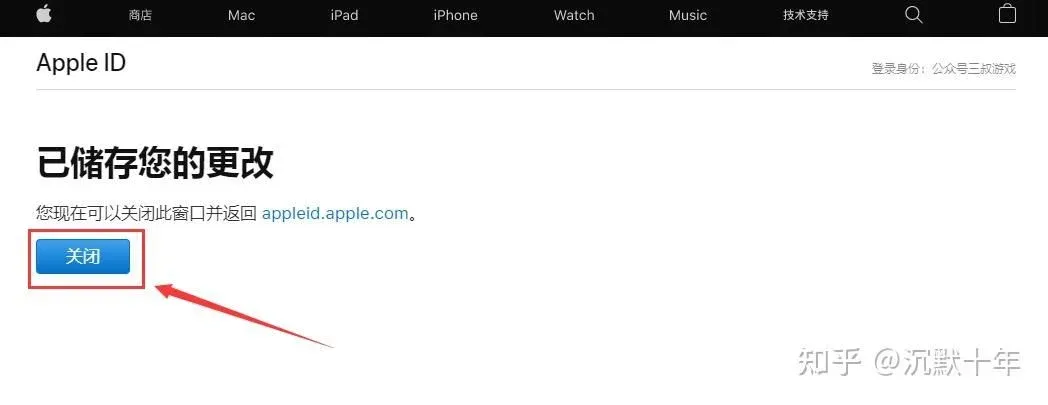
- After completing all fields, scroll to the bottom and tap Update. The system will display “Your changes have been saved.”
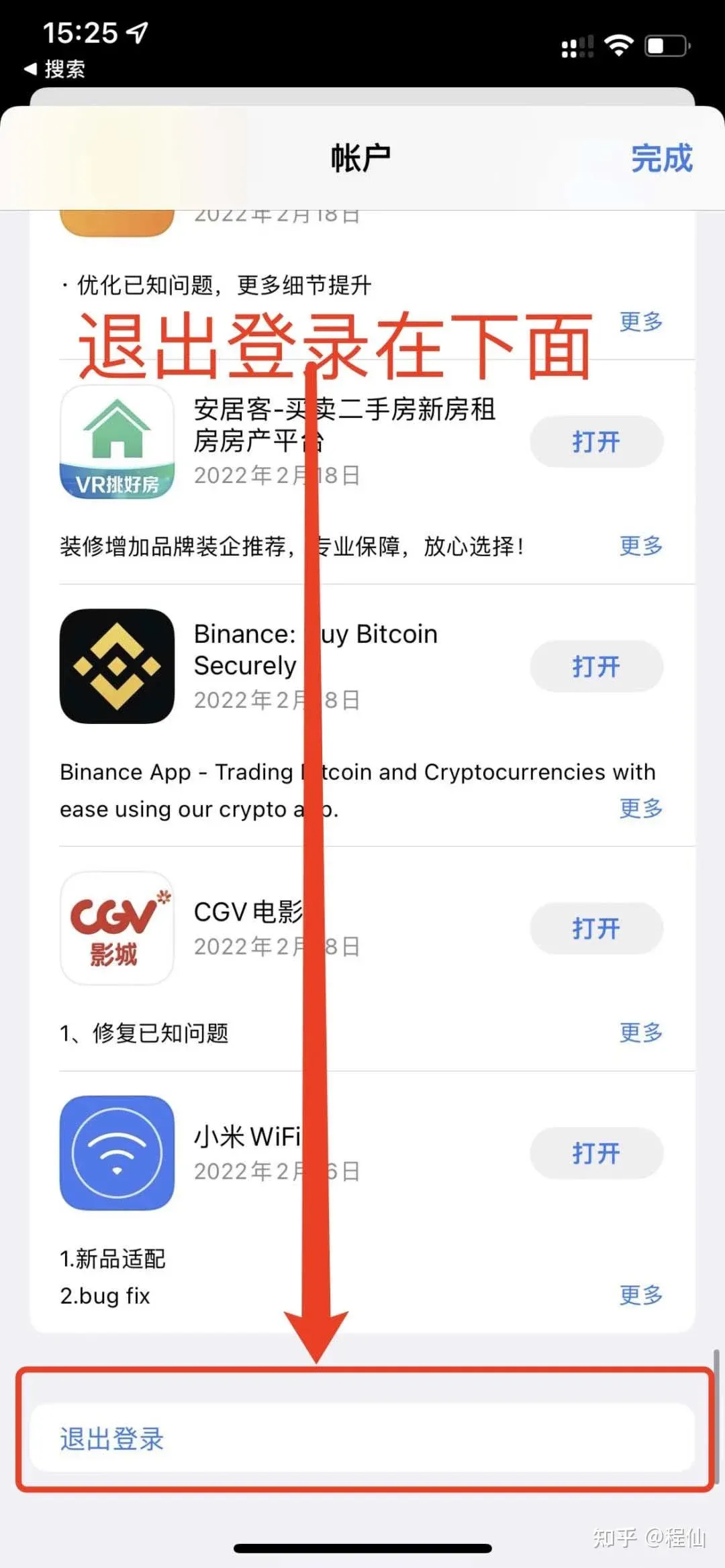
- Return to the App Store, sign out of the current account, and sign in with the newly created Taiwan Apple ID. Do not log in with iCloud, as doing so may trigger a ban.
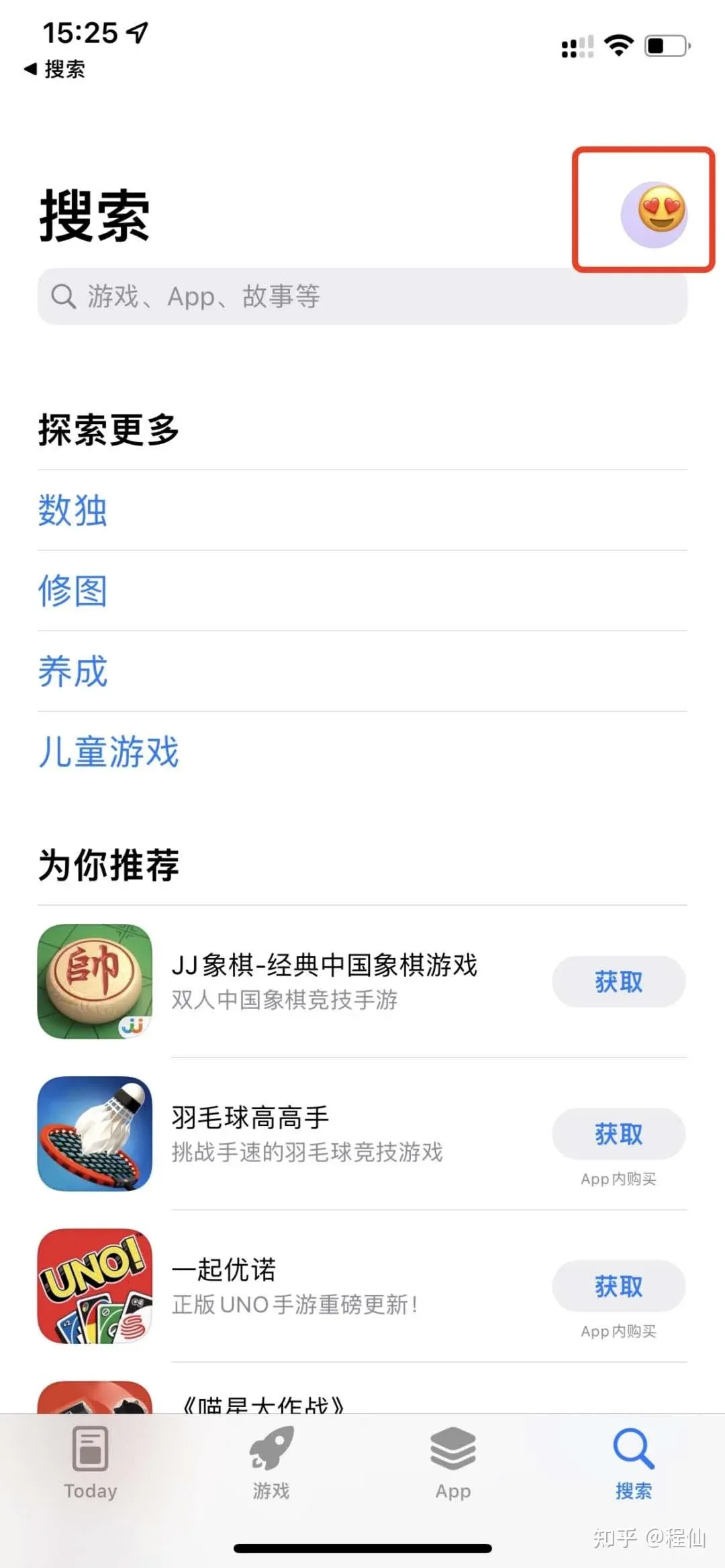
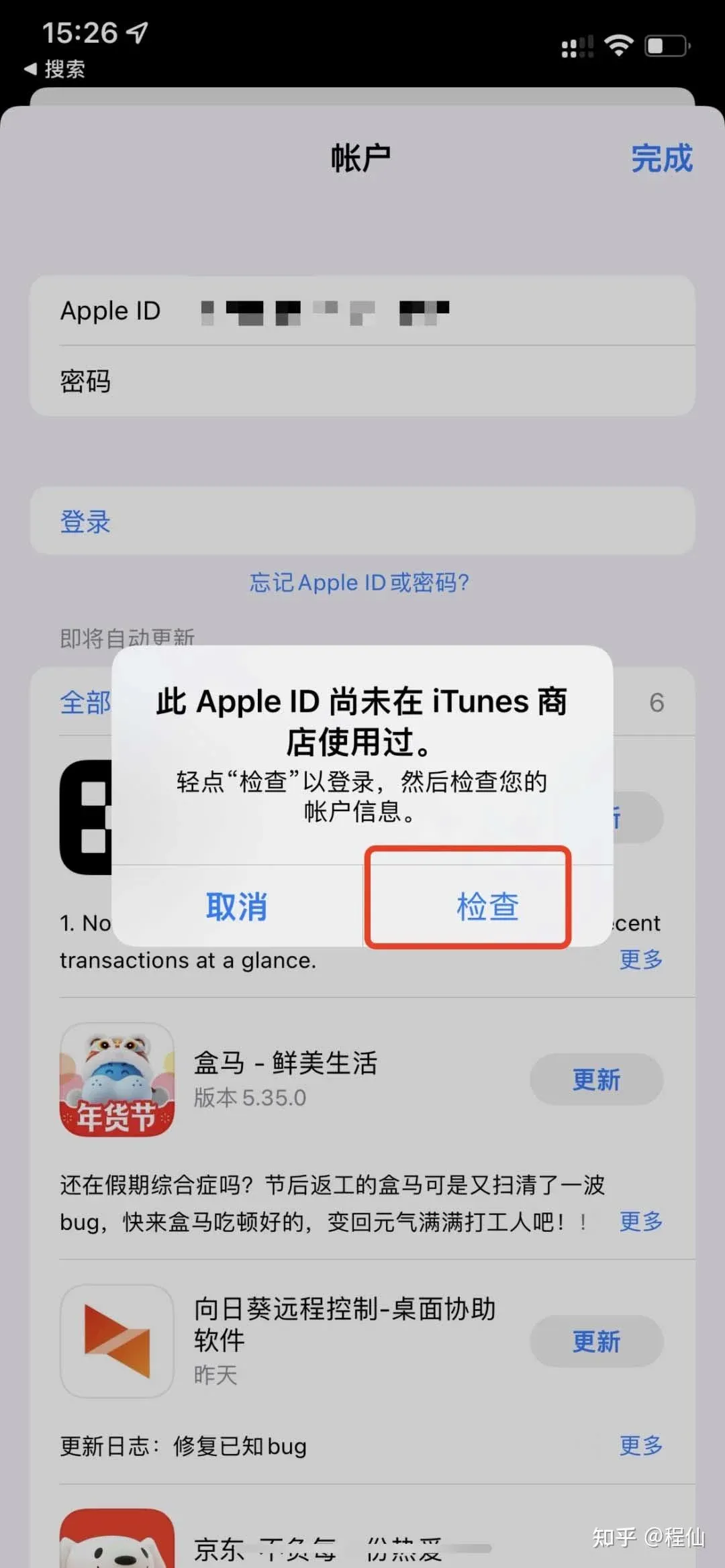
- After logging in, a First‑time verification prompt will appear—tap Check. If the prompt does not appear automatically, search for any free app to trigger it.
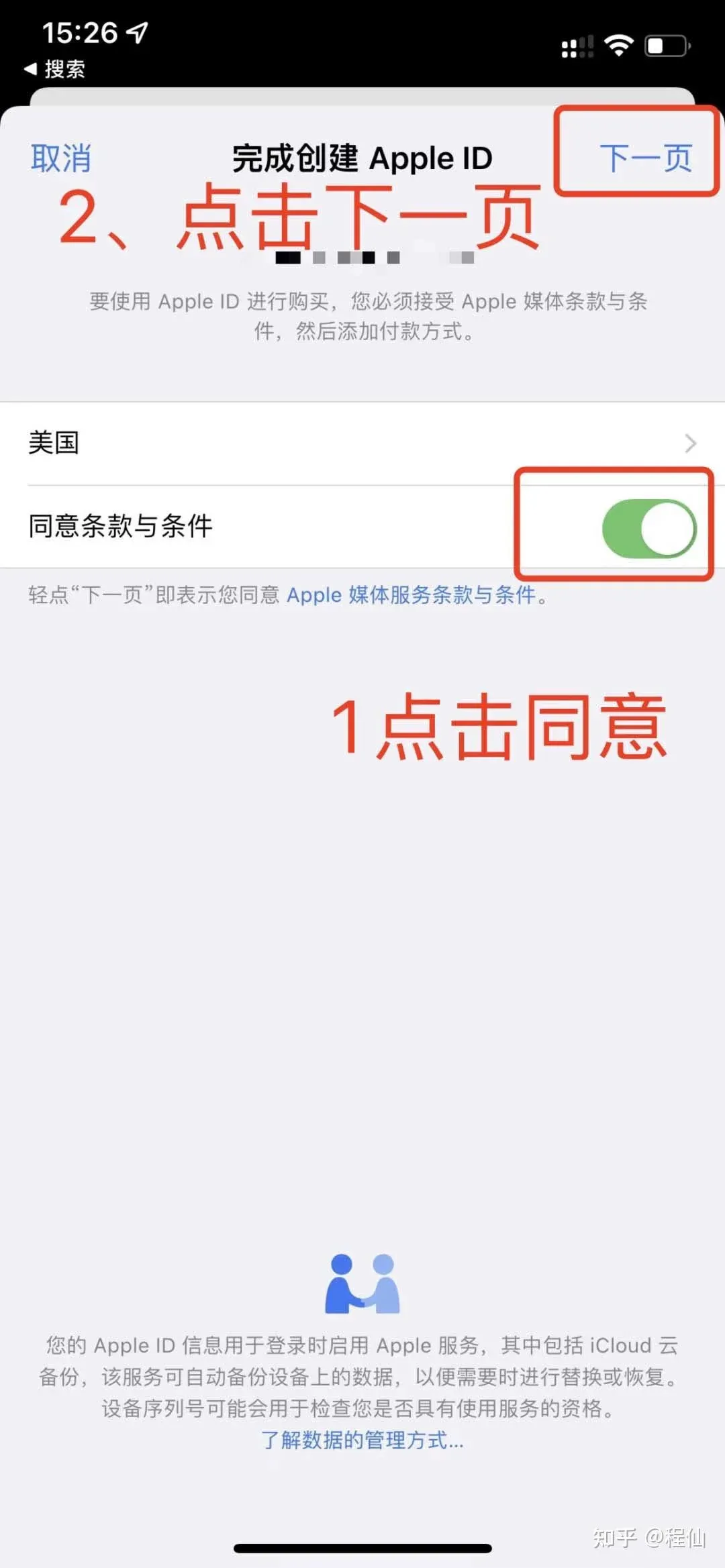
- Follow the on‑screen instructions: tap Agree, then Next, review the personal information, and finish the verification.
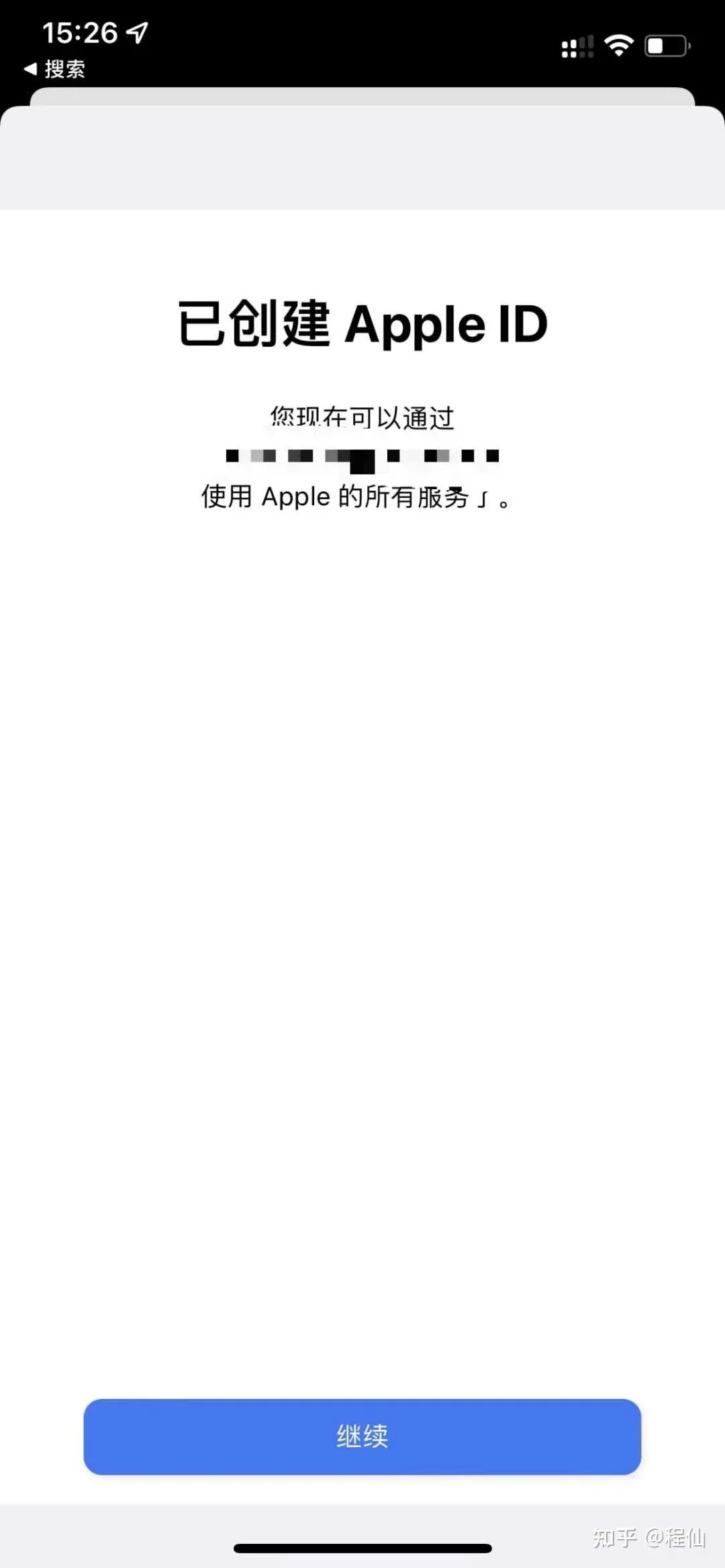
At this point the Taiwan Apple ID has been successfully created and can be used in the App Store to search for and download the OKX app.
OKX iOS Version Download Steps
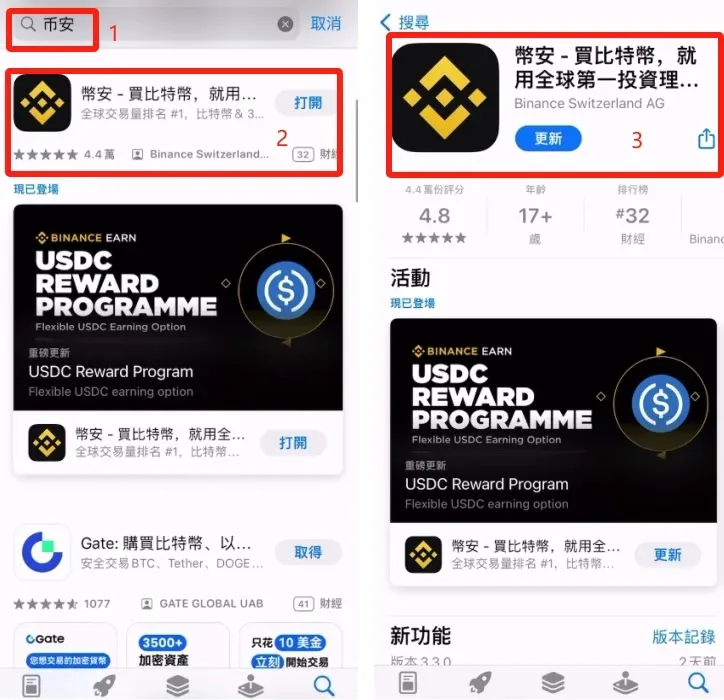
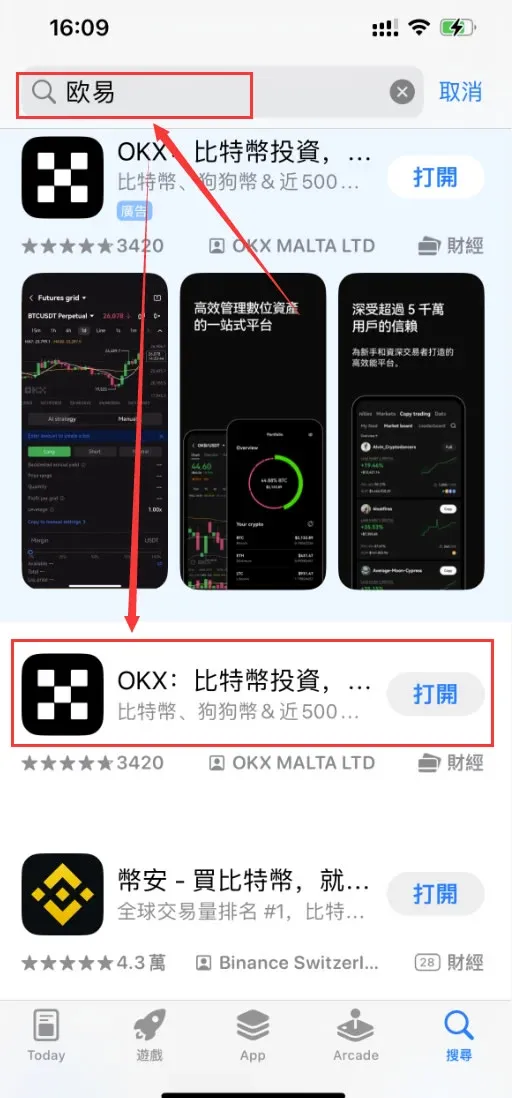
- Open the App Store on your iPhone and confirm you are signed in with the Taiwan Apple ID described above.
- Type OKX into the search bar; the official app should appear.
- Tap Get, then wait for the download and installation to finish.
Extended Tutorial
- Full OKX App Guide: A step‑by‑step walkthrough covering account registration, identity verification, and buying/selling crypto.
How to Identify the Official OKX App
| Item | Details |
|---|---|
| **Name** | OKX |
| **Developer** | OKX MALTA LTD |
| **Icon** | Black background with white “OKX” logo |
| **Official website** | <https://www.okx.com> |
Frequently Asked Questions (FAQ)
- Q1: I changed my region but still can’t find OKX.
A: Make sure you have signed out and signed back in with the new Apple ID. If necessary, restart the App Store.
- Q2: My overseas ID has no credit card linked. What should I do?
A: Choose the “None” payment option, or simply fill in the address information to complete registration.
- Q3: Is the OKX platform safe?
A: OKX is a globally compliant exchange that conducts 1:1 reserve audits, providing a level of asset security.
This article provides only technical instructions; users assume all risks associated with the process. If you encounter other issues during registration, you may consider using a dedicated (non‑shared) account or purchasing an account, but you must still follow the login precautions outlined above.
We hope this guide helps you successfully download and use the OKX app on your iPhone. Enjoy your trading experience!
*Note: Cryptocurrency gains may be taxable in your jurisdiction. Consult a local tax professional for guidance.*
Related Reading
- BitoPro Account Opening Guide: Registration, Verification, Fees & Tips
- 2026 Top Crypto Exchanges: Binance, OKX, Bitget, Bybit, Gate
- OKX vs Binance: Beginner Guide to Register, Fund & Trade
💡 Register on Binance with referral code B2345 for the maximum trading fee discount. See Binance complete guide.



