Bitaigen Research
 OKX (formerly known as OKEx) on‑chain deposit and withdrawal operations are performed through the Assets management page on either the mobile app or the web portal. After selecting the appropriate cryptocurrency, network, address, and amount, you confirm the transaction to complete the process.

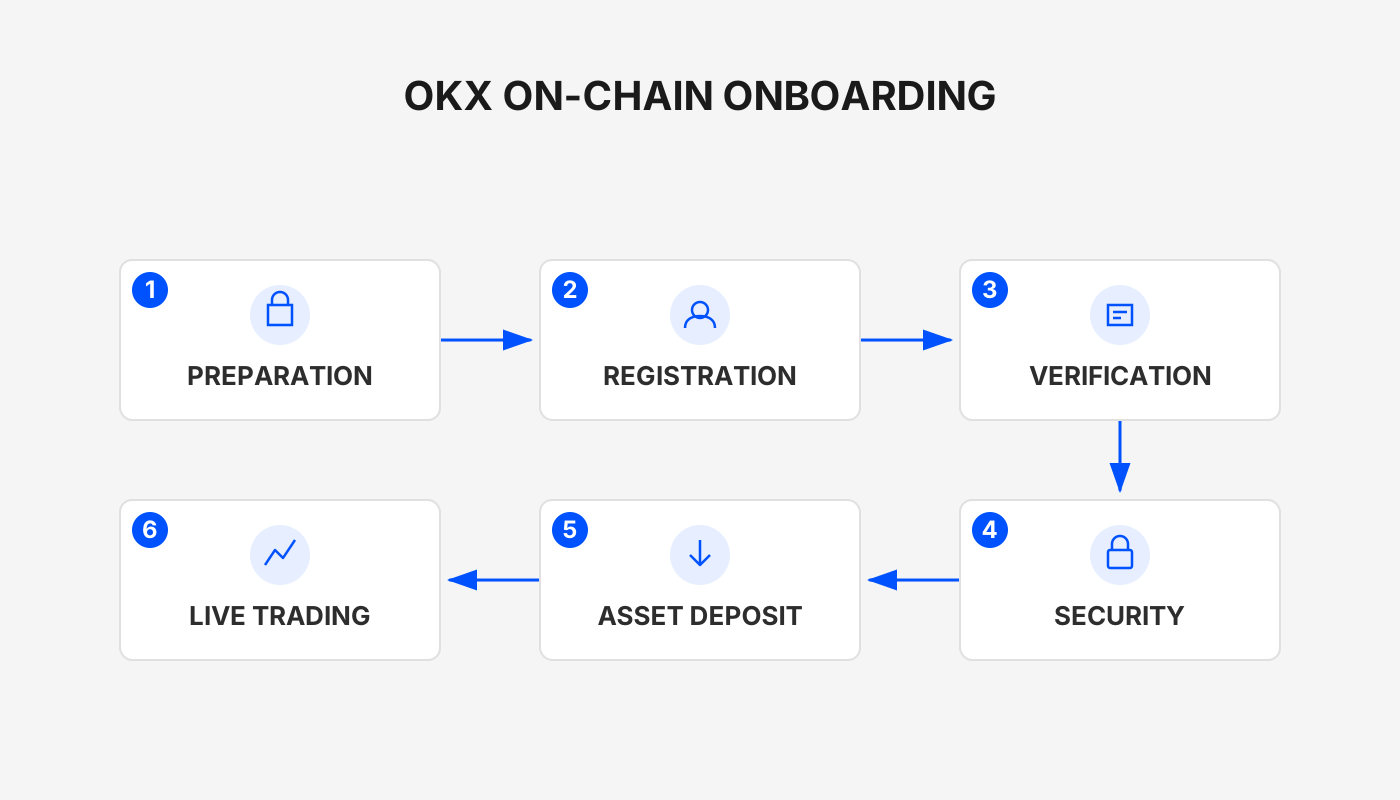
In this article we systematically walk through the full on‑chain deposit and withdrawal procedures for OKX on both mobile and web platforms. The guide covers entry points in the assets page, network and address selection, security tips, the official referral code, and the latest download links. Clear step‑by‑step instructions help beginners get started quickly. Later sections also explain fee calculations and on‑chain confirmation times, so a thorough read is recommended.
Official OKX Links
- Referral code: `B2345`
- Official website: OKX Global Site
- App download: OKX App Download – note that U.S. users should use Binance.US (or a comparable U.S.‑compliant platform) instead of the global Binance link.
- 2026 OKX account‑opening guide: account‑opening time, security measures, full deposit/withdrawal workflow
On‑Chain Withdrawal
On‑chain withdrawal means moving digital assets from your OKX account to an external wallet or another exchange. The steps are:
- Open the Assets page and tap Withdraw.
- Choose the cryptocurrency you wish to withdraw and confirm the withdrawal network (e.g., BTC‑Bitcoin, USDT‑TRC20) from the dropdown.
- Enter the withdrawal address, amount, and network fee.
- If the address has not been marked as a “verified address,” the system will prompt a second verification step (email or SMS code).
Note: The withdrawal network must match the deposit network of the destination wallet or exchange; otherwise the funds may be lost.
Each coin has a minimum withdrawal amount; requests below that threshold cannot be submitted. Daily withdrawal limits depend on your KYC tier, and on‑chain withdrawals share the same limit as internal transfers. The on‑chain withdrawal fee is paid directly to blockchain miners; OKX does not charge an extra platform fee. Higher fees generally result in faster confirmations.
Some assets (e.g., XRP) require a Tag/Memo when generating the withdrawal address; you must fill it in, or the funds will never arrive.
Withdrawal Status
| Status | Description |
|---|---|
| Pending withdrawal | Request submitted and queued for processing. |
| Manual review | Large or suspicious requests may require phone‑support confirmation. |
| Withdrawing | The system has started sending the transaction; you cannot intervene. |
| Withdrawal successful | Funds are on‑chain; you can view the transaction on a block explorer (PC: **Assets → Withdraw → All Records → View**). |
If Funds Do Not Arrive
- If the blockchain shows the transaction as unconfirmed, wait until it is fully confirmed.
- If the blockchain shows the transaction as confirmed but the receiving account shows no balance, contact the receiving platform’s support.
If no transaction hash (TxID) appears after 1 hour, provide a screenshot of the withdrawal record and contact live‑chat support.
Key Precautions
- Currency match: Verify that the withdrawal token and contract address correspond to the destination platform.
- Network match: USDT exists on several chains (ERC20, TRC20, etc.); always select the same chain as the destination.
- Miner fee: Paid to the network, not to OKX.
- Minimum amount: Each withdrawal has a minimum; the page will display the exact figure.
On‑Chain Deposit (Funding) Procedure – Mobile App
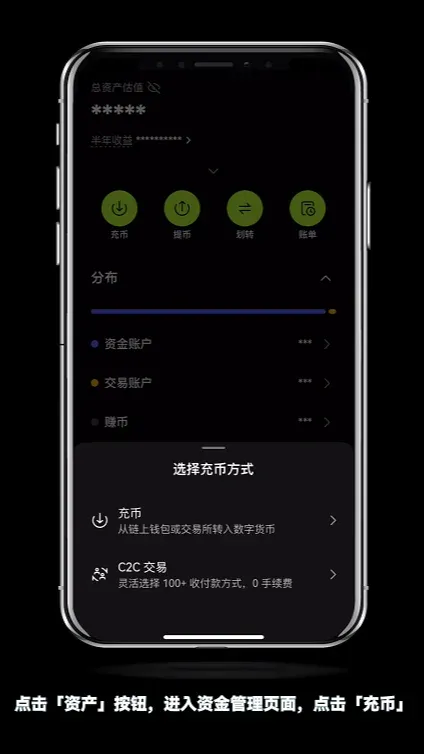
- Open the OKX App (link) and tap Assets → Deposit.
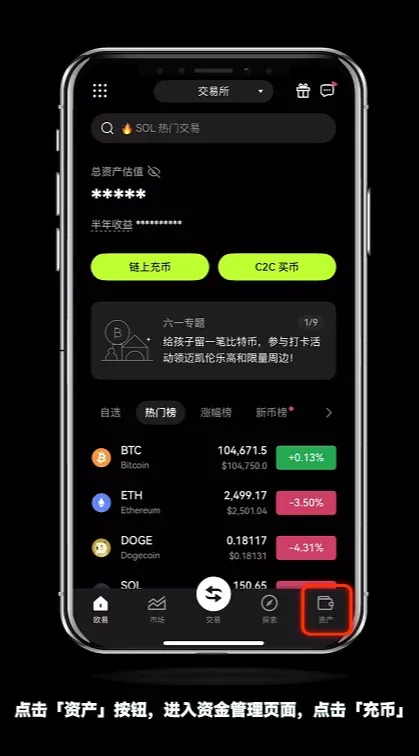
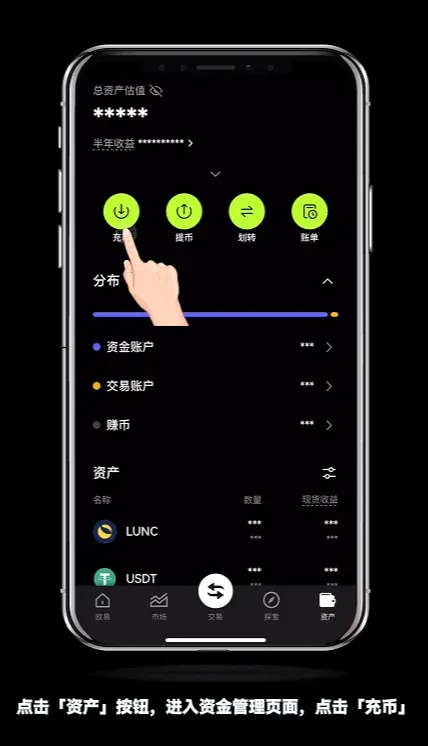
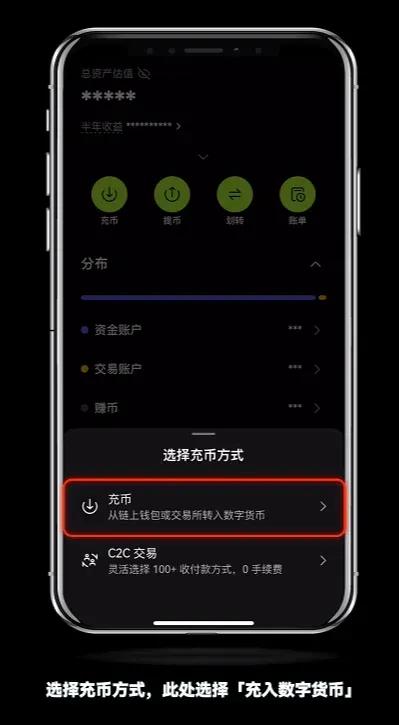
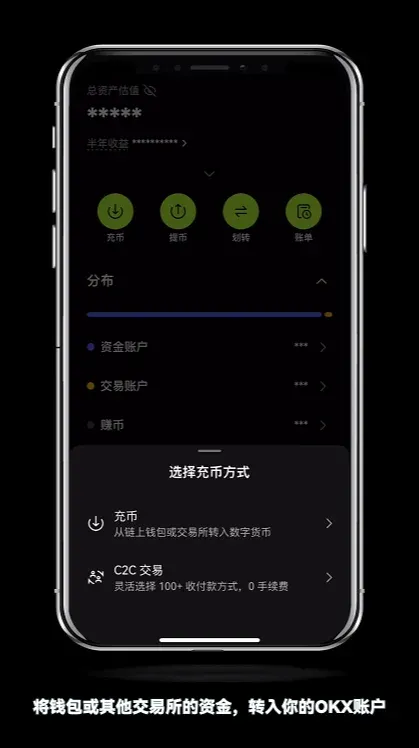
- Choose Deposit Digital Currency.
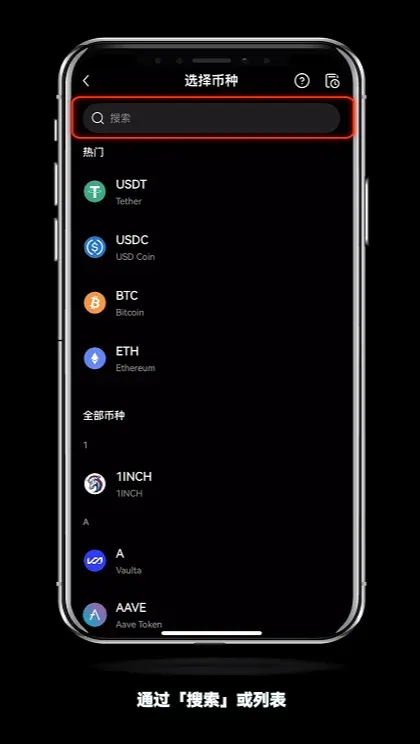
- Search for or scroll to the desired cryptocurrency and open its deposit page.
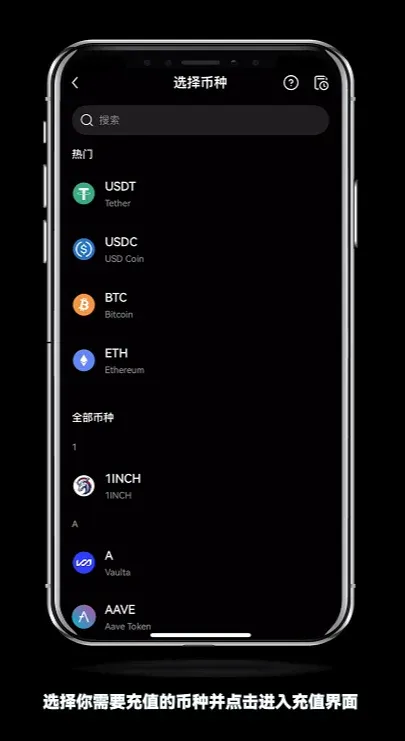
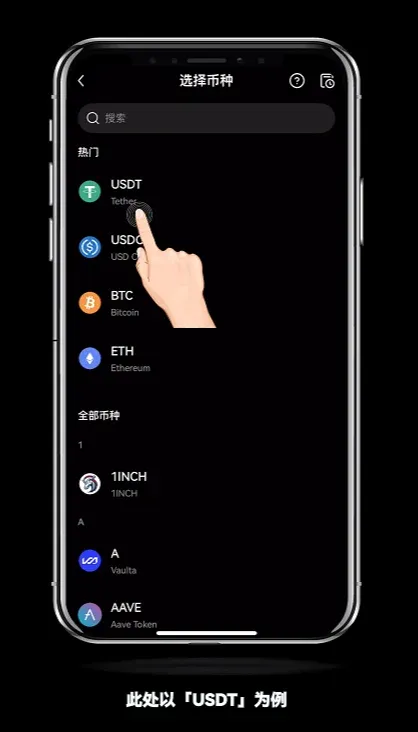
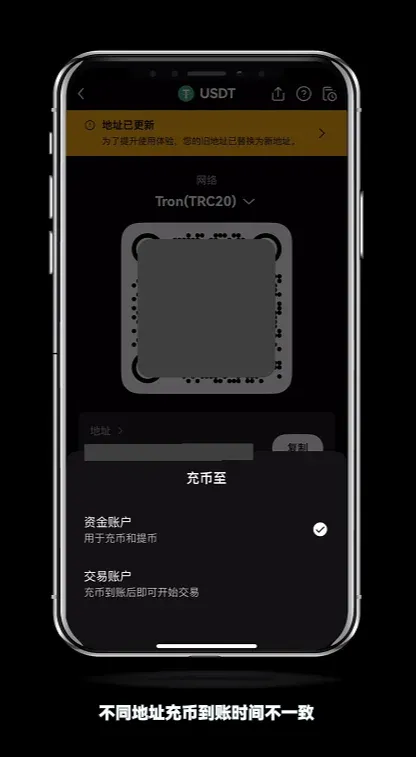
- Using USDT as an example, tap the relevant network (e.g., USDT‑TRC20) to reveal the deposit address.
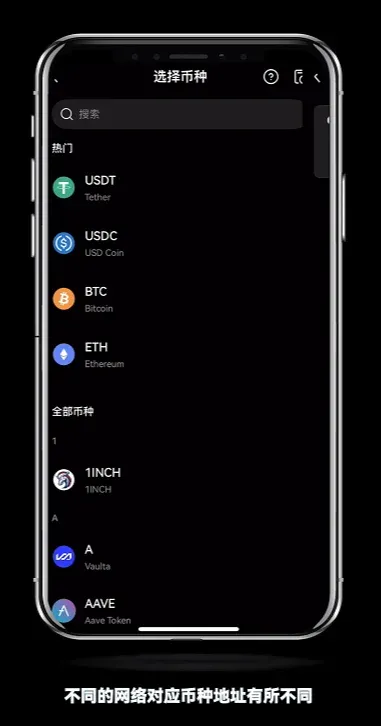
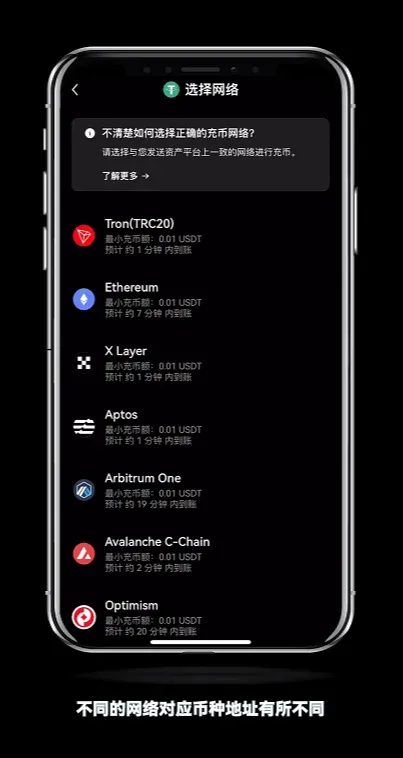
- Network selection: Ensure the network you pick matches the one used on the external platform for sending funds.
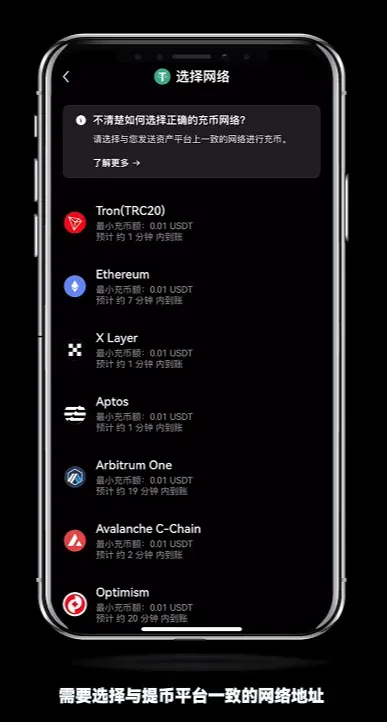
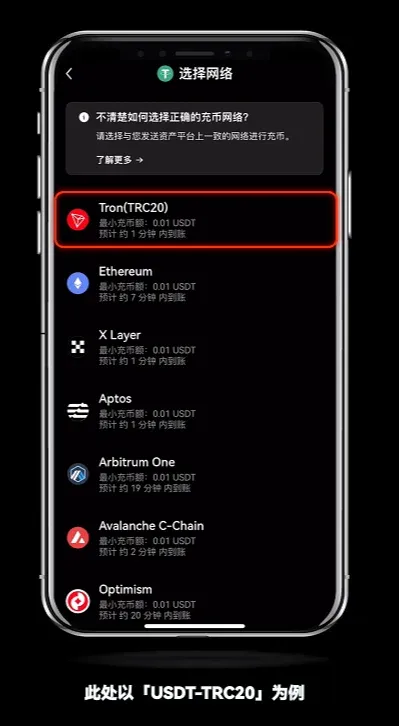
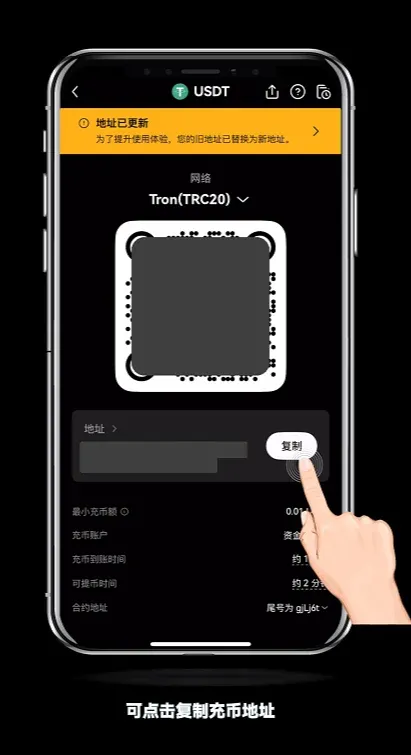
- After copying the address, go to your external wallet or exchange, paste it into the withdrawal screen, enter your password, and confirm the transfer.
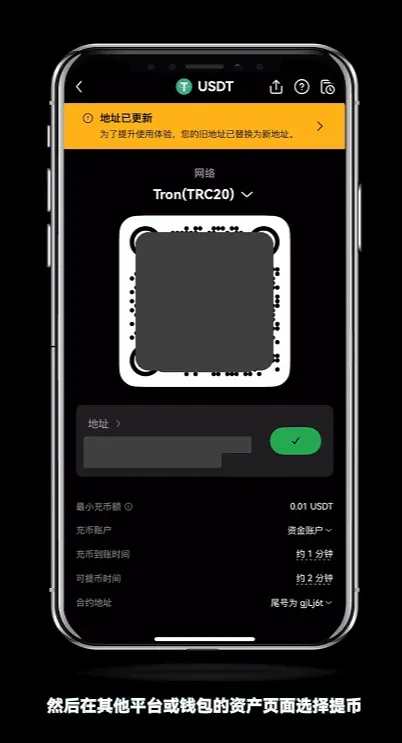
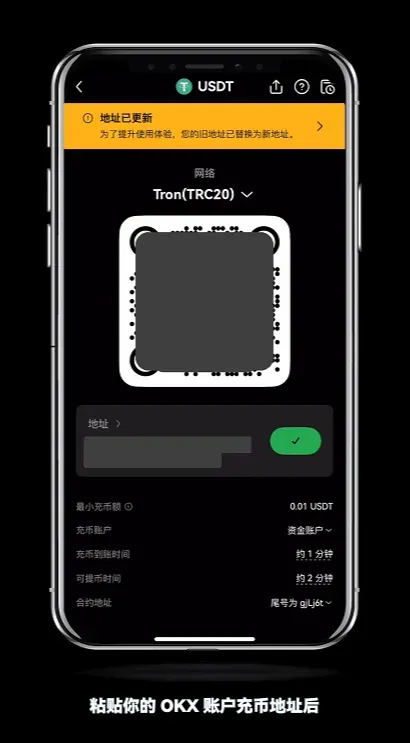
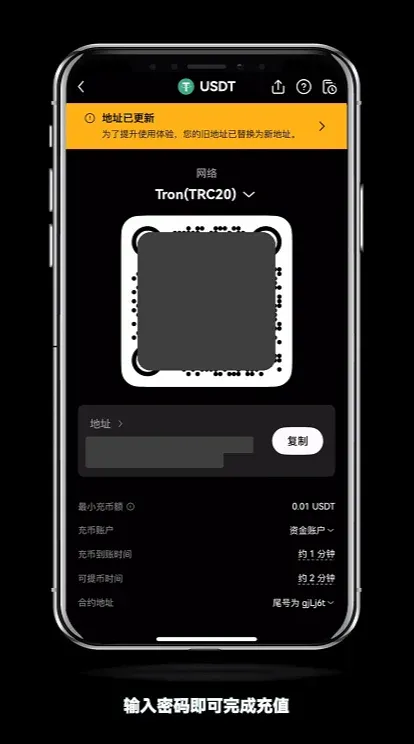
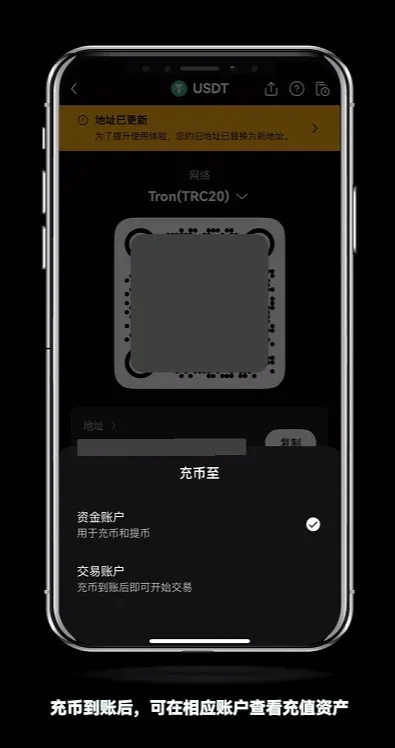
- After the deposit, you can select either the Funding Account (used for future deposits/withdrawals) or the Trading Account (to start trading immediately).
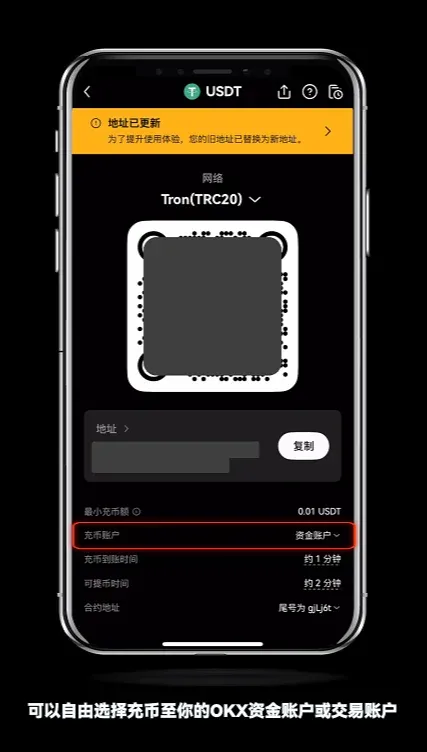
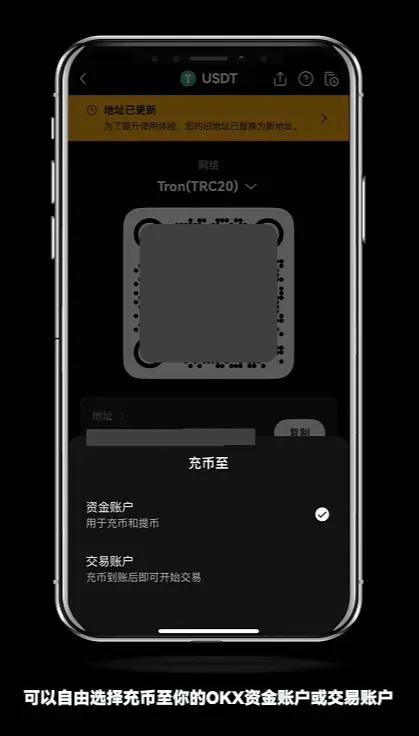
- Different networks have different settlement times; once the transaction is confirmed you can view the assets in the appropriate account.
On‑Chain Withdrawal Procedure – Web Portal
Using USDT as an example, we demonstrate two common withdrawal methods.
1. On‑Chain Withdrawal
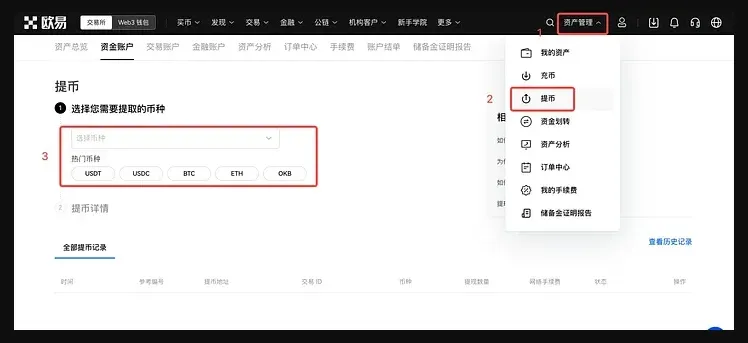
- Log in to the official website, navigate to Assets → Withdraw, and select USDT.
- Choose On‑chain Withdrawal, then pick USDT‑TRC20 from the network list and click Next.
- Enter the USDT address, withdrawal amount, and confirm. After completing the captcha or SMS code, submit the request.
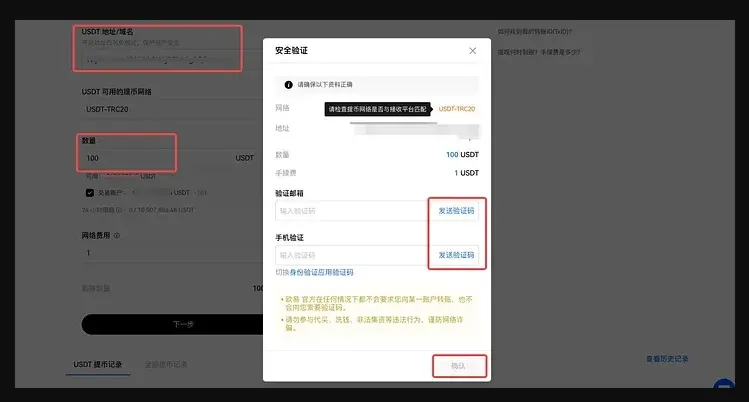
Note: The withdrawal network must be identical to the destination wallet’s deposit network; otherwise the assets will be irretrievably lost.
2. Internal Transfer (Within OKX)
- Still under Assets → Withdraw, select Internal Transfer.
- Input the recipient’s OKX account and the amount, complete the captcha/SMS verification, and submit.
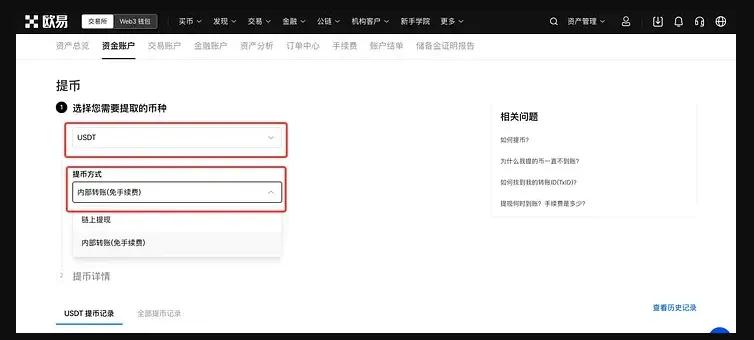
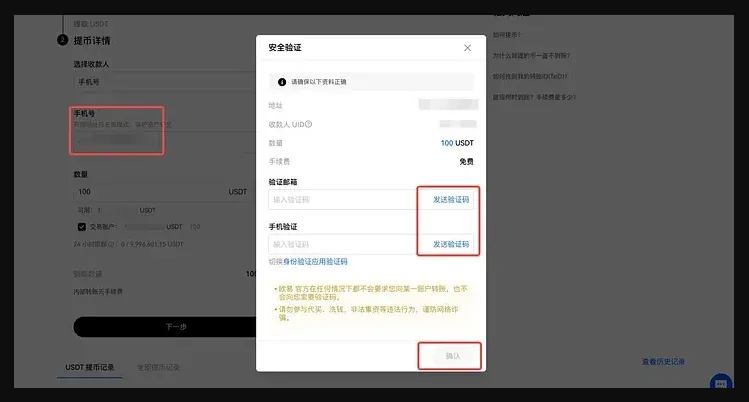
Certain assets (e.g., XRP) still require a Tag/Memo; omission will prevent the funds from arriving.
Fee Overview
Deposit Fees
- Deposits are free; any network fee is paid by the sender on the originating chain.
- If the deposited amount is below the minimum displayed on the page, the transaction may fail to credit. Some tokens can be recovered by contacting support, usually for a small fee.
Withdrawal Fees
- A network miner fee (Gas Fee) is charged at the time of withdrawal and is sent directly to blockchain miners.
- Fees fluctuate in real time; the platform automatically calculates and displays the net amount you will receive:
Net amount = Withdrawal amount – Miner fee
- Users can tap Adjust Received Amount on the withdrawal screen; the system will automatically increase the gross amount to meet the desired net.
*Example:* To receive 4 USDT after a 1 USDT fee, set the withdrawal amount to 5 USDT.
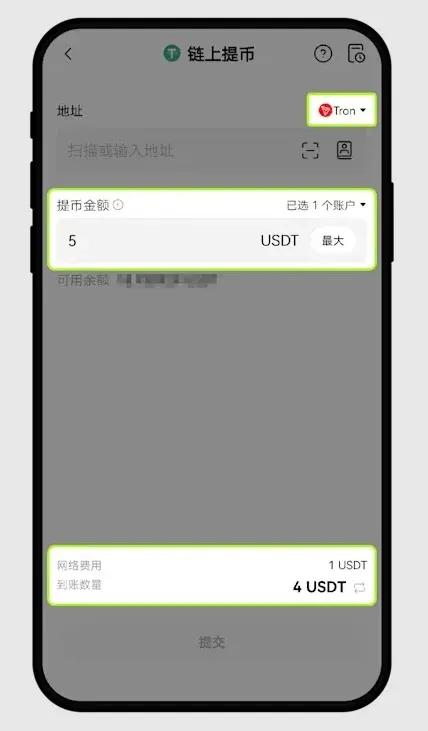
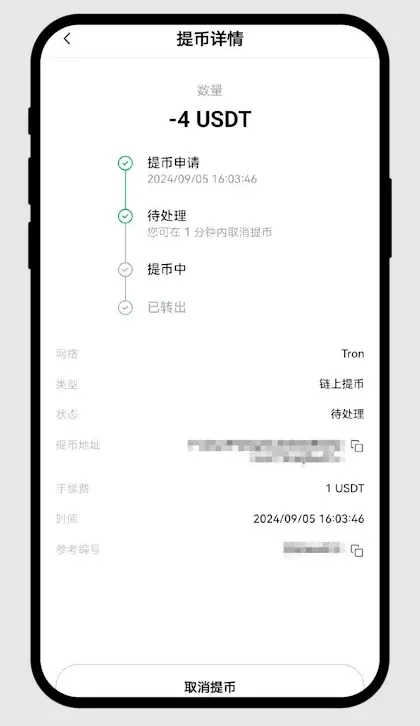
- Selecting a higher fee generally results in faster miner inclusion; if you need the funds urgently, consider raising the fee.
OKX App Download & Registration Guide
Account Registration
- Referral code: `B2345` (OKX) / `B23459` (OKX Wallet)
- International website (requires VPN): https://www.okx.com/
- China‑specific website (no VPN needed): Access here
- App download: Download here
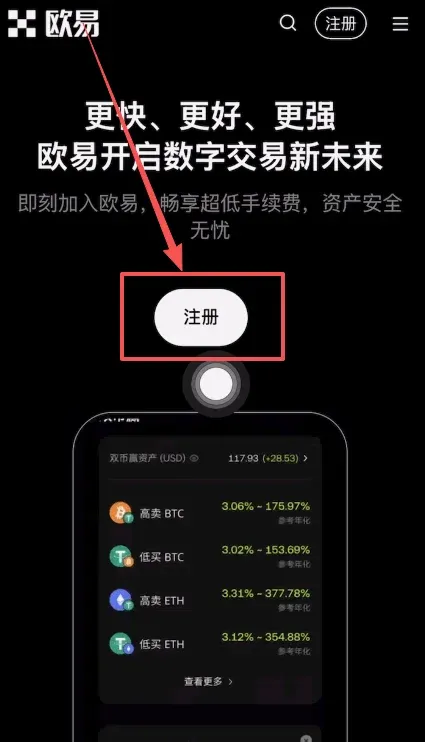
- After opening the link, tap Register, select Country/Region → China, agree to the terms, and continue.