
 Bitaigen Research
 Solana has several commonly used blockchain explorers, including the official Explorer, Solscan, Solana Beach, Step, and Ape Board, among others.
The Solana public chain functions similarly to Ethereum: it can host decentralized applications (DApps) and also supports smart‑contract‑based transaction settlement. Its ecosystem spans DeFi, censorship‑resistant media, NFTs, oracles, and many other use‑cases. The native token SOL is used to pay network fees. Understanding how to use blockchain explorers helps you look up blocks, transactions, account balances, and other on‑chain data. Below is a systematic overview of the most frequently used Solana explorers and related tools.
From the perspective of the Bitaigen editorial team, we have methodically compiled the most common blockchain explorers in the Solana ecosystem, comparing the official Explorer, Solscan, Solana Beach, and other platforms. This guide helps readers quickly locate on‑chain information such as transactions, contracts, and NFTs. If you want to know the best entry points, keep reading.
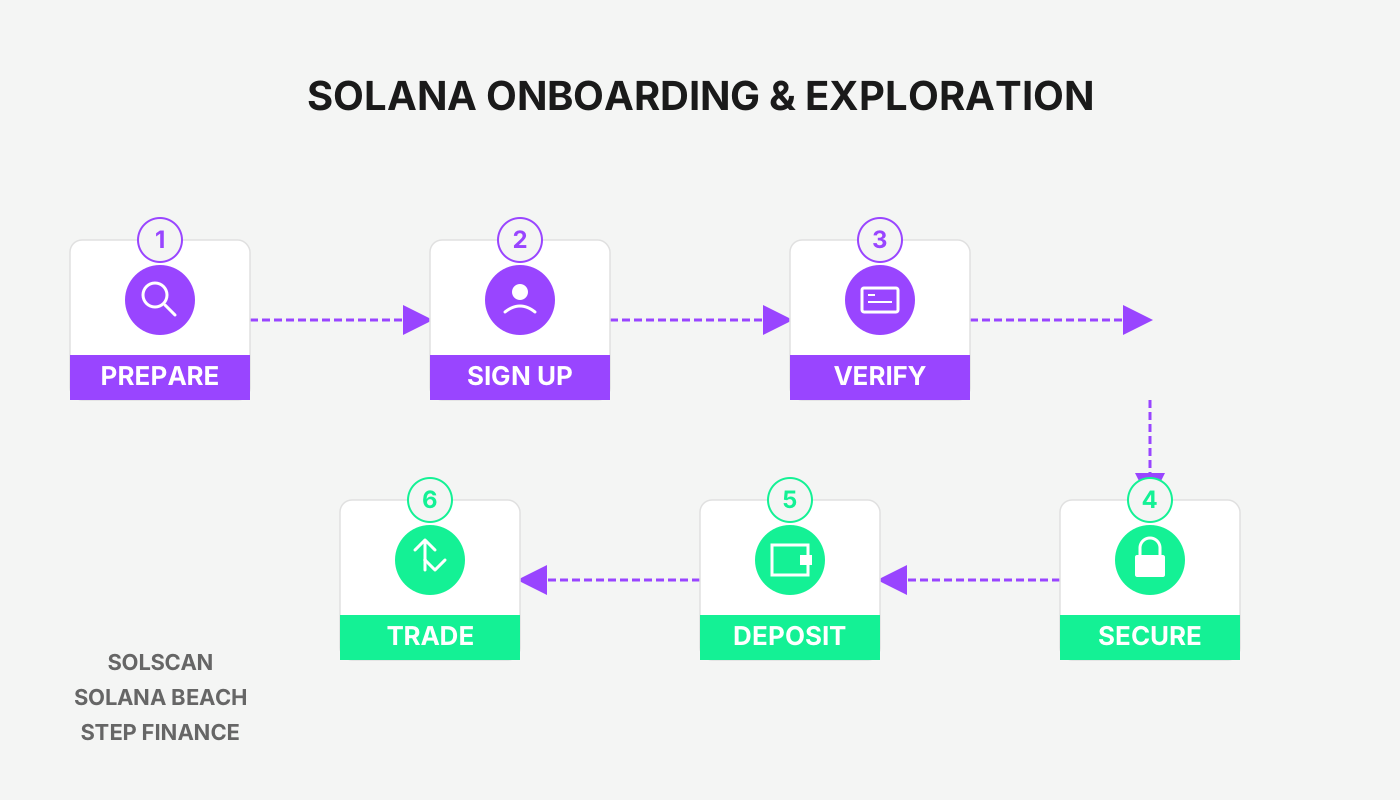
Overview of Common Solana Blockchain Explorers
1. Official Explorer
- Features: Displays real‑time TPS, block height, transaction count, and other key network metrics.
- Link: <https://explorer.solana.com/>
2. Solscan
- Highlights: User‑friendly interface, provides network analytics, project data (Raydium, Orca, Serum, Aldrin, Step) as well as NFT and token statistics.
- Link: <https://solscan.io/>
3. Solana Beach
- Advantages: Shows live network status, validator node details, and an overview of on‑chain performance.
- Link: <https://solanabeach.io/>
4. Solana Project Aggregation Sites
| Site | Primary Content |
|---|---|
| **Solasystem** | <https://www.solasystem.io/> |
| **SolanaProject** | <https://solanaproject.com/#/> |
| **Solana Official Ecosystem Page** | <https://solana.com/ecosystem> |
| **DefiLlama** (Solana TVL) | <https://defillama.com/chain/Solana> |
5. Step Dashboard
- Purpose: After connecting a wallet, you can view staked LP tokens, lending positions, pending orders, transaction history, and NFT holdings.
- Link: <https://www.step.finance/>
6. Ape Board
- Features: Multi‑chain dashboard; no wallet connection required—simply search to see a summary of wallet assets.
- Link: <https://apeboard.finance/dashboard>
7. Sonar
- Function: Aggregates wallet asset information, covering staked LPs, lending positions, and pending orders.
- Link: <https://sonar.watch/>
8. Birdeye (K‑line Trading Data)
- Strengths: Provides real‑time trades, candlestick charts, holder distribution; supports monitoring newly listed tokens and ranking price volatility.
- Link: <https://birdeye.so/>
9. Hellomoon
- Core: Tracks on‑chain activity of tokens, programs, and important wallet addresses within the Solana ecosystem, consolidating DeFi and NFT data analysis.
- Link: <http://www.hellomoon.io>
10. Project Serum
- Focus: Dedicated to Serum ecosystem data, displaying TVL, trading volume, and project rankings.
Primary Uses of Blockchain Explorers
- Block and Transaction Lookup: Quickly locate a specific block height or transaction hash.
- Account Information: Show address balances, historical transaction records, and token holdings.
- On‑Chain Evidence: When a deposit appears delayed or missing, the explorer can verify the transaction’s on‑chain status.
Familiarity with the tools listed above enables users to monitor Solana network activity and their own assets more efficiently. For additional resources on Solana blockchain explorers, follow Bitaigen (比特根) and stay tuned for future articles.
Related Reading
- DeFi Smart Contract Upgradability: Benefits, Risks & Proxies
- What Are Smart Contracts? The Core of Web3, DeFi, NFTs & Gaming
- Earn Money in Web3 2026: NFTs, Play-to-Earn & DeFi
💡 Register on Binance with referral code B2345 for the maximum trading fee discount. See Binance complete guide.



