
 Bitaigen Research
 From the perspective of the Bitaigen editorial team, we systematically outline the steps and fee mechanisms for activating Huobi perpetual contracts. The article covers registration, real‑name verification, contract permission activation, and places special emphasis on core concepts such as position funding rates, helping newcomers get started quickly while avoiding common pitfalls. To learn about daily fee details and practical tips, keep reading.
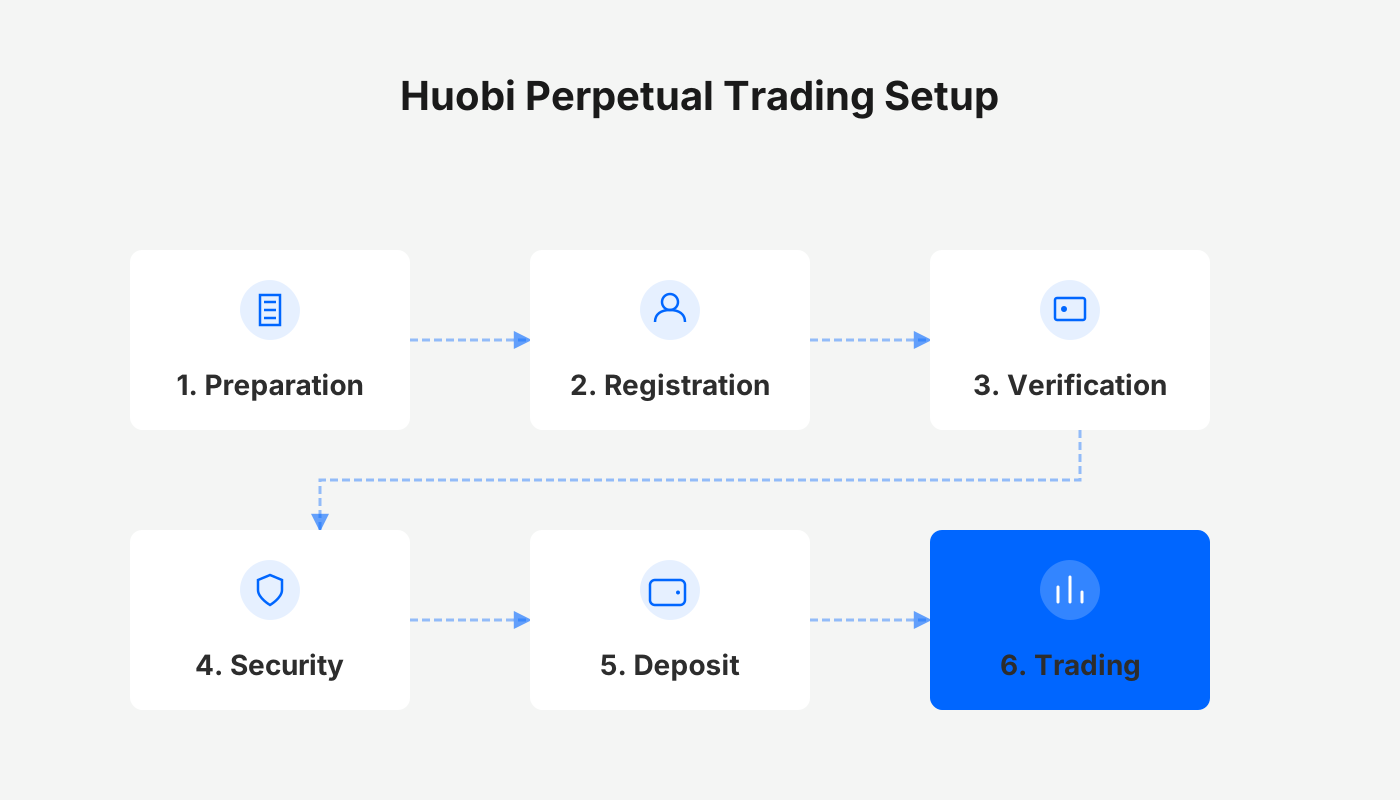
How to Trade Huobi Perpetual Contracts?
- Visit https://www.huobi.pe/ and locate “Coin‑Margined Perpetual” on the homepage, then click to enter the corresponding page.

- If a pop‑up appears stating “Contract trading not enabled,” select “Activate Perpetual Contracts” to start the activation process.
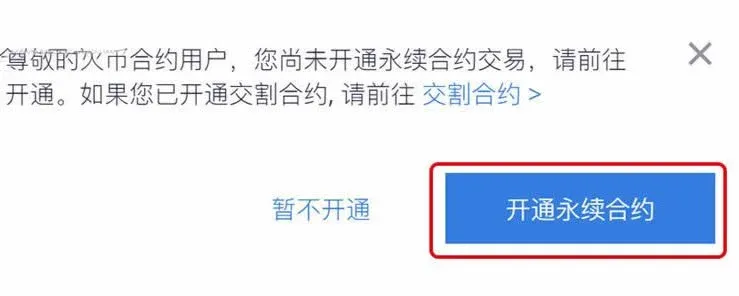
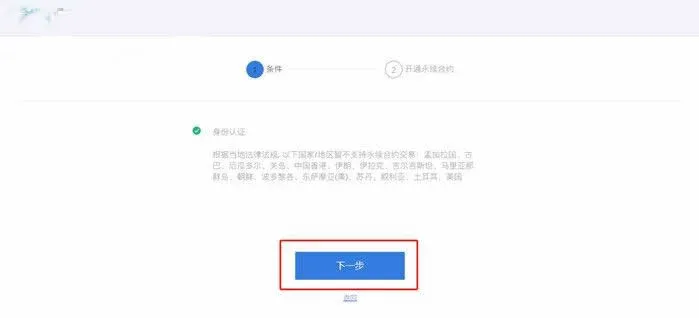
- On the activation page, if you have not completed identity verification, you must first finish real‑name authentication. After approval, click “Next”, review the user service agreement, check the acceptance box, and then click “Confirm and Activate” to grant perpetual‑contract permissions.
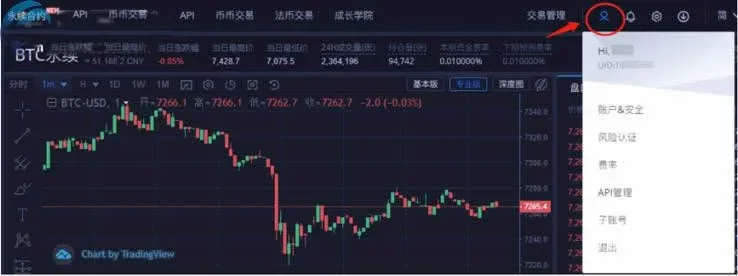
- Once activation succeeds, the upper‑right corner of the page will display your account UID, account & security settings, and fee rates for easy reference.
- Click “Transfer” (you can also choose “Contract Assets” from the top navigation bar and then click “Transfer”). If your account holds no digital assets yet, click “Buy” to go to the fiat‑to‑crypto trading section and purchase some.
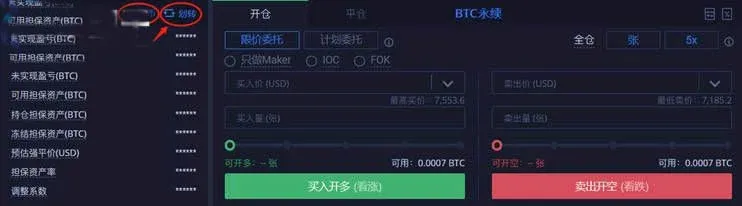
In the pop‑up transfer window, select “Spot Account → Perpetual Contract Account,” choose the cryptocurrency you wish to move, enter the amount, and confirm.
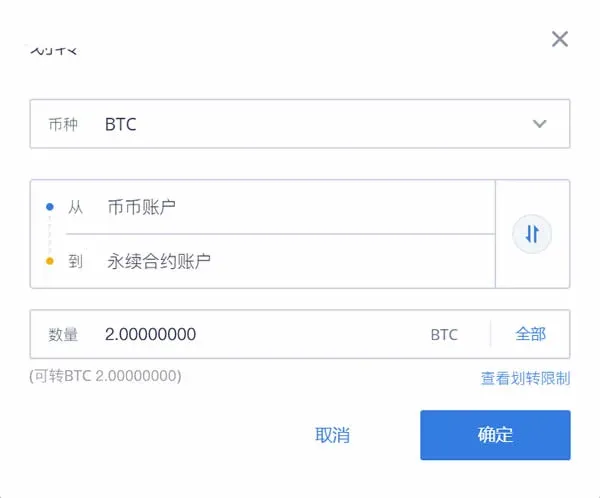
Note: Currently, transfers are only supported between the Spot account and the Perpetual Contract account.
- After the transfer, the top‑left corner of the trading page will show your Total Equity converted to BTC. You can now start buying or selling perpetual contracts (click the small eye icon in the top left to hide asset details).
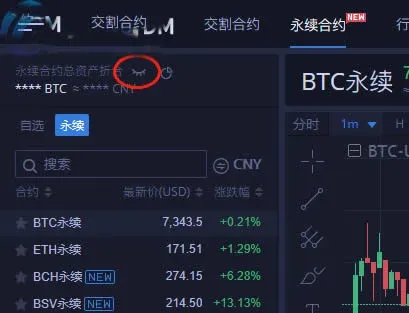
- From the list of symbols, select the contract you want to trade, for example BTC Perpetual Contract.
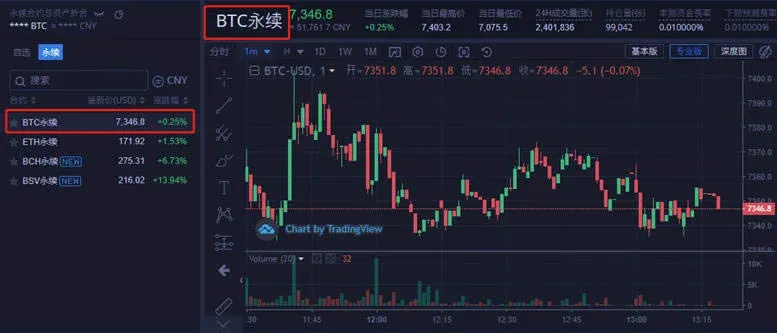
- Huobi supports up to 125× leverage on perpetual contracts. If you choose a leverage ratio higher than 20×, the system will ask you to read and accept the High‑Leverage Agreement, after which you can select a leverage level that matches your risk tolerance.
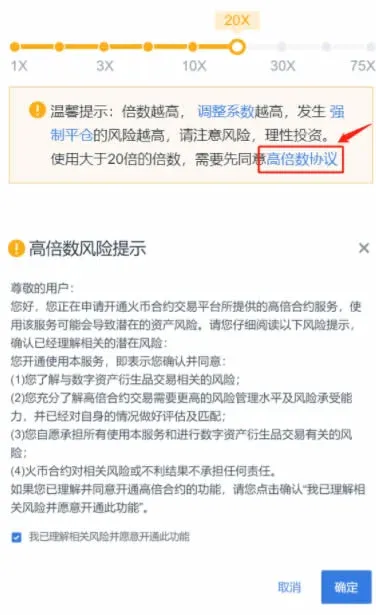
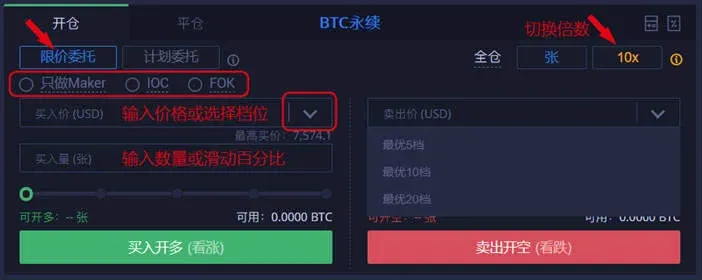
- After setting the leverage, you can open a position via “Limit Order” or “Trigger Order.” Click “Buy to Open Long” for bullish expectations or “Sell to Open Short” for bearish expectations.
- Limit Order: Manually input the target price and quantity, or use shortcuts such as “Opposite Price” or “Best of 5 Levels.” You only need to fill in the quantity to place the order. The system will prioritize matching when the market reaches your specified maximum buy price or minimum sell price. Three execution modes are available: “Post‑Only (Maker only),” “Fill‑Or‑Kill (FOK),” and “Immediate‑Or‑Cancel (IOC).” If none is selected, the order defaults to Good‑Till‑Cancelled (GTC).
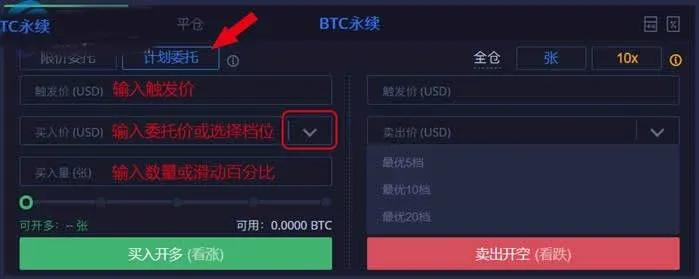
- Trigger Order: First set a trigger price, an order price, and a quantity. When the latest market price reaches the trigger price, the system automatically places a limit order at the predefined order price, executing with the same rules as a limit order.
- Once an order is filled, the completed position appears in the “Current Positions” section, while any unfilled portion shows under “Current Orders.” Orders can be cancelled at any time before they are matched.


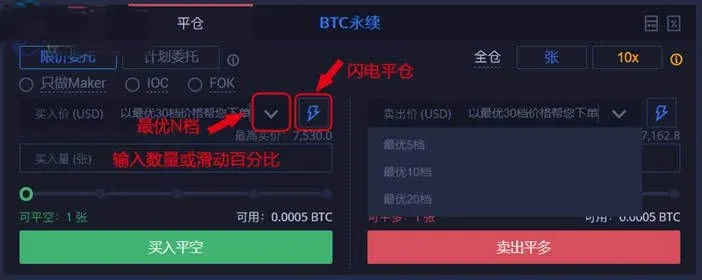
- When you need to close a position, you can again use a limit or trigger order. For long positions click “Sell to Close Long,” and for short positions click “Buy to Close Short.”
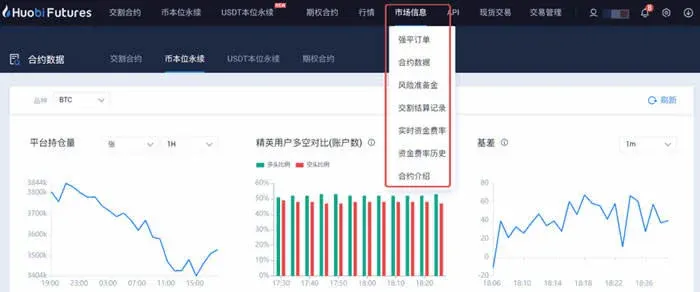
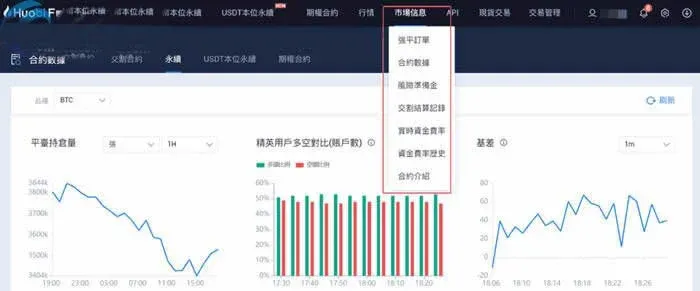
- Hover over “Contract Info” in the navigation bar to quickly view key data such as settlement records, risk reserve, and funding rates.
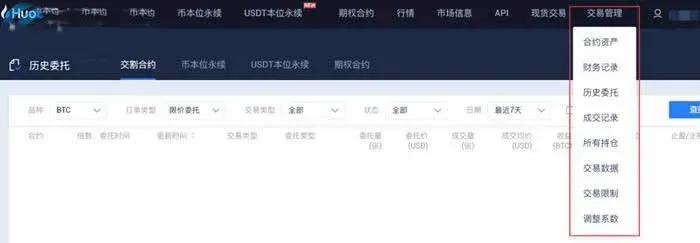
- Move the cursor to “Trade Management” at the top of the page to browse the full trading history, including financial records, order history, and execution logs.
Tip: In perpetual‑contract trading, using take‑profit and stop‑loss orders wisely is crucial. If a position incurs a large loss, consider closing it at a reasonable price rather than “locking” the order. Locking a losing position often signals acceptance of an erroneous trade; without sufficient technical support, unlocking later may lead to even greater losses.
---
How Much Does Huobi Charge Daily for Perpetual Contracts?
1. Trading Fees
Every buy or sell incurs a percentage fee, which is deducted directly from realized profit and loss. Whether opening or closing a position, fees are charged in the contract’s quote currency.
- Formula:
Fee = (Number of contract units × Contract face value ÷ Average execution price) × Fee rate
- Rates:
- Opening: maker 0.02 %; taker 0.04 %
- Closing: maker 0.02 %; taker 0.04 %
Example 1: BTC price = 5,000 USD. Open 200 contracts with a face value of 100 USD each (all filled at market price), then fully close at 6,000 USD.
- Opening fee = (200 × 100 ÷ 5,000) × 0.04 % = 0.0016 BTC
- Closing fee = (200 × 100 ÷ 6,000) × 0.02 % = 0.000667 BTC
Example 2: EOS price = 2 USD. Buy 200 contracts with a face value of 10 USD each, then fully close at 3 USD.
- Opening fee = (200 × 10 ÷ 2) × 0.04 % = 0.4 EOS
- Closing fee = (200 × 10 ÷ 3) × 0.02 % = 0.133334 EOS
2. Settlement Fees
If a position is not closed before the contract’s expiry, the system will automatically settle it on the delivery date, and a settlement fee will be charged:
- BTC contracts: 0.015 % (denominated in BTC)
- All other contracts: 0.05 % (denominated in the respective contract’s base currency)
Example 1: Holding 20 BTC weekly contracts (face value 100 USD each) with a settlement price of 1,000 USD/BTC.
Settlement fee = (20 × 100 ÷ 1,000) × 0.015 % = 0.0003 BTC
Example 2: Holding 20 EOS weekly contracts (face value 10 USD each) with a settlement price of 2 USD/EOS.
Settlement fee = (20 × 10 ÷ 2) × 0.05 % = 0.05 EOS
---
The above sections provide a systematic overview of how to use Huobi’s perpetual contracts and the potential daily fee structure. For further details or the latest policy updates, stay tuned to Bitaigen’s upcoming specialist articles.
Tax note: Cryptocurrency gains may be subject to tax in your jurisdiction. Please consult a qualified tax professional or local regulations to ensure compliance.
Regional note for U.S. users: If you are based in the United States, you must use Binance.US (or other U.S.-compliant platforms) rather than the global Binance platform for fiat on‑ramps such as SEPA or SWIFT. All fiat transactions referenced here assume the use of USD via SEPA/SWIFT where applicable.
Related Reading
- Buy Crypto on Huobi: Step‑by‑Step Guide for Beginners
- 2025 Permanent DEXs Transform DeFi Trading
- Bitcoin Perpetual Contracts Funding Rate Explained
💡 Register on Binance with referral code B2345 for the maximum trading fee discount. See Binance complete guide.



