
 Bitaigen Research
 As more people enter the emerging and promising world of cryptocurrencies, many beginners want to try buying Bitcoin but have no idea where to start.
Mainland Chinese users can download the OKX app, complete registration and KYC, purchase USDT on the C2C market, transfer it to the spot account, and then use USDT to buy Bitcoin or Ethereum.
In this article we walk crypto newcomers through the entire process—from downloading the OKX app, completing KYC, buying USDT, to swapping it for Bitcoin—highlighting platform security and key operational points to help mainland users get started quickly. For step‑by‑step practical details, keep reading.
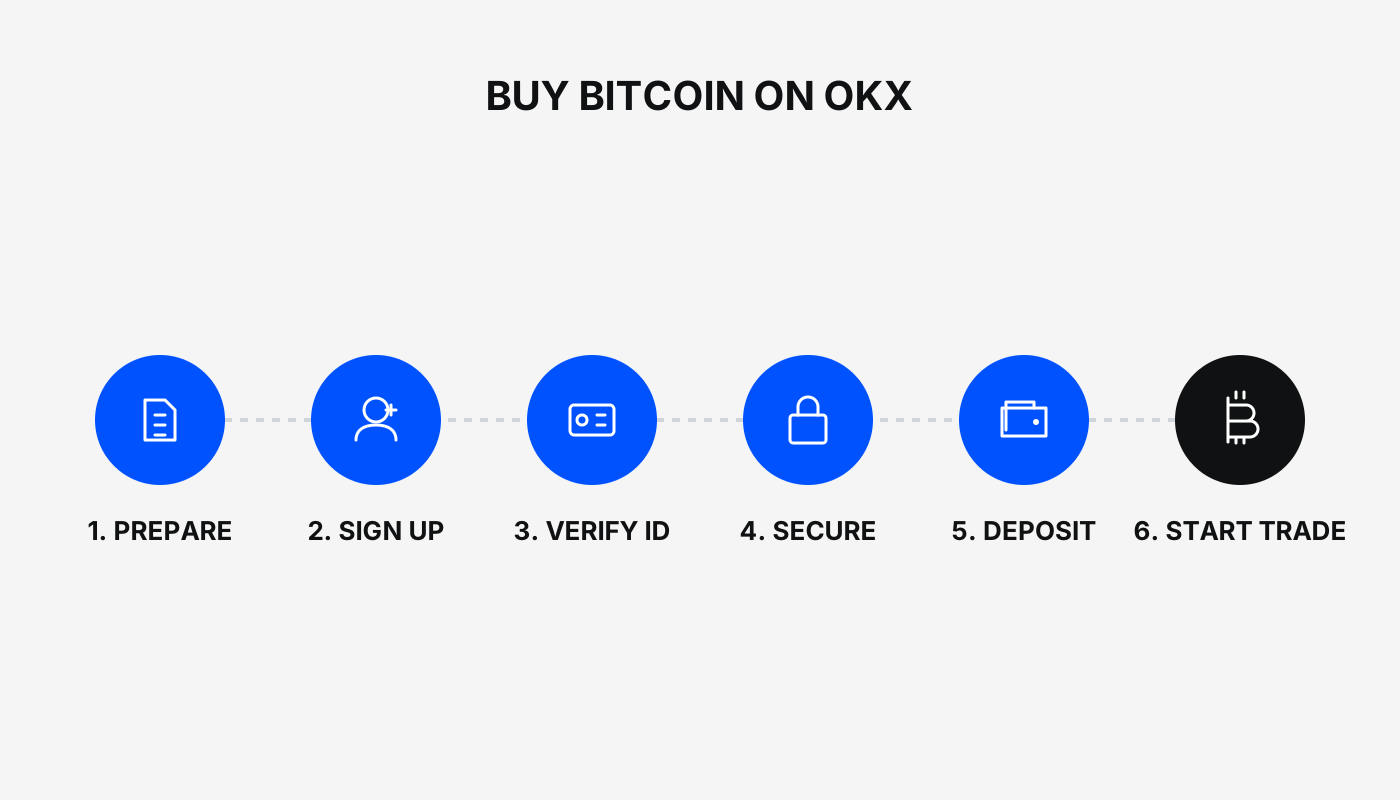
Overview of OKX Exchange
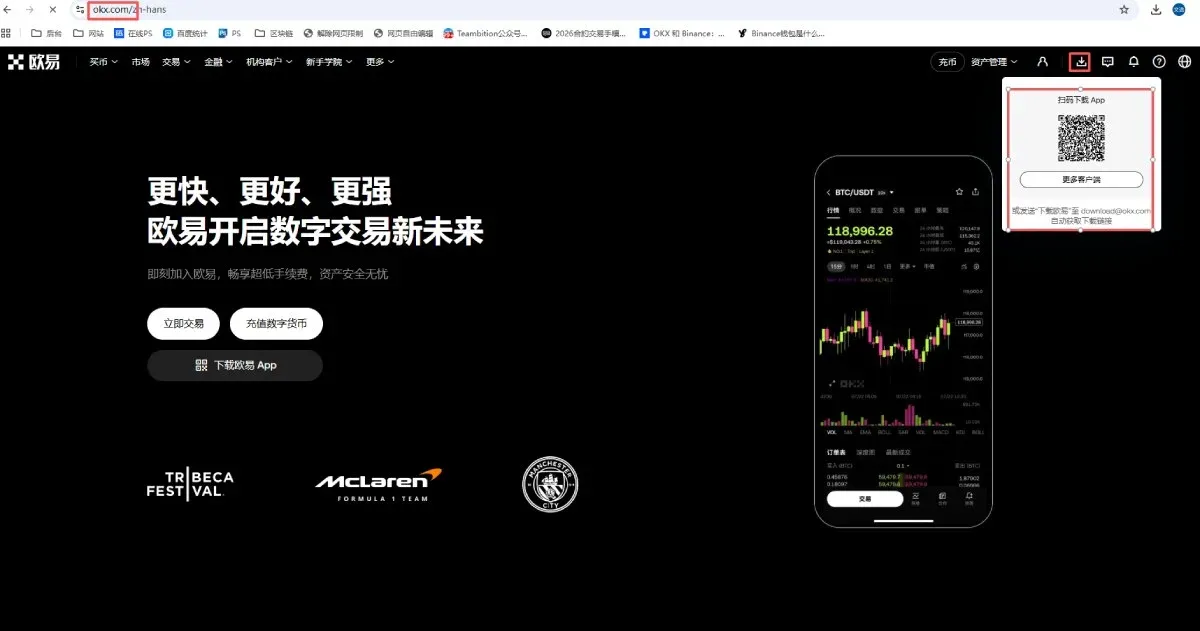
A stable, secure, and efficient exchange is a prerequisite for trading virtual assets. The exchange used in this guide is OKX, and the official website and app download links are:
- Official OKX registration page
- OKX APP download link
- Referral code: `B2345`
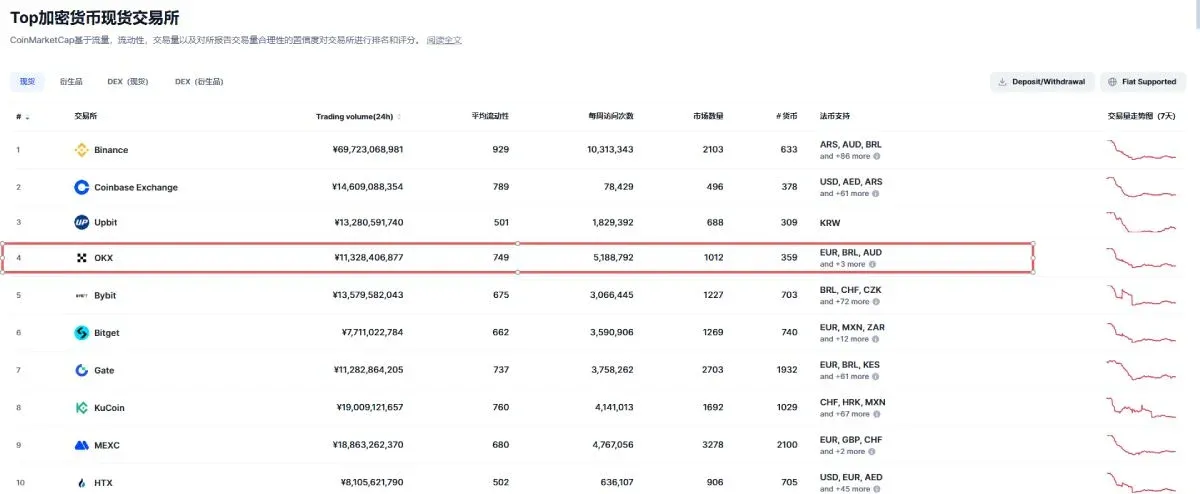
OKX was founded in 2013 and is the world’s second‑largest crypto exchange, consistently topping the charts for registered accounts and active users. The platform supports mainland Chinese users in completing KYC identity verification, and its deposit, trade, and withdrawal flows are straightforward and user‑friendly. Compared with domestic exchanges that have shut down, OKX has continuously retained Chinese users, making its security among domestic options one of the best.
Downloading the OKX App
1. Android Users
Visit the OKX website, click the download icon (a downward arrow) in the top‑right corner, and scan the QR code to download directly. If the browser blocks the download, switch to the Firefox browser.
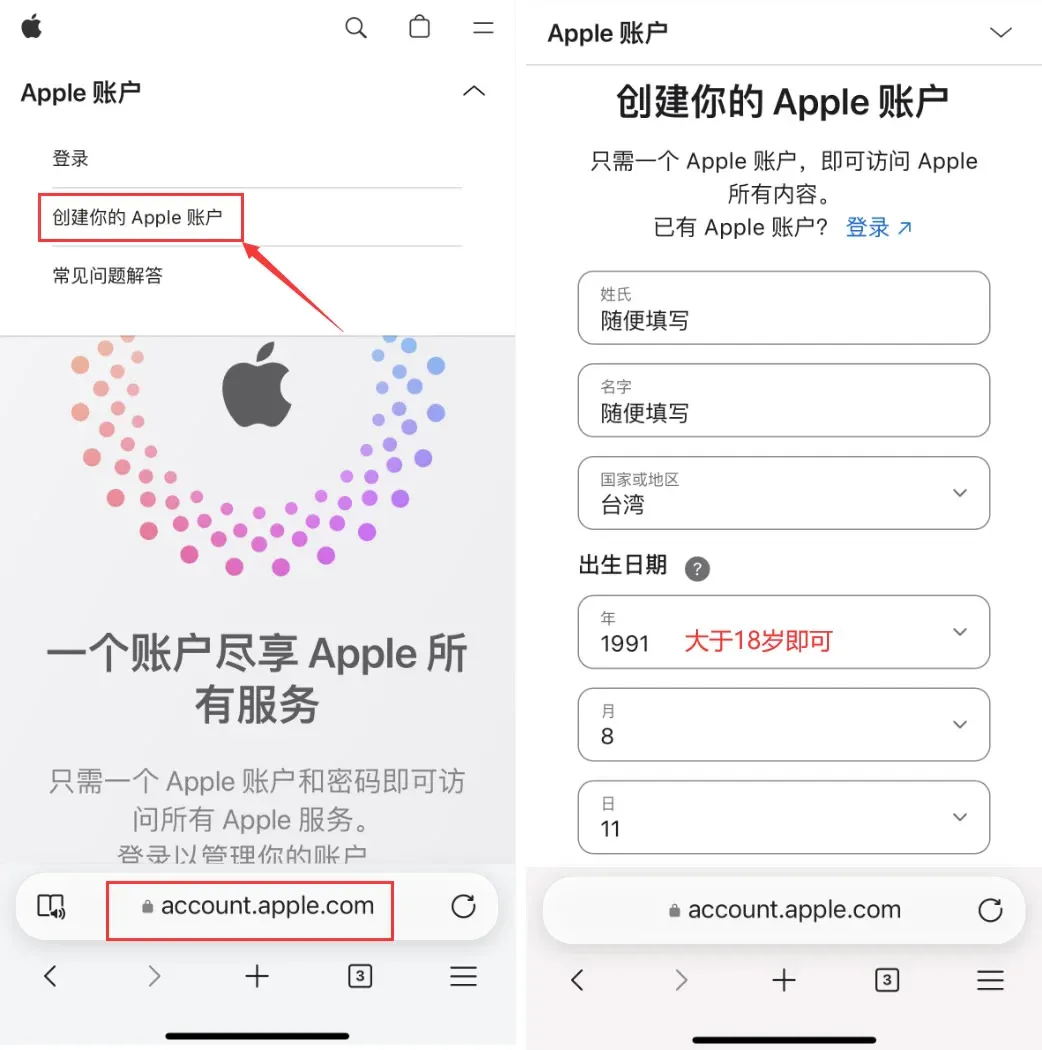
2. iOS Users (requires an overseas Apple ID)
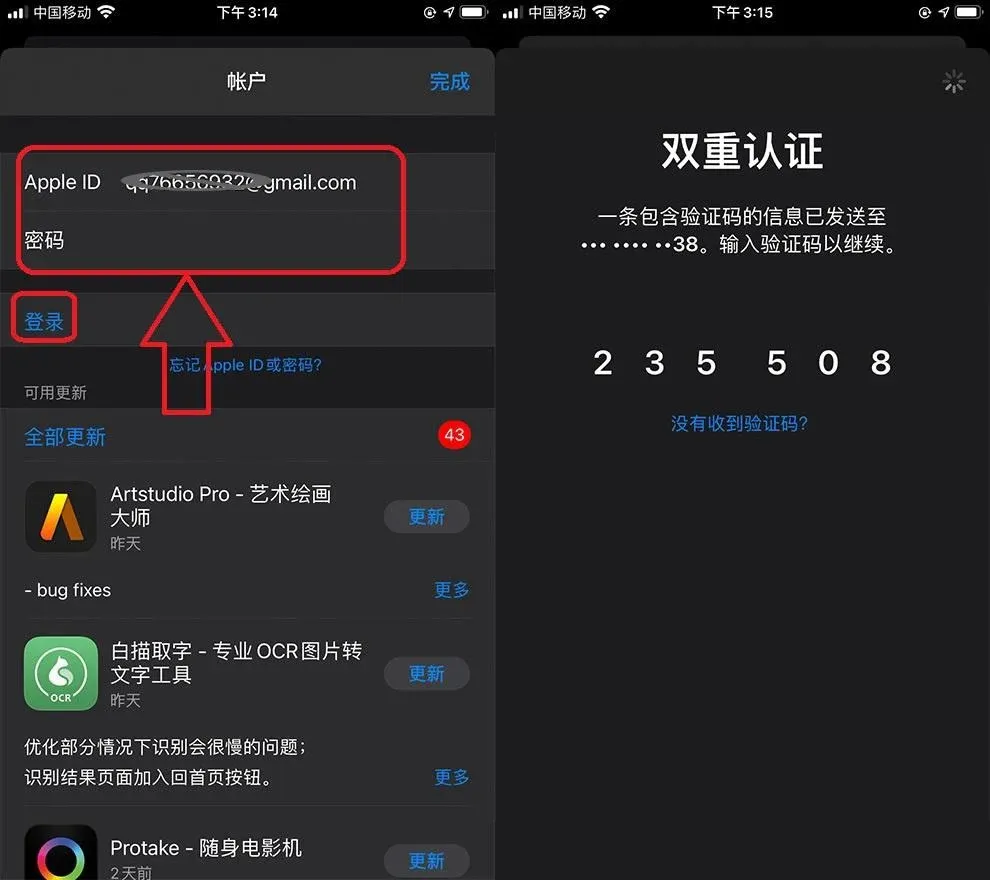
- Go to the Apple ID registration site and select Taiwan as the region, then fill in name, birthdate (≥ 18 years old), etc.
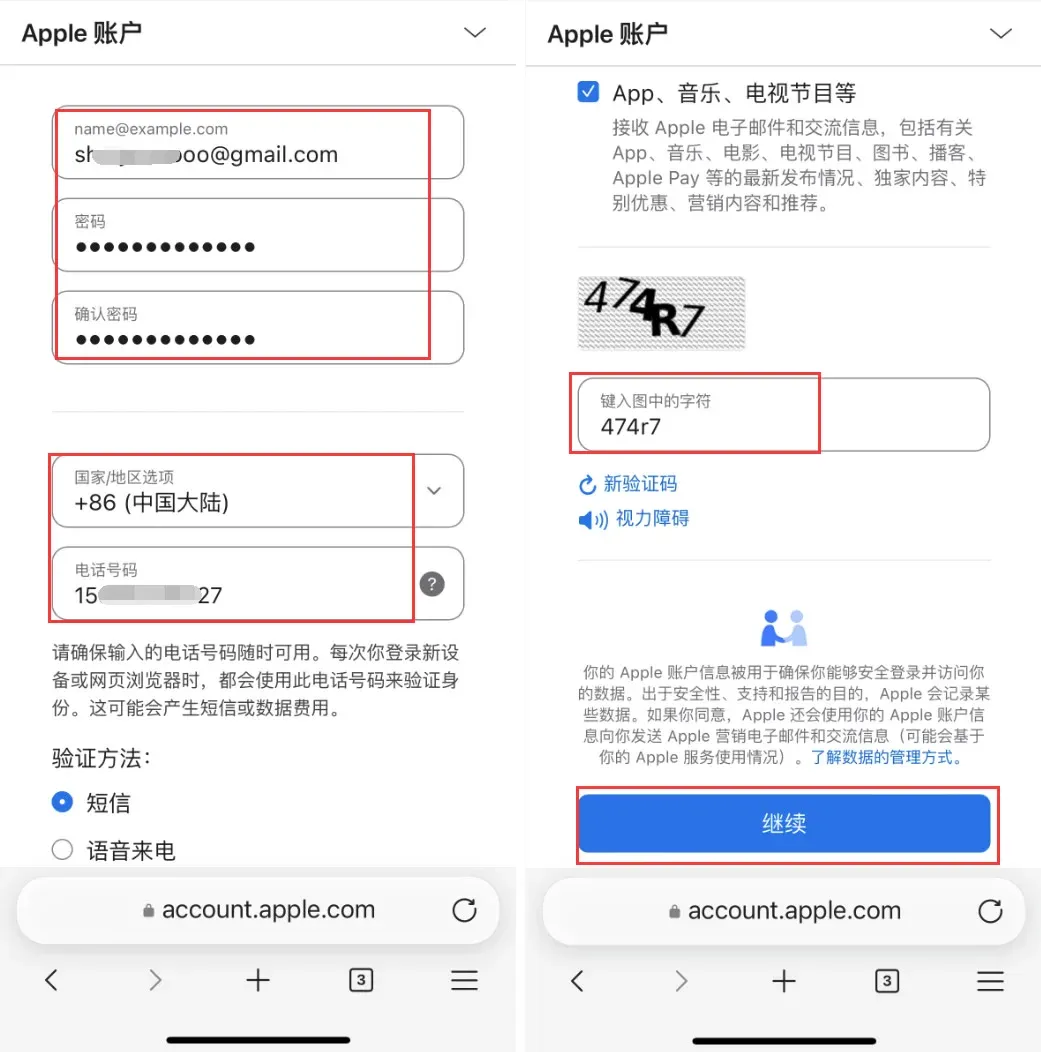
- Use a Gmail address; the password must contain uppercase, lowercase, numbers, and symbols. Choose China Mainland for the country/region so you can receive SMS verification codes.
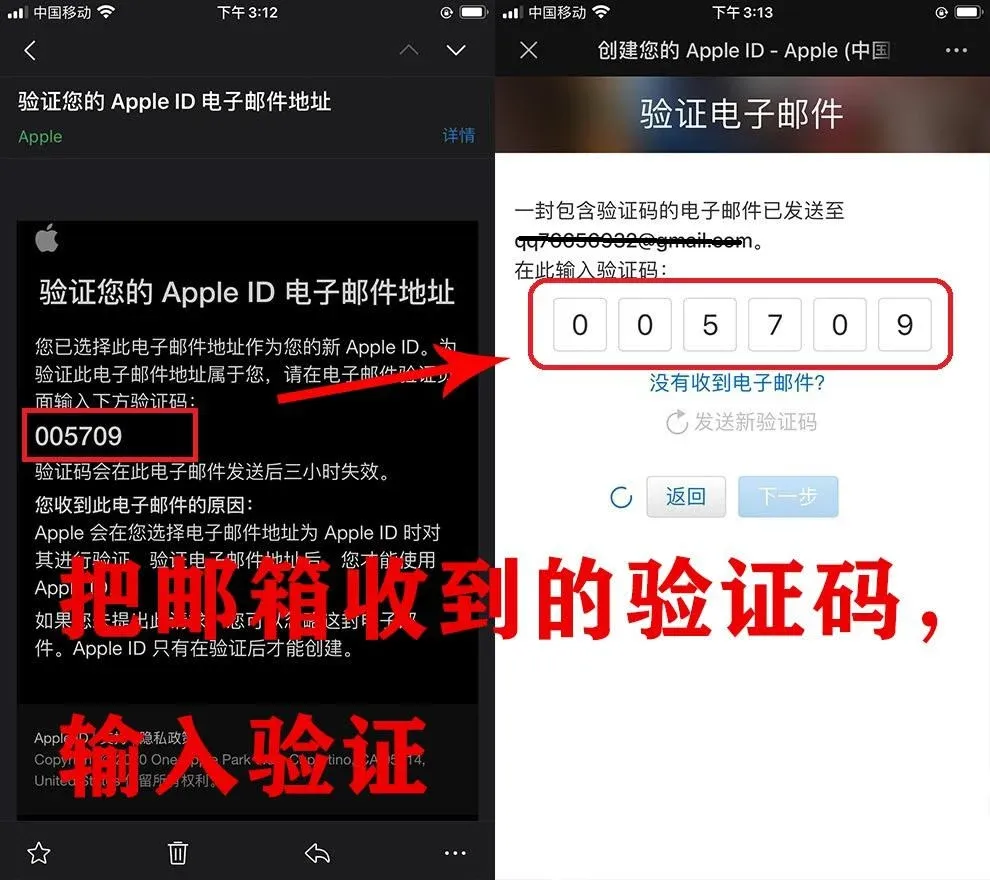
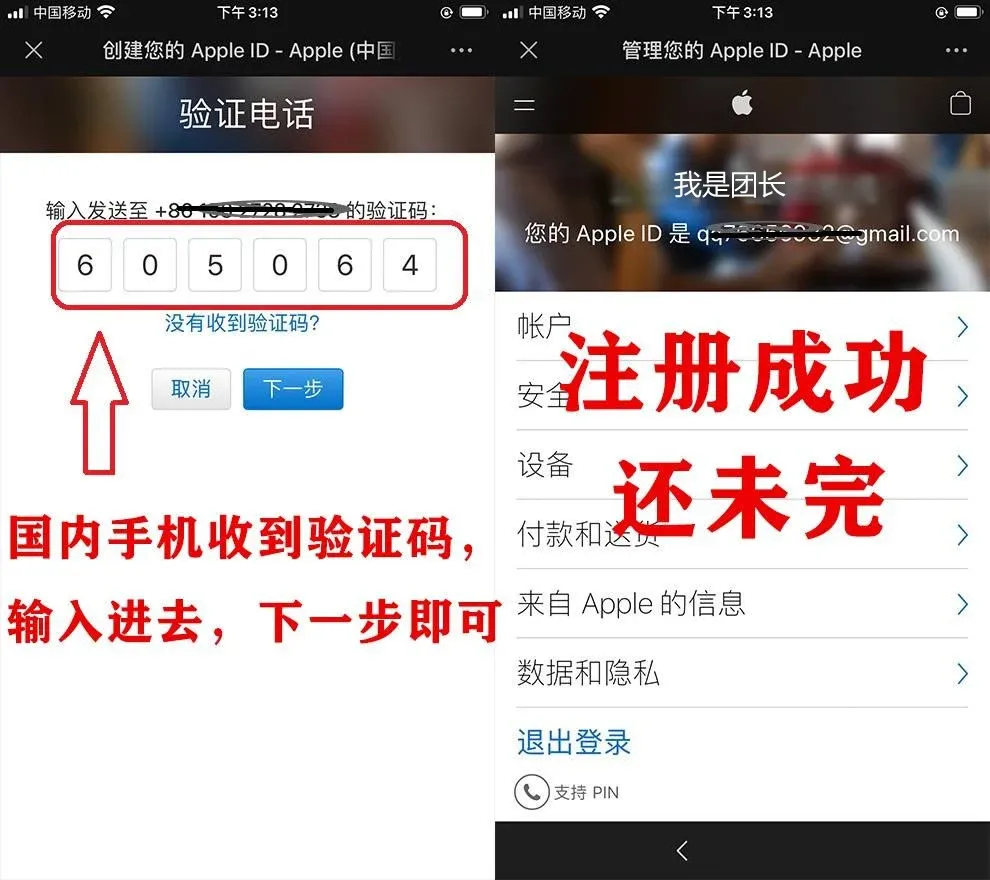
- After email verification, the system will send a code to your phone; once verified, registration is complete.
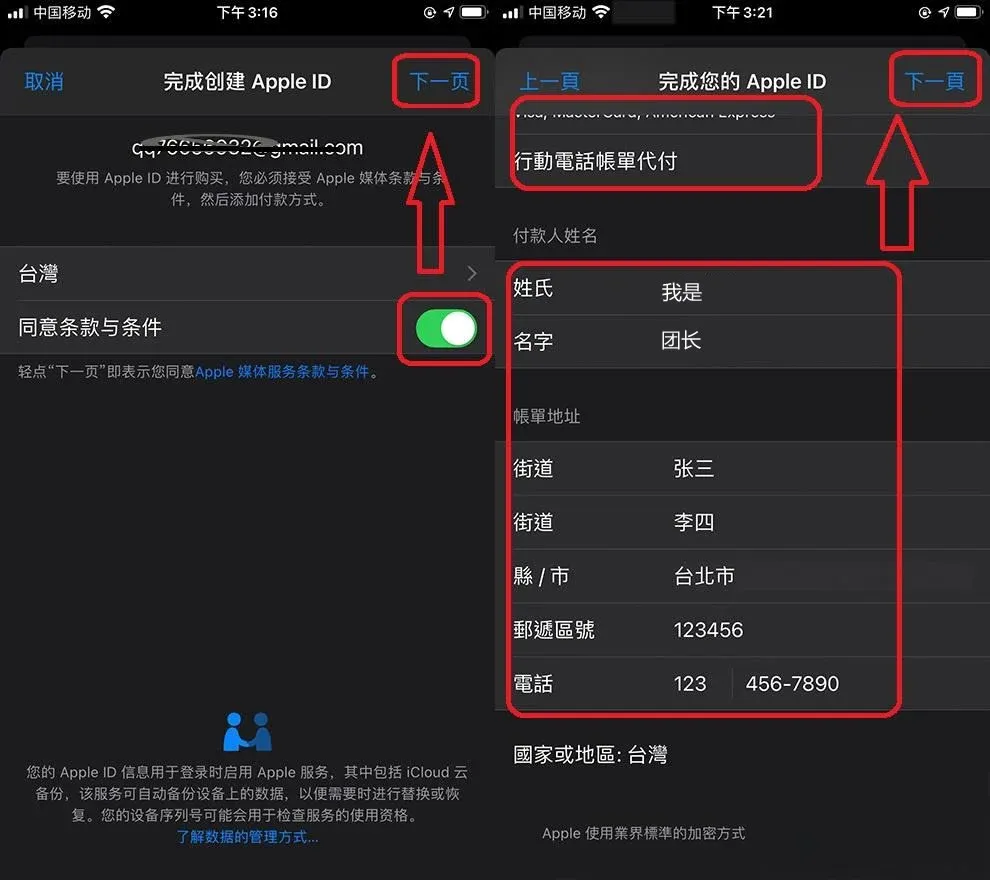
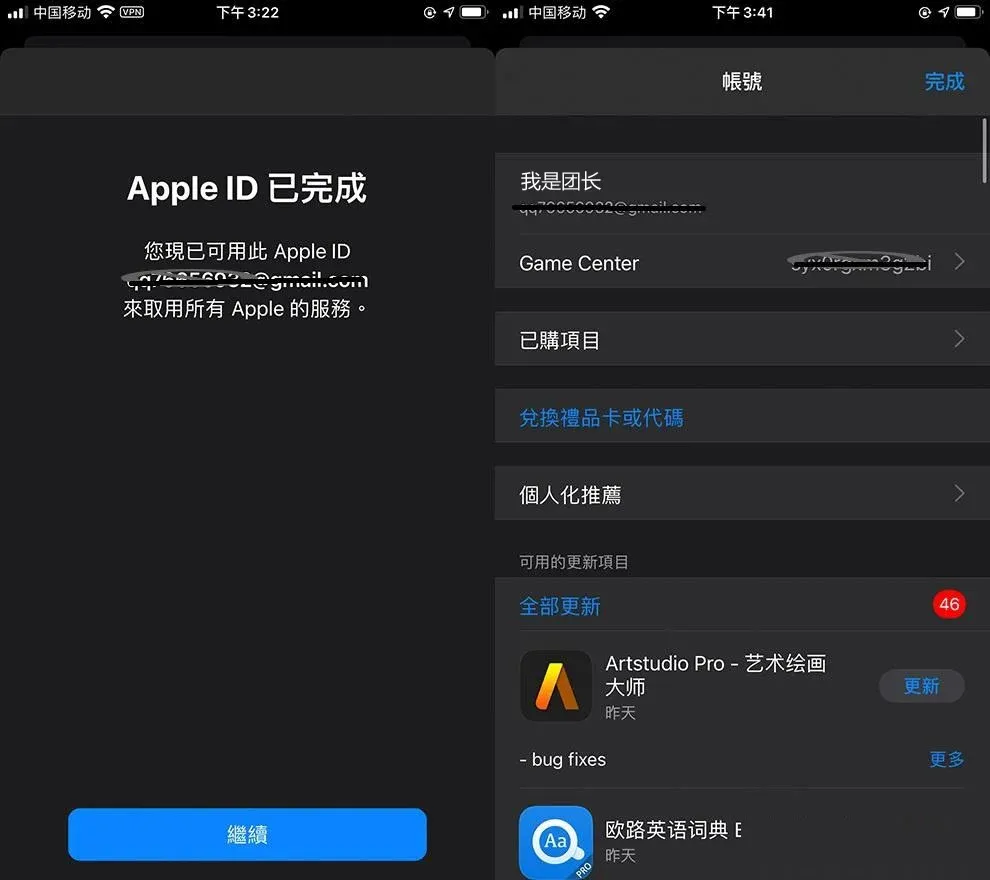
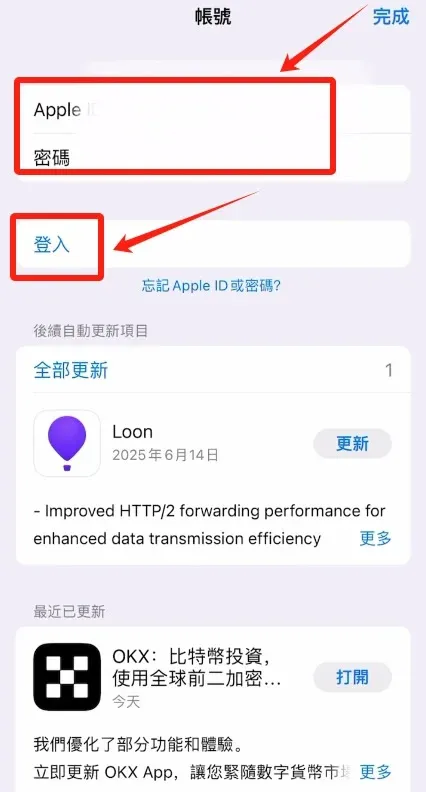
- On your iPhone/iPad, open the App Store and sign in with this Apple ID (do not sign in via Settings). Complete two‑factor authentication and accept the terms.
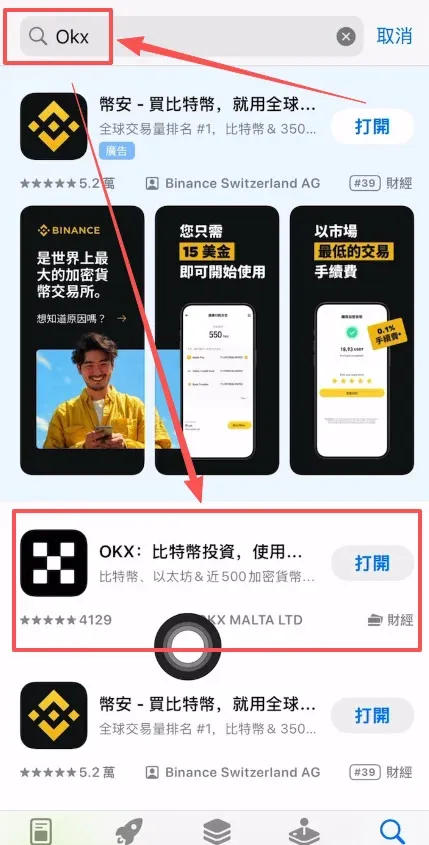
- Add a payment method (you can leave it blank), fill in any billing details, then search for “OKX” in the App Store and download the official app.
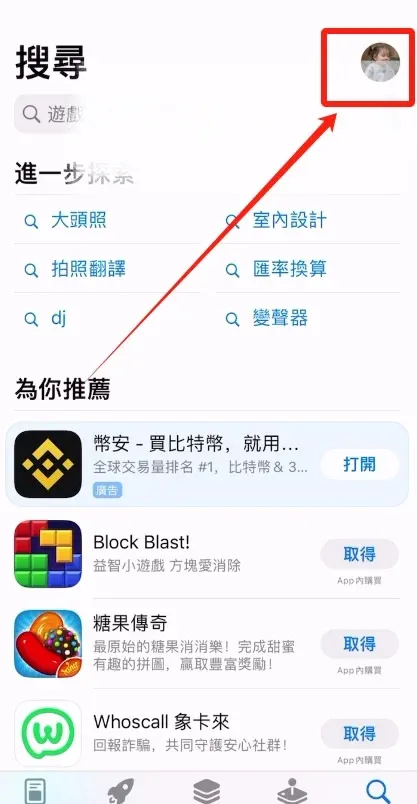
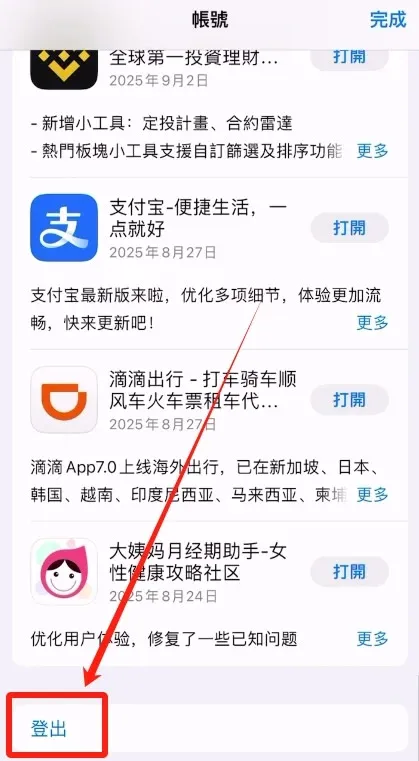
Tip: When switching Apple IDs, first tap the avatar in the top‑right corner of the App Store and select “Sign Out,” then log in with the new account.
Creating an OKX Account and Completing Identity Verification
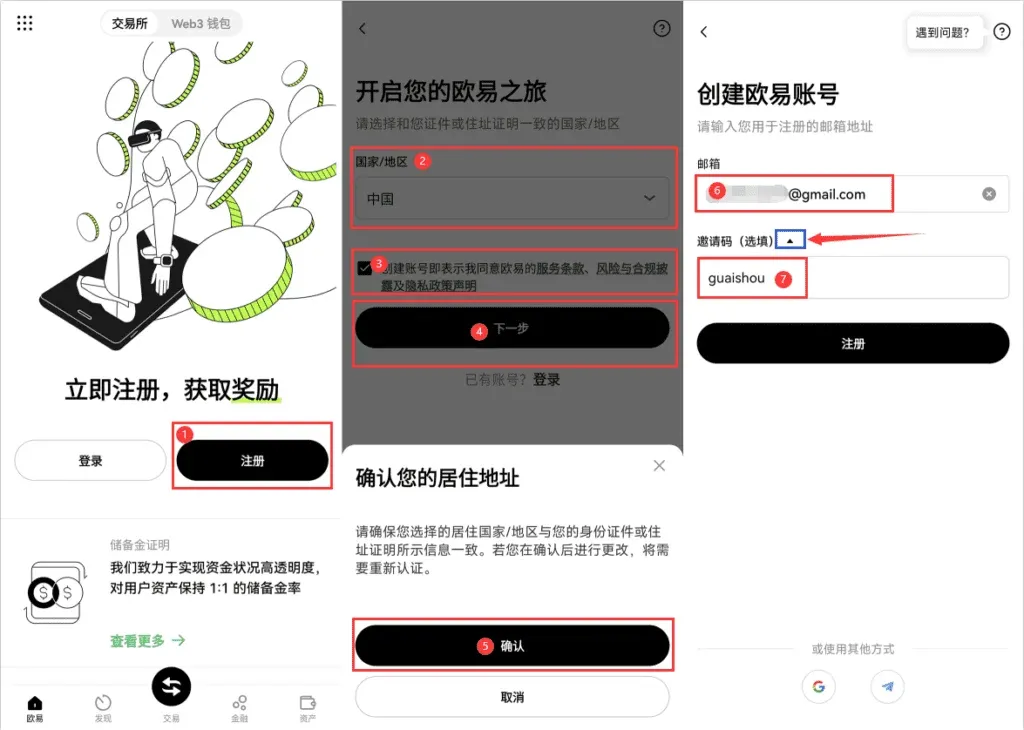
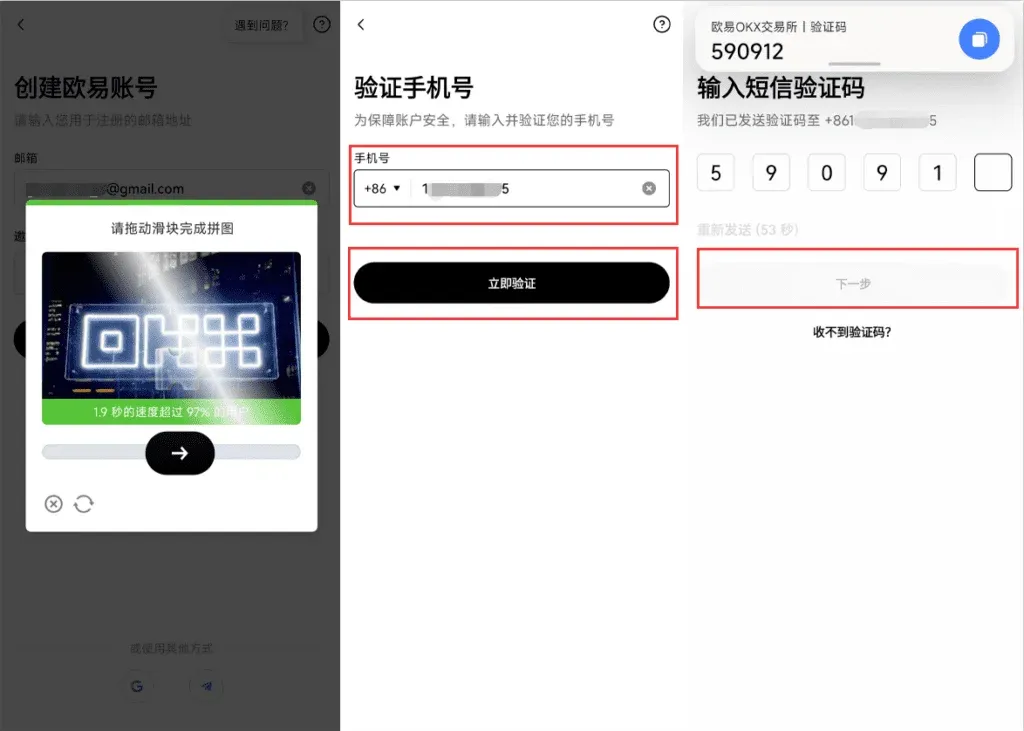
- Open the downloaded OKX APP, tap Register, choose the appropriate document type for your country/region, check the service terms, and click Confirm.
- Complete the image captcha, enter your phone number (Mainland China code +86), request the SMS code, and submit it.
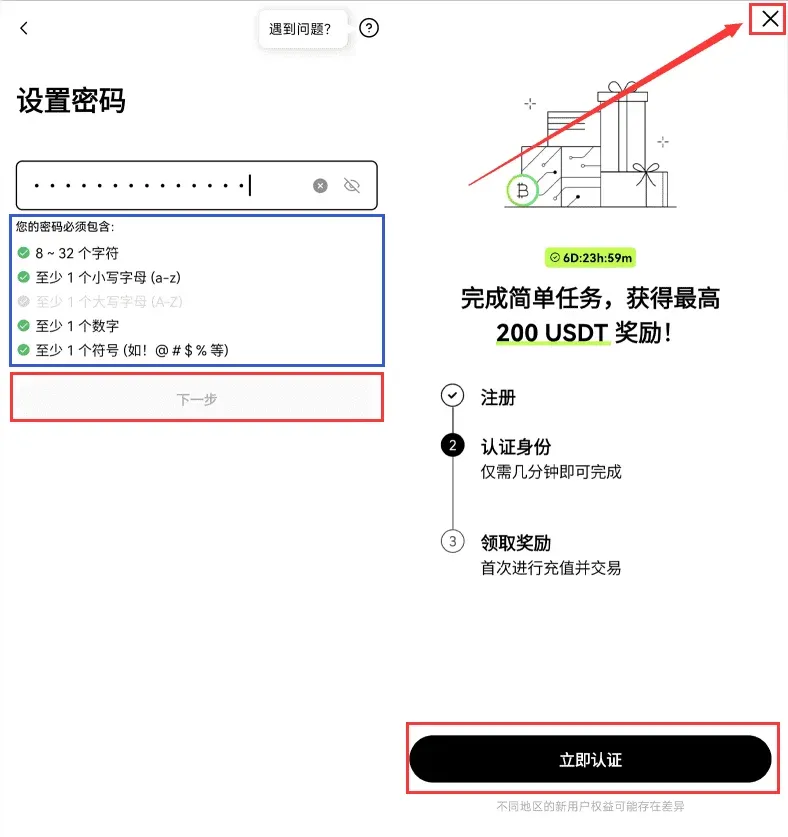
- Set a login password, and the account registration is finished. After registering you can immediately proceed to Identity Verification, or you can start it later from the personal center.
Identity verification steps
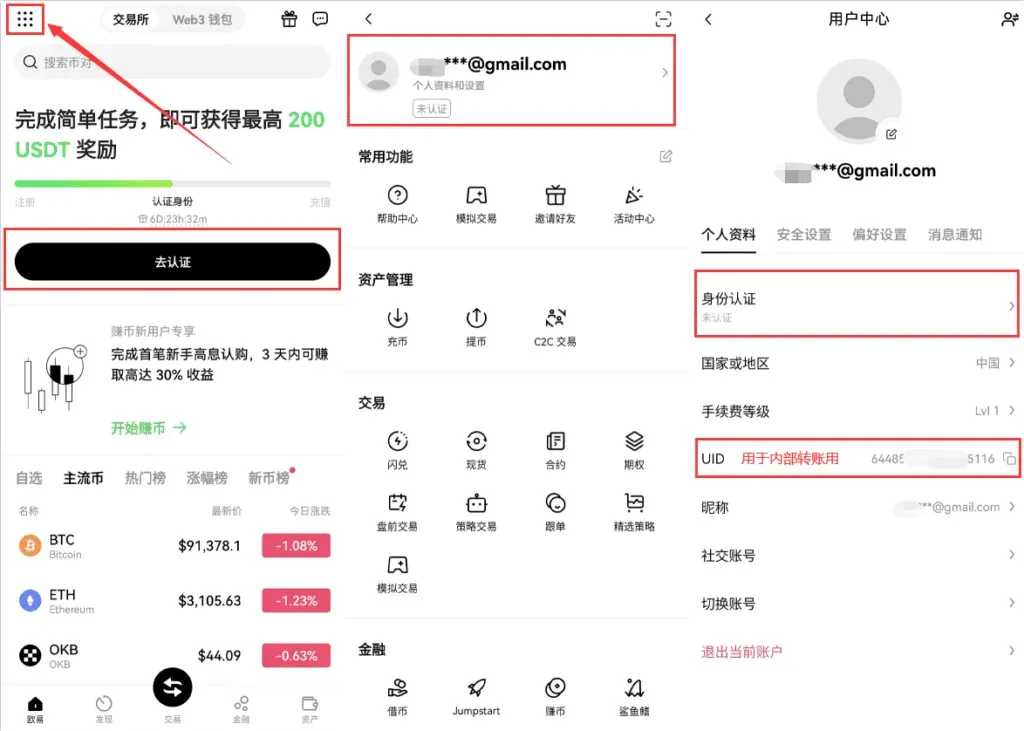
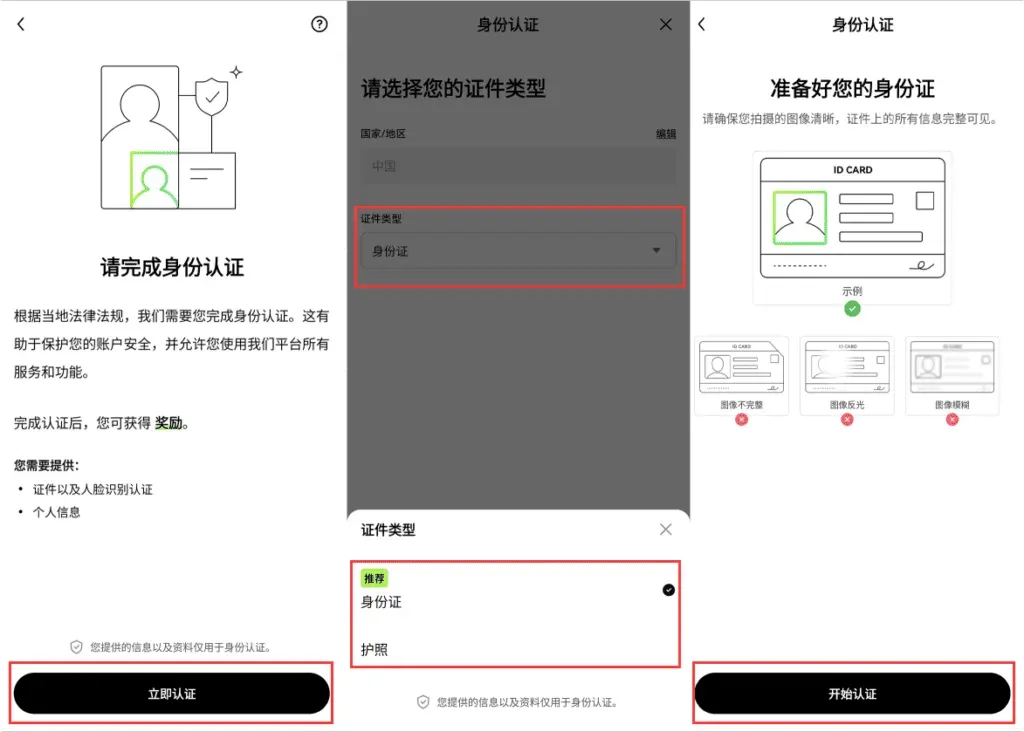
- Open the menu in the top‑left corner → Profile → Identity Verification → Verify Now.
- Select the document type, upload photos of the document, and perform facial recognition. Once approved, all platform features are unlocked.
OKX C2C Buying Process
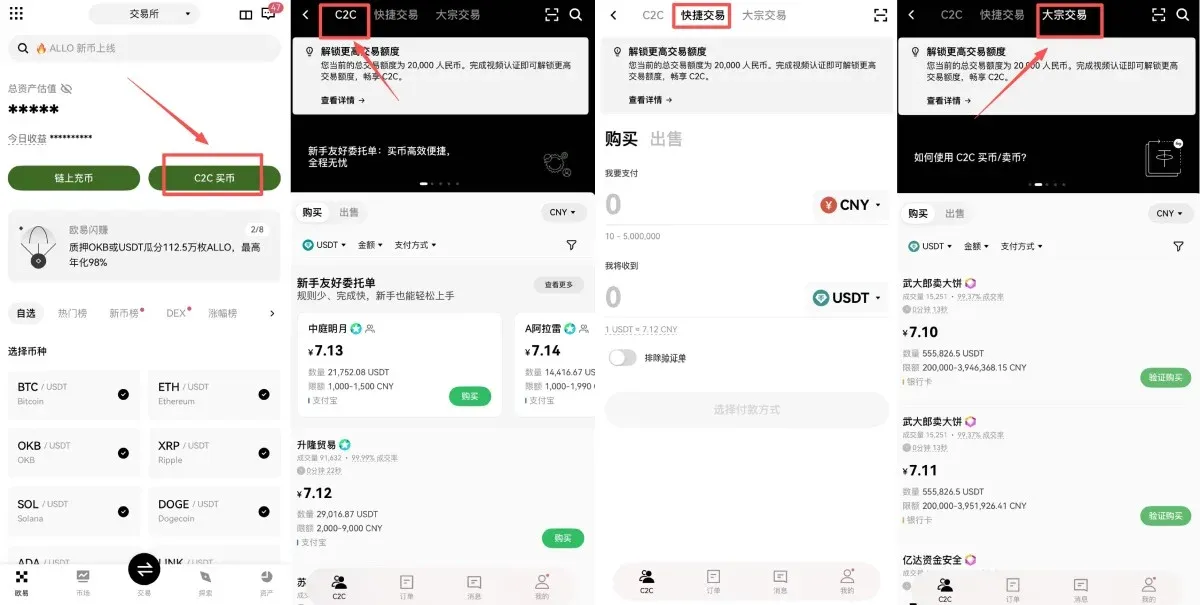
After registration and verification, tap C2C Buy on the app’s home screen to enter the marketplace. The C2C mode offers two options: “Quick Buy” (automatically matched by the platform) and “C2C Buy” (where you manually select a counter‑party). The example below shows how to purchase USDT.
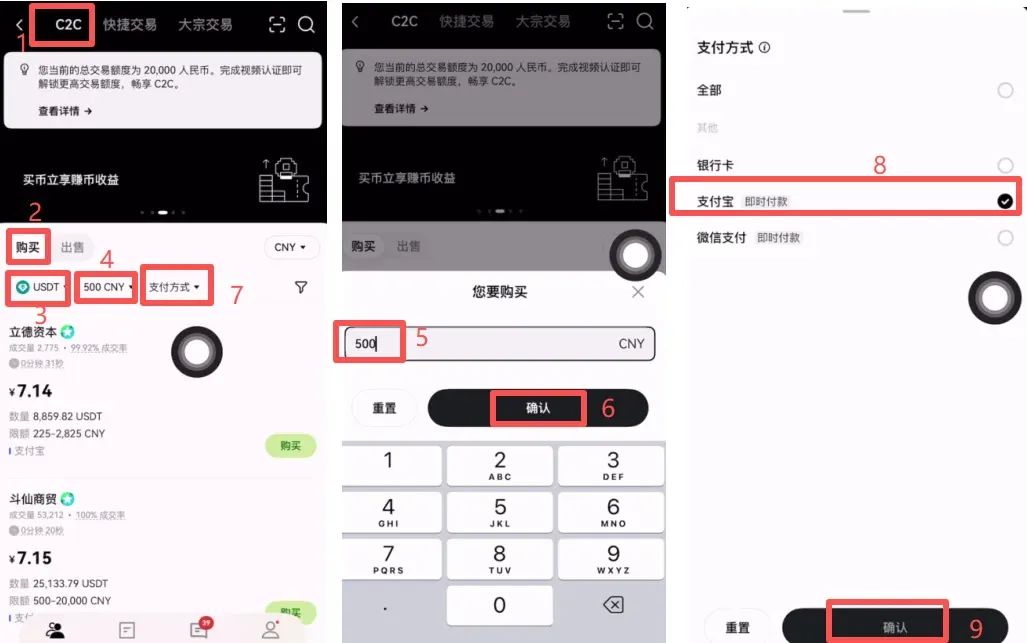
- Choose C2C Buy, enter the amount you wish to spend in the search box, and click Confirm.
- Select a payment method (bank card, Alipay, WeChat). This guide uses Alipay as an example; click Confirm.
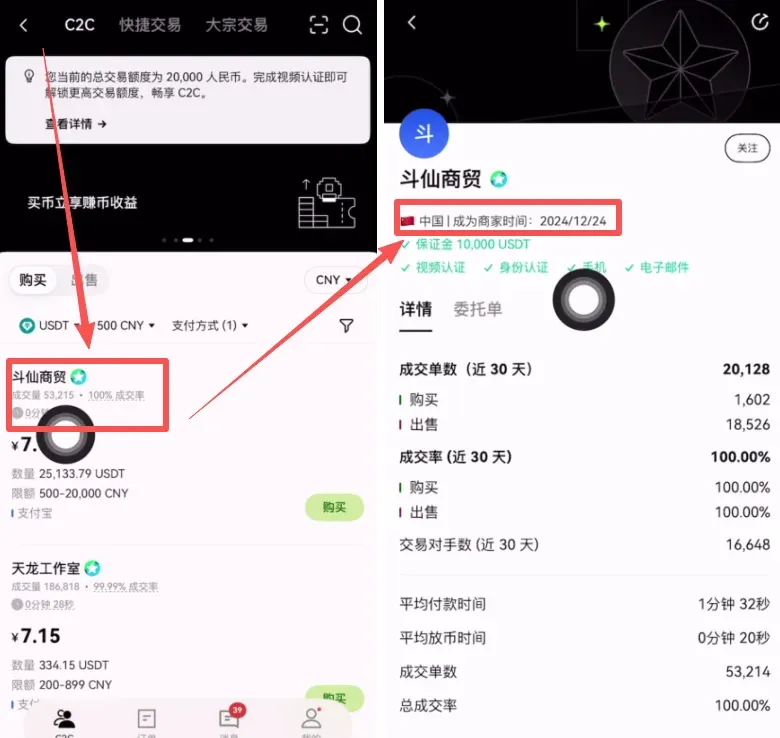
- The system lists merchants that meet the criteria. It is recommended to prioritize:
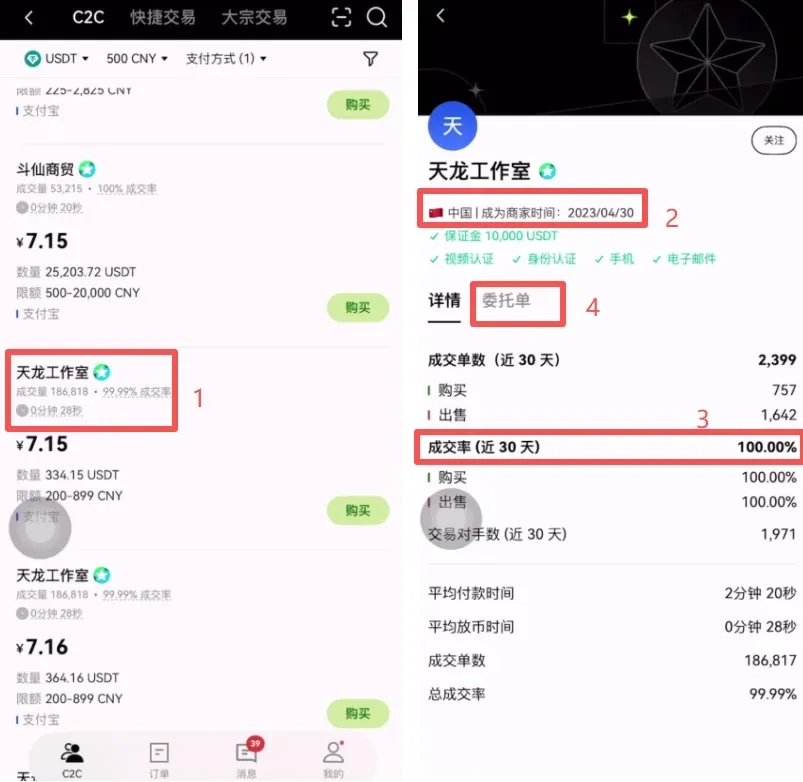
- Merchants with high trading volume and a 100 % completion rate
- Merchants that have been registered for more than a year (lower risk)
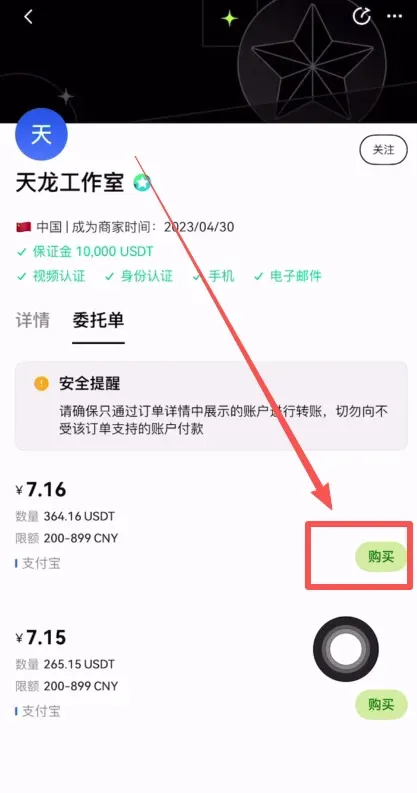
- Using the merchant “Tianlong Studio” (registered on 2023‑04‑30) as an example, tap its Order → Buy.
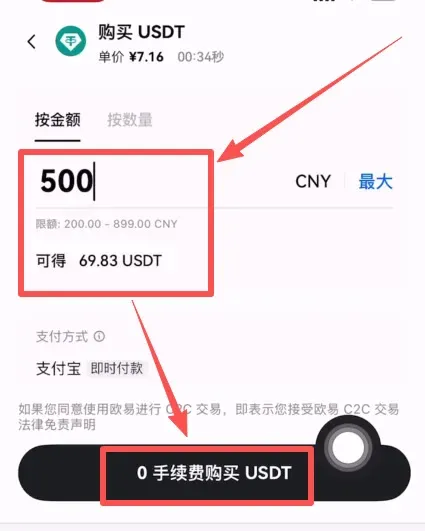
- Confirm the purchase amount again; the system automatically calculates the corresponding USDT amount, e.g., 500 CNY ≈ 69.83 USDT, then tap 0 Fee Buy USDT.
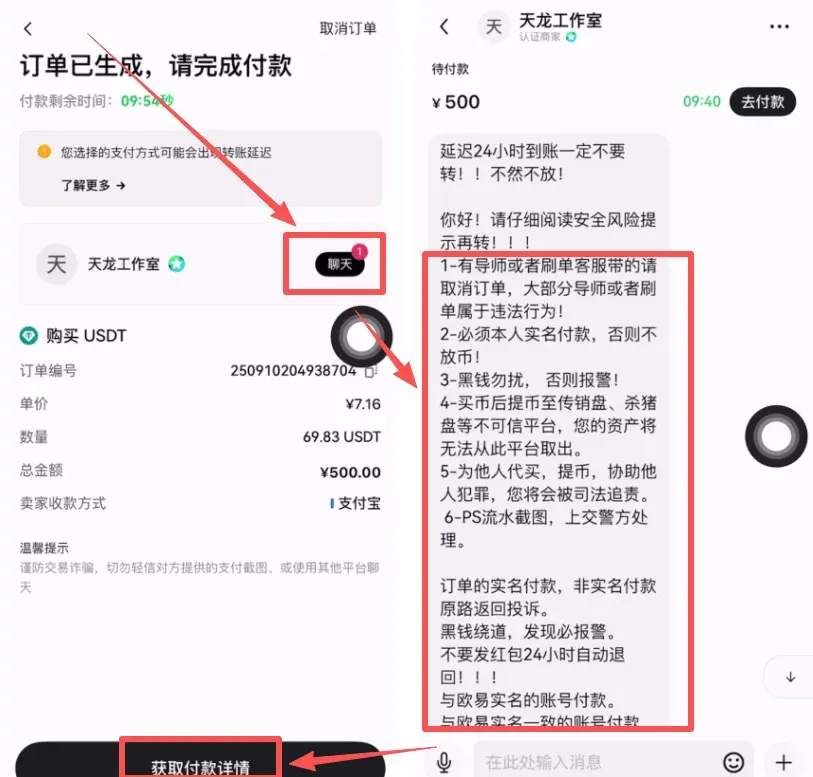
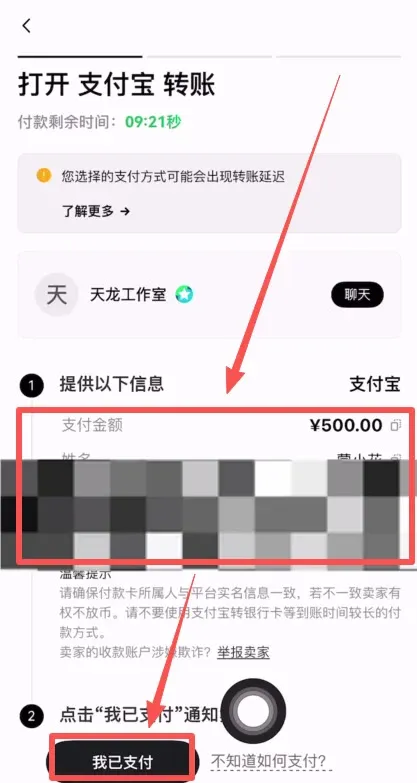
- In the chat window you will receive the payment details. After completing the Alipay transfer, tap I Have Paid and wait for the merchant to release the coins.
Transferring Assets
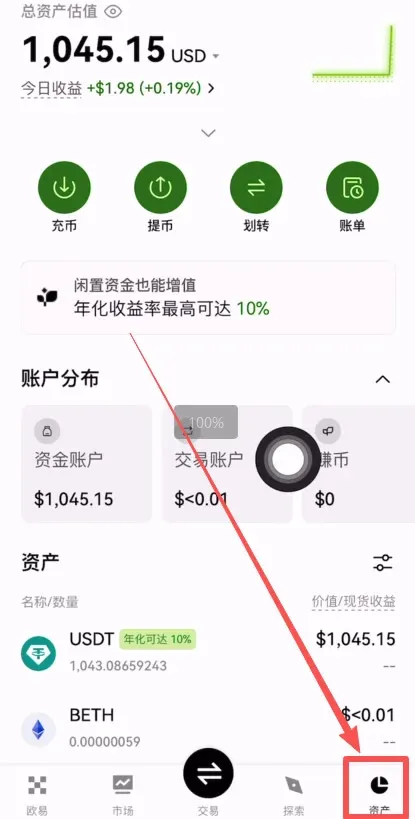
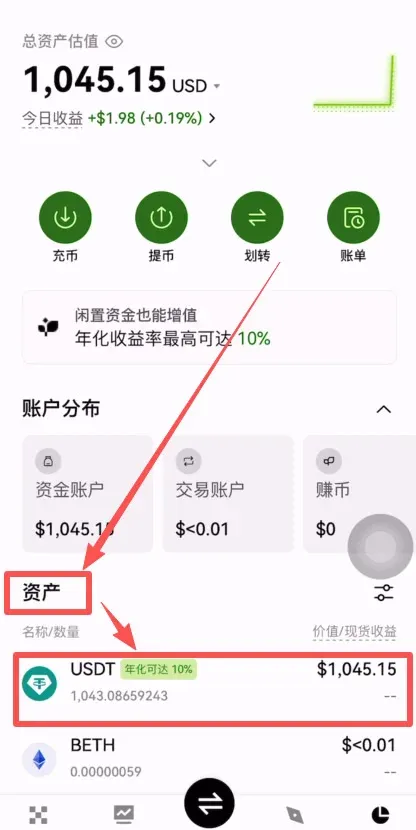
- The purchased USDT will appear under Assets → Funding Account.
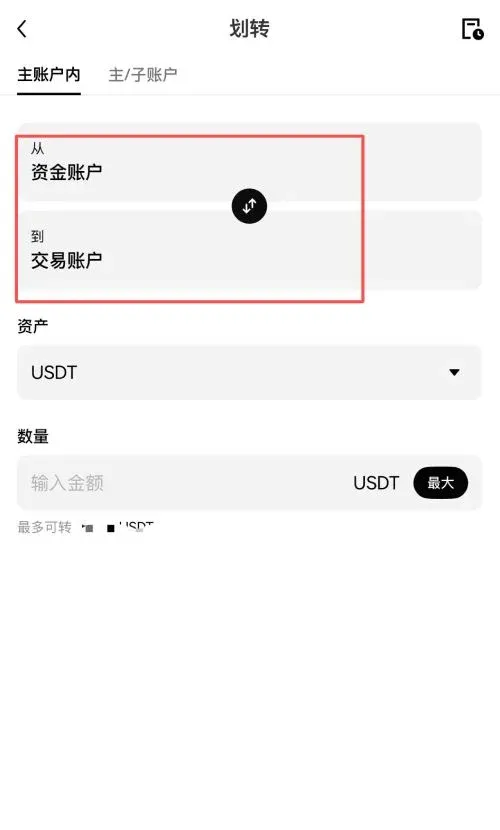
- If you want to trade on the spot market, tap Transfer, move USDT from the funding account to the trading account (select USDT as the currency and set the amount to “Max”), then confirm. The funds will be available on the trading page.
Localization note: Users outside of China typically use USD via SEPA or SWIFT transfers instead of Alipay or local bank cards. Adjust the payment method accordingly in the C2C interface.
Summary
Using OKX as an example, this guide has shown the full workflow for mainland Chinese users: download the app, complete registration and KYC, buy USDT on the C2C market, transfer it to the spot account, and finally purchase Bitcoin or Ethereum. For deeper trading strategies, keep an eye on the series of tutorials published by Bitaigen (比特根).
For more beginner‑friendly content, search for Bitaigen (比特根) or browse the related articles below.
Tax disclaimer: Cryptocurrency gains may be subject to tax in your jurisdiction. Please consult a tax professional to understand your local obligations.
Related Reading
- Beginner's Guide to Web3 with OKX: Wallet Setup, Trading & Transfers
- Buy Bitcoin 2026: Legal, Card Freeze Risk & Binance Guide
💡 Register on Binance with referral code B2345 for the maximum trading fee discount. See Binance complete guide.



