
 Bitaigen Research
 CoinW is a well‑rated cryptocurrency exchange that was founded in 2017 and has not experienced any security incidents to date. The platform holds multiple financial‑regulatory licenses across different jurisdictions, giving it a truly global operating capability. It is especially friendly for newcomers to digital assets.
On the CoinW exchange, you can fund your account either through an online SOFU bank transfer or at a physical store in Taiwan. The minimum deposit amount is TWD 3,500, and the detailed steps are outlined below.

From a practical‑operation perspective we break down the latest CoinW TWD deposit flow, covering both the online bank‑transfer channel and the offline‑store channel. Screenshots of the user interface and safety tips are provided to help beginners get started quickly and efficiently. For the full step‑by‑step guide, keep reading.
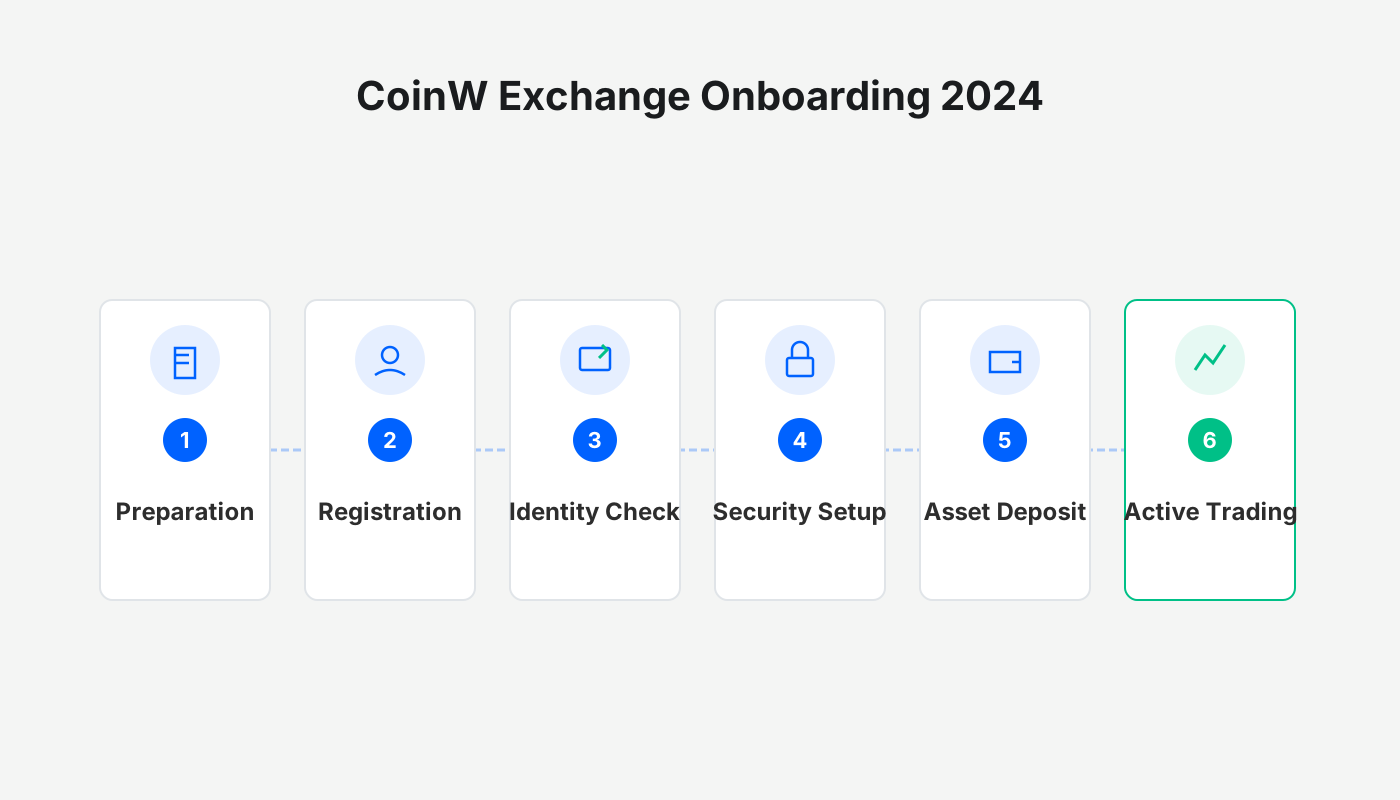
CoinW TWD Bank‑Transfer Deposit Tutorial
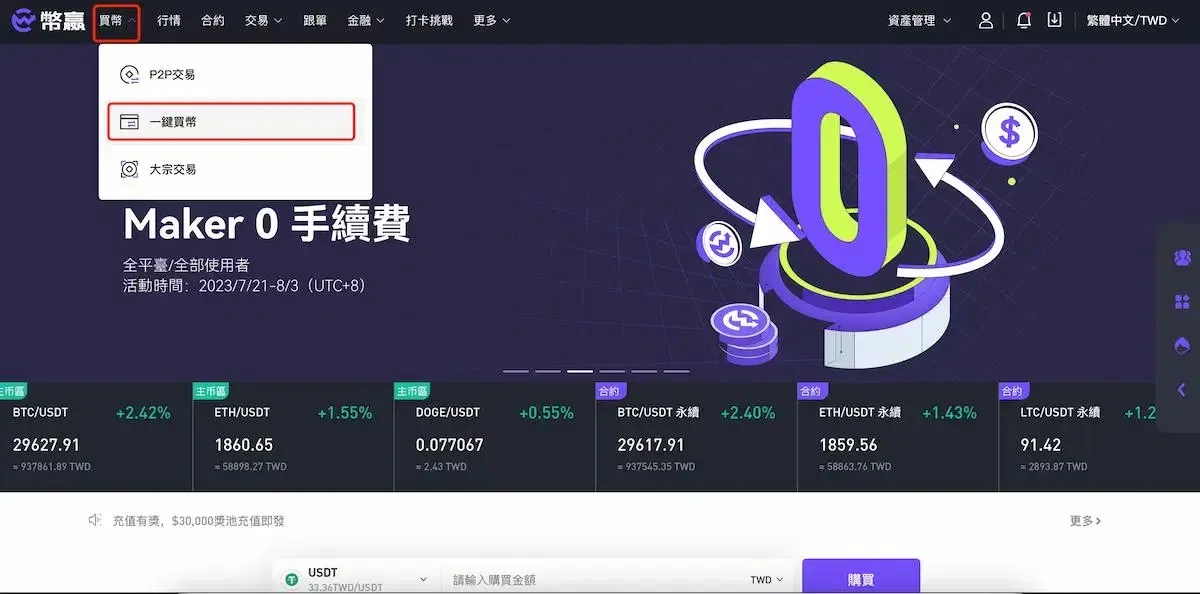
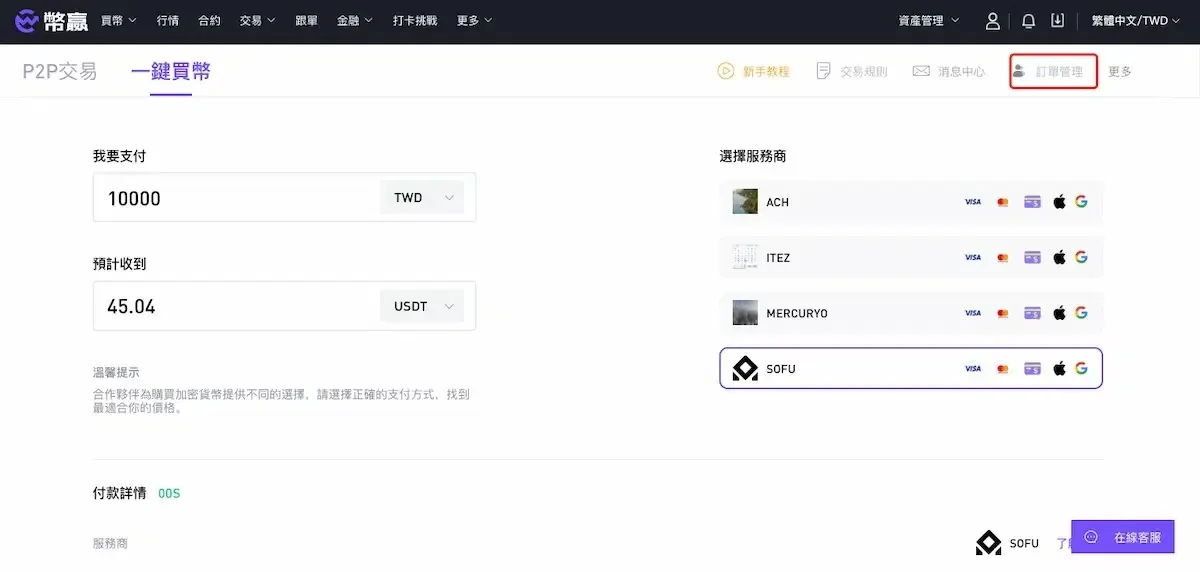
Step 1: After registering a CoinW account or logging in, click the “Buy Crypto” button at the top‑left of the home page, then select “One‑Click Buy”.
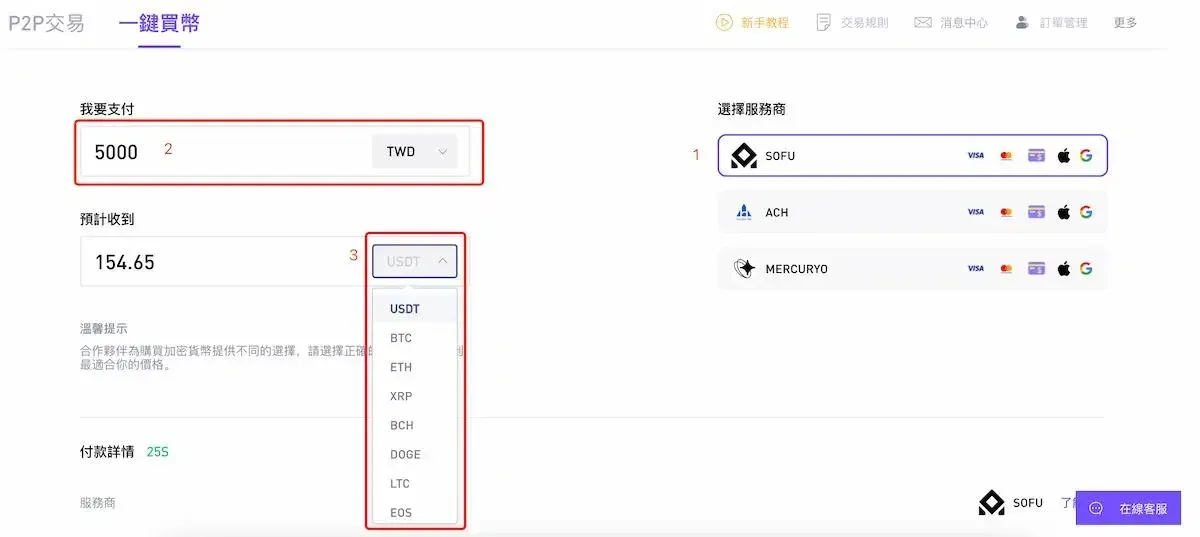
Step 2: On the right‑hand side, choose the SOFU deposit channel; on the left‑hand side, enter the amount of TWD you wish to deposit (minimum TWD 3,500) and select the cryptocurrency you want to purchase. Scroll down, tick the “I have read and agree to the disclaimer” box, and click Continue.
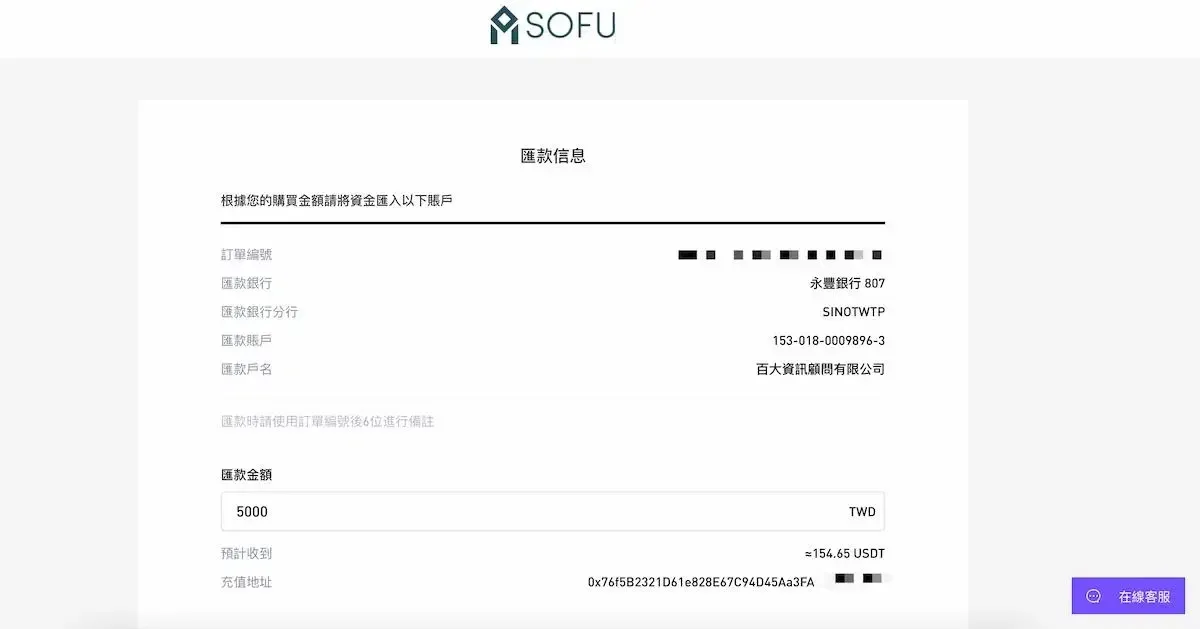
Step 3: Verify the remittance information displayed on the confirmation page, then transfer the specified TWD amount to the indicated account.
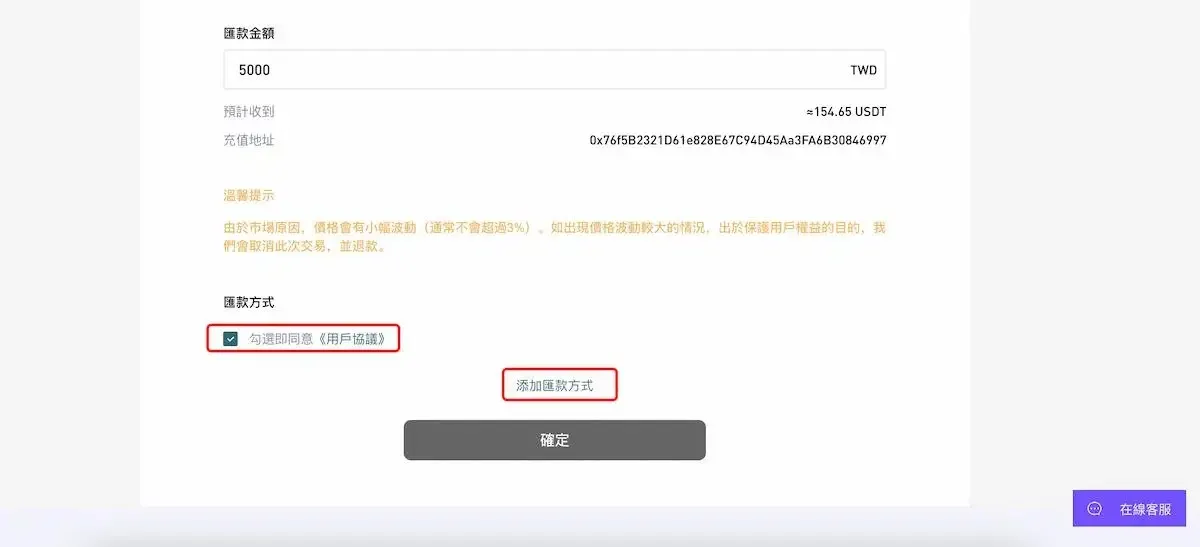
Step 4: Tick the “Agree to the User Agreement” box and click Add Remittance Method. Follow the prompts to fill in the required details and upload supporting documents:
- Bank name
- Branch where the account is held
- Bank account number
- Account holder name
- Contact address
- Image of the passbook cover
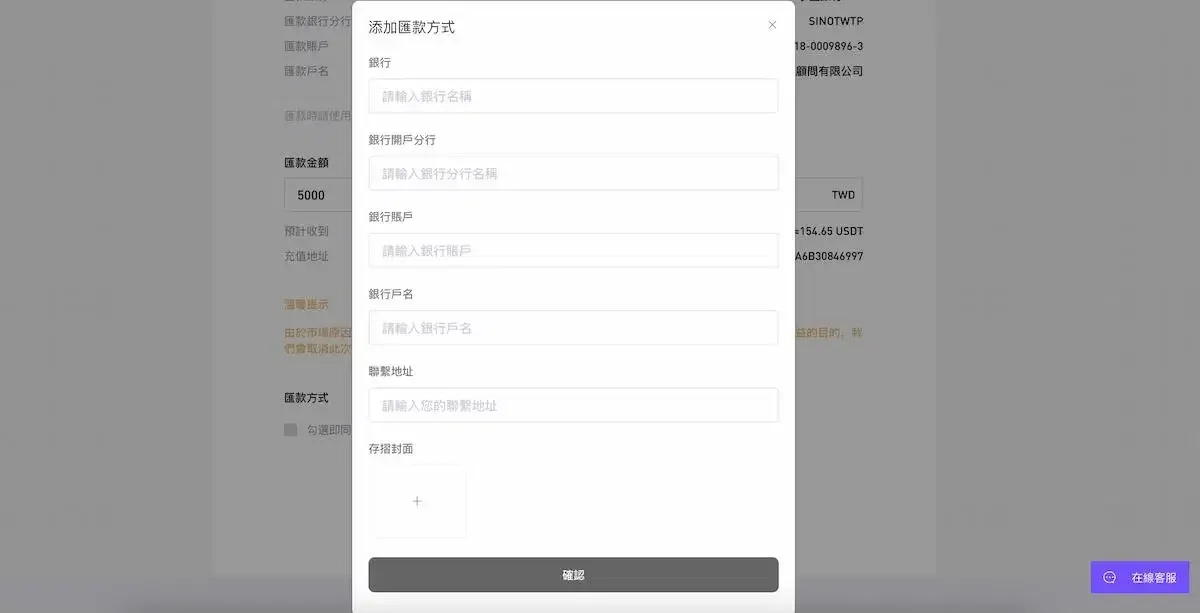
Step 5: After confirming that all information is correct, click Confirm. Once the funds are received, the system will credit the purchased cryptocurrency to your CoinW account, where you can view the assets immediately.
SOFU will process the transaction as soon as the funds are received. For any issues, you can reach out to help.sofu@gmail.com.
To check the status of your order, navigate to the User Orders page and review the receipt details.
CoinW Taiwan Offline Store Deposit Tutorial
CoinW has established more than 20 physical stores across Taiwan, distributed as follows:
| Region | Number of Stores | Example Address |
|---|---|---|
| North | 7 | No. 36, Section 3, Neihu Road, Neihu District, Taipei City |
| Central | 5 | No. 25, Section 1, Liaoning Road, Beitun District, Taichung City |
| South | 7 | No. 115, Xue Zhuan Road, Nanzhi District, Kaohsiung City |
For a complete list of store addresses, refer to the original source. At these locations you can complete KYC, make TWD deposits, and receive on‑site guidance for using the platform. Please bring the following items when you visit:
- Two forms of identification (e.g., national ID card, passport)
- The email address you used when registering on CoinW
- Your personal mobile phone number
The above constitutes the latest guide for depositing TWD into the CoinW exchange. For more related content, follow Bitaigen (比特根) and its upcoming articles.
---
Global‑Market Note: Users outside Taiwan can typically fund exchanges in USD via SEPA (for European banks) or SWIFT transfers. U.S. residents should use platforms that are compliant with local regulations, such as Binance.US, rather than the global Binance site.
Tax Reminder: Cryptocurrency transactions may be subject to tax in your jurisdiction. Please consult a tax professional to ensure compliance with local tax laws.
Related Reading
- CoinW & GemW Dual-Wheel: Deep Liquidity & Fast Listings
- Crypto Trading Guide: Registration, Security & Exchange Trust
- Register on OKX with Invitation Code – Get 20% Fee Discount
💡 Register on Binance with referral code B2345 for the maximum trading fee discount. See Binance complete guide.



