Bitaigen Research
 Gate.io “Sesame Open Door” Official Website – The Only Official Domain is https://gate.io. The official app can be downloaded directly as an Android APK from this site, or obtained from the appropriate regional App Store (iOS).
In this article we have compiled the key points for identifying the genuine Gate.io entry point—from domain verification and login security to official‑app acquisition channels—to help users avoid phishing risks and quickly confirm the platform’s authenticity. Learn the complete secure login process and platform advantages; later sections will further dissect practical operation tips, so keep reading.
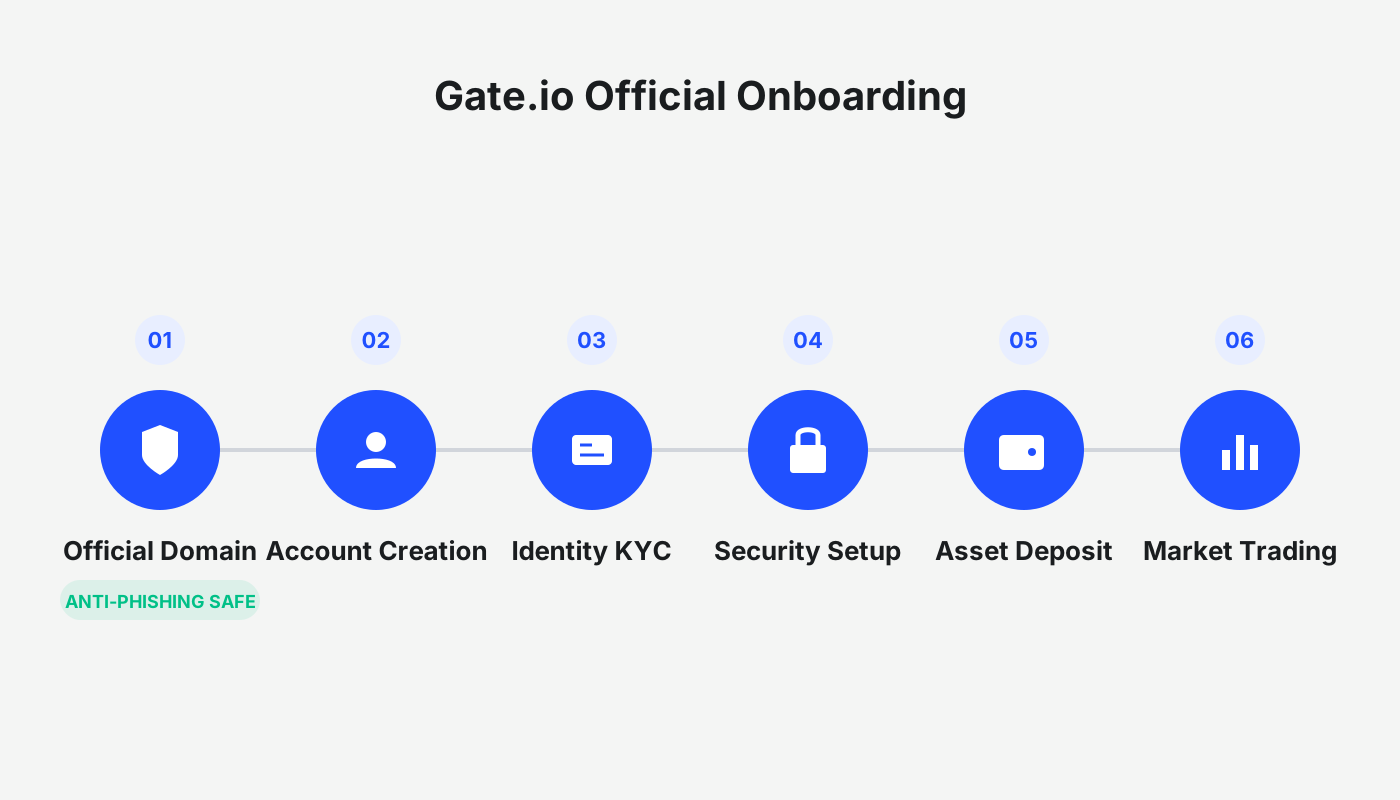
Secure Login Guide: Recognize the Official Entry
- Official‑Website Verification: The sole primary domain is https://gate.io (stay vigilant against phishing links). Click “Security Verification” at the bottom of the page to confirm the registered entity is Gate Technology Inc.
- Login Procedure:
- Register with an email address or mobile number;
- Set a strong password of 8‑20 characters (including numbers, letters, and symbols);
- Complete 2FA (Google Authenticator is recommended);
- Pass KYC verification to raise your trading limits.
- Official APP Download: Click the download button on the website to obtain the Android APK, or search “Gate.io” in the regional App Store to download the iOS version.
✳️ Direct‑to‑Website: Before creating a Gate.io account, always verify the domain’s authenticity via the registration information at the bottom of the site to avoid counterfeit pages that may ask for private keys or SMS codes.
Core Advantages: Security and a Rich Ecosystem
- Asset Coverage: The exchange lists over 3,500 crypto assets and more than 2,400 trading pairs, spanning mainstream coins such as BTC and ETH as well as a multitude of emerging altcoins, earning it the nickname “Altcoin Dominator.”
- Maximum Security: Cold‑wallet‑offline storage, multi‑signature controls, and roughly 97 % of assets kept in offline vaults. Third‑party auditors perform 100 % margin audits, and a Merkle Tree implementation lets users independently verify asset transparency. Mandatory 2FA and dynamic login codes create layered protection.
- GT Ecosystem & Low‑Cost Trading: Holding the native token GT grants VIP‑level acceleration and fee discounts (as low as 55 % of the standard rate). The platform uses a tiered fee structure with 17 levels (VIP0‑VIP16); the base fee is only 0.18 %, which is below the industry average.
Feature Panorama: End‑to‑End Services from Trading to Value‑Added Products
- Multi‑Dimensional Trading: Beyond spot markets, Gate.io supports up to 100× leverage, perpetual contracts, and fiat‑OTC services (fees start at 0.1 %).
- Intelligent Wealth‑Management Tools: Fixed‑income products such as staking mining and coin‑interest earning are available, together with newly added AI‑parameter‑optimized grid trading and a quantitative back‑testing sandbox to help users automate strategies.
- Global Experience: The website and app offer language switching (including English and Chinese), 24/7 customer support (average email response time 8 minutes), and compliance with the EU MiCA framework across 28 jurisdictions.
Target Audience & Risk Notice
- Beginner‑Friendly: A clean UI combined with copy‑trading features lowers the entry barrier.
- Professional Traders: API access, high‑frequency data refresh (every 5 seconds), and deep‑contract tools cater to advanced needs.
Risk Reminder: Trading cryptocurrencies involves market risk. Gains may be taxable in your local jurisdiction; consult a tax professional for guidance.
How to Download the Gate.io Android App
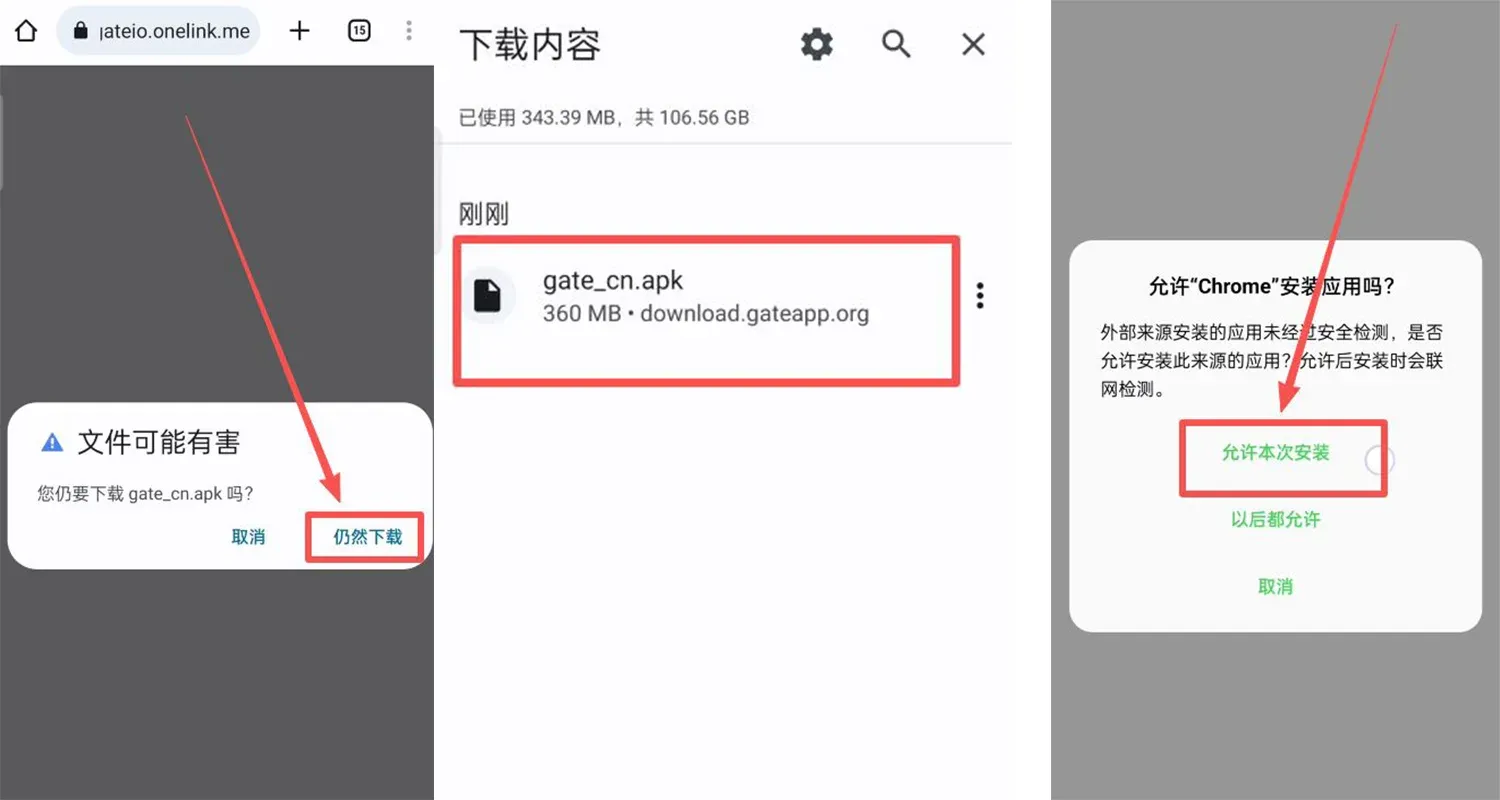
- Search “Gate.io” in your browser, go to the official site, and click the small downward arrow in the upper‑right corner.
- Choose the Android APK package; if a warning appears that the file might be harmful, proceed with the download.
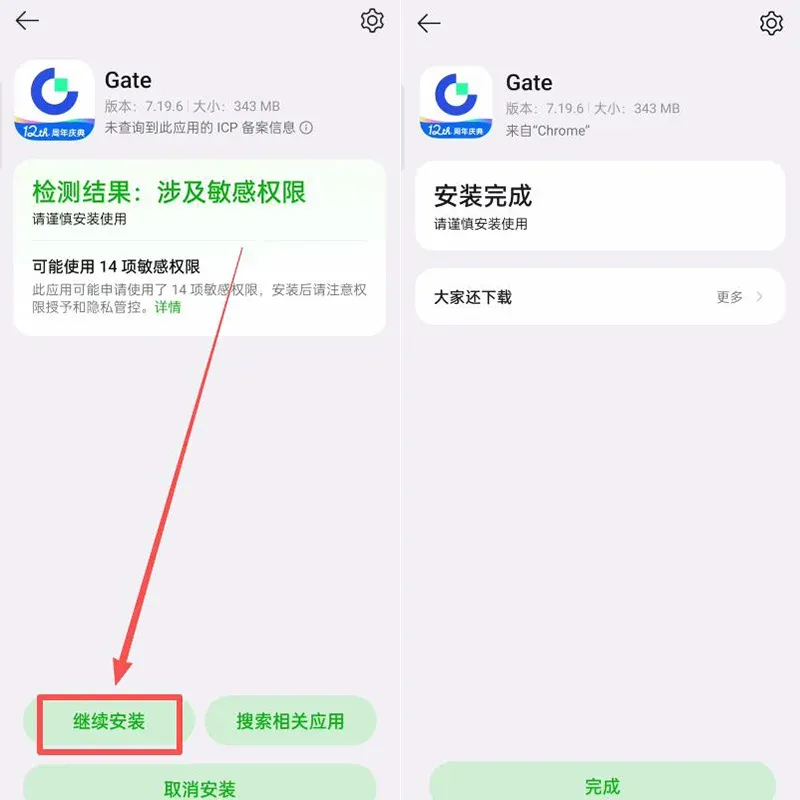
- Once the download finishes, tap the file, check “Allow this installation,” then click Continue Installation.

Gate.io iOS Re‑Download Tutorial
The Role of an Overseas Apple ID
- Different regional App Stores host specific applications. Using an overseas Apple ID lets you access exchange apps that are region‑restricted (such as Binance, OKX, etc.), which is especially useful for users needing cross‑border services.
- We recommend registering an Apple ID for Taiwan or Hong Kong; the interface will be in Traditional Chinese and you can freely reach most crypto exchange apps.
Precautions When Using an Overseas ID
- Self‑Register: Avoid shared accounts to prevent privacy leaks, account bans, or device lockouts.
- Login Method: Sign in directly within the App Store rather than through iOS system settings to reduce risk.
- Verification: If regional verification fails, first register with a domestic account, then switch the region to Taiwan in the account settings.
Required Materials for Registration
| Material | Description |
|---|---|
| **Email** | QQ, 163, Gmail, 189, etc. are acceptable; switch if you encounter errors. |
| **Mobile Number** | A mainland +86 number works; SMS verification is supported, and the same number can register multiple Apple IDs. |
| **Virtual Address** | Use an online address generator (e.g., [Address Generator 1](https://shenfendaquan.com/) or [Address Generator 2](https://www.meiguodizhi.com/)) to obtain a Taiwanese street, city, and postal code. |
Steps to Register an Overseas Apple ID
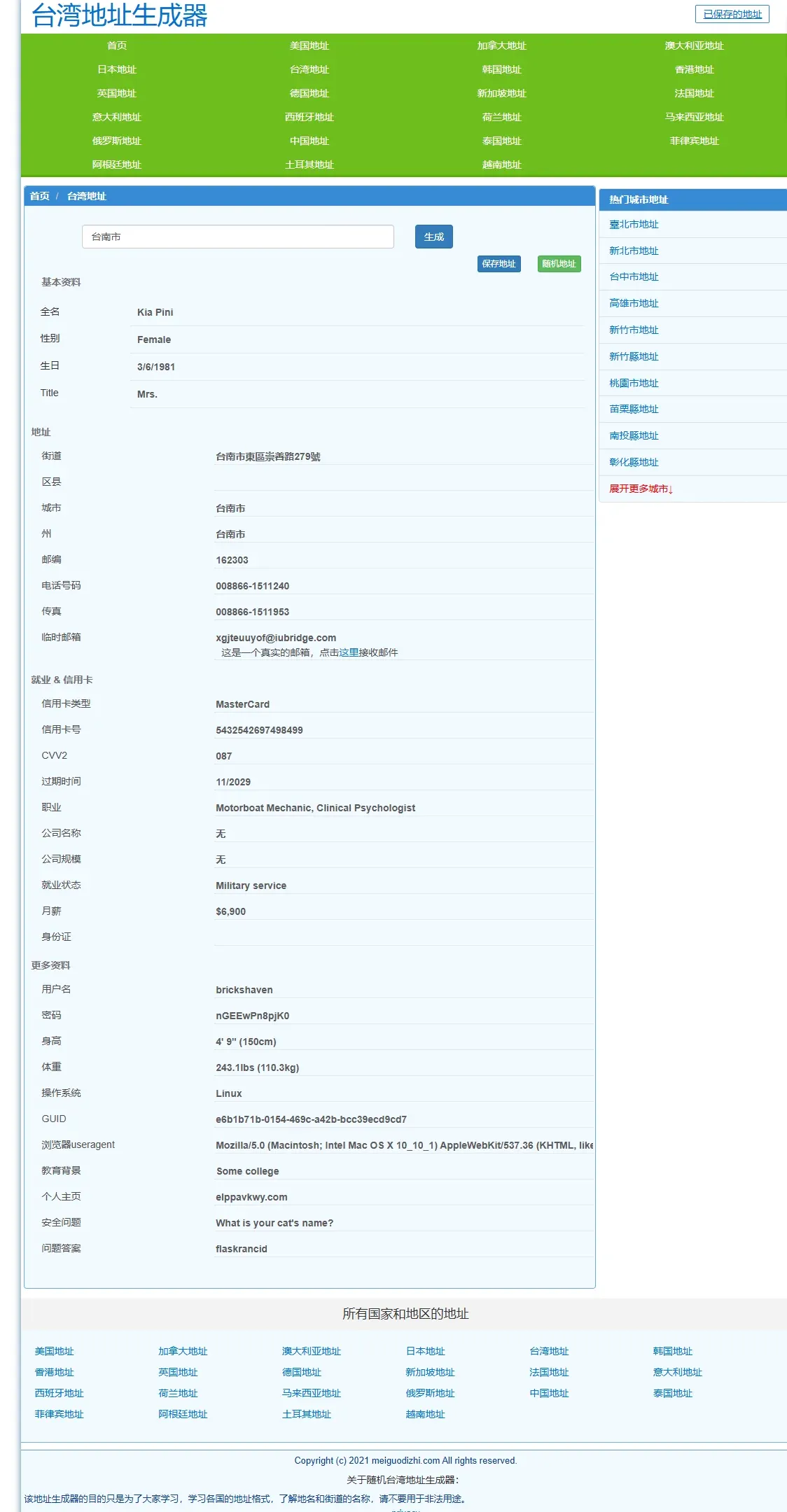
- Open an address generator, select Taiwan address, type Tainan City, generate the details, then copy the full information.
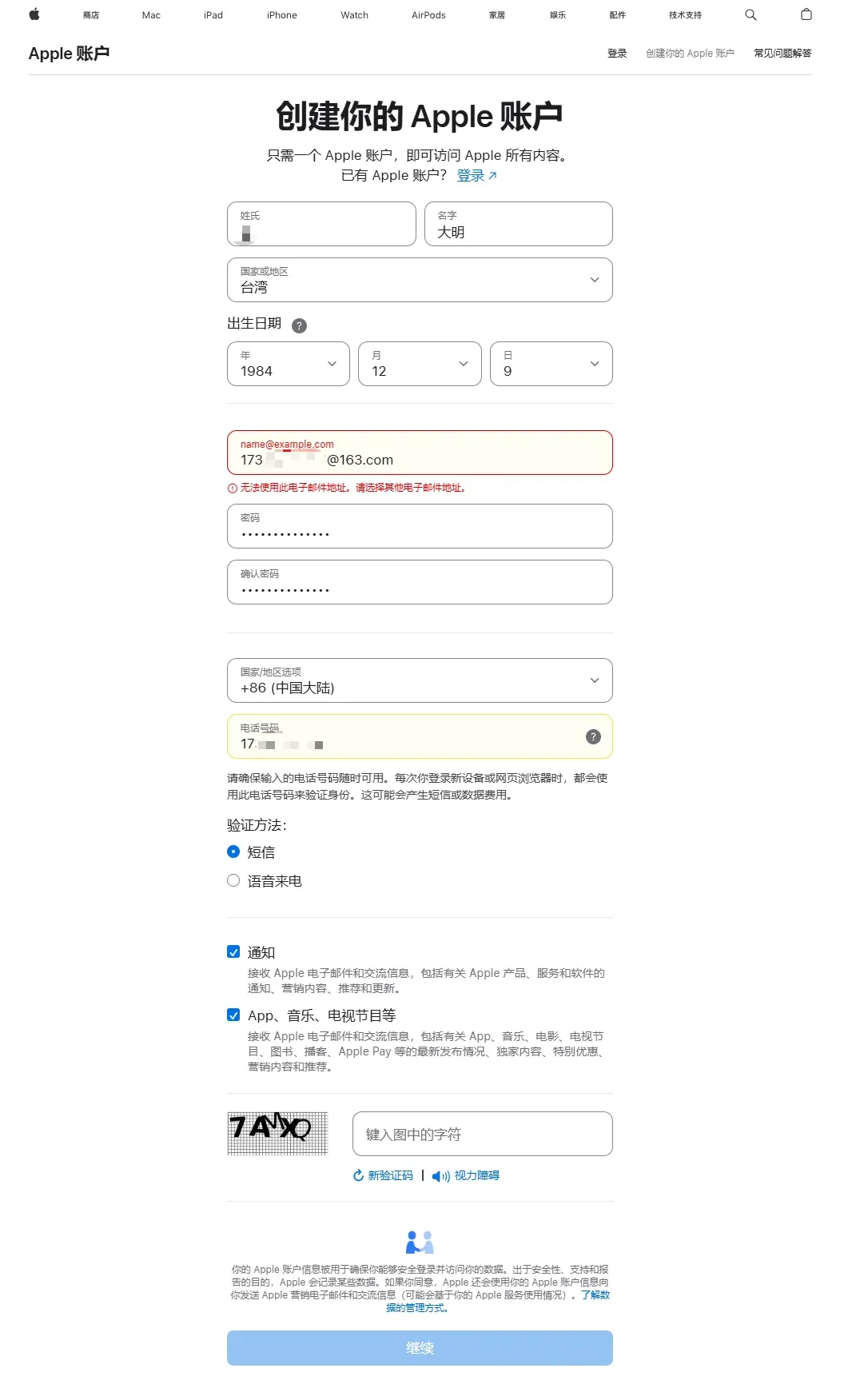
- Visit the Apple account page (https://account.apple.com/account#) and click “Create your Apple ID.” When filling the form, note the following:
- Name can be arbitrary;
- Country/Region → Taiwan, China;
- Birthdate → an adult date;
- Use a real email to receive the verification code;
- Create a strong password;
- Country/Region (again) → China Mainland (this will be used later for phone‑number binding);
- Enter a usable +86 mobile number and select SMS as the verification method.
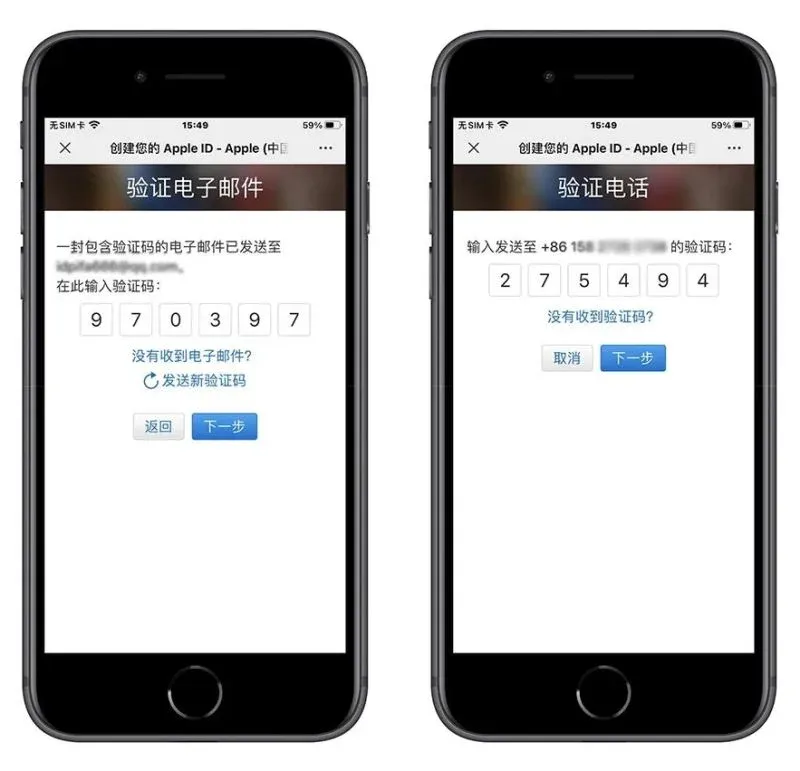
- Input the email verification code, then the SMS code; after both are verified, registration is complete.
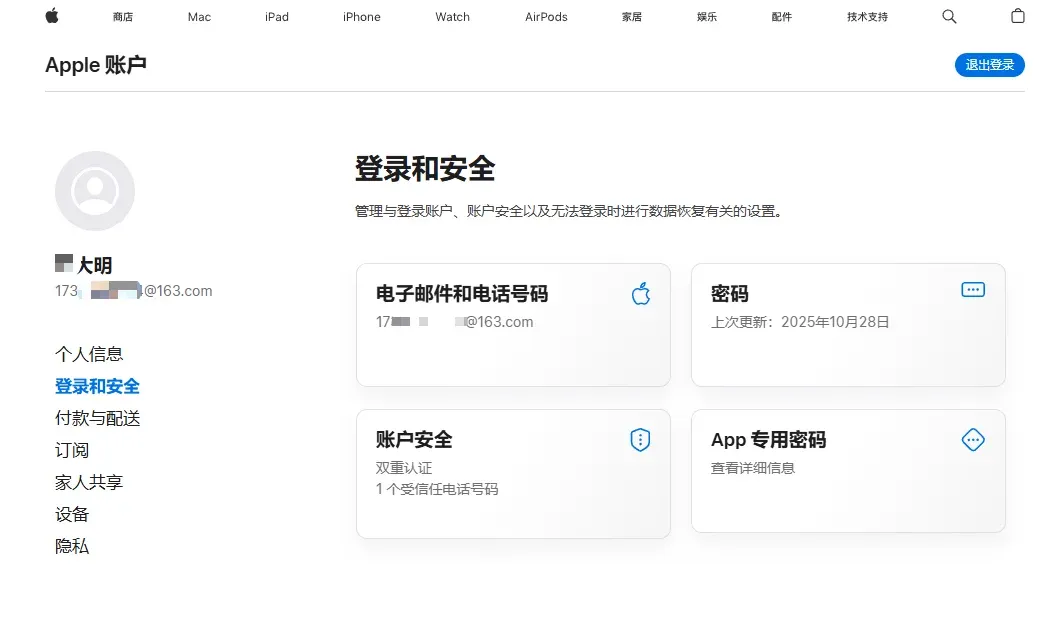
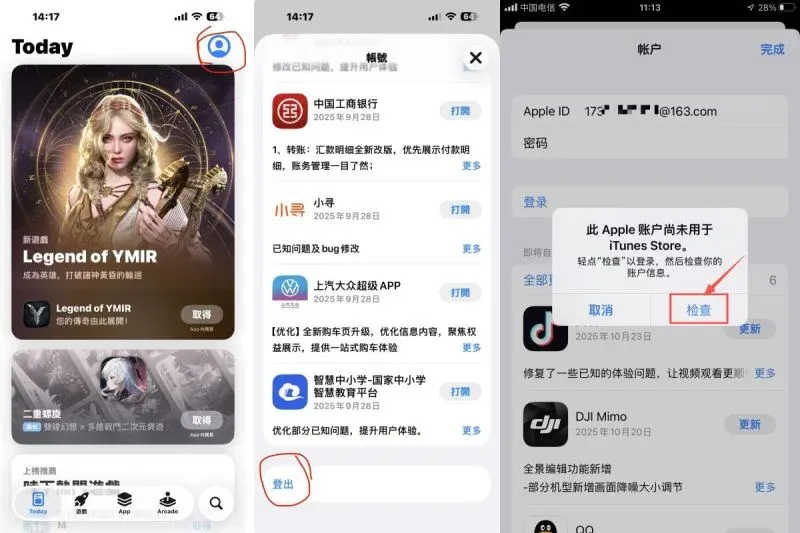
- Open the App Store on your iPhone, tap the profile icon in the top‑right corner, and sign in with the new Apple ID. If you see “This Apple account has not been used with iTunes Store,” click “Check” to finish authorisation.
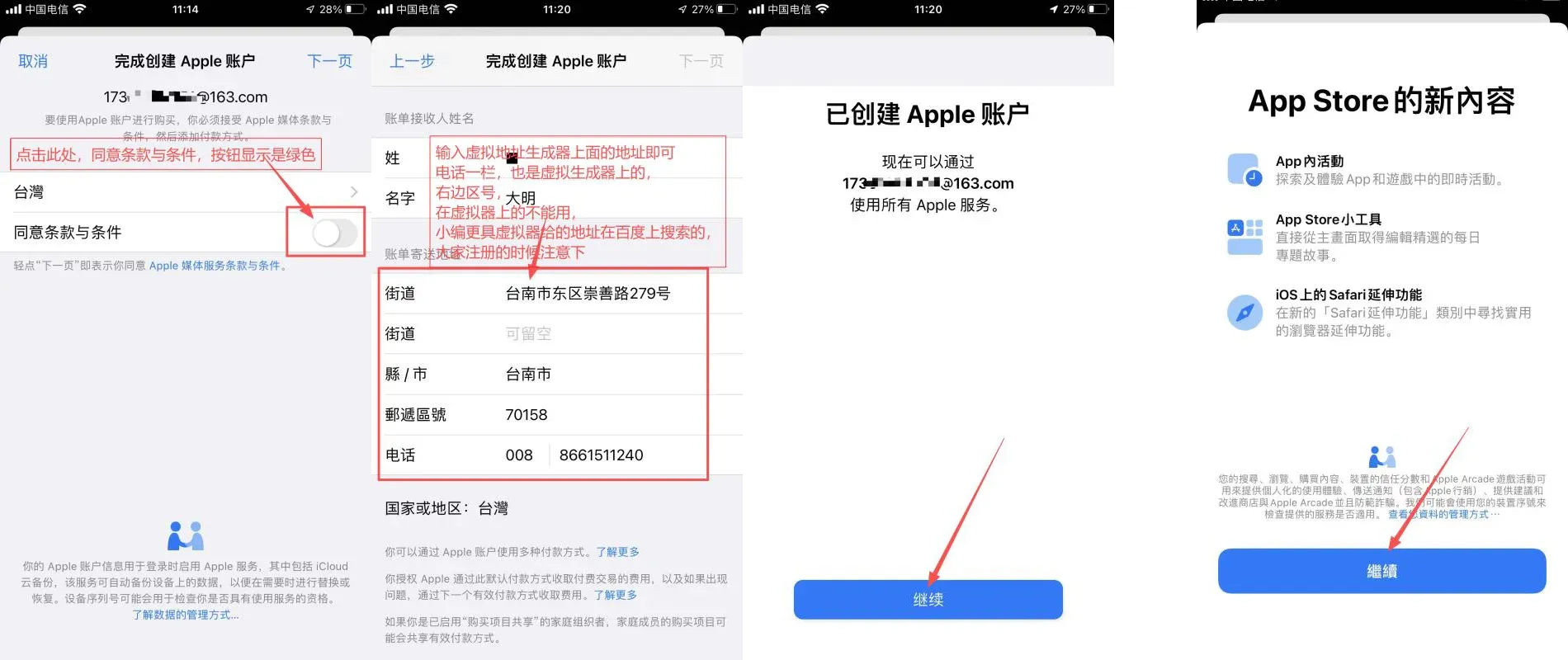
- In the “Billing Information” page paste the virtual address you generated earlier, filling in street, city, postal code and phone (all can be taken from the generator), then tap Next.

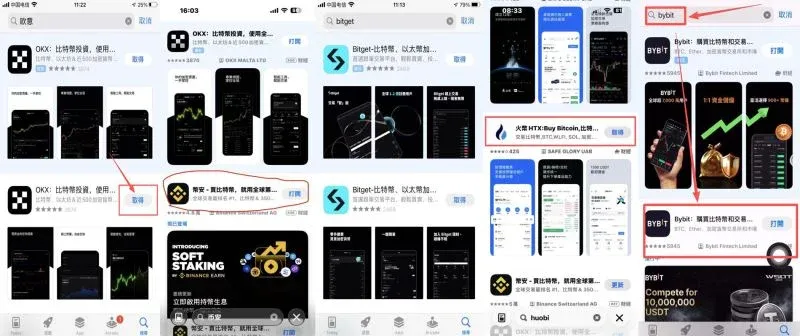
- Follow the remaining prompts; once you reach the App Store home screen you can search for and download Gate.io, Binance, OKX, and other exchange apps.
Setting App Store Billing Information
- Choose “None” (no payment method) if it appears; if the option is missing, simply skip the step. You may use the generated street address without needing a real recipient name.
Common Registration Failures & Solutions
- Message “Unable to create your account at this time” – try a different, never‑used email, switch networks (e.g., mobile hotspot), or use another browser. In some cases waiting 24 hours before retrying helps.
- No “None” payment option – connect to a Taiwan‑based VPN and re‑enter the billing details.
- Verification code not received – check spam folders, switch to another email address, or use a different phone number. Note that a single phone number can register up to two Apple IDs.
Gate.io Exchange – New‑User Registration & Verification Tutorial
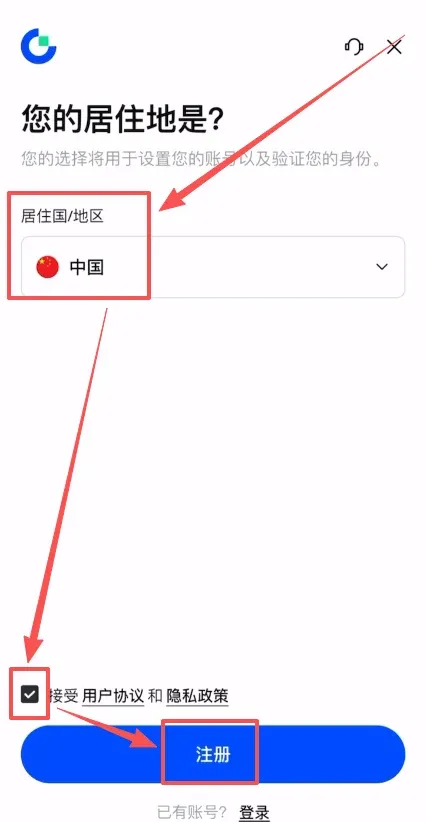
- Go to the Gate.io official website and click Register in the upper‑right corner.
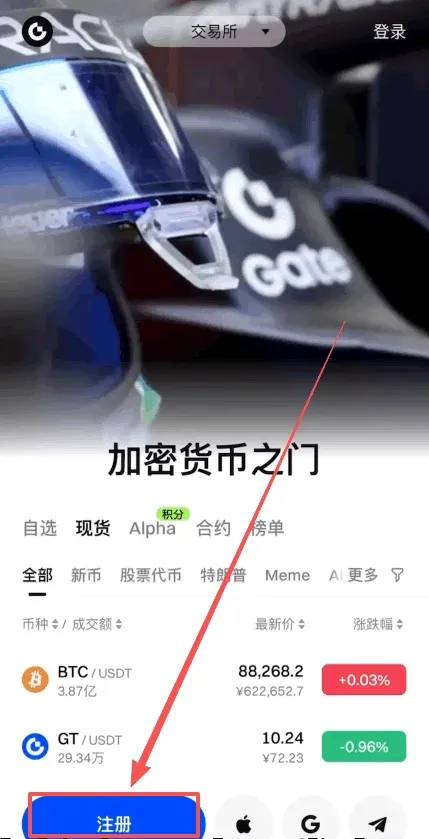
- Select your residence region (China is optional) and tick the agreement box to proceed.
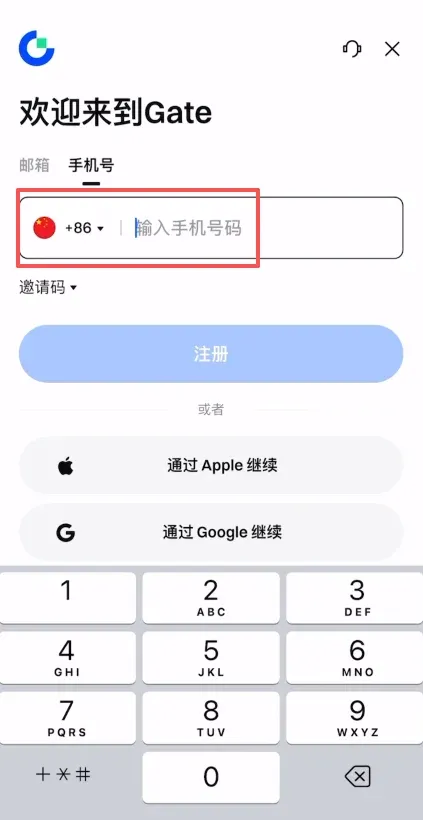
- Register with an email or mobile number; entering the referral code VLIWUGTFAA grants a 20 % fee discount.
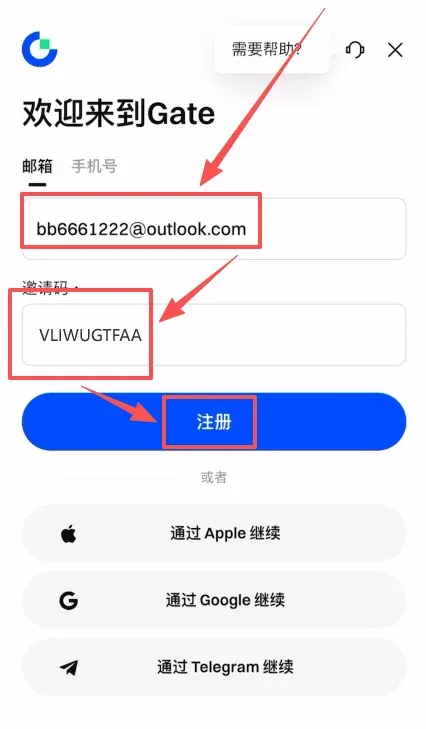
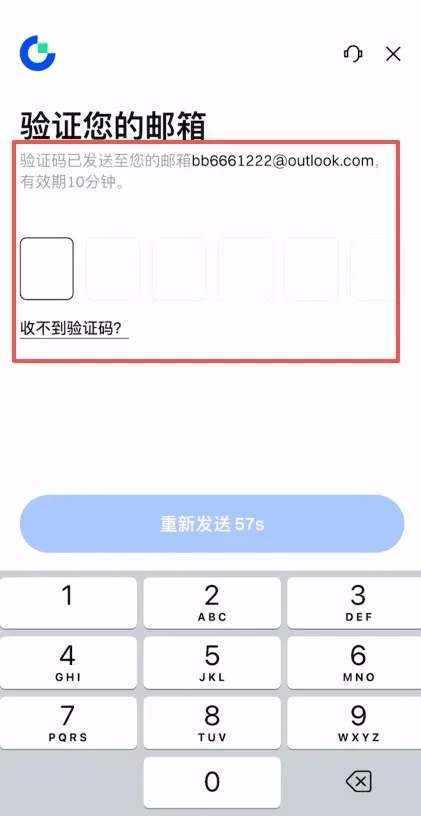
- The system sends an email verification code; input it and continue.
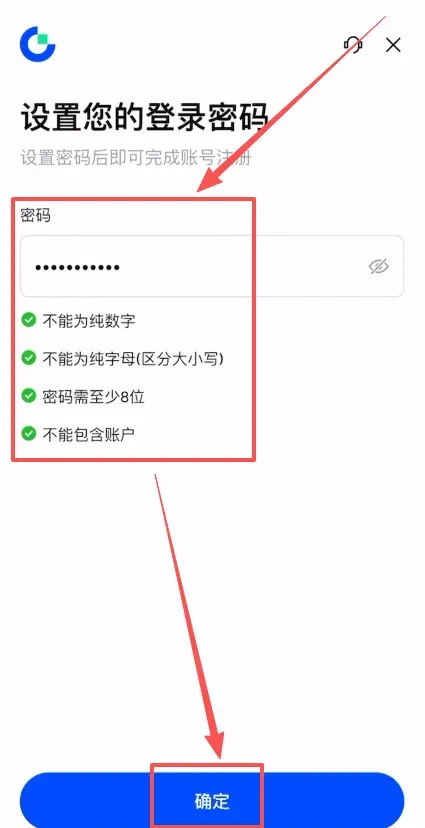
- Set a login password (minimum 8 characters, must contain numbers and letters) to finish registration.
KYC Identity Verification Process
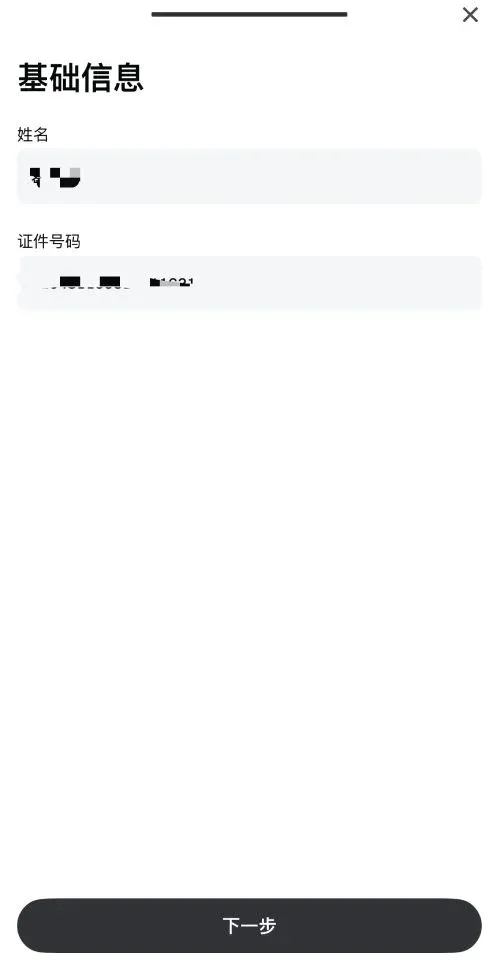
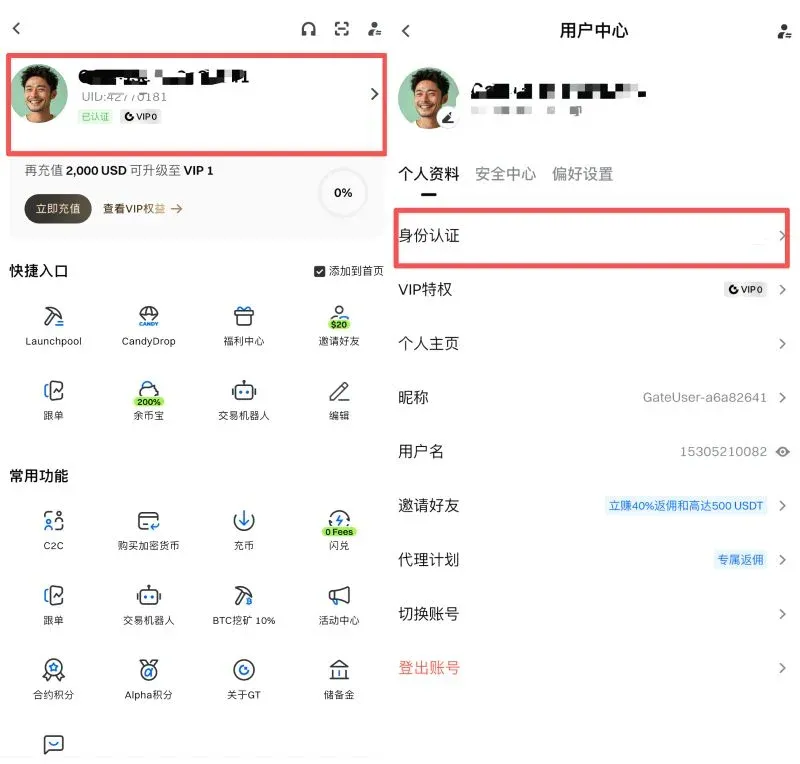
- After logging in, click the avatar in the top‑left corner → Profile → Identity Verification.
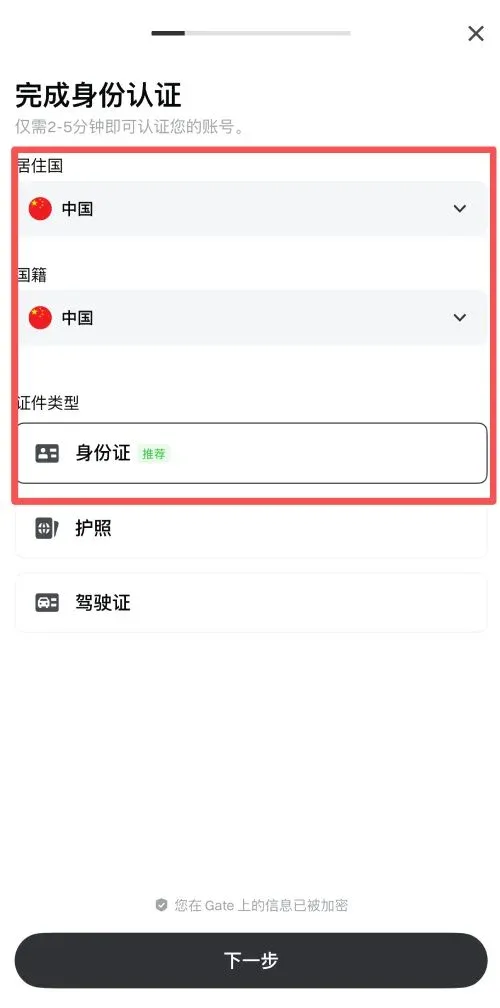
- Choose the document type (ID card, passport, driver’s license), set Country/Region and Nationality to China, then click “Next.”
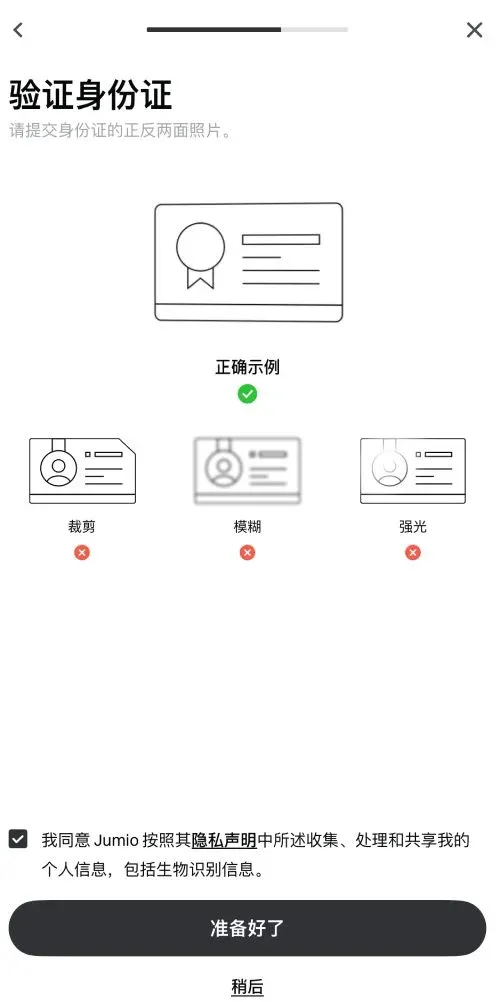
- Follow the prompts to photograph the front and back of your ID card, then complete facial recognition.

- Review the entered information and submit; the status will show “Under Review.” The verification usually completes within a few minutes.