
 Bitaigen Research
 Before diving into the details of the Bitpie wallet, it helps to recap what a Bitcoin wallet actually is. In the traditional sense, a wallet holds cash, but a Bitcoin wallet does not store Bitcoin itself. Ownership of Bitcoin is confirmed by records on the blockchain, digital keys, addresses, and digital signatures. The keys are generated by the user and kept in a local file or a simple database; they are not stored anywhere on the network.
---
In this article we start from the fundamentals of how wallets work, systematically outline Bitpie’s core features, cross‑chain asset support, and private‑key management approach, and provide a complete step‑by‑step guide. The goal is to help newcomers get up and running quickly, understand the security essentials, and boost confidence when using the app. Keep reading to master practical tips.
Bitpie Wallet Comprehensive Introduction
Basic Attributes
- Type: Light wallet (source code not open)
- Security Features: No two‑factor authentication or multi‑signature support
- Functions: Supports HD (Hierarchical Deterministic) architecture, Chinese interface, Android and iOS platforms
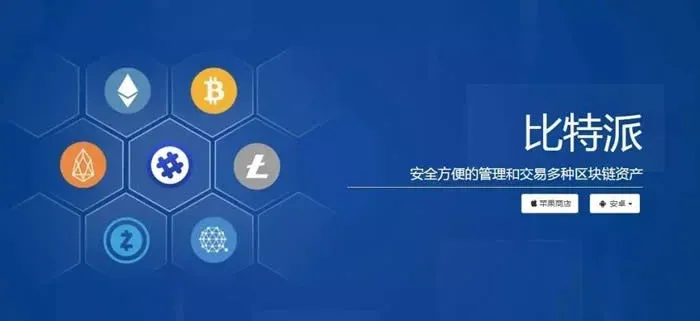
- Asset Support: BTC, ETH, EOS, USDT and a wide range of ERC‑20, EOS tokens, stablecoins and other mainstream chains
- Private‑Key Management: The platform does not store private keys; users retain full control
- Additional Services: Built‑in proprietary exchange
Multi‑Chain Compatibility
Bitpie is a global multi‑chain wallet that fully covers the following mainnets:
- Ethereum ecosystem: ETH, all ERC‑20 tokens, ETC
- Bitcoin ecosystem: BTC, BCH
- EOS ecosystem: EOS and all of its tokens
- Stablecoins: USDT (both Omni and ERC‑20 versions), SCNY
- Other major networks: LTC, Dash, Zcash, QTUM, TRON, BTM and more
Team and Security
The Bitpie team consists of blockchain technology experts from around the world as well as business veterans from finance and IT services. Core members previously operated the “Bither” wallet. Because of their deep focus on security, Bither was once recommended by bitcoin.org as an official wallet. The team’s headquarters are in Sydney, Australia, and they have long been dedicated to enhancing asset‑management security while delivering rich blockchain‑application scenarios.
Application Information
- Version: ok web3 wallet software v6.158.1 (official Android version)
- Size: 376.03 MB
- Language: Simplified Chinese
- Release Date: 2026‑02‑11
---
Bitpie Wallet Usage Guide
1. Installation Process
- Open the official Bitpie download page in a mobile browser.
- Choose the Android version and tap “Download”.
- Locate the corresponding APK file in the download history.
- After installation finishes, an icon for Bitpie Wallet will appear on the home screen.
2. Security Setup
- Launch the app for the first time, read the introductory prompt, and tap “Start Using”.
- The system will display a set of 12 mnemonic words; a language toggle in the upper‑right corner lets you switch between Chinese and English. Write them down in order on paper and keep them safe—the mnemonics are not stored inside the app, and losing them means permanent loss of access to your assets.
- After transcription, press “I have written them down”.
- Confirm once more and tap “Done, next step”.
- Click the words in the correct order to verify; upon successful verification you will be taken to the password‑creation screen.
- Set a six‑digit numeric PIN; this PIN will be required for login and for sending funds.
- Re‑enter the PIN to confirm, and you will then be taken to the wallet’s main interface.
3. Receiving Funds
- On the Wallet page, scroll to the bottom and select the cryptocurrency you wish to receive.
- If the desired coin does not appear in the list, tap the “+” button in the upper‑right corner to add it manually.
- After selecting, tap the “Receive” button at the top; the app will generate a receiving address together with a QR code. The address string and the QR code point to the same destination, and any app capable of scanning QR codes can retrieve the address.
- A single wallet can generate multiple receiving addresses; older addresses remain valid and do not become obsolete when new ones are created.
- Use the “Share Address” function to send the QR code via WeChat, QQ, or other social platforms; when withdrawing from an exchange, simply copy the address string. All inbound and outbound transactions are viewable under “Transaction History”.
- Always double‑check the cryptocurrency and network before confirming a receipt to avoid mis‑directed transfers.
4. Sending Funds
- From the wallet’s home screen, choose the coin you want to send.
- Tap the “Send” button at the top.
- Manually type in or scan the recipient’s QR code to obtain the address, then enter the amount to send.
- Verify that all details are correct and tap “Confirm Send”.
- The transaction status can be monitored in real time under “Transaction History”.
---
Conclusion
The overview above should give you a clear picture of Bitpie’s features, the chains it supports, the team’s background, and the step‑by‑step usage flow. When selecting a Bitcoin or multi‑chain wallet, it’s wise to pay close attention to the operating history of the team, the size of the user base, and the security reputation. Bitpie’s multi‑chain compatibility, user‑controlled private keys, and professional security investments have already earned it a sizable global user community.
For deeper material on Bitpie, feel free to follow Bitaigen (比特根) and its related channels.
💡 Register on Binance with referral code B2345 for the maximum trading fee discount. See Binance complete guide.



