
 Bitaigen Research
 We have compiled in this article the step‑by‑step procedures for using the three major TRC‑20 blockchain explorers—TRONSCAN, OKLink, and TokenView—along with practical tips to help users quickly verify whether a USDT transfer has arrived, and we also remind you to guard against phishing attacks. To master the full workflow, keep reading.
Checking USDT Arrival on a TRC‑20 Blockchain Explorer (trc20 usdt blockchain explorer)
In TRC‑20 blockchain explorers such as TRONSCAN, OKLink, and TokenView, simply entering a wallet address or a transaction hash lets you instantly see whether a USDT transfer has been credited.
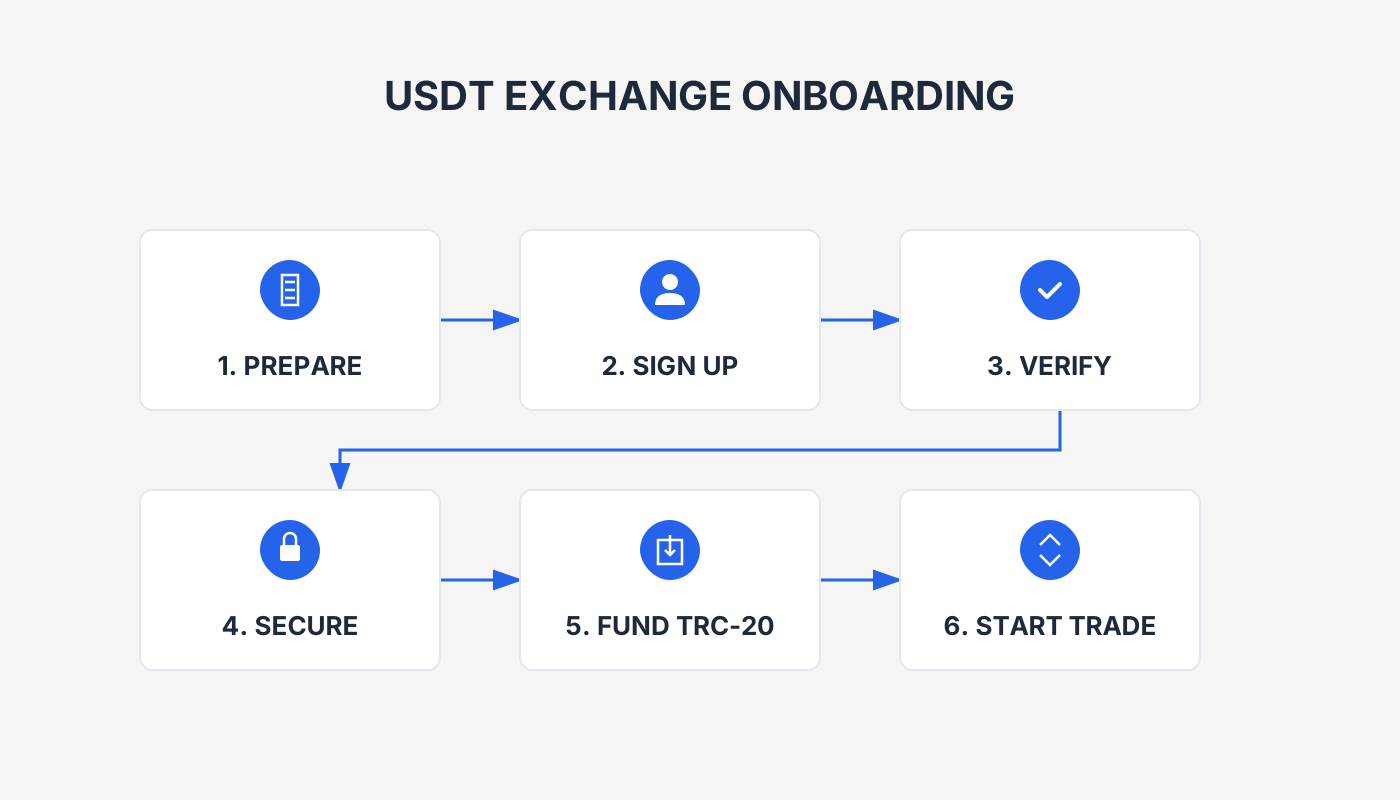
1. Using a TRC‑20 Blockchain Explorer
1.1 TRONSCAN
TRONSCAN is the official explorer for the Tron network, offering full‑chain queries for blocks, transactions, accounts, contracts, tokens, and more.
- Official website: <https://tronscan.org>
- Paste a wallet address or transaction hash into the search box to view the corresponding USDT transfer record and confirm receipt.
1.2 OKLink
OKLink is an international, multi‑currency blockchain explorer that supports Bitcoin, Ethereum, Litecoin, and also provides Tron network queries.
- Official website: <https://www.oklink.com/zh-hans>
- Input the relevant address or hash to obtain the details of a TRC‑20 USDT transaction.
1.3 TokenView
TokenView is a comprehensive blockchain explorer covering many major chains, including Tron.
- Official website: <https://tokenview.io/>
- As with the others, enter the wallet address or transaction hash in the search bar to check the status of a USDT transfer.
Tip: When using any explorer, always verify that the URL is authentic to avoid phishing sites that could expose your information.
2. Viewing USDT Directly in a Crypto Wallet
Most cryptocurrency wallets display USDT transfer information on a “Transaction History” or “Assets” page. Commonly used wallets include:
- OKX Web3 Wallet (user‑friendly)
- Binance Web3 Wallet (frequent airdrops) – note that U.S. residents must use Binance.US rather than the global Binance platform.
- MetaMask, TronLink, imToken, and others
Open the USDT (TRC‑20) asset within your wallet to see the latest inbound records.
3. Contacting Exchange Customer Support
If you have deposited or transferred funds on an exchange and cannot locate the transaction, reach out to the exchange’s support team. They will typically verify the USDT arrival using the transaction hash or wallet address you provide.
4. Key Considerations When Querying
| Consideration | Explanation |
|---|---|
| **Explorer reliability** | Choose official or well‑established explorers; avoid unknown tools that may provide inaccurate data. |
| **Query timing** | Blockchain transactions require a few confirmations. Waiting a few minutes before checking can prevent false‑negative results. |
| **Data accuracy** | The address or hash must be entered completely and correctly; a single wrong character will return no matching record. |
By following the methods above, users can accurately and swiftly confirm the arrival of USDT on the TRC‑20 network.
Differences Between TRC‑20 and ERC‑20
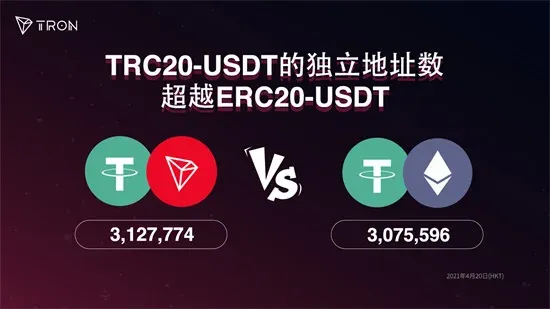
- Network foundation: TRC‑20 runs on the TRON network, while ERC‑20 runs on Ethereum.
- Transaction fees: TRC‑20 fees are generally lower than those on ERC‑20.
- Confirmation speed: Tron’s block time is faster than Ethereum’s, leading to quicker confirmations.
- Smart‑contract flexibility: TRC‑20 contracts support richer business logic, such as cross‑chain transfers and token locking.
Advantages of TRC‑20 Tokens
- Low transaction costs: Compared with Ethereum, TRC‑20 operations are cheaper.
- Fast confirmations: Transactions are typically finalized within seconds.
- High scalability: Tron’s architecture can handle a large volume of concurrent transactions.
- Ecosystem support: The Tron ecosystem includes numerous DApps, wallets, and exchanges.
- Cross‑compatibility: Many ERC‑20 tokens can be bridged to Tron, enhancing liquidity.
TRC‑20 Token Transfer and Trading Workflow
- Select a wallet: Use a wallet that supports TRC‑20 (e.g., TronLink, TokenPocket, Math Wallet).
- Create or import the wallet: Set a strong password, back up the seed phrase, and keep it secure.
- Acquire tokens: Obtain TRC‑20 tokens via ICOs, exchanges, or other channels.
- Enter the recipient address: Double‑check that the provided TRC‑20 address is correct.
- Initiate the transfer: Input the destination address, amount, and any memo, then confirm.
- Await confirmation: The network validates the transaction; this usually takes seconds to a few minutes depending on congestion.
- Review the result: Once successful, the transaction appears in your wallet and can be verified on a blockchain explorer.
Recommended Platforms for Trading TRC‑20 Tokens
| Platform | Highlights |
|---|---|
| **OKX** | Multi‑layer risk control, global service coverage, extensive token listings. |
| **Binance** (global) – non‑U.S. users; U.S. residents should use **Binance.US** | Largest global trading volume, thousands of trading pairs, deep liquidity. |
| **Kine** | Decentralized derivatives platform offering zero‑slippage, high‑leverage trading. |
| **Tbitex** | Fingerprint login, instant settlement, diverse contract offerings. |
| **Gate.io** | Over 3,800 assets, provides spot, futures, NFT and other services. |
| **AscendEX (formerly BitMax)** | Multilingual global support, real‑time security monitoring. |
Reminder: Before trading on any platform, complete identity verification, review the fee schedule (typically expressed in USD or via SEPA/SWIFT for fiat deposits), and read the risk disclosures. Crypto gains may be taxable in your jurisdiction, so consult a tax professional if needed.
Converting TRC‑20 Tokens to USDT (Example Using OKX)
- Log in: Open the OKX website or mobile app and sign in with your credentials.
- Select the trading pair: Find the market that pairs your TRC‑20 token with USDT.
- Enter the amount: Specify how many TRC‑20 tokens you wish to convert; the system will automatically display the equivalent USDT amount.
- Confirm the conversion: Review the details and click “Confirm.” The platform will execute the swap automatically.
- Check the record: Navigate to “Assets” or “Transaction History” to verify that the conversion succeeded.
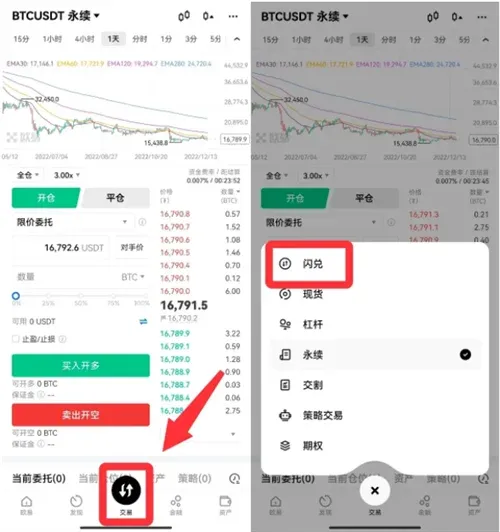
Fast Swap Procedure for TRC‑20 Tokens
- Open the trading app and tap “Trade.”
- Go to the “Instant Swap” (or “Flash Exchange”) screen.
- Choose the target token (e.g., USDT) and input the amount.
- Confirm and authenticate with your payment password or biometric verification.
- After processing, the assets will appear in the corresponding account.
Prior to any swap, fully understand market risk and read the platform’s terms and fee explanations.
Operations Related to USDT (TRC‑20) Wallet Addresses
1. Wallet Address Generation Process
| Step | Key Action |
|---|---|
| **Choose wallet software** | Ensure it supports TRC‑20 (e.g., TronLink, imToken). |
| **Install and create a wallet** | Set a password and back up the seed phrase. |
| **Back up the seed phrase** | The seed phrase is the sole credential for wallet recovery; store it securely. |
| **Obtain the wallet address** | The UI will display a TRC‑20 address that starts with “T”. |
| **Validate the address** | Send a small amount of USDT to the new address as a test. |
| **Security tip** | Never disclose your private key or seed phrase; keep the wallet software up to date. |
2. Steps to View Your Wallet Address
- Open the USDT wallet application.
- Go to the “Wallet” or “Assets” screen.
- Locate and tap the USDT (TRC‑20) entry.
- The full address, balance, and transaction history will be displayed.
3. Canceling Multi‑Signature (Multisig) Settings
- Open the wallet app and navigate to “Settings.”
- Find the “Multi‑Signature” option.
- Choose “Cancel Multi‑Signature” and follow the prompts to complete the process.
- Ensure you have backed up all relevant private keys or seed phrases before proceeding.
---
This guide provides a complete reference for checking whether USDT has arrived via a TRC‑20 blockchain explorer. For more related content, you can search the historical articles of Bitaigen or continue reading the articles linked below. Thank you for supporting Bitaigen!
Frequently Asked Questions
Q1: Which is more suitable for everyday transfers, TRC‑20 or ERC‑20?
A: If you prioritize low fees and rapid confirmations, TRC‑20 usually has the edge; if you care more about a mature ecosystem and a wide range of DeFi projects, ERC‑20 remains the dominant choice.
Q2: What should I do if I can’t find a transaction record?
A: Verify that you have entered the full transaction hash or wallet address correctly. If the record still does not appear, the network may not have completed the necessary confirmations—wait a few minutes and retry, or contact the exchange’s support team.
Q3: Is it necessary to use an official explorer?
A: Official explorers such as TRONSCAN offer the highest trust level. When using third‑party explorers, research their reputation and security track record beforehand.
Related Reading
- How to Identify Black U USDT Transactions: A Practical Guide
- USDT Stablecoin: Market Role, Exchange Flow & Price Insight
- TRC20 vs ERC20 USDT Transfers: Fees, Speed & Best Network Choice
💡 Register on Binance with referral code B2345 for the maximum trading fee discount. See Binance complete guide.



