
 Bitaigen Research
 In an Ethereum block explorer (such as Etherscan), search for the token contract address; after opening the detail page, click the “Holders” tab to view all holder addresses. If you already know a holder address, simply paste it into the search bar to see its balance.
In this article we systematically outline how to use an Ethereum block explorer, especially how to quickly locate a token contract and view its holder addresses. With step‑by‑step screenshots, you can easily obtain on‑chain distribution data to support investment and development decisions. To master the details, keep reading.
Ethereum Block Explorer Holder Address Lookup Guide
Ethereum blockchain explorers are online tools that let users browse, search, and analyze transactions, blocks, smart contracts, and related data on the Ethereum network. Whether you are a developer, researcher, or everyday user, the explorer provides a fast window into on‑chain information.
Within the Ethereum ecosystem, token address lookup is a core operation. It helps users verify token ownership, trace fund flows, and analyze holder distribution; investors can make more rational judgments, and developers can use the data for contract debugging and token monitoring.
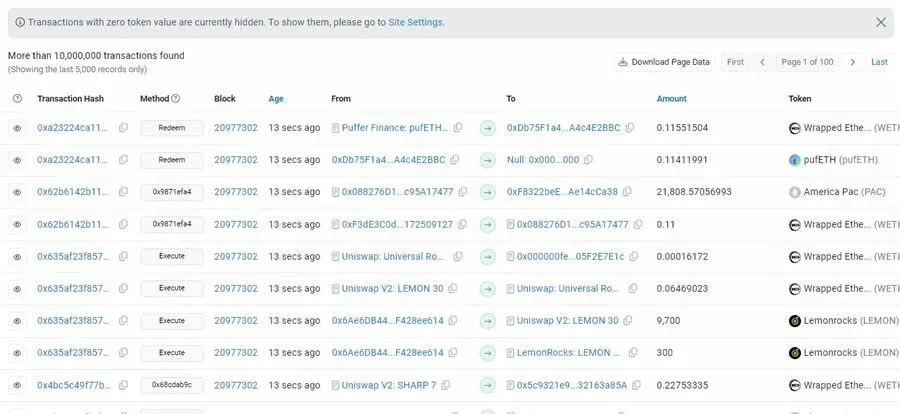
Tutorial 1: Using Etherscan as an Example
- Open Etherscan
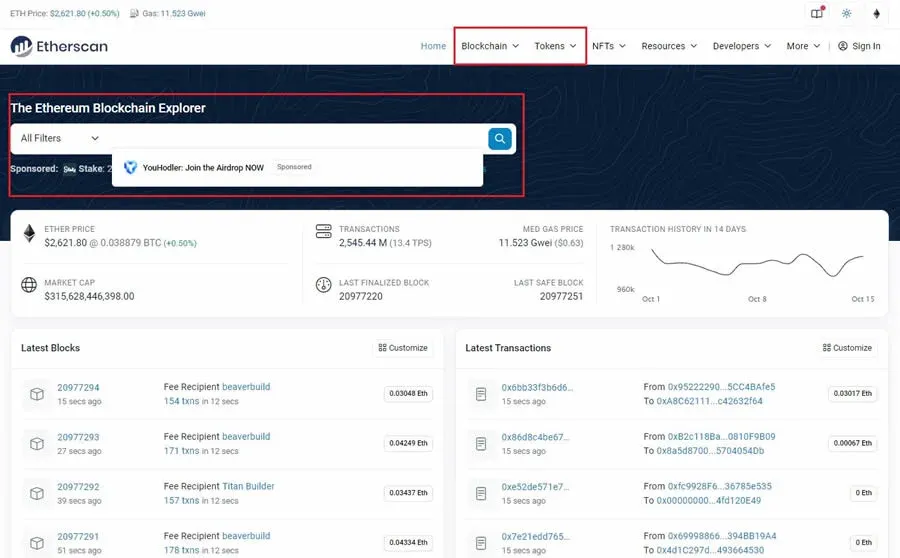
Search for “Etherscan” in your browser and go to the official site (always verify the URL to avoid phishing).
- Obtain the Token Contract Address
The contract address is typically listed on the token’s official website, social media channels, or exchange listings.
- Query Token Details
Paste the contract address into Etherscan’s search bar and click Search. You will be taken to the token’s detail page, which displays basic information such as total supply, number of holder addresses, contract address, and contract decimals.
- View the Holder Address List
On the detail page, locate the “Holders” or “Token Holders” tab. Clicking it reveals all addresses that hold the token, sorted by balance from largest to smallest by default. You can scroll through the list or use the page’s search box to locate a specific address.
- Check an Individual Address’s Balance
Enter the target address directly into Etherscan’s top‑level search bar. After searching, you will land on that address’s page, which shows its transaction history, a list of held tokens, and current balances.
When using any Ethereum explorer, always ensure you are on an official or trusted site to avoid being misled by falsified data.
Tutorial 2: Using the TP Wallet as an Example
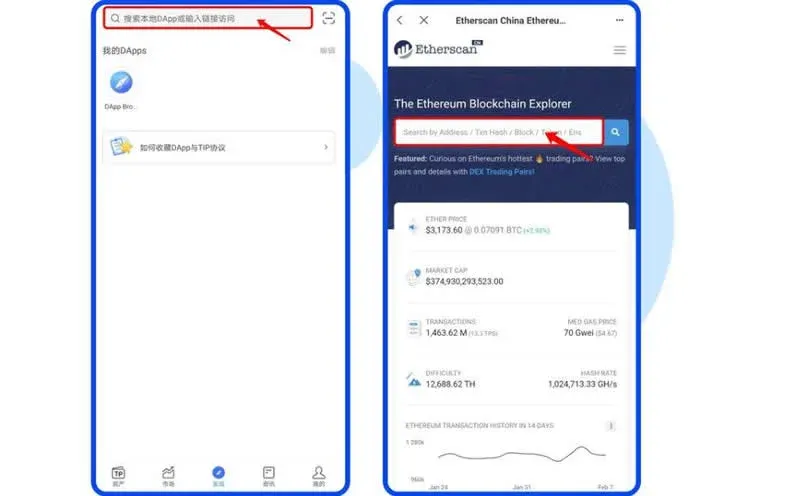
- Enter the DApp Browser
Open the TPAPP, switch to the DApp browser, and navigate to `https://cn.etherscan.com/` to access an Ethereum block explorer.
- Query Token Information
Type the token’s contract address into the search box; the system will return the token’s overview page. Click the token name to open the token detail page, which displays total supply, number of holder addresses, contract address, contract decimals, official website link, and other key data.
Core Functions of an Ethereum Block Explorer
- Transaction Detail View: Look up any Ethereum address’s transaction history, including amount, timestamp, and gas fees.
- Smart Contract Tracking: Read contract source code and call logs, helping developers debug before deployment.
- Network Activity Analysis: Monitor block height, block time, network congestion, and other metrics to assess overall chain health.
- Token Tracking: Support balance and transfer queries for ERC‑20, ERC‑721, and other standard tokens.
How to Find a Token’s Contract Address
There are two common ways to obtain a token’s contract address: via a block explorer or directly from the token’s official website. Below we demonstrate the process using Uniswap (UNI) as an example:
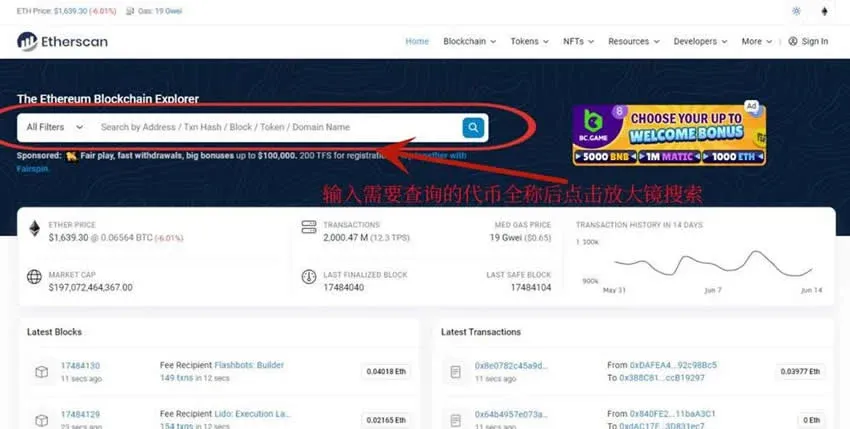
- Open the official Etherscan website.
- In the search box at the top‑left, type the full token name “Uniswap” and click the magnifying glass icon.
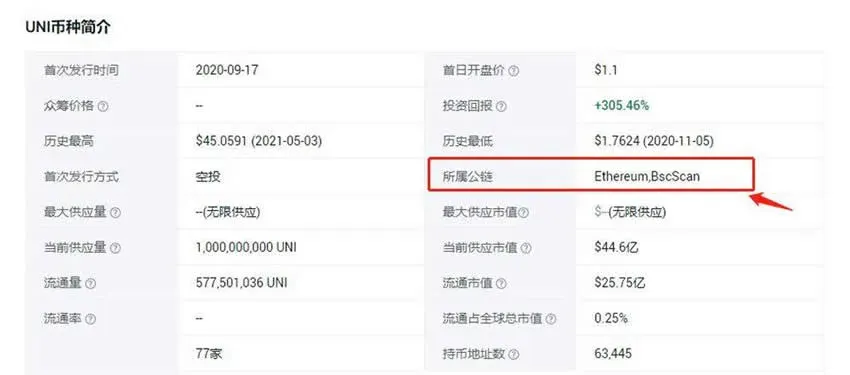
- If you are unsure which chain the token belongs to, refer to the token description for the underlying blockchain. For instance, UNI is an Ethereum token, so you would look it up on Etherscan (Ethereum) or, for cross‑chain versions, on BscScan.
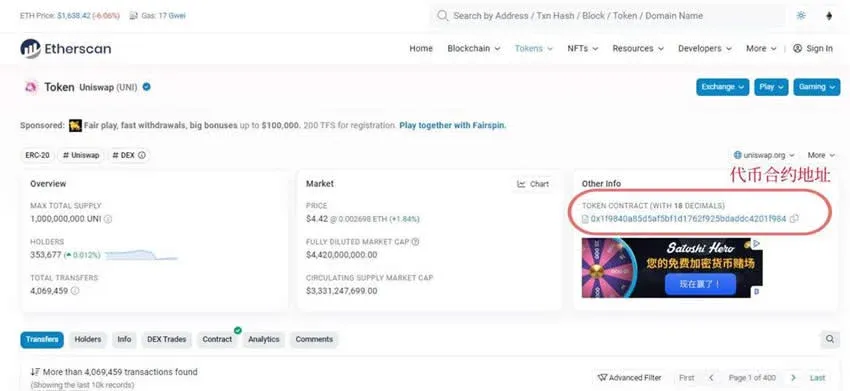
- After entering the UNI token’s detail page, the contract address is shown directly: `0x1f9840a85d5aF5bf1D1762F925BDADdC4201F984`.
The steps above constitute a complete guide to how to query a token’s contract address using an Ethereum block explorer. For more practical tips on locating Ethereum holder addresses, feel free to follow other articles from Bitaigen (比特根).
Related Reading
- Buy Ethereum (ETH) with USDT: A Domestic Step‑by‑Step Guide
- MetaMask Transaction Fees: Gas, Base & Priority
- Understanding Smart Contracts and ERC Standards on Ethereum
💡 Register on Binance with referral code B2345 for the maximum trading fee discount. See Binance complete guide.



