
 Bitaigen Research
 2026 Complete End‑to‑End Guide for Registering an OKX Account, Completing KYC, Depositing Funds, and Trading Bitcoin
How to Use OKX in 2026?
In the digital‑economy era of 2026, cryptocurrencies have become a core component of global asset allocation. As a leading exchange, OKX (officially rebranded as OKX Dubai) offers a user‑friendly Chinese interface, a wide range of tradable assets, and a robust security framework, making it the preferred gateway for millions of Chinese‑speaking users entering the crypto space.
Below, the editorial team at Bitaigen walks you through every step from a brand‑new account to your first Bitcoin trade. Even if you have never touched a digital asset before, you can safely complete the whole process within 30 minutes. Let’s get started!
Unlike the tense atmosphere after the “94 regulatory” crackdown in 2021, the crypto‑trading environment in 2026 is far more regulated and transparent. OKX, a fully licensed exchange under Dubai’s VARA (Virtual Assets Regulatory Authority), preserves the convenience of blockchain technology while satisfying international anti‑money‑laundering (AML) and know‑your‑customer (KYC) requirements. This article starts with the most basic steps—downloading the app and creating an account—and then delves into fund deposits, trading operations, and the latest security practices introduced in 2025, helping you avoid the common pitfalls that beginners fall into.
In this guide we outline the complete 2026 workflow for OKX: account registration, identity verification, fiat deposit, and Bitcoin buying/selling. With illustrated, step‑by‑step instructions, even first‑time digital‑asset users can get up to speed quickly and understand the platform’s key security points. Continue reading for a fully compliant, regulated‑under‑the‑hood walkthrough.
Part 1: Preliminary Preparation and Account Registration
1. Access Preparation and Basic Configuration
Network environment configuration
- VPN / proxy selection: Avoid U.S. or Singapore exit nodes; prefer IP addresses routed through Taiwan, China. In mainland China, the use of such tools must be authorized by law; the simplest approach is to visit the domestic OKX website directly, which removes the need for a VPN.
- Browser recommendations: Use Safari on iPhone, Chrome or Firefox (latest version) on Android.
- Device security: Ensure your phone is protected by a lock‑screen password or biometrics and disable the installation of apps from unknown sources.
2. Full Account Registration Process
Registration steps
- Click the Register button at the top‑right corner of the official website.
- Choose Email registration (ProtonMail or Outlook are recommended).
- Set a strong password (12 + characters, mixing upper‑ and lower‑case letters and special symbols).
- Complete the graphical captcha (a behavior‑based verification added in 2025).
- Retrieve the verification email (if it lands in spam, mark it as “Not Spam”).
Security tips
- Do not use domestic email providers such as QQ or 163.com.
- Activate two‑factor authentication (2FA) immediately after registration.
- Keep a physical copy of your email address and password in a safe place to guard against loss.
3. Detailed Explanation of Identity Verification (KYC)
Required documents
| User region | Suggested documents |
|---|---|
| Mainland China | Passport (preferred) or national ID + selfie with the document |
| Hong Kong / Macau | Mainland ID or Home Return Permit |
| International users | Local government‑issued ID + proof of address (e.g., utility bill) |
Verification workflow
- Log in and navigate to the Identity Verification page.
- Select Personal verification (institutional verification requires additional paperwork).
- Upload clear, glare‑free photos of the front and back of your ID.
- Complete facial recognition (ensure even lighting).
- Wait for system review (AI‑driven checks in 2025 average about 2 minutes).
Verification tiers
| Tier | Daily limit | Required documents |
|---|---|---|
| Basic | 10 000 USDT | National ID |
| Advanced | 500 000 USDT | Passport + proof of address |
| Institutional | No limit | Company documents, accredited‑investor proof |
OKX registration and verification practical details
- OKX referral code for the exchange: B2345
- OKX referral code for the wallet: B23459
- Global OKX website: https://www.okx.com/ (VPN may be required)
- OKX China website (no VPN needed): Click to register
- OKX app download link: Click to download (no VPN needed)
After arriving at the website, click Register.
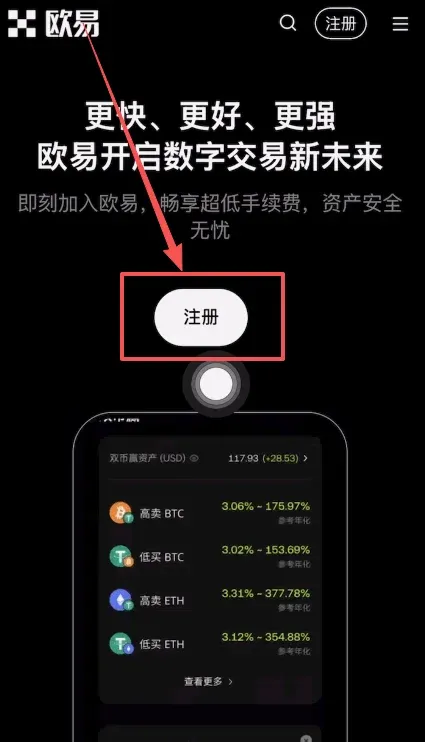
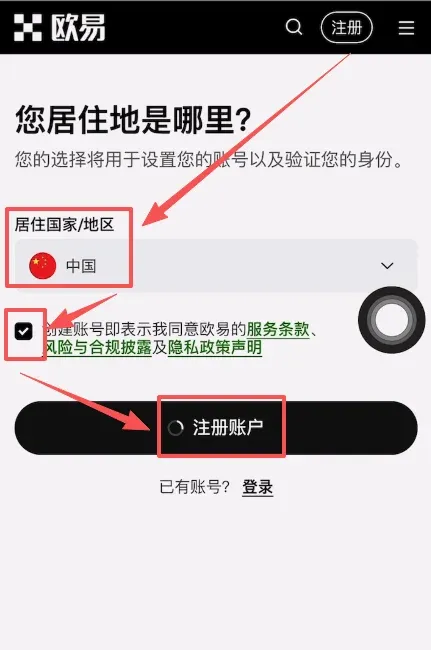
Select China as your residence, tick the agreement box, and press Create Account.
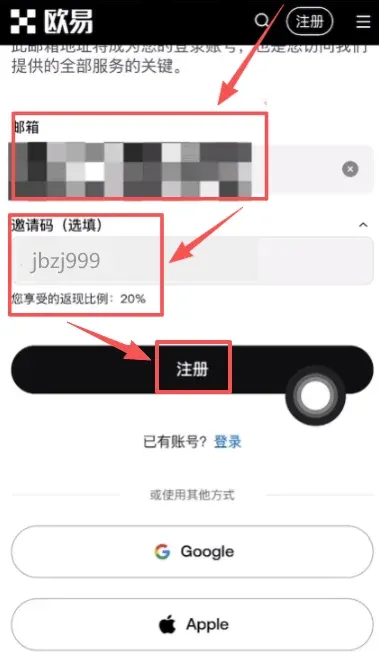
Enter your email address, paste the referral code B2345 (permanent 20 % fee discount), and click Register to finish creating the account.
4. OKX Official Android App Download Tutorial
- On an Android device, tap the official app download link above.
- The page will redirect to an APK download page; tap Download.
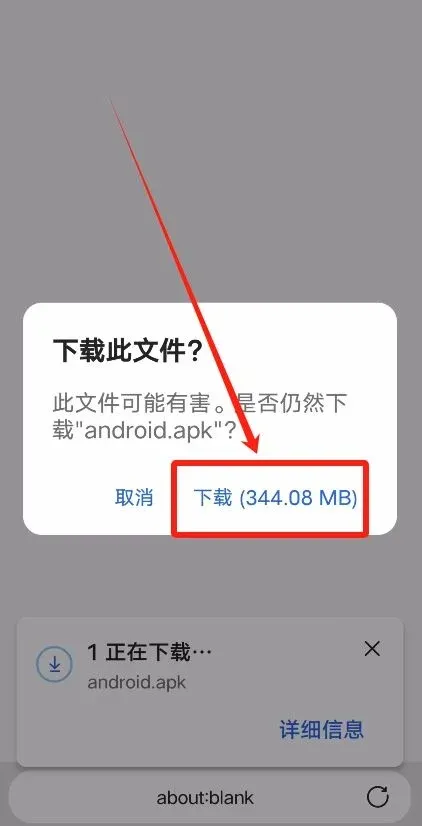
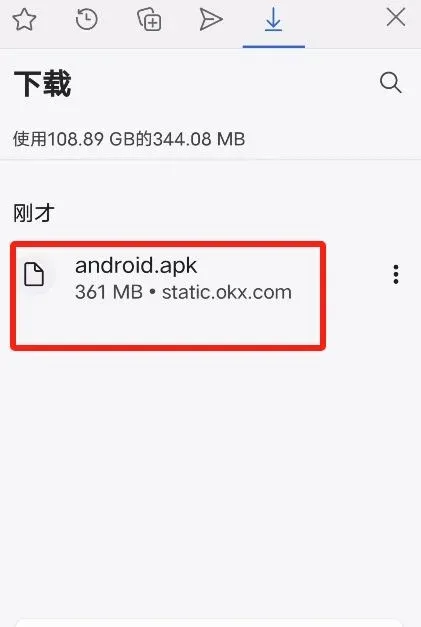
- Once the download finishes, tap the downloaded APK file.
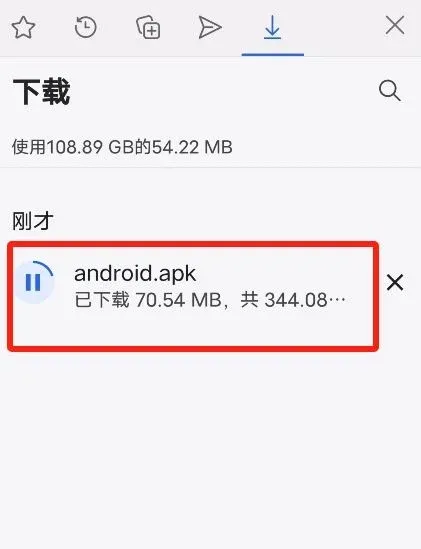
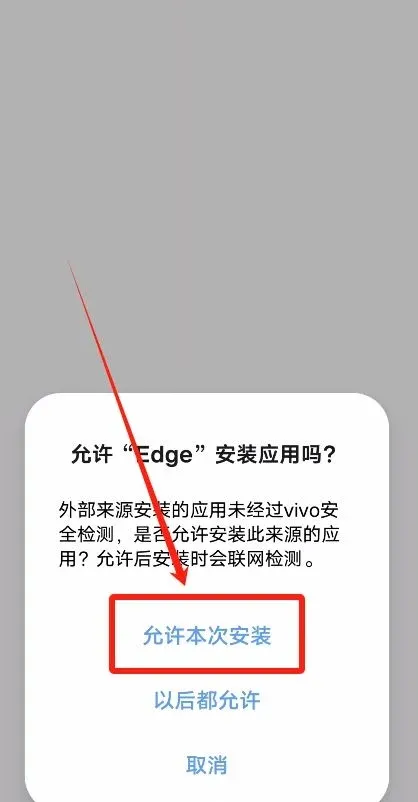
- Grant permission for this installation.
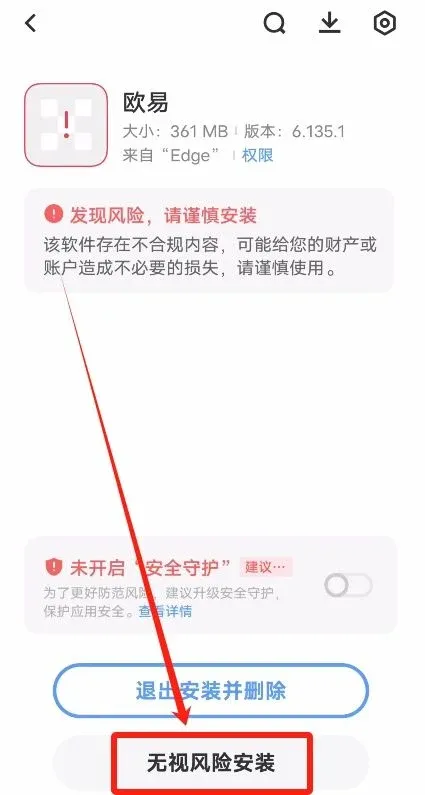
- When the system warns about potential risks (because the app is not from an official store), choose Install Anyway.
Important: Always use the link provided on this page to ensure a trustworthy source.
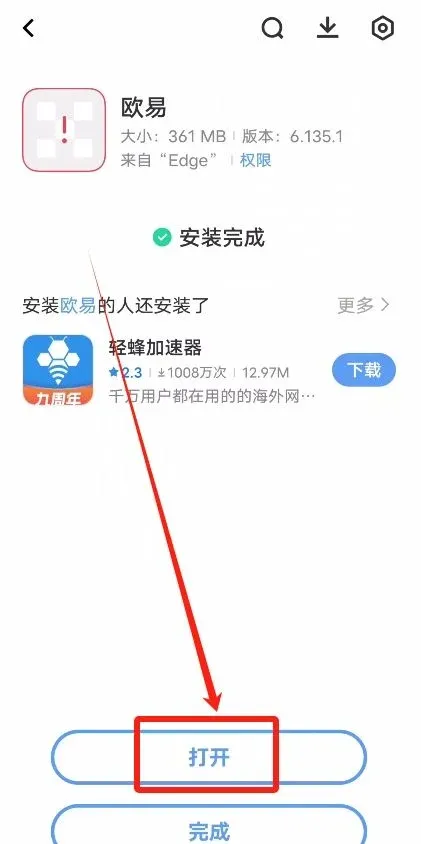
After installation, tap Open to launch the app.
5. OKX iPhone App Download Tutorial
Why you need an overseas Apple ID
Using an Apple ID registered outside the mainland allows you to download region‑locked apps such as OKX or Binance. We recommend creating an Apple ID for Taiwan or Hong Kong, which presents the interface in Traditional Chinese and works without restrictions.
Steps to create an overseas Apple ID
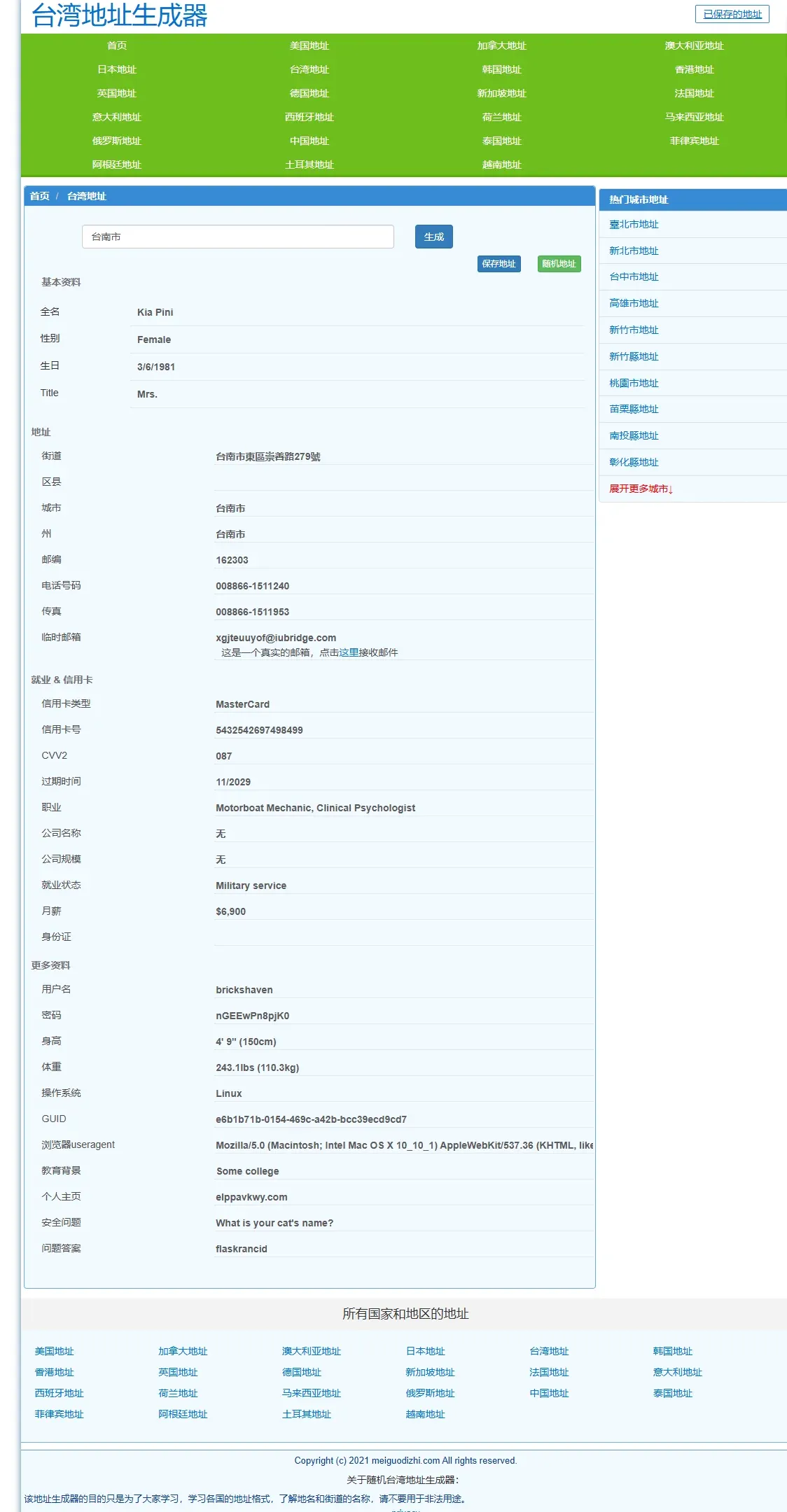
- Open the address generator at https://www.meiguodizhi.com/, select “Taiwan address”, type “Tainan City”, and click Generate to obtain a virtual address.
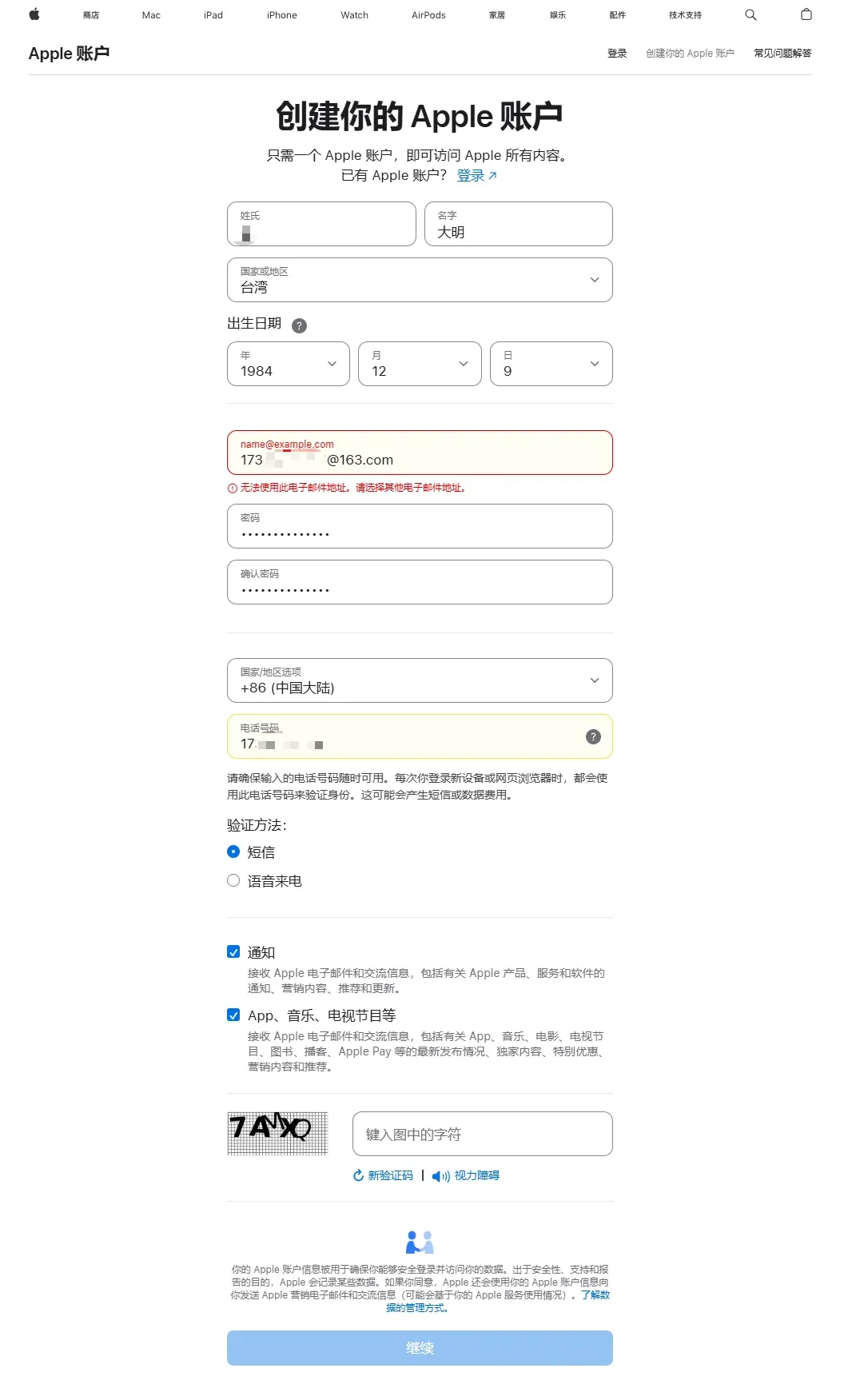
- Visit Apple’s official site and click Create your Apple ID. While filling the form, keep these points in mind:
- Name: any name you prefer.
- Country/Region: Taiwan.
- Birthdate: must be a real date.
- Use a valid email address to receive the verification code.
- Set a password you will remember.
- After the first country selection, change Country/Region again to Mainland China (this step is required for later SMS verification).
- Phone number: you may use a domestic Chinese mobile number and select SMS verification.
- Complete the email and SMS verification; the Apple ID is now created.
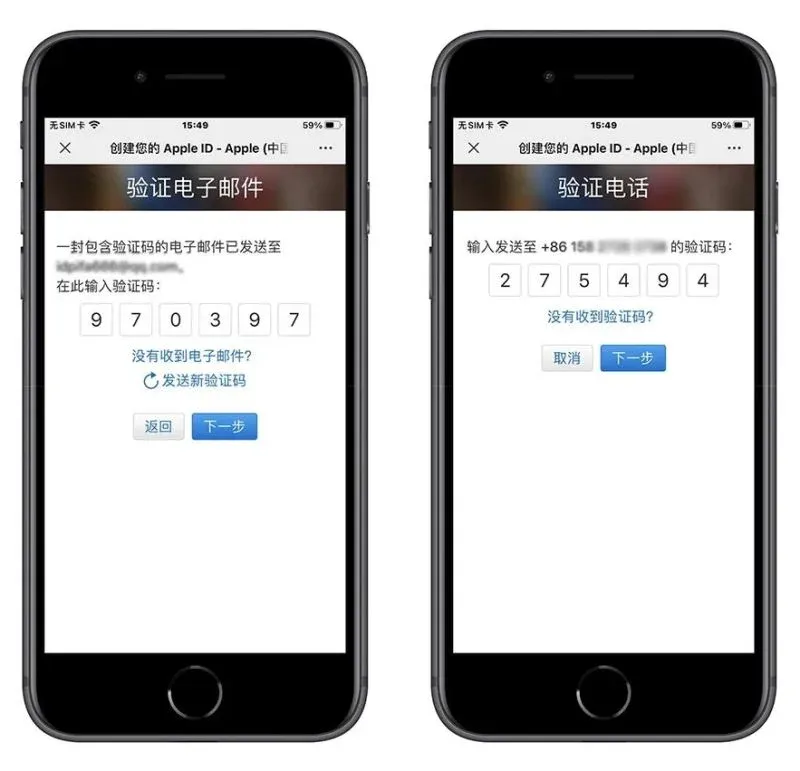
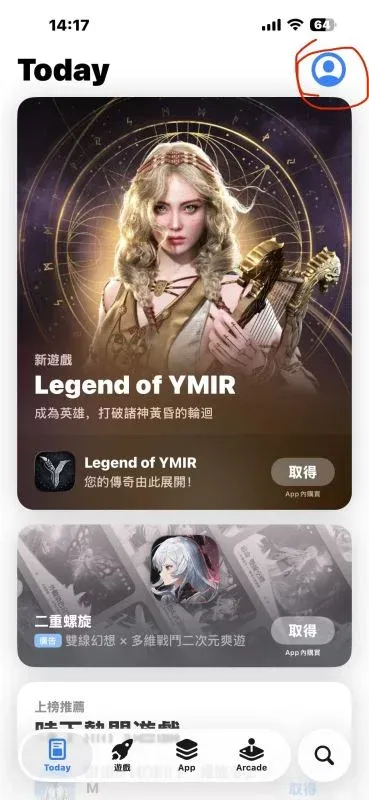
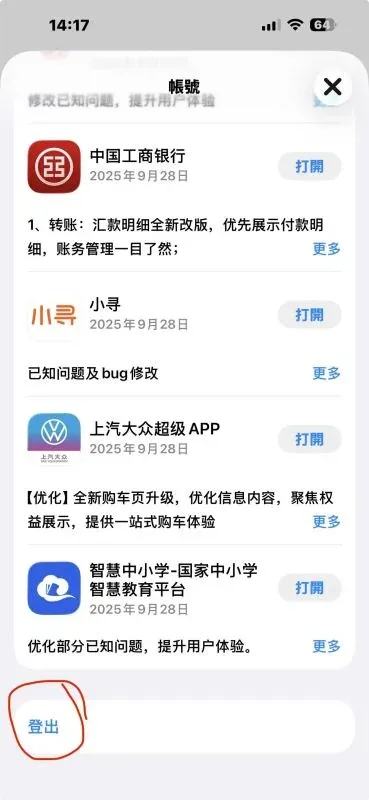
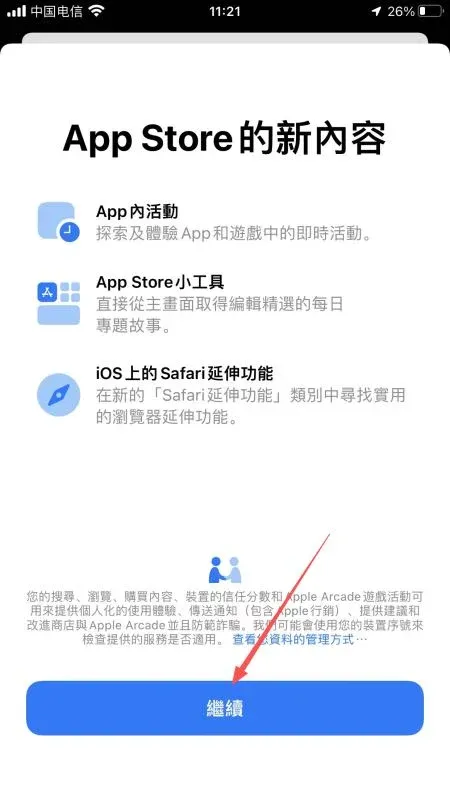
- Open the App Store, log out of any existing account, and log in with the new overseas Apple ID.
- Follow the prompts to Check Account Information.
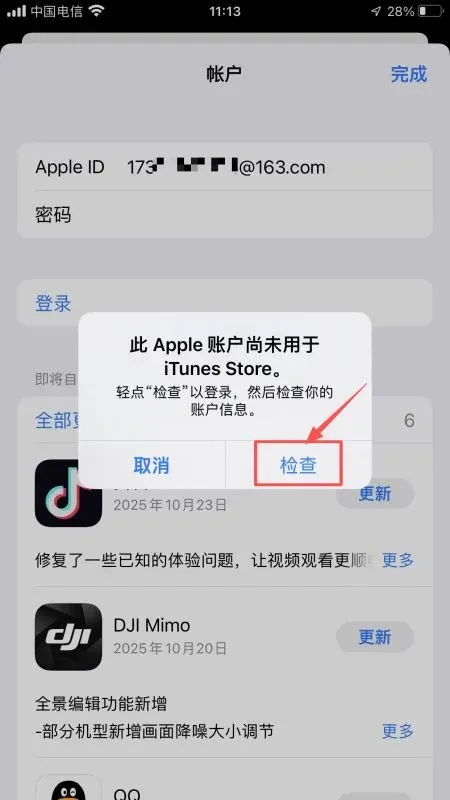
- Accept the terms and continue to the personal‑info screen:
- Street: enter the street generated in step 1.
- City / ZIP: obtain the correct ZIP code via a quick search.
- Phone: use the virtual phone number supplied by the generator.
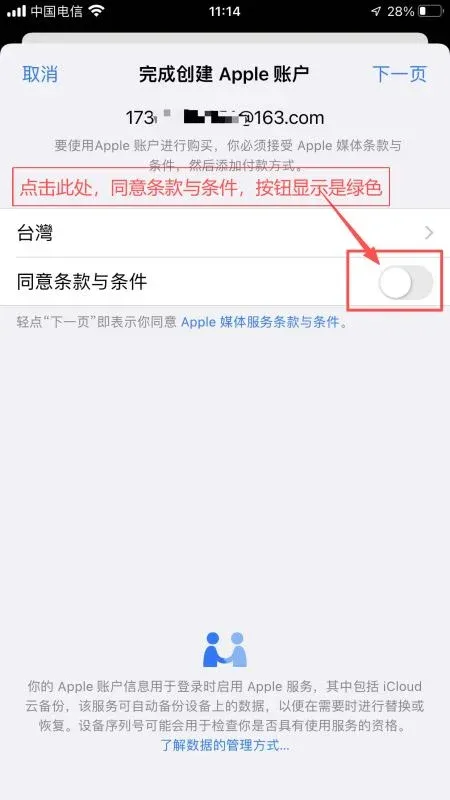
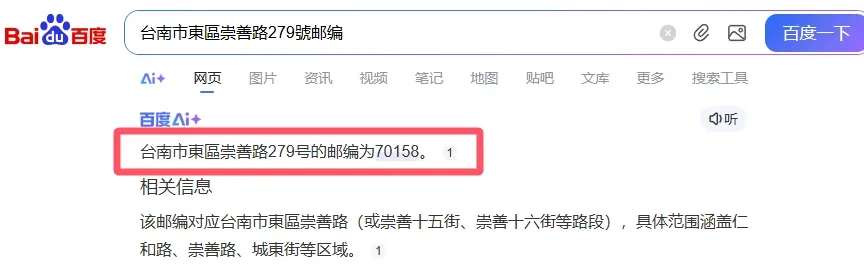
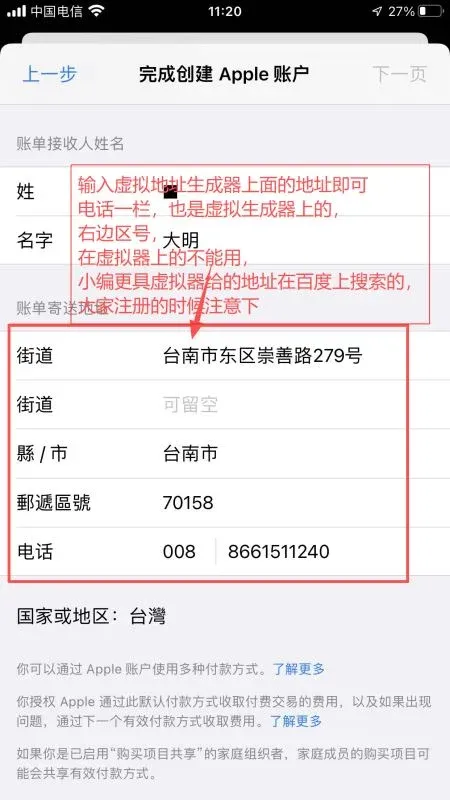
- Keep tapping Continue until the login succeeds.
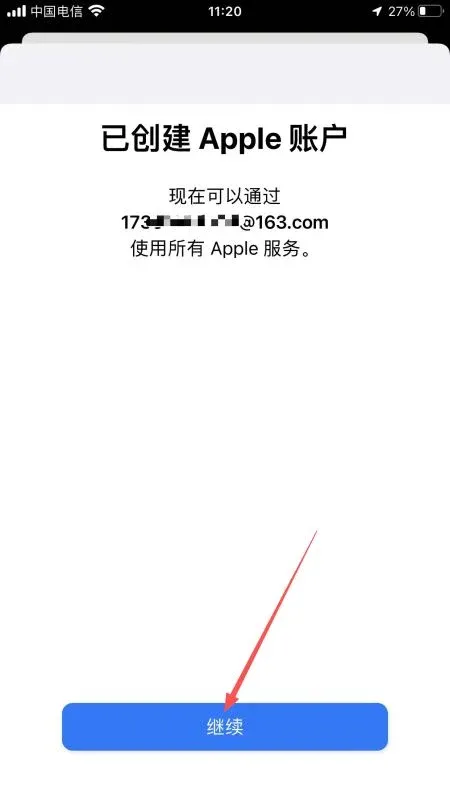
- In the App Store search bar, type “OKX” or “OKX Dubai”. The official download entry will appear; follow the on‑screen instructions to install.
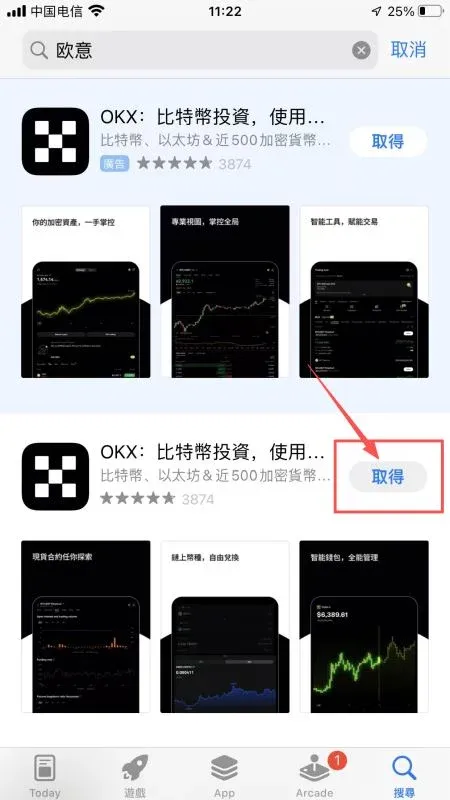
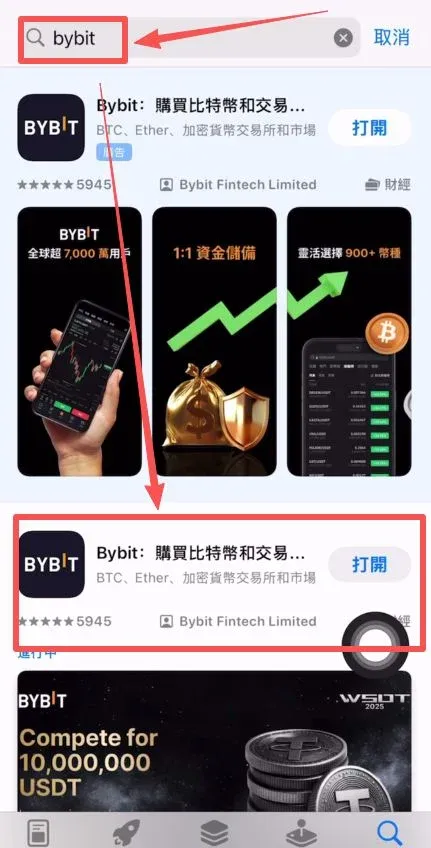
Always use a referral code when you register to receive a 20 % rebate on trading fees.
Part 2: Fiat Deposit and Purchasing USDT
1. Comparison of Main Fiat‑On‑Ramp Options in 2025
| Channel | Fee | Arrival time | Single‑transaction limit | Recommendation score |
|---|---|---|---|---|
| Digital RMB (e‑CNY) | 0.1 % | Instant | 50 000 USD ≈ CNY 350 000 | ★★★★★ |
| Bank transfer (SEPA/SWIFT) | 0 % | 1 business day | 500 000 USD | ★★★★ |
| Alipay | 0.5 % | Instant | 5 000 USD | ★★★ |
| P2P marketplace | 0.2 % | ~15 minutes | Negotiable | ★★★★ |
| Credit card (Visa/MasterCard) | 2 % | Instant | 10 000 USD | ★★ |
Note for U.S. residents: Use Binance.US or another U.S.-registered exchange for fiat on‑ramps; OKX’s global platform is not available to U.S. customers due to regulatory restrictions.
2. Buying USDT with Digital RMB – The Most Efficient Method
Step‑by‑step workflow
- Open the OKX app and tap Buy Crypto.
- Choose the Quick Buy channel.
- Select USDT as the target coin and Digital RMB as the payment method.
- Enter the purchase amount (minimum CNY 10).
- Verify the real‑time exchange rate (premium < 0.3 %).
- The
Related Reading
- Guide: Setting Up Hardware Security Keys on OKX (OKEx)
- How to Quickly Buy Bitcoin on OKX – Step‑by‑Step Guide
- How to Set Up Dollar-Cost Averaging (DCA) on OKX Exchange
💡 Register on Binance with referral code B2345 for the maximum trading fee discount. See Binance complete guide.



