
 Bitaigen Research
 Binance C2C Launches “Buy Crypto, Earn Crypto” Feature, Allowing Users to Complete Purchase and Wealth‑Management in One Flow
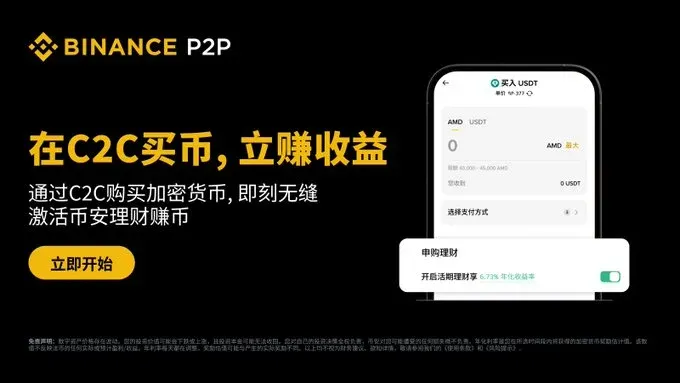
On the Binance App’s C2C buying page, tick “Enable Flexible Savings” and, after confirming the order, the purchased crypto is automatically subscribed to the Principal‑Protected Earn flexible product, where it begins earning daily returns.
In this article we break down every step of Binance C2C’s full‑chain “Buy Crypto, Earn Crypto” process, explaining how the purchase is automatically transferred to the Principal‑Protected Earn flexible product and starts generating daily yields. We also point out version requirements and the eligibility criteria for airdrops. Read on to master the complete “one‑click passive income” workflow.
Key Highlights
- One‑Click Earn – Switch the toggle on the order‑confirmation screen to have the newly bought cryptocurrency instantly subscribed to the Principal‑Protected Earn flexible product, joining the daily reward distribution immediately.
- Passive Yield – The system automatically allocates the purchased assets to flexible savings, so you receive daily returns without any manual steps.
- Receive HODLer Airdrop – Eligible BNB purchases automatically grant HODLer airdrop eligibility, letting you claim new tokens for free.
Please Note: This feature is available on both the Binance App and the web portal and works with every payment method supported by C2C trades. Before using it, ensure your Binance App is updated to version 3.8.1 or later. U.S. users must access the service via Binance.US (the U.S.‑compliant platform) rather than the global Binance site.
How to Use Binance C2C to Buy Crypto and Instantly Subscribe to Principal‑Protected Earn
Prerequisites
- Securely download the Binance App and complete account registration. Refer to the official tutorials below:
- 2026 Updated Guide for Mainland Chinese Users Registering on Binance Exchange
- How to Download the Binance App? Mainland China Download & Installation Guide (Android / iOS)
Step‑by‑Step Procedure
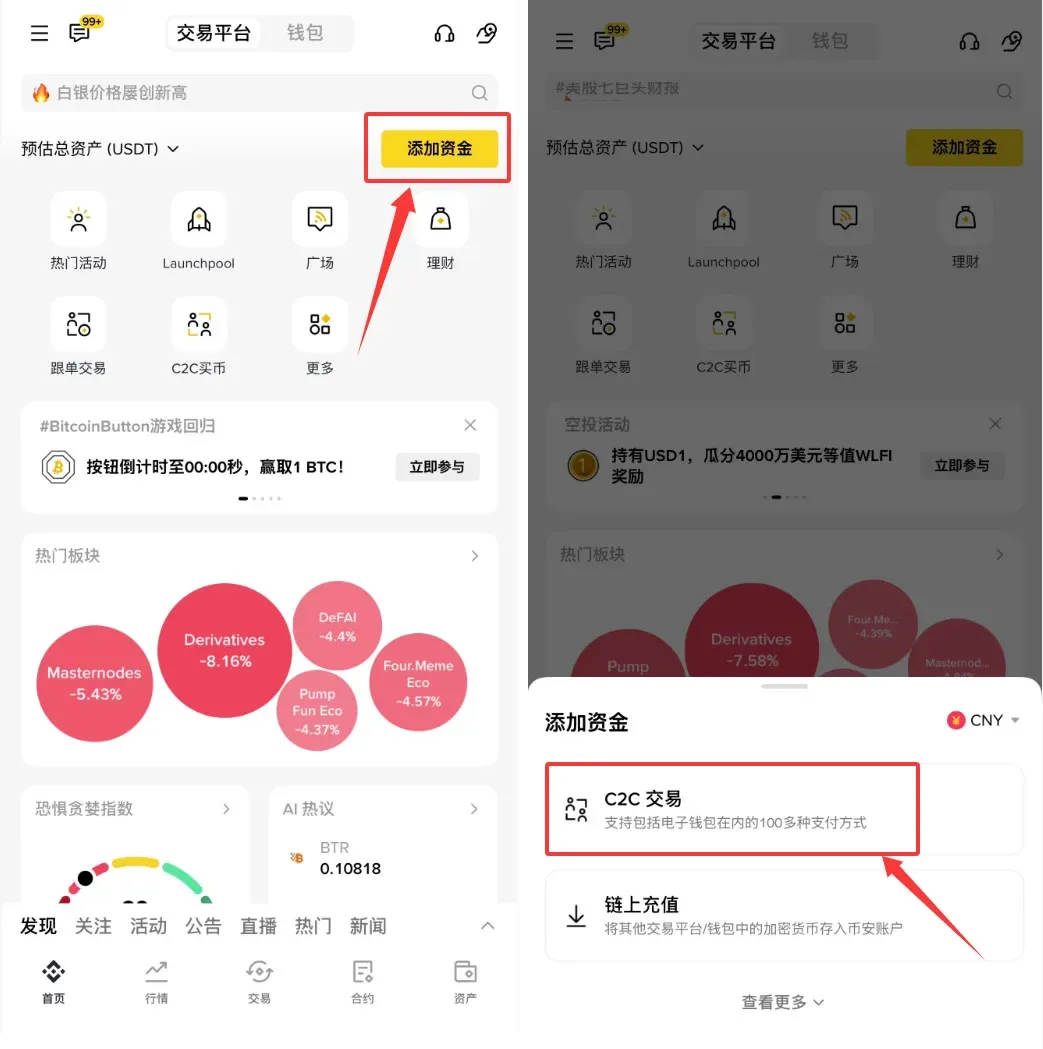
- Open the Binance App (Official registration link | Official download link), tap 【Add Funds】, and navigate to the 【C2C Trading】 page.
- At the top of the page, switch the trading zone; you can choose 【Quick】, 【C2C】, 【Select】 or 【Bulk】.
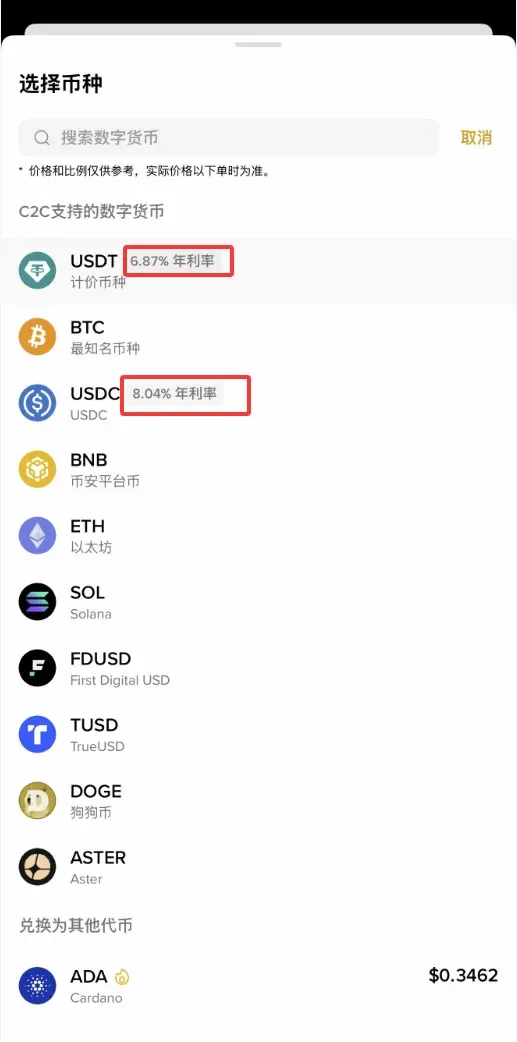
- After selecting the fiat currency you wish to pay with (e.g., USD via credit card, SEPA, or SWIFT), open the token list. Each token displays its Simple Earn annual percentage rate (APR), helping you gauge the earning potential.
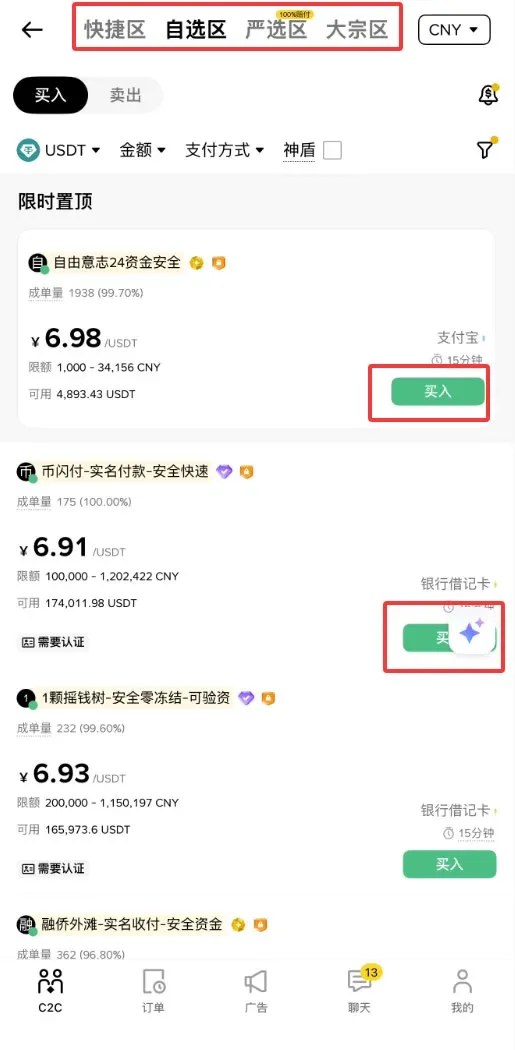
- Choose a seller and tap 【Buy】, then enter the amount you want to purchase. Before placing the order, read the seller’s terms carefully.
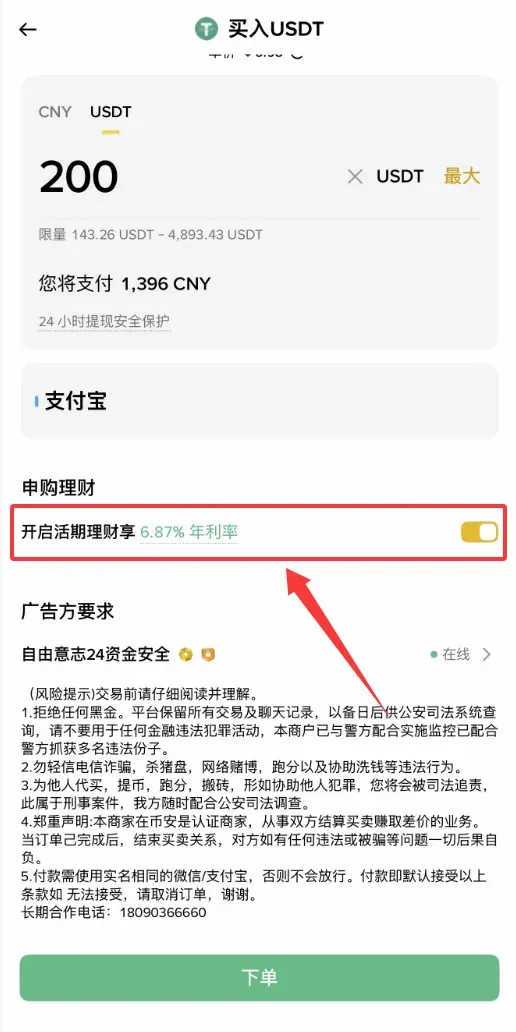
- Tick the 【Enable Flexible Savings】 checkbox; the system will automatically subscribe the purchase amount to Simple Earn’s Principal‑Protected flexible product right after the order is filled, and interest calculation starts immediately.
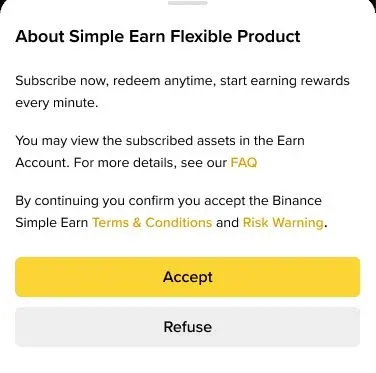
- If this is your first time using the feature, a Principal‑Protected Earn terms‑confirmation pop‑up will appear. Read the agreement and accept it to proceed.
- After confirming the order and completing payment, the assets are automatically transferred to your savings account. You can view the position under 【Wallet】 → 【Earn】 and redeem at any time.
Tips
- Checking Returns – Go to the Simple Earn page to see daily earnings details and cumulative returns.
- Airdrop Claim – For qualifying BNB purchases, the system automatically distributes the HODLer airdrop in the Activity Center; remember to claim it promptly.
The steps above constitute the complete workflow for buying crypto via C2C on the Binance App and instantly subscribing the purchase to Principal‑Protected Earn. For additional tutorials on Binance’s “Buy Crypto, Earn Crypto” feature, follow other articles on Bitaigen (比特根).
Tax Reminder: Crypto gains may be taxable in your jurisdiction. Consult a tax professional to ensure compliance with local regulations.
Related Reading
- Kraken vs Binance 2025: Security, Liquidity & UX
- What Is a Binance Passkey? Setup Guide & Troubleshooting
- How to Sell Ethereum on Binance Spot Market: Order Types Explained
💡 Register on Binance with referral code B2345 for the maximum trading fee discount. See Binance complete guide.



